Peugeot 207 Dag (2010 year). Manual - part 12
181
04
7
6
5
4
3
2
1
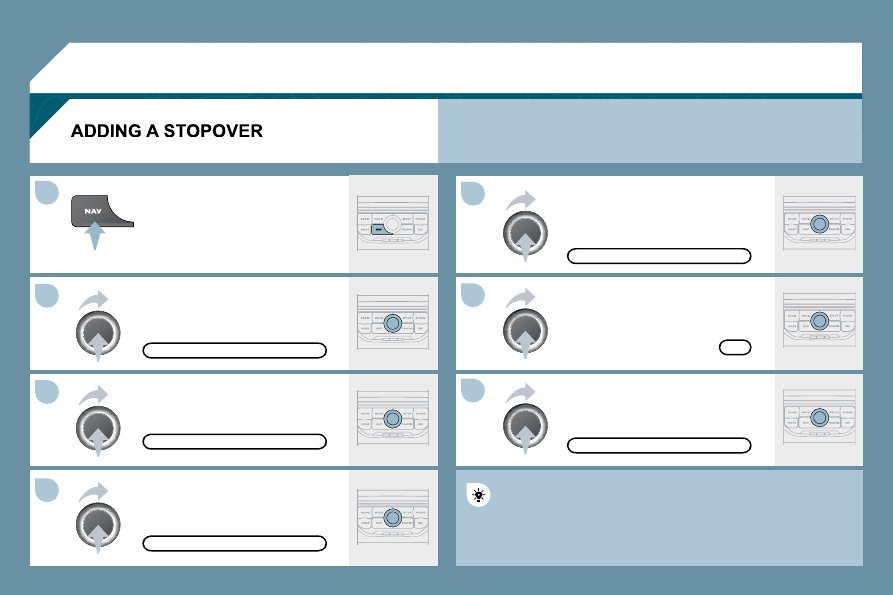
Enter a new address, for example.
Once the new address has been
entered, select OK and press the dial
to confi rm.
Select "Recalculate" and press the
dial to confi rm.
Press the NAV button.
Press the NAV button again or select
the "Navigation" Menu function and
press the dial to confi rm.
Select the "Add stopover" function
(5 stopovers maximum) and press the
dial to confi rm.
Select the "Stopovers" function and
press the dial to confi rm.
OK
ADDRESS INPUT
ADD STOPOVER
STOPOVERS
"NAVIGATION" MENU
RECALCULATE
The stopover must be completed or deleted in order for the guidance
The stopover must be completed or deleted in order for the guidance
to continue to the next destination. Otherwise, the Peug
Peugeot Connect
Navigation will always return you to the previous stopov
topover.
Stopovers can be added to the route once the destination has been selected.
NAVIGATION - GUIDANCE