Lexus UX 300e (2023 year). Manual in english - page 4
125
2
2-2. Charging
El
ect
ric V
eh
icle
sy
st
em
P.114
1
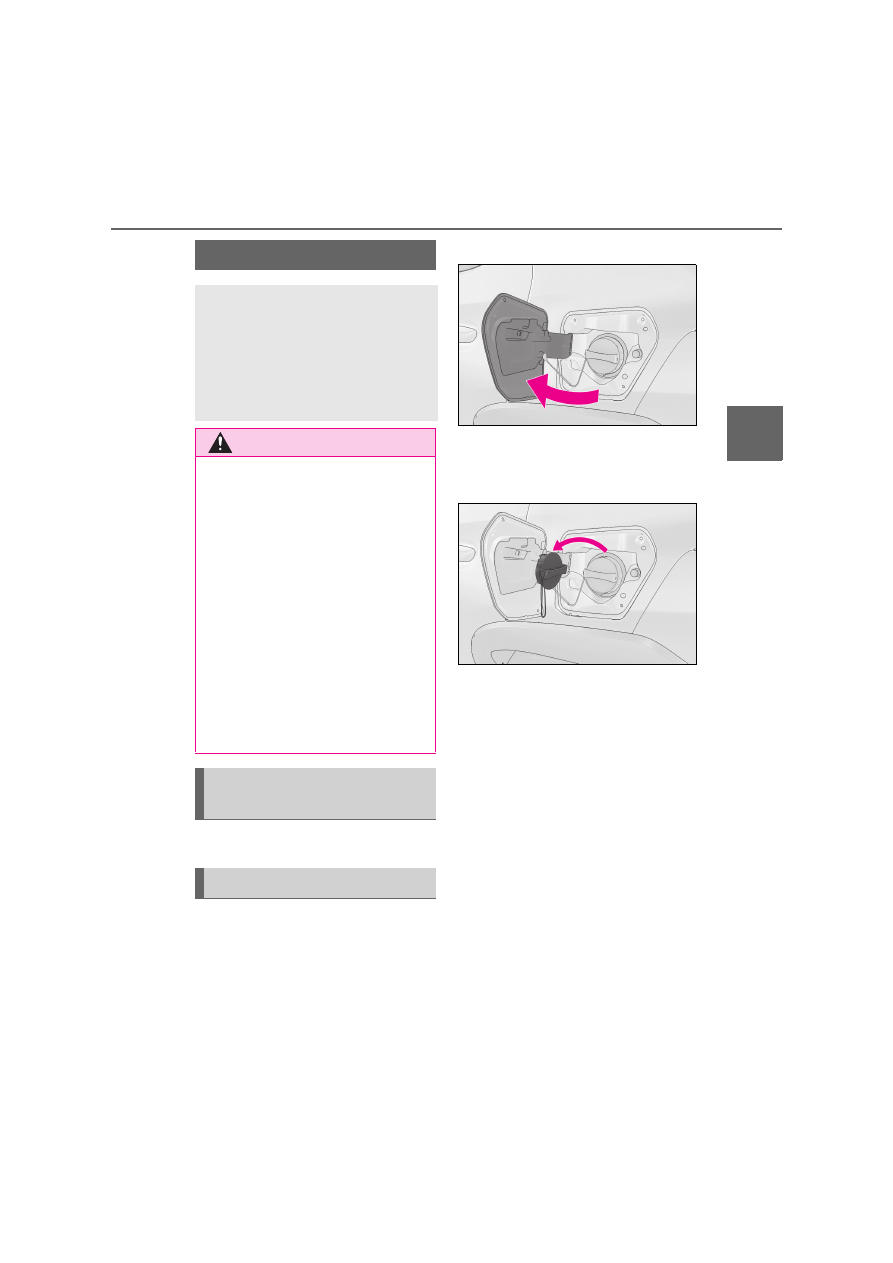
Unlock DC charging port lid by
unlocking the doors. (
P.178)
2
Open the DC charging port lid (left
side of the vehicle). (
P.89)
The DC charging inlet light will illuminate.
3
Remove the DC charging inlet cap
and secure it as shown in the illus-
tration.
How to use DC charging
This section explains the DC
charging procedure for the trac-
tion battery.
When using a DC charger, make
sure to check the operation
instructions of the DC charger.
WARNING
Q
When using a DC charger
Observe the following precautions.
Failure to do so may cause an unex-
pected accident, resulting in death or
serious injury.
O
Use DC chargers conforming to
“CHAdeMO standard” at a public
charging station. DC charging cannot
use a DC charger that is not conform-
ing to the “CHAdeMO standard”.
O
Do not use the charging cable longer
than 30 meters.
O
Use DC charger with a charging cable
no longer than 30 meters.
Do not do charging with other charger
or other vehicle at the same time.
Confirm the following before
charging
When charging