Citroen Jumpy Dispatch (2023 year). Manual in english - page 5
Driving
Automatic application
With an automatic gearbox or a drive
This indicator lamp on the instrument
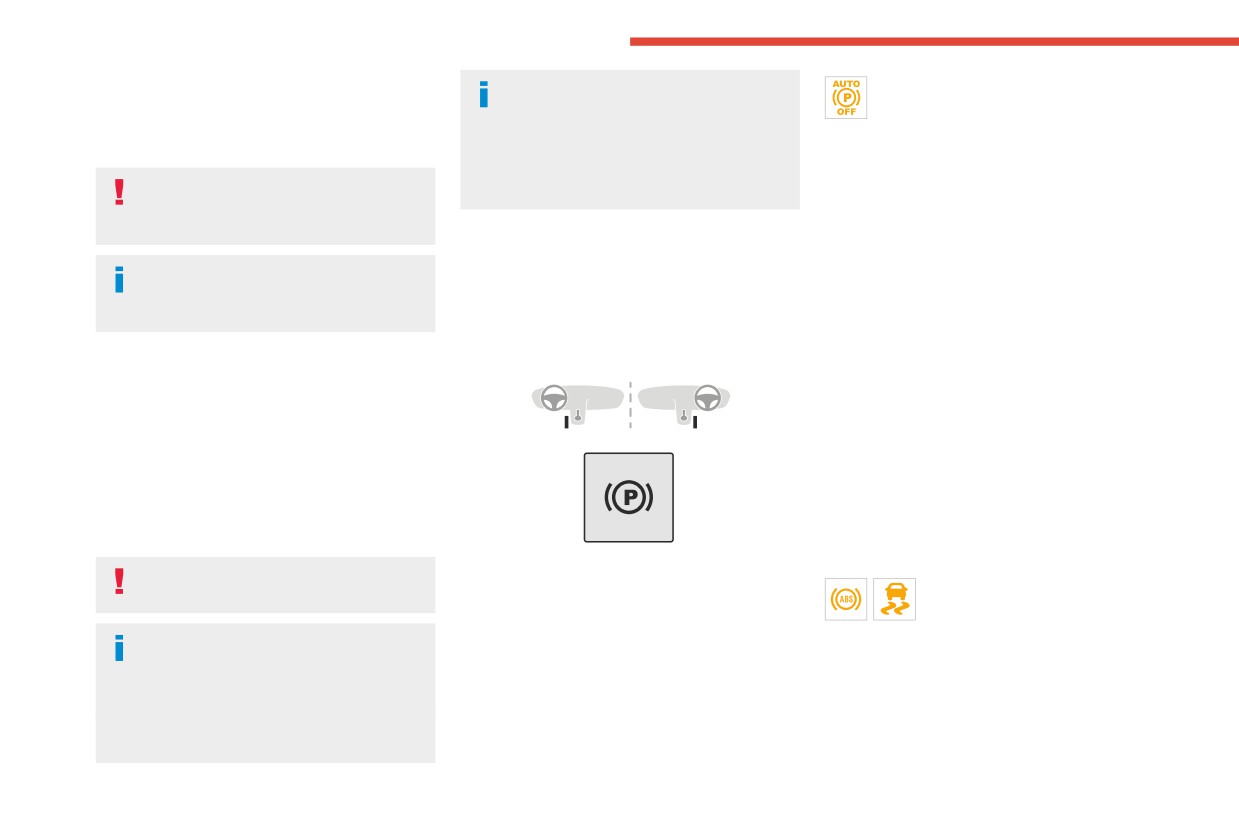
With the vehicle stationary, the parking brake
selector, if you open the driver's door
panel comes on to confirm deactivation of
is applied automatically when the engine is
while mode N is engaged, an audible signal
the automatic functions.
switched off.
will sound and mode P will be engaged. The
► Release the control and the brake pedal.
audible signal stops when the driver's door is
From this point onwards, only the manual
It is not applied automatically if the
closed.
functions, using the control, allow the parking
engine stalls or enters STOP mode with
brake to be applied and released.
Stop & Start.
► Follow this procedure again to reactivate
Deactivating automatic
automatic operation (confirmed by the indicator
In automatic mode, the parking brake
operation
lamp on the instrument panel going out).
can be manually applied or released at
In some situations, for example when it is
any time using the control.
Emergency braking
extremely cold or when towing (e.g. caravan,
breakdown), it may be necessary to deactivate
If depressing the brake pedal fails to provide
automatic operation of the system.
effective braking or in exceptional circumstances
Special cases
(e.g. driver unwell, assisted driving), the vehicle
can be braked by sustained pulling on the
Immobilising the vehicle with the
electric parking brake control. Braking continues
engine running
for as long as the control is kept pulled, and
To immobilise the vehicle with the engine
ceases when the control is released.
running, briefly pull the control.
The ABS and DSC systems stabilise the vehicle
during emergency braking.
Parking the vehicle with the brake
If emergency braking malfunctions, the message
released
"Parking brake fault" will be displayed on the
► Start the engine.
instrument panel.
In very cold conditions (ice), applying the
► Use the control to apply the parking brake, if
If the ABS and DSC systems
parking brake is not recommended.
it is released.
malfunction, indicated by lighting
► Take your foot fully off the brake pedal.
one or both warning lamps on the instrument
With an automatic gearbox or drive
► Keep the control pushed in the release
panel, the vehicle’s stability is no longer ensured.
selector, mode P is automatically
direction for 10 to a maximum of 15 seconds.
► In this case, ensure the vehicle's stability by
selected when the ignition is switched off. The
► Release the control.
successive and repeated "pull-release" actions
wheels are blocked.
► Depress and hold the brake pedal.
on the electric parking brake control until the
For more information on Free-wheeling, refer
► Pull the control in the application direction for
vehicle comes to a complete stop.
to the corresponding section.
2 seconds.
140
CarManuals2.co
Driving
Hill start assist
Operation
instrument panel, accompanied by the display of
6
a message.
This system keeps the vehicle briefly stationary
Have it checked by a CITROËN dealer or a
(for approximately 2 seconds) when making a hill
qualified workshop.
start, while you transfer your foot from the brake
pedal to the accelerator pedal.
The system is only active when:
6-speed manual gearbox
- The vehicle is completely stationary, with your
foot on the brake pedal.
Engaging 5th or 6th gear
- Certain slope conditions are met.
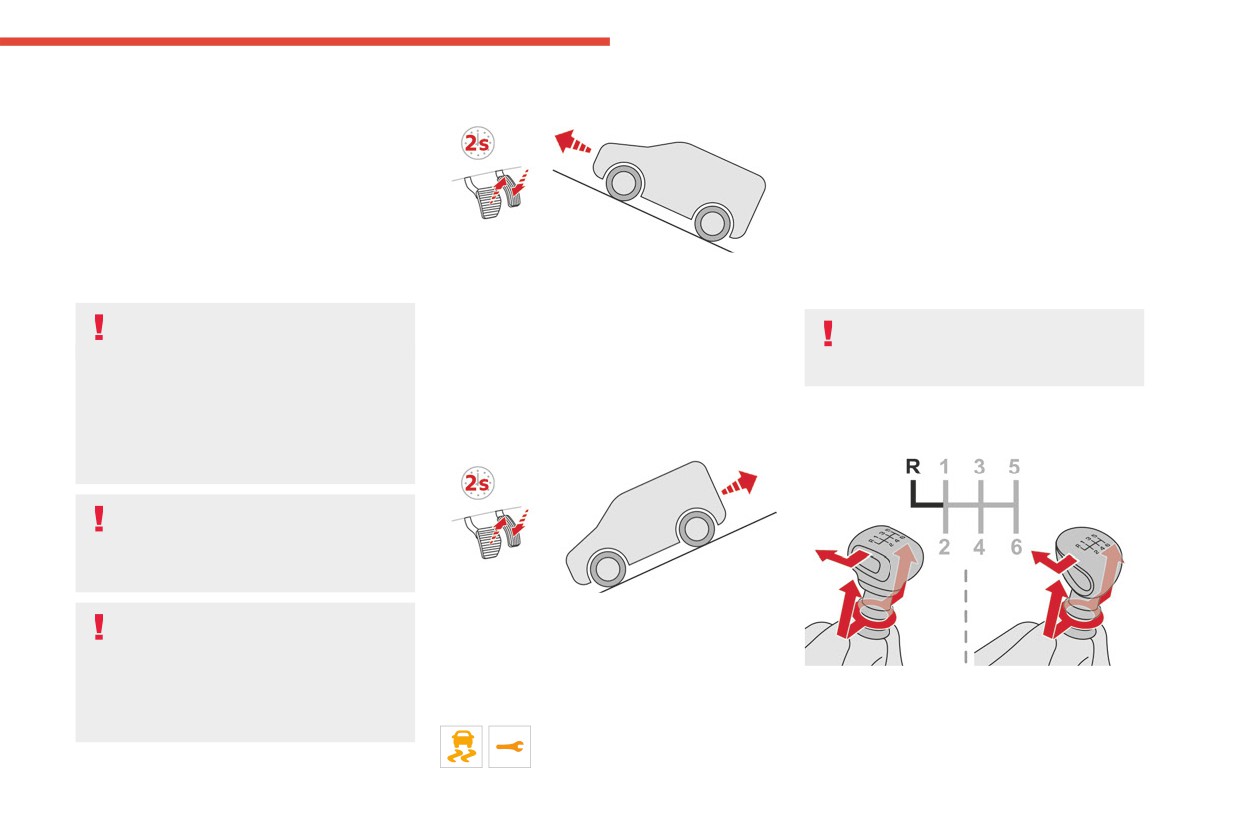
Facing uphill, with the vehicle stationary,
► Move the gear selector fully to the right to
- The driver’s door is closed.
the vehicle is held for a short time when the
engage 5th or 6th gear.
driver releases the brake pedal:
Do not leave the vehicle while it is being
- If first gear or neutral is engaged on a manual
Failure to follow this instruction could
held temporarily by hill start assist.
gearbox.
cause permanent damage to the gearbox
If someone needs to get out of the vehicle
- If mode D or M is selected on an automatic
(inadvertent engagement of 3rd or 4th gear).
with the engine running, apply the parking
gearbox.
brake manually. Then check that the parking
- If mode D or B is selected on the drive
brake indicator lamp and the P indicator lamp
Engaging reverse gear
selector.
in the electric parking brake control are on
fixed.
The hill start assist function cannot be
deactivated. However, using the parking
brake to immobilise the vehicle interrupts its
operation.
Facing downhill, with the vehicle stationary
If your vehicle has an automatic gearbox
and reverse gear engaged, the vehicle is held
and you have to move off on a steep
for a short time when the driver releases the
slope (uphill or downhill) with a loaded
brake pedal.
vehicle, press the brake pedal, select
► Raise the ring under the knob and move the
position D, release the parking brake then
gear lever to the left, then forwards.
Malfunction
release the brake pedal.
If the event of a malfunction, these
warning lamps light up on the
141
CarManuals2.co
Driving
Only engage reverse gear when the
standby (STOP mode of Stop & Start), in certain
vehicle is stationary with the engine at
driving conditions.
idle.
With an automatic gearbox, the system is
only active in manual operation.
As a safety precaution and to facilitate
engine starting:
The information appears on the
- always select neutral,
instrument panel, in the form of an "up" or
- depress the clutch pedal.
"down" arrow and the recommended gear.
The system adapts the gear change
instructions according to the driving
Gear shift indicator
conditions (e.g. slope, load) and driving style
P.
Park.
(Depending on engine)
(e.g. power demand, acceleration, braking).
R. Reverse.
This system is designed to reduce fuel
The system never suggests:
N. Neutral.
consumption by recommending the most suitable
- engaging first gear.
D. Drive (automatic operation).
gear.
- engaging reverse gear.
M. Manual (manual operation with sequential
changing of the gears).
Operation
Depending on the driving situation and
Automatic gearbox
Position N can be used in traffic jams or
the vehicle's equipment, the system may
in a car wash tunnel.
Automatic 6 or 8-speed gearbox, with electronic
recommend skipping one or more gears.
management of gear changes. It also offers a
Gear engagement recommendations are
manual mode with sequential gear changes
not to be considered mandatory. Indeed, the
via control paddles located behind the steering
configuration of the road, the traffic density and
wheel.
safety remain determining factors when choosing
the best gear. Therefore, the driver remains
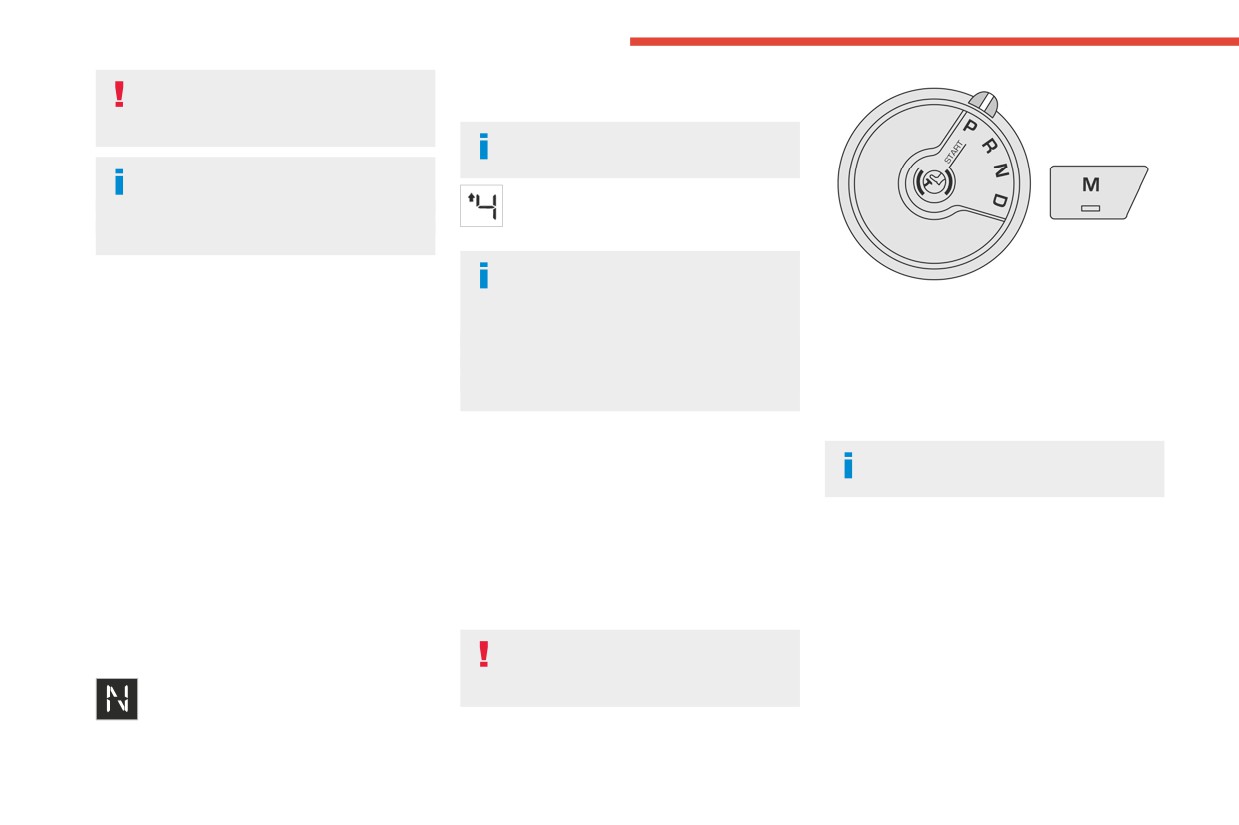
Gear selector
responsible for deciding whether or not to follow
the system’s advice.
To turn the gear selector in complete
The system cannot be deactivated.
safety, it is recommended that you keep
On certain BlueHDi Diesel versions with a
your foot on the brake pedal.
manual gearbox, the system may suggest
shifting into neutral (N is displayed on the
instrument panel) so that the engine can go into
142
CarManuals2.co
Driving
Steering mounted controls
When you move the selector or press button M,
If P is displayed on the instrument panel
6
the corresponding gear and indicator lamp are
but the selector is in another position,
shown on the instrument panel.
place the selector in position P to allow the
The "-" symbol is displayed if a value is invalid.
engine to be started.
► If the message "Foot on the brake" is
If position N is selected inadvertently while
displayed on the instrument panel, press
driving, allow the engine to return to idle, then
the brake pedal firmly.
select position D to accelerate.
Starting the vehicle
When the engine is running at idle with
► With your foot on the brake, select
the brakes released, if position R, D or M
position P.
is selected, the vehicle moves even without
► Start the engine.
the accelerator being pressed.
If the conditions are not met, there is an audible
Never leave children inside the vehicle
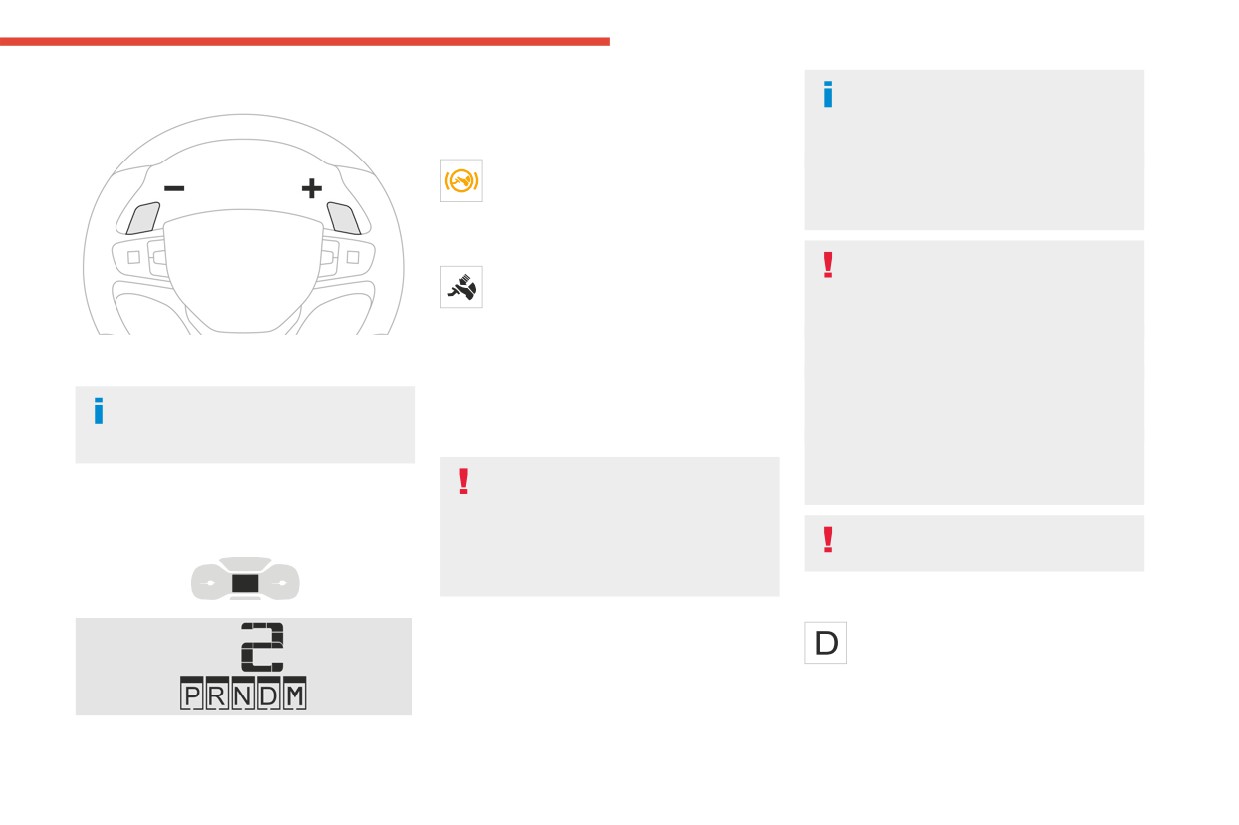
► Pull the right-hand "+" or left-hand "-" control
signal, accompanied by a message on the
unsupervised.
paddle towards you to change up or down.
instrument panel screen.
As a safety measure, never leave the vehicle
The steering mounted controls do not
► Release the parking brake, unless it is set to
without taking your key or remote control with
allow neutral to be selected and reverse
automatic mode (with electric parking brake).
you, even for a short time.
gear to be engaged or disengaged.
► Select position R, N or D.
When carrying out maintenance with the
engine running, apply the parking brake and
If you are setting off from a steep slope
select position P.
Information displayed on
with a loaded vehicle, depress the
brake pedal, select position D, release the
the instrument panel
With an automatic gearbox, never try to
parking brake, unless it is set to automatic
mode (with electric parking brake), then
start the engine by pushing the vehicle.
release the brake pedal.
Automatic operation
► Gradually release the brake pedal.
Or
► Select position D for automatic
► Accelerate gradually in order to release the
changing of the gears.
electric parking brake (if it is set to automatic
The gearbox then operates in auto-adaptive
mode).
mode, without any intervention on the part of the
The vehicle moves off immediately.
driver. It continuously selects the most suitable
gear according to the driving style, the road
profile and the load in the vehicle.
143
CarManuals2.co
Driving
► For maximum acceleration without
Creeping (moving without
It is only possible to change from one
touching the selector, fully depress the
gear to another if the vehicle speed and
using the accelerator)
accelerator pedal (kick-down).
engine speed permit.
The gearbox changes down automatically or
This function facilitates manoeuvring of the
holds the gear selected until the maximum
vehicle at low speed (when parking, in traffic
If the engine speed is too low or too high,
engine speed is reached.
jams, etc.).
the selected gear flashes for a few
When braking, the gearbox changes down
With the engine at idle, parking brake released
seconds, then the gear actually engaged is
automatically to provide effective engine braking.
and position D, M or R selected, the vehicle
shown.
If you release the accelerator sharply, the
moves as soon as you take your foot off
When the vehicle is stationary or moving very
gearbox will not shift to a higher gear for safety
the brake pedal (even without pressing the
slowly, the gearbox automatically selects gear
reasons.
accelerator).
M1.
Never select position N while the vehicle
As a safety precaution, never leave the
is moving.
vehicle with the engine running and the
To preserve the brakes while descending
Never select positions P or R unless the
doors closed.
a steep incline, use engine braking to
vehicle is completely stationary.
reduce your speed (change down or select a
lower gear).
Manual operation
Keeping the brake pedal pressed
Temporary manual control
► With the selector in position D, press
continuously for long periods can overheat
button M to enable 6- or 8-speed
of gear changes
the brakes, with the risk of damaging the
sequential gear changing.
braking system or making it inoperative.
You can temporarily assume control of gear
The indicator lamp for the button comes on.
Only use the brakes when necessary, to slow
changing using the "+" et "-” steering-mounted
► Operate the "+" or "-" steering mounted
or stop the vehicle.
controls. The gear change request will be
controls.
executed if the engine speed permits.
M appears and the engaged gears are
This function allows you to anticipate certain
Depending on the road configuration
shown in succession on the instrument
situations, such as overtaking another vehicle or
(e.g. mountainous road), manual
panel.
approaching a bend in the road.
operation may be preferable.
► You can revert to automatic operation at any
After a few seconds with no inputs via the control
Automatic operation may not always be
time by pressing button M again.
paddles, the gearbox reverts to automatic
suitable, and does not enable engine braking.
The indicator lamp for the button goes off.
operation.
In manual mode, there is no need to
release the accelerator pedal while
changing gear.
144
CarManuals2.co
Driving
Invalid value during manual
When positioned on a steep slope with a
If your vehicle has an automatic gearbox,
6
loaded vehicle, depress the brake
do not try to start the engine by pushing
operation
pedal, select position P, apply the parking
the vehicle.
This symbol is displayed if a gear is not
brake, unless it is set to automatic mode (with
engaged correctly (gear selector between
electric parking brake), then release the brake
two positions).
pedal.
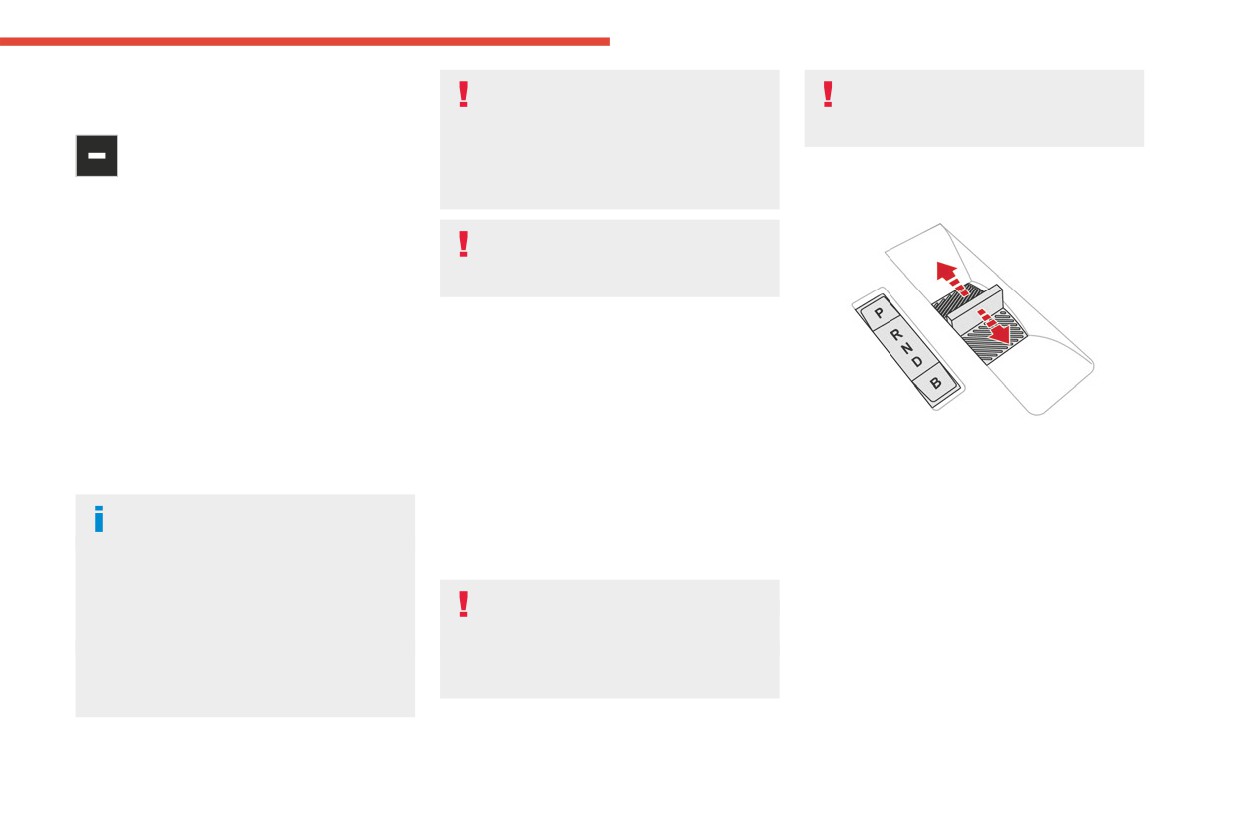
Drive selector (Electric)
► Place the selector "correctly" at a position.
In all circumstances, ensure that the
Switching off the vehicle
selector is in position P before leaving
Before switching off the engine, select position
your vehicle.
P then apply the parking brake to immobilise
the vehicle, unless this is set to automatic mode
(with electric parking brake).
Malfunction
Check that mode P has been engaged and that
When the ignition is on, a message appears on
the electric parking brake has been applied
the instrument panel to indicate a fault with the
automatically; if not, apply it manually.
gearbox.
The corresponding indicator lamps in the
In this case, the gearbox goes into back-up
selector and the electric parking brake control
mode and is locked in 3rd gear. You may feel a
lever must be on, as well as those on the
significant jolt (without risk to the gearbox) when
The drive selector is a pulse selector with a
instrument panel.
changing from P to R and from N to R.
regenerative braking function.
The drive selector provides traction control
Do not exceed 62 mph (100 km/h), local speed
A point of resistance may be noticed
based on the driving style, the road profile and
restrictions permitting.
when moving to position P.
the vehicle load.
Have it checked by a CITROËN dealer or a
If the selector is not in position P, when the
With regenerative braking activated, it also
qualified workshop.
driver's door is opened or approximately 45
manages engine braking when the accelerator
seconds after the ignition is switched off,
There is a risk of damaging the gearbox:
pedal is released.
an audible signal sounds and a message
- If the accelerator and brake pedals are
P. Park
appears.
depressed simultaneously.
Button for parking the vehicle: the front
► Return the drive selector to position P;
- In the event of a battery failure, forcing the
wheels are locked (the button lights up to
the audible signal stops and the message
selector from position P to another position.
indicate that it is activated).
disappears.
R. Reverse
To engage reverse gear, with your foot on the
brake pedal.
145
CarManuals2.co
Driving
N. Neutral
Regenerative braking
With the brake pedal
To move the vehicle with the ignition off and
When the brake pedal is depressed, the
With the Brake function and when
so allow it to free-wheel.
intelligent braking system automatically recovers
decelerating
For more information on Free-wheeling, refer
some of the energy and uses it to recharge the
The Brake function emulates engine braking,
to the corresponding section.
traction battery.
slowing the vehicle with no need to depress the
D. Drive (automatic forward gear)
This energy recovery also reduces use of the
brake pedal. The vehicle slows more quickly
B. Brake (regenerative braking)
brake pads, thereby limiting their wear.
when the driver releases the accelerator pedal.
Regenerative braking (the button lights up to
The energy recovered when the accelerator
The driver may experience a different
indicate its activation).
pedal is released is then used to partially
sensation when depressing the brake
recharge the traction battery, thereby increasing
pedal compared to a vehicle without
Information displayed on
the vehicle's driving range.
regenerative braking.
the instrument panel
The resulting deceleration of the vehicle
When the ignition is switched on, the drive
does not cause the brake lamps to come
selector status is displayed on the instrument
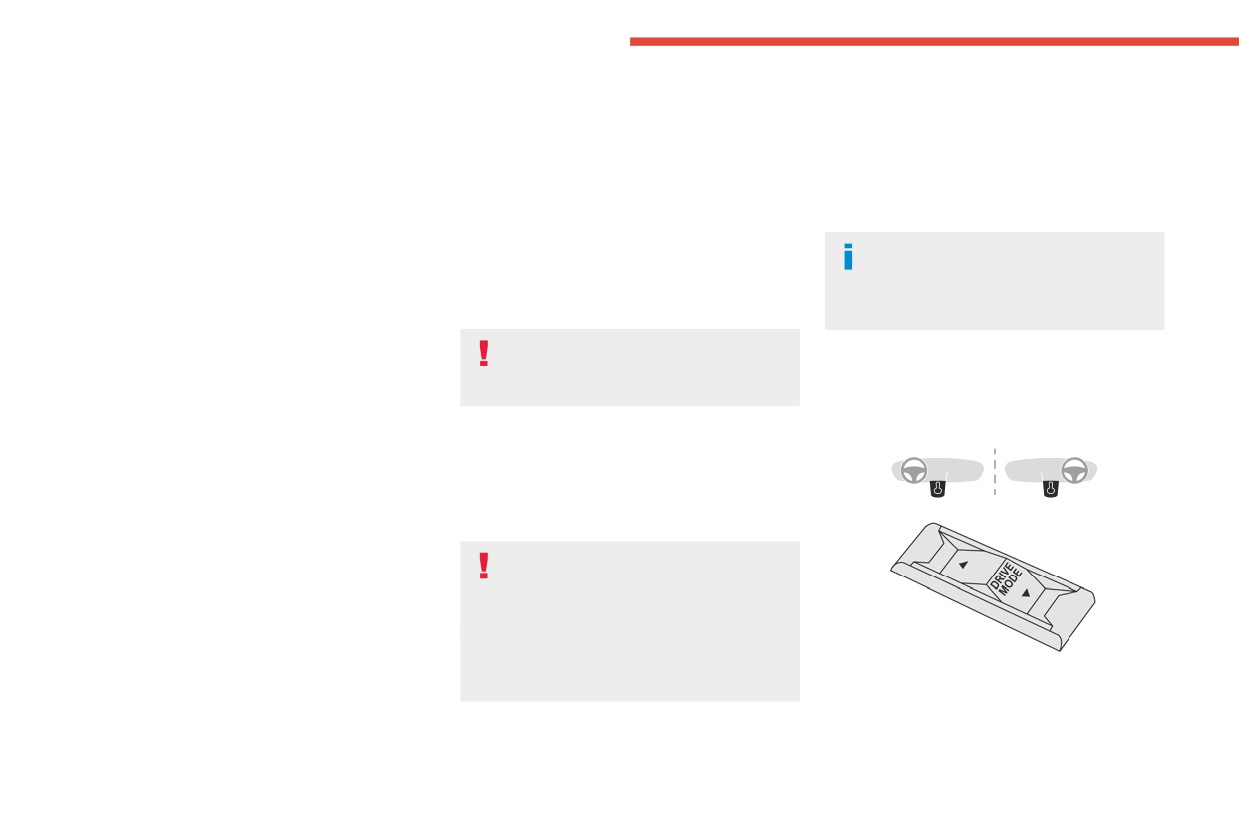
Driving modes (Electric)
on.
panel:
Driving modes are selected using the following
P : Park.
► From mode D, press button B to activate/
control:
R : Reverse.
deactivate the function (the button lights up when
N : Neutral.
the function is activated).
D : Drive (automatic forward gear).
D on the instrument panel is replaced with B.
B : Brake (regenerative braking activated).
The status of the function is saved when the
ignition is switched off.
Operation
In some situations (e.g. battery full,
► Move the selector by pressing it forwards
extreme temperatures), the amount of
(N or R) or rearwards (N or D) once or twice,
regenerative braking may be temporarily
passing the point of resistance if necessary.
limited, resulting in less deceleration.
For example, to change from P to R (with your
The driver must remain alert to traffic
foot on the brake pedal), either push forwards
conditions and must always be ready to use
twice without passing the point of resistance or
► Press the control to display the modes on the
the brake pedal.
push just once, passing the point of resistance.
instrument panel, and depending on version, on
the screen with MyCitroën Drive.
146
CarManuals2.co
Driving
When starting the vehicle, no mode can be
Primarily designed for urban use, the function
The system is reactivated automatically
6
selected until the READY indicator lamp is
is intended to reduce fuel consumption and
whenever the engine is started by the
displayed.
exhaust emissions as well as the noise level
driver.
When the message disappears, the selected
when stationary.
mode is activated and remains indicated on the
The function does not affect the functionalities of
Driving on flooded roads
instrument panel (except Normal mode).
the vehicle, in particular the braking.
Before entering into a flooded area, it is
Each time the ignition is switched on, Normal
strongly recommended that you deactivate
mode is selected by default.
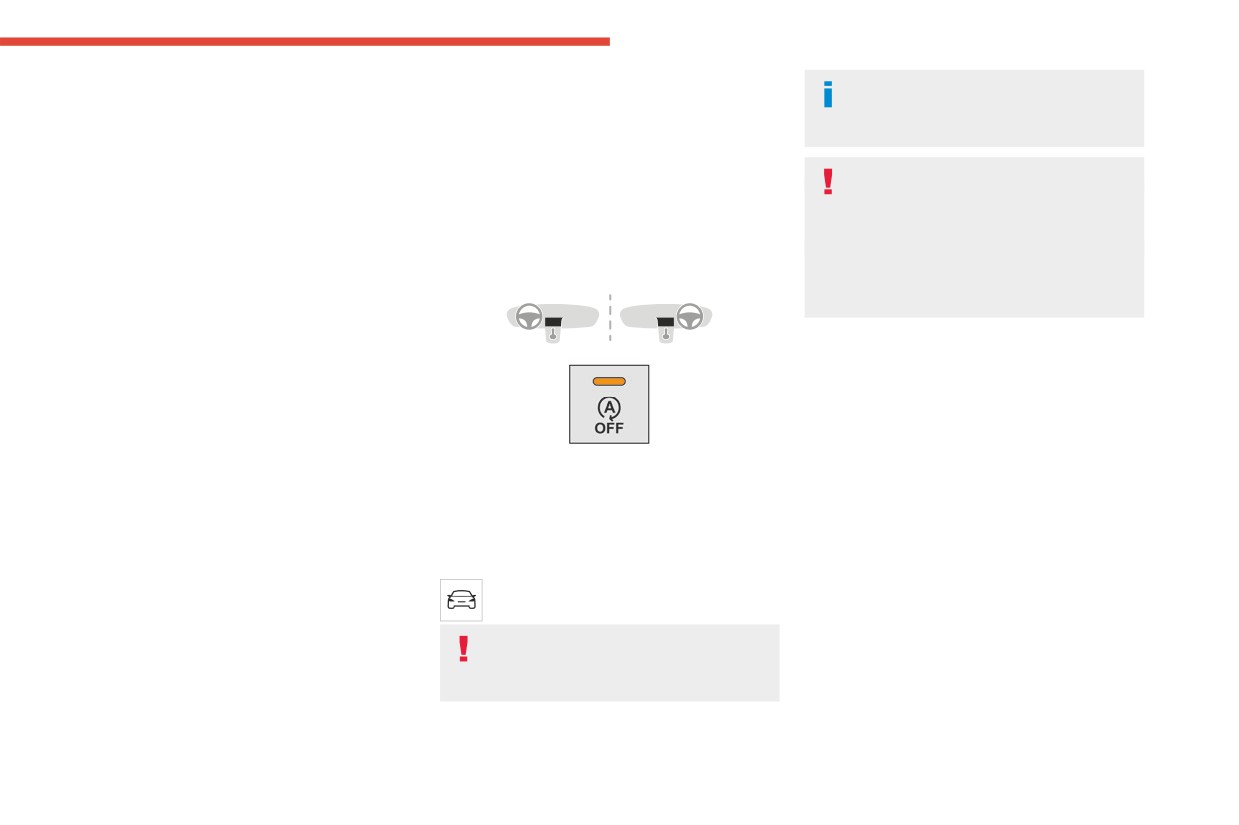
Deactivation/Reactivation
the Stop & Start system.
Normal
For more information on Driving
With audio system
recommendations, particularly on flooded
This optimises the driving range and dynamic
roads, refer to the corresponding section.
performance.
To obtain maximum torque and power, depress
the accelerator pedal fully.
Operation
Eco
Main conditions for operation
Optimises energy consumption, by reducing
- The driver’s door must be closed.
the output of the heating and air conditioning
- The sliding side door must be closed.
(without actually deactivating them) and limiting
- The driver's seat belt must be fastened.
both motor torque and power.
► To deactivate or reactivate the system, press
- The level of charge in the battery must be
Power
this button.
sufficient.
The indicator lamp is on when the system is
Provides equivalent vehicle performance when
- The temperature of the engine must be within
deactivated.
fully laden (GVW) to when the vehicle is in
its nominal operating range.
Normal mode and when unladen.
With touch screen
- The outside temperature must be between
0°C and 35°C.
The settings are changed via the vehicle
Stop & Start
configuration menu.
Putting the engine into standby
The Stop & Start function puts the engine
If the system has been deactivated in
(STOP mode)
temporarily into standby - STOP mode - during
STOP mode, the engine restarts
The engine automatically enters standby mode
phases when the vehicle is stationary (e.g. red
immediately.
as soon as the driver indicates their intention to
lights, traffic jams). The engine automatically
stop:
restarts - START mode - as soon as the driver
With a manual gearbox: at speeds below 12
indicates the intention of moving off again.
mph (20 km/h) or with the vehicle stationary
147
CarManuals2.co
Driving
(depending on engine), with the gear lever in
Restarting the engine (START mode)
In the event of a system malfunction, this
neutral and the clutch pedal released.
The engine automatically restarts as soon as the
warning lamp flashes on the instrument
With an automatic gearbox: with the brake
driver indicates the intention of moving off again:
panel.
pedal depressed or the gear selector in
With a manual gearbox: with the clutch pedal
The warning lamp in this button flashes
position N, with the vehicle stationary.
fully depressed.
and a message appears, accompanied by
Time counter
With an automatic gearbox:
an audible signal.
- With the selector in position D or M: with the
Have it checked by a CITROËN dealer or a
A time counter adds up the time spent in standby
brake pedal released.
qualified workshop.
during the journey. It is reset to zero every time
- With the selector in position N and the brake
The vehicle stalls in STOP mode
the ignition is switched on.
pedal released: with the selector at D or M.
All of the instrument panel warning lamps come
Special cases
- With the selector in position P and the brake
on if there is a fault.
pedal depressed: with the selector at R, N, D
The engine will not go into standby if the
Depending on version, a warning message
or M.
conditions for operation are not met and in the
may also be displayed, prompting you to place
- Reverse gear engaged.
following cases:
the gear selector in position N and depress the
- Steep slope (ascending or descending).
brake pedal.
Special cases
- Vehicle has not exceeded 6 mph (10 km/h)
► Switch off the ignition then start the engine
The engine will restart automatically if the
since the last engine start (with the key or the
again with the key or the "START/STOP" button.
conditions for operation are met again and in the
START/STOP button).
following cases:
12 V battery
- Needed to maintain a comfortable temperature
- Deselecting the Sport mode (depending on
The Stop & Start system requires a
in the passenger compartment.
equipment).
12 V battery of specific technology and
- Demisting active.
- With a manual gearbox: vehicle speed
specification.
In these cases, this indicator lamp flashes
exceeds 16 mph (25 km/h) or 2 mph (3 km/h)
All work must be carried out only by a
for a few seconds, then goes off.
(depending on engine).
CITROËN dealer or a qualified workshop
After the engine has restarted, STOP
- With an automatic gearbox, vehicle speed
mode is not available until the vehicle
exceeds 2 mph (3 km/h).
has reached a speed of 5 mph (8 km/h).
In these cases, this indicator lamp flashes
Tyre under-inflation
for a few seconds, then goes off.
detection
During parking manoeuvres, STOP mode
is not available for a few seconds after
Malfunctions
This system alerts the driver if one or more tyres
coming out of reverse gear or turning the
Depending on the vehicle’s equipment:
suffer a drop in pressure.
steering wheel.
The alert is raised when the vehicle is moving,
not when stationary.
148
CarManuals2.co

Driving
It compares the information given by the wheel
Checking tyre pressures
► Using a compressor, such as the one in
6
speed sensors with reference values, which
This check should be done monthly
the temporary puncture repair kit, check the
must be reinitialised every time the tyre
when the tyres are "cold" (vehicle stopped for
pressures of all four tyres when cold.
pressures are adjusted or a wheel changed.
1 hour or after a journey of less than 6 miles
► If it is not possible to carry out this check
It takes into account the last values stored
(10 km) at moderate speeds).
immediately, drive carefully at reduced speed.
during the reinitialisation request. It is therefore
Otherwise, add 0.3 bar to the pressures
► In the event of a puncture, use the
essential that the tyre pressure is correct during
shown on the label.
temporary puncture repair kit or the spare wheel
the operation. This operation is the driver’s
(depending on equipment).
responsibility.
Snow chains
Driving too slowly may not ensure
The system does not have to be
The tyre under-inflation detection cannot,
optimum monitoring.
reinitialised after fitting or removing snow
in any circumstances, replace the need
The alert is not immediately triggered in the
chains.
for vigilance on the part of the driver.
event of a sudden loss of pressure or tyre
This system does not avoid the need to
blow-out. This is because analysis of the
regularly check the tyre pressures (including
Spare wheel
values read by the wheel's speed sensors
the spare wheel), especially before a long
The steel spare wheel does not have an
can take several minutes.
journey.
under-inflation detection sensor.
The alert may be delayed at speeds below
Driving with under-inflated tyres, particularly
25 mph (40 km/h), or when adopting a sporty
in adverse conditions (heavy load, high
driving mode.
Under-inflation alert
speed, long journey):
This is signalled by the fixed illumination
- worsens road-holding.
The alert is kept active until the system is
of this warning lamp, accompanied by an
- lengthens braking distances.
reinitialised.
audible signal and, depending on equipment, the
- causes premature wear of the tyres.
display of a message.
- increases energy consumption.
► Reduce speed immediately, avoid excessive
Reinitialisation
steering movements and avoid sudden braking.
The inflation pressures defined for the
The system must be reinitialised after any
► Stop the vehicle as soon as it is safe to do
vehicle can be found on the tyre pressure
adjustment to the pressure of one or more tyres,
so.
label.
and after changing one or more wheels.
For more information on the Identification
The loss of pressure detected may not
Before reinitialising the system, make
markings, refer to the corresponding section.
always cause visible deformation of the
sure that the pressures of the four tyres
tyre.
are correct for the conditions of use of the
Do not rely on just a visual check.
149
CarManuals2.co
Driving
vehicle and conform to the values written on
Have it checked by a CITROËN dealer or a
Manoeuvring aids
the tyre pressure label.
qualified workshop.
The driver must always check the
Check the pressures of the four tyres before
surroundings of the vehicle before and during
performing the reinitialisation.
the whole manoeuvre, in particular using the
Driving and manoeuvring
The system does not advise if a pressure is
mirrors.
incorrect at the time of reinitialisation.
aids - General
Radar(s)
recommendations
The operation of the radar(s), along with
With dashboard button
Driving and manoeuvring aids cannot, in
any associated functions, may be affected
any circumstances, replace the need for
by the accumulation of dirt (e.g. mud, ice),
vigilance on the part of the driver.
in poor weather conditions (e.g. heavy rain,
The driver must comply with the Highway
snow), by the masking of the detection zone
Code, must remain in control of the vehicle in
with adhesive labels or other objects, or if the
all circumstances and must be able to retake
bumpers are damaged.
control of it at all times. The driver must adapt
If the front or rear bumper is to be repainted,
the speed to climatic conditions, traffic and
contact a CITROËN dealer or a qualified
the state of the road.
workshop; certain types of paint could
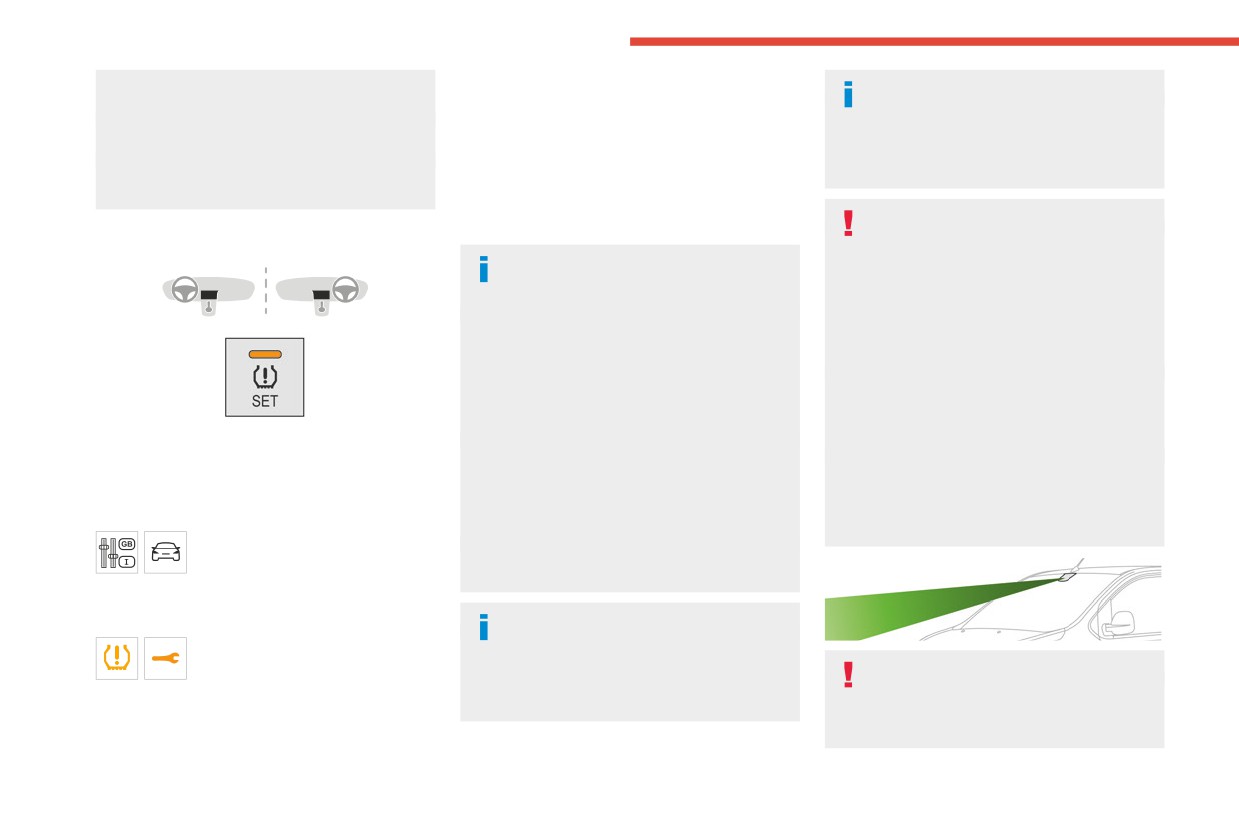
► With the vehicle stationary, press this button
It is the driver's responsibility to constantly
interfere with the operation of the radar(s).
of 3 to 10 seconds then release it. Reinitialisation
monitor traffic conditions, assess the distance
Take care not to cover the detection zones
is confirmed by an audible signal.
and relative speed of other vehicles, and
on the front and rear bumpers with adhesive
anticipate their manoeuvres before using the
labels or other objects; they may hamper
Without dashboard button
direction indicator and changing lanes.
correct operation of the associated system.
With the vehicle stationary, the
These systems do not make it possible to
system is reinitialised via the
exceed the laws of physics.
vehicle configuration menu.
Malfunction
Driving aids
You should hold the steering wheel with
In the event of a malfunction,
both hands, always use the door and interior
these warning lamps light up on
Driving aids camera
mirrors, always leave your feet close to the
the instrument panel.
This camera and its associated functions
pedals and take a break every 2 hours.
In this case, the tyre under-inflation monitoring
may be impaired or not work if the windscreen
function is no longer performed.
area in front of the camera is dirty, misty,
150
CarManuals2.co

Driving
frosty, covered with snow, damaged or
noisy vehicles and machinery (e.g. lorries,
To avoid any risk of jamming the pedals:
6
masked by a sticker.
pneumatic drills), by the accumulation of
- Ensure that the mat is secured correctly.
In humid and cold weather, demist the
snow or dead leaves on the road or in the
- Never fit one mat on top of another.
windscreen regularly.
event of damaged bumpers and mirrors.
Poor visibility (e.g. inadequate street lighting,
When reverse gear is engaged, an audible
Units of speed
heavy rain, thick fog, snowfall), dazzle
signal (long beep) indicates that the sensors
Ensure that the units of speed displayed
(e.g. headlamps of an oncoming vehicle, low
may be dirty.
on the instrument panel (mph or km/h) are
sun, reflections on a damp road, leaving a
A front or rear impact to the vehicle can
those for the country you are driving in.
tunnel, alternating shade and light) can also
upset the sensors’ settings, which is not
If this is not the case, when the vehicle is
impair detection performance.
always detected by the system: distance
stationary, set the display to the required
In the event of a windscreen replacement,
measurements may be distorted.
units of speed so that it complies with what is
contact a CITROËN dealer or a qualified
The sensors do not systematically detect
authorised locally.
workshop to recalibrate the camera;
obstacles that are too low (pavements, studs)
In case of doubt, contact a CITROËN dealer
otherwise, the operation of the associated
or too thin (trees, posts, wire fences).
or a qualified workshop.
driving aids may be disrupted.
Certain obstacles located in the sensors’ blind
spots may not be detected or may no longer
Other cameras
be detected during the manoeuvre.
Memorising speeds
The images from the camera(s)
Certain materials (fabrics) absorb sound
waves: pedestrians may not be detected.
This function allows you to save speed
displayed on the touch screen or on the
settings which are then used to set the two
instrument panel may be distorted by the
systems: the speed limiter (limits the speed
terrain.
Maintenance
of the vehicle) or cruise control (vehicle
In the presence of areas in shade, or in
Clean the bumpers and door mirrors and
cruising speed).
conditions of bright sunlight or inadequate
the field of vision of the cameras regularly.
You can save 6 speed settings for each of the
lighting, the image may be darkened and with
When washing your vehicle at high pressure,
two systems.
lower contrast.
direct the spray from at least 30 cm away
Obstacles may appear further away than they
from the radar, sensors and cameras.
Programming
actually are.
The speed thresholds can be set in the
Mats/Pedal trims
vehicle configuration menu using the
Sensors
The use of mats or pedal trims not
touch screen.
The operation of the sensors, as well as
approved by CITROËN may interfere with
► Select the system for which you want to
any associated functions, may be disrupted
the operation of the speed limiter or cruise
memorise new speed settings:
by noise pollution such as that emitted by
control.
151
CarManuals2.co
Driving
- speed limiter
Activation/Deactivation
The settings are changed via the
or
vehicle configuration menu.
- cruise control.
Information displayed on
the instrument panel
This system displays the maximum speed
authorised locally on the instrument panel, using:
- Speed limit signs detected by the camera.
- Speed limit information from the navigation
system’s mapping.
The units for the speed limit (mph or
km/h) depend on the country you are
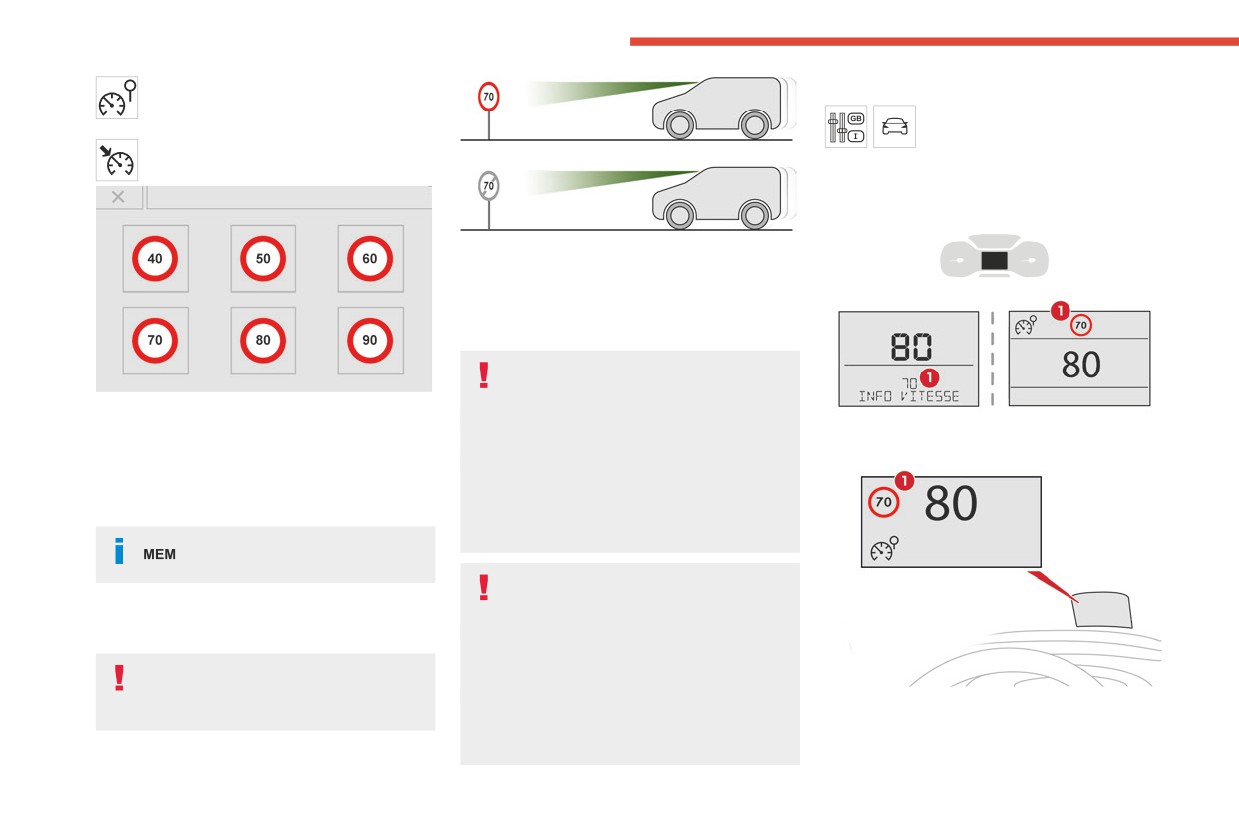
► Press the button corresponding to the speed
driving in.
setting you want to change.
This should be taken into account to ensure
► Enter the new value using the numerical
you observe the speed limit.
Head-up display
keypad and confirm.
For the system to work properly when
► Confirm to record the changes and quit the
changing countries, the speed unit of the
menu.
instrument panel must match that of the
country you are driving in.
Memorised speeds are recalled
by pressing this button.
Automatic sign reading is a driving aid
system and does not always display the
correct speed limits.
Road signs recognition
The speed limit signs present on the road
always take priority over those displayed by
For more information, refer to the
the system.
General recommendations on the use
The system is designed to detect signs that
1. Speed limit indication
of driving and manoeuvring aids.
conform to the Vienna Convention on road
signs.
152
CarManuals2.co
Driving
Speed display
- Towing.
Steering-mounted controls
6
- Driving with a space-saver type spare wheel
or snow chains fitted.
- Tyre repaired using the temporary puncture
repair kit.
- Young drivers.
The system may not display the speed limit if it
The system is active but is not detecting speed
does not detect a speed limit sign within a preset
limit information.
period and in the following situations:
1. Speed limiter/cruise control mode selection
- Road signs that are obstructed, non-standard,
2. Memorise the speed setting
damaged or bent.
Information displayed on the
Storing the speed setting
instrument panel
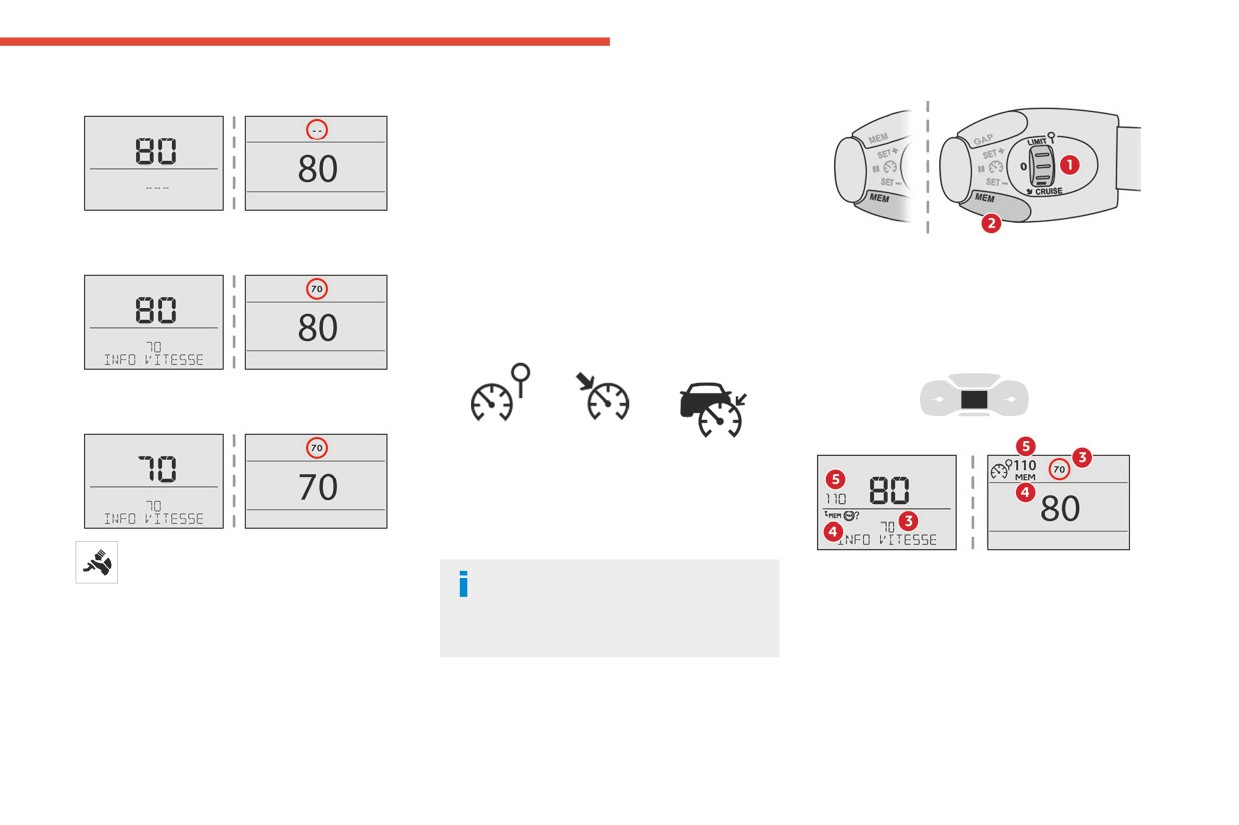
On detection of speed limit information, the
system displays the value.
In addition to Road signs recognition, the
driver can select the speed displayed as a speed
setting for the speed limiter or cruise control
using the speed limiter or cruise control 'store'
button.
The driver can, if desired, adjust the
speed of the vehicle according to the
For more information on the Speed
information given by the system.
limiter, Cruise control or Adaptive
cruise control, refer to the corresponding
Operating limits
sections.
The system does not take account of reduced
speed limits, especially those imposed in the
following cases:
- Poor weather (rain, snow).
- Atmospheric pollution.
153
CarManuals2.co
Driving
Head-up display
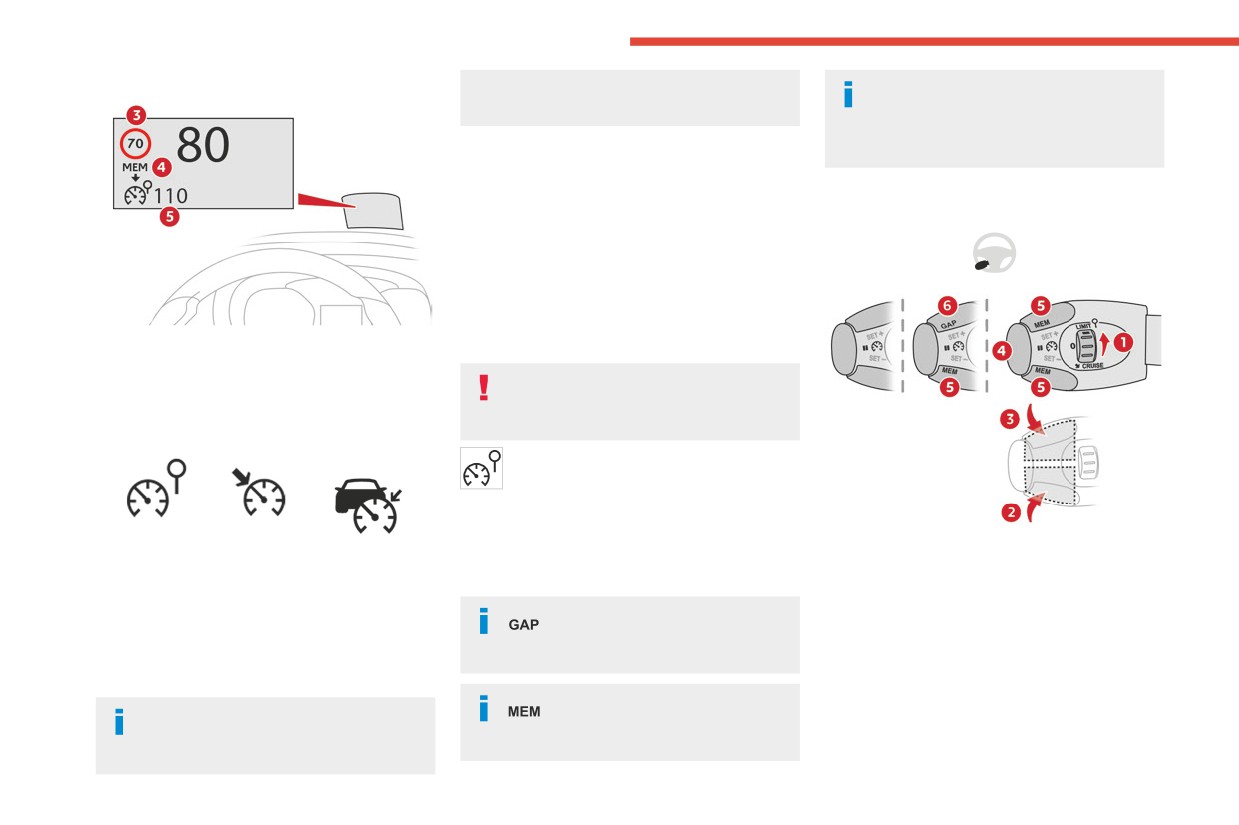
recognition, the "MEM" symbol is not
For more information on Speed limit
displayed.
recognition and memorising the speed
limit in particular, refer to the corresponding
Depending on the road conditions, several
section.
speeds may be displayed.
► Press button 2 once to save the suggested
speed value.
Steering-mounted control
A message is displayed, confirming the request.
► Press button 2 again to confirm and save the
new speed setting.
The display then reverts to its previous state.
3. Speed limit indication.
Speed limiter
4. Request to memorise the speed.
5. Current speed setting.
For more information, refer to the
General recommendations on the use
of driving and manoeuvring aids.
Storing the speed setting
This system prevents the vehicle from
exceeding the speed programmed by the
driver (speed setting).
The speed limiter is switched on manually.
The minimum speed setting is 19 mph (30 km/h).
1.
ON (LIMIT position)/OFF (position 0)
► Switch on the speed limiter/cruise control.
The speed setting remains in the system
2.
Reduce the speed setting
The speed limiter/cruise control information is
memory when the ignition is switched off.
3.
Increase the speed setting
displayed.
4.
Pause/resume speed limiter with the speed
For more information on this
Upon detecting a sign suggesting a new speed
setting previously stored
button and the Adaptive cruise
setting, the system displays the value and
control, refer to the corresponding section.
"MEM" flashes for a few seconds, prompting you
to save it as a new speed setting.
For more information on
If there is a difference of less than 6 mph
Memorising speeds, refer to the
(9 km/h) between the speed setting and
corresponding section.
the speed displayed by the Road signs
154
CarManuals2.co
Driving
5. Depending on version:
Head-up display
To modify the limit speed setting based on the
6
Display the speed thresholds saved using the
vehicle’s current speed:
Memorising speeds function
► For steps of +/- 1 mph (1 km/h), briefly
or
press 2-SET- or 3-SET+ repeatedly.
Use the speed suggested by the Road signs
► For steps of +/- 5 mph (5 km/h), press and
recognition function (MEM display)
hold 2-SET- or 3-SET+.
6. Display and adjustment of the programmed
To change the limit speed setting using
inter-vehicle distance
memorised speeds, via the touch screen:
► Press 5-MEM to display the memorised
For more information on Memorising speeds
speed settings.
or the Road signs recognition, refer to the
► Press the touch screen button for the desired
corresponding sections.
speed setting.
The selection screen closes after a few
Information displayed on
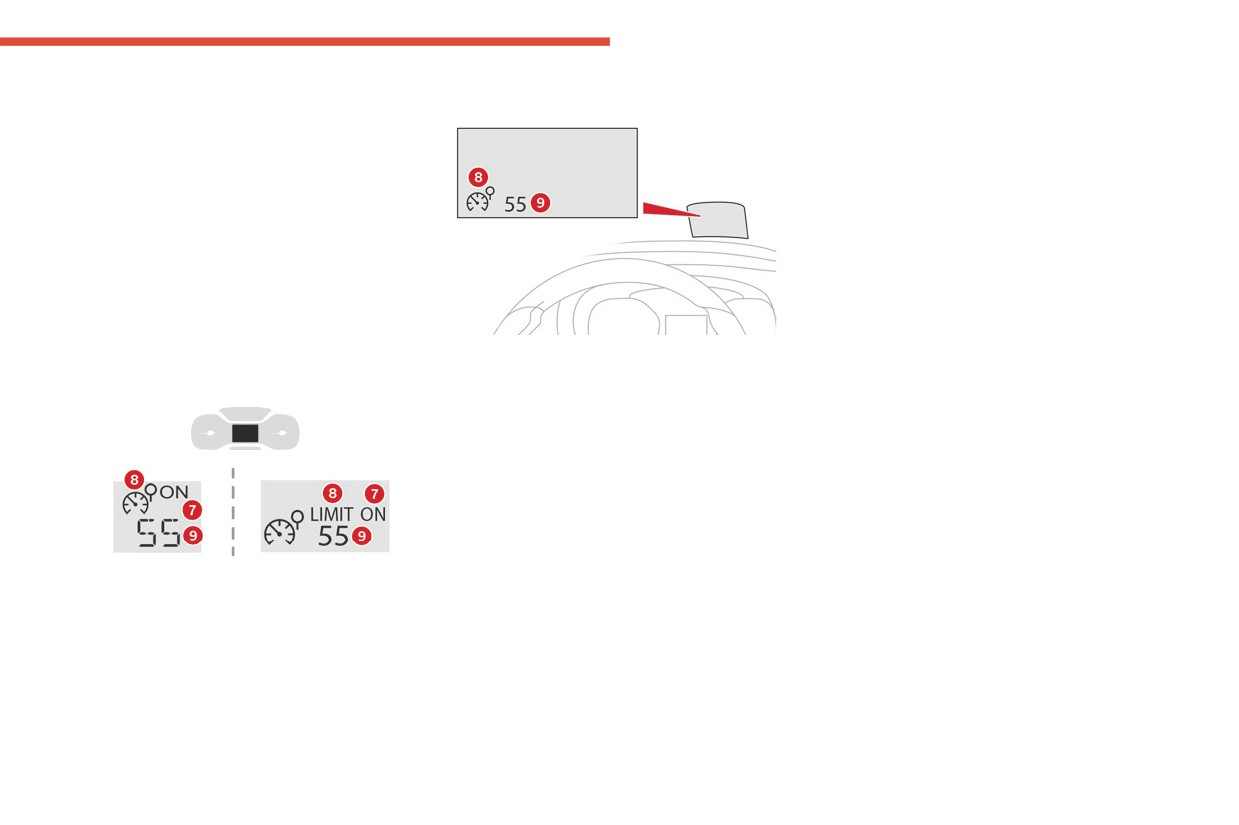
7.
Speed limiter on/pause indication.
moments.
8.
Speed limiter mode selection indication.
the instrument panel
This setting becomes the new limit speed.
9.
Speed setting value.
To modify the speed limit setting based on the
speed suggested by the Road signs recognition
Switching on/Pausing
function displayed on the instrument panel:
► Press 5-MEM once; a message is displayed,
► Turn thumbwheel 1 to the "LIMIT" position
confirming the memorisation request.
to select speed limiter mode; the function is
► Press 5-MEM again to save the suggested
paused.
speed.
► If the speed limit setting is suitable (most
The new speed setting value is displayed on the
recent speed setting programmed in the system),
instrument panel.
press button 4-II to switch the speed limiter on.
► Pressing 4-II again temporarily pauses the
Temporarily exceeding the
function (pause).
programmed speed
Adjusting the limit speed
► To temporarily exceed the programmed
setting
speed threshold, fully depress the accelerator
pedal.
You do not have to switch the speed limiter on in
The speed limiter is deactivated temporarily and
order to set the speed.
the displayed programmed speed flashes.
155
CarManuals2.co
Driving
If it is exceeded for a prolonged period of time,
Operating limits
Cruise control - Specific
an audible warning is triggered.
Never use the system in the following
Simply release the accelerator pedal to return to
recommendations
situations:
below the programmed speed.
- In an urban area with the risk of
The cruise control function does not
When the limit speed is exceeded but this is not
pedestrians crossing the road.
guarantee compliance with the maximum
due to action by the driver (in case of a steep
- In heavy traffic.
authorised speed and the safety distance
slope, for example), an audible signal triggers
- On winding or steep roads.
between vehicles, the driver remains
immediately.
- On slippery or flooded roads.
responsible for their driving.
Once the speed of the vehicle returns to the
- In poor weather conditions.
In the interest of public safety, only use cruise
programmed setting, the speed limiter functions
- In the event of restricted visibility for the
control if the traffic conditions enable vehicles
again: the display of the programmed speed
driver.
to drive at a steady speed and maintain an
setting becomes fixed again.
- Driving on a speed circuit.
adequate safety distance.
- Driving on a rolling road.
Switching off
Remain vigilant while cruise control is
- When using snow chains or non-slip
activated. If you press and hold one of the
► Turn the thumbwheel 1 to the "0" position:
covers.
speed setting modification buttons, your
the display of information on the speed limiter
vehicle may change speed very abruptly.
disappears.
When descending a steep hill, the cruise
Cruise control
control system cannot prevent the vehicle
Malfunction
from exceeding the set speed. Brake if
For more information, refer to the
necessary to control the vehicle speed.
General recommendations on the use
On steep climbs or when towing, the set
of driving and manoeuvring aids and the
speed may not be reached or maintained.
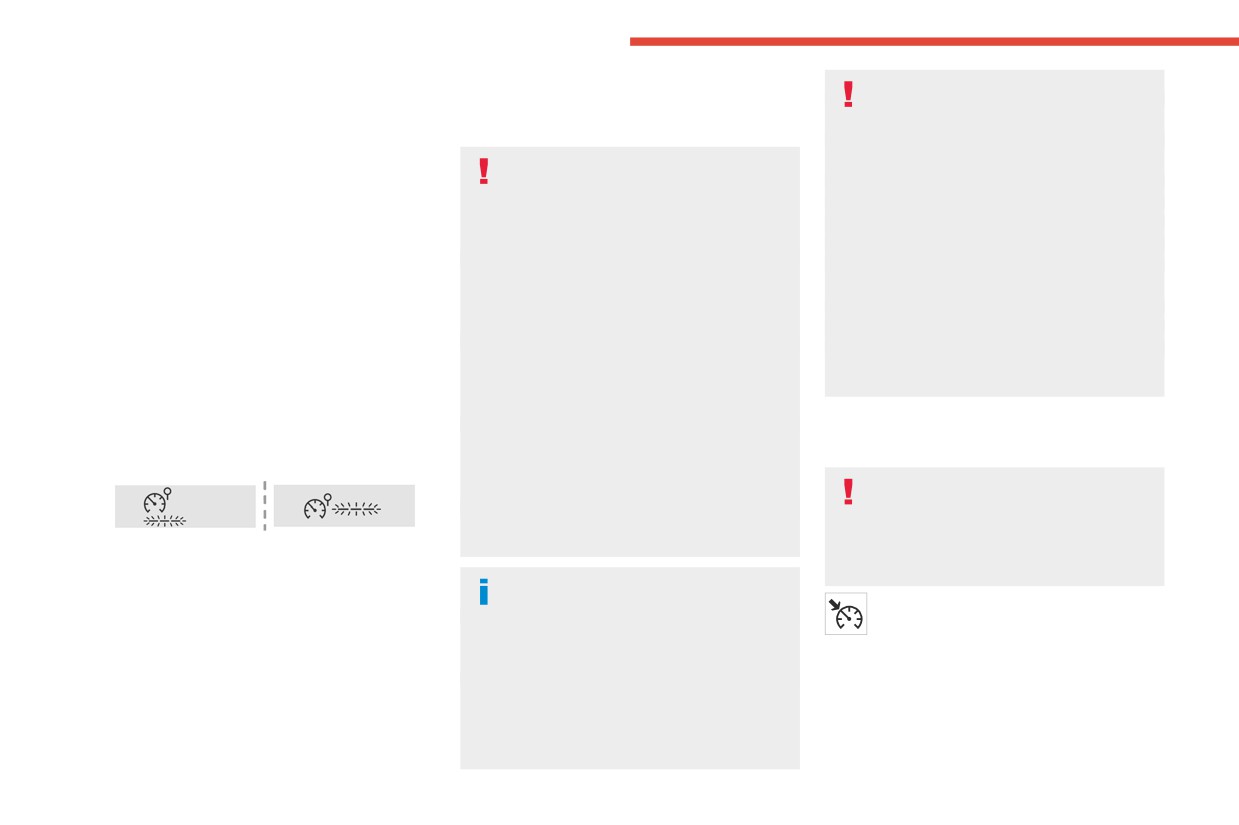
In the event of a malfunction, dashes are
Specific recommendations on cruise
displayed flashing and then fixed instead of the
control.
speed setting.
Exceeding the programmed speed
setting
This system automatically maintains the
Have it checked by a CITROËN dealer or a
You can temporarily exceed the speed
vehicle’s speed at the value programmed
qualified workshop.
setting by pressing the accelerator pedal (the
by the driver (speed setting), without the use of
programmed speed flashes).
the accelerator pedal.
To return to the speed setting, release the
Cruise control is switched on manually.
accelerator pedal (when the set speed is
It requires a minimum vehicle speed of 25 mph
reached again, the displayed speed stops
(40 km/h).
flashing).
156
CarManuals2.co
Driving
With a manual gearbox, third gear or higher must
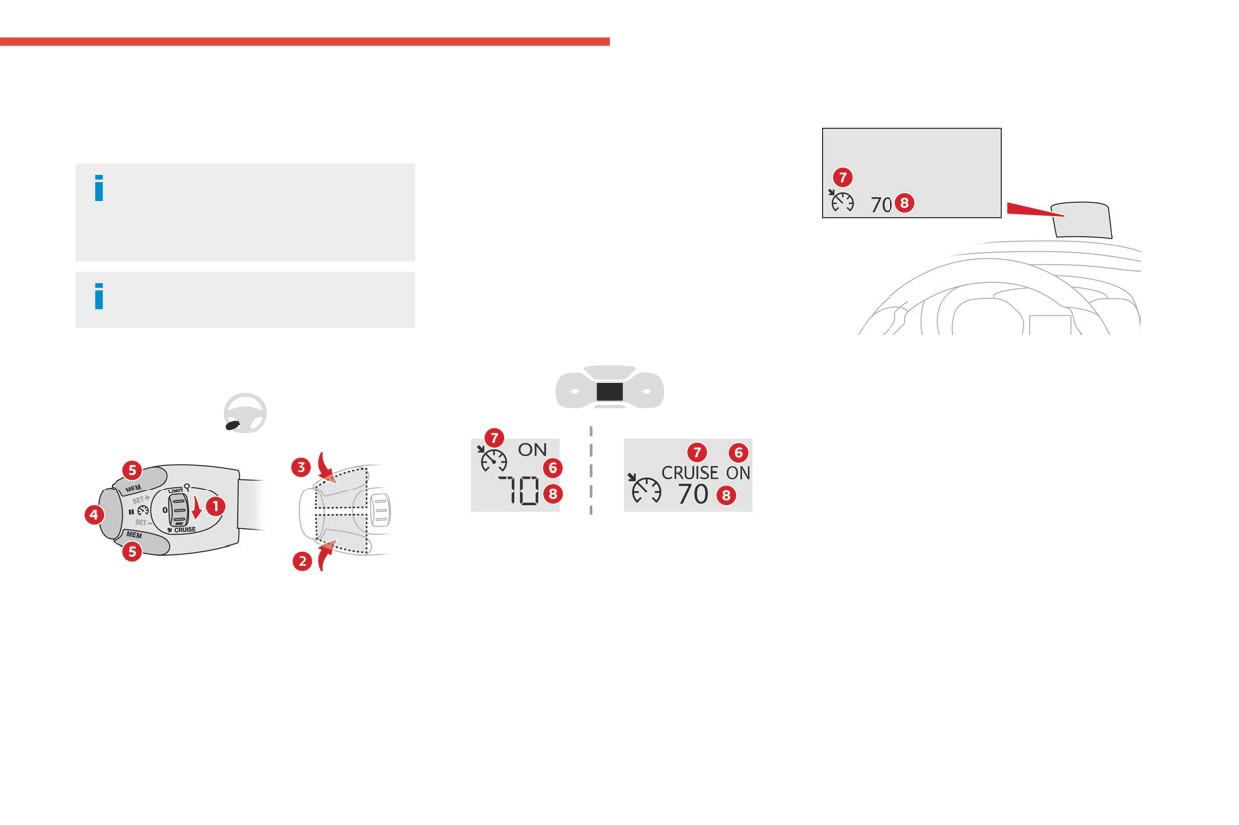
5. Depending on version:
Head-up display
6
be engaged.
Display the speed thresholds saved using the
With a drive selector, mode D or B must be
Memorising speeds function
engaged.
or
Use the speed suggested by the Road signs
Cruise control remains active after
recognition function (MEM display)
changing gear, regardless of the gearbox
type, on engines fitted with the Stop & Start
For more information on Memorising speeds
function.
or the Road signs recognition, refer to the
corresponding sections.
Switching off the ignition cancels any
speed setting.
Information displayed on
the instrument panel
6. Cruise control pause/resume indication.
Steering-mounted control
7. Cruise control mode selection indication.
8. Speed setting value.
Switching on/pausing
► Turn thumbwheel 1 to the "CRUISE" position
to select cruise control mode; the function is
paused.
► Press button 2-SET- or 3-SET+ to activate
cruise control and save a speed setting when
the vehicle has reached the desired speed; the
1. ON (CRUISE position)/OFF (position 0)
vehicle’s current speed is saved as the speed
2. Activate cruise control at the current speed/
setting.
decrease speed setting
► Release the accelerator pedal.
3. Activate cruise control at the current speed/
► Pressing button 4-II temporarily pauses the
increase speed setting
function (pause).
4. Pause/resume cruise control with the speed
► Pressing button 4-II again resumes operation
setting previously saved
of the cruise control (ON).
157
CarManuals2.co
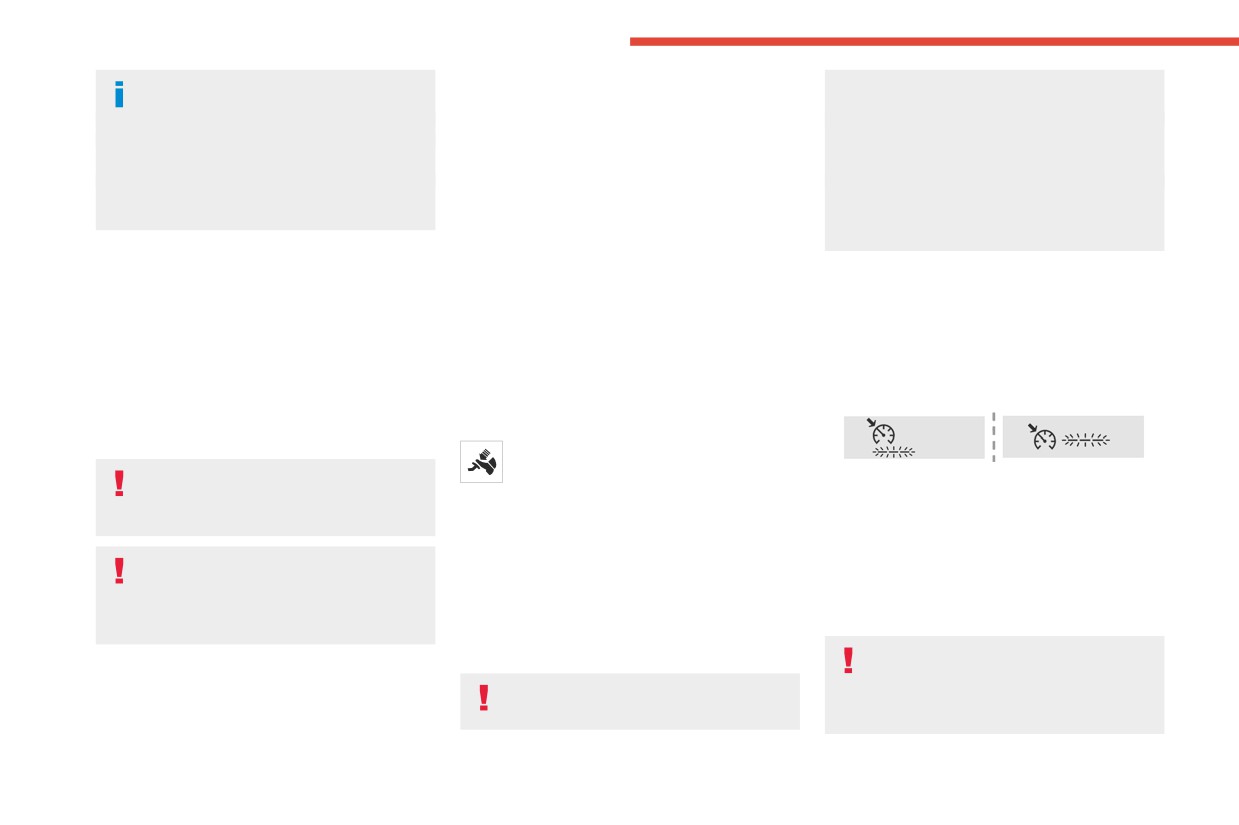
Driving
Cruise control can also be paused
► Press the touch screen button for the desired
vehicle from exceeding the programmed
temporarily:
speed setting.
speed.
- by pressing the brake pedal.
The selection screen closes after a few
You may have to brake to control the speed of
- by pressing the clutch pedal with a manual
moments.
your vehicle. In this case, the cruise control is
gearbox (depending on the engine fitted).
This setting becomes the new cruise speed.
automatically paused.
- automatically, if the electronic stability
To change the cruise speed setting using the
To activate the system again, with the vehicle
control (ESC) system is triggered.
speed suggested by the Road signs recognition
speed above 25 mph (40 km/h), press button
function displayed on the instrument panel:
4.
► Press 5-MEM once; a message is displayed,
Changing the cruise speed
confirming the memorisation request.
Switching off
setting
► Press 5-MEM again to save the suggested
speed.
► Turn the thumbwheel 1 to the "0” position: the
The cruise control must be active.
The new speed setting value is displayed on the
cruise control information disappears from the
To change the cruise speed setting, based on
instrument panel.
screen.
the vehicle’s current speed:
► For steps of +/- 1 mph (1 km/h), briefly
Temporarily exceeding the
Malfunction
press 2-SET- or 3-SET+ repeatedly.
► For steps of +/- 5 mph (5 km/h), press and
programmed speed
hold 2-SET- or 3-SET+.
If needed (when overtaking, for example),
Pressing and holding 2-SET- or 3-SET+
it is possible to exceed the programmed
In the event of a malfunction, dashes are
results in a rapid change in the speed of
speed by pressing the accelerator pedal.
displayed flashing and then fixed instead of the
the vehicle.
Cruise control is temporarily deactivated and the
speed setting.
programmed speed displayed flashes.
Have it checked by a CITROËN dealer or a
To return to the programmed speed, simply
As a precaution, we recommend setting
qualified workshop.
release the accelerator pedal.
a cruise speed fairly close to the current
Once the vehicle has returned to the
speed of your vehicle, to avoid any sudden
programmed speed, cruise control takes over
Adaptive cruise control
acceleration or deceleration of the vehicle.
again and the programmed speed setting stops
Refer to the General recommendations
To change the cruise speed setting using
flashing.
on the use of driving and
memorised speed settings and from the touch
When descending a steep hill, the cruise
manoeuvring aids and to Cruise control
screen:
control system cannot prevent the
- particular recommendations.
► Press 5-MEM to display the memorised
speed settings.
158
CarManuals2.co
Driving
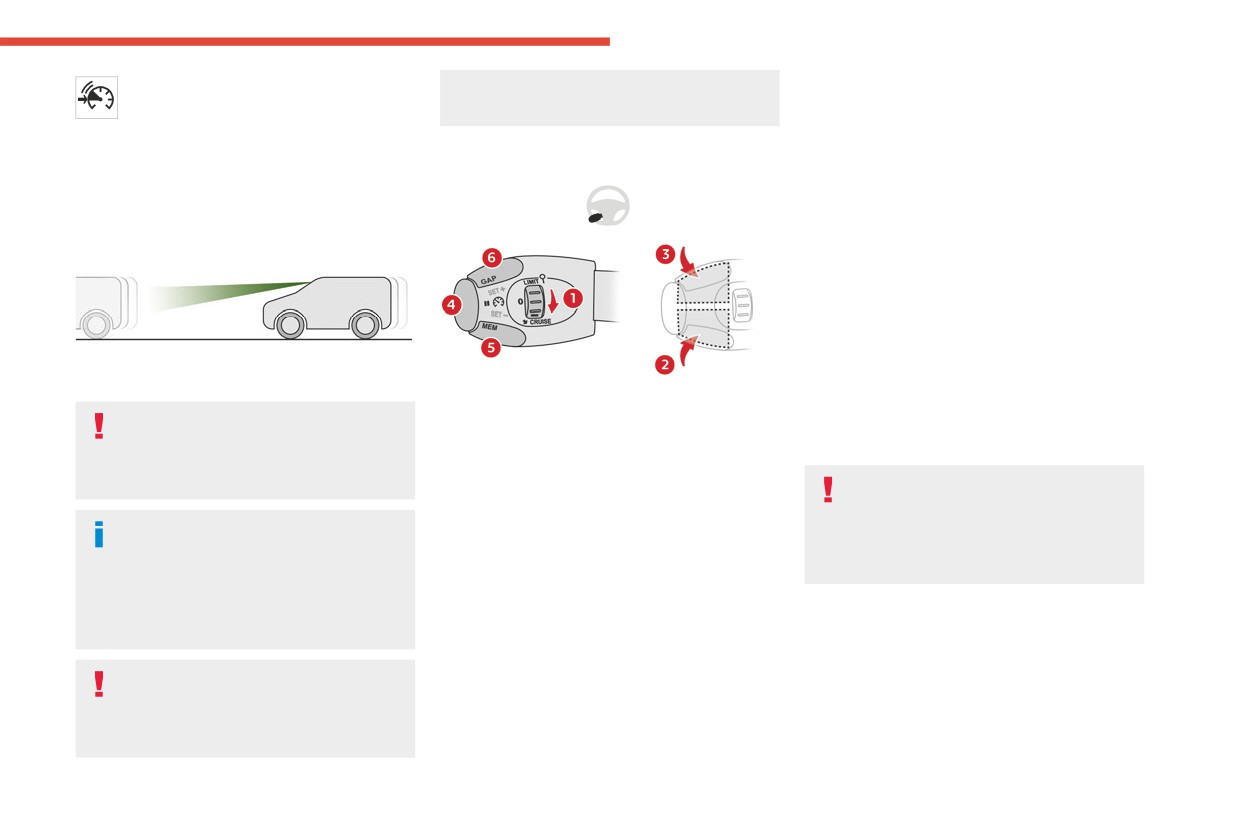
This system automatically maintains the
distance and lead to the vehicle accelerating
Use
6
speed of your vehicle at a value which
or braking inappropriately.
Activating the system (paused)
you set (speed setting), while keeping a safe
distance from the vehicle in front (target vehicle),
The adaptive cruise control must be selected in
Steering-mounted controls
and which has been set beforehand by the
the "Driving/Vehicle" menu.
driver. The system controls the vehicle's
► Turn the knob 1 downwards into the CRUISE
acceleration and deceleration automatically
position with the engine running. The cruise
using only engine braking (as if the driver had
control is ready for operation.
pressed the "-" minus button).
Starting cruise control and selecting a
speed
The vehicle speed must be between 25 and
93 mph (40 and 150 km/h).
With a manual gearbox, third or fourth gear or
To do this, it uses a radar located in the front
higher must be engaged.
bumper.
With an automatic gearbox, mode D or second
1.
ON (CRUISE position)/OFF (position 0)
gear or higher in mode M must be engaged.
Primarily designed for driving on main
2.
Activation of cruise control at the current
With a drive selector, mode D or B must be
roads and motorways, this system only
speed/decrease speed setting
engaged.
works with moving vehicles driving in the
3.
Activation of cruise control at the current
same direction as your vehicle.
speed/increase speed setting
If the speed setting is above 93 mph
4.
Pause/resume cruise control with the speed
(150 km/h), the adaptive cruise control
If the driver operates a direction indicator
setting previously saved
switches to standard cruise control mode
5.
Depending on version:
to overtake a slower vehicle, the cruise
(without automatic regulation of the inter-
control allows the vehicle to temporarily
Display the speed thresholds saved using the
vehicle safety distance).
Memorising speeds function
approach the vehicle in front to assist the
or
► Press buttons 2-SET- or 3-SET+: the current
overtaking manoeuvre, without ever
Use the speed suggested by the Road signs
speed becomes the speed setting (minimum
exceeding the speed setting.
recognition function (MEM display)
25 mph (40 km/h)) and the cruise control is
6.
Display and adjustment of the distance
immediately activated.
Some vehicles present on the road may
setting to the vehicle in front
► Press 3 to increase or 2 to decrease the
not be properly seen or may be
speed setting (in steps of 5 mph (5 km/h) if the
misinterpreted by the radar (e.g. a lorry),
button is kept depressed).
which may lead to a poor assessment of
159
CarManuals2.co
Driving
Pressing and holding either button
Using the Road signs recognition function
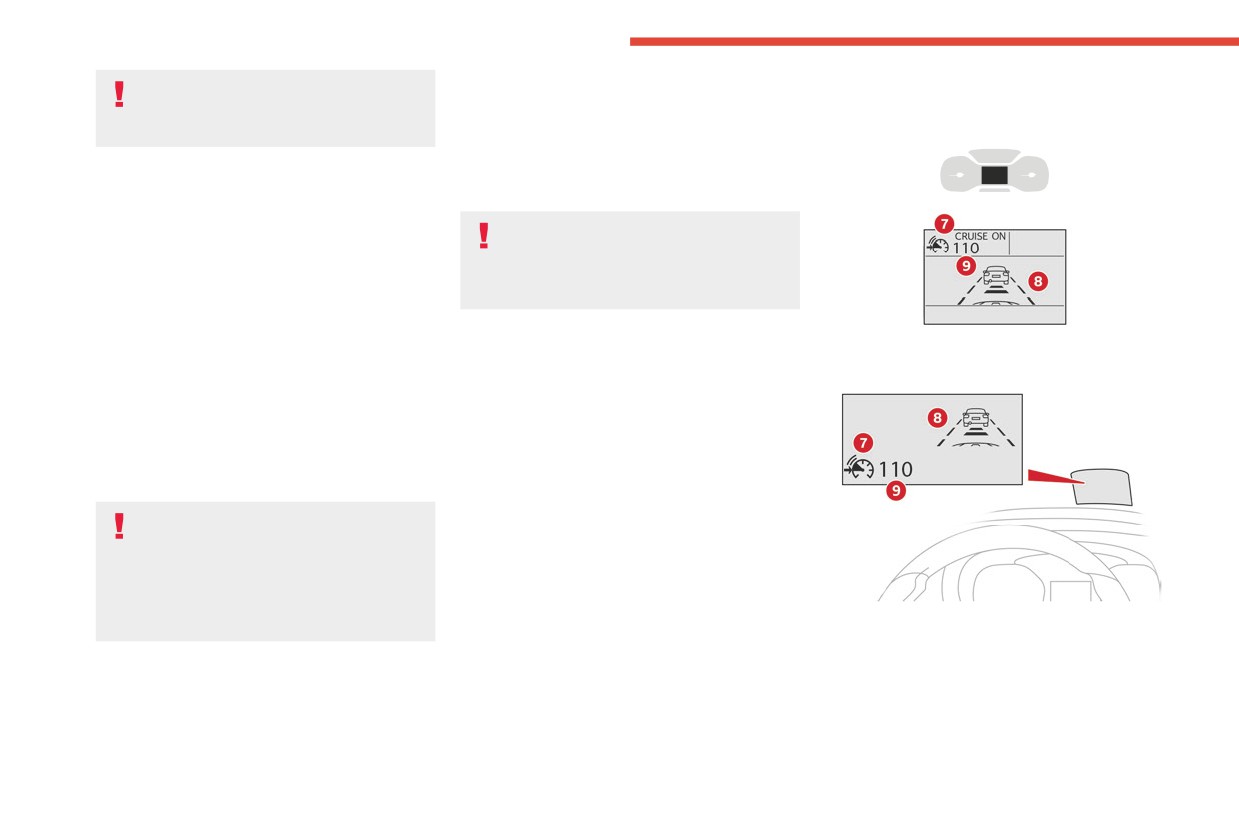
Information displayed on
2-SET- or 3-SET+ results in a rapid
or speed limit sign memorisation to
the instrument panel
change in the speed of the vehicle.
modify the speed setting.
► Press 5-MEM to accept the speed setting
Pausing/resuming cruise control
proposed by the system on the instrument panel
► Press 4-II or depress the brake pedal. To
or touch screen, then press again to confirm.
pause cruise control, it is also possible to:
To prevent any sudden acceleration or
• Shift from mode D to N,
deceleration of the vehicle, select a
• Depress the clutch pedal for more than 10
speed setting fairly close to the current speed
seconds.
of your vehicle.
• Press the electric parking brake control.
► Press 4-II to restart cruise control. Cruise
Changing the inter-vehicle distance
control may have been paused automatically:
• When the inter-vehicle distance threshold is
► Press 6 to display the distance setting
Head-up display
reached.
thresholds ("Distant", "Normal" or "Close"), then
• When the distance between your vehicle and
press again to select a threshold.
the one in front becomes too short.
After a few seconds, the option is accepted and
• When the vehicle starts moving too slowly or
will be memorised when the ignition is switched
the vehicle in front starts moving too slowly.
off.
• When the ESC system is triggered.
Temporarily exceeding the speed setting
When the driver attempts to reactivate
► Depress the accelerator pedal. Distance
cruise control, after the function has been
monitoring and cruise control are deactivated as
paused, the message "Activation not possible,
long as you continue to accelerate. The speed
unsuitable conditions" is briefly displayed if
on the instrument panel flashes.
reactivation is not possible (safety conditions
Deactivating the system
not met).
7. Cruise control pause/resume indication.
► Turn the knob 1 upwards into position 0
8. Indication of selection of cruise control mode,
(OFF).
or vehicle speed adjustment phase.
9. Speed setting value.
160
CarManuals2.co
Driving
For more information on the Head-up
Above this, the system pauses itself if the safety
6
display, refer to the corresponding
distance becomes too short.
section.
The adaptive cruise control uses only engine
braking to slow the vehicle. Consequently the
vehicle loses speed slowly, as when releasing
Messages and alerts
the accelerator pedal.
- Vehicles not running in the middle of the lane.
The system is paused automatically:
The display of these messages or alerts
- if the vehicle in front slows down too much or
is not sequential.
too suddenly, and the driver does not brake,
“Cruise control paused” or “Cruise control
- if a vehicle comes between your vehicle and
suspended” following a brief acceleration
the vehicle in front,
by the driver.
- if the system does not slow the vehicle enough
“Cruise control active”, no vehicle
to continue to maintain a safe distance, for
detected.
example when descending a steep hill.
“Cruise control active”, vehicle detected.
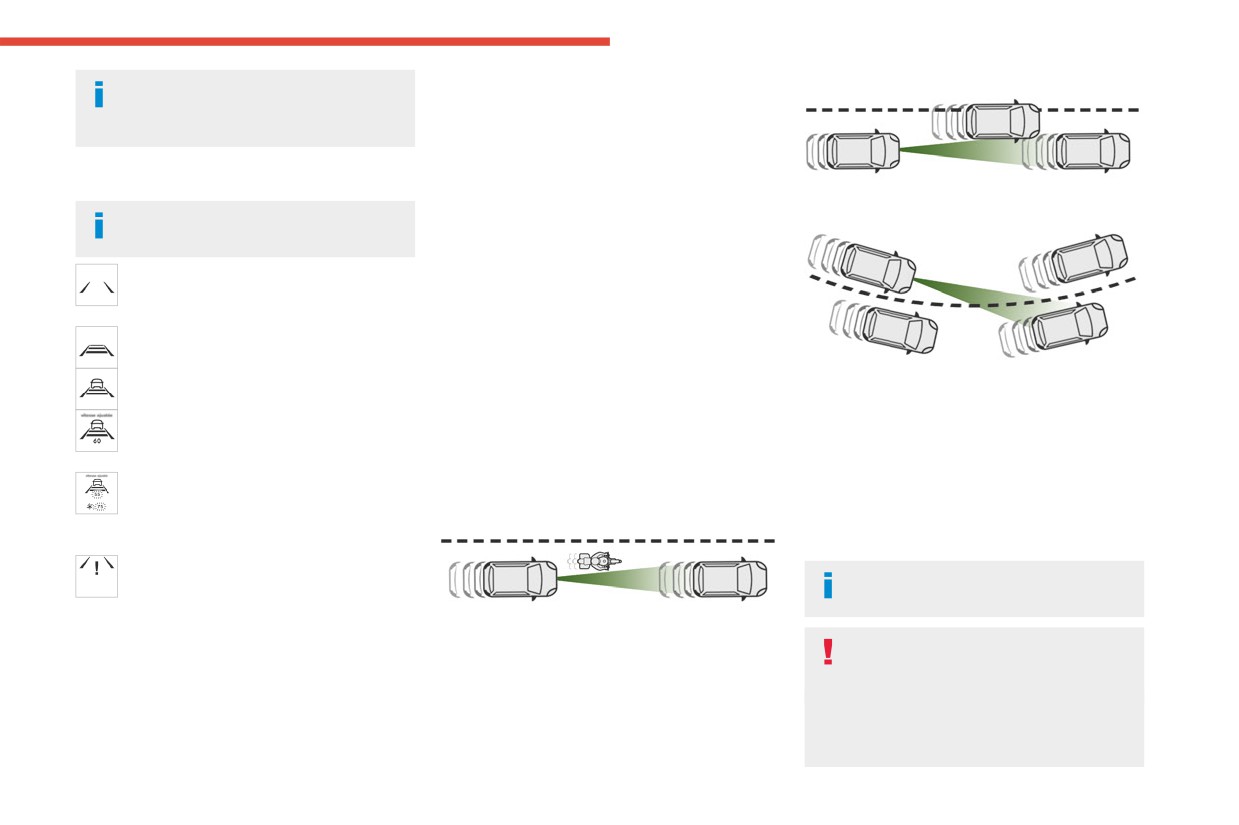
Cases of non-detection by the radar:
- Vehicles entering a corner.
- Stationary vehicles (traffic jam, breakdown,
- Vehicles changing lane at the last moment.
“Cruise control active and speed
etc.).
Reactivate cruise control when conditions permit.
adjusted”, vehicle detected too close or at
- Vehicles driving in the opposite direction.
Cases where the driver is urged to take back
a slower speed.
When the driver must suspend the cruise
control immediately:
“Cruise control active and speed
control system:
- When a vehicle cuts in sharply between your
adjusted”, automatic deactivation
vehicle and the one in front.
imminent following a cruise control limit being
- Excessively sharp deceleration of the vehicle
reached.
in front of you.
“Cruise control paused”, automatic
The adaptive cruise control operates by
deactivation following speed limit
day and night, in fog or moderate rainfall.
adjustment being exceeded and no reaction from
the driver.
- When following a narrow vehicle.
The system does not act on the braking
Operating limits
system, but works only with engine
braking.
The regulation range is limited to a maximum
The regulation range is limited: there will
difference of 19 mph (30 km/h) between the
no longer be any adjustment of speed if the
cruise speed setting and the speed of the
difference between the programmed speed
vehicle in front.
161
CarManuals2.co
Driving
setting and the speed of the vehicle in front
This system:
becomes too great.
- warns the driver that their vehicle is at risk of
collision with the preceding vehicle.
If the difference between the
- reduces the vehicle's speed to avoid a
programmed speed setting and the
collision or to limit its severity.
speed of the vehicle in front is too great, the
Below a speed of 19 mph (30 km/h),
speed cannot be adjusted: the cruise control
automatic emergency braking may slow
is automatically deactivated.
down the vehicle to a complete stop.
Otherwise, for versions with camera only, the
speed may be reduced by a maximum of 16
Malfunction
mph (25 km/h).
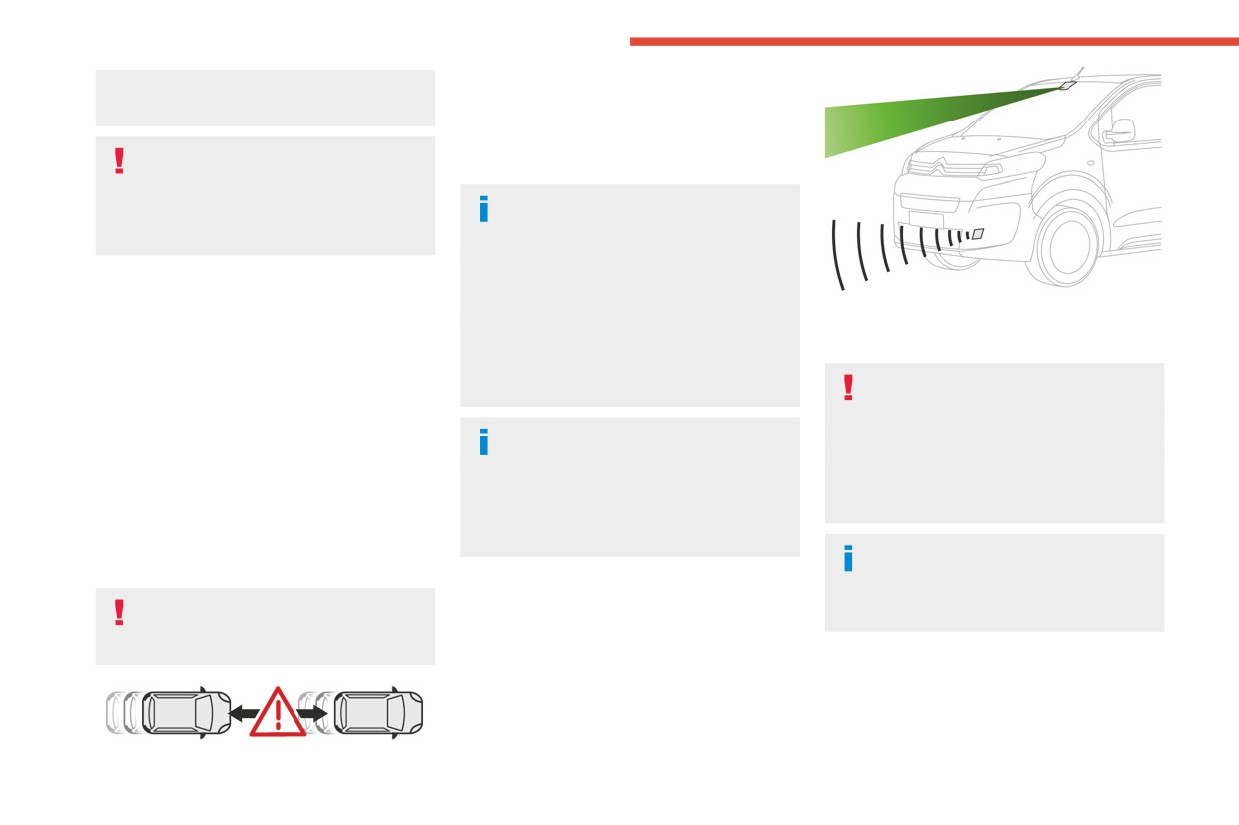
The vehicle has a camera located at the top of
In the event of a malfunction with the adaptive
For versions with camera and radar, the
the windscreen and, depending on version, a
cruise control, you will be alerted by an audible
speed reduction may be extended to 31 mph
radar located in the front bumper.
signal and the display of the message "Driving
(50 km/h), if both sensors are able to detect
aid functions fault".
This system does not replace the need
the thread.
Have it checked by a CITROËN dealer or a
for driver vigilance.
qualified workshop.
This system is designed to assist the driver
The system also takes motorcyclists into
and improve road safety.
account.
It is the driver's responsibility to continuously
Active Safety Brake with
It may also react on animals. Animals
monitor traffic conditions in accordance with
(especially animals smaller than 0.5 m)
Collision Risk Alert and
applicable driving regulations.
and objects on the road are not necessarily
Intelligent emergency
detected.
As soon as the system detects a
braking assistance
This system includes three functions:
potential collision, it prepares the braking
- Collision Risk Alert.
circuit. This may cause a slight noise and a
For more information, refer to the
- Intelligent emergency braking assistance
slight sensation of deceleration.
General recommendations on the use
(iEBA).
of driving and manoeuvring aids.
- Active Safety Brake (automatic emergency
Operating conditions and
braking).
limits
Vehicle moving forward without trailer.
Brake system operational.
162
CarManuals2.co
Driving
Seat belts fastened for all passengers.
It can be dangerous to drive if the brake
collision risk, and the operation of the vehicle
6
Stabilised speed on roads with no or low
lamps are not in perfect working order.
(e.g. actions on the pedals, steering wheel) to
curvature.
trigger the alert at the most relevant moment.
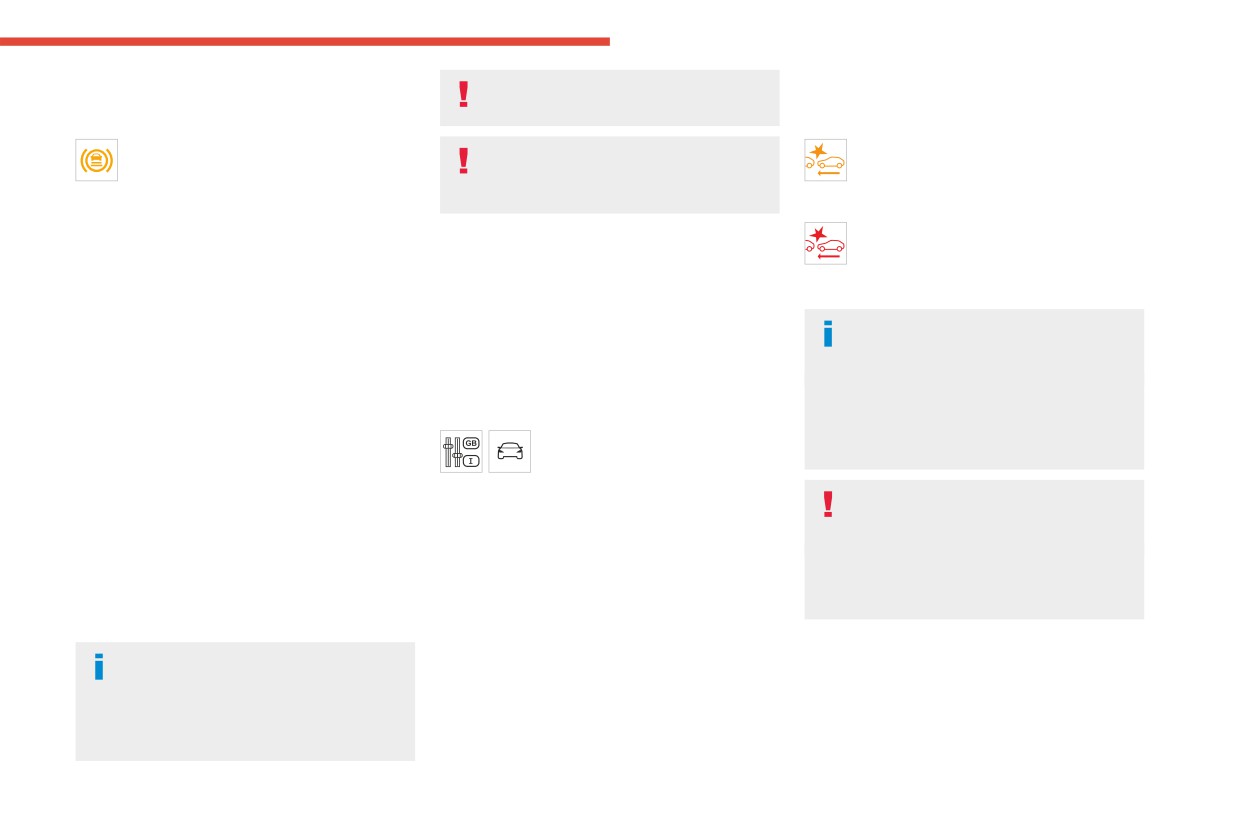
This warning lamp lights up on the
The driver must not overload the vehicle
(orange)
instrument panel without any additional
(keep within the GVW limit and load
Level 1: visual alert only, warning that the
message, to indicate that the automatic braking
height limits for roof bars).
preceding vehicle is very close.
system is not available.
The message "Vehicle close" is displayed.
This is a normal behavior indicating that a
(red)
condition is not fulfilled and which does not
Collision Risk Alert
Level 2: visual and audible alert, warning
request the support of a workshop.
This function warns the driver if there is a risk
that a collision is imminent.
In any situations with ignition on where automatic
of collision with the preceding vehicle, or with a
The message "Brake!" is displayed.
braking presents a risk, deactivating the
pedestrian or cyclist.
While approaching a vehicle too quickly,
system via the vehicle's configuration menu is
the level 2 alert may be displayed
recommended, for instance:
Modifying the alert trigger threshold
directly.
- Towing a trailer (particularly a trailer without its
This trigger threshold determines the sensitivity
Important: the level 1 alert depends on the
own braking system).
with which the function warns of the risk of
trigger threshold selected. It reacts only on
- Carrying long objects on roof bars or roof rack.
collision.
moving vehicles. It is disabled automatically
- Driving with snow chains.
The threshold is set via the vehicle
at lower speed.
- Using an automatic car wash.
configuration menu with the audio
- Performing any maintenance (e.g. changing a
system or touch screen.
It is possible that collision warnings are
wheel, working inside the engine compartment).
► Select one of the three pre-defined
not given, are given too late or seem
- Placing the vehicle on a rolling bench in a
thresholds: "Far", "Normal" or "Close".
unjustified.
workshop.
The last threshold selected is memorised when
The driver must always stay in control of the
- Towing the vehicle.
the ignition is switched off.
vehicle and be prepared to react at any time
- Following a front bumper deformation.
Operation
to avoid an accident.
- Following a damage of the windscreen close
to the detection camera.
Depending on the collision risk detected by the
system and the alert trigger threshold chosen
In case the detection is degraded or
Intelligent emergency
by the driver, different levels of alert may be
temporarily unavailable by environment
braking assistance (iEBA)
triggered and displayed on the instrument panel.
conditions, then a driver indication is not
The system takes into account the vehicle
This function increases vehicle deceleration
displayed (because a driver action is not
dynamics, the difference speed of the own
if the driver does not brake enough to avoid a
requested).
vehicle and the object identified for the
collision.
163
CarManuals2.co
Driving
This assistance is only provided if the driver
Below a speed of 19 mph (30 km/h),
With a manual gearbox, in the event of automatic
presses the brake pedal.
automatic emergency braking may slow
emergency braking bringing the vehicle to a
down the vehicle to a complete stop.
complete stop, the engine may stall.
Active Safety Brake
Otherwise, for versions with camera only, the
The driver can override the automatic
speed may be reduced by a maximum of 16
emergency braking at any time by
mph (25 km/h).
strongly turning the steering wheel (evasive
For versions with camera and radar, the
manoeuver) and/or by firmly pressing the
speed reduction may be extended to 31 mph
accelerator pedal.
(50 km/h), if both sensors are able to detect
the thread.
The brake pedal may feel hard and
vibrate slightly while the function is
Operation
operating.
The system operates subject to the following
If the vehicle comes to a complete stop,
conditions:
automatic braking is maintained for 1 to
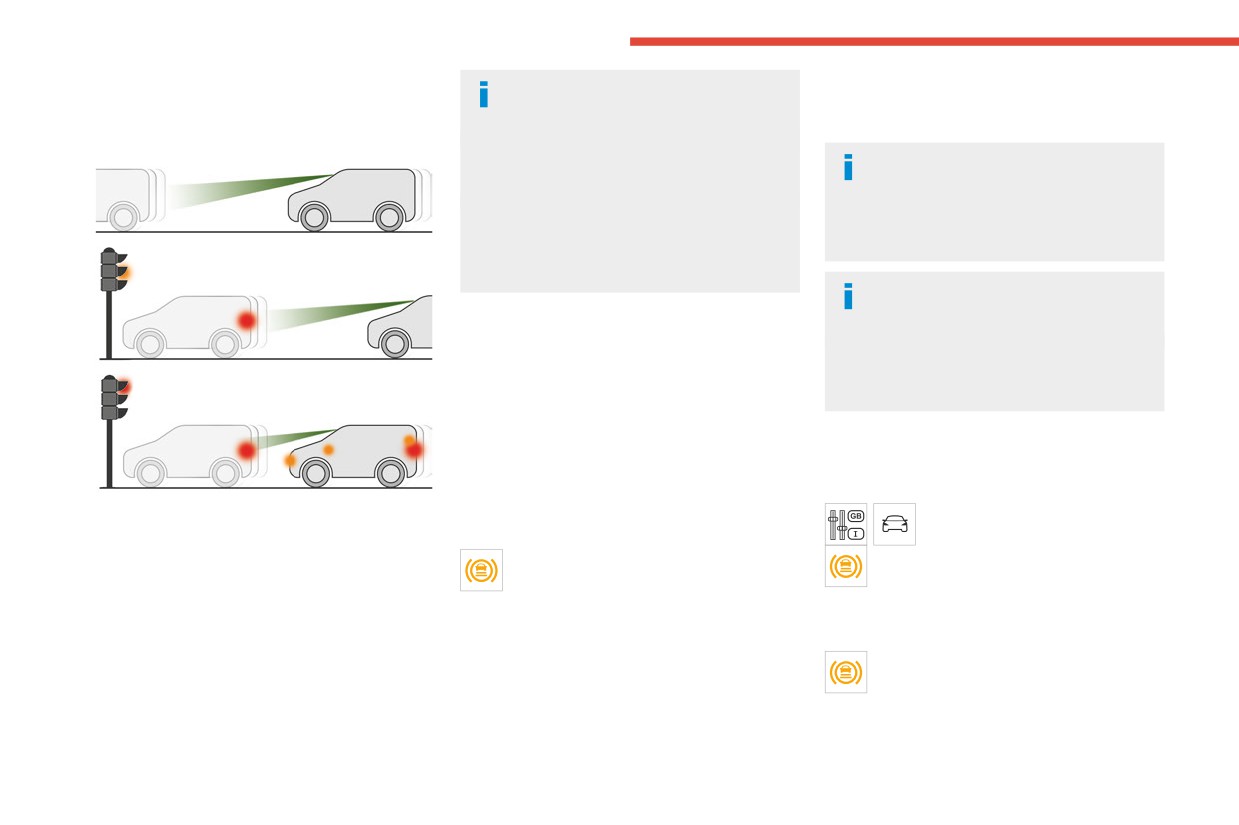
- At reduced speed in an urban environment,
2 seconds.
when a stationary vehicle, pedestrian or cyclist
is detected.
Deactivation/Activation
- The vehicle's speed is between 6 mph and
53 mph (10 km/h and 85 km/h) (versions with
By default, the system is automatically activated
camera only) or 87 mph (140 km/h) (versions
at every engine start.
This function, also called "automatic emergency
with camera and radar) when a moving vehicle
The settings are changed via the
braking", intervenes after the acoustic alert if the
is detected.
vehicle configuration menu.
driver does not operate the brake pedal quickly
This warning lamp flashes (for
Deactivation of the system is signalled by
enough.
approximately 10 seconds) as soon as
the illumination of this warning lamp,
The system aims at reducing the speed of
the function applies the vehicle’s brakes.
accompanied by the display of a message.
impact or avoiding a collision if the driver fails to
During the flashing time, the function is not
react.
Malfunction
available.
With an automatic gearbox, in the event of
This warning lamp lights up on the
automatic emergency braking, keep the brake
instrument panel, if the automatic braking
pedal depressed, also after a complete stop is
system is reduced or degraded.
reached, to prevent the vehicle from rolling away.
This is a normal behavior, which does not
request the support of a qualified workshop.
164
CarManuals2.co
Driving
This may be caused by a reduced visibility
crossing of longitudinal traffic lane markings on
Activation/Deactivation
6
(e.g. rain, fog, snow, blinding by low sun) or by
the ground.
a real sensor blockage. In this case, stop the
If the direction indicator is not used at speeds
With audio system
vehicle and verify if the front camera or the front
above 50 mph (80 km/h) and there is a risk of
radar is covered by dirt, snow, ice or anything
one of these lines on the road surface being
preventing the sensing.
crossed, the system triggers the alert.
In the event of a malfunction, this warning
This system is particularly useful on motorways
lamp lights up on the instrument panel,
and main roads.
accompanied by the display of a message and
an audible signal.
Have it checked by a CITROËN dealer or a
qualified workshop.
► To activate or deactivate the system, press
If these warning lamps come on after the
this button.
engine has been switched off and then
The indicator lamp is on when the system is
restarted, contact a CITROËN dealer or a
Detection - Alert
activated.
qualified workshop to have the system checked.
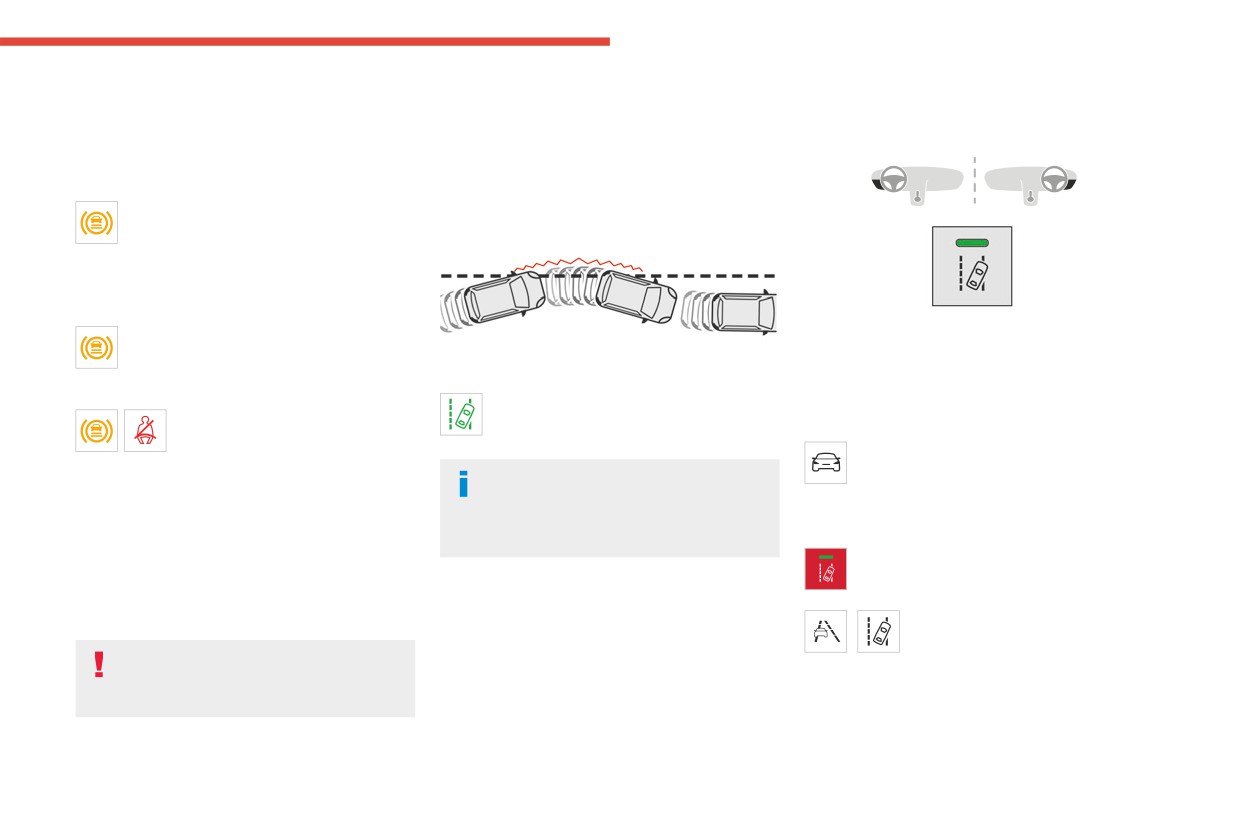
You are alerted by the flashing of this
These warning lamps light up on
warning lamp in the instrument panel,
With touch screen
the instrument panel and/or in the
accompanied by an audible signal.
The settings are changed via the vehicle
warning lamp display for seat belts and front
No warning is transmitted while the
configuration menu.
passenger airbag to indicate that the driver's
direction indicator is active and for
and/or front passenger's seat belt is not fastened
Malfunction
approximately 20 seconds after the direction
(depending on version). The automatic braking
indicator is switched off.
Depending on the vehicle’s equipment:
system is deactivated until the seat belts are
The indicator lamp in this button flashes.
fastened.
or
Lane departure warning
/
The button flashes and a fault
appears.
For more information, refer to the
Contact a CITROËN dealer or a qualified
General recommendations on the use
workshop.
of driving and manoeuvring aids.
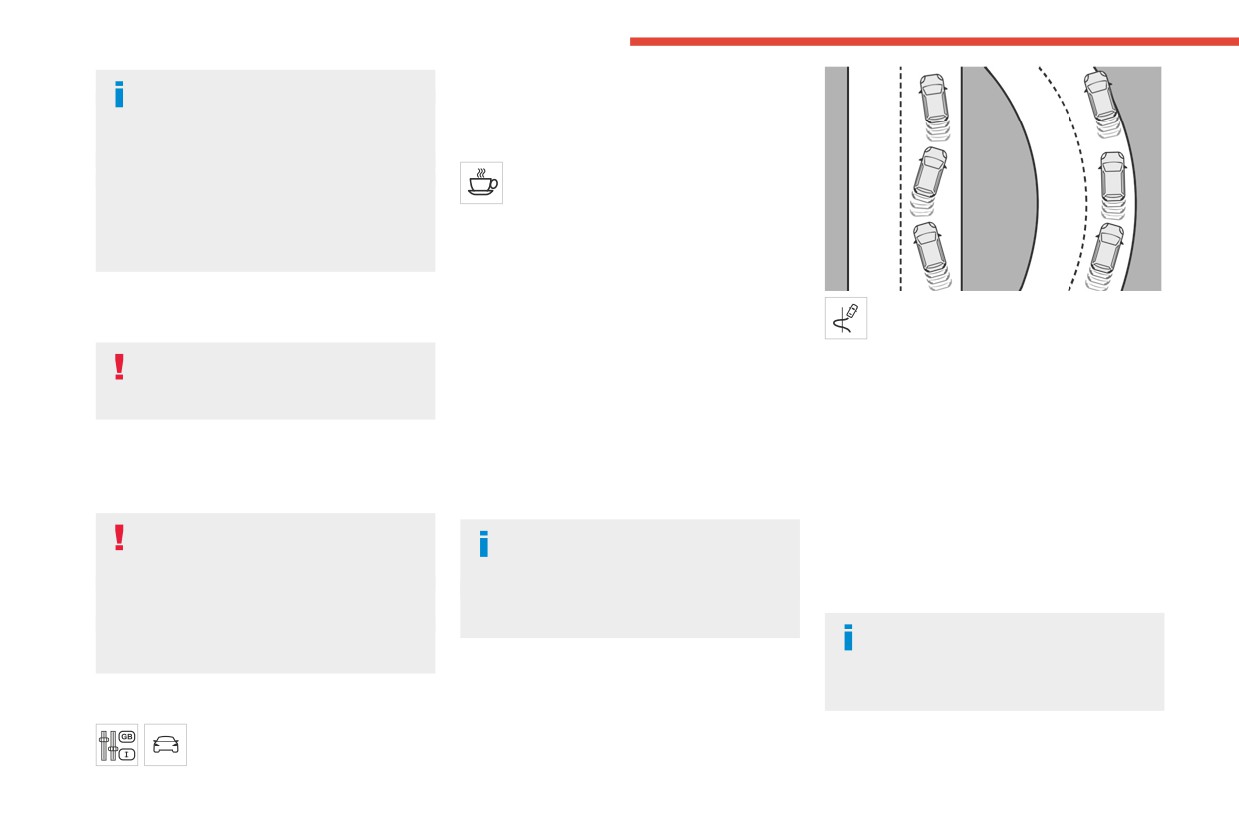
This system, using a camera which recognises
solid or broken lines, detects the involuntary
165
CarManuals2.co
Driving
Detection may be impeded:
The function is activated by default when the
- If the markings on the ground are worn
ignition is switched on.
and not clearly contrasted against the road
surface.
Coffee Break Alert
- If the windscreen is dirty.
The system triggers an alert when it
- In certain extreme weather conditions:
detects that the driver has not taken a
fog, heavy rain, snow, shade, bright sunlight
break after two hours of driving at a speed above
or direct exposure to the sun (e.g. low sun,
43 mph (70 km/h).
leaving a tunnel).
This alert is issued via the display of a message
encouraging the driver to take a break,
accompanied by an audible signal.
The system assesses the driver's level of
Distraction detection
If the driver does not follow this advice, the alert
alertness, fatigue and distraction by
is repeated hourly until the vehicle is stopped.
identifying trajectory changes in relation to the
For more information, refer to the
The system resets itself if one of the following
lane markings.
General recommendations on the use
conditions is met:
To do this, the system uses a camera, placed on
of driving and manoeuvring aids.
- With the engine running, the vehicle has been
the upper part of the windscreen.
stationary for more than 15 minutes.
Depending on version, the function consists of
This system is particularly suited to fast roads
- The ignition has been switched off for a few
either the "Coffee Break Alert" system alone or
(speed higher than 43 mph (70 km/h)).
minutes.
combined with the "Driver Attention Warning"
At a first alert level, the driver is warned by the
- The driver's seat belt is unfastened and their
system.
message "Be vigilant!", accompanied by an
door is opened.
audible signal.
These systems are in no way designed
As soon as the speed of the vehicle
After three first-level alerts, the system triggers
to keep the driver awake or to prevent
drops below 43 mph (70 km/h), the
a further alert with the message "Dangerous
the driver from falling asleep at the wheel.
system goes into standby.
driving: take a break", accompanied by a more
It is the driver’s responsibility to stop if feeling
Driving time starts being counted again once
pronounced audible signal.
tired.
the speed reaches above 43 mph (70 km/h).
Take a break if you are feeling tired or at least
In certain driving conditions (poor road
every 2 hours.
surface or strong winds), the system may
Driver Attention Warning
give alerts independent of the driver's level of
vigilance.
Depending on version, the Coffee Break Alert
Activation/Deactivation
system may be combined with the Driver
This function is set via the vehicle
Attention Warning system.
configuration menu.
166
CarManuals2.co
Driving
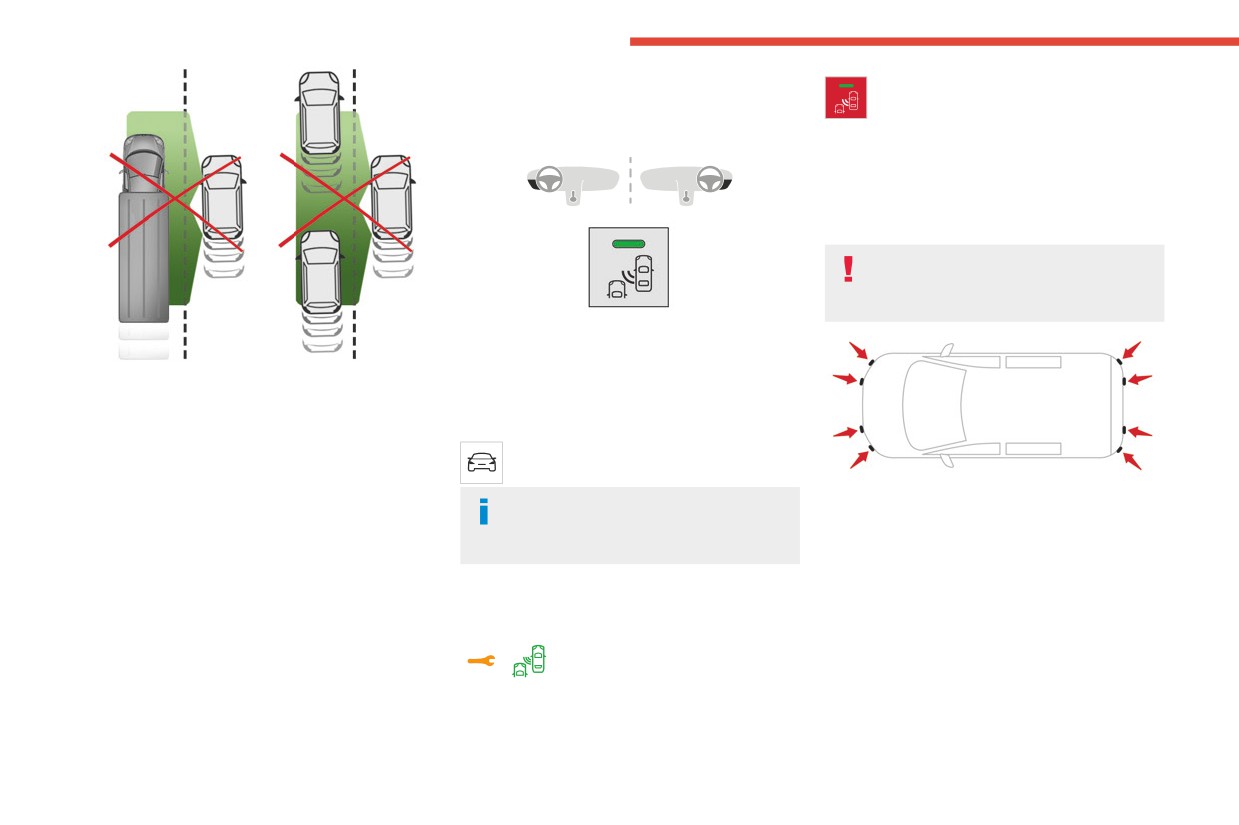
The following situations may interfere
- you are driving on a straight or slightly curved
6
with the operation of the system or
road,
prevent it from working:
- your vehicle is not towing a trailer, a caravan,
- lane markings absent, worn, hidden
etc.
(e.g. snow, mud, dead leaves) or multiple
(roadworks).
- close to the vehicle ahead (lane markings
not detected).
A warning lamp appears in the door mirror on the
- roads that are narrow, winding.
side in question:
- fixed, immediately, when being overtaken.
- flashing, after a delay of about one second,
when overtaking a vehicle slowly, and when the
Blind spot monitoring
direction indicator is used.
For more information, refer to the
Operation
General recommendations on the use
of driving and manoeuvring aids.
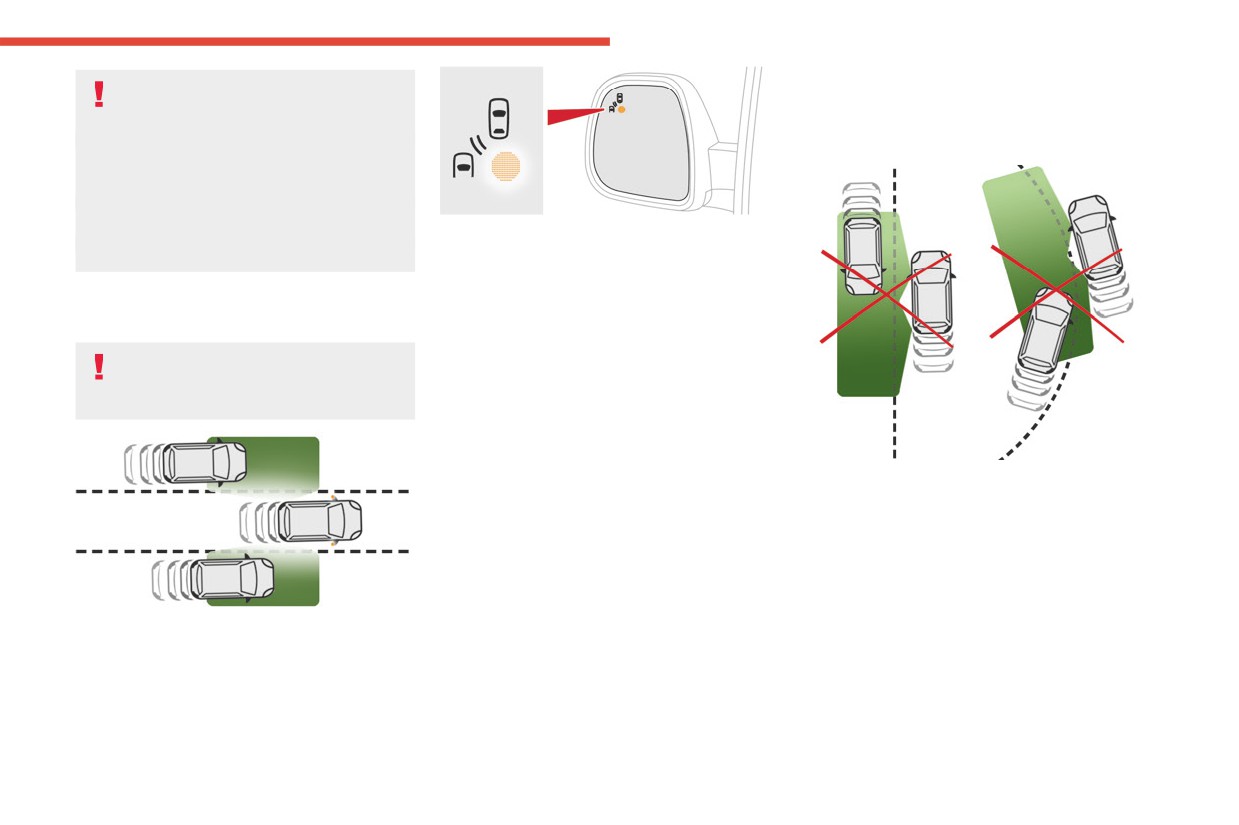
Sensors fitted in the front and rear bumpers
monitor the blind spots.
The alert is given by an orange warning lamp
coming on in the relevant door mirror, as soon as
a vehicle - car, lorry, bicycle - is detected.
The following conditions must be met for this:
- all vehicles are moving in the same direction
and in adjacent lanes,
- the speed of your vehicle must be between 7
and 87 mph (12 and 140 km/h),
- you overtake a vehicle with a speed difference
This system warns the driver of a potential
of less than 6 mph (10 km/h),
danger posed by the presence of another vehicle
- a vehicle overtakes you with a speed
(car, lorry, motorcycle) in the vehicle's blind
difference of less than 16 mph (25 km/h),
spots (areas hidden from the driver's field of
- the traffic is flowing normally,
vision) using sensors located on the sides of the
- overtaking a vehicle over a certain period of
bumpers.
time where the vehicle being overtaken remains
in the blind spot,
167
CarManuals2.co
Driving
Activation/Deactivation
The warning lamp in this button flashes
and a message appears, accompanied by
With audio system
an audible signal.
Contact a CITROËN dealer or a qualified
workshop.
Parking sensors
For more information, refer to the
General recommendations on the use
of driving and manoeuvring aids.
► To activate or deactivate the system, press
this button.
The indicator lamp is on when the system is
No alert will be given in the following situations:
activated.
- in the presence of non-moving objects (parked
vehicles, safety barriers, street lamps, road
With touch screen
signs, etc.),
The settings are changed via the vehicle
- with vehicles moving in the opposite direction,
configuration menu.
- driving on a winding road or sharp bends,
This system detects and signals the proximity of
- when overtaking or being overtaken by a very
The system is automatically deactivated
obstacles (e.g. pedestrian, vehicle, tree, barrier)
long vehicle (lorry, bus, etc.) which is both in the
when towing with a towing device
using sensors located in the bumper.
rear blind spot and present in the driver’s front
approved by CITROËN.
field of vision,
Rear parking sensors
- when overtaking quickly,
Malfunction
► Engage reverse gear to start the system
- in very heavy traffic: vehicles detected in
front and behind are confused with a lorry or a
Depending on the vehicle’s equipment:
(confirmed by an audible signal).
stationary object.
The system is switched off when reverse gear is
disengaged.
In the event of a fault, this or these warning
lamp(s) flash(es).
or
168
CarManuals2.co
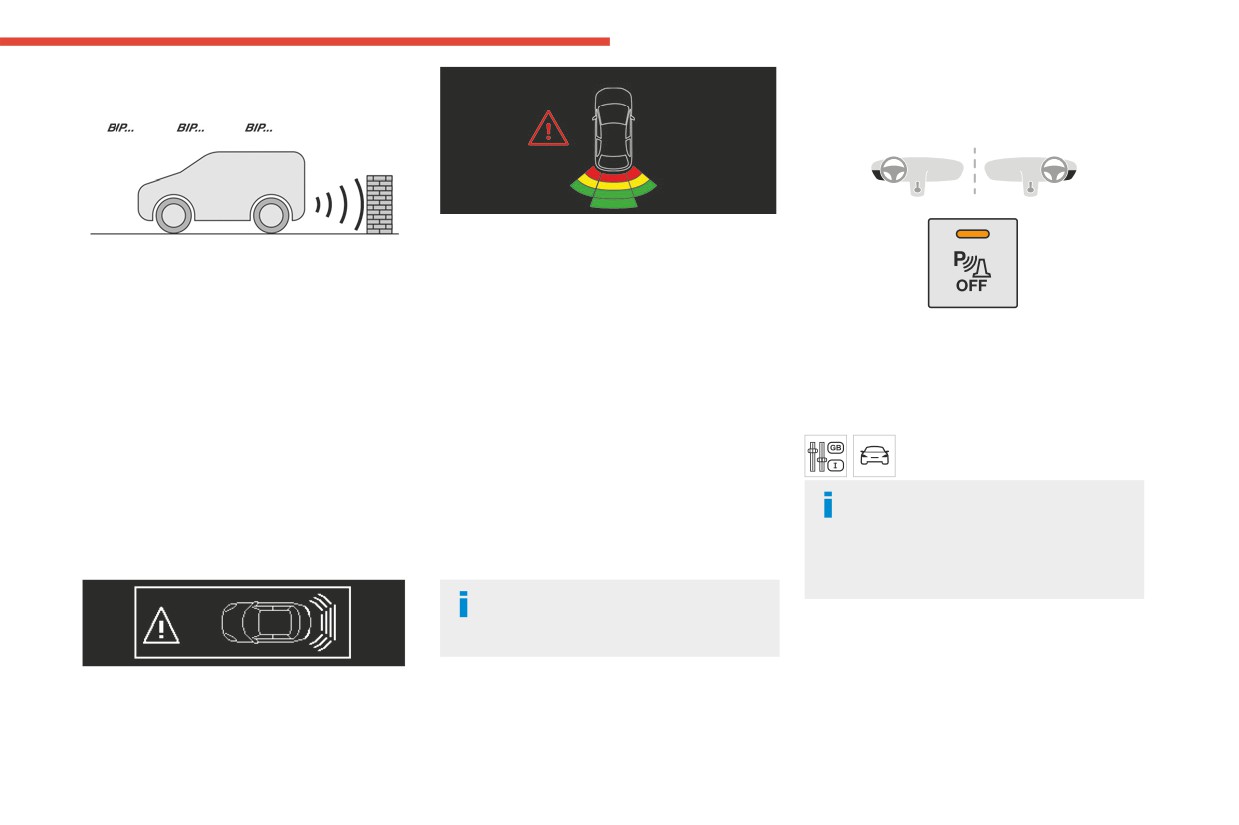
Driving
Audible assistance
Deactivation/Activation
6
With dashboard button
This supplements the audible signal by
displaying bars on the screen that move
The function signals the presence of obstacles
progressively nearer to the vehicle (green: more
present within the sensors’ detection zone.
distant obstacles; yellow: close obstacles; red:
The proximity information is given by an
very close obstacles).
intermittent audible signal, the frequency of
► To deactivate or activate the system, press
When the obstacle is very close, the "Danger"
which increases as the vehicle approaches the
this button.
symbol is displayed on the screen.
obstacle.
The indicator lamp is on when the system is
When the distance between the vehicle and
Front parking sensors
deactivated.
the obstacle becomes less than about thirty
Supplementing the rear parking sensors, the
Without dashboard button
centimetres, the audible signal becomes
front parking sensors are triggered when an
The settings are changed via the
continuous.
obstacle is detected in front and the speed of the
vehicle configuration menu.
The sound emitted by the speaker (right or left)
vehicle is below 6 mph (10 km/h).
allows you to identify the side on which the
The rear parking sensors system will be
Front parking sensor operation is suspended if
obstacle is located.
deactivated automatically if a trailer or
the vehicle stops for more than three seconds in
bicycle carrier is connected to a towing device
forward gear, if an obstacle is no longer detected
Visual assistance
installed in accordance with the
or the vehicle speed exceeds 6 mph (10 km/h).
manufacturer's recommendations.
The sound emitted by the speaker (front
or rear) locates the obstacle relative to
the vehicle, in front or behind it.
Operating limits
If the boot is heavily loaded, the vehicle may tilt,
affecting distance measurements.
169
CarManuals2.co
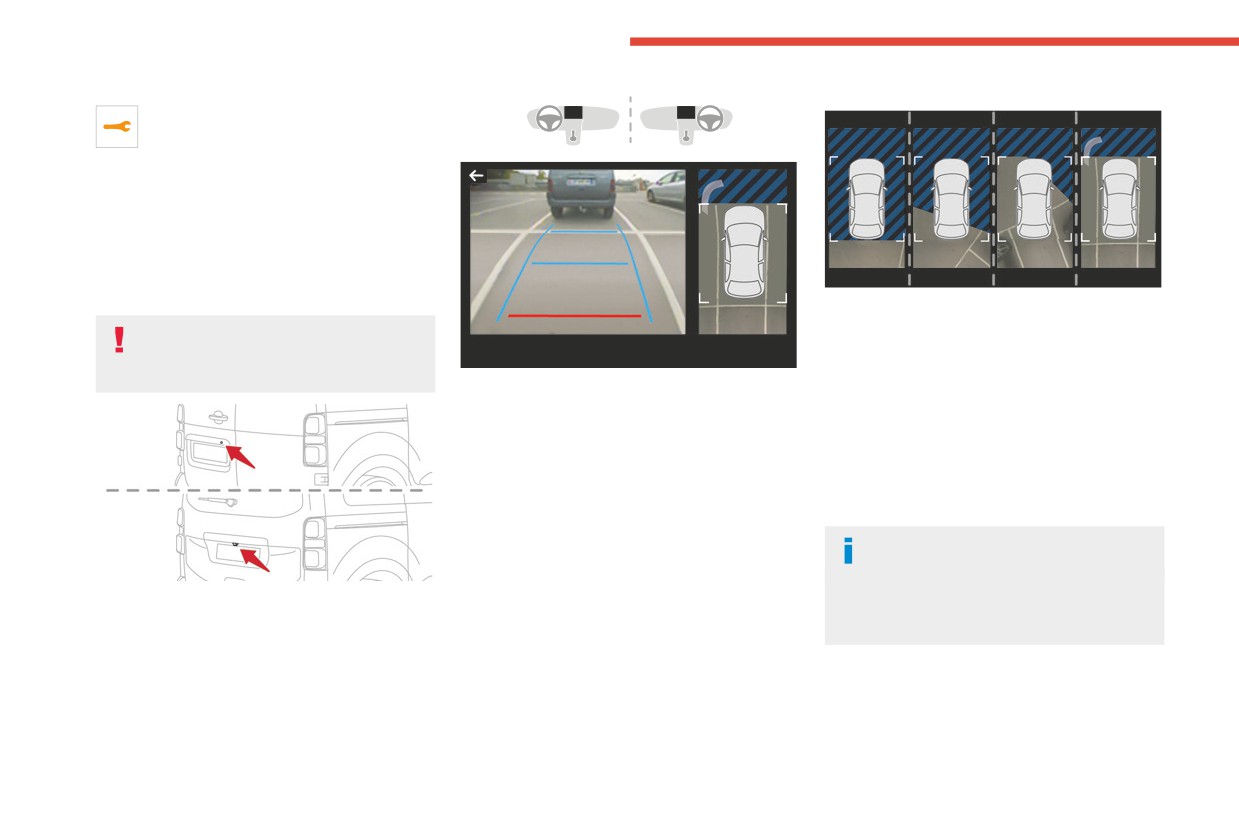
Driving
Malfunction
Principle of operation
In the event of a malfunction when
changing into reverse gear, this warning
lamp lights up on the instrument panel,
accompanied by the display of a message and
an audible signal (short beep).
Have it checked by a CITROËN dealer or a
qualified workshop.
Top Rear Vision
Using the rear camera, the vehicle's close
surroundings are recorded during manoeuvres
For more information, refer to the
at low speed.
General recommendations on the use
An image from above your vehicle in its close
of driving and manoeuvring aids.
The screen is divided into two parts with a
surroundings is reconstructed (represented
contextual view and a view from above the
between the brackets) in real time and as the
vehicle in its close surroundings.
manoeuvre progresses.
The parking sensors supplement the information
It facilitates the alignment of your vehicle when
on the view from above the vehicle.
parking and allows obstacles close to the vehicle
Various contextual views may be displayed:
to be seen. It is automatically deleted if the
- Standard view.
vehicle remains stationary for too long.
- 180° view.
The display disappears above
- Zoom view.
approximately 6 mph (10 km/h).
AUTO mode is activated by default.
The system is automatically deactivated
As soon as reverse gear is engaged with the
In this mode, the system chooses the best view
about 7 seconds after coming out of reverse
engine running, this system displays views of
to display (standard or zoom).
or on opening a door or the boot.
your vehicle’s close surroundings on the touch
You can change the type of view at any time
screen using a camera located at the rear of the
during a manoeuvre.
vehicle.
The system status is not saved when the ignition
Activation
is switched off.
Activation is automatic on engaging reverse gear
at a speed lower than 6 mph (10 km/h).
170
CarManuals2.co
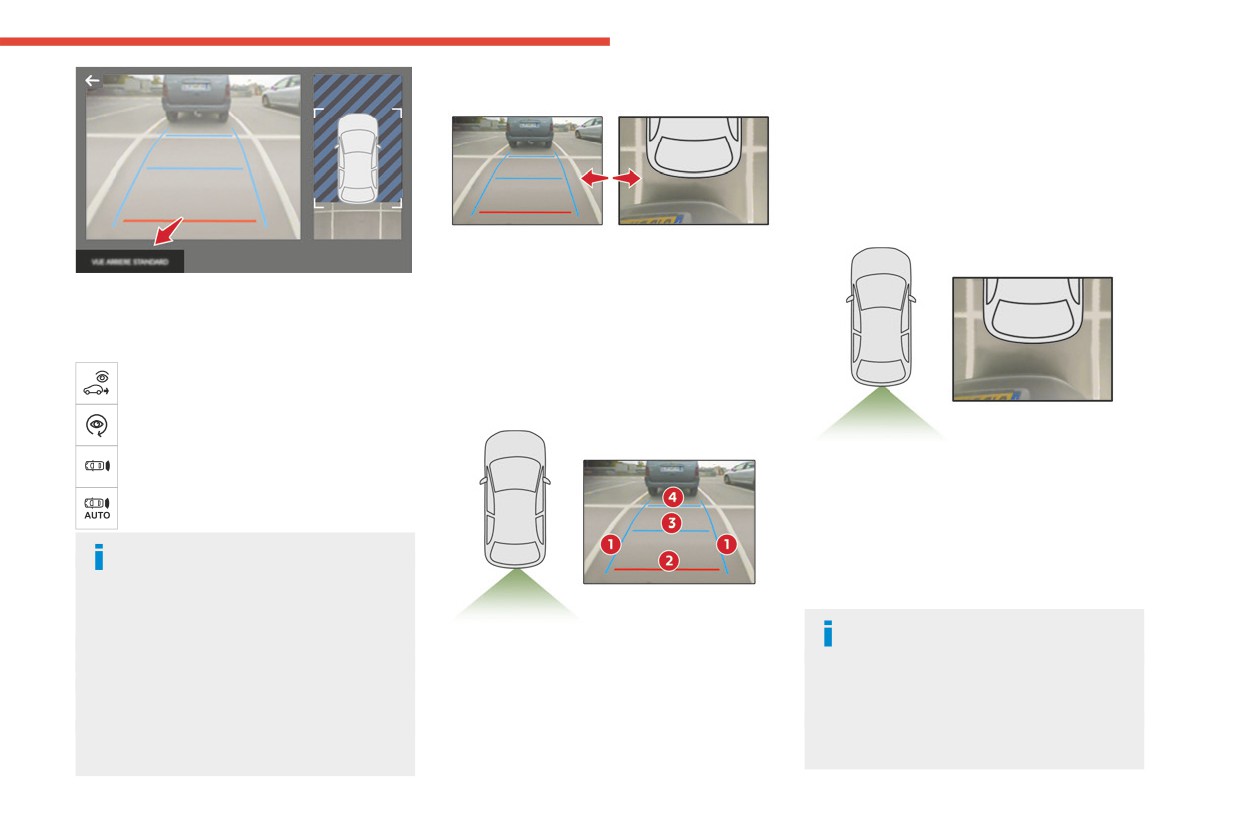
Driving
AUTO mode
The red line 2 represents a distance of 30 cm
6
from the rear bumper; the two blue lines 3 and 4
represent 1 m and 2 m, respectively.
This view is available with AUTO mode or in the
view selection menu.
Zoom view
This mode is activated by default.
Using sensors in the rear bumper, the automatic
You can choose the display mode at any time by
view changes from the rear view (standard) to
pressing this area.
the view from above (zoom) as an obstacle is
When the sub-menu is displayed, select one of
approached at the level of the red line (less than
the four views:
30 cm) during a manoeuvre.
"Standard view".
Standard view
"180° view".
"Zoom view".
The camera records the vehicle's surroundings
during the manoeuvre in order to create a
"AUTO mode".
view from above the rear of the vehicle in its
near surroundings, allowing the vehicle to be
The function will be deactivated:
manoeuvred around nearby obstacles.
- If a trailer is attached or a bicycle
This view is available with AUTO mode or in the
carrier is fitted on a towing device (vehicle
view selection menu.
fitted with a towing device installed in line with
Obstacles may appear further away than
the manufacturer's recommendations).
- Above about 6 mph (10 km/h).
The area behind the vehicle is displayed on the
they actually are.
- When the boot is opened.
screen.
It is important to monitor the sides of the
- Upon changing out of reverse gear (the
The blue lines 1 represent the width of your
vehicle during the manoeuvre, using the
image remains displayed for 7 seconds).
vehicle, with the mirrors unfolded; their direction
mirrors.
- By pressing the white arrow in the upper-
changes according to the position of the steering
Parking sensors also provide additional
left corner of the touch screen.
wheel.
information about the area around the vehicle.
171
CarManuals2.co
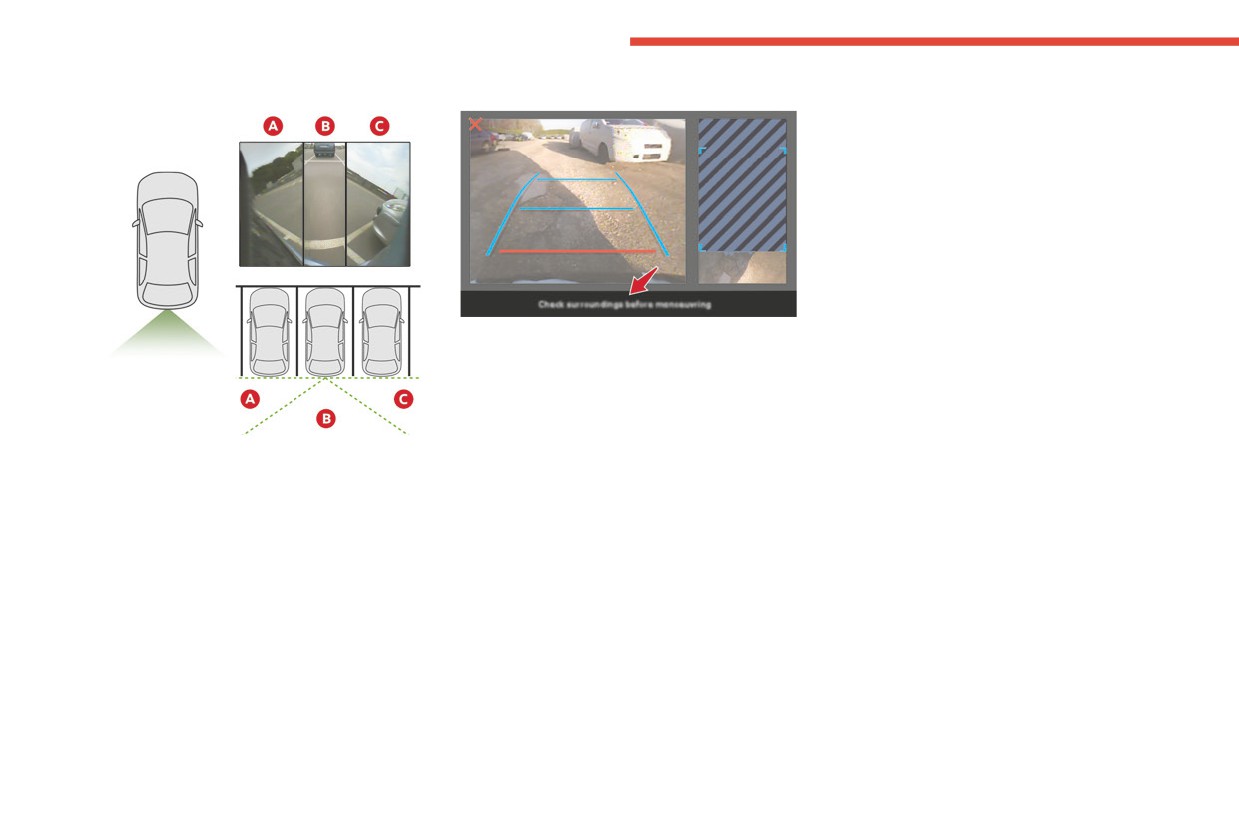
Driving
180° view
Quick start mode
This mode displays, as quickly as possible, the
contextual view (left-hand part) and the overhead
view of the vehicle.
A message is displayed advising you to check
your vehicle's surroundings before starting the
manoeuvre.
The 180° view facilitates reversing out of a
parking space, making it possible to see the
approach of vehicles, pedestrians and cyclists.
This view is not recommended for carrying out a
complete manoeuvre.
It features 3 areas: left A, centre B and right C.
This view is only available via the view selection
menu.
172
CarManuals2.co
Partners for more than 50 years, Citroën &
Keep your engine younger for
TotalEnergies share common values:
longer!
FILL UP WITH
technology, creativity, innovation.
TotalEnergies equips Citroën vehicles with
Quartz Ineo Xtra First 0W-20 is a very high-
Quartz lubricants from their first filling in the
performance lubricant resulting from the joint
CONFIDENCE
factory through to the authorised servicing
work of the Citroën and TotalEnergies R&D
dealer network to guarantee them optimal
teams. Its innovative technology extends your
WITH QUARTZ LUBRICANTS
performance on a daily basis. Especially
engine’s life while achieving significant fuel
designed for Citroën vehicles, Quartz
savings and thus limiting CO2 emissions. The
lubricants make them even more powerful,
product is now available in new packaging*
more fuel efficient and more environmentally
made of 50% recycled material and which is
friendly. For the servicing of your Citroën, fill
100% recyclable.
* 1L & 5L produced in Europe
up with confidence with Quartz lubricants!
CarManuals2.co
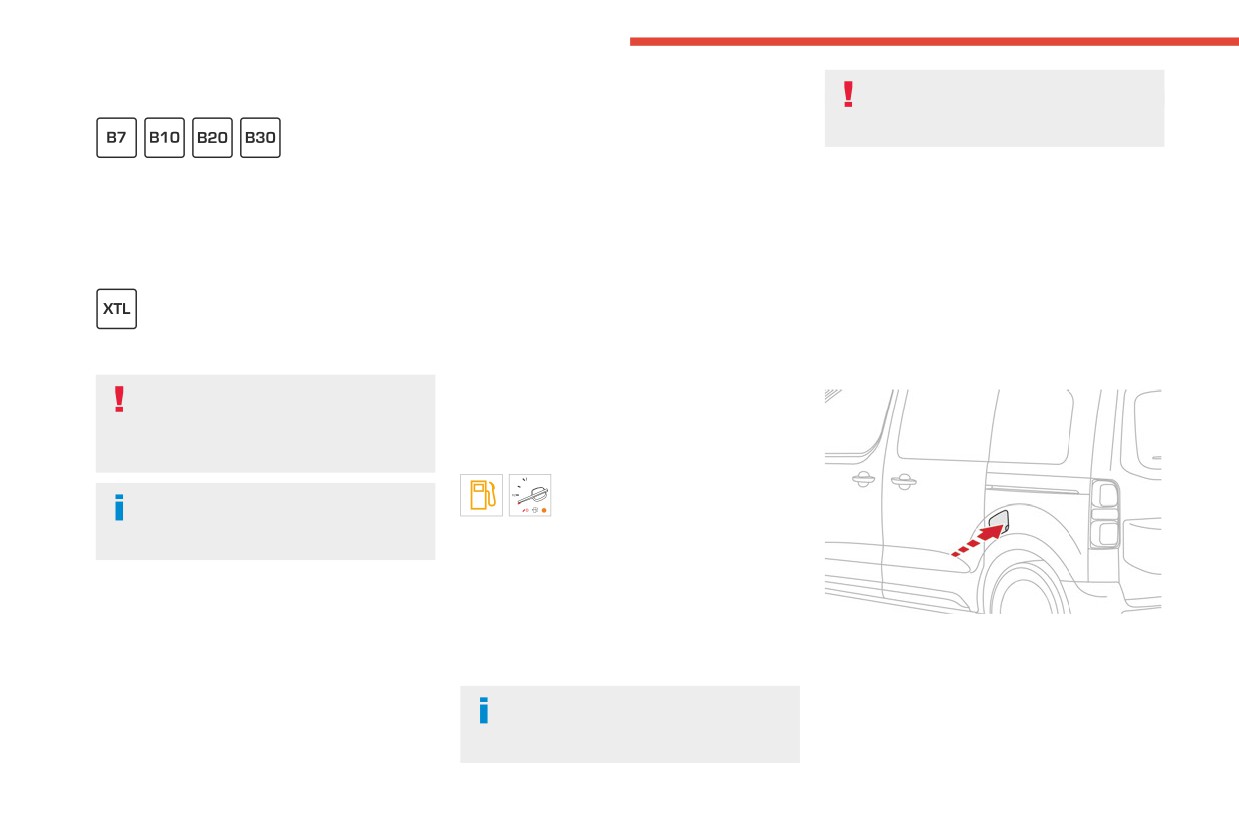
Practical information
At temperatures below -15 °C (+5 °F) to avoid
Stop & Start
Compatibility of fuels
problems starting, it is best to park the vehicle
Never refuel with the engine in STOP
under shelter (heated garage).
mode; you must switch off the ignition.
Diesel fuels conforming to the EN590, EN16734
Travelling abroad
Refuelling
and EN16709 standards and containing up to
Certain fuels could damage your vehicle’s
7%, 10%, 20% and 30% fatty acid methyl ester
At least 8 litres of fuel must be added, in order to
engine.
respectively. The use of B20 or B30 fuels, even
be registered by the fuel gauge.
In certain countries, the use of a particular
occasionally, imposes special maintenance
Opening the filler cap may create a noise caused
fuel may be required (specific octane rating,
conditions referred to as "Arduous conditions".
by an inrush of air. This is entirely normal and
specific trade name, etc.) to ensure correct
results from the sealing of the fuel system.
operation of the engine.
To refuel in complete safety:
For all additional information, consult a dealer.
► Always switch off the engine.
Paraffinic Diesel fuel conforming to the EN15940
► Unlock the vehicle using the Keyless Entry
standard.
Refuelling
and Start.
The use of any other type of (bio) fuel
Fuel tank capacity: approximately 69 litres.
(e.g. pure or diluted vegetable or animal
Reserve level: approximately 6 litres.
oils, domestic fuel) is strictly prohibited - risk
of damaging the engine and fuel system!
Low fuel level
When the low fuel level is reached,
The only Diesel fuel additives authorised
one of these warning lamps lights
for use are those that meet the B715000
up on the instrument panel, accompanied by the
standard.
display of a message and an audible signal.
When it first comes on, about 8 litres of fuel
remain.
Diesel at low temperature
You must refuel as soon as possible to avoid
At temperatures below 0 °C (+32 °F), the
running out of fuel.
► Open the fuel filler flap.
formation of paraffins in summer-type Diesel
For more information on Running out of fuel
fuels could prevent the engine from operating
(Diesel), refer to the corresponding section.
correctly. In these temperature conditions, use
winter-type Diesel fuel and keep the fuel tank
A small arrow by the warning lamp
more than 50 % full.
indicates which side of the vehicle the
fuel filler flap is located on.
174
CarManuals2.co