Citroen C3 Picasso (2016 year). Manual - part 13
 

  Index      Citroen     Citroen C3 Picasso - service manual 2016 year in english


Search            


Content   ..  11  12  13  14   ..


Citroen C3 Picasso (2016 year). Manual - part 13


11

Practical information

191

C3Picasso_en_Chap11_informations-pratiques_ed01-2015

Towing a trailer, ...

Driving advice

Cooling

Towing a trailer on a slope increases the 
temperature of the coolant.
As the fan is electrically controlled, its cooling 
capacity is not dependent on the engine speed.
F

  To lower the engine speed, reduce your 

speed.

The maximum towed load on a long incline 
depends on the gradient and the ambient 
temperature.
In all cases, keep a check on the coolant 
temperature.

Side wind

F  Take into account the increased sensitivity 

to side wind.

F

  If the warning lamp and the STOP 

warning lamp come on, stop the 
vehicle and switch off the engine 
as soon as possible.

Towbar suitable for the attachment of a trailer or installation of a bicycle carrier, with additional lighting and signalling.

Distribution of loads

F  Distribute the load in the trailer so that the 

heaviest items are as close as possible to 
the axle and the nose weight approaches the 
maximum permitted without exceeding it.

Air density decreases with altitude, thus 
reducing engine performance. Above 
1 000 metres, the maximum towed load must 
be reduced by 10 % for every 1 000 metres of 
altitude.

We recommend the use of genuine 
CITROËN towbars and their harnesses 
that have been tested and approved 
from the design stage of your vehicle, 
and that the fitting of the towbar is 
entrusted to a CITROËN dealer or a 
qualified workshop.
If the towbar is not fitted by a CITROËN 
dealer, it is imperative that it is 
fitted in accordance with the vehicle 
manufacturer's instructions.

Driving with a trailer places greater demands 
on the towing vehicle and the driver must take 
particular care.

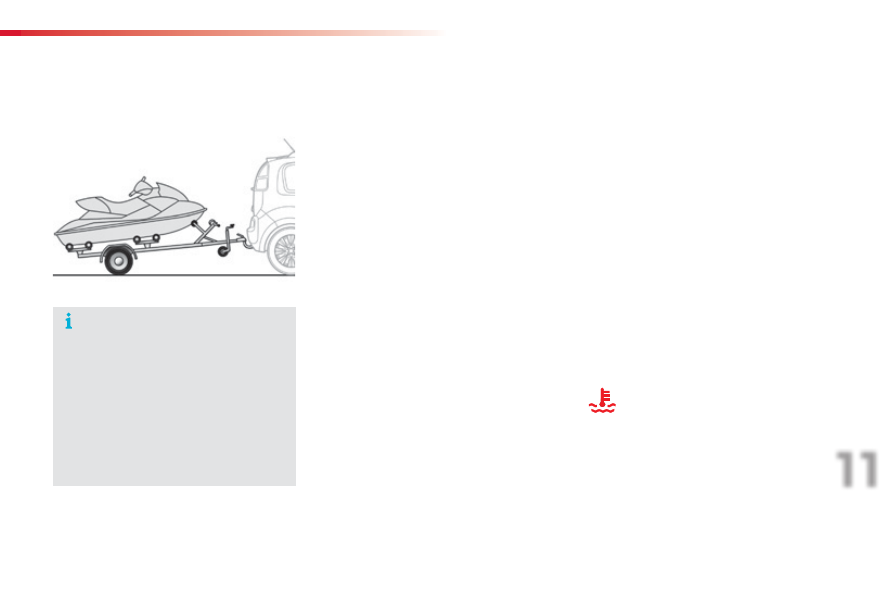
Your vehicle is primarily designed for transporting people and luggage, but it may also be used for towing a trailer.

Refer to the "Technical data" section for details 
of the weights and towed loads which apply to 
your vehicle.

Practical information

192

C3Picasso_en_Chap11_informations-pratiques_ed01-2015

Fitting roof bars

To fit longitudinal and/or transverse roof bars, visit your CITROËN dealer or a qualified workshop.

Maximum authorised weight on the roof rack: 60 kg.
If the height exceeds 40 cm, adapt the speed of the vehicle to the profile of the road to avoid 
damaging the roof bars and the fixings on the roof.
Be sure to refer to national legislation in order to comply with the regulations for transporting 
objects which are longer than the vehicle.

Braking

Towing a trailer increases the braking distance.
To avoid overheating of the brakes on a long 
mountain type of descent, the use of engine 
braking is recommended.

Tyres

F

  Check the tyre pressures of the towing 

vehicle and of the trailer, observing the 
recommended pressures.

Lighting

F  Check the electrical lighting and signalling 

on the trailer.

The rear parking sensors will be 
deactivated automatically if a genuine 
CITROËN towbar is used.

11

Practical information

193

C3Picasso_en_Chap11_informations-pratiques_ed01-2015

"Comfort":

front and rear parking sensors, insulated 
module, reading lamp, sun blinds, head 
restraint-mounted coat hanger, centre armrest, 
air deflector, scented air freshener cartridges, 
portable ashtray, solar films for windows...

"Protection":

mats*, seat covers, mudflaps, bumper 
protectors, vehicle protective cover, dog guard, 
pet seat and boot covers...

"Transport solutions":

boot liner, boot carpet, towbar, towbar wiring 
harness, transverse roof bars, bicycle carrier, 
ski carrier, roof box, boot spacers, boot net, 
business/commercial vehicle conversion kit, 
sliding boot floor...

"Safety and security":

anti-theft alarm, warning triangle, high visibility 
vest, breathalyzer, first aid kit, snow chains, 
non-skid covers, security wheel bolts, vehicle 
tracking system, child seats, fire extinguisher, 
caravan mirror, glass security films...

"Style":

allow wheels, chromed mirror shells, leather 
steering wheel, gear lever knob, aluminium 
footrest, wheel caps...

Accessories

A wide range of accessories and genuine parts is available from the CITROËN dealer network.
These accessories and parts are all suitable for your vehicle and benefit from CITROËN's recommendation and warranty.

To avoid any risk of jamming of the pedals:
-  ensure that the mat is positioned and 

secured correctly,

-  never fit one mat on top of another.

Practical information

194

C3Picasso_en_Chap11_informations-pratiques_ed01-2015

"Multimedia":

semi-integral navigation systems, Bluetooth

®


hands free kit, audio systems interfaced to 
steering mounted controls, speakers,  
DVD player, portable navigation systems, 
mapping updates, Hi-Fi module, driving aid 
assistant, rear multimedia support, telephone 
and smartphone carriers, iPhone

®

 charger, 

head-up display, 230 Volt socket, fleet 
management unit, ...

The fitting of electrical equipment or 
accessories which are not recommended 
by CITROËN may result in a failure of 
your vehicle's electronic system and 
excessive electrical consumption.
Contact a CITROËN dealer 
for information on the range of 
recommended equipment and 
accessories.

Installation of radio 
communication 
transmitters

Before installing any after-market radio 
communication transmitter, you can 
contact a CITROËN dealer for the 
specification of transmitters which can 
be fitted (frequency, maximum power, 
aerial position, specific installation 
requirements), in line with the Vehicle 
Electromagnetic Compatibility Directive 
(2004/104/EC).

By visiting a CITROËN dealer, you can 
also obtain cleaning and maintenance 
products (interior and exterior), 
including the ecological products in 
the "TECHNATURE" range, products 
for topping up (screenwash fluid...), 
touch-up pens and paint aerosols the 
exact colour of your vehicle, recharges 
(cartridge for the temporary puncture 
repair kit...), ...

Depending on the legislation in force in 
the country, certain safety equipment 
may be compulsory: high visibility 
safety vests, warning triangles, 
breathalyzers, spare bulbs, spare fuses, 
fire extinguisher, first aid kit, mud flaps 
at the rear of the vehicle.

12

Technical data

195

C3Picasso_en_Chap12_caracteristiques-techniques_ed01-2015

* For Russia only.

**  The maximum power quoted is the type approved value obtained on a test bed, under the conditions defined in European legislation 

(directive 1999/99/CE).

PETROL ENGINE

VTi 95

PureTech 110

VTi 115*

Gearbox

Manual (5-speed)

Manual (5-speed)

Manual (5-speed)

Electronic (6-speed)

Model code: 
SH...

8FP0
8FP6

HNZ6

5FJ0

5FJ8/P

Cubic capacity (cc)

1 397

1 199

1 598

Bore x stroke (mm)

77 x 75

75 x 90.5

77 x 85.8

Max power: EU standard (kW)**

70

81

84

Max power engine speed (rpm)

6 000

5 500

5 200

Max torque: EU standard (Nm)

136

205

160

Max torque engine speed (rpm)

4 000

1 500

4 250

Fuel

Unleaded

Unleaded

Unleaded

Catalytic converter

yes

yes

yes

Engine oil capacity (with filter replacement)

4.25

3,5

4.25

Engines and gearboxes

Technical data

196

C3Picasso_en_Chap12_caracteristiques-techniques_ed01-2015

The GTW and towed load values indicated are valid up to a maximum altitude of 1 000 metres; the towed load mentioned must be reduced by 10 % for 
each additional 1 000 metres of altitude.
When towing, you must not exceed 60 mph (100 km/h) (comply with the legislation in force in your country).
High ambient temperatures may result in a reduction in the performance of the vehicle to protect the engine; if the ambient temperature is above 37 °C, 
limit the towed load.

* For Russia only.

**  The weight of the braked trailer can be increased, within the GTW limit, if the GVW of the towing vehicle is reduced by an equal amount; warning, 

towing using a lightly loaded towing vehicle may have an adverse effect on its road holding.

PETROL ENGINE

VTi 95

PureTech 110

VTi 115*

Gearbox

Manual  

(5-speed)

Manual  

(5-speed)

Manual  

(5-speed)

Electronic  

(6-speed)

Model code:
SH...

8FP0
8FP6

HNZ6

5FJ0

5FJ8/P

-  Unladen weight

1 246

1 205

1 204

1 205

-  Kerb weight

1 321

1 280

1 279

1 280

- Payload

501

555

549

564

-  Gross vehicle weight (GVW)

1 747

1 760

1 753

1 769

-  Gross train weight (GTW)
 

on a 12% gradient

2 597

2 610

2 603

2 619

-  Braked trailer (within GTW limit)
 

on a 10% or 12% gradient

850

850

850

850

-  Braked trailer** (with load transfer within the 

GTW limit)

1 100

1 100

1 100

1 100

Unbraked trailer

650

620

635

640

-  Recommended nose weight

54

36

54

54

Weights and towed loads (kg)

12

Technical data

197

C3Picasso_en_Chap12_caracteristiques-techniques_ed01-2015

DIESEL ENGINE

BlueHDi 100

Gearbox

Manual (5-speed)

Model code: 
SH...

BHY6

Cubic capacity (cc)

1 560

Bore x stroke (mm)

75 x 88.3

Max power: EU standard (kW)*

73

Max power engine speed (rpm)

3 750

Max torque: EU standard (Nm)

254

Max torque engine speed (rpm)

1 750

Fuel

Diesel

Catalytic converter

yes

Particle filter

yes

Engine oil capacity (with filter replacement)

3.75

Engines and gearboxes

*  The maximum power quoted is the type approved value obtained on a test bed, under the conditions defined in European legislation  

(directive 1999/99/CE).

Technical data

198

C3Picasso_en_Chap12_caracteristiques-techniques_ed01-2015

*  The weight of the braked trailer can be increased, within the GTW limit, if the GVW of the towing vehicle is reduced by an equal amount; warning, 

towing using a lightly loaded towing vehicle may have an adverse effect on its road holding.

DIESEL ENGINE

BlueHDi 100

Gearbox

Manual (5-speed)

Model code:
SH...

BHY6

-  Unladen weight

1 240

-  Kerb weight

1 315

- Payload

560

-  Gross vehicle weight (GVW)

1 800

-  Gross train weight (GTW) 
  

on a 12% gradient

2 700

-  Braked trailer (within GTW limit)
  

on a 10% or 12% gradient

900

-  Braked trailer* (with load transfer with the 

GTW limit)

900

Unbraked trailer

650

-  Recommended nose weight

36

The GTW and towed load values indicated are valid up to a maximum altitude of 1 000 metres; the towed load mentioned must be reduced by 10 % for 
each additional 1 000 metres of altitude.
When towing you must not exceed 60 mph (100 km/h) (comply with the legislation in force in your country).
High ambient temperatures may result in a reduction in the performance of the vehicle to protect the engine; if the ambient temperature is above 37 °C, 
limit the towed load.

Weights and towed loads (kg)

12

Technical data

199

C3Picasso_en_Chap12_caracteristiques-techniques_ed01-2015

Dimensions (in mm)

Technical data

200

C3Picasso_en_Chap12_caracteristiques-techniques_ed01-2015

Identification markings

Various visible markings for the identification of your vehicle.

A.  Vehicle Identification Number (VIN) on 

the front right door pillar. 


This number is engraved on the bodywork 
near the hinge.


For access to it, open the right-hand door.

B.  VIN on the windscreen lower 

crossmember. 


The number is on a self-adhesive label 
which is visible through the windscreen.

C.  Manufacturer's label. 
 

This number is indicated on a self-
destroying label affixed to the centre pillar, 
on the left-hand side.

The inflation pressures must be 
checked when the tyres are cold, at 
least once a month.

If the inflation pressures are too low, 
this increases fuel consumption.

D.  Tyre/paint label. 
 

This label is affixed to the centre pillar, on 
the left-hand side.

It bears the following information:

the tyre pressures, laden and unladen,

-  the tyre sizes (including the load index and 

speed rating for the tyre),

-  the tyre pressure for the spare wheel,

the paint colour code.

201

C3Picasso_en_Chap13a_RT6-2-8_ed01-2015

The system is protected in such a way that it will only 

operate in your vehicle.

eMyWay

01  First steps - Control panel 

As a safety measure, the driver must only carry out 

operations which require prolonged attention while the 

vehicle is stationary.
When the engine is switched off and to prevent 

discharging of the battery, the system switches off 

following the activation of the energy economy mode.

CONTENTS

02  Steering mounted controls 

03  General operation 

04  Navigation - Guidance 

05  Traffic information 

06  Using the telephone 

07 Radio 

08  Music media players 

09  Audio settings 

10 Configuration 

11  Screen menu maps 

p.

p.

p.

p.

p.

p.

p.

p.

p.

p.

p.

 202

 204

 205

 207

 220

 223

 233

 236

 242

 243

 244

GPS navigation system
Multimedia audio system
Bluetooth

®

 telephone

Frequently asked questions 

p.

 248

01

202

C3Picasso_en_Chap13a_RT6-2-8_ed01-2015

Select:
-  the next lower / higher radio 

frequency automatically.

-  the previous / next CD track, 

MP3 track or media.

-  the left / right of the screen when a 

menu is displayed.

Move left / right in "Move the map" mode.

Abandon the current 
operation, up one level 
in the menu.
Long press: return to 
the permanent display.

Open the 
"

Configuration" menu.

Long press: access 
to the GPS coverage 
and the navigation 
demonstration mode.

Open the "

Traffic 

information" menu 
and display the current 

traffic alerts.

Select:
-  the previous/next line in a list or menu.

-  the previous / next media folder.

step by step selection of the previous/

next radio frequency.

-  the previous / next MP3 folder.

Move up/down, in "Move the map" mode.

FIRST STEPS

Access to the 
"Navigation - guidance
menu and display the 
recent destinations.

Short press without the 

engine running: on / off.
Short press with the engine 

running: audio source off / 
restore.

MODE button: Selection 
of the type of permanent 
display.
Long press: black screen 
(DARK).

Selection and OK confirmation knob:
Selection of an item on the screen or in a list or a menu, 

then confirmation with a short press.
Other than for menus and lists, a short press displays a 

contextual menu depending on the current screen.

Rotation with map displayed: zoom the map scale in  

and out.

Volume adjustment (each 
source is independent, 
including TA messages and 
navigation instructions).

01

203

C3Picasso_en_Chap13a_RT6-2-8_ed01-2015

Press and hold: reinitialise 
the system.

Open the "Telephone" menu 
and display the list of recent 
calls or accept an incoming call.

FIRST STEPS

Short press: select pre-set radio station.
Long press: pre-set the current station.

Access to the "MUSIC" menu, and display of the CD/MP3/
Apple

®

 tracks and folders.

Long press: display the audio settings screen for the 
"MEDIA" (CD/USB/iPod/Streaming/AUX) sources.

Access to the "RADIO" menu and 
display the list of stations received.
Long press: display the audio settings 
screen for the radio tuner source.

02

204

C3Picasso_en_Chap13a_RT6-2-8_ed01-2015

RADIO: select the previous/next preset 

station.
Select the next entry in the address book.

SRC/TEL button:
change the audio source,
start a call from the address book,
call/end call on the telephone,
press for more than 2 seconds: open the 
address book.

RADIO: change to the previous radio 
station in the list.
Long press: automatic search for a 

lower frequency.
CD: select the previous track.
CD: press and hold: fast reverse.

RADIO: change to the next radio station in the list.
Long press: automatic search for a higher frequency.
CD: select the next track.

CD: press and hold: fast forward play.

Volume increase.

Volume decrease.

Mute: press the volume 
increase and decrease 
buttons simultaneously.
Restore the sound by 

pressing one of the two 

volume buttons.

STEERING MOUNTED CONTROLS

03

205

C3Picasso_en_Chap13a_RT6-2-8_ed01-2015

For the details of the menus, refer to the "Screen menu map" 
section.

For cleaning the screen, the use of a soft, non-abrasive cloth 

(spectacles cloth) is recommended, with no additional product.

"RADIO"

"TELEPHONE"
(If conversation in progress)

SETUP: PARAMETERS 
date and time, display configuration, sound, vehicle 

settings.

Change the audio source:
RADIO: RADIO broadcasts.
MUSIC: play MUSIC.

Press the MODE

 button several times in succession for access to the following displays:

"FULL SCREEN MAP"

"MAP IN WINDOW"
(If navigation guidance in 
progress)

GENERAL OPERATION

03

206

C3Picasso_en_Chap13a_RT6-2-8_ed01-2015

A press on the knob gives access 
to short-cut menus according to the 
display in the screen.

Display according to context

RADIO:

Change waveband

MUSIC MEDIA PLAYERS, 
CD or USB (according to 
media):

Play modes:

Normal

Random

Random on all media

Repetition

TELEPHONE  
(call in progress):

Private mode

FULL SCREEN MAP OR IN 
A NEW WINDOW:

Stop / Restore guidance

Select destination

Enter an address

Directory

GPS coordinates

Divert route

Move the map

Info. on location

Select as destination

Select as stage

Save this place (contacts)

Quit map mode

Guidance criteria

Put call on hold

DTMF ring tones

Hang up

1

1

1

1

1

1

1

2

2

2

2

2

1

2

2

2

1

1

1

1

1

1

FM

Traffic announcements (TA)

AM

Information

Entertainment

Special or Urgent

2

2

2

2

2

2

Services announcements

1

GENERAL OPERATION


Content   ..  11  12  13  14   ..