Renault Kangoo E-Tech (2023 year). Manual in english - page 5
DRIVING CORRECTION DEVICES AND AIDS (4/6)
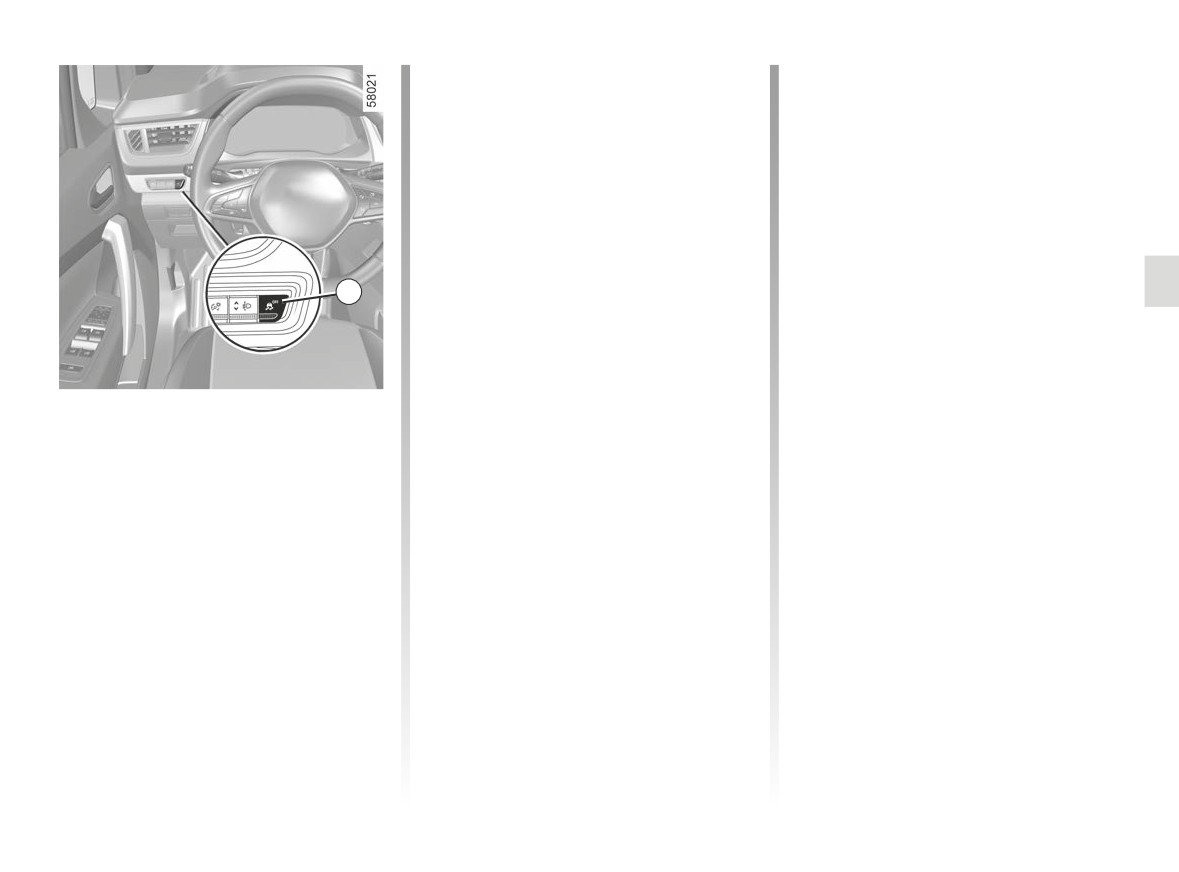
The traction control system offers ad-
Brake lights come on
ditional safety. It is recommended that
Depending on the vehicle, these may
you do not drive with the function disa-
flash in the event of sudden decelera-
bled. Correct this as soon as possible
tion.
by pressing the switch 1 again.
Note: The function is reactivated auto-
Braking anticipation
matically when the ignition is switched
Depending on the vehicle, when you
on or when a speed of approximately
rapidly release the accelerator, the
30 mph (50 km/h) is exceeded.
system anticipates the braking ma-
noeuvre in order to reduce stopping
1
distances.
Emergency brake assist
This system supplements the ABS
Special cases
and helps reduce vehicle stopping dis-
When using the cruise control:
tances.
- if you use the accelerator, when you
Disabling the traction control
release it, the system may be trig-
Operating principle
system
gered;
The system is for detecting an emer-
- if you do not use the accelerator, the
In some situations (driving on very wet
gency braking situation. In this case,
system will not be triggered.
ground: snow, mud, etc. or driving with
the braking system immediately devel-
snow chains fitted), the system may
ops maximum power and may trigger
Operating faults
reduce the engine output to limit wheel-
ABS regulation.
spin. If this is not required, it is possible
When the system detects an operating
ABS braking is maintained as long as
to deactivate the function by pressing
fault the message “WARNING: Check
the brake pedal is applied.
Braking System” appears on the instru-
switch 1. In this case, the
warn-
ing light appears continuously on the
ing light.
instrument panel accompanied by the
Consult an approved dealer.
message “ESC OFF”. This action does
not deactivate the ESC.
2.33
CarManuals2.co

DRIVING CORRECTION DEVICES AND AIDS (5/6)
Hill start assistance
Driver assistance with a
Depending on the gradient of the in-
trailer
cline, this system assists the driver
This system helps to maintain control
when starting on a hill. It prevents the
The hill start assistance
over the vehicle while using a trailer.
vehicle from rolling backwards by au-
system cannot completely
It detects shaking caused by towing a
tomatically applying the brakes when
prevent the vehicle from
trailer under certain driving conditions.
the driver lifts his/her foot off the brake
rolling backwards in all sit-
pedal to depress the accelerator pedal.
Operating conditions
uations (extremely steep gradients
etc.).
- The towbar must be approved by an
System operation
authorised dealer;
In all cases, the driver may depress
It only operates when the gear lever is in
- the harness must be approved by an
the brake pedal to prevent the vehi-
a position other than neutral (other than
authorised dealer;
cle from rolling backwards.
N or P) and the vehicle is completely
- the towbar must be connected to the
stationary (brake pedal depressed).
The hill start assistance function
vehicle.
should not be used for prolonged
Operating principle
The system holds the vehicle for ap-
stops: use the brake pedal.
The function stabilises the vehicle by:
proximately 2 seconds. The brakes are
- asymmetric braking of the front
then gradually released (the vehicle will
This function is not designed to im-
wheels to reduce shaking caused by
move according to the slope).
mobilise the vehicle permanently.
the trailer;
If necessary, use the brake pedal to
- braking of all four wheels and limita-
stop the vehicle.
tion on engine torque to reduce the
vehicle speed until the shaking has
The driver must remain particularly
stopped.
vigilant when driving on slippery or
low-grip surfaces.
Warning light
flashes on the in-
Risk of serious injury.
strument panel to inform the driver.
2.34
CarManuals2.co
DRIVING CORRECTION DEVICES AND AIDS (6/6)
Traction control - “Extended
“Soft ground” mode
grip"
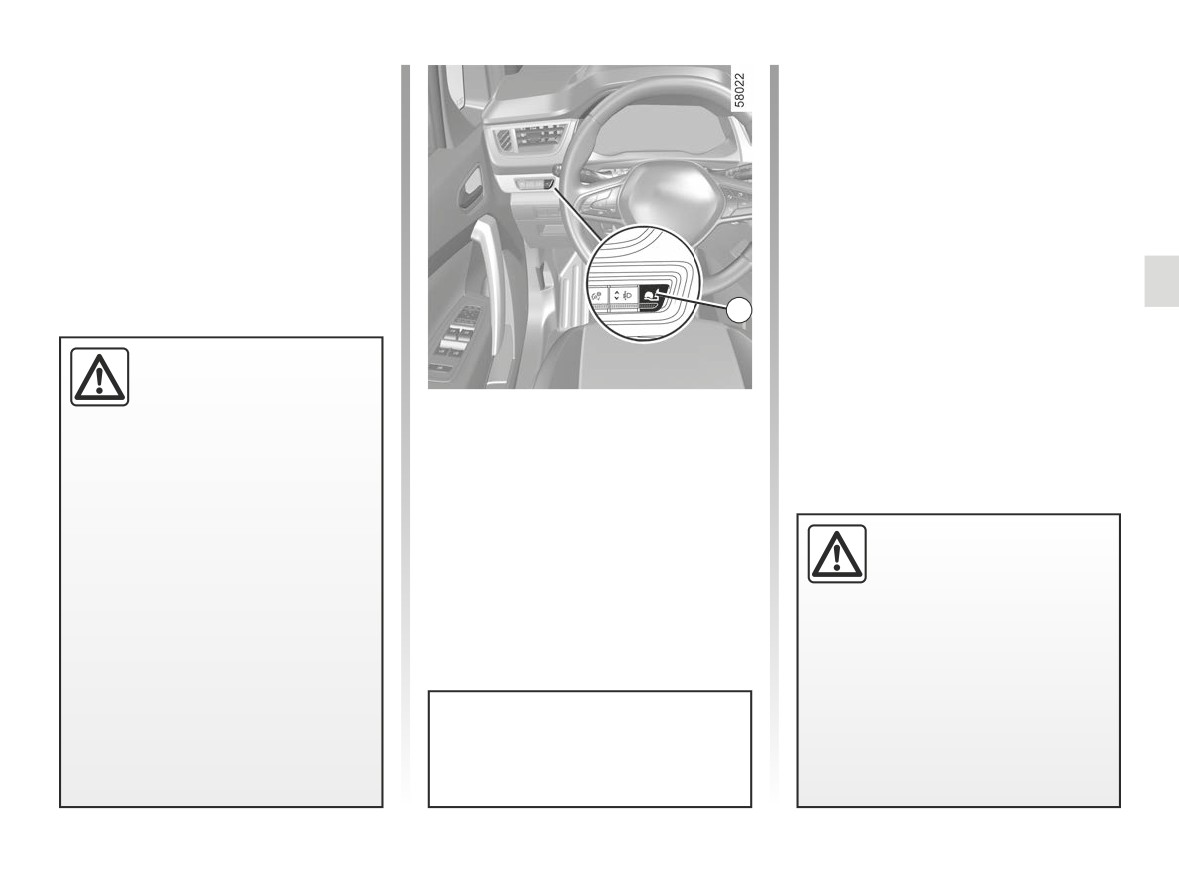
Press switch 2: the
warning
If fitted on the vehicle, grip control
light appears on the instrument panel
makes it easier to control the vehicle on
accompanied by the message “Grip
low grip surfaces (soft ground, etc.).
Extend Loose Surface ON”, followed by
the message “ESC OFF”. This position
enables optimal usage on soft ground
(mud, sand, dead leaves, etc.). In this
position, engine speed is left under the
driver’s control.
The system automatically switches to
2
“Automatic” mode when the speed ex-
ceeds approximately 31 mph (50 km/h).
These functions are an ad-
ditional aid in the event of
The
warning light disappears
critical driving conditions,
and the message “Grip Extend Traction
“Automatic” mode
enabling the vehicle behav-
Control” is displayed on the instrument
When the vehicle starts, the message
iour to be adapted to suit the driving
panel to warn you.
“Grip Extend Traction Control” is dis-
conditions.
played on the instrument panel.
The functions do not take the place
The default “Automatic” mode enables
of the driver. They do not increase
optimal use under normal road condi-
the vehicle’s limits and should
Tyres
tions (dry, wet, light snow, etc.).
not encourage you to drive more
When they need to be re-
“Automatic” mode uses traction control
quickly. Therefore, they can under
placed, only tyres of the
functions.
no circumstances replace the vigi-
same make, size, type and
lance or responsibility of the driver
profile should be used.
when manoeuvring the vehicle (the
Tyres fitted to the vehicle should
driver must always be ready for
either be identical to those fitted
sudden incidents which may occur
originally or conform to those
when driving).
recommended by your approved
dealer.
After the engine stops, the vehicle
will always restart in
“Automatic”
mode.
2.35
CarManuals2.co
LANE DEPARTURE WARNING (1/5)
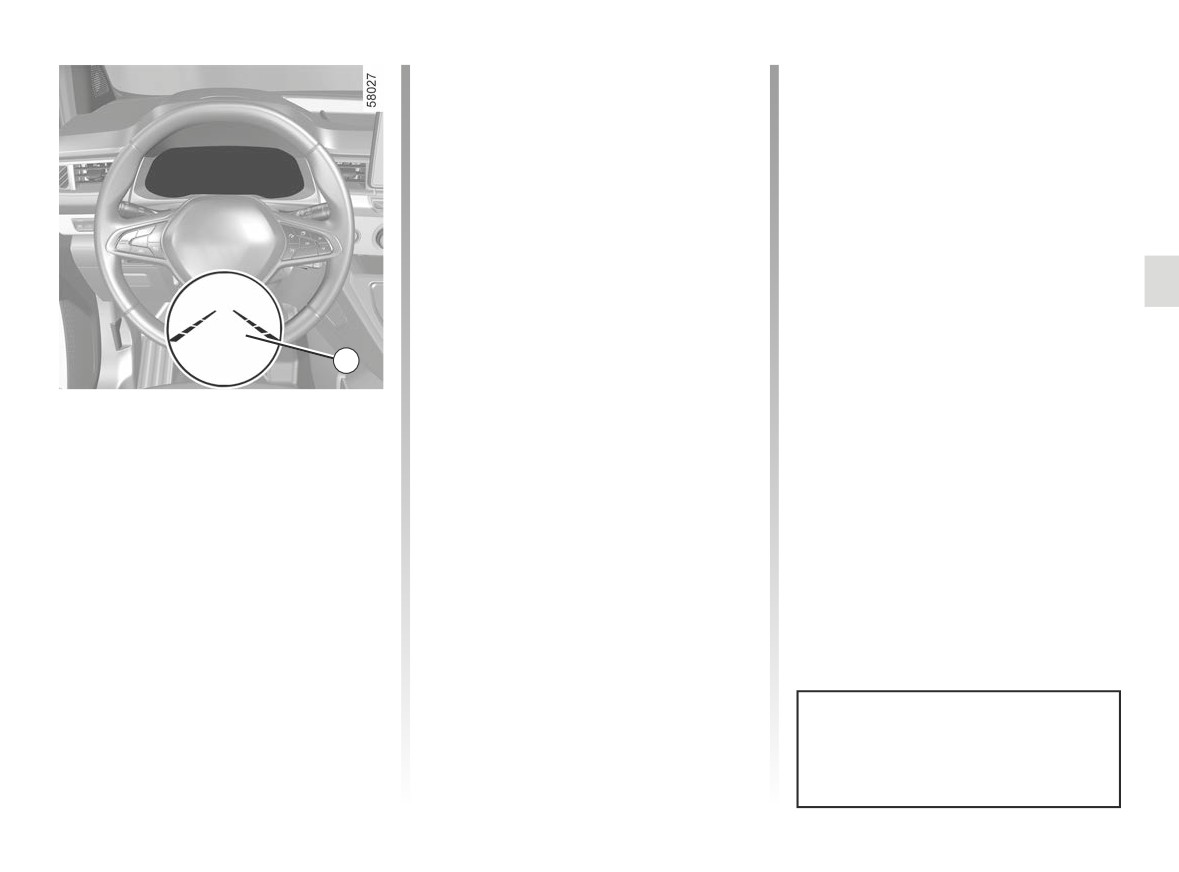
1
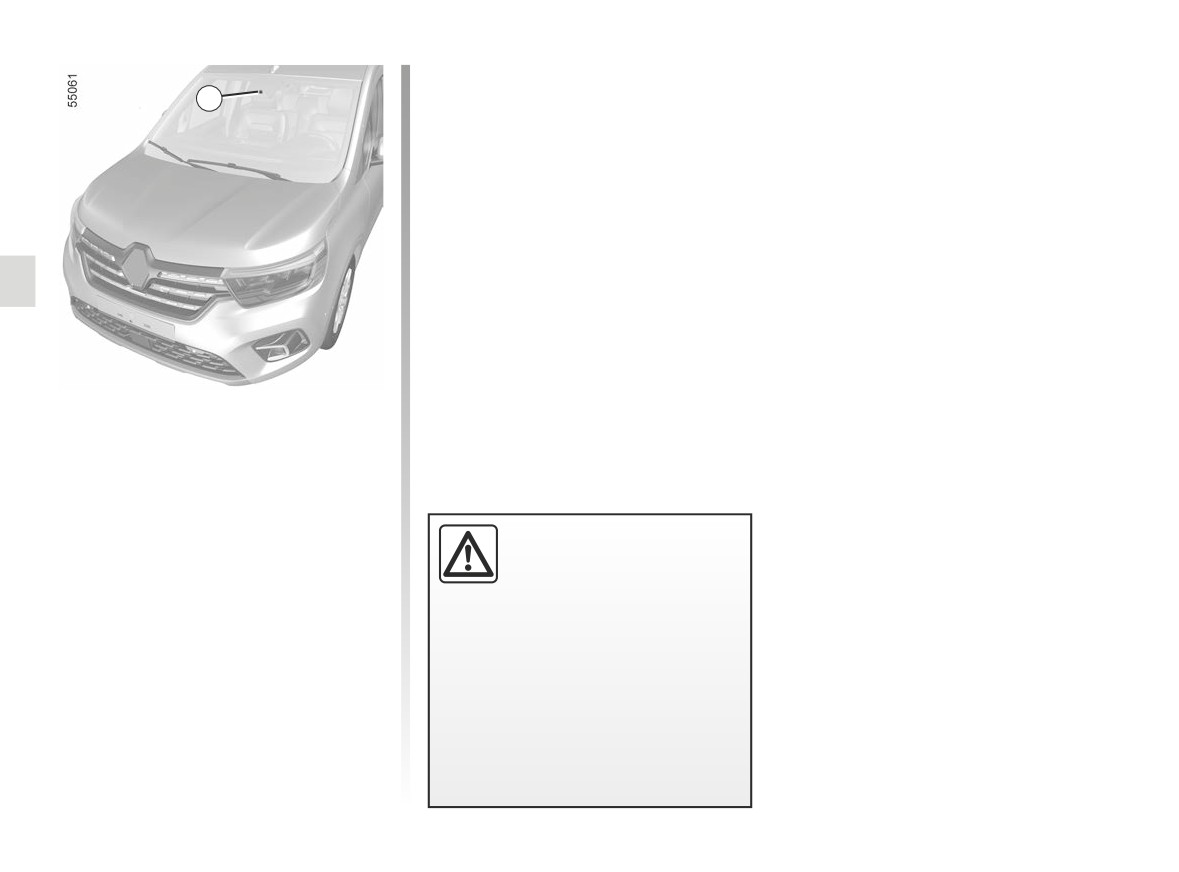
Using information from the camera 1,
the function warns the driver if they
cross a line (continuous or broken)
without the direction indicator light
being activated.
Note: make sure the windscreen is not
obscured (dirt, mud, snow, condensa-
This function is an addi-
tion etc.).
tional driving aid. This func-
tion is not under any cir-
cumstances intended to
replace the due care and attention
of the driver, who should at all times
be in control of the vehicle.
The lane departure warning func-
tion does not correct the vehi-
cle’s trajectory.
2.36
CarManuals2.co
LANE DEPARTURE WARNING (2/5)
Operation
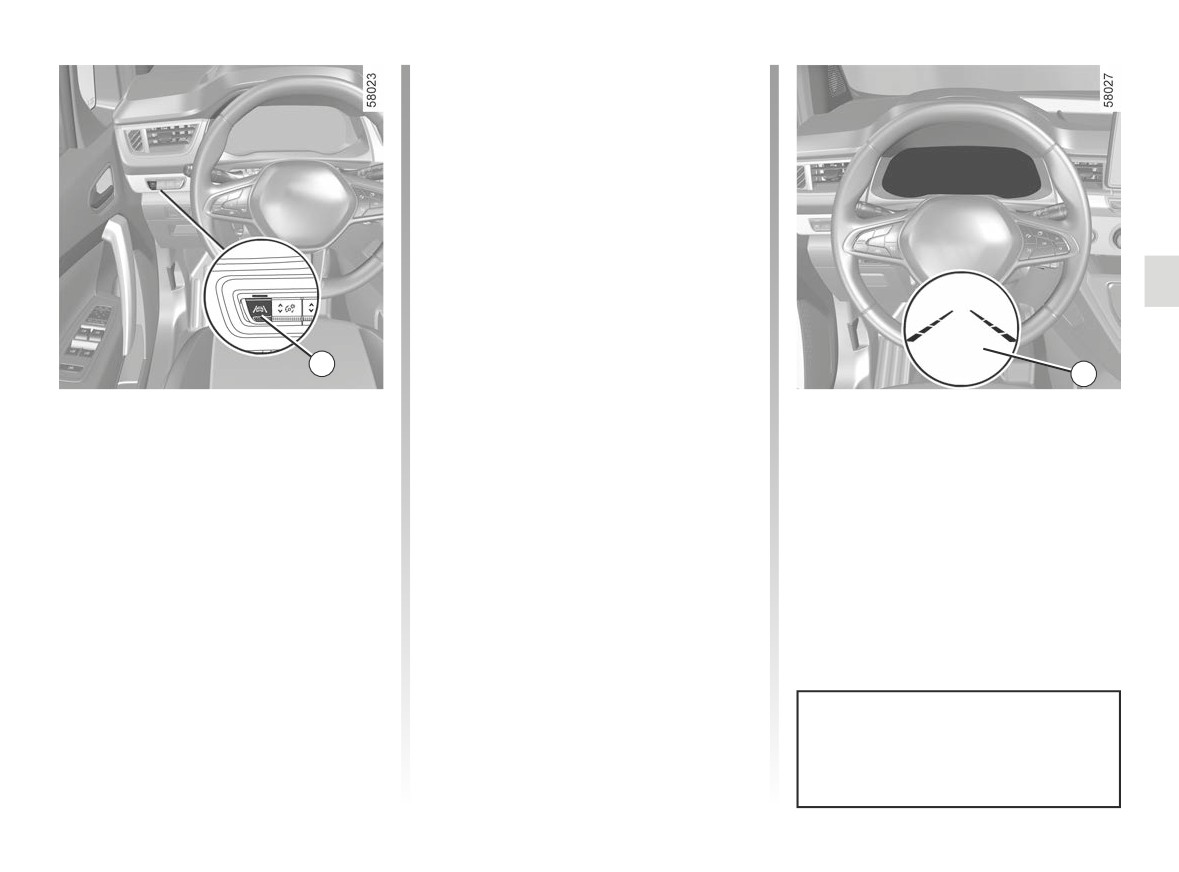
When the function is activated, the
warning light and the left and
right lines 3 are displayed in grey on the
instrument panel.
The function is set to notify the
driver if:
- the vehicle speed is greater than ap-
proximately 43 mph (70 km/h);
and
- the
warning light and left/right
line indicators 3 are coloured white.
2
The function triggers an alert if a line
3
is crossed without the direction indica-
Activation/deactivation
The function alerts the driver:
tor being activated.
To activate the function, press the 2
- by a vibration in the steering wheel;
switch as many times as required to
and
select “Lane Departure Warning” on
- the
warning light and 3 the in-
the instrument panel. The “Lane depar-
dicator for the crossed line turn red.
ture warning on” message and “”
warning light are displayed on the in-
strument panel.
To disable the function, press the 2
switch as many times as required to
select
“Lane departure warning off”
(or, depending on the vehicle, “Lane
Keeping deactivated”) on the instru-
ment panel. Warning light
goes
Each time the vehicle is started,
out on the instrument panel.
the function continues the mode
saved the last time the engine was
stopped.
2.37
CarManuals2.co
LANE DEPARTURE WARNING (3/5)
Temporarily not available
Conditions for non-activation
4
-
very fast lane departure;
of the system
The system cannot be activated when:
–
driving continuously on a line;
–
four seconds approximately after
- reverse gear is engaged;
changing lanes;
- the field of vision of the camera is ob-
-
tight bends;
structed;
–
impaired visibility;
- the û
warning light is displayed.
–
activating the direction indicator
lights;
The
warning light and the left/
right line indicators turn to grey on the
-
strong acceleration;
instrument panel.
-
changing the lane width;
–
operation of the active emergency
Adjustment
braking system;
-
“Alert”: adjust the line detection sen-
sitivity level. To do this select:
-
Vehicles fitted with a multimedia
screen.
- “At the latest”: line detected when
When the function is not available, the
crossing;
To access the multimedia screen func-
warning light and the left/right in-
tion settings 4, refer to the multimedia
- “Standard”: line detected on ap-
dicators turn to grey on the instrument
instructions:
proach;
panel.
- “VIBRATION”: adjust the steering
- “At the sooner”: line detected
wheel vibration level;
nearby.
Please refer to the multimedia instruc-
tions for further information.
2.38
CarManuals2.co
LANE DEPARTURE WARNING (4/5)
-
press control 6 or 7 repeatedly to
Operating faults
reach the DRIVING ASSIST menu.
In the event of a malfunction, the left
Press the switch 8 OK;
and right line indicators (and, depend-
-
scroll repeatedly by pressing con-
trol
6 or
7 to access the Lane
ing on display style, the
warning
Departure Warning sensitivity or
light) disappear or stay grey on the in-
Lane Departure Warning vibration
strument panel.
menu. Press the switch 8 OK;
In some cases, they are accompanied
-
press the 6 or 7 control repeatedly
by the message “Check Front camera”
to adjust the setting. Press the 8 OK
or the
warning light on the in-
5
button.
strument panel.
6
Consult an approved dealer.
8
7
Adjustments (continued)
Vehicles not fitted with a multimedia
screen
- With the vehicle stopped, press the
switch 5 as many times as required
to reach the “Vehicle” tab;
- press the 6 or 7 control repeatedly to
reach the “Settings” menu. Press the
switch 8 OK;
2.39
CarManuals2.co

LANE DEPARTURE WARNING (5/5)
This function is an additional driving aid. This function is not under any circumstances intended to replace the due care
and attention of the driver, who should at all times be in control of the vehicle.
System servicing/repairs
- In the event of an impact, the camera alignment may be changed, and its operation may consequently be affected. Deactivate
the function, then consult an authorised dealer.
- Any work in the area where the camera is located (repairs, replacements, windscreen modifications etc.) must be carried
out by a qualified professional.
Only an authorised dealer is qualified to service the system.
In the event of system disturbance
Some conditions can disturb or damage the operation of the system, such as:
- windscreen obscured (by dirt, ice, snow, condensation etc.);
- a complex environment (tunnel etc.);
- poor weather conditions (snow, rain, hail, black ice etc.) ;
- poor visibility (night, fog etc.);
- the road markings are irregular or difficult to distinguish (e.g. partially erased, excessive spacing, distorted road surface) ;
- being dazzled (glaring sun, lights of vehicles travelling in the opposite direction etc.);
- the road is narrow, winding or undulating (tight bends etc.);
- closely following a vehicle travelling in the same lane.
Risk of false alarms or absence of warnings
2.40
CarManuals2.co
LANE KEEPING ASSIST (1/6)
Note: make sure the windscreen is not
obscured (dirt, mud, snow, condensa-
1
tion etc.).
Using information from the camera 1,
the function triggers a corrective action
on the vehicle steering system if a line
(continuous or broken) is crossed with-
out the direction indicator lights being
activated.
This function is an addi-
tional driving aid. This func-
tion is not under any circum-
stances intended to replace
the due care and attention of the
driver, who should at all times be
in control of the vehicle.
You can retake control of the ve-
hicle at any time by operating the
steering wheel.
2.41
CarManuals2.co
LANE KEEPING ASSIST (2/6)
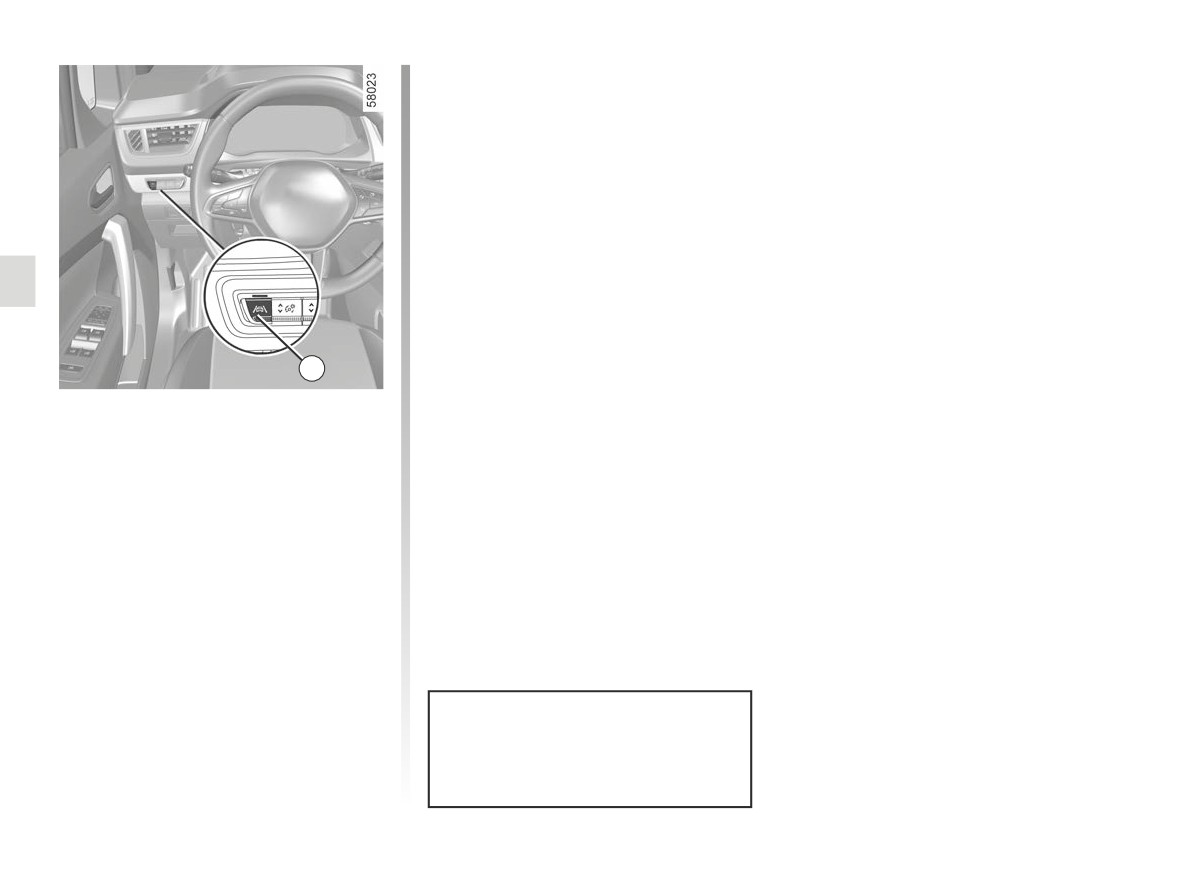
To disable the function, press the 2
switch as many times as required to
select “Lane Keeping deactivated” on
the instrument panel.
Warning light
goes out on the in-
strument panel.
Note: deactivating the “Lane Keeping
Assist” function causes deactivation of
the “Lane Departure Warning” function.
2
Activation/deactivation
To activate the function, press the 2
switch as many times as required to
select “Lane Keeping Assist” on the in-
strument panel.
The “Lane Keeping activated” message
and “
” warning light are displayed
on the instrument panel.
When Lane Keeping Assist is activated,
the “Lane Departure Warning” function
is automatically activated. ➥ 2.36.
Each time the vehicle is started,
the function continues the mode
saved the last time the engine was
stopped.
2.42
CarManuals2.co
LANE KEEPING ASSIST (3/6)
In these cases:
Special cases
– the function triggers an action on the
When using the function:
vehicle’s steering system to correct
-
if the system no longer detects any
the vehicle trajectory;
action by the driver on the steering
- the warning light
and the indi-
wheel, the
warning light ap-
cator 3 on the side of the breached
pears in yellow on the instrument
line turns to yellow on the instrument
panel, accompanied by the message
panel.
“Keep hands on steering wheel” and
an audible warning;
Note: on bends, the function allows for
slightly cutting the bend.
-
if the steering system corrective
action is active for too long, an au-
If the corrective action on the steer-
dible warning is emitted and the in-
3
ing system is not sufficient, the
dicator light 3 on the side of the line
warning light and 3 indicator on the side
concerned flashes until the driver
Operation
of the breached line turn to red on the
takes control.
When the function is activated, the
instrument panel, accompanied by a vi-
bration on the steering wheel.
warning light and the left and
right lines 3 are displayed in grey on the
instrument panel.
The function is set to operate when
the vehicle speed is over
43 mph
(70 km/h) and if the
warning light
and 3 correction indicators are coloured
white.
The function is triggered if the vehi-
cle crosses a line without the direction
indicator lights being activated.
You can interrupt the trajectory cor-
rection at any time by moving the
steering wheel.
2.43
CarManuals2.co
LANE KEEPING ASSIST (4/6)
Temporarily not available
Conditions for non-activation
4
– very fast lane departure;
of the system
- driving continuously on a line;
The system cannot be activated when:
– four seconds approximately after
- reverse gear is engaged;
changing lanes;
- the field of vision of the camera is ob-
– tight bends;
structed;
– impaired visibility;
- activating the direction indicator
- the û
warning light is displayed.
light;
The
warning light and the left/
- strong acceleration;
right line warning lights are displayed in
- emergency braking;
grey on the instrument panel.
- changing the lane width;
If the vehicle is equipped with a towbar
- operation of the active emergency
that is recognised by the system, the
braking system;
message “Trailer: side radars OFF” is
- ...
displayed to inform you that the Lane
Keep Assist system is not operational.
–
“Alert”: adjust the line detection sen-
If the function is unavailable, the
sitivity level. To do this select:
warning light and the left/right correc-
- “At the latest”: line detected when
tion warning lights 3 appear in grey on
Adjustment
crossing;
the instrument panel.
Vehicles fitted with a multimedia
- “Standard”: line detected on ap-
screen.
proach;
To access the multimedia screen func-
- “At the sooner”: line detected
tion settings 4, refer to the multimedia
nearby.
instructions:
- “VIBRATION”: adjust steering wheel
Please refer to the multimedia instruc-
vibration for the
“Lane Departure
tions for further information.
Warning” function;
2.44
CarManuals2.co
LANE KEEPING ASSIST (5/6)
- press the 6 or 7 control repeatedly to
Operating faults
reach the “DRIVING ASSIST” menu.
When the system detects an operating
Press the switch 8 OK;
fault, the
warning light lights up
– scroll repeatedly by pressing 6 or 7
on the instrument panel, with the mes-
to reach the “Lane Keeping Assist
sage “Check Front camera”.
sensitivity” menu. Press the switch 8
Consult an approved dealer.
OK ;
- scroll repeatedly pressing control 6
or 7 to adjust the setting. Press the 8
OK button.
5
6
8
7
Adjustments (continued)
Vehicles not fitted with a multimedia
screen
- With the vehicle stopped, press the
switch 5 as many times as required
to reach the “Vehicle” tab;
- press the 6 or 7 control repeatedly to
reach the “Settings” menu. Press the
switch 8 OK;
2.45
CarManuals2.co

LANE KEEPING ASSIST (6/6)
This function is an additional driving aid. This function is not under any circumstances intended to replace the due care
and attention of the driver, who should at all times be in control of the vehicle.
System servicing/repairs
- In the event of an impact, the camera alignment may be changed, and its operation may consequently be affected. Deactivate
the function and consult an authorised dealer.
- Any work in the area where the camera is located (repairs, replacements, windscreen modifications etc.) must be carried
out by a qualified professional.
Only an authorised dealer is qualified to service the system.
In the event of system disturbance
Some conditions can disturb or damage the operation of the system, such as:
- windscreen obscured (by dirt, ice, snow, condensation etc.);
- a complex environment (tunnel etc.);
- poor weather conditions (snow, rain, hail, black ice etc.) ;
- poor visibility (night, fog etc.);
- the road markings are irregular or difficult to distinguish (e.g. partially erased, excessive spacing, distorted road surface) ;
- being dazzled (glaring sun, lights of vehicles travelling in the opposite direction etc.);
- the road is narrow, winding or undulating (tight bends etc.);
- closely following a vehicle travelling in the same lane.
In this case, the “Lane Keeping Assist” may react incorrectly or not at all.
Risk of unwanted, incorrect correction or no correction of trajectory.
Deactivating the function
You must disable the function if:
- the area of the camera has been damaged (on the windscreen side or the interior rear-view mirror side);
- the road is slippery (snow, black ice, aquaplaning, gravel etc.) ;
- the windscreen is cracked or distorted (do not carry out windscreen repairs in this area; have it changed by an Authorised
Dealer);
- the vehicle is connected to a towbar that is not recognised by the system;
- the vehicle is entering an area with several surface markings (an area with road works etc.).
2.46
CarManuals2.co
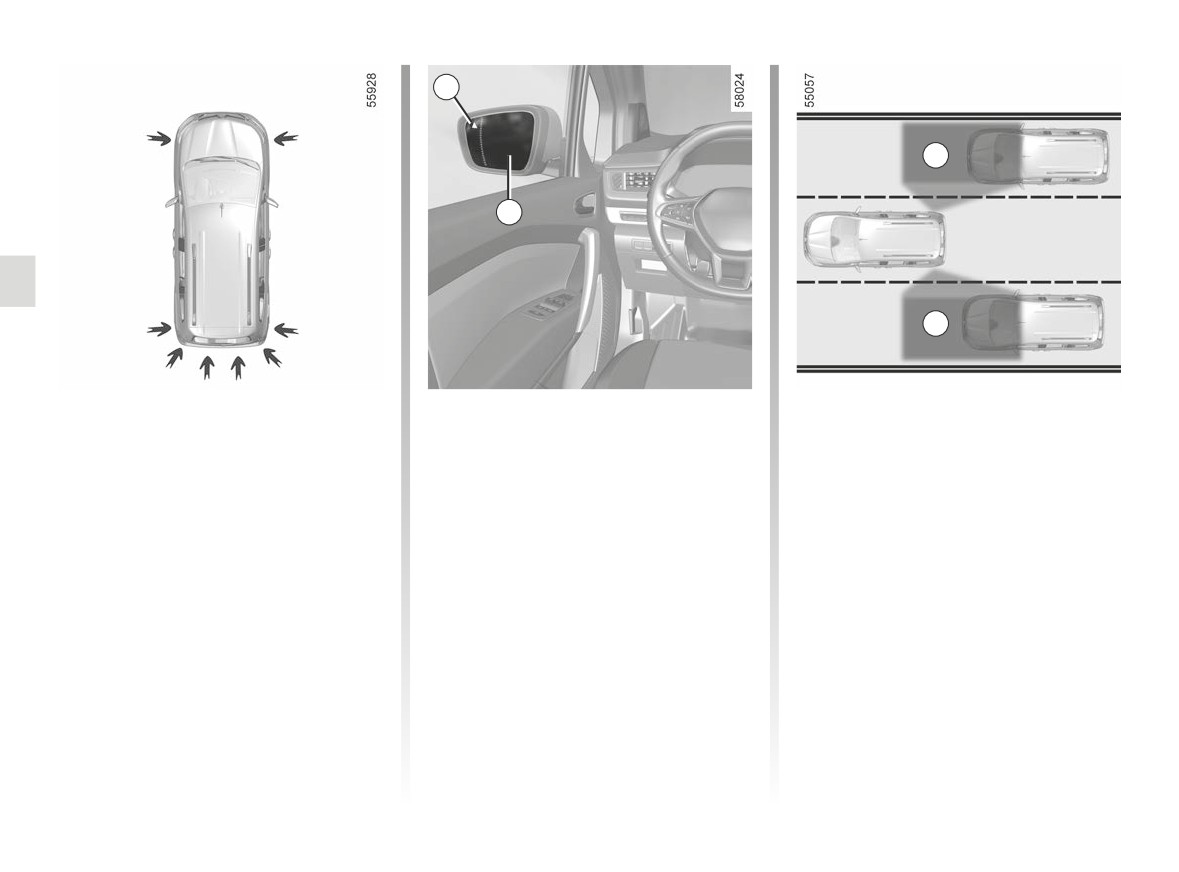
BLIND SPOT WARNING (1/10)
2
C
1
C
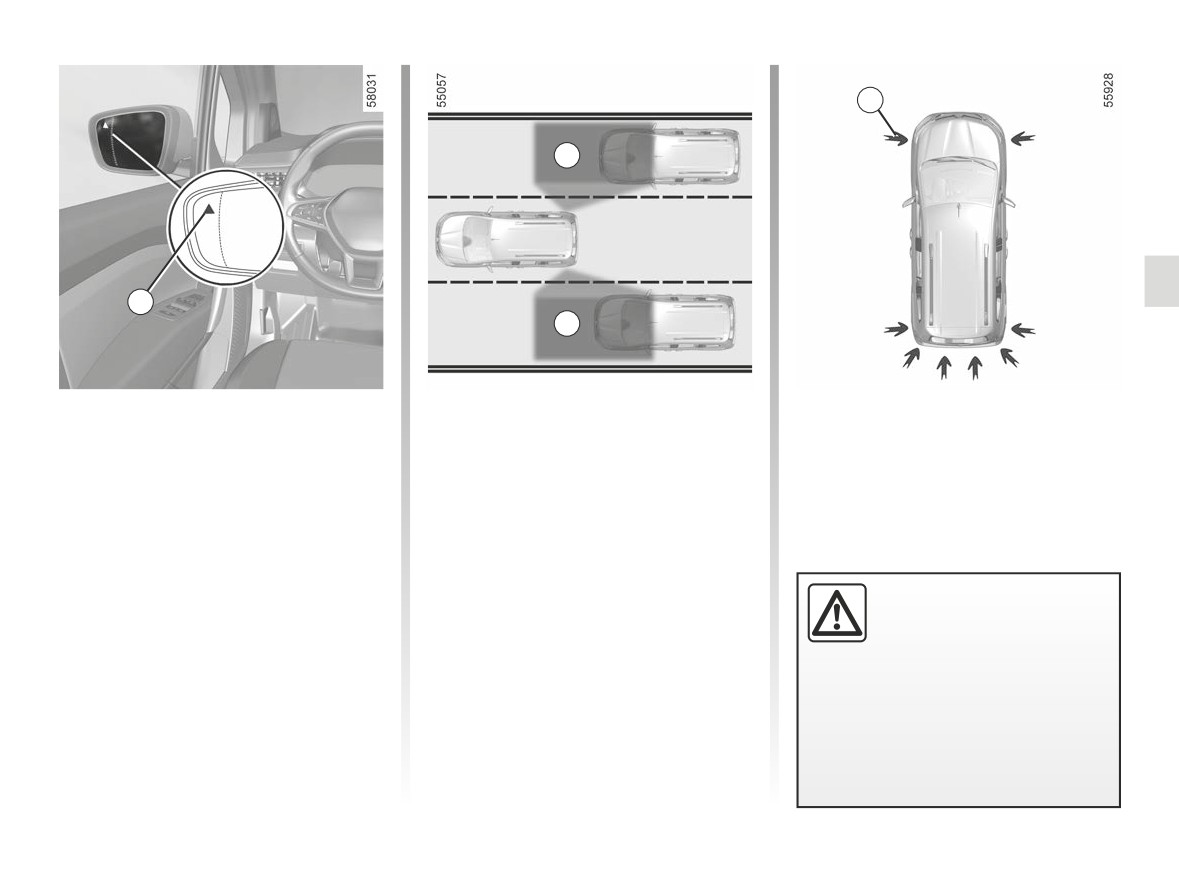
Depending on the vehicle, there are
A system
two types of blind spot warning system:
Using information from the ultrasonic
- System A: uses information from
sensors indicated by the arrows 2,
ultrasonic sensors fitted in the vehi-
that are fitted in the vehicle bumpers,
cle bumpers. When activated, the
the system notifies the driver when an-
system A can be identified by indi-
other vehicle appears in the detection
cator light 1 flashing each time the
zone C.
engine starts;
The system is activated when the
- System B: uses information from
vehicle speed is between approxi-
This function is an addi-
the radars fitted on each side of the
mately 18 mph (30 km/h) and 80 mph
tional driving aid. This func-
rear bumper. When activated, the
(130 km/h).
tion is not under any cir-
system B can be identified by indi-
cumstances intended to
cator light 1 not flashing each time
replace the due care and attention
the engine starts.
of the driver, who should at all times
be in control of the vehicle.
2.47
CarManuals2.co
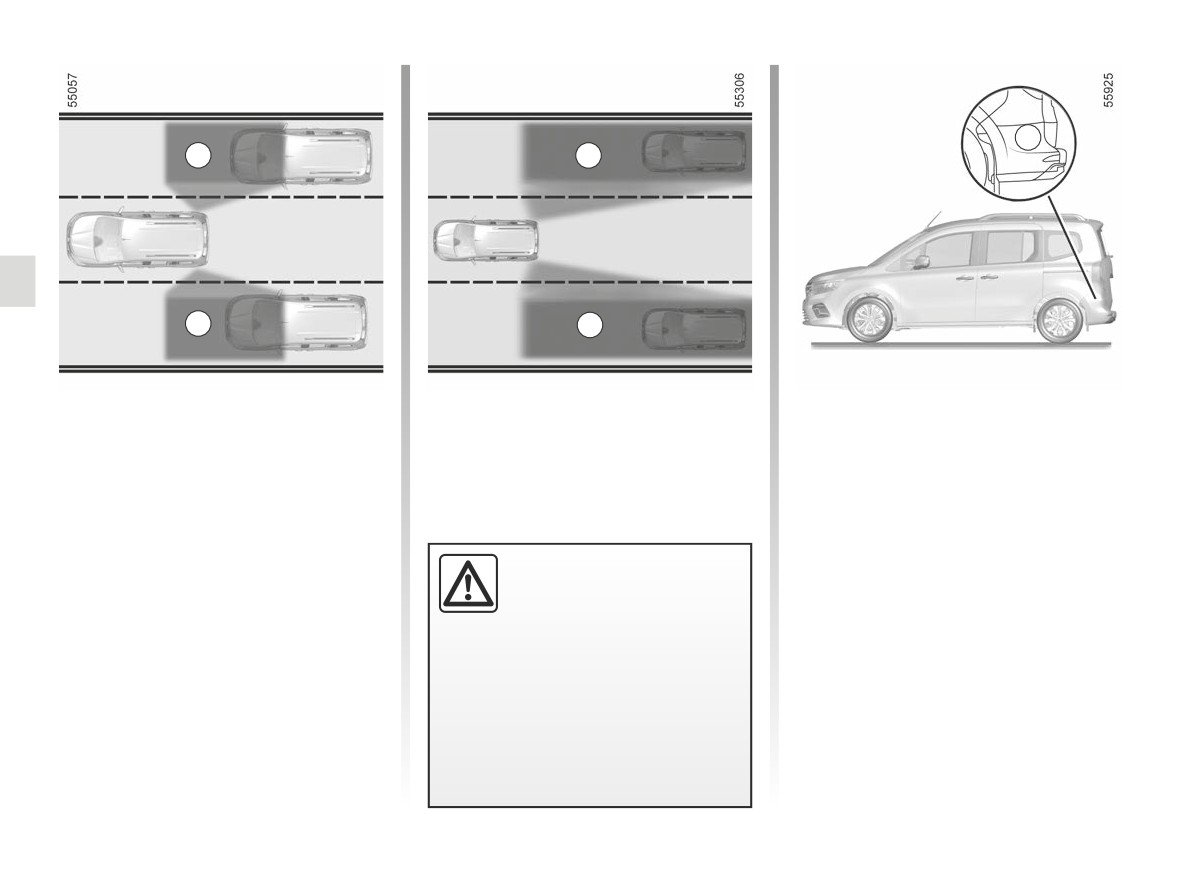
BLIND SPOT WARNING (2/10)
1
C
3
C
A system
Indicator 1
Operation
(continued)
An indicator light 1 is located on each
The function alerts you if your ve-
rear view mirror 3.
hicle speed is between approxi-
Special feature
mately 18 mph (30 km/h) and 80 mph
Note: clean the rear view mirrors 3 reg-
Ensure that the ultrasonic sensors in-
(130 km/h) while another vehicle is
ularly so that the indicators 1 can be
stalled in the vehicle bumpers are not
in the blind spot C and moving in the
seen.
obscured (by dirt, mud, snow etc.).
same direction as your vehicle.
If one of the sensors is obscured, the
If you overtake another vehicle, the in-
message “Side radars no visibility” will
dicator 1 will only come on if that vehi-
appear on the instrument panel. Clean
cle remains for a long enough period in
the ultrasonic sensor zones.
your vehicle’s blind spot C.
2.48
CarManuals2.co

BLIND SPOT WARNING (3/10)
Display E
Conditions for non-function
1
Direction indicator activated, the 1
- When driving on a road with tight
warning light flashes when the func-
bends;
tion detects a vehicle in the blind spot
D
- in reverse;
warning area and/or a vehicle is rapidly
approaching from the rear on the side
- speed below 18 mph (30 km/h);
towards which you will turn the wheel.
- speed above 80 mph (130 km/h).
If you cancel the direction indicator, the
If the vehicle is equipped with a towbar
function will return to the initial warning
E
recognised by the system, the “Trailer:
(display D).
side radars OFF” message displayed
on the instrument panel informs you
that the function is not operational. For
information on the range of equipment
adapted to your vehicle, we advise you
to consult an approved Dealer.
A system
(continued)
Display D
First warning: when the direction in-
dicator is not activated, the 3 warning
light signals that a vehicle is detected in
the blind spot.
2.49
CarManuals2.co
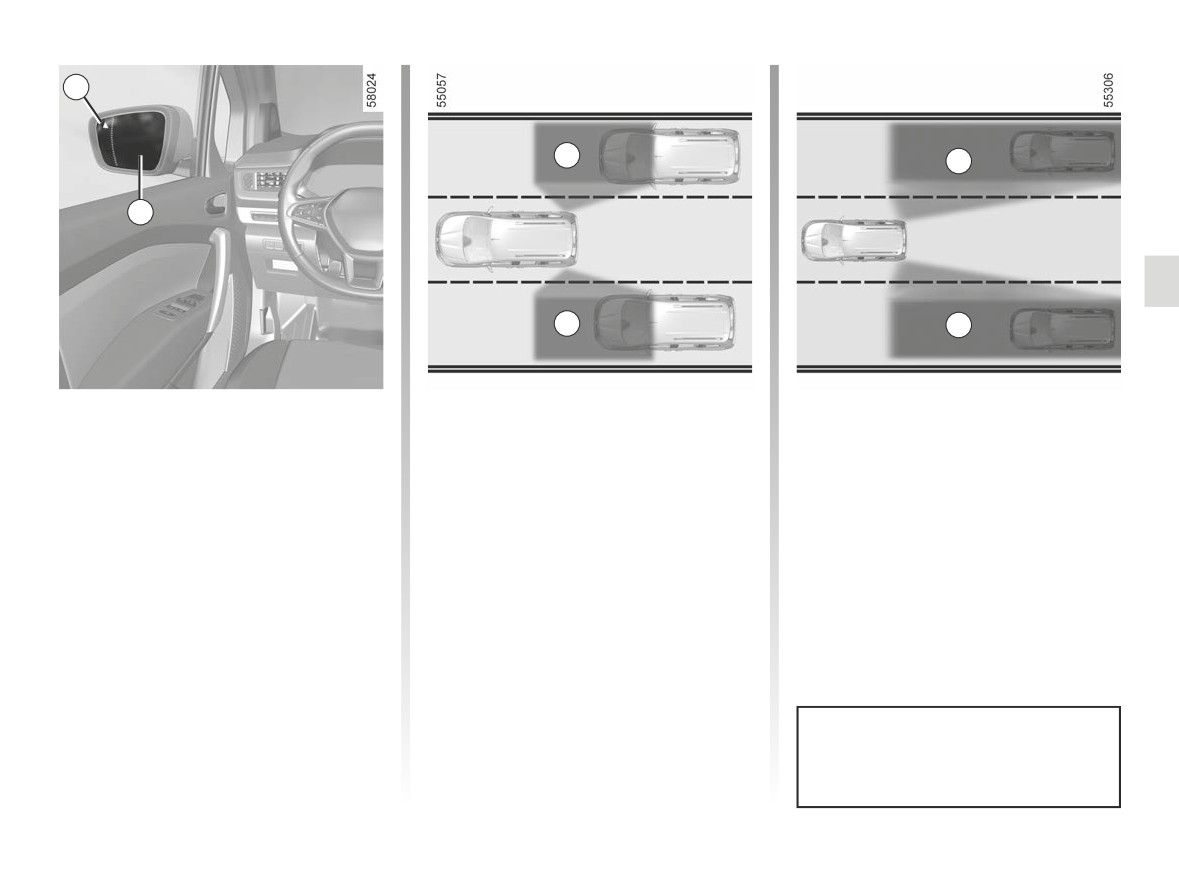
BLIND SPOT WARNING (4/10)
G
C
F
C
F
B system
Special feature
Using information from the sensors in-
Ensure that the G area around the
stalled on each side of the rear bumper
radars on each side of the rear bumper
(area G), the function warns the driver:
are not obstructed (by dirt, mud, snow
etc.)
- when another vehicle appears in the
detection area C;
If a radar is obscured, the message
“Side radars no visibility” will appear on
and/or
This function is an addi-
the instrument panel. Clean the radar
– when there is a risk of collision with a
tional driving aid. This func-
area.
vehicle that is in area F, driving faster
tion is not under any cir-
than you.
cumstances intended to
replace the due care and attention
The function warns you when the ve-
of the driver, who should at all times
hicle is travelling at a speed above ap-
be in control of the vehicle.
proximately 9 mph (15 km/h).
2.50
CarManuals2.co
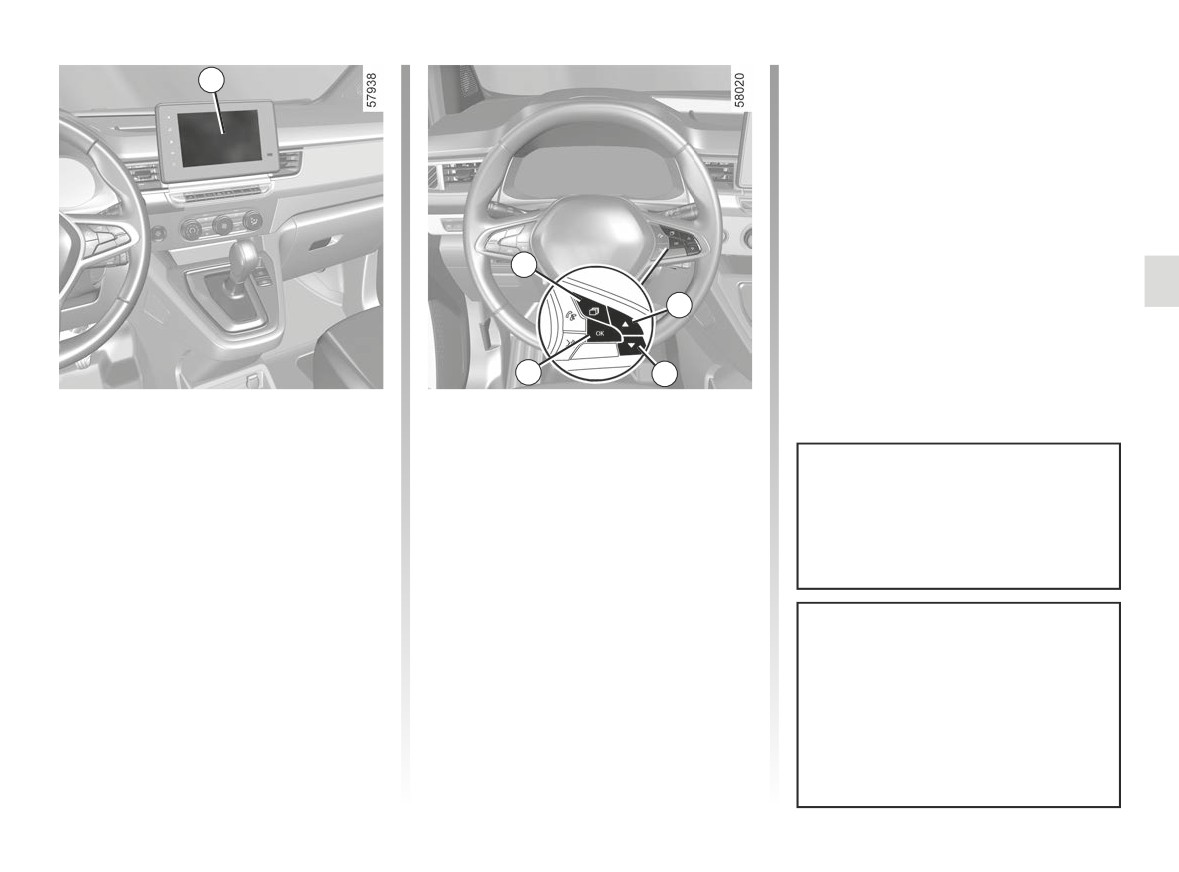
BLIND SPOT WARNING (5/10)
1
C
F
3
C
F
B system
Operation
If you overtake another vehicle, the in-
(continued)
dicator 1 will only come on if that vehi-
The function warns you when the speed
cle remains for a long enough period in
of your vehicle is over 9 mph (15 km/h):
Indicator 1
your vehicle’s blind spot C.
- when another vehicle is in the blind
An indicator light 1 is located on each
spot area C and travelling in the
rear view mirror 3.
same direction as your vehicle;
- when a vehicle approaches quickly
Note: clean the rear view mirrors 3 reg-
from the rear in an adjacent lane
ularly so that the indicators 1 can be
within the range of detection area F.
seen.
The function does not notify the
driver if the other vehicles are not
moving.
2.51
CarManuals2.co

BLIND SPOT WARNING (6/10)
Display E
Conditions for non-function
1
Direction indicator activated, the 1
- When driving on a road with tight
warning light flashes when the func-
bends;
tion detects a vehicle in the blind spot
D
- in reverse.
warning area and/or a vehicle is rapidly
approaching from the rear on the side
If the vehicle is equipped with a towbar
towards which you will turn the wheel.
recognised by the system, the “Trailer:
If you cancel the direction indicator, the
side radars OFF” message displayed
function will return to the initial warning
on the instrument panel informs you
E
(display D).
that the function is not operational. For
information on the range of equipment
adapted to your vehicle, we advise you
to consult an approved Dealer.
B system
(continued)
Display D
First warning: direction indicator not
activated, the 1 warning light indicates
that a vehicle is detected in the blind
spot area and/or that a vehicle is rap-
idly approaching from the rear in an ad-
jacent lane.
2.52
CarManuals2.co
BLIND SPOT WARNING (7/10)
- press the 6 or 7 control repeatedly to
4
reach the “DRIVING ASSIST” menu.
Press the switch 8 OK;
- press the 6 or 7 control repeatedly to
reach the “Blind spot alert” menu and
press the 8 OK switch;
- press the switch 8 OK again to acti-
vate or deactivate the function:
5
=
function activated
6
<
function deactivated
8
7
Systems A and B
Vehicles not fitted with a multimedia
screen
- With the vehicle stopped, press the
Activation/deactivation
switch 5 as many times as required
When the engine is started, the
Vehicles fitted with a multimedia
to reach the “Vehicle” tab;
system recalls the last position
screen 4
- press the 6 or 7 control repeatedly to
stored before the ignition was
To activate or deactivate the function,
reach the “Settings” menu. Press the
switched off.
refer to the multimedia instructions.
switch 8 OK;
Select “ON” or “OFF”.
The system’s detection range oper-
ates according to a standard lane
width. When driving in a narrow
lane, the function can warn you
when a vehicle is detected beyond
the adjacent lane.
2.53
CarManuals2.co

BLIND SPOT WARNING (8/10)
Systems A and B
(continued)
Operating faults
If the system detects a fault, the mes-
sage “Check Side radars” is displayed
on the instrument panel. Consult an ap-
proved dealer.
-The system’s detection
range operates according
to a standard lane width. If
you are driving in wide traf-
fic lanes, the system might not
be able to detect a vehicle in the
blind spot.
- The system might be disrupted
momentarily if it is exposed to
strong electromagnetic waves
(as beneath high-tension power
Due to the presence of radars or ul-
lines) or to very poor weather
trasonic sensors (depending on the
conditions
(heavy rain, snow
vehicle) behind the bumper, it is ad-
etc.). Remain aware of driving
visable to entrust any operation on
conditions.
the bumper (repair, replacement,
There is a risk of accidents.
paintwork etc.) to a qualified profes-
sional.
2.54
CarManuals2.co

BLIND SPOT WARNING (9/10)
This function is an additional driving aid. This function is not under any circumstances intended to replace the due care
and attention of the driver, who should at all times be in control of the vehicle.
The driver should always adapt their speed to the traffic conditions, regardless of the system indications.
The system should under no circumstances be taken to be an obstacle detector or an anti-collision system.
System servicing/repairs
- In the event of an impact, the alignment of the radars or ultrasonic sensors (depending on the vehicle) may be altered and
their operation may consequently be affected. Deactivate the function and consult an authorised dealer.
- Any work (repairs, replacements etc.) in the area where the radars or ultrasonic sensors (depending on the vehicle) are lo-
cated must be carried out by a qualified professional.
Only an authorised dealer is qualified to service the system.
System disturbance
Some conditions can disturb or damage the operation of the system, such as:
- complex surroundings (metal bridges, tunnels, roads with barriers at the edge, etc.);
- poor weather conditions (snow, hail, black ice, etc.).
Risk of false alarms or absence of warnings
In the event of the system behaving abnormally, deactivate it and consult an authorised dealer.
2.55
CarManuals2.co

BLIND SPOT WARNING (10/10)
Limitation of the system operation
- The radars or ultrasonic sensors area (depending on the vehicle) should be kept clean and free of any modifications
in order to ensure the proper operation of the system.
- Small objects moving close to the vehicle (motorcycles, bicycles, pedestrians, etc.) may not be recognised by the system.
- When turning into a bend, the radars or ultrasonic sensors (depending on the vehicle) may temporarily cease to detect ve-
hicles in adjacent lanes.
- The function may warn you late if two other vehicles are approaching from the rear, driving side by side in the adjacent lanes
(i.e. driving on a 3-lane road) at a much higher speed than your vehicle.
- The system may not provide a warning when the other vehicles are travelling at a significantly different speed.
- If the vehicle is being overtaken by a long vehicle (e.g. heavy goods vehicle overtaking at a similar speed to the vehicle) the
system may interrupt the warning before the end of the manoeuvre.
- The vehicle is travelling on a winding road.
Deactivating the function
You must disable the function if:
- There has been damage in the area where the radars or ultrasonic sensors (depending on the vehicle) are located;
- the vehicle is fitted with a towbar that is not recognised by the system.
2.56
CarManuals2.co
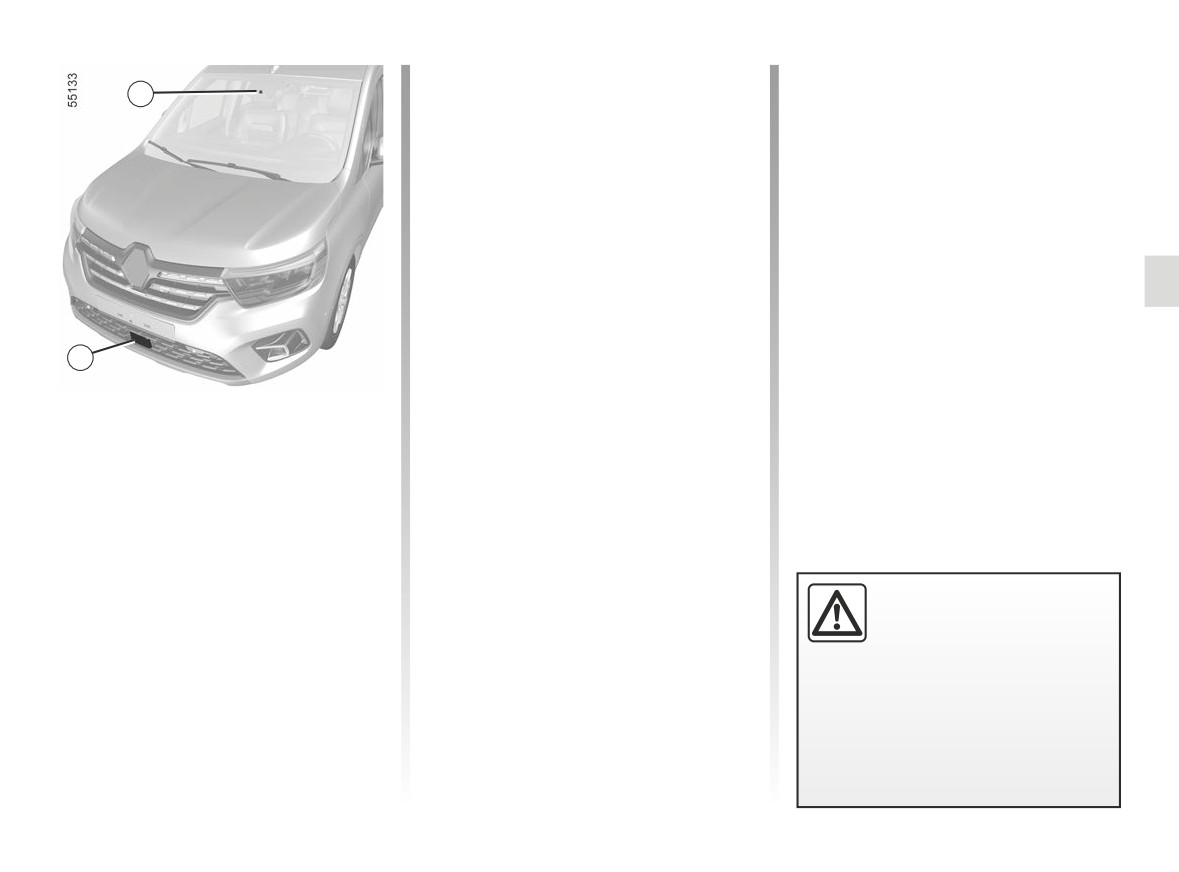
SAFE DISTANCE ALERT (1/4)
The function is activated when the ve-
1
hicle is travelling at a speed above ap-
proximately 19 mph (30 km/h).
Location of the camera 1
Make sure the windscreen is not ob-
scured (by dirt, mud, snow, condensa-
tion etc.).
Location of the front radar 2
Ensure that the radar area is not ob-
structed (by dirt, mud, snow, a badly
fitted front number plate), impacted,
modified (including painting) or hidden
by any accessory fitted on the front of
2
the vehicle (on the grille or logo etc.).
Using the information from the radar 2
and camera 1, this function informs the
driver of the time interval between their
vehicle and the vehicle in front so that a
safe stopping distance between the two
vehicles can be maintained.
This function is an addi-
tional driving aid. This func-
tion is not under any cir-
cumstances intended to
replace the due care and attention
of the driver, who should at all times
be in control of the vehicle.
2.57
CarManuals2.co
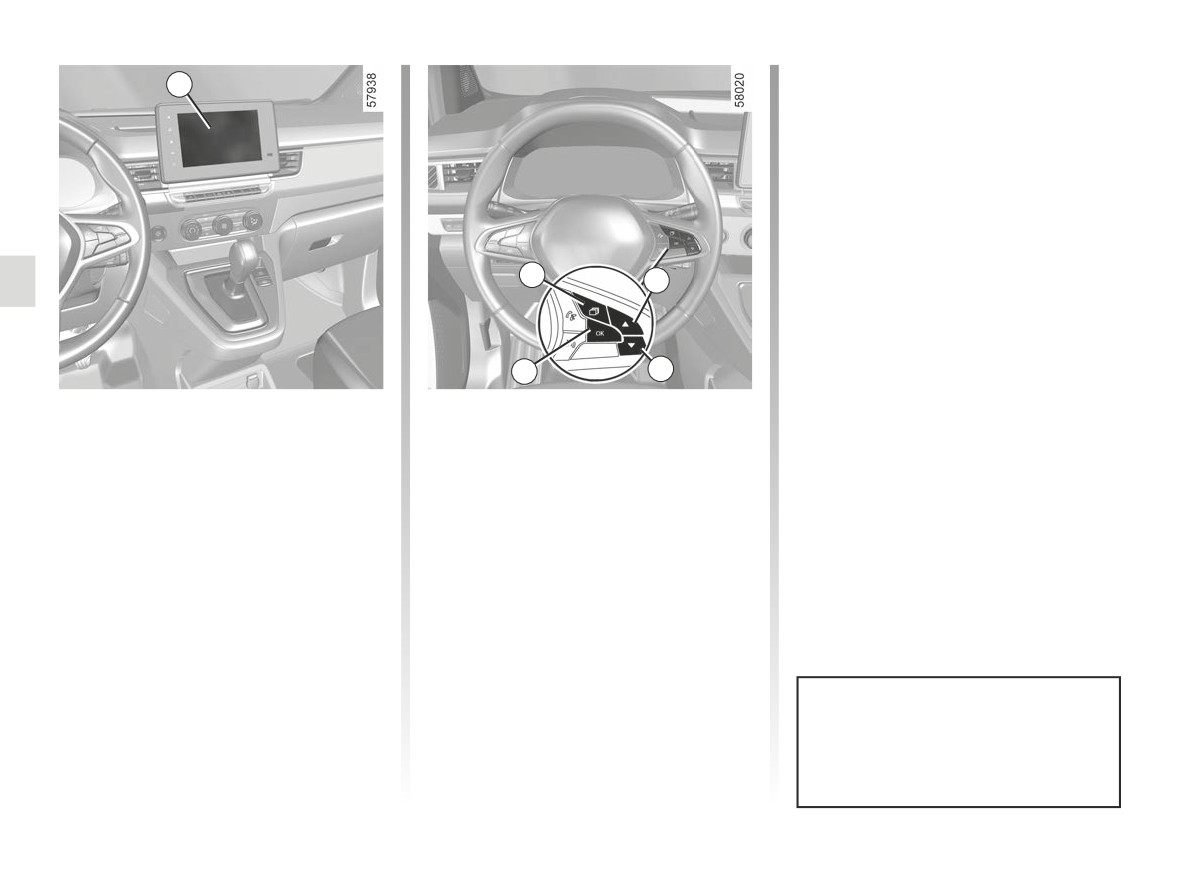
SAFE DISTANCE ALERT (2/4)
- press the 5 or 6 control repeatedly to
3
reach the “Distance warning” menu.
Press the switch 7 OK;
- Press the switch 7 OK again to acti-
vate or deactivate the function:
=
function activated
<
function deactivated
4
5
7
6
Activating/deactivating the
Vehicles not fitted with a multimedia
screen
function
- With the vehicle stopped, press the
Vehicles fitted with a multimedia
switch 4 as many times as required
screen 3
to reach the “Vehicle” tab;
To activate or deactivate the function,
- press the 5 or 6 control repeatedly to
refer to the multimedia instructions.
reach the “Settings” menu. Press the
Select “ON” or “OFF”.
switch 7 OK;
- press the 5 or 6 control repeatedly to
reach the “DRIVING ASSIST” menu.
Press the switch 7 OK;
Each time the vehicle is started,
the function continues the mode
saved the last time the engine was
stopped.
2.58
CarManuals2.co
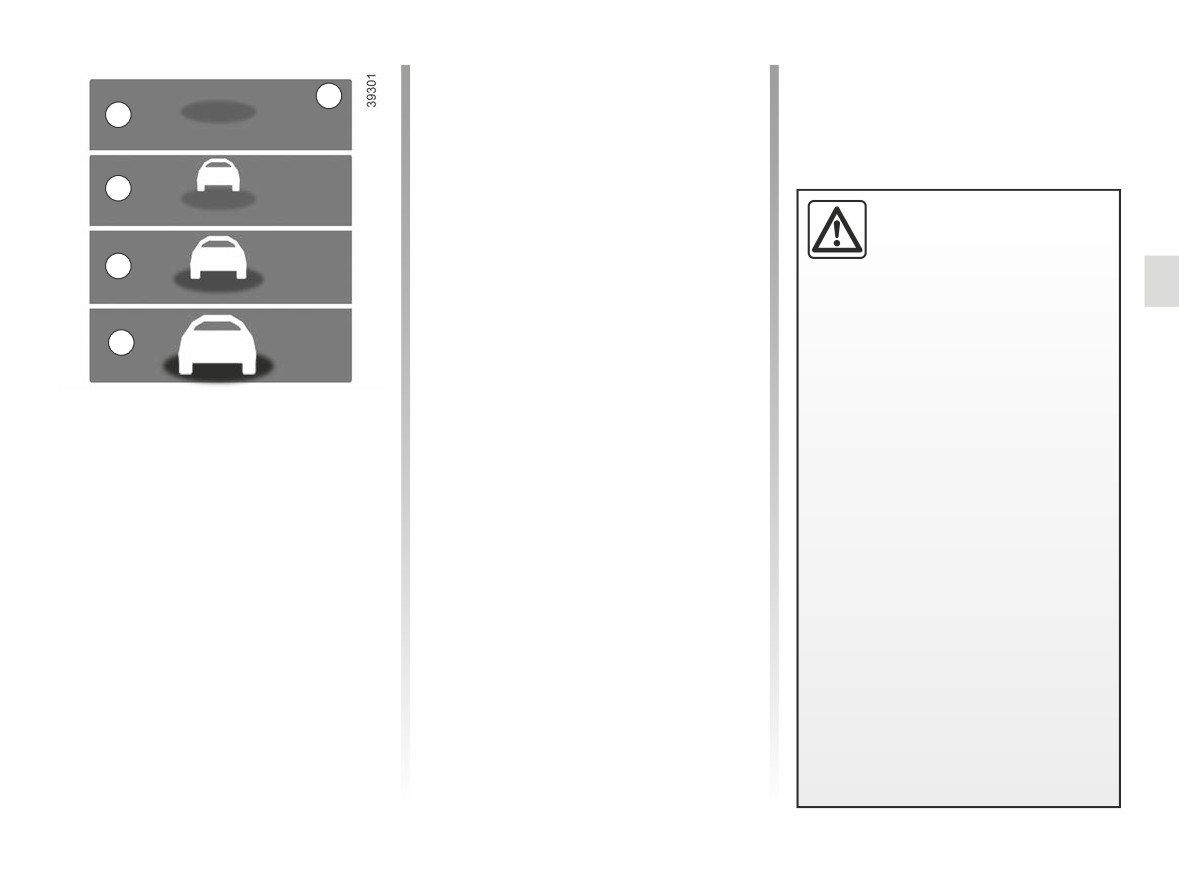
SAFE DISTANCE ALERT (3/4)
- C (orange): the time interval falls be-
8
tween around 1 and 2 seconds (in-
A
sufficient distance between the two
vehicles);
- D (red): the time interval is less than
B
or equal to around one second (very
insufficient distance between the two
The measurement is dis-
vehicles).
played for information: the
If the interval between the two vehi-
system does not carry out
C
cles is less than approximately 0.5 sec-
any action on the vehicle.
onds, the 8 indicator and the D display
This function is not designed for use
will flash in red on the instrument panel
in urban conditions or for a dynamic
D
along with “-.- s”.
driving style (sudden cornering, ac-
Under certain conditions, the time inter-
celeration, braking, etc.), but rather
val may not be displayed:
for stable driving conditions.
Operation
- while cornering;
The function does not interact with
With the function activated, the 8 in-
the braking system.
- when changing lane;
dicator is displayed on the instrument
The radar and camera zones must
panel and informs the driver of the dis-
- if the vehicle in front is sufficiently far
be kept clean and free of any tam-
tance between their vehicle and the ve-
or outside the range of the radar or
pering in order to ensure the proper
hicle in front.
camera.
operation of the system.
- A (grey): function not operational;
Any work carried out in the area
- A (green): no vehicle detected;
where the radar or camera is lo-
cated (repairs, replacements, wind-
- B (green): the time interval is greater
screen and/or bumper modifica-
than or equal to around two seconds
tions, etc.) must be carried out by a
(distance between the two vehicles
qualified professional.
adapted to your speed);
2.59
CarManuals2.co

SAFE DISTANCE ALERT (4/4)
This function is an additional driving aid. This function is not under any circumstances intended to replace the due care
and attention of the driver, who should at all times be in control of the vehicle.
System servicing/repairs
- In the event of an impact, the radar and/or camera alignment may be changed and its operation may consequently be af-
fected. Deactivate the function and consult an authorised dealer.
- Any work carried out in the area where the radar and/or camera is located (replacements, repairs, windscreen and/or
bumper modifications, etc.) must be carried out by a qualified professional.
Only an authorised dealer is qualified to service the system.
In the event of system disturbance
- obstruction of the windscreen or the bumper (by dirt, glass, snow, condensation, etc.);
- a complex environment (metal bridge, tunnel etc.);
- poor weather conditions (snow, hail, black ice etc.);
- poor visibility (night, fog etc.);
- poor contrast between the vehicle preceding it and the surrounding area (e.g. white vehicle in a snowy area etc.) ;
- being dazzled (glaring sun, lights of vehicles travelling in the opposite direction etc.);
- the road is narrow, winding and undulating (tight bends etc.)
Risk of erroneous false alarms.
2.60
CarManuals2.co
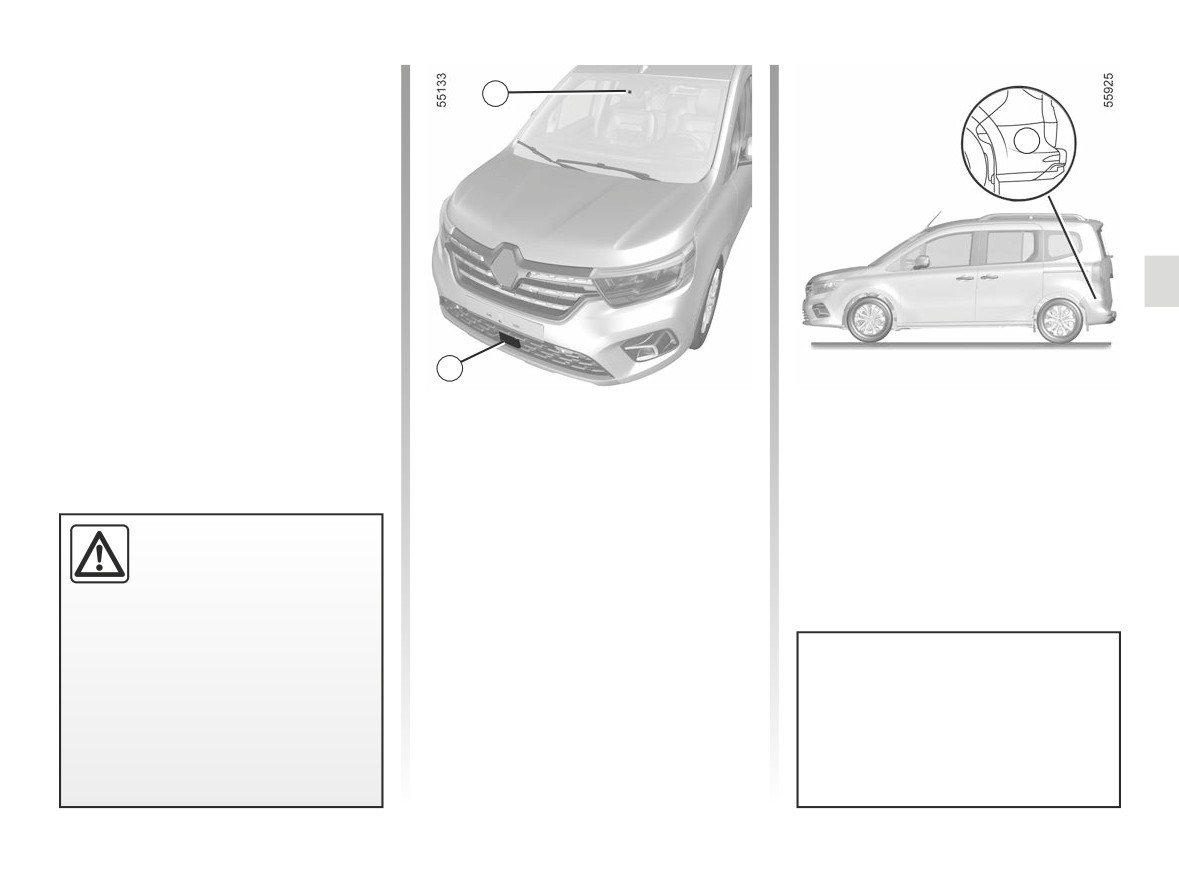
ADVANCED SAFETY (1/17)
The “Advanced Security” system con-
sists of:
1
- active emergency braking;
3
and
- Emergency Lane Keep Assist.
The “Advanced Safety” system uses
information from the camera 1, front
radar 2 and side radars 3.
2
Location of the camera 1
Location of the side radars 3
Make sure the windscreen is not ob-
Ensure that the radar area is not ob-
scured (by dirt, mud, snow, condensa-
structed (by dirt, mud, snow etc.), im-
tion etc.).
pacted or modified (including paintwork
etc.).
Location of the front radar 2
This system provides an
Ensure that the radar area is not ob-
additional driving aid.
structed (by dirt, mud, snow, a badly
This system is not, under
fitted front number plate), impacted,
any circumstances, in-
modified (including painting) or hidden
tended to replace the due care and
by any accessory fitted on the front of
attention of the driver, who should at
the vehicle (on the grille or logo etc.).
all times be in control of the vehicle.
Depending on the sensitivity setting
selected, the “Lane Keep Assist”
function may be used prior to op-
eration of the “Advanced Safety”
system.
2.61
CarManuals2.co
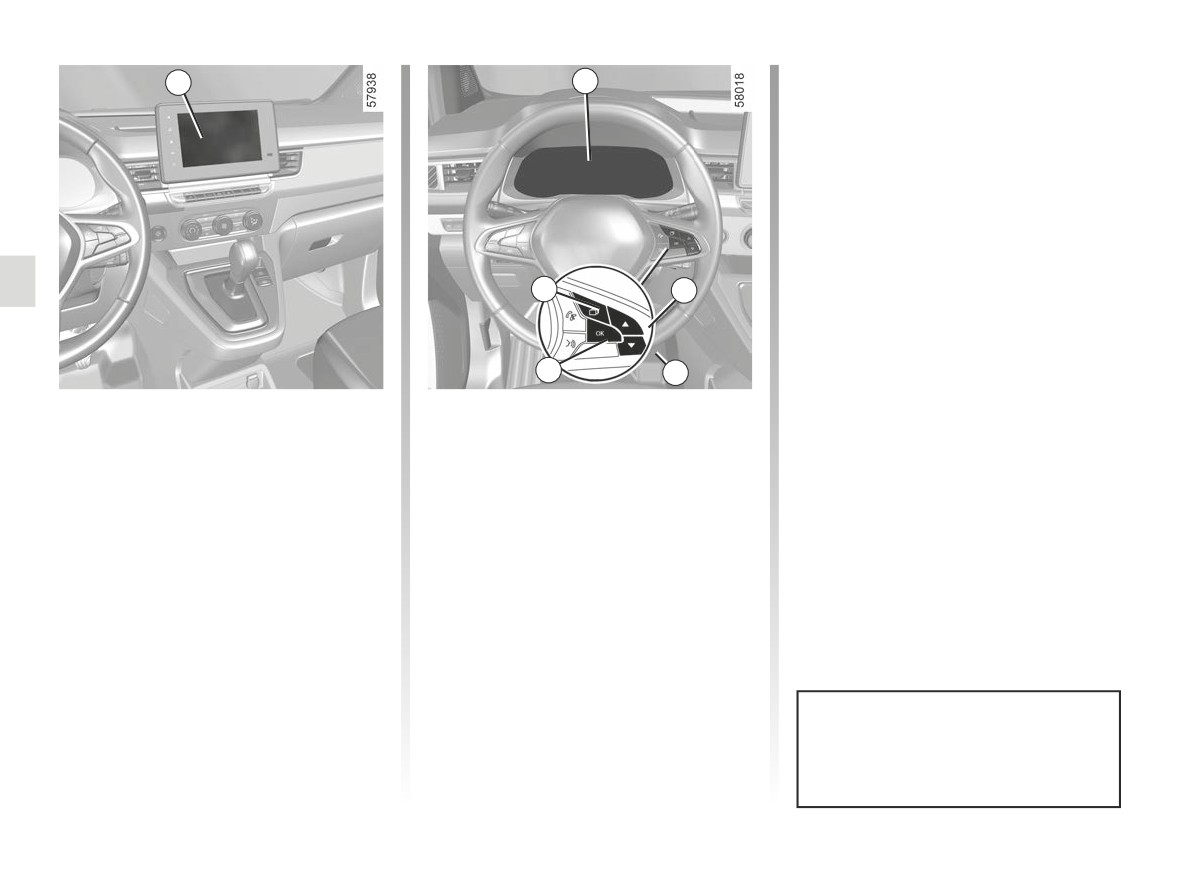
ADVANCED SAFETY (2/17)
- press the 7 or 8 control repeatedly to
4
5
reach the “Advanced Safety” menu
and press 9 OK.
Press the switch 9 OK again to activate
or deactivate the function:
=
function activated
<
function deactivated
Upon deactivation of the system, the
6
7
warning light illuminates or, de-
pending on the vehicle, the
warning light illuminates in yellow on
9
8
the instrument panel.
Activating, deactivating the system
Activating, deactivating the system
When the system is activated, the
from the multimedia screen 4
from the trip computer 5
warning light disappears.
(depending on the vehicle)
- With the vehicle stopped, press the 6
To activate or deactivate the function,
switch as many times as required to
refer to the multimedia instructions.
reach the “Vehicle” tab;
- press the 7 or 8 control repeatedly to
Select “ON” or “OFF”.
reach the “Settings” menu. Press the
switch 9 OK;
- press the 7 or 8 control repeatedly to
reach the “DRIVING ASSIST” menu.
Press the switch 9 OK;
This system is reactivated each time
the ignition is switched on.
2.62
CarManuals2.co
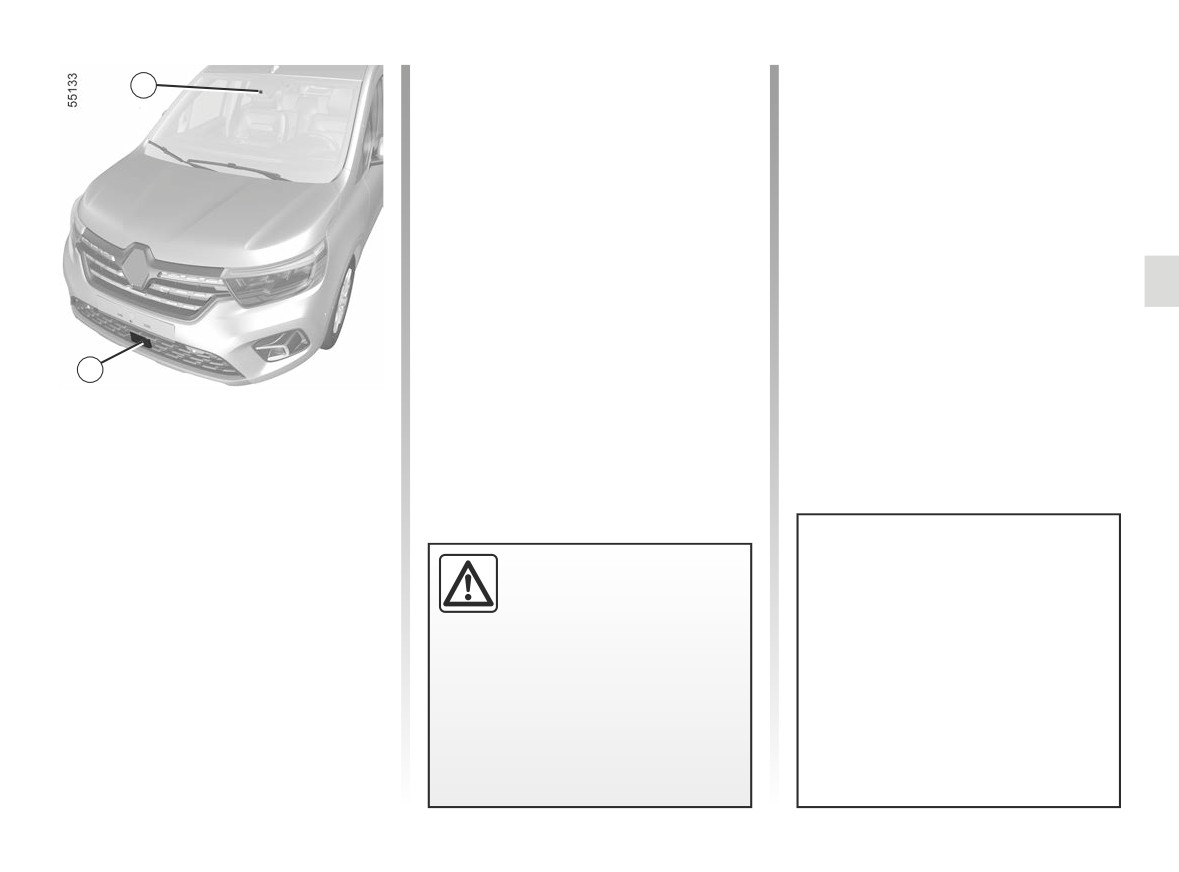
ADVANCED SAFETY (3/17)
The system informs the driver if there
1
is a risk of head-on collision to enable
appropriate emergency manoeuvres
(pressing the brake pedal and/or turn-
ing the steering wheel).
Depending on the reactivity of the
driver, the system can assist with brak-
ing in order to limit damage or prevent
a collision.
2
Active emergency braking
The system uses information from the
radar 2 and the camera 1 to determine
the distance between your vehicle
- from the vehicle ahead in the same
lane;
or
This function is an addi-
This system can apply maximum
- from any oncoming vehicles in the
tional driving aid.
braking to the vehicle until it is
context of a manoeuvre to change
This function is not under
completely stationary if necessary.
direction;
any circumstances in-
or
For safety reasons, always wear
tended to replace the due care
your seat belt when travelling in
- surrounding pedestrians and cy-
and attention of the driver, who
your vehicle and make sure that it
clists.
should at all times be in control of
is loaded so that no items can be
the vehicle.
thrown forward and hit the occu-
pants.
2.63
CarManuals2.co
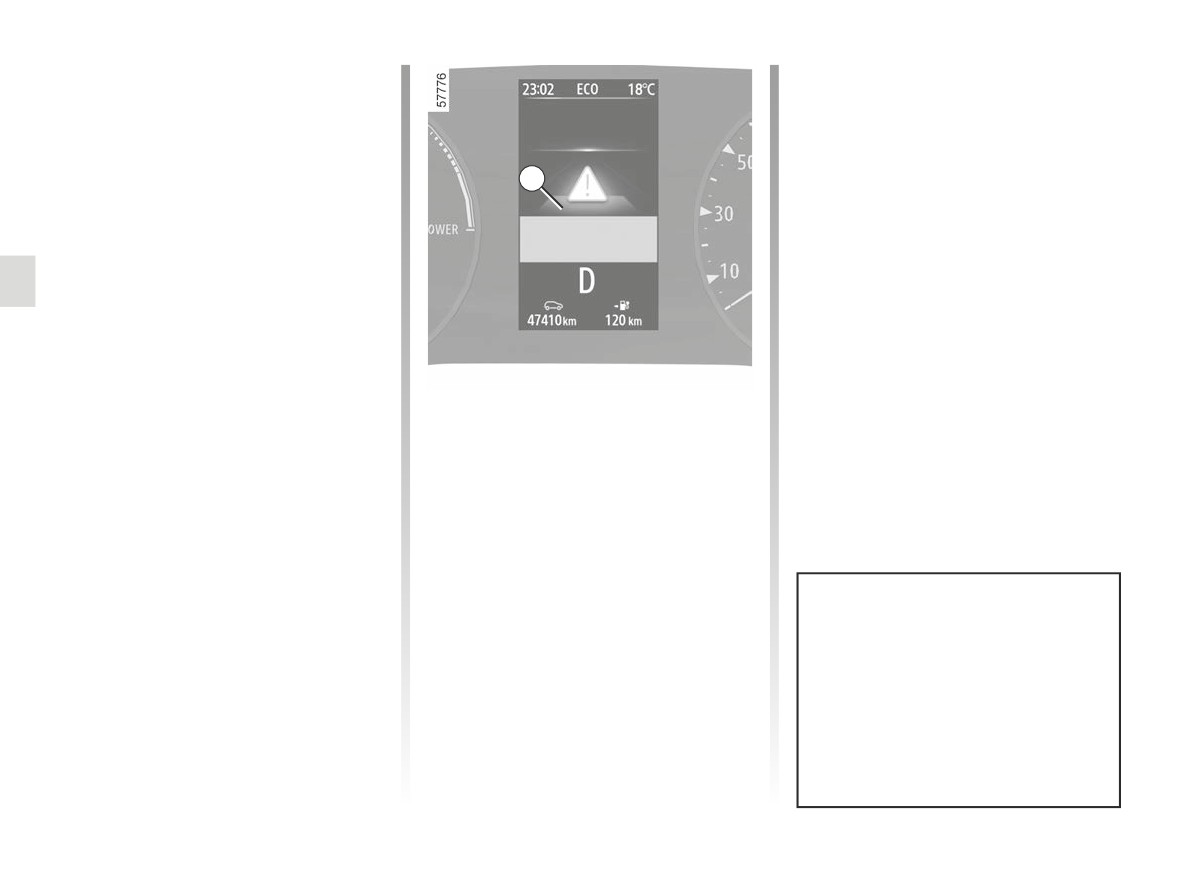
ADVANCED SAFETY (4/17)
Active emergency braking
Note: if the driver uses the vehicle con-
(continued)
trols (steering wheel, pedals, etc.) the
system may delay certain operations or
Detection of vehicles
not activate.
If driving at a speed over 5 mph (8 km/h)
10
and there is a risk of collision with the
vehicle in front, with an oncoming ve-
hicle in the context of a manoeuvre to
change direction, or with a stationary
vehicle, the system:
-
warns you of a collision risk:
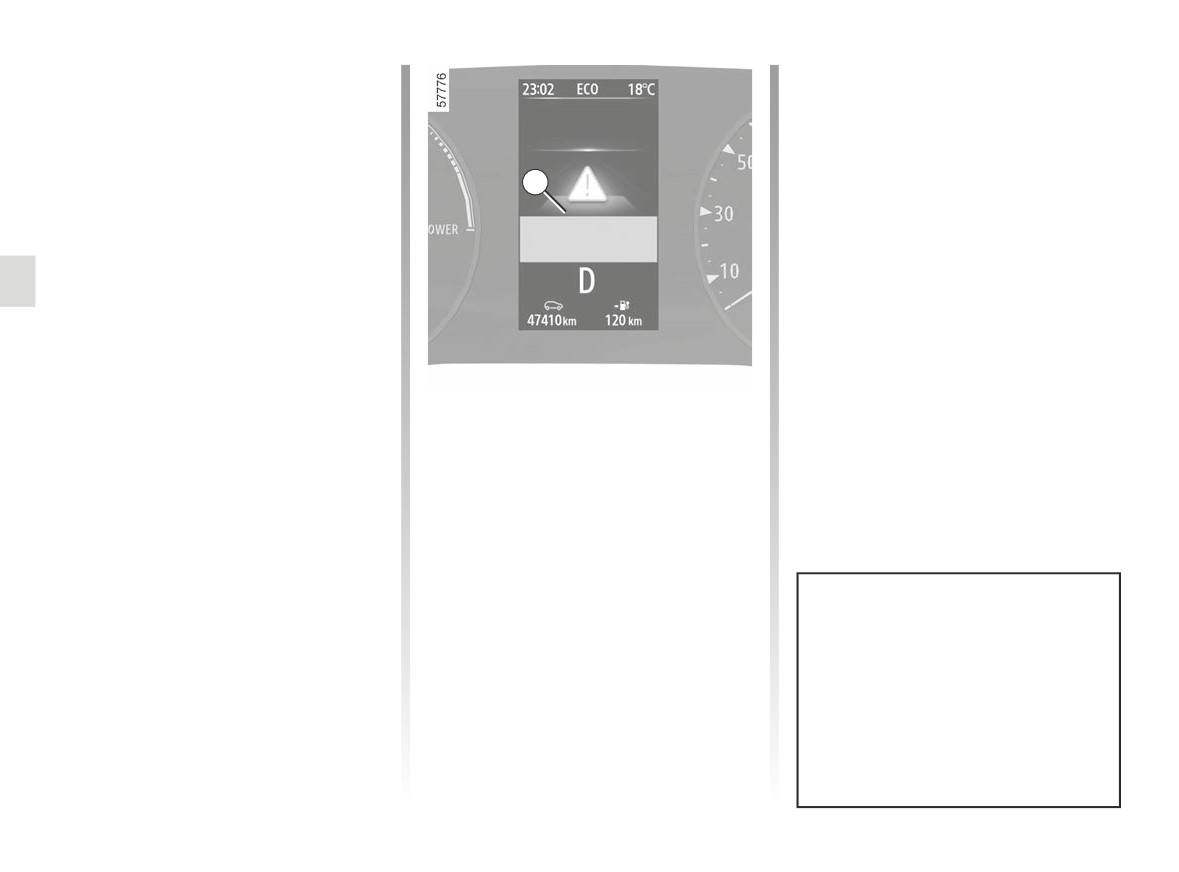
the
red warning light, or, de-
pending on the vehicle, the dis-
play 10 and the message “Brake”
appear on the instrument panel, ac-
If active emergency braking has caused
companied by a beep.
the vehicle to stop, the vehicle is kept
If the driver presses the brake pedal
stationary for a short time. Beyond this
and the system still detects a risk of
time limit, the vehicle must be held sta-
collision, the braking force may be
tionary by the driver keeping their foot
increased if it is not sufficient to pre-
on the brake pedal.
vent the collision.
-
may trigger braking:
if the driver fails to react following
the alert and collision becomes im-
minent.
In the event of emergency manoeu-
vre, you can stop braking at any
moment by:
- tapping the accelerator pedal;
or
- turning the steering wheel as a
collision avoidance manoeuvre.
2.64
CarManuals2.co
ADVANCED SAFETY (5/17)
Active emergency braking
Special features of stationary
(continued)
vehicles
Stationary vehicles are detected when
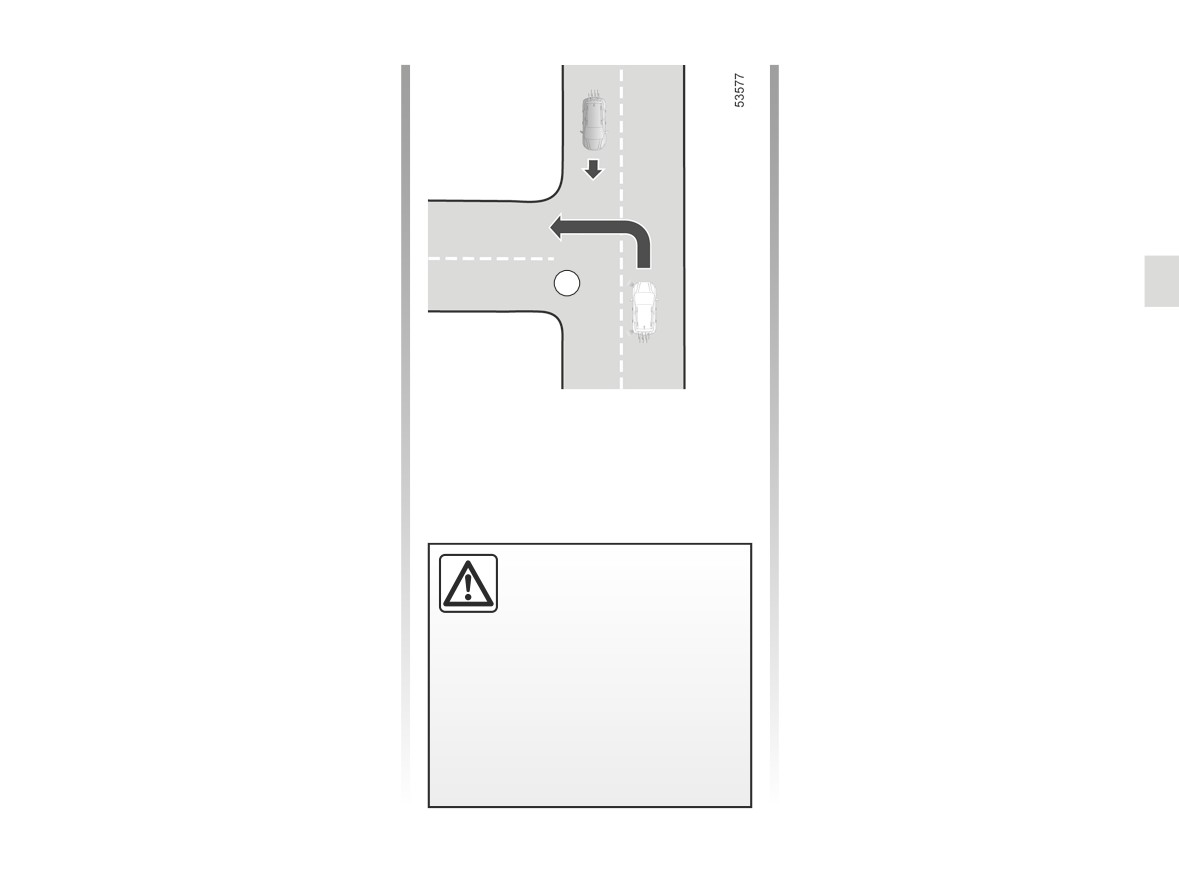
Special features of oncoming
your vehicle is being driven at a speed
vehicles in the context of a
between approximately 5 mph (8 km/h)
manoeuvre to change direction
and 62 mph (100 km/h). The system is
When you wish to change direction
not active and does not emit a warn-
(e.g. A), oncoming vehicles travelling
ing for stationary vehicles when your
at approximately 18 mph (30 km/h) to
vehicle speed exceeds approximately
35 mph (55 km/h) are detected by the
62 mph (100 km/h).
system when:
A
- your vehicle is travelling at a speed
Special features of warnings
between approximately
5 mph
Depending on the speed, the warning
(8 km/h) to 12 mph (20 km/h);
and braking may be activated simulta-
- you have activated the direction indi-
neously.
cator light.
The system is otherwise inactive
and does not trigger an alert.
This function is an addi-
tional driving aid.
This function is not under
any circumstances in-
tended to replace the due care
and attention of the driver, who
should at all times be in control of
the vehicle.
2.65
CarManuals2.co
ADVANCED SAFETY (6/17)
Active emergency braking
Note: if the driver uses the vehicle con-
(continued)
trols (steering wheel, pedals, etc.) the
system may delay certain operations or
Detection of pedestrians and
not activate.
cyclists
When driving at a speed between ap-
10
proximately 5 mph (8 km/h) and 53 mph
(86 km/h), if there is a risk of collision
with a cyclist or pedestrian, the system:
-
warns you of a collision risk:
the
red warning light, or, de-
pending on the vehicle, the dis-
play 10 and the message “Brake”
appear on the instrument panel, ac-
companied by a beep.
If active emergency braking has caused
If the driver presses the brake pedal
the vehicle to stop, the vehicle is kept
and the system still detects a risk of
stationary for a short time. Beyond this
collision, the braking force may be
time limit, the vehicle must be held sta-
increased if it is not sufficient to pre-
tionary by the driver keeping their foot
vent the collision.
on the brake pedal.
-
may trigger braking:
if the driver fails to react following
the alert and collision becomes im-
minent.
In the event of emergency manoeu-
vre, you can stop braking at any
moment by:
- tapping the accelerator pedal;
or
- turning the steering wheel as a
collision avoidance manoeuvre.
2.66
CarManuals2.co
ADVANCED SAFETY (7/17)
Active emergency braking
4
(continued)
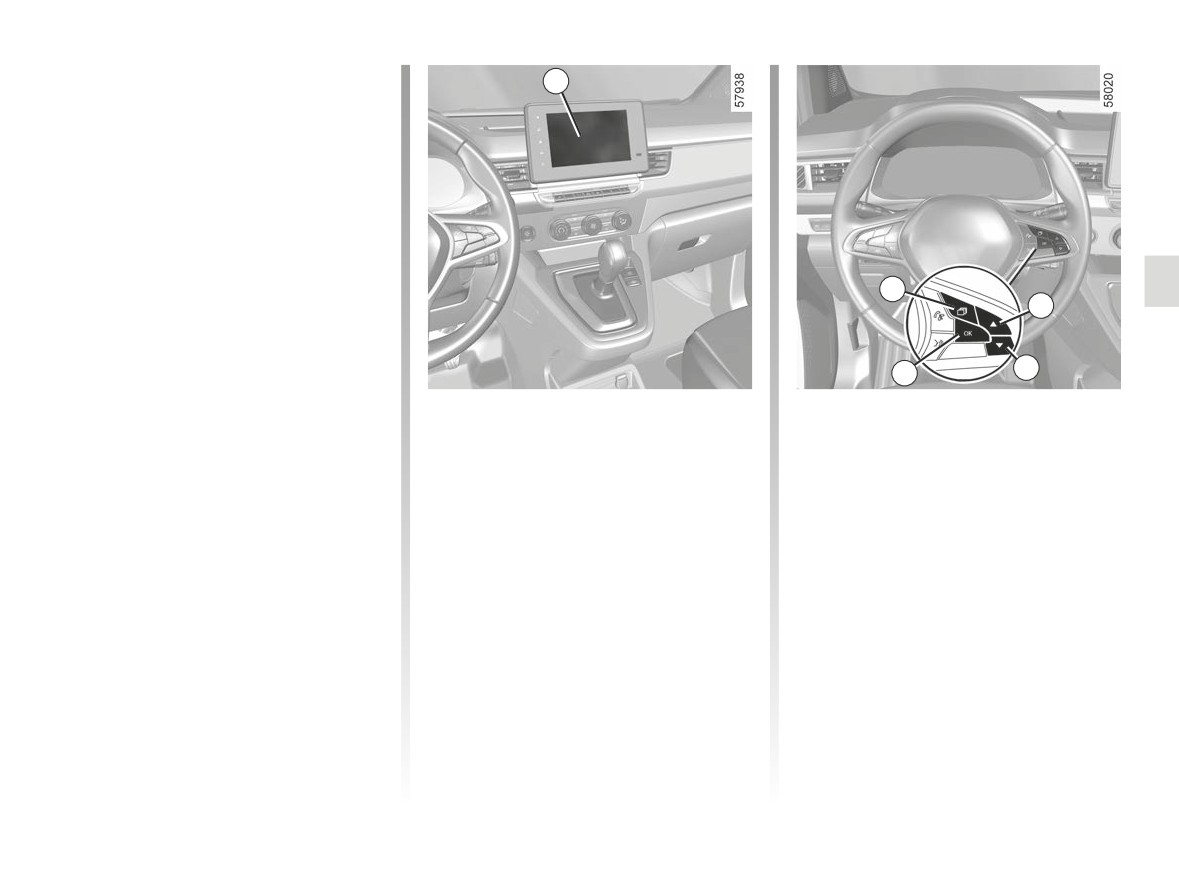
Settings for vehicles equipped with
a multimedia screen
To access the multimedia screen func-
tion settings 4, refer to the multimedia
instructions:
- “Alert”: adjust the alert sensitivity
level. To do this select:
6
- “At the latest”;
7
- “Standard”;
- “At the sooner”.
8
9
Please refer to the multimedia instruc-
Settings for vehicles not equipped
-
press control 7 or 8 repeatedly to
tions for further information.
with a multimedia screen
reach the DRIVING ASSIST menu.
Press the switch 8 OK;
- With the vehicle stopped, press the
switch 6 as many times as required
-
scroll repeatedly by pressing con-
to reach the “Vehicle” tab;
trol 7 or 8 to reach the “Active brak-
ing sensitivity” menu. Press the
- press the 7 or 8 control repeatedly to
switch 9 OK;
reach the “Settings” menu. Press the
switch 9 OK;
-
press the 7 or 8 control repeatedly
to adjust the setting. Press the 9 OK
button.
2.67
CarManuals2.co

ADVANCED SAFETY (8/17)
Active emergency braking
The possible causes are:
Operating faults
(continued)
-
the system is temporarily blinded
When the function detects an operat-
(glare from the sun, dipped beam
Temporarily not available
headlights, bad weather conditions
etc.). The system will be operational
or, depending on the vehicle,
If the system detects a temporary fault
again when visibility conditions are
the
warning light illuminates, or
better;
and
, appear in yellow
-
the system is temporarily interrupted
on the instrument panel accompanied
depending on the vehicle, the
(e.g. the windscreen or the front or
by the message “Check Front camera”
warning light illuminates in yellow on
rear bumper is obscured by dirt,
or “Front radar to check” or “Check
the instrument panel.
mud, snow, condensation, etc.). In
Camera/Radar”.
this case, park the vehicle and switch
Consult an approved dealer.
off the engine. Clean the windscreen
and front bumper. The next time the
engine is started, after five or ten
minutes of driving, the warning light
and the message disappear.
If this is not the case, this may arise from
another cause; contact an Approved
Dealer.
2.68
CarManuals2.co

ADVANCED SAFETY (9/17)
Active emergency braking
This function is an additional driving aid. This function is not under any circumstances intended to replace the due care
and attention of the driver, who should at all times be in control of the vehicle. The triggering of this function may be
delayed or prevented when the system detects clear signs of control of the vehicle by the driver (action on the steer-
ing wheel, pedals etc.).
The system cannot be activated:
- if the gear control is in neutral position;
- when the parking brake has been activated for approximately ten seconds.
System servicing/repairs
- In the event of an impact, the radar and/or camera alignment may be changed and its operation may consequently be af-
fected. Deactivate the function and consult an authorised dealer.
- Any work in the area where the radar and/or camera is located (repairs, replacements, windscreen modifications, etc.) must
be carried out by a qualified professional.
Only an authorised dealer is qualified to service the system.
2.69
CarManuals2.co

ADVANCED SAFETY (10/17)
System disturbance
Some conditions can disturb or damage the operation of the system, such as:
- a complex environment (metal bridge, tunnel etc.);
- poor weather conditions (snow, hail, black ice etc.);
- poor visibility (night, fog etc.);
- poor contrast between the object (vehicle, pedestrian etc.) and the surrounding area (e.g. pedestrian dressed in white lo-
cated in a snowy area etc.) ;
- being dazzled (glaring sun, lights of vehicles travelling in the opposite direction etc.);
- windscreen obscured (by dirt, ice, snow, condensation etc.);
- ...
In these conditions, the system may not react, may warn the driver or may brake inadvertently.
Limitation of the system operation
- Each time the vehicle is started, the system carries out a calibration according to the vehicle surroundings and may be in-
active for a length of time between approximately two to five minutes of driving;
- An oncoming vehicle will not trigger any warning or system action if the conditions in the paragraph “Special features of on-
coming vehicles in the context of a manoeuvre to change direction” are not met (see previous pages);
- The radar and camera zones must be kept clean and free of any tampering in order to ensure the proper operation of the
system;
- the system may not respond to small vehicles such as motorbikes as effectively as to other vehicles;
- the system may not operate properly when the road surface is slippery (rain, snow, black ice, etc.);
- to ensure correct operation, the system needs to distinguish the complete outline of the pedestrian. So the system cannot
detect:
- pedestrians in the darkness or in poor lighting conditions;
- partially visible pedestrians:
- pedestrians less than approximately 80 cm tall;
- pedestrians carrying large objects;
- ...
In these conditions, the system may not react or may brake inadvertently.
2.70
CarManuals2.co

ADVANCED SAFETY (11/17)
Deactivating the function
You must disable the function if:
- the brake lights are not functioning;
- the area of the camera has been damaged (e.g. on the inside or outside of the windscreen);
- the front of the vehicle was damaged (impact, distortion, scratch on the radar etc.);
- the vehicle is being towed (breakdowns);
- the windscreen is cracked or distorted (do not carry out windscreen repairs in this area; have it changed by an approved
dealer);
- you are not driving on a paved road.
In the event of the system behaving abnormally, deactivate it and consult an authorised dealer.
Halting the function
You can halt the active braking function at any time by tapping the accelerator pedal or by turning the steering wheel in a col-
lision avoidance manoeuvre.
2.71
CarManuals2.co
ADVANCED SAFETY (12/17)
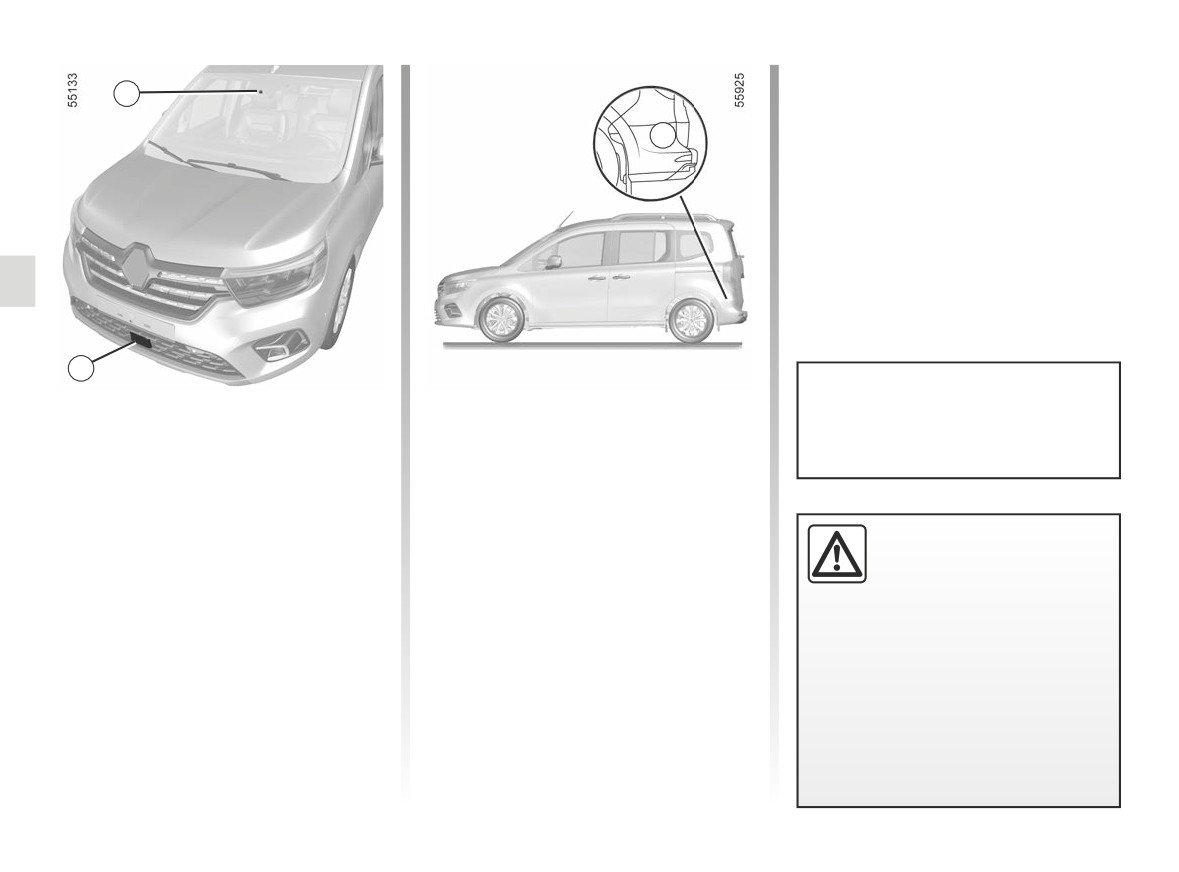
Depending on the vehicle, using in-
1
formation from the radars 3 and the
camera 1, the function triggers cor-
3
rective action on the vehicle steering
system in the event of a risk of colli-
sion with a vehicle moving at the same
speed or at a higher speed, if within the
detection area of the rear radars.
2
You can retake control of the ve-
Emergency Lane Keep Assist
Using information from the radar 2 and
hicle at any time by operating the
the camera 1, the function triggers cor-
Using information from the camera 1,
steering wheel.
rective action on the vehicle steering
the function triggers corrective action
system in the event of a risk of collision
on the vehicle steering system when
with a vehicle coming from the opposite
approaching the roadside (divider, bar-
direction in the adjacent lane, without
rier, pavement, embankment etc.) with-
the direction indicator having been ac-
This system provides an
out the direction indicator light having
tivated.
additional driving aid.
been activated.
This system is not, under
any circumstances, in-
tended to replace the due care and
attention of the driver, who should at
all times be in control of the vehicle.
2.72
CarManuals2.co
ADVANCED SAFETY (13/17)
Emergency Lane Keep Assist
(continued)
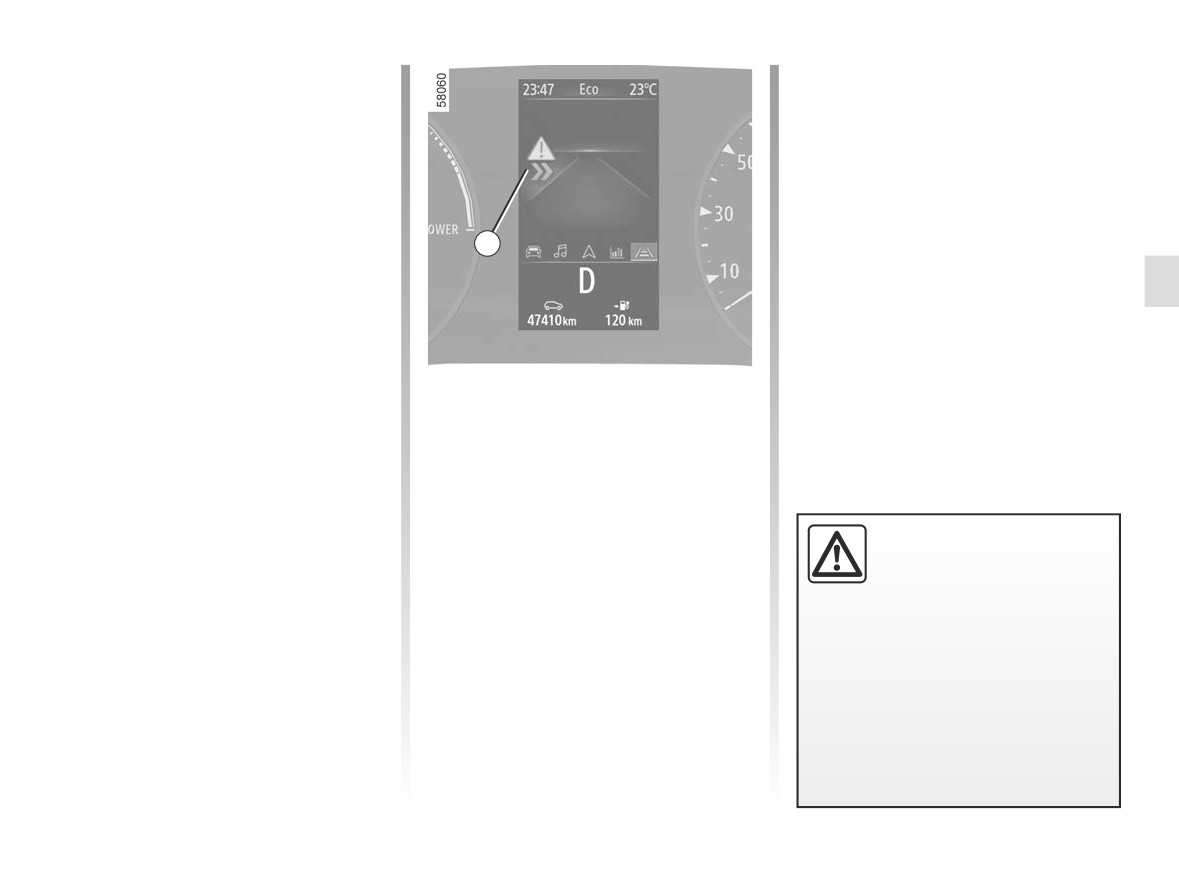
Roadside detection
When driving at a speed over 43 mph
(70 km/h), when approaching the road-
side (on the ground, barrier, pavement,
embankment, etc.), without the direc-
tion indicator having been activated,
11
the system:
- warns you of a collision risk:
the
warning light appears in
red or, depending on the vehicle,
the 11 display appears on the instru-
ment panel accompanied by a beep;
Special feature
and
In the event the function operates re-
- triggers corrective action on the
peatedly when approaching the road-
steering system.
side, if the system does not detect any
hands on the steering wheel, the
warning lights appear in yellow on the
This function is an
addi-
instrument panel.
tional driving aid.
This function is not under
any circumstances in-
tended to replace the due care and
attention of the driver, who should at
all times be in control of the vehicle.
2.73
CarManuals2.co
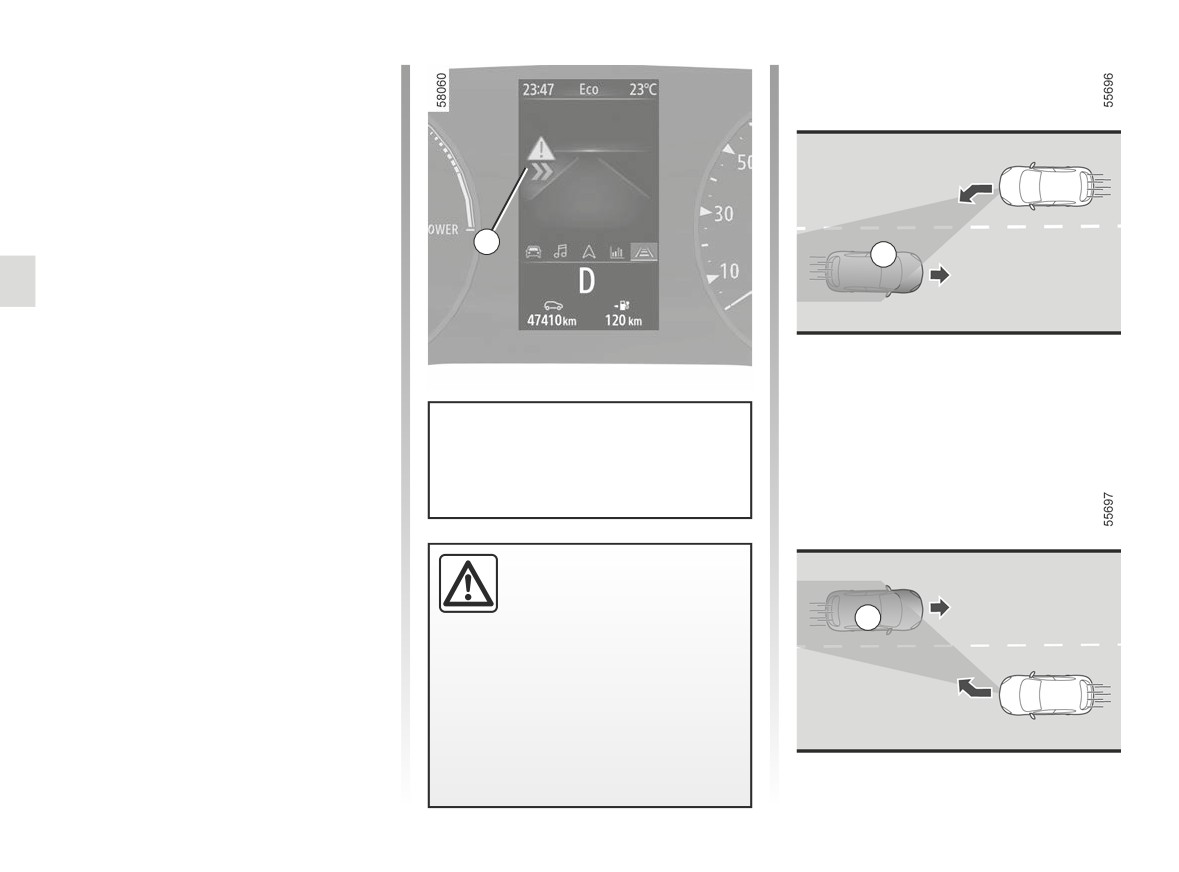
ADVANCED SAFETY (14/17)
Emergency Lane Keep Assist
(continued)
Detection of an oncoming vehicle
When driving at a speed between ap-
proximately
43 mph (70 km/h) and
68 mph (110 km/h), if there is a risk of
collision with a vehicle coming from the
opposite direction in an adjacent lane
11
B
and within the detection zone B, with-
out the direction indicator having been
activated, the system:
- warns you of a collision risk:
the
warning light appears in
red or, depending on the vehicle,
the 11 display appears on the instru-
ment panel accompanied by a beep;
You can interrupt the trajectory cor-
and
rection at any time by moving the
steering wheel.
- triggers corrective action on the
steering system.
This function is an addi-
tional driving aid.
This function is not under
B
any circumstances in-
tended to replace the due care
and attention of the driver, who
should at all times be in control of
the vehicle.
2.74
CarManuals2.co
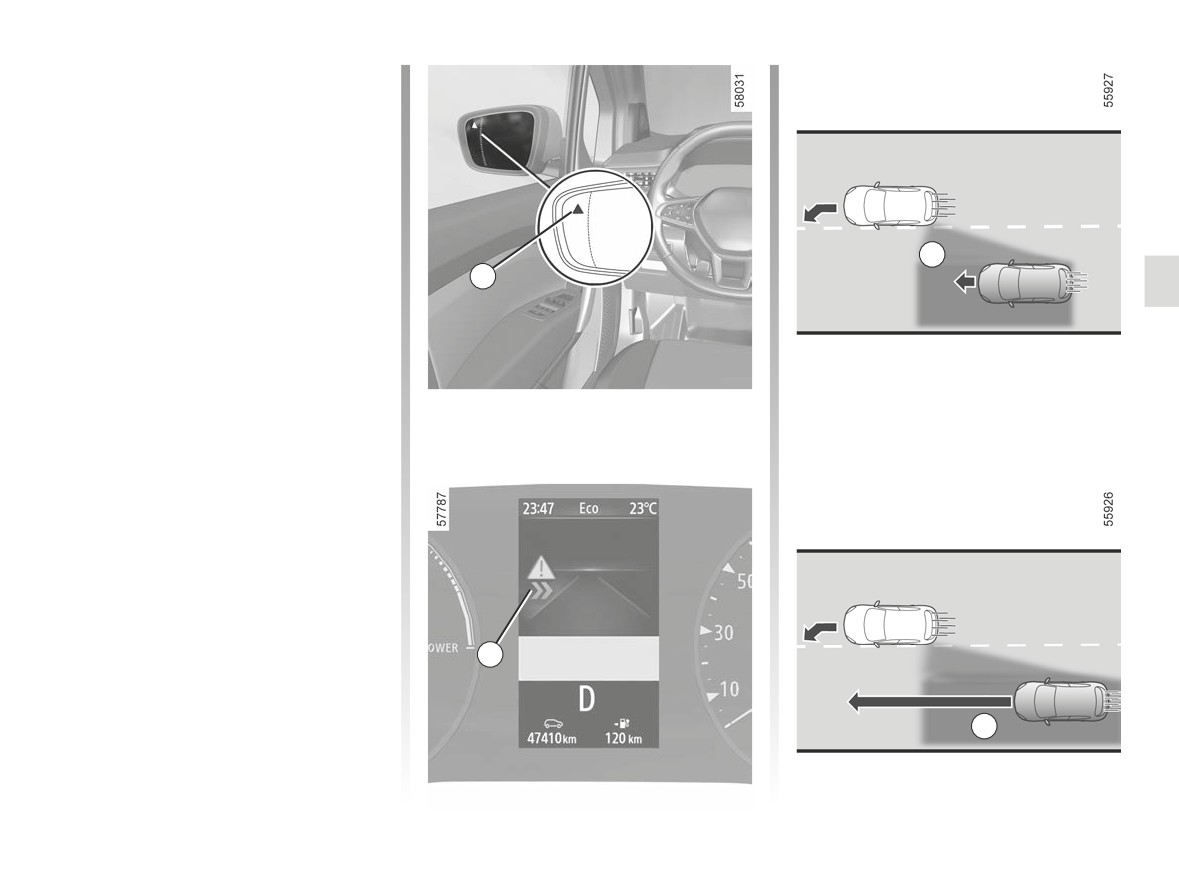
ADVANCED SAFETY (15/17)
Emergency Lane Keep Assist
(continued)
Detection of a vehicle approaching
from the rear
(depending on the vehicle)
While driving at a speed over 43 mph
(70 km/h), if a line
(continuous or
broken) is crossed while there is a risk
of collision with a vehicle located in
C
the blind spot C and it is moving in the
12
same direction as your vehicle or with a
vehicle that is rapidly approaching from
behind or in an adjacent lane that is in
the detection area D, the system:
- warns you of the risk of collision:
the warning light 12 flashes and the
warning light appears in red,
or, depending on the vehicle, the 13
display lights up on the instrument
panel accompanied by a beep;
and
- triggers corrective action on the
steering system.
13
D
2.75
CarManuals2.co

ADVANCED SAFETY (16/17)
Emergency Lane Keep Assist
Conditions for non-activation of the
If the vehicle is towing a trailer or car-
(continued)
system
avan, unexpected or unnecessary cor-
rections may occur. In this case you
The system cannot be activated when:
Temporarily not available:
can deactivate the “Advanced Security”
- reverse gear is engaged;
function to avoid unexpected or unnec-
- very fast lane departure;
- the field of vision of the camera is ob-
essary corrections.
- driving continuously on a line;
structed;
- approximately four seconds after
- the front radar is obscured;
Operating faults
changing lanes;
- the rear radars are obscured;
- tight bends;
When the function detects an operat-
- the û
warning light is displayed.
- impaired visibility;
ing fault, the
and
or, de-
- activating the direction indicator
If one of the side radars is obscured,
light;
- strong acceleration;
the
warning light, or, depend-
warning lights appear in yellow
- emergency braking;
ing on the vehicle, the
warning
on the instrument panel accompanied
- changing the lane width;
light appears in yellow accompanied by
by the message “Check Front camera”
- operation of the active emergency
the message “Side radars no visibility”.
or “Front radar to check” or “Check
braking system.
Clean the area where the sensors are
Camera/Radar” or “Check Side radars”.
- ...
located.
Consult an approved dealer.
Depending on the vehicle, if one of the
If the vehicle is equipped with a towbar
side radars is obscured the message
that is recognised by the system, the
“Check Side radars” will appear on the
instrument panel.
warning light, or, depending on
the vehicle, the
warning light
appears in yellow accompanied by the
message “Trailer: side radars OFF” to
inform you that the Emergency Lane
Keep Assist is not operational.
2.76
CarManuals2.co

ADVANCED SAFETY (17/17)
This function is an additional driving aid. This function is not under any circumstances intended to replace the due care
and attention of the driver, who should at all times be in control of the vehicle.
System servicing/repairs
- In the event of an impact, the alignment of the camera or radar(s) may be altered and its operation may consequently be
affected. Deactivate the function and consult an authorised dealer.
- Any work in the area where the camera or radars are located (replacements, repairs, windscreen modifications etc.) must
be carried out by a qualified professional.
Only an authorised dealer is qualified to service the system.
In the event of system disturbance
Some conditions can disturb or damage the operation of the system, such as:
- windscreen obscured (by dirt, ice, snow, condensation etc.);
- a complex environment (tunnel etc.);
- poor weather conditions (snow, rain, hail, black ice etc.) ;
- poor visibility (night, fog etc.);
- the road markings are irregular or difficult to distinguish (e.g. partially erased, excessive spacing, distorted road surface) ;
- being dazzled (glaring sun, lights of vehicles travelling in the opposite direction etc.);
- the road is narrow, winding or undulating (tight bends etc.);
- closely following a vehicle travelling in the same lane.
In this case, the “Advanced Safety” function may react incorrectly or not at all.
Risk of unwanted, incorrect correction or no correction of trajectory.
Deactivating the function
You must disable the function if:
- the camera area (on the windscreen side or the interior rear-view mirror side) or radar area(s) have been damaged;
- the windscreen is cracked or distorted (do not carry out windscreen repairs in this area; have it changed by an Authorised
Dealer);
- the vehicle is being towed (breakdowns);
- you are not driving on a paved road.
2.77
CarManuals2.co
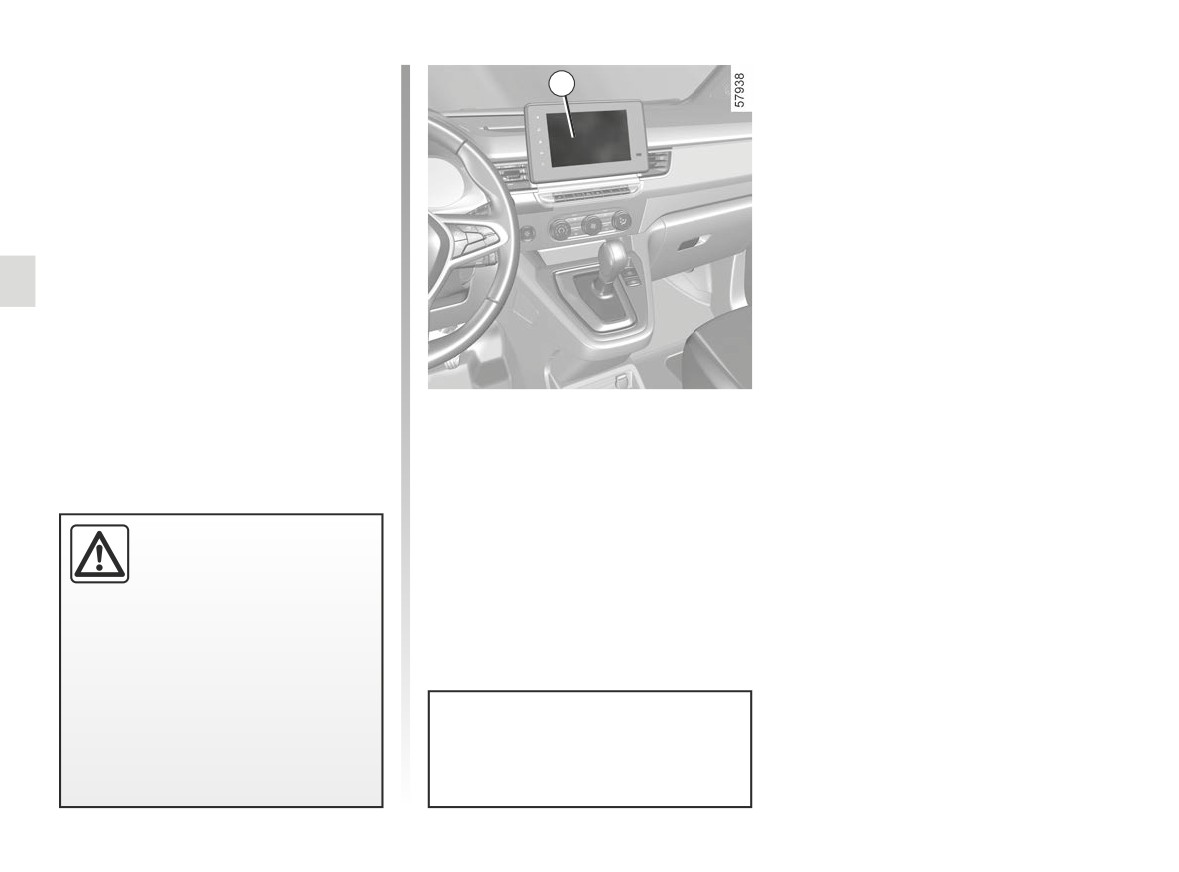
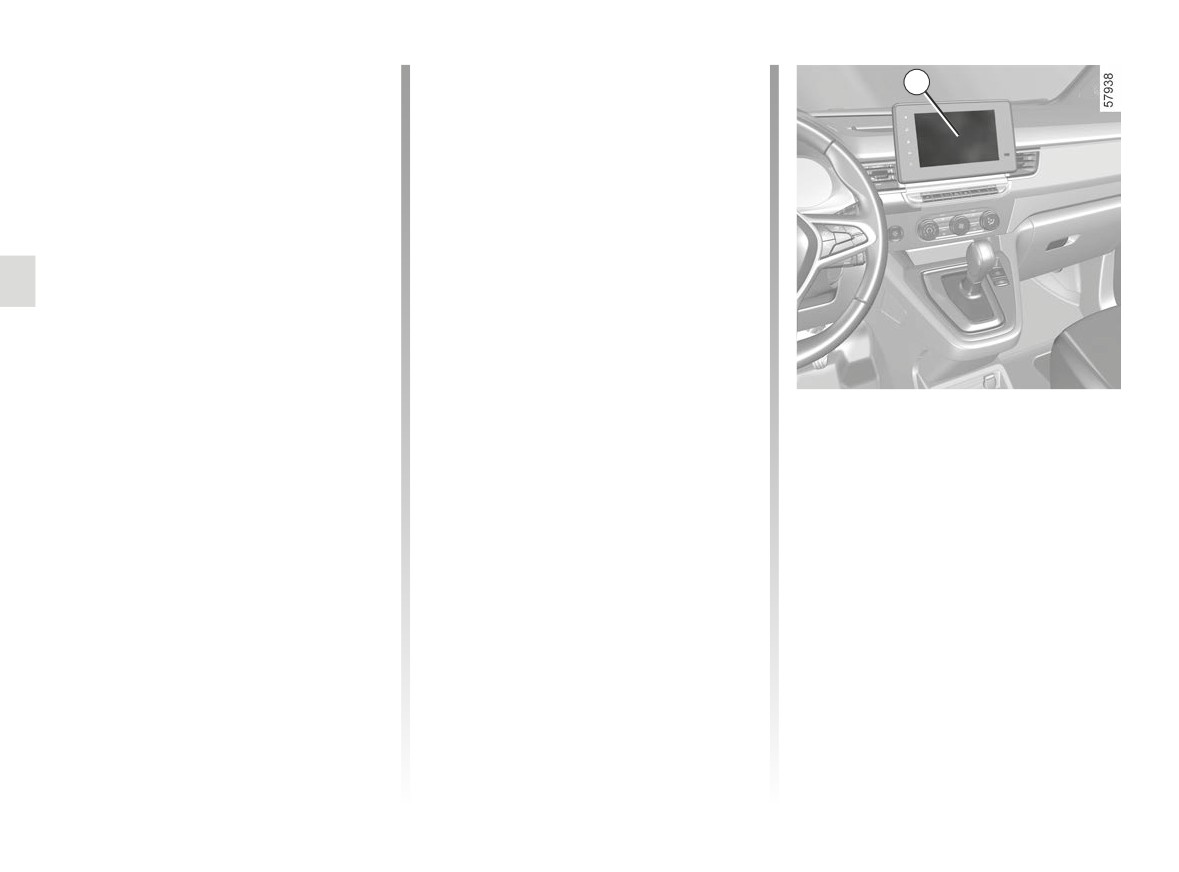
FATIGUE DETECTION WARNING (1/2)
The fatigue detection warning is a func-
1
tion which is useful on monotonous
roads (motorways, high-speed roads
etc.).
It analyses driver behaviour and takes
account of events to inform you of any
risk of fatigue such as:
- steering wheel movement;
- driver actions on other devices (indi-
cators, windscreen washer etc.);
- time spent driving without stopping;
- ...
Activation/deactivation
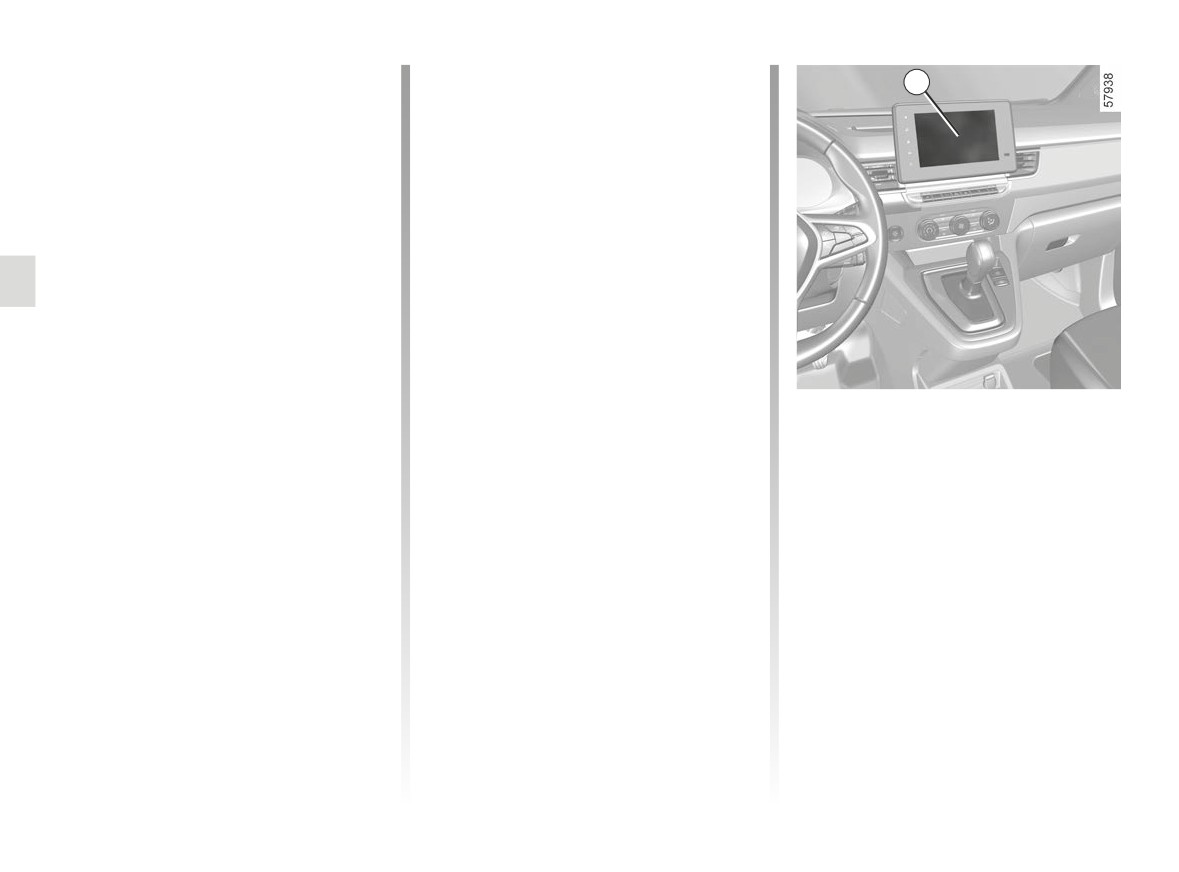
Vehicles fitted with a multimedia
screen 1
To activate or deactivate the function,
refer to the multimedia instructions.
This function is an addi-
Select ON or OFF.
tional driving aid in case of
risk of fatigue. This function
does not take the place of
the driver.
Under no circumstances should this
function replace the driver’s care or
responsibility whilst driving.
The function is activated by default
every time the vehicle is started.
2.78
CarManuals2.co
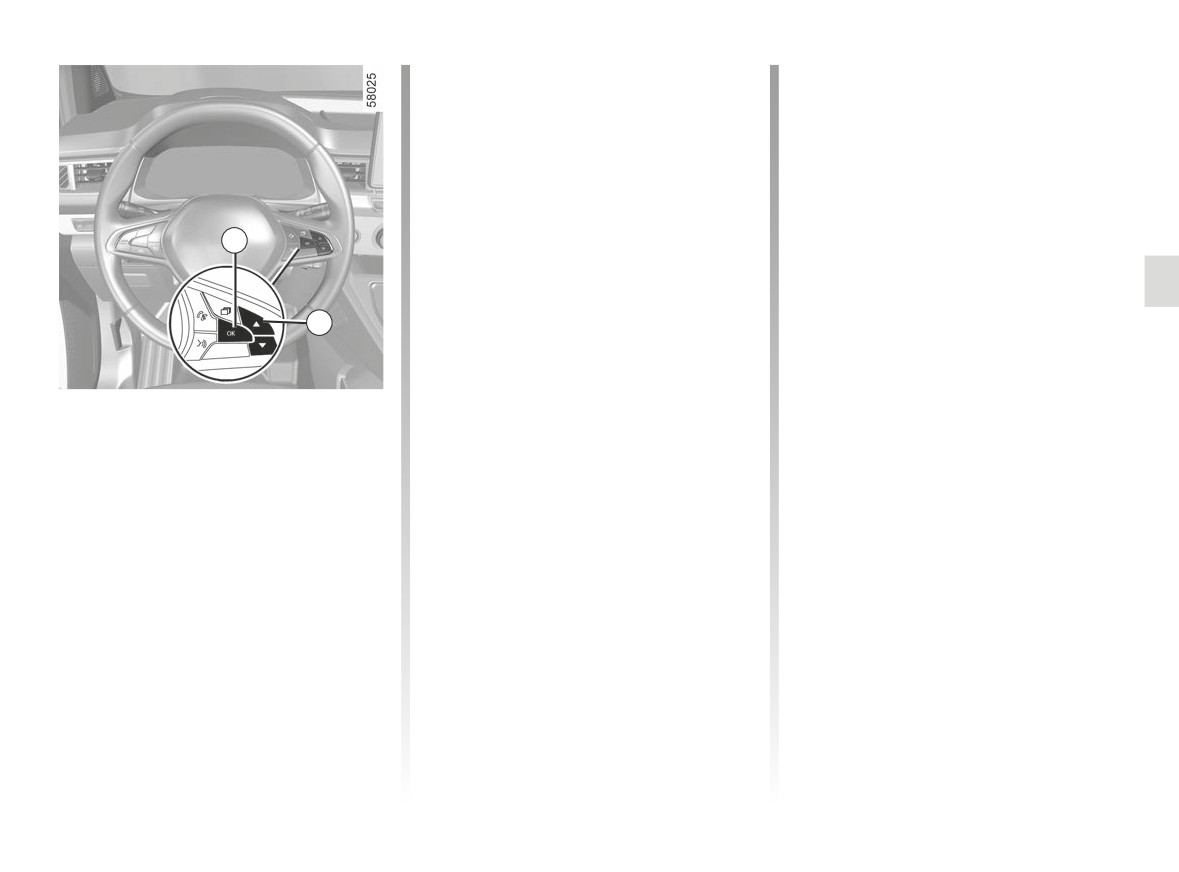
FATIGUE DETECTION WARNING (2/2)
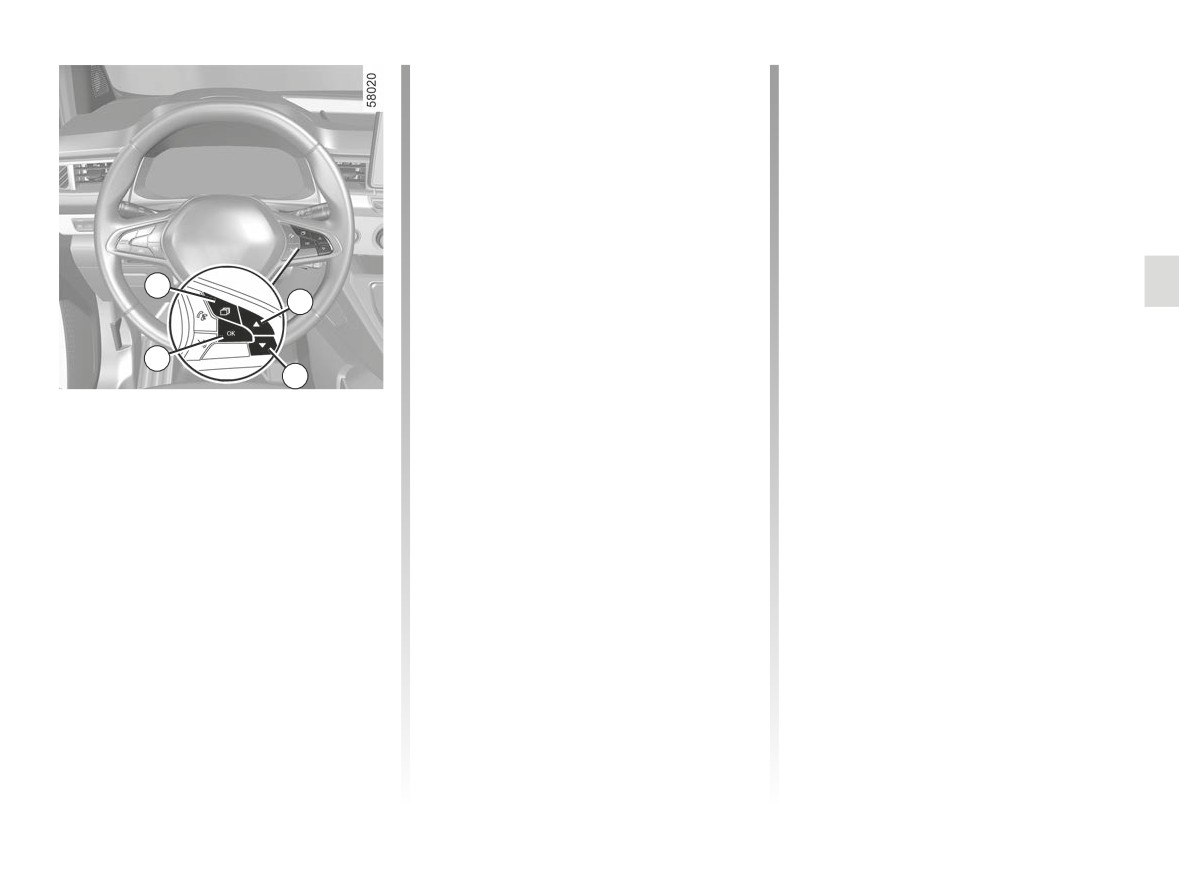
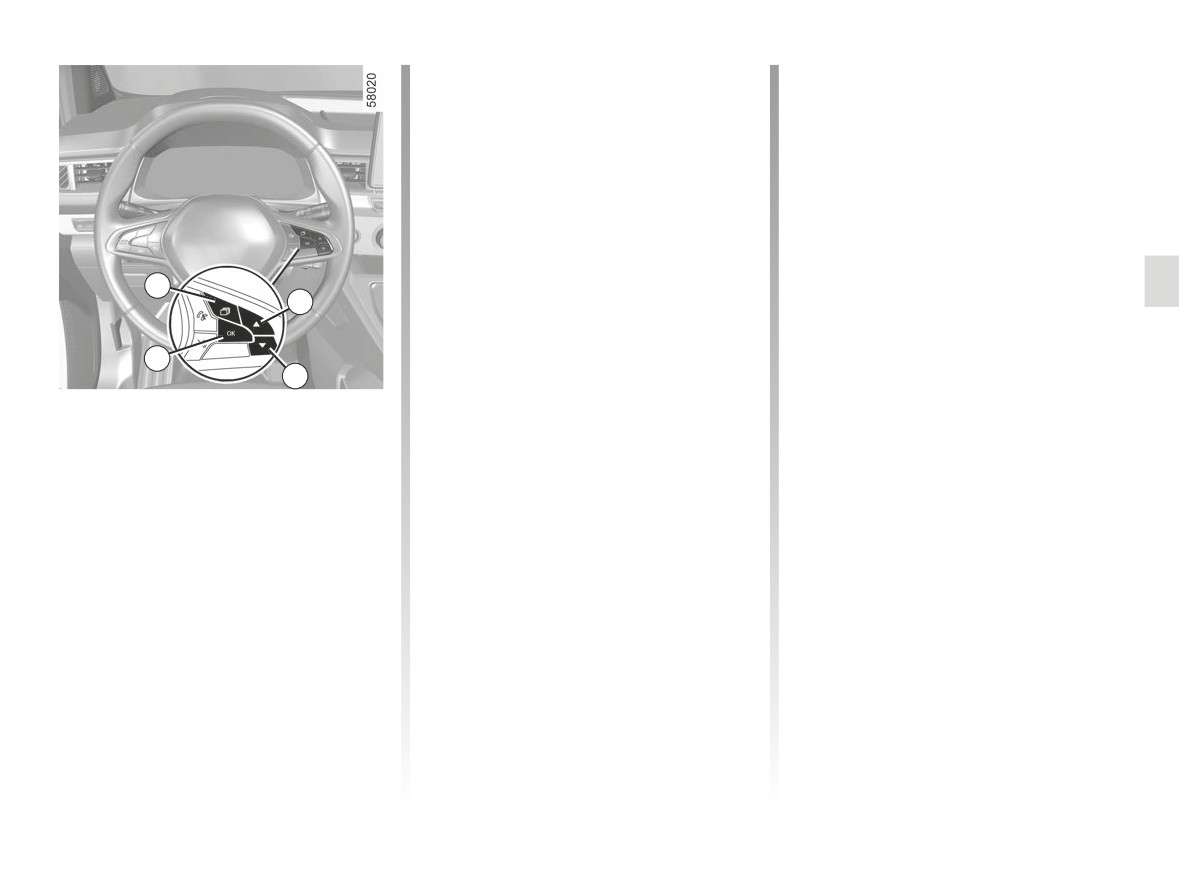
- repeatedly press the control 3 up or
When a risk of fatigue is detected,
down until you reach the Fatigue de-
the message “Fatigue warning have a
tection warning menu, then press the
break” is displayed on the instrument
switch 2 OK .
panel accompanied by a beep.
- press the 2 OK switch again to acti-
Press switch 2 OK to delete the warn-
vate or deactivate the function.
ing.
It is advisable to stop as soon as pos-
2
Operation
sible for a break.
The function is set to notify the
Note:
driver if:
- if the warning is not deleted by press-
- the vehicle is driven for at least five
ing switch 2 OK, the beep repeats;
3
minutes after each time the vehicle is
- the function may interpret certain
stopped
driving styles as a sign of tiredness
- the vehicle speed is greater than ap-
(sporty driving, incorrect driving etc.)
proximately 40 mph (65 km/h);
Vehicles not fitted with a multimedia
or driving along a road which is in
and
screen
poor condition.
- approximately
10 minutes have
- With the vehicle at a standstill, press
passed since the deletion of the pre-
and hold the switch 2 OK to access
vious warning.
Operating faults
the settings menu;
The function triggers an alert if the
If the system detects a fault, the mes-
– repeatedly press the control 3 up or
system detects repeated signs of fa-
sage “Check fatigue warning” is dis-
down until you reach the “Driving as-
tigue in the driver at the steering wheel.
played on the instrument panel. Call an
sistance” menu. Press the switch 2
approved Dealer.
OK;
2.79
CarManuals2.co
DETECTION OF ROAD SIGNS (1/4)
For vehicles which are equipped with it,
Note: on vehicles not fitted with a nav-
1
the system also uses information from
igation system and when driving in a
the navigation system.
country where the speed units differ
from that of your vehicle, you can man-
Once the speed limiter is activated, you
ually select the corresponding speed
can adjust the speed limiter indication
unit on the instrument panel
(e.g.
displayed by the system.
change from miles to kilometres) in
If the limit speed is exceeded, the dis-
order to obtain the appropriate informa-
play panel is modified to warn the driver.
tion ➥ 1.122.
For vehicles equipped with a navigation
For countries where the speed limit is
system and if the vehicle is travelling in
reduced during rainy weather on some
a country where the speed units differ
types of roads, on vehicles equipped
from those of the vehicle, the system
with a navigation system, the system
displays the speed limit sign in the unit
can modify the limited speed after a few
of the country, alongside the speed limit
seconds of wiping the windscreen.
converted to the unit used by the vehi-
The system detects speed limit signs
cle’s instrument panel.
Special situations
on the side of the road and displays the
The system does not take into account
speed limit on the instrument panel.
exceptional speed limit measures, such
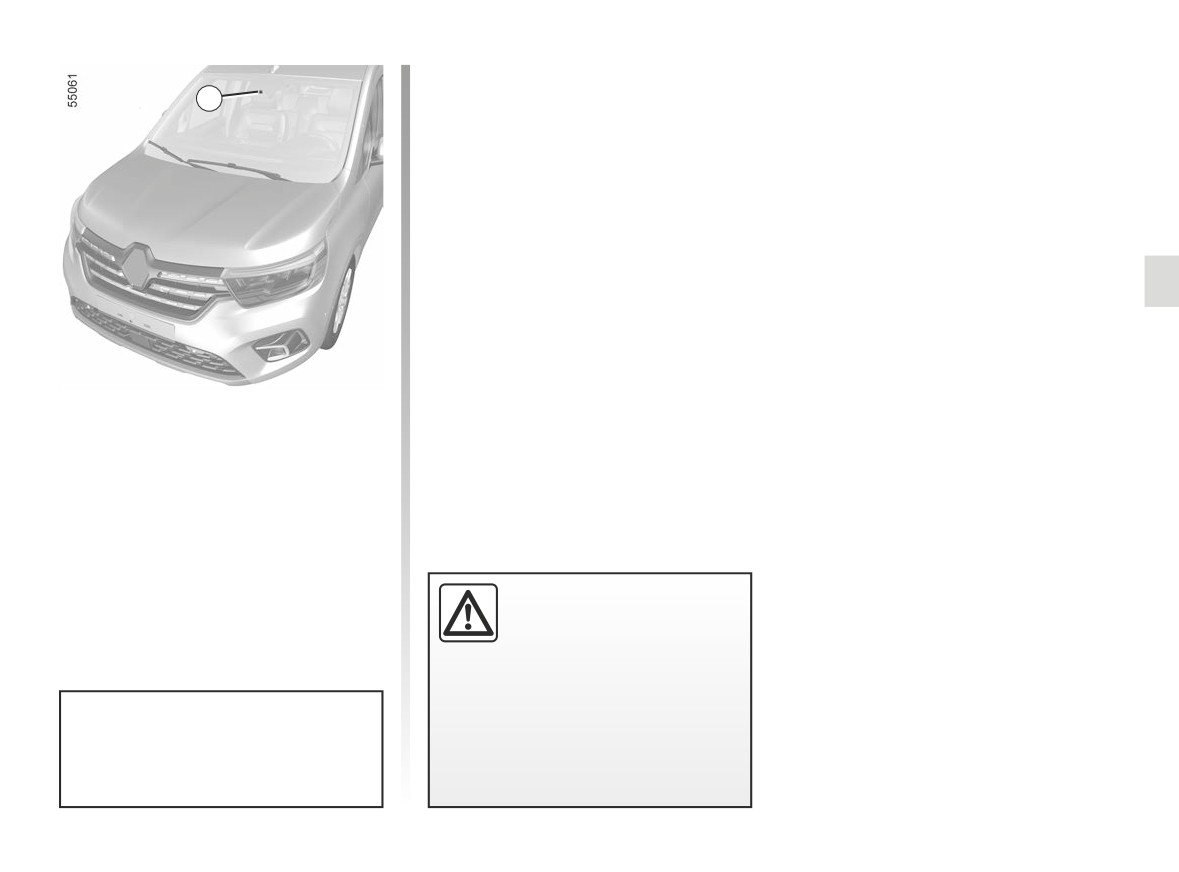
It mainly uses information taken from
as peak pollution days.
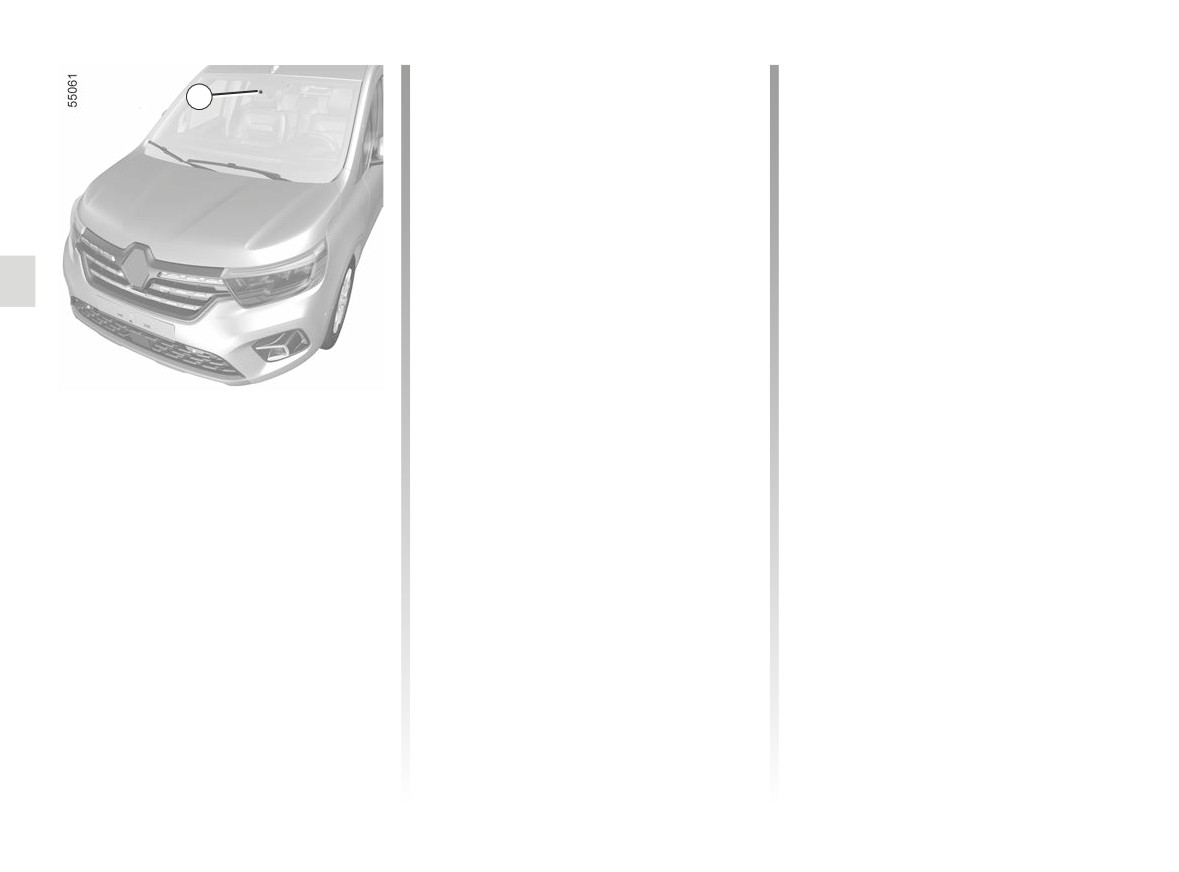
the camera 1, attached to the wind-
screen behind the rear view mirror.
Note: make sure the windscreen is not
obscured (dirt, mud, snow, condensa-
tion etc.).
2.80
CarManuals2.co
DETECTION OF ROAD SIGNS (2/4)
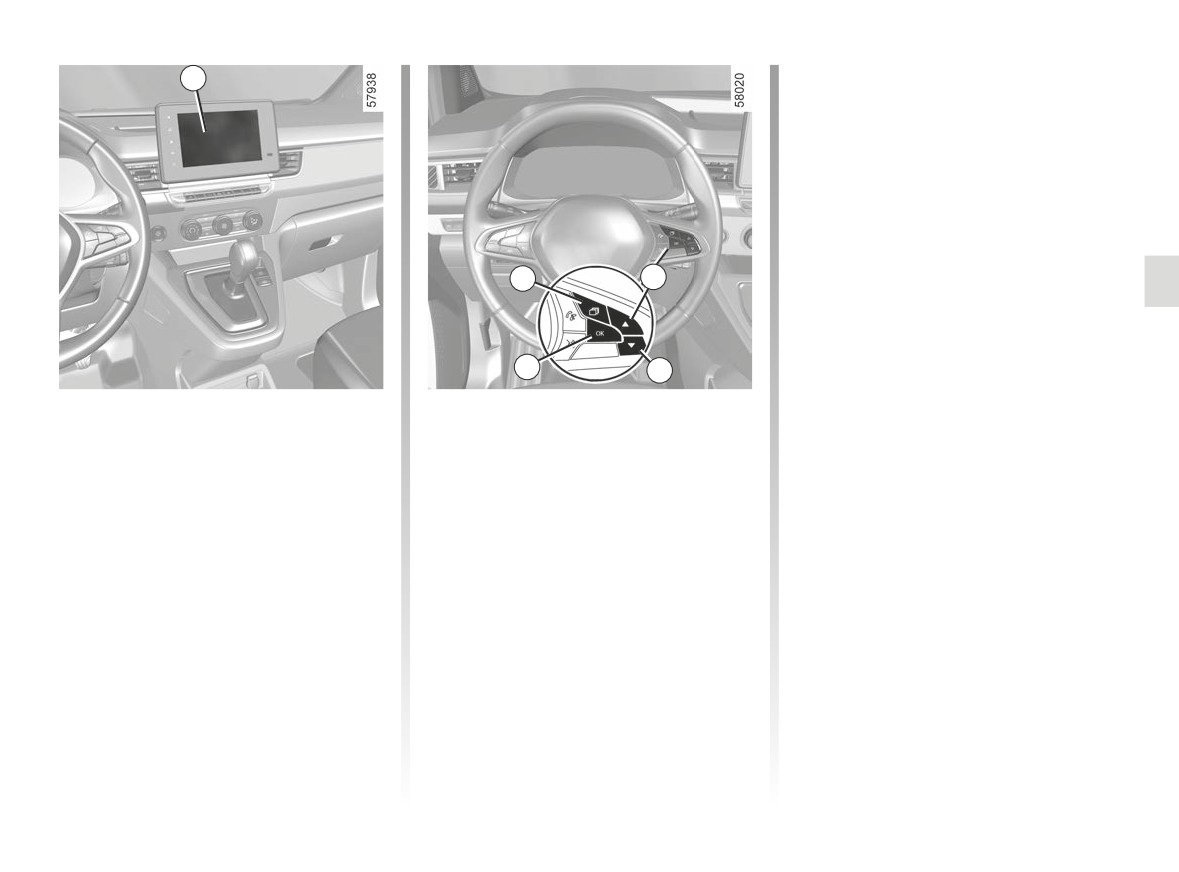
Vehicles not fitted with a multimedia
2
screen
- With the vehicle stopped, press the
switch 3 as many times as required
to reach the “Vehicle” tab;
- press the 4 or 5 control repeatedly to
reach the “Settings” menu. Press the
switch 6 OK;
- press the 4 or 5 control repeatedly to
3
4
reach the “DRIVING ASSIST” menu.
Press the switch 6 OK;
- press the 4 or 5 control repeatedly
to reach the “Speed alert” menu and
6
5
press the 6 OK switch;
Activating/deactivating the
With the function activated, depending
- press the 6 OK switch to activate or
on local regulations, you can activate
deactivate the function:
system
the “Display risk areas” option. The
Vehicles fitted with a multimedia
system will notify you of the distance
=
function activated;
screen 2
separating you from this zone, and
while you are travelling in the zone.
<
function deactivated.
To activate or deactivate the function,
refer to the multimedia instructions.
Select “ON” or “OFF”.
2.81
CarManuals2.co
DETECTION OF ROAD SIGNS (3/4)
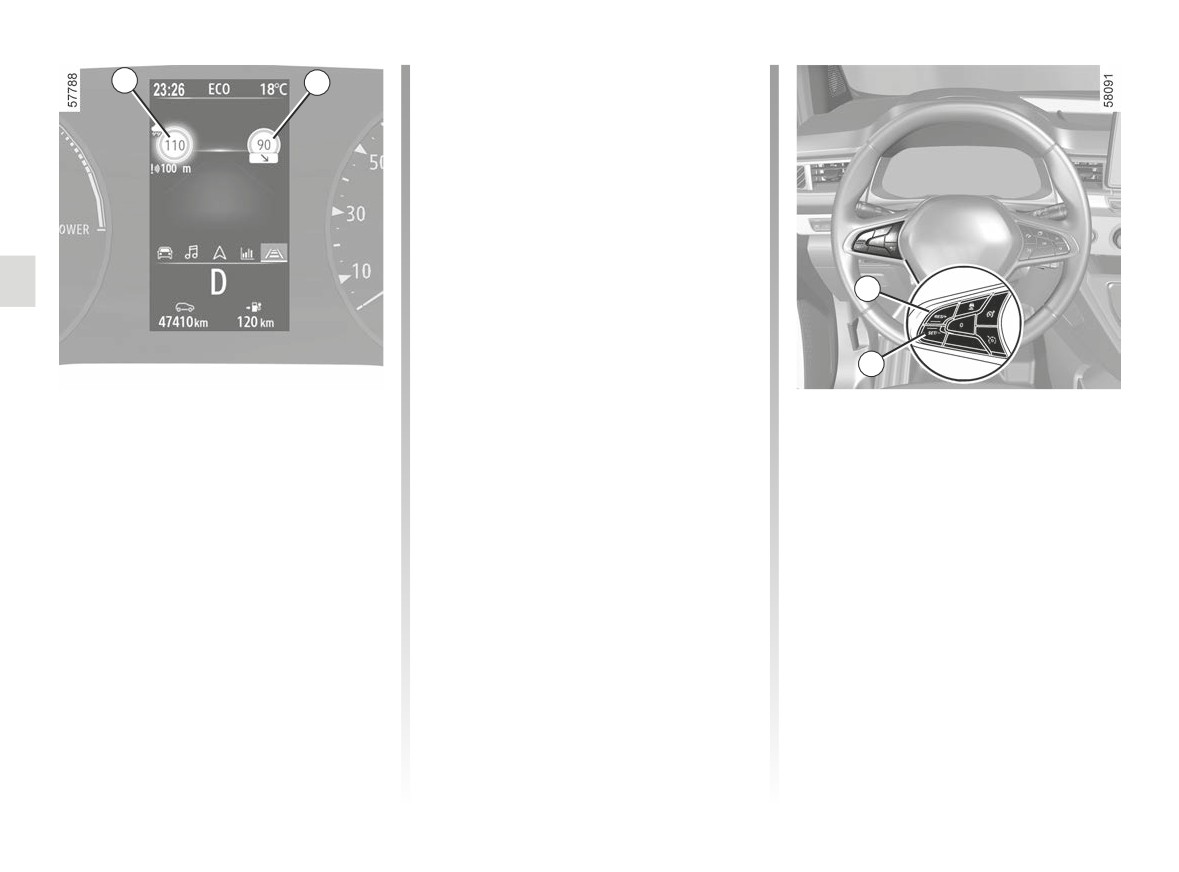
If the speed limit is exceeded, the circle
7
8
around the panel flashes (7 warning
light) along with a sound signal to warn
the driver.
9
10
Operation
Varying the limit speed
If the Stop and Go adaptive cruise con-
Warning lights
trol, cruise control or speed limiter noti-
The function displays the following
fication speed differs from the detected
warning lights:
speed value, press and hold the follow-
7 Speed limit road signs
ing switches:
8 Additional road signs (start or end
- 9 (RES/+) to increase the notification
of “No overtaking” zone, slip road
speed to the detected speed;
speed limit, speed in case of a cara-
- 10 (SET/-) to reduce the notification
van, speed limit with length of appli-
speed to the detected speed.
cation, etc.)
2.82
CarManuals2.co