Lexus RZ450E (2023 year). Manual in english - page 12
 

  Index      Manuals     Lexus RZ450E (2023 year). Manual in english


Search            copyright infringement  


Content      ..     10      11      12      13     ..


Lexus RZ450E (2023 year). Manual in english - page 12


371

6-2. Using the safe driving support functions

6

Driving suppo

rt 

sys
te

m

Stop operating conditions of Parking 

Support Brake (Static Objects Front 

and Rear of the vehicle/Static Objects 

Around the vehicle)

The function will stop operating if any of the 

following conditions are met:

EV system output restriction control

• PKSB (Parking Support Brake) system is 

disabled.

• The collision becomes avoidable with 

normal brake operation.

• The static object is no longer approxi-

mately 6 to 13 ft. (2 to 4 m) away from the 

vehicle or in the traveling direction of the 

vehicle.

Brake control

• PKSB (Parking Support Brake) system is 

disabled.

• Approximately 2 seconds have elapsed 

since the vehicle was stopped by brake 

control.

• The brake pedal is depressed after the 

vehicle is stopped by brake control.

• The static object is no longer approxi-

mately 6 to 13 ft. (2 to 4 m) away from the 

vehicle or in the traveling direction of the 

vehicle.

Objects which the system may not be 

properly detected

P.350

Object warning function operating con-

ditions

P.355

Situations in which the system may not 

operate properly

P.350

Situations in which the system may 

operate even if there is no possibility of a 

collision with Static Objects Front and 

Rear of the vehicle

P.351

Situations in which the system may 

operate even though there is no possi-

bility of a collision with Static Objects 

Around the vehicle

In addition to the situations in which the sys-

tem may operate even if there is no possibil-

ity of a collision with Static Objects Front 

and Rear of the vehicle (

P.351), objects 

may not be detected by the sensors when 

your vehicle is moving sideways, such as 

when parallel parking

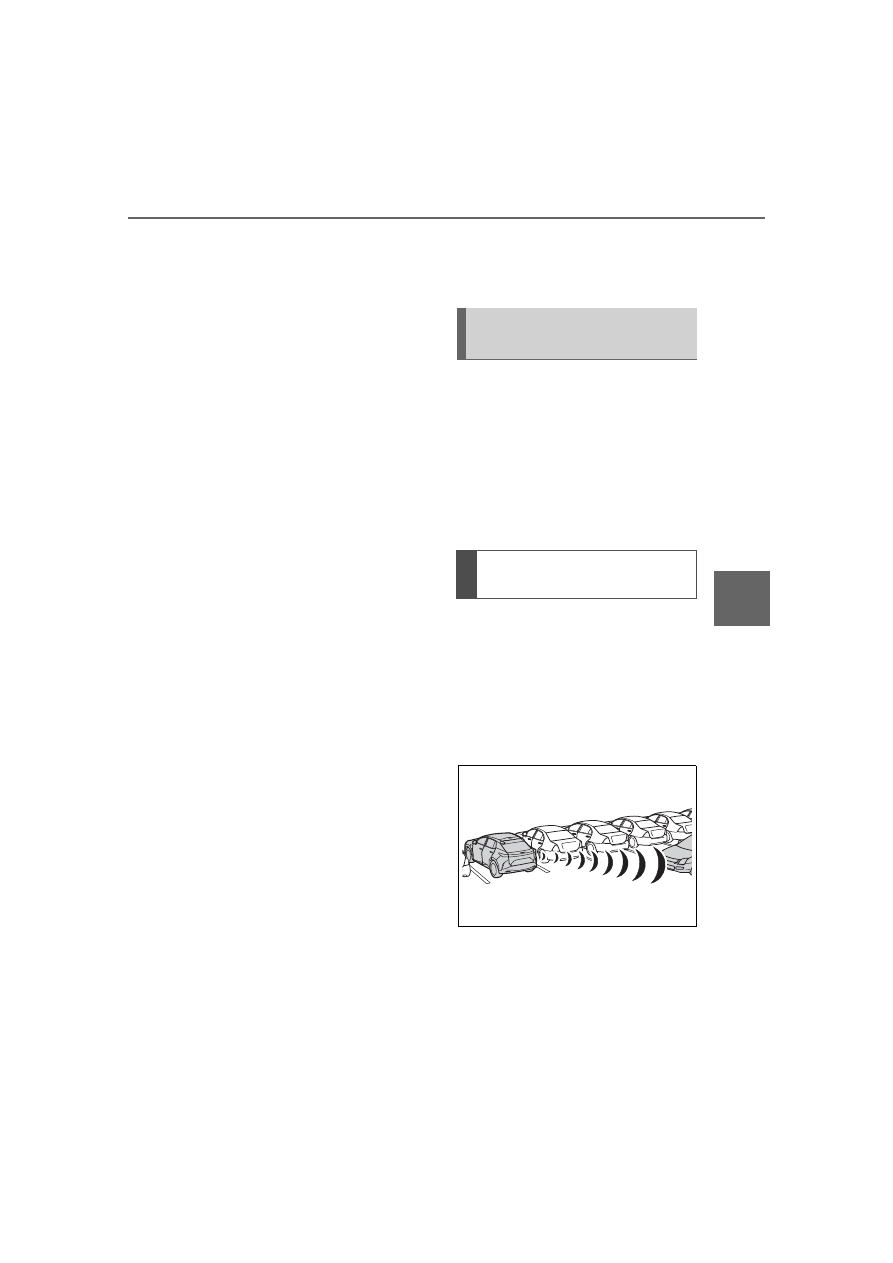
If a rear radar sensor detects a vehicle 
approaching from the right or left at 
the rear of the vehicle and the system 
determines that the possibility of a col-
lision is high, this function will perform 
brake control to reduce the likelihood 
of an impact with the approaching 
vehicle.

This function will operate in situations 
such as the following if a vehicle is 
detected in the traveling direction of 
the vehicle.

When reversing, a vehicle is 
approaching and the brake pedal is 
not depressed, or is depressed late

Types of sensors

P.339

Parking Support Brake (Moving 
Vehicles Rear of the Vehicle)

Examples of the Moving Vehicles 
Rear of the Vehicle operation

372

6-2. Using the safe driving support functions

Operating conditions of Parking Sup-

port Brake (Moving Vehicles Rear of the 

Vehicle)

The function will operate when the driving 

assist infomation indicator is not illuminated 

(

P.238, 481) and all of the following con-

ditions are met:

EV system output restriction control

• PKSB (Parking Support Brake) system is 

enabled.

• The vehicle speed is approximately 9 

mph (15 km/h) or less.

• Vehicles which are approaching from the 

right or left at the rear of the vehicle at a 

traveling speed of approximately 5 mph 

(8 km/h) or more.

• The shift position is in R.

• The PKSB (Parking Support Brake) 

determines that a stronger than normal 

brake operation is necessary to avoid a 

collision.

Brake control

• EV system output restriction control is 

operating.

• The PKSB (Parking Support Brake) 

determines that an emergency brake 

operation is necessary to avoid a collision 

with an approaching vehicle.

Stop operating conditions of Parking 

Support Brake (Moving Vehicles Rear 

of the Vehicle)

The function will stop operating if any of the 

following conditions are met:

EV system output restriction control

• PKSB (Parking Support Brake) system is 

disabled.

• The collision becomes avoidable with 

normal brake operation.

• A vehicle is no longer approaching from 

the right or left at the rear of the vehicle.

Brake control

• PKSB (Parking Support Brake) system is 

disabled.

• Approximately 2 seconds have elapsed 

since the vehicle was stopped by brake 

control.

• The brake pedal is depressed after the 

vehicle is stopped by brake control.

Situations in which the system may not 

operate properly

P.359

Situations in which the system may 

operate even if there is no possibility of a 

collision

P.360

If the rear camera sensor detects a 
pedestrian behind the vehicle while 
backing up and the system determines 
that the possibility of colliding with the 
detected pedestrian is high, a buzzer 
will sound. If the system determines 
that the possibility of colliding with the 
detected pedestrian is extremely high, 
the brakes will be applied automatically 
to help reduce the impact of the colli-
sion.
When a pedestrian is detected behind 
the vehicle while backing up and the 
brake pedal is not depressed or is 
depressed late, the PKSB system will 
operate automatically.

WARNING

To ensure the system can operate 

properly

P.339

Parking Support Brake (Pedes-
trians Rear of the Vehicle)

373

6-2. Using the safe driving support functions

6

Driving 

suppo

rt 

sys
te

m

Displays a message to urge the driver 
to take evasive action when a pedes-
trian is detected in the detection area 
behind the vehicle. (A message will 
also be displayed on the center dis-
play.)

Pedestrian detection icon
Brake reminder

Operating conditions of Parking Sup-

port Brake (Pedestrians Rear of the 

Vehicle)

The function will operate when the driving 

assist infomation indicator is not illuminated 

(

P.238, 481) and all of the following con-

ditions are met:

EV system output restriction control

• PKSB (Parking Support Brake) system is 

enabled.

• The vehicle speed is 9 mph (15 km/h) or 

less.

• The shift position is in R.

• A pedestrian is behind the vehicle.

• The system determines that a slightly 

stronger brake operation than usual is 

needed to avoid a collision.

Brake control

• EV system output restriction control is 

operating.

• The PKSB (Parking Support Brake) 

determines that an emergency brake 

operation is necessary to avoid a collision 

with a pedestrians.

Stop operating conditions of Parking 

Support Brake (Pedestrians Rear of the 

Vehicle)

The function will stop operating if any of the 

following conditions are met:

EV system output restriction control

• PKSB (Parking Support Brake) system is 

disabled.

• The collision becomes avoidable with 

normal brake operation.

• The pedestrian is no longer detected 

behind your vehicle.

Brake control

• PKSB (Parking Support Brake) system is 

disabled.

• Approximately 2 seconds have elapsed 

since the vehicle was stopped by brake 

control.

• The brake pedal is depressed after the 

vehicle is stopped by brake control.

Re-enabling the system

P.368

Situations in which the system may not 

operate properly

P.363

Situations in which the system may 

operate unexpectedly

P.363

Pedestrians Rear of the Vehicle 
display

WARNING

If the system operates unnecessarily

Depress the brake pedal immediately 

after the system operates. (Operation of 

the function is canceled by depressing 

the brake pedal.)

Correct use of the system

P.361

A
B

374

6-2. Using the safe driving support functions

*

: If equipped

The Advanced Park is a system which 
assists in a safe and smooth parking or 
exiting from a parking space by dis-
playing the blind spots around the vehi-
cle and the target parking spot through 
a bird’s eye view, delivering operation 
guidance through displays and buzzer 
operation, and shifting the shift posi-
tion, operating the steering wheel, 
accelerator pedal, and brake pedal.
Additionally, the panoramic view moni-
tor

*

 can display the area in front, 

behind, and from above the vehicle, 
helping confirm the condition of the 
area around the vehicle.
The turn signal lights will blink automat-
ically when the parking assistance 
starts until the vehicle reaches the tar-
get parking spot, to notify people 
around the vehicle that parking is being 
performed.

Depending on the condition of the road 
surface or the vehicle, the distance 
between the vehicle and a parking space, 
etc., it may not be possible to assist in park-
ing in the target space.

*

: For details on the panoramic view moni-

tor refer to “MULTIMEDIA OWNER’S 
MANUAL”.

Perpendicular parking (for-
ward/reverse) function

Assistance is provided from the posi-
tion the vehicle is stopped near the tar-
get parking space until the vehicle is in 
the parking space. (

P.381)

Perpendicular exiting (for-
ward/reverse) function

Assistance is provided from the parked 
position until the vehicle is in a position 
where you can easily exit from the 
parking space. (

P.384)

Parallel parking function

Assistance is provided from the posi-
tion the vehicle is stopped near the tar-
get parking space until the vehicle is in 
the parking space. (

P.385)

Parallel exiting function

Assistance is provided from the parked 
position until the vehicle is in a position 
where you can easily exit from the 
parking space. (

P.388)

Memory function

Assistance is provided until the vehicle 
is guided into a previously registered 
parking space. (

P.390)

Lexus Teammate Advanced 
Park

*

Function description of the 
Lexus Teammate Advanced Park

Functions

WARNING

Cautions regarding the use of the sys-

tem

The recognition and control capabilities 

for this system are limited. The driver 

should always drive safety by always 

being responsible without over relying 

on the system and have a understanding 

of the surrounding situations.

375

6-2. Using the safe driving support functions

6

Driving 

suppo

rt 

sys
te

m

WARNING

As with a normal vehicle, take care to 

observe your surroundings while the 

vehicle is moving.

Always pay attention to the vehicle’s 

surroundings while the system is oper-

ating and depress the brake pedal as 

necessary to slow or stop the vehicle.

When parking, make sure that the 

vehicle can be parked in the target 

parking space before beginning oper-

ation.

Depending on the condition of the 

road surface or the vehicle, the dis-

tance between the vehicle and a park-

ing space, etc., it may not be possible 

to detect a parking space or the sys-

tem may not be able to provide assis-

tance to the point the vehicle is fully 

parked.

This system will guide the vehicle to 

appropriate positions for changing the 

direction of travel, however, if you feel 

that the vehicle is approaching too 

close to an adjacent parked vehicle at 

any time, depress the brake pedal and 

shift the shift position. However, if this 

is performed, the number of times the 

vehicle changes direction may 

increase, and the vehicle may be 

parked at an angle.

As following objects may not be 

detected, make sure to check the 

safety of the area around your vehicle 

and depress the brake pedal to stop 

the vehicle if it may collide with an 

object.

• Wires, fences, ropes, etc.

• Cotton, snow and other materials that 

absorb sound waves

• Sharply-angled objects

• Low objects (curb stones, parking 

blocks, etc.)

• Tall objects with upper sections pro-

jecting outwards in the direction of 

your vehicle

Even if there is an object in the target 

parking space, it may not be detected 

and assistance may be performed.

While the system is operating, if it is 

likely that your vehicle will collide with 

a nearby vehicle, parking block, object, 

or person, depress the brake pedal to 

stop the vehicle and press the 

Advanced Park main switch to disable 

the system.

Never use only the center display to 

view the area behind the vehicle. The 

image displayed may differ than the 

actual situation. Using only the screen 

when backing up may lead to an acci-

dent, such as a collision with another 

vehicle. When backing up, make sure 

to look directly or use the mirrors to 

check the safety of the area around 

your vehicle, especially behind the 

vehicle.

When the ambient temperature is 

extremely low, the screen may appear 

dark or the displayed image may 

become unclear. Also, as moving 

objects may appear distorted or may 

not be able to be seen on the screen, 

make sure to directly check the safety 

of the area around your vehicle.

In the following situations, while the 

vehicle is stopped and held by 

Advanced Park, it may be canceled 

and the vehicle may start moving. 

Immediately depress the brake pedal. 

Failure to do so may lead to an acci-

dent.

• When the driver’s door is opened

• When operations instructed by the 

system are not performed within a cer-

tain amount of time

• When the brake pedal is depressed 

and the vehicle is stopped for a certain 

amount of time

376

6-2. Using the safe driving support functions

WARNING

• When the system malfunctions

As the steering wheel will turn while 

this system is operating, pay attention 

to the following.

• Be careful so that a necktie, scarf, or 

arm does not get caught. Keep your 

upper body away from the steering 

wheel. Also, keep children away from 

the steering wheel.

• Long fingernails may be caught and 

when the steering wheel is rotating, 

leading to injury.

• In an emergency, depress the brake 

pedal to stop the vehicle, and then 

press the Advanced Park main switch 

to disable the system.

Do not allow anyone to put their hands 

outside of a window while this system is 

operating.

To ensure correct operation of the 

Advanced Park

Observe the following precautions. Fail-

ing to do so may result in the vehicle 

being unable to be driven safely and pos-

sibly cause an accident.

Do not use this system in situations 

such as the following:

• When in areas other than common 

parking spaces

• When the surface of the parking space 

is sand or gravel and is not clearly 

defined with parking space lines

• When the parking space is not level, 

such as when on a slope or has differ-

ences in height

• Mechanical parking system

• Parking lot with a device which raises 

to contact the bottom of the vehicle

• When the road surface is frozen, slick, 

or covered with snow

• When it is extremely hot and the 

asphalt is melting

• When there are objects around the 

vehicle

• When there is an object between your 

vehicle and the target parking spot or 

within the target parking spot (within 

the displayed blue box)

• When there is a gutter between your 

vehicle and the target parking space 

or within the target parking spot 

(within the displayed blue box)

• When there is a hole or gutter in the 

exit direction

• When in high pedestrian or vehicle 

traffic areas

• When the parking space is in a loca-

tion that is difficult to park in (too nar-

row for your vehicle, etc.)

• When images are unclear due to dirt 

or snow attached to the camera lens, 

light being shined into the camera or 

shadows

• When tire chains or a compact spare 

tire is installed to the vehicle

• When the doors or back door are not 

completely closed

• When an arm is held outside of a win-

dow

• In inclement weather such as heavy 

rain or snow

Make sure to use only standard sized 

tires, such as those that were installed 

to the vehicle when it was shipped 

from the factory. Otherwise, 

Advanced Park may not operate prop-

erly. Also, when the tires have been 

replaced, the displayed position of the 

lines or box displayed on the screen 

may become incorrect. When replac-

ing the tires, contact your Lexus dealer.

377

6-2. Using the safe driving support functions

6

Driving 

suppo

rt 

sys
te

m

Cameras and sensors are used to 
detect parked vehicles, making it eas-
ier to identify parking spaces.

Front camera

Side cameras

Rear camera

Sensors

P.348

Camera images

As special cameras are used, the colors in 

displayed images may differ from the actual 

color.

Precautions for use

For details on the following, refer to “Pan-

oramic view monitor (Vehicles equipped 

with Lexus Teammate Advanced Park)” of 

“Peripheral monitoring system” in the 

WARNING

In situations such as the following, it 

may not be possible for the system to 

provide assistance to a registered 

parking spot:

• When the tires are extremely worn or 

the tire inflation pressure is low

• When carrying a heavy load

• When the vehicle is tilted due to the 

carried load

• When a heater is installed in the sur-

face of the parking space (road sur-

face freeze prevention heater)

• When the wheels are misaligned, such 

after a wheel has been subjected to a 

strong impact

• When a pedestrian or passing vehicle 

is detected during assistance

• When something is incorrectly 

detected as a parking line (light, reflec-

tions from a building, difference in 

height on the parking surface, a gutter, 

painted road lines, redrawn lines, etc.)

If the vehicle deviates greatly from the set 

parking space in any situation other than 

the above, have the vehicle inspected by 

your Lexus dealer.

NOTICE

Precautions for use Advanced Park

If the 12-volt battery was discharged or 

has been removed and installed, fold and 

extend the outside rear view mirrors.

Types of cameras and sensors 
used for the Advanced Park

378

6-2. Using the safe driving support functions

“MULTIMEDIA OWNER’S MANUAL”.

Displayable range of the screens

Cameras

Differences between displayed images 

and the actual road

Differences between displayed images 

and the actual objects

Detection range of the cameras and 

sensors

If a parked vehicle is behind the target 

parking space and the distance between 

it and the vehicle becomes far, it may no 

longer be able to be detected. Depend-

ing on shape or condition of a parked 

vehicle, the detection range may become 

short or the vehicle may not be detected.

Objects other than parked vehicles, such 

as columns, walls, etc., may not be 

detected. Also, if they are detected, they 

may cause the target parking space to be 

misaligned.

Situations in which parking space lines 

may not be recognized properly

In situations such as the following, park-

ing space lines on the road surface may 

not be detected:

• When the parking space does not use 

lines (parking space boundaries are 

marked with rope, blocks, etc.)

• When the parking space lines are faded 

or dirty, making them unclear

• When the road surface is bright, such as 

concrete, and the contrast between it and 

the white parking space lines is small

• When the parking space lines are any 

color other than yellow or white

• When the area surrounding the parking 

space is dark, such as at night, in an 

underground parking lot, parking garage, 

etc.

• When it is raining or has rained and the 

road surface is wet and reflective or there 

are puddles

• When the sun is shining directly into a 

camera, such as in the early morning or 

evening

• When the parking space is covered with 

snow or de-icing agent

• When there marks from repairs or other 

marks on the road surface, or there is a 

traffic bollard, or other object on the road 

surface

• When the color or brightness of the road 

surface is uneven

• When a camera has been splashed by 

hot or cold water and the lens has fogged 

up

• When the appearance of the parking 

space is affected by the shadow of the 

vehicle or trees

• When a camera lens is dirty or covered 

with water droplets

In situations such as the following, the tar-

get parking space may not be recognized 

correctly:

• When there marks from repairs or other 

marks on the road surface, or there is a 

parking block, traffic bollard, or other 

object on the road surface

• When it is raining or has rained and the 

road surface is wet and reflective or there 

are puddles

• When the area around the vehicle is dark 

or backlit

• When the color or brightness of the road 

surface is uneven

• When the parking space is on a slope

• When there are diagonal lines (access 

aisle) near the parking space

• When the appearance of the parking 

space is affected by the shadow of a 

parked vehicle (such as shadows from the 

grille, side step, etc.)

• When accessories which obstruct the 

view of the camera are installed

• When the parking space lines are faded 

or dirty, making them unclear

• When the appearance of the parking 

space is affected by the shadow of the 

vehicle or trees

Sensor detection information

P.352

Objects which the sensor may not be 

properly detected

P.350

Situations in which the sensor may not 

operate properly

P.350

379

6-2. Using the safe driving support functions

6

Driving 

suppo

rt 

sys
te

m

Situations in which parking assistance 

may not operate even if there is no pos-

sibility of a collision

P.351

1

Press the Advanced Park main 
switch.

If the switch is pressed while assistance is 

being performed, the assistance will be 

canceled.

Operating conditions of the Advanced 

Park

Assistance will begin when all of the follow-

ing conditions are met:

The brake pedal is depressed

The vehicle is stopped

The driver’s seat belt is fastened

The steering wheel is not being operated

The accelerator pedal is not depressed

All of the doors and the back door are 

closed

The outside rear view mirrors are not 

folded

The parking brake is not engaged

The dynamic radar cruise control are not 

operating

ABS, VSC, TRAC, PCS and PKSB are 

not operating

The vehicle is not on a steep slope

The VSC and TRAC are not turned off

If assistance cannot be started, check the 

message displayed on the center display. 

(

P.397)

Guidance screens are displayed on the 
center display.

WARNING

Precautions for the cameras and sen-

sors

Due to the characteristics of the cam-

era lens, the position of and distance to 

people and objects displayed on the 

screen may differ from the actual situa-

tion. For details, refer to “MULTIME-

DIA OWNER’S MANUAL”.

Make sure to observe the precautions 

for using the intuitive parking assist, 

otherwise a sensor may not operate 

correctly, possibly leading to an acci-

dent. (

P.349)

In situations such as the following, the 

sensors may not operate correctly, 

possibly leading to an accident. Pro-

ceed carefully.

• When there is a parked vehicle next to 

the target parking space, if the dis-

played target parking space is far from 

the actual target parking space, a sen-

sor may be misaligned. Have the vehi-

cle inspected by your Lexus dealer.

• Do not install any accessories near the 

detection area of the sensors.

Turning the Advanced Park sys-
tem on/off

Advanced Park guidance 
screens

380

6-2. Using the safe driving support functions

Guidance screen (When assistance 
starts)

Target parking space box (blue)
Advice display
Parking type change button

If multiple buttons are displayed, depend-
ing on the condition of the button its func-
tion differs as follows.

 or 

: Change the target to another 

parking space.

 or 

: Select the current target park-

ing space.

: Select to change to the parallel park-

ing function

: Change the perpendicular parking 

(forward/reverse) function

“MODE” button

Select to change between the memory 
function and the perpendicular parking 
(forward/reverse) function and parallel 
parking function. (

P.392)

“Start” button

Select to start parking assistance.

Perpendicular parking direction 
change button

Select to change between the parking (for-
ward) function and parking (reverse) func-
tion.

: Change the perpendicular parking 

(forward) function

: Change the perpendicular parking 

(reverse) function

Customize setting button

Select to display the Advanced Park set-
ting screen. (

P.395)

Registration button

Select to begin registering a parking 
space.

Guidance screen (When reversing)

Operation icon

Displayed when the Advanced Park is 
operating.

Guide lines (yellow and red)

Display points from the center of the edge 
of the front or rear bumper to the target 
stopping position (yellow)

*

 and approxi-

mately 1 ft. (0.3 m) (red) from the vehicle.

Moving object warning icon
Emergency support brake control 
operation display

“BRAKE!” is displayed.

Intuitive parking assist display

P.348

*

: The yellow lateral line is not displayed 

when the target stopping position is 
approximately 8.2 ft. (2.5 m) or more 
away from the vehicle.

A
B
C

D

E

F

G

H

A

B

C
D

E

381

6-2. Using the safe driving support functions

6

Driving suppo

rt 

sys
te

m

Intuitive parking assist pop-up display

Regardless of whether the intuitive parking 

assist is off or on (

P.349), if an object is 

detected by the intuitive parking assist 

when the Advanced Park is operating, the 

intuitive parking assist pop-up display will 

automatically be displayed over the guid-

ance display.

Brake control operation when 

Advanced Park is operating

While the Advanced Park is operating, if the 

system determines that the possibility of 

collision with detected moving or stationary 

object is high, the EV system output restric-

tion control and brake control will operate.
If brake control operates, Advanced Park 

operation will be suspended and a message 

will be displayed on the multi-information 

display.

Buzzer

Depending on surrounding sounds or 

sounds from other systems, it may be diffi-

cult to hear the buzzer of this system.

If a black screen is displayed on the cen-

ter display when the Advanced Park is 

operating

The system is being affected by radio waves 

or may be malfunctioning. If a radio antenna 

is installed near a camera, move it to a loca-

tion as far from the cameras as possible. If a 

radio antenna is not installed near a camera, 

and the screen does not return to normal 

after turning the power switch off and then 

starting the EV system again, have the vehi-

cle inspected by your Lexus dealer.

The perpendicular parking (for-
ward/reverse) function can be used if 
the target parking space can be 
detected when the vehicle is stopped 
close and perpendicular to the center 
of the parking space. Also, depending 
on the condition of the parking space, 

etc., if it is necessary to change the 
direction of travel of the vehicle, the 
shift position can be shifted by assis-
tance control.

1

Stop the vehicle at a position close 
and perpendicular to the center of 
the target parking space.

If there are parking space lines

Approximately 3.3 ft. (1 m)

*

Approximately 8.2 ft. (2.5 m)

*

Approximately 19.7 ft. (6 m) or 
more

*

Approximately 18.0 ft. (5.5 m) or 
more

*

The system can operate even if there is a 

parking space line on only one side of the 

target parking space.

*

: This is a reference measurement for 

detection of a parking space. Depending 
on the surrounding environment, detec-
tion may not be possible.

Perpendicular parking (for-
ward/reverse) function

Parking using the perpendicular 
parking (forward/reverse) func-
tion

A
B
C

D

382

6-2. Using the safe driving support functions

If there is an adjacent parked vehicle

Approximately 3.3 ft. (1 m)

*

Approximately 9.8 ft. (3 m) or 
more

*

Approximately 19.7 ft. (6 m) or 
more

*

Approximately 18.0 ft. (5.5 m) or 
more

*

The system can operate even if there is a 

vehicle on only one side of the target park-

ing space.

*

: This is a reference measurement for 

detection of a parking space. Depending 
on the surrounding environment, detec-
tion may not be possible.

2

Press the Advanced Park main 
switch and check that a possible 

parking space is displayed on the 
center display.

If a space which your vehicle can be 
parked is detected, a target parking 
space box will be displayed.

If it is possible to parallel park in the 
space, select the parking space, and 
then select 

 to change to the 

parallel parking function.

If it is possible to change the direc-
tion which a parking space is 
entered, select the parking space, 
and then select 

 or 

 change 

the direction.

Depending on the surrounding 
environment, it may not be possible 
to use this function. According to 
the information displayed on the 
center display, use the function on 
another parking space.

3

Select “Start” button.

A buzzer will sound, an operation message 

will be displayed on the multi-information 

A
B

C

D

383

6-2. Using the safe driving support functions

6

Driving 

suppo

rt 

sys
te

m

display, and assistance will begin operating.

When the brake pedal is released, 
“Moving Forward…”, “Backing Up…” 
will be displayed and the vehicle will 
begin moving forward/reverse.

To cancel assistance, press the 
Advanced Park main switch.

If assistance is canceled, “Advanced Park 

Cancel” will be displayed.
If you feel that the vehicle is approaching 

close to a surrounding vehicle, object, per-

son, or gutter: 

P.383

4

Perform operations as indicated by 
the advice displays until the vehicle 
stops in the target parking space.

When the vehicle stops, “Advanced Park 

Finished” will be displayed and parking 

assistance will end.

If you select 

 on the center display, the 

vehicle displayed on the parking assist 

completion screen will rotate.

If you feel that the vehicle is approach-

ing close to a surrounding vehicle, 

object, person, or gutter

Depress the brake pedal to stop the vehicle 

and then shift the shift position to change 

the direction of travel of the vehicle. At this 

time, assist will be suspended. However, if 

the “Start” button is selected, assist will 

resume and the vehicle will move in the 

direction corresponding to the selected 

shift position.

When the brakes have been operated

When the brakes have been operated, 

brake operation sound may be heard. This 

does not indicate a malfunction.

NOTICE

When using the perpendicular park-

ing (forward/reverse) function

Make sure that there are no obstruc-

tions within the yellow guide lines and 

between the vehicle and target park-

ing spot. If there are any obstructions 

between the vehicle and the target 

parking space, or between the yellow 

guide lines, cancel the function.

As the target parking space will not be 

able to be set correctly if the surface of 

the parking space is on a slope or has 

differences in height, the vehicle may 

stray from the target parking space or 

be slanted. Therefore, do not use the 

function for this kind of parking spot.

When parking in a narrow parking 

space, the vehicle may closely 

approach an adjacent parked vehicle. 

If a collision seems likely, depress the 

brake pedal to stop the vehicle.

384

6-2. Using the safe driving support functions

When exiting from a perpendicular 
parking space, if the system deter-
mines that exit is possible the perpen-
dicular exiting (forward/reverse) 
function can be used. Also, depending 
on the surrounding environment, if it is 
necessary to change the direction of 
travel of the vehicle, the shift position 
can be shifted by assistance control.

1

With the brake pedal depressed 
and P shift position selected, press 
the Advanced Park main switch 
and check that the exit direction 

selection screen is displayed on the 
center display.

2

Select an arrow on the center dis-
play to select the direction you wish 
to exit.

If the turn signal lever is operated, only exit 

to the left or right can be selected.

3

Depress the brake pedal and select 
“Start” button.

A buzzer will sound, an operation message 

will be displayed on the multi-information 

display, and assistance will begin operating.

To cancel assistance, press the Advanced 

Park main switch.
If assistance is canceled, “Advanced Park 

Cancel” will be displayed.
If you feel that the vehicle is approaching 

close to a surrounding vehicle, object, per-

son, or gutter: 

P.383

NOTICE

If a detected parked vehicle is narrow 

or parked extremely close to the curb, 

the position at which assistance will 

park the vehicle will also be close to 

the curb. If it seems likely the vehicle 

will collide with something or drive off 

of the road, depress the brake pedal to 

stop the vehicle, and then press the 

Advance Park main switch to disable 

the system.

Advanced Park perpendicular 
exiting (forward/reverse) func-
tion

Leaving a parking space using the 
perpendicular exiting (for-
ward/reverse) function

385

6-2. Using the safe driving support functions

6

Driving suppo

rt 

sys
te

m

4

Perform operations as indicated by 
the advice displays until the vehicle 
is in a position where exit is possi-
ble.

When the vehicle reaches a position where 

exit is possible, “You can exit by moving the 

steering wheel” will be displayed. If the 

steering wheel is operated, “Advanced 

Park Finished” will be displayed and assis-

tance will end.
As assistance will end while the vehicle is 

moving, grip the steering wheel and drive 

forward.

If the steering wheel is not operated, the 

vehicle will stop at the exit position. Assis-

tance can be ended by depressing the 

accelerator pedal or brake pedal.

If you feel that the vehicle is approach-

ing close to a surrounding vehicle, 

object, person, or gutter

P.383

Perpendicular exiting (for-

ward/reverse) function

Do not use exiting (forward/reverse) func-

tion in any situation other than when exiting 

a parallel parking spot. If assistance is 

started unintentionally, depress the brake 

pedal and stop the vehicle, then press the 

Advanced Park main switch to cancel assis-

tance.

Situations in which the perpendicular 

exiting (forward/reverse) function will 

not operate

In situations such as the following, the per-

pendicular exiting (forward/reverse) func-

tion will not operate:

When a vehicle which is waiting to park is 

in the exit direction

When a wall, column, or person is 

detected as near a front or rear center or 

corner sensor

When the brakes have been operated

P.383

The parallel parking function can be 
used if the target parking space can be 
detected when the vehicle is stopped 
close and aligned with the center of the 
parking space. Also, depending on the 
condition of the parking space, etc., if it 
is necessary to change the direction of 
travel of the vehicle, the shift position 
can be shifted by assistance control.

1

Stop the vehicle with it aligned near 
the center of the target parking 
space.

Advanced Park parallel parking 
function

Parking using the parallel parking 
function

386

6-2. Using the safe driving support functions

If there are parking space lines

Approximately 3.3 ft. (1 m)

*

Approximately 19.7 ft. (6 m)

*

Approximately 14.8 ft. (4.5 m) or 
more

*

Approximately 26.2 ft. (8 m) or 
more

*

*

: This is a reference measurement for 

detection of a parking space. Depending 
on the surrounding environment, detec-
tion may not be possible.

If there is an adjacent parked vehicle

Approximately 3.3 ft. (1 m)

*

Approximately 23.0 ft. (7 m)

*

Approximately 14.8 ft. (4.5 m) or 
more

*

Approximately 26.2 ft. (8 m) or 
more

*

*

: This is a reference measurement for 

detection of a parking space. Depending 
on the surrounding environment, detec-
tion may not be possible.

2

Press the Advanced Park main 
switch and check that a possible 

A
B
C

D

A
B
C

D

387

6-2. Using the safe driving support functions

6

Driving suppo

rt 

sys
te

m

parking space is displayed on the 
center display.

If a space which your vehicle can be 
parked is detected, a target parking 
space box will be displayed.

If it is possible to perpendicular 
parking (forward/reverse) in the 
space, select the parking space, and 
then select 

 to change to the 

perpendicular parking (for-
ward/reverse) function.

Depending on the surrounding 
environment, it may not be possible 
to use this function. According to 
the information displayed on the 
center display, use the function on 
another parking space.

3

Select “Start” button.

A buzzer will sound, an operation message 

will be displayed on the multi-information 

display, and assistance will begin operating.

When the brake pedal is released, 
“Moving Forward…” will be dis-
played and the vehicle will begin 
moving forward.

To cancel assistance, press the 
Advanced Park main switch.

If assistance is canceled, “Advanced Park 

Cancel” will be displayed.
If you feel that the vehicle is approaching 

close to a surrounding vehicle, object, per-

son, or gutter: 

P.383

4

Perform operations as indicated by 
the advice displays until the vehicle 
stops in the target parking space.

When the vehicle stops, “Advanced Park 

Finished” will be displayed and parking 

assistance will end.

If you select 

 on the center display, the 

vehicle displayed on the parking assist 

completion screen will rotate.

388

6-2. Using the safe driving support functions

If you feel that the vehicle is approach-

ing close to a surrounding vehicle, 

object, person, or gutter

P.383

If “No available parking space” is dis-

played

Even if the vehicle is stopped parallel to a 

parking space, an adjacent parked vehicle 

may not be detected. In this case, if the vehi-

cle is moved to a position that a parked 

vehicle can be detected, assistance can be 

started.

When the brakes have been operated

P.383

When exiting from a parallel parking 
space, if the system determines that 
exit is possible the parallel exiting func-
tion can be used. Also, depending on 
the surrounding environment, if it is 
necessary to change the direction of 
travel of the vehicle, the shift position 
can be shifted by assistance control.

NOTICE

When using the parallel parking func-

tion

Make sure that there are no obstruc-

tions within the yellow guide lines and 

between the vehicle and target park-

ing spot. If any obstructions are 

detected within the yellow guide lines 

or between the vehicle and the target 

parking space, the parallel parking 

function will be cancelled or sus-

pended.

As the target parking space will not be 

able to be set correctly if the surface of 

the parking space is on a slope or has 

differences in height, the vehicle may 

stray from the target parking space or 

be slanted. Therefore, do not use the 

parallel parking function for this kind of 

parking spot.

If an adjacent parked vehicle is narrow 

or parked extremely close to the curb, 

the position at which assistance will 

park the vehicle will also be close to 

the curb. If it seems likely the vehicle 

will collide with the curb or drive off of 

the road, depress the brake pedal to 

stop the vehicle, and then press the 

Advanced Park main switch to disable 

the system.

If there is a wall or other barrier on the 

inner side of the parking space, the 

vehicle may stop at a position slightly 

outside of the set target parking space.

Advanced Park parallel exiting 
function

389

6-2. Using the safe driving support functions

6

Driving suppo

rt 

sys
te

m

1

With the brake pedal depressed 
and P shift position selected, press 
the Advanced Park main switch 
and check that the exit direction 
selection screen is displayed on the 
center display.

2

Select an arrow on the center dis-
play to select the direction you wish 
to exit.

If the turn signal lever is operated, only exit 

to the left or right can be selected.

3

Depress the brake pedal and select 
“Start” button.

A buzzer will sound, an operation message 

will be displayed on the multi-information 

display, and assistance will begin operating.

To cancel assistance, press the Advanced 

Park main switch.
If assistance is canceled, “Advanced Park 

Cancel” will be displayed.
If you feel that the vehicle is approaching 

close to a surrounding vehicle, object, per-

son, or gutter: 

P.383

4

Perform operations as indicated by 
the advice displays until the vehicle 

is in a position where exit is possi-
ble.

When the vehicle reaches a position where 

exit is possible, “You can exit by moving the 

steering wheel” will be displayed. If the 

steering wheel is operated, “Advanced 

Park Finished” will be displayed and assis-

tance will end.
As assistance will end while the vehicle is 

moving, grip the steering wheel and drive 

forward.

If the steering wheel is not operated, the 

vehicle will stop at the exit position. Assis-

tance can be ended by depressing the 

accelerator pedal or brake pedal.

If you feel that the vehicle is approach-

ing close to a surrounding vehicle, 

object, person, or gutter

P.383

Parallel exiting function

Do not use parallel exiting function in any 

situation other than when exiting a parallel 

parking spot. If assistance is started unin-

tentionally, depress the brake pedal and 

stop the vehicle, then press the Advanced 

Park main switch to cancel assistance.

Leaving a parking space using the 
parallel exiting function

390

6-2. Using the safe driving support functions

Situations in which the parallel exiting 

function will not operate

In situations such as the following, the paral-

lel exiting function will not operate:

When vehicles waiting at a traffic signal in 

the exit direction

When a vehicle is stopped in the area 

behind where the vehicle will exit

When a wall, column, or person is 

detected as near a front or rear side sen-

sor

When the vehicle has been parked on a 

curb and a side sensor detects the road 

surface

When a vehicle is not parked in front of 

the vehicle

When there is excessive space between 

the front of the vehicle and a parked vehi-

cle

When the brakes have been operated

P.383

The memory function can be used to 
park in a previously registered parking 
space, even if there are no parking 
space lines or adjacent parked vehi-
cles.

Up to 3 parking spaces can be registered.

1

Stop the vehicle with it aligned near 
the center of the target parking 
space.

Approximately 3.3 ft. (1 m)

2

Press the main switch and then 
select .

If the Advanced Park main switch is 

pressed at a parking space without parking 

lines or any adjacent parked vehicles, “No 

available parking space” may be displayed. 

Advanced Park memory func-
tion

Registering a parking space

A

391

6-2. Using the safe driving support functions

6

Driving suppo

rt 

sys
te

m

Continuously select and hold 

.

3

Select perpendicular parking (for-
ward/reverse) function or parallel 
parking function.

Only parking spaces for which assist can 

be performed are displayed.

4

Select the parking direction.

When perpendicular parking (for-

ward/reverse) was selected in step 

3

:

When parallel parking was selected in step 

3

:

5

Using the arrow buttons, adjust the 
position of the parking space to be 
registered, and then select “OK” 
button.

6

Select “Start” button.

A buzzer will sound, an operation message 

will be displayed on the multi-information 

display, and assistance will begin operating.

When the brake pedal is released, “Moving 

Forward…” will be displayed and the vehi-

cle will begin moving forward.
If you feel that the vehicle is approaching 

close to a surrounding vehicle, object, per-

392

6-2. Using the safe driving support functions

son, or gutter: 

P.383

7

Perform operations as indicated by 
the advice displays until the vehicle 
stops in the target parking space.

8

Check the position that the vehicle 
has stopped. If necessary, adjust the 
position of the parking spot to be 
registered using the arrow buttons, 
and then select “Reg.” button.

“Registration Completed” will be displayed 

on the center display.

Register the parking space only if 
there are no obstructions within the 
area shown by the thick lines.

The amount that the position of the 
parking spot to be registered can be 
adjusted is limited.

1

Stop the vehicle with it aligned near 
the center of the target parking 
space.

Approximately 3.3 ft. (1 m)

2

Press the Advanced Park main 
switch and check that a possible 
parking space is displayed on the 
center display.

If the “MODE” button is displayed, the but-

ton can be touched to change between the 

memory function, perpendicular parking 

(forward/reverse) function and parallel 

When parking in a parking space 
registered to the memory func-
tion

A

393

6-2. Using the safe driving support functions

6

Driving 

suppo

rt 

sys
te

m

parking function.

3

Select the desired parking space, 
and then select “Start” button.

Perform the procedure for the perpendic-

ular parking (forward/reverse) function 

from step 

3

. (

P.381)

If you feel that the vehicle is approach-

ing close to a surrounding vehicle, 

object, person, or gutter

P.383

When overwriting a registered parking 

space

If the maximum number of parking spaces 
have been registered and 

 is selected, a 

registered parking space can be selected 

and then overwritten with a new parking 

space.

When multiple parking spaces are reg-

istered

Select the desired parking space, and then 

select “Start” button.

When the brakes have been operated

P.383

NOTICE

When using the memory function 

(

P.383, 388)

The memory function is a function 

which provides assistance in parking in 

a previously registered parking space. 

If the condition of the road surface, 

vehicle, or surrounding area differs 

from when registration was per-

formed, the parking space may not be 

able to be detected correctly or assis-

tance may not be provided to the point 

that the vehicle is fully parked.

Do not register a parking space in situ-

ations such as the following, as the set 

parking space may not be able to be 

registered or assistance may not be 

possible later.

• When a camera lens is dirty or cov-

ered with water droplets

• When it is raining or snowing

• When the surrounding area is dark (at 

night, etc.)

In situations such as the following, it 

may not be possible to register a park-

ing space.

• When there is insufficient space 

between the road and parking space

• When the road surface around the 

parking space does not have any dif-

ferences the system can recognize

394

6-2. Using the safe driving support functions

NOTICE

If a parking space has been registered 

in situations such as the following, 

assistance may not be able to be 

started later or assistance to the regis-

tered position may not be possible.

• When shadows are cast on the parking 

space (there is a carport over the 

parking space, etc.)

• When there are leaves, garbage, or 

other objects which will likely move, in 

the parking space

• When the road surface around the 

parking space has the same repeating 

pattern (brick, etc.)

In situations such as the following, it 

may not be possible for the system to 

provide assistance to a registered 

parking spot:

• When the appearance of the parking 

space is affected by the shadow of the 

vehicle or trees

• When an object is detected in the reg-

istered parking space

• When a pedestrian or passing vehicle 

is detected during assistance

• When the position the vehicle is 

stopped when assistance is started dif-

fers from the position when registra-

tion was performed

• When the registered parking space 

cannot be reached due to the exis-

tence of parking blocks, etc.

• When the road surface around the 

parking space has changed (road sur-

face has degraded or been resur-

faced)

• When the sunlight conditions differ 

from when registration was performed 

(due to weather or time of day)

• When the sun is shining directly into a 

camera, such as in the early morning 

or evening

• When the color or brightness of the 

road surface is uneven

• When a light is temporarily shined on 

the parking space (lights of another 

vehicle, security light, etc.)

• When the road surface around the 

parking space has the same repeating 

pattern

• When there is a low protrusion on the 

road surface near the parking space

• When the parking space is on a slope

• When a camera has been splashed by 

hot or cold water and the lens has 

fogged up

• When a camera lens is dirty or cov-

ered with water droplets

• When accessories which obstruct the 

view of the camera are installed

If assistance is ended during registration, 
perform registration again.

When registering a parking space to 

the memory function, if the road sur-

face cannot be detected “No available 

parking space to register” will be dis-

played.

395

6-2. Using the safe driving support functions

6

Driving 

suppo

rt 

sys
te

m

Assistance will be canceled when

In situations such as the following, 
Advanced Park operation will be can-
celed. Firmly hold the steering wheel 
and depress the brake pedal to stop 
the vehicle.

As system operation has been canceled, 
begin the operation again or continue 
parking manually, using the steering wheel.

The Advanced Park main switch is 
pushed

The shift position has been shifted to 
P

The parking brake is engaged

A door or the back door is opened

The driver’s seat belt is unfastened

The outside rear view mirrors are 
folded

The TRAC or VSC is turned off

The TRAC, VSC or ABS operates

The power switch is pressed

The system determines assistance 
cannot be continued in the current 
parking environment

The system malfunctions

While the vehicle was stopped, 
“Cancel” was selected on the center 
display

Assistance will be suspended when

In situations such as the following, 
Advanced Park operation will be sus-
pended.

Assistance can be started again by follow-
ing the directions displayed on the center 
display.
Also, when assistance is suspended, if the 
shift position is shifted twice with the brake 
pedal depressed, assistance will be can-
celed in that shift position.
However, if assistance is suspended by 
shifting the shift position, assistance will be 
canceled if the shift position is shifted once.

The steering wheel is operated

The accelerator pedal is depressed

The shift position has been shifted

A moving object or stationary 
object that may collide with your 
vehicle has been detected, resulting 
in the operation of the EV system 
output control/braking control.

Camera switch is pressed

Select 

 on the center display, and 

NOTICE

When using the memory function, 

make sure to stop immediately in front 

of the stop position. Otherwise the 

parking space may not be able to be 

detected correctly or assistance may 

not be provided to the point that the 

vehicle is fully parked.

Do not use the memory function if a 

camera has been subjected to a strong 

impact or images of the panoramic 

view monitor are misaligned.

If a camera has been replaced, as the 

installation angle of the camera will 

have changed, it will be necessary to 

reregister parking spaces of the mem-

ory function.

Advanced Park cancelation/sus-
pension

Changing the Advanced Park 
settings

396

6-2. Using the safe driving support functions

then select “Advanced Park”.

Speed Profile

The vehicle speed for when assistance 
is performed can be set.
This setting cannot be changed when 
registering a parking space to the 
memory function.

Obstacle detection range

The distance from which obstacles will 
be avoided while assistance is being 
performed can be set.

Preferred parking method

The preferred parking direction dis-
played when at a parking space which 
perpendicular (forward/reverse) or 
parallel parking is possible can be set.

Preferred parking direction

The preferred parking direction dis-
played when it is possible to pull per-
pendicular forward or reverse into a 
parking space can be selected.

Preferred exit direction (perpen-
dicular)

The preferred exit direction displayed 
when it is possible to pull forward or 
reverse to the left or right out of a park-
ing space can be selected.

Preferred exit direction (parallel)

The preferred exit direction displayed 
when it is possible to exit to the left or 
right from a parallel parking space can 
be selected.

Camera view when parking

The display angle of the camera image 
when using the perpendicular parking 
(forward/reverse) function or parallel 

parking function can be set.

Camera view when exiting

The display angle of the camera image 
when using the perpendicular exiting 
(forward/reverse) function or parallel 
parking exit function can be set.

Parking path adjustment

The course for when parking assis-
tance is operating can be adjusted 
inward or outward.
If the tires are worn, the path of vehicle 
may be offset from the center of the 
parking space. In this case, use this set-
ting to adjust the parking course.

Road width adjustment

When parking assistance is started, the 
amount of lateral movement while the 
vehicle is moving forward can be 
adjusted.

Park position adjustment (forward)

The position at which perpendicular 
parking (forward) is completed can be 
adjusted. (Except when using the 
memory function.)

Park position adjustment (reverse)

The position at which perpendicular 
parking (reverse) is completed can be 
adjusted. (Except when using the 
memory function.)

Rear accessory setting

If an accessory, such as a trailer hitch, 
has been installed to the rear of the 
vehicle, the length of the rear of the 
vehicle can be adjusted to help avoid 
colliding with objects to the rear of the 
vehicle.

397

6-2. Using the safe driving support functions

6

Driving 

suppo

rt 

sys
te

m

Clear registered parking space

The parking spaces registered to the 
memory function can be deleted. Park-
ing space information cannot be 
deleted when assistance is being per-
formed or when registering parking 
space information to the memory func-
tion.

The operating state, assistance opera-
tion, etc. of the Advanced Park is dis-
played on the center display. If a 
message is displayed, respond accord-
ing to the content displayed.

If “No available parking space” is dis-

played

Move the vehicle to a location where a 

parking space or parking lines can be 

detected.

If “Unavailable in current condition” is 

displayed

Move the vehicle to another location and 

use the system.

If “Not enough space to exit” is dis-

played

The parallel parking exit function cannot be 

used due to a situation such as the distance 

between your vehicle and vehicles parked 

in front of and behind your vehicle being 

short, the existence of an object in the exit 

direction, etc.
Check the conditions of the area around 

your vehicle and exit from the parking 

space manually.

If “Cannot control speed” is displayed

The system judged that it cannot adjust the 

speed of the vehicle when using the system 

in an area with a slope or step and assis-

tance was canceled.
Use the system in a level location.

If “Obstacle detected” is displayed

As a moving object or stationary object that 

may collide with your vehicle has been 

detected, the EV system output con-

trol/braking control operates to suspend 

Advanced Park assistance.
Check the condition of the surrounding 

area. To resume assistance, select the 

“Start” button on the center display.

If “No available parking space to regis-

ter” is displayed

This message is displayed when 

 is 

selected at a parking space that cannot be 

detected.
Operate the system at a parking space 

where differences in the road surface can 

be recognized. (

P.390)

NOTICE

Take care when using the park position 

adjustment (forward) or park position 

adjustment (reverse) for adjusting 

because the vehicle may collide with 

parking blocks, curb stones, or other 

low objects.

If it is likely that your vehicle will collide 

with a nearby vehicle/object, parking 

block, curb stone, etc., depress the 

brake pedal to stop the vehicle and 

press the Advanced Park main switch 

to disable the system.

Advanced Park displayed mes-
sages

398

6-2. Using the safe driving support functions

When the following unusual operation 
is performed with the accelerator 
pedal depressed, the EV system output 
may be restrained.

When the shift position is shifted to 
R

*

When the shift position is shifted 
from P or R to forward drive shift 
position such as D

*

When the system operates, a message 
appears on the multi-information dis-
play. Read the message and follow the 
instruction.
A warning light comes on while the 
system is operating.

*

: Depending on the situation, the shift 

position may not be changed.

Drive-Start Control (DSC)

When the TRAC is turned off (

P.263), 

sudden start restraint control also does not 

operate. If your vehicle have trouble escap-

ing from the mud or fresh snow due to sud-

den start restraint control operation, 

deactivate TRAC (

P.263) so that the 

vehicle may become able to escape from 

the mud or fresh snow.

EV system output restriction 
when the accelerator pedal 
and brake pedal are 
depressed at the same time

Purpose of the brake override 
system

If the accelerator pedal and brake 
pedal are depressed at the same 
time, the brake override system 
may operate and restrain the EV 
system output. A warning message 
is displayed on the multi-informa-
tion display while the system is 
operating.

WARNING

To avoid depressing the wrong pedal, 

become familiar with the location of the 

brake pedal and accelerator pedal 

before driving the vehicle.

If the accelerator pedal is mistaken for 

the brake pedal and depressed, the vehi-

cle may suddenly start off.

NOTICE

Do not depress the accelerator pedal 

and brake pedal at the same time while 

driving, as this may cause the EV system 

output to be restrained.

Sudden start restraint con-
trol

Sudden start restraint control 
(Drive-Start Control [DSC])

399

6-3. Reducing impact to the occupants in a collision

6

Driving 

suppo

rt 

sys
te

m

6-3.Reducing impact to the occupants in a collision

When the vehicle is subjected to a 
severe frontal or side impact or roll-
over, the pretensioners retract the seat 
belts of the front seats and rear outer 
seats to securely restrain the occu-
pants.
The pretensioners will not operate in 
minor frontal or side impacts, or rear 
impacts.

Replacing the belt after the preten-

sioner has been activated

If the vehicle is involved in multiple colli-

sions, the pretensioner will activate for the 

first collision, but will not activate for the 

second or subsequent collisions.

PCS-linked control

If the PCS (Pre-Collision System) deter-

mines that the possibility of a collision with a 

vehicle is high, the seat belt pretensioners 

will be prepared to operate.

Reducing impact to passen-
gers in a collision

Seat belt pretensioners (front 
and outboard rear seats)

WARNING

Seat belt pretensioners

Observe the following precautions to 

reduce the risk of injury in the event of 

sudden braking or an accident. Failure to 

do so may result in death or serious 

injury.

Do not place anything, such as a cush-

ion, on the front passenger’s seat. 

Doing so will disperse the passenger’s 

weight, which prevents the sensor 

from detecting the passenger’s weight 

properly. As a result, the seat belt pre-

tensioner for the front passenger’s seat 

may not operate in the event of a colli-

sion.

If a pretensioner has operated, the 

SRS warning light will illuminate. 

In this situation, the seat belt cannot be 

used and must be replaced by your 

Lexus dealer.

SRS airbags

The SRS airbags deploy when the vehicle is subjected to certain types of 
severe impact that may cause significant injury to the occupants. The airbags 
work together with the seat belts to help reduce the risk of death or serious 
injury.

400

6-3. Reducing impact to the occupants in a collision

SRS driver airbag/front passenger airbag

Help reduce impact to the head and chest of the driver and front passenger

SRS knee airbags

Help reduce impact to the driver and front passenger

SRS side airbags

Help reduce impact to the chest of the occupants of the front seats

SRS curtain shield airbags

• Help reduce impact to the heads of the occupants of the front and rear outer seats
• Can help prevent the occupants from being thrown from the vehicle in the event of vehi-

cle rollover

Your vehicle is equipped with 
ADVANCED AIRBAGS designed 
based on US motor vehicle safety stan-
dards (FMVSS208). The airbag sen-
sor assembly (ECU) controls airbag 
deployment based on information 
obtained from the sensors, etc., shown 
in the system components diagram 
above. This information includes crash 
severity and occupant information. As 
the airbags deploy, a chemical reaction 
in the inflators quickly fills the airbags 

with non-toxic gas to help restrain the 
motion of the occupants.

If the SRS airbags deploy (inflate)

Slight abrasions, burns, bruising, etc., may 

be sustained from SRS airbags, due to the 

extremely high speed of deployment 

(inflation) by hot gases.

A loud noise and white powder will be 

emitted.

Parts of the airbag module (steering 

wheel hub, airbag cover and inflator) as 

well as the parts around the airbags may 

be hot for several minutes. The airbag 

A

B

C

D

401

6-3. Reducing impact to the occupants in a collision

6

Driving suppo

rt 

sys
te

m

itself may also be hot.

The windshield may crack.

The EV system will be stopped. (

P.27)

All of the doors will be unlocked.

The brakes and stop lights will be con-

trolled automatically. (

P.262)

The interior lights will turn on automati-

cally. (

P.217)

The emergency flashers will turn on auto-

matically. (

P.469)

For Safety Connect subscribers, if any of 

the following situations occur, the system 

is designed to send an emergency call to 

the response center, notifying them of the 

vehicle’s location (without needing to 

push the “SOS” button) and an agent will 

attempt to speak with the occupants to 

ascertain the level of emergency and 

assistance required. If the occupants are 

unable to communicate, the agent auto-

matically treats the call as an emergency 

and helps to dispatch the necessary 

emergency services. (

P.412)

• When an SRS airbag has been deployed

• When a seat belt pretensioner has oper-

ated

• When the vehicle has been involved in a 

severe rear-end collision

The SRS airbags deploy in a frontal 

impact when

The following SRS airbags will deploy in 

the event of an impact that exceeds a 

threshold level (level of force corre-

sponding to an approximately 12 - 18 

mph [20 - 30 km/h] frontal collision with 

a fixed wall that does not move or 

deform):

• SRS front airbags

• SRS knee airbags

The threshold level at which the SRS air-

bags will deploy will be higher than nor-

mal in the in the following situations:

• When the vehicle collides with an object, 

such as a parked vehicle or sign pole, 

which moves or deforms on impact

• If the vehicle is involved in an underride 

collision, such as a collision in which the 

front of the vehicle “underrides”, or goes 

under, the bed of a truck

Depending on the type of collision, only 

the following may deploy:

• Seat belt pretensioners

The SRS airbags for the front passenger's 

seat will not deploy if there is no passen-

ger in the front passenger seat. However, 

the SRS airbags for the front passenger's 

seat may deploy, even if the seat is unoc-

cupied, if luggage is put on the seat.

In the event of an especially severe frontal 

collision, the left and right SRS curtain 

shield airbags may also deploy.

The SRS airbags deploy in a side impact 

when

The following SRS airbags will deploy in 

the event of an impact that exceeds the 

set threshold level (level of force corre-

sponding to the impact force produced 

by an approximately 3300 lb. [1500 kg] 

vehicle colliding with the passenger com-

partment at a perpendicular angle at an 

approximate speed of 12 - 18 mph [20 - 

30 km/h]):

• SRS side airbags

• SRS curtain shield airbags

If the vehicle is involved in a rollover, the 

following SRS airbags will deploy:

• Both left and right SRS curtain shield air-

bags

The SRS airbags deploy in an underside 

impact when

The following airbags may deploy if the 

underside of the vehicle collides with a 

hard object:

• SRS front airbags

• SRS knee airbags

• SRS side airbags

• SRS curtain shield airbags

The following airbags may deploy if the 

vehicle becomes significantly tilted or is 

strongly impacted by skidding into a curb, 

402

6-3. Reducing impact to the occupants in a collision

etc.:

• SRS curtain shield airbags

The SRS side airbags will not deploy 

when

The following SRS airbags will not nor-

mally deploy in side or rear collisions, 

vehicle rollovers, or low speed frontal 

collisions. However, if such a collision 

causes sufficient sudden deceleration, 

the SRS airbags may deploy.

• SRS front airbags

• SRS knee airbags

The following SRS airbags may not 

deploy if the vehicle is collided with at a 

certain angle or in a side collision where 

an area of the vehicle other than the pas-

senger compartment is collided with:

• SRS side airbags

• SRS curtain shield airbags

The following SRS airbags will not nor-

mally deploy in front or rear collisions, 

vehicle rollovers, or low speed side colli-

sions:

• SRS side airbags

The following SRS airbags will not nor-

mally deploy in rear collisions, end over 

end vehicle rollovers, or low speed front 

or side collisions:

• SRS curtain shield airbags

When to contact your Lexus dealer

In the following situations, the vehicle will 

require inspection and/or repair. Contact 

your Lexus dealer as soon as possible.

When any of the SRS airbags have been 

deployed

When the front of the vehicle is damaged 

or deformed, or was involved in a colli-

sion that was not severe enough to cause 

any of the following SRS airbags to 

deploy:

• SRS front airbags

• SRS knee airbags

When a door or its surrounding area is 

damaged, deformed or has had a hole 

made in it, or was involved in a collision 

that was not severe enough to cause any 

of the following SRS airbags to deploy:

• SRS side airbags


Content      ..     10      11      12      13     ..