Citroen C4 Cactus (2016 year). Manual - part 18
.
Audio and Telematics
271
Press on Configuration
to display
the primary page then go to the
secondary page.
Press on Configuration
to display
the primary page then go to the
secondary page.
Press on Configuration
to display
the primary page then go to the
secondary page.
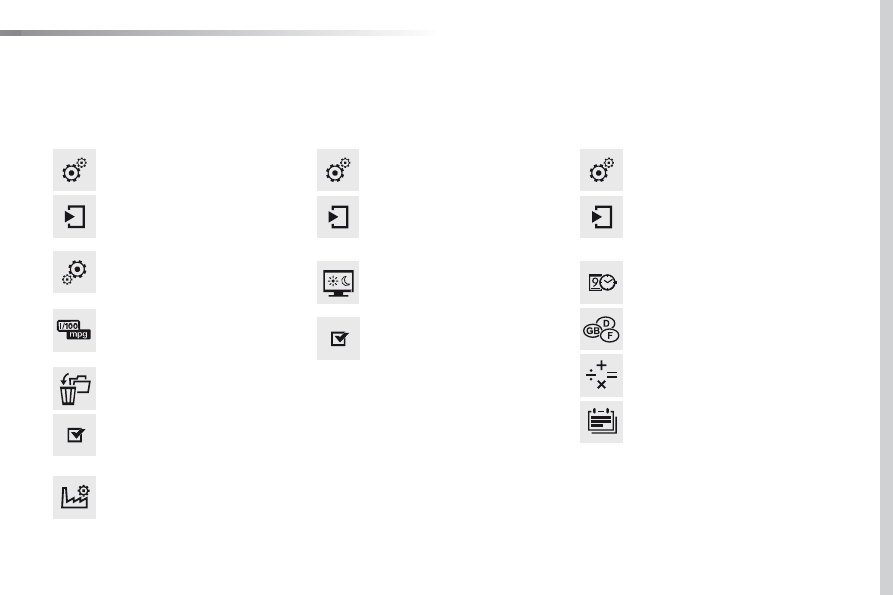
Select:
- "Time/Date" to change the time
zone, synchronisation with GPS,
the time and its format and then
the date.
- "Languages" to change the
language.
- "Calculator" to display a
calculator.
- "Calendar" to display a calendar.
Select "System Settings
".
Select "Screen settings
".
Select "Units
" to change the units
of distance, fuel consumption and
temperature.
Activate or deactivate "Activate
automatic text scrolling
" and
"Activate animations
".
Select "Delete data
" to delete the
list of recent destinations, personal
points of interest, contacts in the list.
Choose the item then select "Delete".
Select "Factory settings" to return
to the original settings.
System
Modify system settings