DB2 Server for VSE & VM Application Programming (Version 7 Release 5) - page 4
* prep parameters for program SAMPLE
ISOL(CS)
*cursor stability isolation level
TIME(ISO)
BLOCK
*indicate inserts and retrieves in groups
Figure 29. An Example of a Preprocessor Option File
Using the Flagger at Preprocessor Time
The Flagger is invoked at preprocessor time by the optional parameter SQLFLAG
It provides an auditing function on the static SQL statements in the host program.
This function is independent of the other preprocessor functions, and has no
bearing on whether the preprocessor run will complete satisfactorily.
The audit compares the static SQL statements with the SAA standard or the
SQL-89 standard. SQL-89 is a collective term that implies support of SQL as
defined by the Federal Information Processing Standards (FIPS) 127-1. It includes:
v ANSI X.3.135-1989 (without the Integrity Enhancement feature)
v ANSI X.3.168-1989
v ISO 9075-1989 (without the Integrity Enhancement feature)
In addition to basic syntax checking against SQL-89, Flagger optionally performs
semantics checking against SQL-89. This includes some integrity checking between
the SQL statements and the database. For example, it checks:
v Whether a statement contains column names or table names that do not
currently exist.
v Whether a statement contains ambiguity among column names, such as an
unqualified name for a column that exists in more than one of the tables in the
query.
v Whether a statement contains inconsistencies between the data types of the host
variables and their corresponding table columns.
Any statements that do not conform to the standards are flagged in the form of
information messages in the preprocessor output listing. Flagger, however, does
not force you to comply with the standards. The purpose of Flagger is to provide
guidance for those users who want to conform to these standards, so that they can
have SQL consistency across operating environments.
Note: The DB2 Server for VM product is a superset of the SQL-89 standard
without the Integrity Enhancement feature. For example, the datetime data
types are not part of SQL-89 and the CONNECT statement is not part of
SQL-89. The use of extensions such as these will generate information
messages for deviations from the standard specified in the SQLFLAG
parameter.
The Flagger messages generated at preprocessor time range from ARI5500 to
ARI5599, and are further classified as follows:
1. ARI5500-ARI5539 and ARI5570-ARI5599 are information messages that indicate
that an extension to the SQL-89 standard (nonconformance) has been found.
These start with “FLAGGER message.”
2. ARI5540-ARI5569 are warning messages that indicate a failure on the part of
Flagger itself.
Chapter 4. Preprocessing and Running a DB2 Server for VM Program
133
In this event, SQL-89 semantics checking will be turned off and its syntax
checking may or may not be turned off, depending on the nature of the failure.
However, the preprocessor run itself will continue, and any inconsistencies
discovered by Flagger prior to the failure will be included in the output listing
of the run.
Improving Performance Using Preprocessing Parameters
When preprocessing your program, you can specify two performance parameters,
the SBLocK/BLocK/NOBLocK option, and the ISOLation level option. The format
and use of these options within the SQLPREP EXEC was discussed under
“Preprocessing the Program” on page 114. The next section discusses when you
would want to specify each of these options.
(Other performance considerations are discussed in the DB2 Server for VSE & VM
Database Administration manual.)
Selecting the Isolation Level to Lock Data
The database manager puts locks on data that your program works with, to keep
other users from reading or changing that data. You can specify either to lock all
the data that the current logical unit of work (LUW) has read, to lock just the row
or page of data that a cursor is currently pointing to, or to not lock any data being
read. This is called specifying the isolation level of the lock.
The isolation level used by an application is set using the ISOLation preprocessing
parameter. On SELECT, SELECT INTO, INSERT, searched UPDATE, and DELETE
statements, the WITH clause may be specified to override the value specified on
the preprocessing parameter.
If you choose to put a lock on all the data that your program’s current LUW has
read, this is called specifying isolation level repeatable read. Repeatable read locks are
held until the end of the LUW. If you choose to put a lock on just the row or page
of data that your cursor is pointing to, then you are specifying isolation level cursor
stability. With cursor stability locking, when the cursor moves, the system frees all
the data previously read by the program that was held by the lock. If you choose
not to lock the data that your program will read, this is called specifying isolation
level uncommitted read. With uncommitted read, no locks are held on the data being
read, and as a result, the data can be changed by other applications.
Both repeatable read and cursor stability provide you with the following data
isolation from other concurrent users:
v Your LUW cannot modify or read any data that another active LUW has
modified. Similarly, if your LUW has modified some data, no one else can
modify or read that data until your LUW has ended. Modify means to apply
INSERT, DELETE, UPDATE, or PUT commands; READ means to apply SELECT
or FETCH commands.
v If your LUW has a cursor pointing to a row of data, no other LUW can modify
that data. Similarly, your LUW cannot modify a row to which another user has a
cursor pointing.
In addition to the above, repeatable read locking provides you with the following
data isolation from other concurrent users:
v No other LUW can modify any row that your active LUW has read. Also, you
cannot modify any data that another active LUW, specifying repeatable read, has
read.
134
Application Programming
v You do not have to worry about your data being changed between reads, as
long as you do not end your LUW between those reads.
This extra isolation has its drawbacks, however. When you specify repeatable read
for data in public dbspaces with PAGE or ROW level locking, you reduce the
concurrency of the data. This means that other users may be locked out from the
data for a long time, causing delays in their programs’ executions.
If you specify cursor stability instead, you reduce these locking problems by
making the data more available. With this isolation level, the system does not hold
the locks as long. After a cursor has moved past a row or page of data, the lock on
that data is dropped. This increases concurrency so that other users can access data
faster.
Cursor stability can, however, cause some data inconsistencies. For instance:
1.
If a user’s LUW reads data twice, it can get different results. This could happen
if another user modifies the data and commits the changes between read
operations.
2.
A modification based on a prior reading can be incorrect. This can occur if
another LUW modifies the rows that a user has read and commits the changes
before that user can do the modification. (Note that when the user is retrieving
data in application programs, the only row that is safe from modification is the
one that is currently being pointed to by a cursor.)
3.
If an SQL statement in the user’s LUW is traversing a table by way of an index,
the user might find the same row twice. (This case applies to FETCH cursors,
searched INSERT by way of subselect, and searched UPDATE with subselect
that traverse a table by way of an index.) This can occur because, after the
user’s statement reads the row the first time, another user can update the
column value that is indexed and commit the change. The change could cause
the committed row to be ahead of the row currently being retrieved by the
statement. The first user’s statement would then find the row again with its
updated index column value.
4.
If an SQL statement in the LUW is traversing a table by way of an index, it can
fail to find a row (or rows) even if the row meets the selection criteria. (This
situation applies to FETCH cursors, Searched DELETE, Searched INSERT by
way of the subselect, and Searched UPDATE by way of the subselect that
traverse a table by way of an index.) This can occur because while the LUW is
reading, another user modifies the indexed column in the row and commits the
change (as above). The change could cause the committed row to be behind the
row the user’s statement is currently reading. Thus, the statement would not
find the row, even if the row met the selection criteria.
5.
If you enter a SELECT statement to retrieve a single row, a cursor is opened
when the system processes the statement and is closed when the row is
returned. All PAGE and ROW level locks are released when the cursor is
closed; therefore, no locks are held after the row is returned. For single-row
processing using a SELECT statement with a fully qualified unique index, a
cursor is not opened and again no locks are held once the row has been
returned. As a result, applications which update a selected column based on
the values retrieved may have unexpected results because the lock was not
held for the duration of the LUW. For example:
HOST_EMPNO = ’000250’
EXEC SQL SELECT SALARY
/* HOST_SALARY is 19180
*/
INTO :HOST_SALARY
FROM EMPLOYEE
WHERE EMPNO = :HOST_EMPNO;
Chapter 4. Preprocessing and Running a DB2 Server for VM Program
135
HOST_SALARY = HOST_SALARY + 1000;
/* HOST_SALARY increased to 20180 */
EXEC SQL UPDATE EMPLOYEE
/* UPDATE SALARY in EMPLOYEE
*/
SET SALARY = :HOST_SALARY; /* TABLE with HOST_SALARY
*/
WHERE EMPNO = :HOST_EMPNO;
EXEC SQL SELECT SALARY
/* HOST_SALARY may not be 20180
*/
INTO :HOST_SALARY
/* because lock was not held for*/
FROM EMPLOYEE
/* the duration of the LUW
*/
WHERE EMPNO = :HOST_EMPNO;
COMMIT WORK;
In the previous example, it is possible that two or more users could read the
salary column with the same value at approximately the same time. They
would then each increment the number and issue the UPDATE statement. The
second user would wait for the first user’s update to finish, and then overwrite
it with the same number.
Unlike RR or CS, uncommitted read does not provide any data isolation from
other concurrent users. Like CS though, concurrency is improved, although at the
risk of data inconsistency. UR can cause similar data inconsistencies as those
described for CS and should only be used when it is not necessary that the data
you are reading be committed.
An application using isolation level UR is still restricted to access only data for
which it has authorization. However, because it will be able to read uncommited
changes, it will be able to read additional rows which an application, with the
same authorization but using RR or CS, could not. This is illustrated by the
following example.
Rows of table:
Scenario: 1
A
U1 reads (using UR) A B
B
U2 inserts D
C
U1 continues reading C D E
<---D
U2 rolls back
E
-- U1 has read a non-existent row
Scenario: 2
U1 reads (using CS) A B
U2 inserts D
U1 continues reading C, must wait to read D
U2 rolls back
U1 continues reading E
Note: In scenario 1, U1 has read an extra row which U1 in
scenario 2 could not.
When should each of these options be chosen for your program? Usually, you
should specify repeatable read locking. Only use cursor stability if your program
causes or will cause locking problems. For instance, you would probably want to
use cursor stability for transactions that perform terminal reads without
performing a COMMIT or ROLLBACK, or programs that do bulk reading, because
it is handy for programs that browse through large amounts of data. For programs
that perform commits or rollbacks before issuing terminal reads, you should use
repeatable read locking, because they probably will not cause locking problems.
Also, any application that needs to protect itself against updates should also use
repeatable read locking. For programs where concurrency is wanted, for example,
data being queried simultaneous to being updated, you would use uncommitted
read locking. Of course, this would be for applications where data integrity was
136
Application Programming
not important because the data being read may not necessarily have been
committed. For single row processing (UPDATE and DELETE, for example) by
way of unique indexes, cursor stability performs no better, and may perform
worse, than repeatable read isolation.
One additional isolation level exists in DRDA protocol: Read Stability (RS). RS is
not supported by a DB2 Server for VSE & VM application server, but it is
recognized as a valid preprocessing option by the database manager. For more
information on this option, refer to the DB2 Server for VSE & VM SQL Reference
manual.
Upon receiving a request for the RS isolation level, an application server escalates
it to RR and proceeds without indicating the escalation to the application requester.
You can also mix isolation levels, to have your program set, change, and control its
own isolation level as it is running. You can specify mixed isolation level with the
USER option of the ISOLation preprocessor parameter, as detailed under
“Preprocessing the Program” on page 114.
If you choose this option, your program must pass the isolation level value to the
application server by a program variable. It must declare a one-character program
variable and must set this variable to the desired isolation level value before
executing SQL statements. For repeatable read, your program should set this
variable to R; for cursor stability, the variable should be set to C; and for
uncommitted read, the variable should be set to U. The program can change the
variable at any time so that subsequent SQL statements are executed at the new
isolation level value. However, if your program changes the isolation level while a
cursor is OPEN, the change does not take effect for operations on that cursor until
it has been closed and opened again. That is, until the cursor is closed all
operations on that cursor are executed at the isolation level value that was in effect
when the cursor was opened. Note that the changed isolation level will be used
(without error) for SQL statements not referencing the opened cursor.
If the program sets the isolation level variable to a value other than C, R or U, or if
it fails to initialize the variable, the system stops execution and returns an error
code in the SQLCA.
Table 12 shows the isolation level variable name for each of the host languages.
Table 12. Variable Names for Specifying Mixed Isolation Levels
Host Language
Variable Name
Example
assembler
SQLISL
SQLISL DS CL1
C
SQLISL
char SQLISL;
COBOL
SQL-ISL
01 SQL-ISL PIC X(1).
Fortran
SQLISL
CHARACTER SQLISL
PL/I
SQLISL
DCL SQLISL CHAR(1);
Note: If you forget to declare the isolation level variable in a PL/I program, the
PL/I compiler issues an informational message which can, in some
environments, be suppressed.
If you preprocess using DRDA protocol, the USER isolation level option is not
supported. In DRDA protocol, the application requester changes any USER
Chapter 4. Preprocessing and Running a DB2 Server for VM Program
137
isolation level request to CS. If you preprocess using SQLDS protocol but later
invoke the package using DRDA protocol, the application server defaults to the CS
isolation level at run time. If a package is preprocessed and invoked using SQLDS
protocol, the isolation level setting is not affected.
Isolation level cursor stability or uncommitted read only has meaning for data in
public dbspaces with ROW or PAGE level locking. Data in private dbspaces or in
public dbspaces with DBSPACE level locking always uses repeatable read isolation.
However, programs which access such data and do not require repeatable read
should be preprocessed with cursor stability or uncommitted read. The data
concurrency requirements might change and cause the data to be moved to a
public dbspace with PAGE or ROW level locking. In this case, the program would
not need to be repreprocessed to run at isolation level cursor stability or
uncommitted read.
To use the features of CS or UR, data must reside in public dbspaces with PAGE or
ROW level locking. DML statements against private dbspaces or public dbspaces
with PAGE or ROW level locking under isolation level CS or UR are handled the
same as if isolation level RR were used.
When the system uses a dbspace scan (that is, does not use an index) to access a
table in a dbspace with ROW level locking using isolation level cursor stability, the
effect is the same as repeatable read. That is, no other LUW can update the table
until the logical unit of work performing the dbspace scan ends. Also, if an LUW
is updating a table, another LUW (using cursor stability) cannot access that table
with a dbspace scan until the updating LUW ends. This reduced concurrency for
dbspace scans does not apply to tables in dbspaces with PAGE level locking, or to
accessing tables through indexes. Because most database accesses will typically use
indexes, the reduced concurrency caused by dbspace scans should not occur
frequently.
The isolation level specification affects UPDATE and DELETE processing as well as
SELECT processing. For UPDATE and DELETE processing, the system acquires
UPDATE locks. UPDATE locks can be acquired for both cursor stability and
repeatable read isolation level settings. If the user actually wants to update or
delete the data, the UPDATE lock is changed to an EXCLUSIVE lock; otherwise,
the UPDATE lock is changed to a SHARE lock.
Note the following about UPDATE LOCKS:
v They are used for page or row locking, but not for dbspace locking.
v They apply to index pages or index keys only for the Searched DELETE
statement.
v For Positioned DELETE processing, the named cursor must have been declared
in the FOR UPDATE clause of the DECLARE CURSOR statement.
v For FETCH processing that uses repeatable read isolation level, these locks are
acquired only if certain predicates are present in the statement. See the DB2
Server for VSE & VM Database Administration manual for more information.
Internally generated SELECT, UPDATE, or DELETE statements use cursor stability
locking no matter what the isolation level is set to. (See “Enforcing Referential
Integrity” on page 299 for information on these statements). Conversely, data
definition statements such as CREATE, ACQUIRE, or GRANT, use repeatable read
locking no matter what the isolation level is set to. These statements, therefore,
should not play a role in your choice of isolation level.
138
Application Programming
Note: Catalog access for SQL statement preprocessing is also always done with
repeatable read locking.
Using the Blocking Option to Process Rows in Groups
|
You can insert and retrieve rows in groups or blocks, instead of one at a time. This
|
is called specifying the blocking option. Specifying one of the blocking options
|
(SBLocK, BLock or IBLocK), improves performance for DB2 Server for VM
|
application programs that:
|
v Execute in multiple user mode, and
|
v Retrieve or insert multiple rows.
You can specify the blocking option as a DB2 Server for VM preprocessor
parameter, or SBL0cK or BLocK as an option on the CREATE PACKAGE statement.
After a program has been preprocessed with the blocking option, all eligible cursor
SELECTs and all eligible cursor INSERTs within the program are blocked. You do
not have to specify a block size or block factor.
When using DRDA protocol, you can specify the block size by using the SQLINIT
EXEC. Performance is closely related to block size when using DRDA protocol.
|
The programs that would benefit the most from blocking are those that do
|
multiple-row inserts (with PUT statements or Insert statements) or multiple-row
|
SELECTs (with FETCH statements). In both cases, a cursor must be defined. (See
|
“Retrieving or Inserting Multiple Rows” on page 33; for more information on
|
cursors.) Thus, a general rule for blocking is use blocking for programs that declare
|
cursors or that have multiple contiguous homogenous insert statements.
|
A program can use either PUT, FETCH or INSERT statements without being
|
sensitive to whether the system is blocking. These statements work regardless of
|
whether you specified the blocking option. What information is returned in the
|
SQLCA after each PUT, FETCH or INSERT, however, depends on whether blocking
|
is in effect or not.
|
Remember that when you preprocess a program with the blocking option, all
|
eligible INSERT and SELECT cursors are blocked. You cannot specify blocking for
|
just INSERTs or for just SELECTs. If you specify the blocking option, it
|
automatically applies to both. However, specifying the IBLocK option applies only
|
to normal INSERT statements in the application program, that are homogenous
|
and contiguous.
When are INSERT or SELECT statements not eligible for blocking? The database
manager sometimes overrides blocking for a particular cursor because of storage
limitations in the virtual machine, or because of SQL statement ineligibility. The
following SQL statements are ineligible for blocking and cause blocking to be
overridden automatically for the cursors they refer to:
v DECLARE CURSOR...FOR UPDATE
v Any DECLARE CURSOR statement with a related select-statement containing a
long string
v Any DECLARE CURSOR statement that has a subsequent DELETE...WHERE
CURRENT OF statement
v Any DECLARE CURSOR statement that has a corresponding UPDATE...WHERE
CURRENT OF statement and the program is preprocessed with NOFOR
support.
Chapter 4. Preprocessing and Running a DB2 Server for VM Program
139
|
The system also disqualifies blocking if it cannot fit at least two rows into a block.
|
(The number of rows that fit into a block may differ from one
|
PUT/FETCH/INSERT statement to the next, even when such statements operate
|
on the same table.)
The system does not halt the program when it overrides blocking. Instead, in each
of the above cases, it sets a warning flag in the SQLCA. The warning can be
detected by using WHENEVER SQLWARNING in the program. See “Using the
Automatic Error-Handling Facilities” on page 197 for more information on the
SQLCA and the SQL WHENEVER declarative statement.
Note: The DECLARE CURSOR... statement can also be written without the FOR
UPDATE OF clause, even though positioned updating is subsequently done.
(This is allowed when NOFOR support is invoked at preprocessor time.) In
this case, blocking is also ineligible.
The system also overrides blocking for all programs running in single user mode.
In this instance, the system does not usually return a warning to the SQLCA. A
warning is returned to the SQLCA for programs running in single user mode if:
v The program is preprocessed with the BLocK option
v An SQL statement that is being processed dynamically (with PREPARE) is
disqualified for blocking.
The DBS Utility may get blocking ineligible warnings when it is run in single user
mode because it is preprocessed with the BLocK option, but uses PREPARE to
process SELECT statements.
Note: Always CLOSE a cursor before issuing a COMMIT statement, especially
when blocking. If you commit changes before closing an insert cursor that is
being blocked, you receive an error. If you are using DRDA protocol and if
the HOLD option is in effect, your application does not have to close the
cursor before committing the LUW.
Imposing Blocking Restrictions:
|
1. The length of host variables in the SQLDA or host_variable_list cannot be
|
changed after the first FETCH, PUT or INSERT when blocking.
|
2. The data type of host variables in the SQLDA or host_variable_list cannot be
|
changed after the first FETCH, PUT or INSERT when blocking.
|
3. The number of data elements in the host_variable_list or SQLDA cannot be
|
changed after the first FETCH, PUT or INSERT when blocking.
4. If a COMMIT is issued while a blocking PUT cursor is open, an error occurs.
When blocking is active, a single SQLCA is returned with each block of rows. This
SQLCA is returned to the application program with the last row in the block.
However, for the final block of rows, the FETCH that returns the “not found”
condition (SQLCODE = +100 and SQLSTATE='02000') will return the SQLCA. (For
more information on SQLCA refer to “Using the SQLCA” on page 199). This has
the following implications for application programming:
v No warning conditions are returned to the application until the SQLCA is
returned.
For example, if SQLWARN3 is set (to indicate that the application has fewer
target variables in the INTO clause than the number of items in the SELECT
list), the application will not be notified until either the last row in a block or the
“not found” condition is returned.
140
Application Programming
v If SQLWARN1 (truncation occurrence) is set, it is impossible to tell from the
SQLCA information which row (or rows) in a block caused the warning
condition. However, if the application resets the indicator variable to 0 before
each fetch, and then examines the indicator variable after each fetch, truncation
can be detected on an ongoing basis.
|
Using the Blocking Option in DRDA Protocol: When the database manager is
|
acting as an application requester in DRDA protocol, no blocking is provided on a
|
PUT statement using the BLocK option and for a normal INSERT statement using
|
the IBLocK option.
When the IBLocK or BLocK parameters are specified in DRDA protocol, all eligible
homogenous INSERT/PUT statements are grouped together for processing.
Homogenous INSERT statements are defined as a set of insert statements that:
v Access the same DB2 Table.
v Access the same set of columns in that table, in the same order.
There must be an ’SQL COMMIT’ statement after a set of homogenous insert
statements. This causes the buffer to be sent, processed by the DB2 UDB Server
and response received and parsed by the Application requester.
The IBLocK parameter does not work under private protocol.
This is particularly useful, if you are loading a large amount of data while using
DRDA protocol.
In DRDA protocol, the block size for FETCH/PUT/INSERT statements is
determined by the QRYBLKSIZE parameter in SQLINIT. For information on
SQLINIT, refer to the DB2 Server for VSE & VM Database Administration manual.
Using the INCLUDE Statement
Including External Source Files
The inclusion of external source files is indicated to the DB2 Server for VM
preprocessor by an embedded SQL statement, the INCLUDE statement, in the
user’s source code. This statement can appear anywhere that an SQL statement can
appear, and indicates within the source code where the external source is to be
placed. The syntax for the INCLUDE statement is as follows:
►► INCLUDE text_file_name
►◄
where text_file_name is a 1- to 8-character identifier that identifies the file name of
the external source file. Text_file_name cannot be delimited by double quotation
marks. The first character must be a letter (A-Z), $, #, or @; the remaining
characters must be letters, digits (0-9), $, #, @, or underscore (_), unless further
restricted by the operating system. Also, text_file_name cannot be SQLCA or
SQLDA, because these are special INCLUDE keywords.
Including Secondary Input
You can use the INCLUDE statement to obtain secondary input from a CMS file. If
a source program input to a DB2 Server for VM preprocessor uses the INCLUDE
facility, any files to be used as secondary input must be accessed by the user. A
search of all accessed CMS mini-disks for the file name and file type is conducted
Chapter 4. Preprocessing and Running a DB2 Server for VM Program
141
in standard CMS search order and the first match determines the file mode. This
filename, filetype, and filemode are used as the secondary input or external source.
The CMS file containing the secondary input statements must be fixed-length,
80-character records.
The INCLUDE statement causes input to be read from the specified file name until
the end of the file, at which time the SYSIN input resumes. The file to be included
must have an appropriate file type:
ASMCOPY
assembler
CCOPY
C
COBCOPY
COBOL
FORTCOPY
Fortran
PLICOPY
PL/I
The file mode is determined by the search of the virtual machine’s accessed
minidisks. If the INCLUDE statement specifies a file name that is not located on
any user-accessed CMS mini-disk, an error will result.
Secondary input must not contain preprocessor INCLUDE statements other than
INCLUDE SQLDA or INCLUDE SQLCA, although it may contain both host
language and SQL statements. If an INCLUDE statement is encountered, an error
will result.
Compiling the Program
After you successfully preprocess your program, you can compile it using your
normal host language compiler. By preprocessing, you have already done all the
translating that the program needs for the database manager. Just use the new
code that you got after you preprocessed. Compile this code as you would any
other program, using the usual compilers.
This book does not cover the specifics of compiling your host-language code.
However, there are several special rules for SQL programs, depending on the host
language, that you must follow:
v If your PL/I application program contains DBCS data, you must specify the
GRAPHIC option for the compiler. If your COBOL application program contains
DBCS data or is reentrant, the output of the DB2 Server for VM preprocessor
must be processed by the COBOL II Release 2 (or later) program.
v If the QUOTE option is used for the DB2 Server for VM COBOL preprocessor, it
should also be used for the COBOL compiler.
v If the NOSEQuence option is used for the DB2 Server for VM C preprocessor,
the NOSEQ and MARGINS (1,80) options must be used with the C compiler.
v If the compiler provides a mechanism whereby run-time program interrupts are
trapped before control returns to CMS, the database manager may not identify
that an abnormal termination has occurred. As a result, an implicit COMMIT is
executed instead of an implicit ROLLBACK. See the host language appendixes
for a discussion of program interrupts.
Link-Editing and Loading the Program
After compilation, programs must be link-edited and loaded before they can be
run.
142
Application Programming
Link-Editing the Program with DB2 Server for VM TEXT Files
To enable your program to communicate with the application server, you must
link-edit your program with one or more DB2 Server for VM TEXT files, one of
which is the resource adapter stub. Every DB2 Server for VM application program
must be link-edited with this stub; Fortran and COBOL programs need to be
link-edited with additional TEXT files.
Using the Resource Adapter Stub Routine
The resource adapter stub routine has a file name of ARIRVSTC, but is invoked by
its entry point name ARIPRDI. To link-edit this stub routine successfully with the
user program, you must INCLUDE ARIRVSTC or place the TEXT files in a CMS
TXTLIB. This will make the entry point ARIPRDI known to the link-edit process.
Using Other TEXT Files
Other files that need to be link-edited, depending on the host language, include:
v For all programs written in Fortran, you must also link-edit the TEXT files
ARIPEIFA and ARIPSTR. If the Fortran program uses the TEXT file ARISSMF,
this file must also be link-edited (refer to “Examining the SQLCA” on page 202
for more information).
v For all reentrant programs written in COBOL, you must also link-edit the TEXT
file ARIPADR4. Non-reentrant COBOL programs may continue to link-edit the
TEXT file ARIPADR until they are repreprocessed and recompiled. After, they
must link-edit the TEXT file ARIPADR4.
v For all programs that use the DBS Utility, you must also include ARIDBS which
is a member of ARISQLLD LOADLIB. (For information on the DBS Utility refer
to the DB2 Server for VSE & VM Database Services Utility manual.)
v For all programs (except Fortran programs) that use the TEXT file ARISSMA,
you must also link-edit this file (refer to “Examining the SQLCA” on page 202
for more information).
|
v For all programs that use the TEXT file ARIGMSGC, you must also link-edit this
|
file (refer to “Examining the SQLCA” on page 202 for more information).
If you receive an unresolved external reference message for a module name that
begins with ARI or SQL, check the link process to ensure that all required extra
linkage modules are included.
Some of these modules contain entry points with names that are different from the
module name. The code generated by the DB2 Server for VM preprocessor can
reference one of these entry points, depending on the SQL statements in your
application.
Including the TEXT File in the Link-Editing
Using the CMS LOAD Command
One way to link-edit these TEXT files to your program is to INCLUDE them after
your program name in the CMS LOAD command. Then, when you load your
program, the CMS linkage editor automatically links your program to the TEXT
files relocatable modules that you specified, and resolves virtual storage addresses
among the TEXT files.
For example, SAMPLE1 is the user’s program name and ARIRVSTC is the TEXT
file in the CMS LOAD command below:
Chapter 4. Preprocessing and Running a DB2 Server for VM Program
143
LOAD SAMPLE1 ARIRVSTC
To see other examples of REXX EXEC’s that use the CMS LOAD command, see
any of the REXX EXEC’s listed in Table 3 on page 21.
Note that if the user machine has READ access to the production minidisk, the
CMS LOAD command will automatically load the needed TEXT file, searching all
accessed CMS minidisks in ascending order (A through Z) for TEXT files that it
needs. For additional information about CMS LOAD, see the VM/ESA: CMS
Command Reference manual.
Using the CMS TXTLIB Command
Instead of specifying ARIRVSTC in the CMS LOAD command, you can put
ARIRVSTC and all your application TEXT files into a TXTLIB. To create a TXTLIB,
enter:
TXTLIB GEN my-lib ARIRVSTC program-name . . .
To add new programs to a TXTLIB, enter the following command:
TXTLIB ADD my-lib program-name2 program-name3
After a program is in a TXTLIB, enter the following commands to perform the
link-edit:
GLOBAL TXTLIB my-lib
LOAD program-name
For more information about TXTLIB, see the VM/ESA: CMS Command Reference
manual.
Creating a Load Module Using the CMS GENMOD Command
All of the TEXT files are on the DB2 Server for VM production minidisk (Q-disk).
After loading the DB2 Server for VM application, you should create a module by
issuing the CMS GENMOD command. This module can be used in multiple user
mode, but is not required; it is required, however, to run in single user mode. For
example, to create a module for an assembler application program called
SAMPLE1 that has been compiled and added to a TXTLIB called LIBRARY1, enter
the following commands:
GLOBAL TXTLIB LIBRARY1
LOAD SAMPLE1
GENMOD SAMPLE1
This creates a CMS file with a file name of SAMPLE1 and a file type of MODULE.
To see other examples of REXX EXEC’s that use the CMS GENMOD command, see
any of the REXX EXEC’s listed in Table 3 on page 21.
Running the Program
Using a Consistency Token
Consistency tokens ensure that a program’s load module and the database package
are used together. When preprocessing, you can instruct the preprocessor to place a
consistency token in both the load module and the package (see CTOKEN
parameter on page 122). If the two tokens do not match, the application server
prevents the program from running.
144
Application Programming
Note: If you inadvertently forget to compile or link-edit a new version of a
program, you can run an old version of a program with a new version of
the package. Conversely, with multiple application servers, you can
inadvertently run a new version of a program with an old version of the
package. In either situation, you will probably get program errors or
incorrect results if you have not used consistency tokens.
Loading the Package and Rebinding
The package that the preprocessors stored carries out the SQL request. When the
application server loads the package, it checks that the package is still valid. A
package may not be valid if one of its dependencies has been dropped. For
example, some index that the package uses may have been dropped.
Packages are also invalidated when primary keys and referential constraints are
added to, dropped from, activated, or deactivated on tables that the modules
depend on. The following rules apply:
v If a primary key is added, dropped, activated, or deactivated, all packages that
have a dependency on the parent table will be invalidated. This includes any
tables that have a foreign key relationship with the parent table.
v If a foreign key is added, dropped, activated, or deactivated, all packages that
have a dependency on the dependent table or parent table will be invalidated.
The system has an internal change management facility that keeps track of whether
packages are valid or not. If a package is valid, the system begins running the
program; if the package is not valid, the system tries to re-create it. The original
SQL statements are stored with the package when you preprocess the program.
The system uses them to automatically bind the program again. It does this
dynamically (that is, while it is running). If the rebinding works, a new package is
created and stored in the database and the system then continues execution of the
program. If the rebinding does not work, an error code is returned to the program
in the SQLCA, and the program stops running.
A successful rebinding has no negative effect on your program except for a slight
delay in processing your first SQL statement. To minimize this delay, you can use
the DBSU REBIND PACKAGE command to rebind the invalid package after it has
been invalidated, but before it is executed. See the DB2 Server for VSE & VM
Database Services Utility manual for information on this command.
Using Multiple User Mode
When the database manager has been started in multiple user mode, the user
machine should have IPLed CMS and been initialized for DB2 Server for VM
processing (by the SQLINIT EXEC).
If the program has any input or output files, file definitions may be required. The
CMS FILEDEF command is described in the VM/ESA: CMS Command Reference
manual.
In addition, if your application was compiled using a Language Environment
Compiler, the Language Environment must be available at runtime for your
application to use the dynamic library routines. One way to do this is by including
SCEERUN LOADLIB on the GLOBAL LOADLIB list. For more information, see the
compiler documentation.
Chapter 4. Preprocessing and Running a DB2 Server for VM Program
145
If a module was created, you can execute the program by specifying the name of
the module followed by any user program parameters. For example, the following
command starts assembler program SAMPLE1 in multiple user mode, and passes
the user parameters directly to the program:
SAMPLE1 parm1 parm2
If a module was not created, you can execute the program by first specifying the
CMS LOAD command, as described in the previous section, and then the CMS
START command. For example, to execute the program SAMPLE1, enter:
LOAD SAMPLE1 ARIRVSTC
START SAMP parm1 parm2
where:
SAMP
is the control section name or entry point name that receives
control at run time. If an asterisk (*) is used (instead of a name),
control is passed to the default entry point.
parm1 parm2
are parameters passed to the program. If parameters are passed,
the control name or section name or * operand must be specified;
otherwise the first parameter is taken as the entry point.
When parameters are passed on the START command, the requirements of both
CMS and the language of the application program must be met. See the VM/ESA:
CMS Command Reference manual, for a description of the CMS START command
and the appropriate language guide or reference manuals for details on how to
pass parameters.
Using Single User Mode
Single user mode application programs are programs that run in the same machine
as the DB2 Server for VM code and that are under the control of the database
manager. In this case, the user machine and the database machine are the same.
Single user mode programs are invoked by starting the application server with the
SQLSTART EXEC. (Before invoking the system, you must enter IPL CMS.) You
must specify both the mode (SYSMODE=S) and your program name
(PROGNAME=name) when you enter the SQLSTART EXEC.
When SQLSTART is invoked, the systems loads the program (identified by the
PROGNAME parameter) and passes control to it after the system is initialized. For
single user mode, the module must be available.
The DB2 Server for VSE & VM Operation manual lists all the initialization
parameters you can specify when you start the system in single user mode. A
system programmer can also determine the best initialization parameters for your
system and pass them on to you.
The following is an example of the SQLSTART EXEC for invoking programs in
single user mode with no user parameters:
146
Application Programming
SQLSTART DB(SQLDBA) PARM(SYSMODE=S,LOGMODE=A,DUMPTYPE=N,PROGNAME=SAMPLE1)
Note: If your program or the database manager ends abnormally, you may receive
a minidump (depending on what initialization parameters were specified).
Mini-dumps are described in the DB2 Server for VSE & VM Diagnosis Guide
and Reference manual.
Specifying User Parameters in Single User Mode
When starting the database manager in single user mode, you can also specify user
parameters to be passed to your application program using the PARM keyword of
the SQLSTART EXEC. The SQLSTART EXEC purges the CMS program and console
stacks. Thus, any program run in single user mode cannot rely on console or
program stack input.
Place a slash (/) between the initialization parameters and the user parameters. For
example:
SQLSTART DB(SQLDBA)
PARM(SYSMODE=S,LOGMODE=A,DUMPTYPE=N,PROGNAME=SAMPLE1/parm1,parm2)
Note: Only the first 130 characters of the command line are read by CMS. The
exception to this rule occurs when SQLSTART is called from a user-written
EXEC; then CMS reads the first 256 characters. If you specify many
initialization parameters and user parameters, they will not fit on the
command line. Thus, you must use a CMS file for some of the parameters.
Because user parameters cannot be specified in a CMS file, you should
specify the initialization parameters in the CMS file, and the user parameters
on the command line.
A program written in C, PL/I, COBOL or Fortran requires an interface routine to
process the user parameters.
Distributing Packages across Like and Unlike Systems
To run your application program on another DB2 Server for VSE & VM database
manager, you can simply distribute its load module and the DB2 Server for VSE &
VM package. (You do not have to distribute the source code and then preprocess
and compile it on the other system). Reload the package to all application servers
that your package accesses, and send the load module to all DB2 Server for VSE &
VM application requesters that your program accesses. You can unload the package
to be distributed from the application server into a file, and subsequently reload
the file into the new application server. Only the owner of the package or the
database administrator can unload or reload the package.
If the package is distributed among application servers that are at different release
levels of the system or are non-DB2 Server for VM or DB2 Server for VSE servers,
a run-time error occurs if the package uses a feature that is not available on the
application server on which the package was reloaded. To ensure that the load
module and the package that you are distributing are meant to be used together,
use the preprocessor parameter CTOKEN to place the same consistency token in
both the load module and the package. Refer to “Preprocessing the Program” on
page 114. If the two tokens do not match, the application server stops the program
Chapter 4. Preprocessing and Running a DB2 Server for VM Program
147

from running. For information on distributing packages on both like and unlike
systems, and on distributing packages using DRDA protocol, refer to the DB2
Server for VSE & VM Database Services Utility manual.
If your application is to run at other DB2 Family application servers, do the
following:
v Use Binding to generate a package at each DB2 application server at which the
application is to be run.
v Binding can be invoked using SQLBIND EXEC.
v SQLBIND EXEC uses the bind file created in the preprocessor step above.
For more information on VM Binding, see “Binding to Create Package.”
|
Binding to Create Package
|
Binding is the process of creating the package in target database using the bindfile
|
as input. Preprocessing with ″BIND″ option and binding are complementary to
|
each other. Binding can be invoked multiple times to bind the packages to one or
|
more databases. It must be ensured that bindfile is not corrupted or modified to
|
get proper results. Creation of package using binding can be done for COBOL, C,
|
Pl/1 and assembler preprocessed programs only.
|
SQLBIND exec can be used to perform binding. SQLBIND exec can not be used in
|
single user mode to bind to DB2 Server for VM. For each application server
|
specified, the SQLBIND EXEC:
|
1. Establishes a link to the application server.
|
2. Binds the bindfile to the application server to create the package.
|
3. Displays summary messages showing the results for this binding.
|
4. Creates two files with filename same as bindfile and filetype BINDLST and
|
BINDOUT in A-disk that must be accesses as R/W. These files contain
|
summary and output of binding.
|
To perform binding, you must be either the owner of the program whose bind file
|
you are binding to a remote server or a database administrator. SQLBIND takes 11
|
parameters, one of them is positional and mandatory. Parameters and their details
|
are given below:
|
►► SQLBIND PACKAGE
(
package_id
)
►
|
collection_id.
|
►
►
|
INfile
( fn ft fm
)
|
►
►
|
REPLACE
KEEP
NOCHECK
BOPT
(
NEW
,
REVOKE
,
CHECK
)
ERROR
|
►
►
|
OWner
( authorization_name
)
QUALifier
( collection_id
)
|
148
Application Programming
|
►
►
|
DBFile
(
fn ft fm
)
▼
DBList
(
server_name
)
|
►
►◄
|
USERid
( authorization_name/password
)
QRY
|
|
PACKAGE(collection_id.package_id)
|
This parameter identifies the package to be created and the associated bind
|
file. The associated bind file must be created by the DB2 Server for VSE
|
preprocessor and its contents must not be changed in any way.
|
collection_id.package_id is the name by which the database manager identifies
|
the package to be created and the associated bind file. The collection_id
|
portion is optional, and fully qualifies the package_id and any unqualified
|
objects referenced within the package.
|
If the collection_id is not specified, and the user_id is, the collection_id
|
defaults to the user_id. If neither is specified, the collection_id defaults to the
|
connected authorization-id. You must be the owner of the bind file that you
|
want to bind. To bind another user’s bind file, you must have DBA authority.
|
INfile (filename)
|
INfile (filename filetype)
|
INfile (filename filetype filemode)
|
This optional parameter specifies the file name, file type and file mode of the
|
bindfile. If filename is omitted, SQLBIND is assumed to be the file name while
|
ftype and fmode is default to BINDFILE and A respectively.
|
If this form of the INfile parameter is supplied, the following CMS FILEDEF
|
command is issued for the bindfile:
|
FILEDEF SQLBIND DISK fn ft fm (RECFM FB LRECL 80 BLOCK 800)
|
BOPT
|
The BOPT parameter identifies one or more of the following sub-parameters.
|
NEW/REPLACE
|
NEW
|
The NEW parameter is specified if the package to be created does not exist
|
and is to be created. If the package with the same name and owner already
|
exists in the remote application server, binding fails.
|
REPLACE
|
This parameter is specified if an existing package is to be replaced by the bind.
|
If the package does not exist, a new package is created without an error or
|
warning message. REPLACE is the default option.
|
KEEP/REVOKE
|
KEEP
|
KEEP causes the existing grants of RUN privilege to remain in effect when the
|
package is bound. However, if the owner of the package is not entitled to grant
|
all privileges embodied in the package, all existing grants of the RUN privilege
|
are revoked. The KEEP and REVOKE parameters apply if the package has
|
previously been created and the owner of the package has granted the RUN
|
privilege on the resulting package to other users. The KEEP and REVOKE
|
parameters are allowed only with REPLACE.
Chapter 4. Preprocessing and Running a DB2 Server for VM Program
149
|
REVOKE
|
If the REVOKE parameter is specified, all existing grants of the RUN privilege
|
are revoked. The KEEP and REVOKE parameters are allowed only with
|
REPLACE.
|
NOCHECK/CHECK
|
NOCHECK
|
This parameter is specified if you want the application server to check all SQL
|
statements for validity and perform package functions. It will generate a
|
package if no statement-parsing error was found; If you specify the
|
NOCHECK parameter, it overrides the ERROR parameter in the bind file.
|
CHECK
|
This parameter is specified if you want the application server to check all SQL
|
statements for validity and generates error messages if necessary, but does not
|
generate a package; If you specify CHECK parameter, it overrides NOCHECK
|
or ERROR parameter in the bind file.
|
ERROR
|
This parameter specifies how statement parsing errors are tolerated. If the
|
ERROR option is specified, then syntactic or semantic errors detected at the
|
application server side will not stop the creation of the package. If the ERROR
|
option is not specified in both CBND and the bind file, the application server
|
will not create the package when those errors occur. With the ERROR option, a
|
syntactic error will cause the DB2 for VSE & VM database to generate an Error
|
Section in the package. At run-time, invocation of this statement will yield
|
SQLCODE -525. With the ERROR option, the creation of a package fails only if
|
there was a DRDA protocol error, or a severe error detected on the Application
|
Server side.
|
OWner (authorization_name)
|
This parameter specifies the authorization_name of the owner of the package
|
being created. The OWner parameter is to be used when you are binding
|
against a remote application server. However, if you specify this parameter
|
when binding against a local DB2 Server for VSE & VM application server, the
|
authorization_name must be the same as the application server authorization
|
ID.
|
QUALifier (collection_id)
|
This parameter specifies the default collection_id within the package to resolve
|
unqualified object names in static SQL statements. The QUALifier parameter is
|
meant to be used when you are binding against a remote application server. If
|
you specify this parameter when binding against a DB2 Server for VSE & VM
|
application server, the collection_id must be the same as the application server
|
authorization ID.
|
DBList (server_name)
|
This parameter specifies a list of one or more application servers on which the
|
bind file will be bound. If this parameter is omitted, the bind file is bound to
|
the default application server. For more information on establishing a default
|
application server, see the DB2 Server for VSE & VM Database Administration
|
manual.
|
DBFile (filename)
|
DBFile (filename filetype)
|
DBFile (filename filetype filemode)
|
This optional parameter specifies the file name, the file type, and optionally the
|
file mode of a CMS file containing a list of application servers on which the
150
Application Programming
|
program will be bound. If filetype is not specified, BINDDB will be used as the
|
default file type. If filemode is not specified, the first file with the given
|
filename and filetype will be used.
|
The rules governing the format of the CMS file are as follows:
|
v Each record has only one application server name.
|
v The first word in each record is the application server name.
|
v Comments can be added to the right of the application server name,
|
separated from the application server name by a blank. will be treated as a
|
comment.
|
v An empty record or a record with an ’*’ in the first position will be treated
|
as a comment.
|
Note: DBFILE and DBLIST are mutually exclusive.
|
USERid (authorization_name/password)
|
This parameter specifies the userid and password that bind will use to execute
|
a CONNECT statement to gain access to each application server where the
|
package will be created. If this parameter is omitted, bind will connect
|
implicitly to the application server where the package will be created.
|
QRY
|
This parameter causes bind to display the preprocessor options stored in the
|
header of the bind file. No package functions will be performed if QRY is
|
specified.
|
Note: For any options not specified on the bind, the default option will be the
|
option specified when the package was preprocessed, unless otherwise
|
noted.
|
Chapter 4. Preprocessing and Running a DB2 Server for VM Program
151
152
Application Programming
Chapter 5. Preprocessing and Running a DB2 Server for VSE
Program
Defining the Steps to Execute the Program . . . 154
Link-Editing the Program with Supplementary
Using 31-Bit Addressing
154
Information
180
How DB2 Establishes User IDs for CICS/VSE
Including Relocatable Modules
180
Transactions
155
Including CICS/VSE Procedures
181
User IDs for Remote CICS/VSE Transactions
156
Including CICS/TS Procedures
181
Using Batch for Remote CICS/VSE Transactions
156
Including Extra Linkage Modules
181
Preprocessing the Program
156
Running the Program
182
Preprocessing by Mode
158
Using a Consistency Token
182
Using Multiple User Mode
158
Loading the Package and Rebinding
182
Using Single User Mode
159
Running by Mode
183
Defining the Preprocessing Parameters
160
Using Multiple User Mode
183
Using the Preprocessor Option Member . . . 170
Using Single User Mode
183
Using the Flagger at Preprocessor Time
170
Running under CICS/VSE Support
184
Using the CICS/VSE Translator
171
Accessing Other DB2 Family Application
Improving Performance Using Preprocessing
Servers
184
Parameters
172
Installing Applications that Access the Database
Selecting the Isolation Level to Lock Data
172
Manager
184
Using the Blocking Option to Process Rows
Installing a Batch Application
184
in Groups
176
Installing an Online CICS/VSE Application . . 185
Using the INCLUDE Statement
179
Distributing Packages across Like and Unlike
Including External Source Members
179
Systems
187
Including a Library Source
179
|
Creating a Package Using CBND and Batch
Compiling the Program
180
|
Binding
188
Link-Editing and Loading the Program
180
153
Defining the Steps to Execute the Program
After you code your program, you must follow a series of steps to prepare it to be
run. The number of steps varies depending on the host language of the program
and the environment in which the program is running. However, the steps below
are common in each case. In order to run your DB2 Server for VSE application
program you must:
v Preprocess the SQL code
v Compile the program
v Link-Edit and Load the program
v Run the program.
If the program is an online program, the CICS statements have to be “translated”
before the program is compiled.
When the database manager was installed, your installation may have optionally
chosen to generate the starter database. The statements
// EXEC PROC=ARIS75DB
// EXEC PROC=ARIS75PL
are contained in single user mode job control examples throughout this section in
order to identify the database and the libraries used.
The ARIS75DB procedure contains the DLBL statements required for accessing the
starter database. The ARIS75PL procedure identifies the DB2 Server for VSE
production libraries. To access a different database, you must substitute a different
procedure (or your own DLBL statements) for ARIS75DB. To access your own
libraries, you must substitute a different procedure (or your own VSE LIBDEF
statements) for ARIS75PL.
Determine if the DB2 Server for VSE database and library definition statements are
required by contacting the person who installed the system. Or, refer to the DB2
Server for VSE Program Directory. This manual contains a description of the
database and library definition job control statements required for a database, and
the product-supplied procedures available.
Using
31-Bit Addressing
The application server runs in 31-bit addressing mode (AMODE 31). In single user
mode, the database manager transfers control to the application in the addressing
mode established during link editing of the program. The database manager
continues to operate in 31-bit addressing mode when control returns from the
application program.
If you are writing a multiple user mode application, your application is not
affected by the addressing mode of the application server.
Refer to the DB2 Server for VSE System Administration manual for information on
single user mode and user exits.
154
Application Programming
How DB2
Establishes User IDs for CICS/VSE Transactions
Online DB2 Server for VSE transactions need not issue an SQL CONNECT to
establish the user id within the database manager. When a transaction does not
issue a CONNECT statement with the “userid IDENTIFIED BY password” clause,
DB2 Server for VSE online support attempts to establish the user ID for the
transaction.
This implicit CONNECT capability is useful if your installation requires its
terminal users to sign-on using the CESN transaction. For many DB2 Server for
VSE transactions, your installation might consider the sign-on verification
sufficient. It may also be useful if your installation has just installed the system,
and finds it convenient to have all users identified by one name (for example,
TESTUSER).
DB2 Server for VSE online support establishes a user ID for CICS/VSE transactions
as follows:
1.
If the transaction issues an SQL CONNECT statement with the “userid
IDENTIFIED BY password” clause, the user ID is established explicitly for the
application.
2.
If the transaction does not issue such a CONNECT statement, the online
support attempts to establish the user ID implicitly as follows:
a. If the transaction had a user ID established for a previous logical unit of
work, and the previous logical unit of work did not specify the RELEASE
option for COMMIT WORK or ROLLBACK WORK, that user ID is used.
(Remember that the connection to the application server is dropped every
time a logical unit of work ends with release; thus, the user ID has to be
re-established if the transaction has more than one logical unit of work
ending with release.) Otherwise...
b. If the user has signed on using the CESN transaction and the transaction is
associated with a terminal, the sign-on user ID is used for the user ID.
Otherwise...
c. The user ID that was specified as an input parameter to the transaction that
enabled the DB2 Server for VSE online support to a particular server
becomes the user ID. This transaction could be either CIRB or CIRA. The
person that invoked CIRB or CIRA will know what the user ID is.
However...
d. A user ID need not be specified when CIRB or CIRA is invoked. It is an
optional parameter. If no user ID was specified, and none of the previous
cases applied, the user ID established for your transaction is CICSUSER.
Once the user ID is determined as described above, one more requirement must be
met in order to successfully complete the connection to the application server.
Either the specific user ID must have been granted CONNECT authority or
“ALLUSERS” must have been granted CONNECT authority. “ALLUSERS” is a
special user ID that permits any user ID to be implicitly connected without having
been specifically granted CONNECT authority. “ALLUSERS” can be used by the
DBA to turn on or off the implicit connect capability.
Earlier in this book, it was recommended that you always explicitly connect to the
application server to avoid confusion. However, it is recognized that many
installations have terminal operators that need not be aware of DB2 Server for VSE
user ID or authorization capabilities. In these cases, the DB2 Server for VSE
Chapter 5. Preprocessing and Running a DB2 Server for VSE Program
155
implicit CONNECT support can be very useful. For more details on the CICS
transaction environment, see the DB2 Server for VSE & VM Database Administration
manual.
User IDs for Remote CICS/VSE Transactions
For online DB2 Server for VSE transactions which are accessing a remote server
and which issued an SQL CONNECT statement with the “userid IDENTIFIED BY
password” clause to establish the user ID within the database manager, the user ID
is established explicitly for the transaction.
For online DB2 Server for VSE transactions which are accessing a remote server
and which did not issue an SQL CONNECT statement with the “userid
IDENTIFIED BY password” clause to establish the user id within the database
manager, the Online Resource Adapter will attempt to establish the user ID for the
transaction implicitly as follows:
1. If the transaction had a user ID established for a previous remote logical unit of
work, and the previous logical unit of work did not specify the RELEASE
option for COMMIT WORK or ROLLBACK WORK, and the transaction did not
switch to another application server, that user ID and its corresponding
password are used. (Remember that every time a logical unit of work ends
with RELEASE or the transaction switched to another application server, and
you enter another SQL statement, you are implicitly connected as the CICS
signon userid. Therefore, the user ID has to be re-established if the transaction
has more than one logical unit of work ending with RELEASE or if the
transaction is switching application servers.)
2. The user ID returned by the CICS ASSIGN command is used for the user ID.
Using Batch for Remote CICS/VSE Transactions
Application programs running in batch can connect to remote application servers,
process some work, and then CONNECT to another application server (local or
remote) and do more processing.VSE Batch application programs which are
accessing a remote server and use the SQL CONNECT statement, can manipulate
and access remote data managed by application servers. The CONNECT statement
must be the first SQL statement issued by the Batch application. The VSE Batch
application only accesses one remote database per unit of work.
The current unit of work must be completed by using the COMMIT or
ROLLBACK statements before the CONNECT statement can be used to switch to
another userid or application server.
Before a batch application program can access a remote application server, the
following tasks must be completed:
v VSE TCP/IP support is installed and enabled
v The Dbname Directory has been updated to identify the remote application
server being accessible through TCP/IP
v Update the SQLGLOB file with default parameters for userids accessing remote
servers. This task is optional.
Preprocessing the Program
Preprocessing performs the following actions :
156
Application Programming
v It changes the SQL source code so that it can be processed during host language
compiling
v It does either or both of the following:
- It converts the SQL statements into a package, and binds the package to the
database.
|
- It creates a bind file that can subsequently be used by the online utility
|
(CBND) or Batch Binder to create a package in a remote (or local) database.
|
The preprocessor replaces all the SQL statements in the program with host
|
language code that invokes the new package. The new version of the program also
|
contains the SQL statements in comment form. The package, created either by the
|
preprocessor, by CBND or Batch Binder, contains information to carry out the SQL
|
requests made by the program. The database manager follows the best access path
|
to the data for each SQL statement in the program, using available indexes and
|
data statistics of which the system keeps track.
When the program is run, the new code calls the system to handle each SQL
statement. It also links the program to the application server and translates
messages and statements between the two.
The preprocessors supplied with the database manager have the following
program names:
ARIPRPA - Assembler Preprocessor
ARIPRPB - C Preprocessor
ARIPRPC - COBOL Preprocessor
ARIPRPF - Fortran Preprocessor
ARIPRPP - PL/I Preprocessor
You preprocess your program to prepare it to use the system. To preprocess your
program, you invoke the appropriate preprocessor through VSE job control
statements. A job control ASSGN SYSIPT statement should point to your source
program. Other job control statements must point to where the preprocessor
should place the modified source-program output (ASSGN SYSPCH) and printed
output (ASSGN SYSLST).
You can suppress SYSPCH and SYSLST output through NOPRINT and
NOPUNCH parameters to the preprocessor.
The preprocessor requires the job control statement DLBL SQLGLOB. In addition,
when you want the preprocessor to generate a bind file, job control statements
DLBL SQLBIND and DLBL BINDWKF are required. These DLBL statements must
be provided in either the preprocess job control or the system standard label
subarea. For more information see “Creating a Package Using CBND and Batch
Binding” on page 188.
You can supply preprocessor parameters through the VSE EXEC statement PARM
keyword. The preprocessor parameters are described later in this chapter.
If the preprocessor encounters an SQL error, it inserts statements in the modified
source code that cause a subsequent compile (or assemble) to fail.
If the preprocessor encounters a severe error in an SQL statement, all processing
stops. Syntactic checking is only performed on subsequent SQL statements if the
error is not severe. The preprocessor also puts statements in the preprocessed
Chapter 5. Preprocessing and Running a DB2 Server for VSE Program
157

program which will cause a subsequent compile to fail. If successful, the
preprocessor places an entry in the SYSTEM.SYSACCESS catalog to record the
newly created package.
Different job control is required to invoke the preprocessors depending on whether
the system is running in multiple user or single user mode.
Preprocessing by Mode
Prior to invoking any of the preprocessors, data sets for input, output, and work
files must be assigned. Data sets used by each of the preprocessors are shown in
Table 13 and Table 14. Many VSE systems may already have the logical units
assigned and data set labels defined during the IPL procedure.
Table 13. Data Sets Required by All Preprocessors
Data Set
Used For
SYSIPT
Source input is read from here
SYSPCH
Modified source output is written here
SYSLST
Print (report) output is written here
SQLGLOB
CHARNAME and DBCS options are obtained from this VSAM file
|
SQLBIND
Bind-records (bindfiles) are written to this VSAM file (needed only if the
|
BIND preprocessor option is specified).
BINDWKF
A VSAM work file used when performing VSAM I/O against the bind file
(needed only if the BIND preprocessor option is specified).
Table 14. Work Files Required for Each Preprocessor
Preprocessor
Data Set
Requirement
Assembler
SYS001
The file must be the same size as the source input file.
C
SYS001
The file must be the same size as the source input file.
COBOL
SYS001
One logical record for each line of source code plus about 10 records for each
SQL statement. Also, add an allowance for diagnostic messages.
SYS002
Approximately 20 to 60 logical records for each SQL statement. The number
you should reserve depends on the complexity of the SQL statement —
particularly the number of host variables referenced.
SYS003
Approximately 10 to 40 logical records for each SQL statement. (This number
also depends on host variable references.)
SYS004
The file must be the same size as the source input file.
Fortran
SYS001
One logical record for each line of source code plus about 10 records for each
SQL statement. Also, add an allowance for diagnostic messages.
SYS002
Approximately 20 to 60 logical records for each SQL statement. The number
you should reserve depends on the complexity of the SQL statement —
particularly the number of host variables referenced.
SYS003
The file must be the same size as the source input file.
PL/I
SYS001
The file must be the same size as the source input file.
Using Multiple User Mode
When invoking any preprocessor in multiple user mode, it is recommended that
you specify SIZE=AUTO.
158
Application Programming
Figure 30 shows generic job control that invokes a preprocessor in multiple user
mode.
// JOB jobname
// ASSGN SYSIPT,cuu
*-- } Optional - may be
// ASSGN SYSPCH,cuu
*-- }
assigned by
// ASSGN SYSLST,cuu
*-- }
standard label
// ASSGN SYSxxx,cuu
*-- Preprocessor work files
// DLBL SQLGLOB,
,DISP=(OLD,KEEP)
*-- } Optional - may be
// DLBL SQLBIND,
,DISP=(OLD,KEEP)
*-- }
provided by
// DLBL BINDWKF,
*-- }
standard label
// EXEC PGM=ARIPRPx,SIZE=AUTO,PARM=’prepparms’
. Input card stream if SYSRDR and SYSIPT are
. assigned to the same device or file
/*
/&
Note:
1.
JCL must be changed to specify the correct Device address and Library definitions
2.
Replace ARIPRPx with preprocessor name
3.
PrepParms are discussed in “Defining the Preprocessing Parameters” on page 160.
4.
You can code your own LIBDEF statements.
Refer to the DB2 Server for VSE Program Directory for more information on coding LIBDEF statements.
5.
You can replace the input card stream with the READ MEMBER statement if the source file has been
cataloged as membertype A.
Refer to the DB2 Server for VSE Program Directory for more information on the READ MEMBER
statement.
Figure 30. Invoking the DB2 Server for VSE Preprocessor in Multiple User Mode
Using Single User Mode
When invoking any preprocessor in single user mode, you must specify
SIZE=AUTO. The job control for single user mode initializes the system with the
preprocessor name and desired parameters. Figure 31 shows generic job control
that invokes a preprocessor in single user mode:
The job control starts the system and invokes the preprocessor. The EXEC
statement initializes the system in single user mode and passes to it (as a
parameter) the name of the preprocessor (ARIPRPx). Note that the slash (/) is
actually written in the EXEC statement. It separates the general DB2 Server for
VSE options (such as SYSMODE and PROGNAME) from the preprocessor options
(such as PREPNAME and USERID). For prepparms, specify desired preprocessor
parameters; the parameters are in the following section.
The DB2 Server for VSE & VM Operation manual lists all the DB2 Server for VSE
initialization parameters for single user mode. However, the person who installs
the system should determine what the best initialization parameters for your
installation are, and pass these on to you.
Note: COBOL programs invoking COBOL SORT cannot be run in single user
mode.
Chapter 5. Preprocessing and Running a DB2 Server for VSE Program
159

// JOB jobname
// EXEC PROC=ARIS75DB
*-- DB2 for VSE Starter database
// EXEC PROC=ARIS75PL
*-- Library definition
// ASSGN SYSIPT,cuu
*-- } Optional - may be
// ASSGN SYSPCH,cuu
*-- }
assigned by
// ASSGN SYSLST,cuu
*-- }
standard label
// ASSGN SYSxxx,cuu
*-- Preprocessor workfiles
// DLBL SQLGLOB,
,DISP=(OLD,KEEP)
*-- } Optional - may be
// DLBL SQLBIND,
,DISP=(OLD,KEEP)
*-- }
provided by
// DLBL BINDWKF,
*-- }
standard label
// EXEC PGM=ARISQLDS,SIZE=AUTO,PARM=’SYSMODE=S,LOGMODE=A,
PROGNAME=ARIPRPx/prepparms’
. Input card stream if SYSRDR and SYSIPT are
. assigned to the same device or file
/*
/&
Note:
1. JCL must be changed to specify the correct Device address
2. Replace ARIPRPx with preprocessor name
3. PrepParms are discussed in “Defining the Preprocessing Parameters.”
Figure 31. Invoking the DB2 Server for VSE Preprocessor in Single User Mode
Defining the Preprocessing Parameters
The following are parameters for all DB2 Server for VSE preprocessors unless
otherwise noted.
Program Preparation Parameters
►► PARM= ' PREPname=
package_id
►
collection_id.
► ,USERid= authorization_name/password
►
,DBNAME= server_name
►
'
►◄
,PrepFile=
( membername
)
.membertype
prepparms
prepparms:
|
,APOST
,NOBIND
,NOBLocK
►
(1)
(2)
,BLocK
,CCSIDGraphic
(integer)
,Quote
,BIND
,IBLocK
160
Application Programming
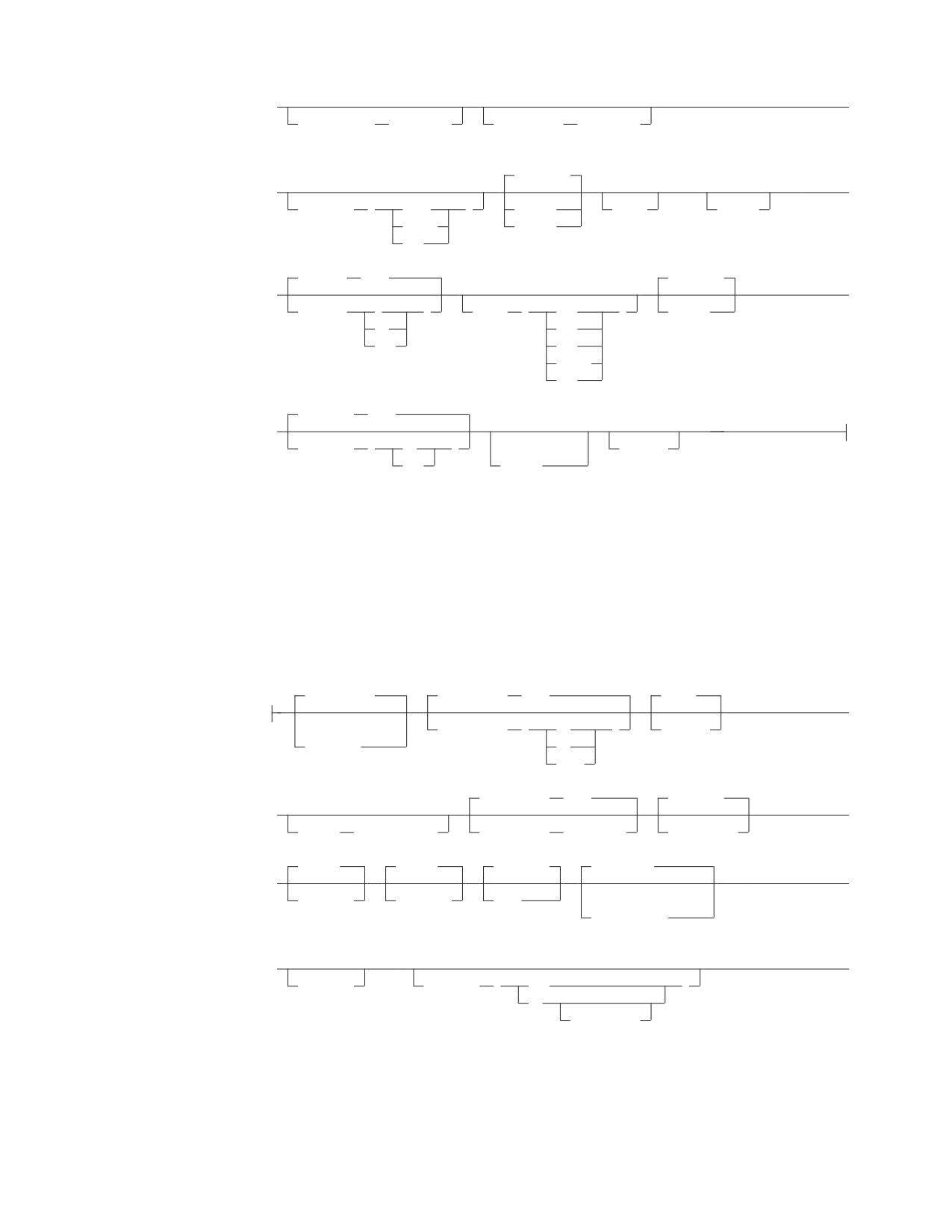
►
►
,CCSIDMixed
(integer)
,CCSIDSbcs
(integer)
,NOCHECK
(1)
(1)
►
►
,CHARSUB
(
Sbcs
)
,CHECK
,COB2
,COBRC
Mixed
,ERROR
Bit
,CTOKEN
(NO)
,NOEXIST
►
►
,CTOKEN
(
)
,DATE
(
EUR
)
,EXIST
NO
ISO
YES
JIS
LOCAL
USA
,EXPLAIN
(NO)
(4)
►
,EXPLAIN
(
NO
)
(3)
,DYNALC
YES
,NOFOR
Notes:
1
COBOL only (DB2 Server for VSE only).
2
Ignored by Fortran (DB2 Server for VSE only).
3
Implied if STDSQL(89) is specified for DB2 Server for VSE.
4
COBOL, PL/I, C, and Assembler only.
prepparms (continued):
,NOGRaphic
,ISOLation
(RR)
,KEEP
►
(1)
,ISOLation
(
CS
)
,REVOKE
,GRaphic
RR
USER
,LineCount
(60)
,PACKAGE
►
►
,LABEL
(label_text)
,LineCount
(integer)
,NOPACKAGE
,PRint
,PUnch
,REPLACE
,SEQuence
►
►
,NOPRint
,NOPUnch
,NEW
(2)
,NOSEQuence
(3)
►
►
,NOSQLCA
,SQLFLAG
(
SAA
)
89
(COMPLETE)
Chapter 5. Preprocessing and Running a DB2 Server for VSE Program
161

,STDSQL
(NO)
►
,STDSQL
(
NO
)
,TIME
(
EUR
)
(4)
ISO
89
JIS
LOCAL
USA
Notes:
1
PL/1 and COBOL only (DB2 Server for VSE only).
2
C only.
3
Implied if STDSQL(89) is specified.
4
86 is a synonym for 89.
Specify these parameters using the PARM keyword of the VSE job control EXEC
statement. The order in which you specify them is unimportant. You must separate
all preprocessor parameters by a comma or by one or more blanks. (See Table 15.)
Note: The maximum number of bytes that can be included within the quotation
marks after the PARM keyword is 100. Therefore, you should take
advantage of the abbreviations and defaults for the preprocessor parameters.
Table 15. Specifying Preprocessor Parameters
Multiple User Mode
// EXEC PGM=ARIPRPx,SIZE=AUTO,PARM=’PREP=MYJOB,USERID=SAM/SECRET’
Single User Mode
Col. 72 -----------------
|
// EXEC PGM=ARISQLDS,SIZE=AUTO,PARM=’SYSMODE=S,LOGMODE=A,
PROGNAME=ARIPRPx/PREPNAME=MYJOB,USERID=SAM/SECRET’
In single user mode, the first / separates the preprocessor parameters from the DB2 Server for VSE initialization
parameters. The second / separates the authorization-name from the password in the USERID preprocessor
parameter (described below).
If you want to keep the authorization-name and password secret, you must
suppress the printout of the job control EXEC statement that contains the
preprocessor parameters. To do this, surround the preprocessor job control with the
statements shown in Figure 32.
NOLOG
<--- Suppress display of JCL on the system
// OPTION NOLOG
<--- Suppress output to SYSLST
(c)
(c)
(c)
LOG
<--- Resume output to the CONSOLE
// OPTION LOG
<--- Resume output to SYSLST
Figure 32. Suppressing Job Control Display of Authorization-Name and Password
If the program is preprocessed successfully and PACKAGE was specified, an entry
is made in the DB2 Server for VSE catalog table SYSTEM.SYSACCESS. The
CREATOR column is set to the value specified for authorization-name; the TNAME
162
Application Programming
column is set to the value specified for PREPNAME. For more information about
the DB2 Server for VSE catalog, refer to the DB2 Server for VSE & VM SQL
Reference manual.
PREPname=package_id
PREPname=collection_id.package-id
The collection_id.package_id is the name by which the database manager
identifies the package. The collection_id portion is optional, and fully qualifies
the package_id and any unqualified objects referenced within the package.
If collection_id is not specified, it defaults to the authorization_name specified on
the USERid parameter. If it is specified, it must equal the authorization_name
specified on the USERid parameter.
USERid=authorization_name/password
The authorization_name is the name by which the application server identifies
the owner of a package. The password should agree with the one established
for this authorization_name by a DB2 Server for VSE GRANT CONNECT
statement. This information is used when executing a CONNECT statement to
gain access to the application server, which determines whether proper
authorization exists for the static SQL statements in the program.
DBNAME=server_name
This parameter identifies the name of the application server to be accessed by
the SQL statements in the preprocessor source file. This parameter is used as
the server_name in the TO clause of the CONNECT statement executed at
preprocessing time. If this parameter is not specified, the preprocessor accesses
the default application server.
Refer to the DB2 Server for VSE System Administration manual for a discussion
of the default application server.
PrepFile=(membername)
PrepFile=(membername.membertype)
The PrepFile parameter identifies the membername and optionally
membertype of a VSE source member containing the list of preprocessor
parameters. If membertype is not specified, it defaults to A.
The following parameters can be specified in the PrepFile or in the
preprocessor parameters. For a more detailed discussion of the options file, see
“Using the Preprocessor Option Member” on page 170.
PrepParm
The following parameters specify the preprocessor options.
APOST
Quote (COBOL preprocessor only)
If you do not specify this parameter, the preprocessor defaults to APOST
and generates single quotation mark (') delimiters for its internal source
declarations. The Quote preprocessor parameter should be used whenever
the Quote parameter is used in the COBOL compiler. Quote causes the
preprocessor to use double quotation marks (") as constant delimiters in
the VALUE clauses of the declarations it generates.
The use of a single quotation mark (') or double quotation marks (") in
SQL statements is not affected by this parameter.
APOST/Quote is stored in the bind file header if BIND is specified and a
bind file is successfully created after preprocessing.
NOBIND
Chapter 5. Preprocessing and Running a DB2 Server for VSE Program
163
BIND
If you specify the NOBIND parameter, the preprocessor does not create a
bind file; NOBIND is the default.
If you specify the BIND parameter, the preprocessor creates a bind file. A
bind file will not be created if NOCHECK is in effect and there was an
error found during SQL statement validation. BIND is ignored if CHECK is
specified. For a more detailed discussion of the bind file, see “Creating a
Package Using CBND and Batch Binding” on page 188.
Note: The Fortran preprocessor ignores the BIND parameter, if specified.
NOBLocK
BLocK
|
IBLocK
|
When the BLock parameter is specified, all eligible query cursors return
|
results in groups of rows, and all eligible insert cursors process inserts in
|
groups of rows. If the IBLocK parameter is specified, all normal
|
homogenous inserts are processed in groups. If you do not specify this
|
parameter, NOBLock is the default. This improves the performance of
|
programs running in multiple user mode, where many rows are inserted or
|
retrieved. For a discussion of eligible cursors, see “Using the Blocking
|
Option to Process Rows in Groups” on page 176.
|
When NOBLocK is specified, rows are not grouped.
|
BLock/NOBLock is stored in the bind file header if BIND is specified and
|
a bind file is successfully created after preprocessing.
|
If you want to change the BLocK option, you must recompile (or
|
reassemble) and relink your program after preprocessing it. You must also
|
use CBND to rebuild the package if BIND is specified. Preprocessing alone
|
does not change the BLocK setting. You must also use CBND to rebuild the
|
package if BIND is specified.
CCSIDGraphic (integer)
This parameter specifies the default CCSID attribute to be used for graphic
columns created in the package, if an explicit CCSID is not specified on the
CREATE or ALTER statements in the package. If this parameter is not
specified, the target application server uses the system default. This option
is stored in the bind file header if BIND is specified and a bind file is
successfully created after preprocessing.
CCSIDMixed (integer)
This parameter specifies the default CCSID attribute to be used for
character columns created with the mixed subtype in the package, if an
explicit CCSID is not specified on the CREATE or ALTER statements in the
package. If this parameter is not specified, the target application server
uses the system default. This option is stored in the bind file header if
BIND is specified and a bind file is successfully created after
preprocessing.
CCSIDSbcs (integer)
This parameter specifies the default CCSID attribute to be used for
character columns created with the SBCS subtype in the package, if an
explicit CCSID is not specified on the CREATE or ALTER statements in the
package. If this parameter is not specified, the target application server
uses the system default. This option is stored in the bind file header if
BIND is specified and a bind file is successfully created after
preprocessing.
164
Application Programming
CHARSUB (Sbcs)
CHARSUB (Mixed)
CHARSUB (Bit)
This parameter specifies the character subtype attribute to be used for
character columns created in the package, if an explicit subtype or CCSID
is not specified. If you do not specify this parameter, the target application
server uses the system default. This option is stored in the bind file header
if BIND is specified and a bind file is successfully created after
preprocessing.
NOCHECK
CHECK
ERROR
If you specify the NOCHECK parameter, the preprocessor executes
normally; that is, it validates all SQL statements when performing package
functions. If NOPACKAGE is specified, package functions are not
performed and so NOCHECK is ignored in this case. NOCHECK will be
stored in the BIND file header if BIND is specified and a bind file is
successfully created after preprocessing; NOCHECK is the default.
If you specify the CHECK parameter, the preprocessor checks all SQL
statements for validity and generates error messages if necessary, but does
not generate a package or bind file. PACKAGE and BIND are ignored if
CHECK is specified.
If you specify ERROR, the preprocessor executes normally except that most
statement-parsing errors are tolerated. When one of these errors is
detected, the preprocessor generates an error message in the output listing
and the modified source code in commented form, and continues
processing. The program can be compiled and executed, but the erroneous
statement cannot be executed. If NOPACKAGE is specified, package
functions are not performed and so ERROR is ignored in this case. ERROR
will be stored in the bind file header if BIND is specified and a bind file is
successfully created after preprocessing.
You should use the ERROR option when you are also generating a bind
file and intend to bind it against a remote application server, where at least
one statement in the program is specific to an unlike application server.
COB2 (COBOL preprocessor only)
This parameter enables you to use certain COBOL II functions that are
supported by the COBOL II Release 3 compiler and later. Refer to “Using
the COB2 Parameter (DB2 Server for VSE)” on page 360 for a list of those
functions.
COBRC (COBOL preprocessor only)
If this parameter is specified, the preprocessor will generate the statement
'MOVE ZEROS TO RETURN-CODE' after it generates a call to ARIPRDI.
For more information, see “Using the COBRC Parameter” on page 361
CTOKEN (NO)
CTOKEN (YES)
This parameter causes the preprocessor to store a consistency token in the
modified source code and the package. At run time, consistency tokens in
the program’s load module and package must match before the application
server executes the package. CTOKEN(NO) is the default. If CTOKEN(YES)
is specified, the consistency token generated by the preprocessor will be an
8-byte 390 Time-of-Day (TOD) clock value. If CTOKEN(NO) is specified,
the consistency token will be 8 blanks. For a more detailed discussion of
Chapter 5. Preprocessing and Running a DB2 Server for VSE Program
165
consistency tokens, see “Using a Consistency Token” on page 182. This
option is stored in the bind file header if BIND is specified and a bind file
is successfully created after preprocessing.
DATE (EUR)
DATE (ISO)
DATE (JIS)
DATE (LOCAL)
DATE (USA)
If this parameter is specified, the output date format chosen overrides the
default format specified at installation time; otherwise, all dates will be
returned in the default format specified at installation time. (See the DB2
Server for VSE & VM SQL Reference manual for a description of these
formats.) This option is stored in the bind file header if BIND is specified
and a bind file is successfully created after preprocessing.
NOEXIST
EXIST
If the EXIST parameter is specified, the preprocessor executes normally;
that is, it generates modified source code and performs package functions.
An error will be generated if objects (such as tables) referenced in
statements in the program do not exist or if proper authorization does not
exist.
If the NOEXIST parameter is specified, object and authorization existence
is not required, and if not found, a warning will be issued. NOEXIST is the
default. NOEXIST/EXIST is stored in the bind file header if BIND is
specified and a bind file is successfully created after preprocessing.
EXPLAIN(NO)
EXPLAIN(YES)
This parameter specifies whether explanatory information for all
explainable SQL statements in a package should be produced.
EXPLAIN(NO) is the default.
If EXPLAIN(YES) is specified, each explainable SQL statement in the
program is explained during preprocessing. If you specify EXPLAIN(YES),
an EXPLAIN ALL is executed. The complete set of explanation tables must,
therefore, be available. If they are not available, you receive an SQLCODE
-649
(SQLSTATE = 42704) and preprocessing is not successful. To interpret
the explanation tables, refer to the DB2 Server for VSE & VM Performance
Tuning Handbook manual. This option is stored in the bind file header if
BIND is specified and a bind file is successfully created after
preprocessing.
NOFOR
This parameter enables you to omit the FOR UPDATE OF clause in the
static cursor query statement, and execute positioned updates to any
column in the result table for which you have UPDATE authority. It is
referred to in this manual as NOFOR support.
Note: This option is also implied if the STDSQL (89) or STDSQL (86)
parameter is specified.
DYNALC
This parameter enables you to preprocess an application program
containing FETCH statements for a cursor that is allocated by a dynamic
ALLOCATE CURSOR statement.
166
Application Programming
Note: This option is only accepted by the COBOL, PL/I, C, and Assembler
preprocessors.
NOGRaphic
GRaphic (COBOL and PL/I preprocessors only)
The GRaphic parameter indicates to the preprocessor whether graphic
constants can be used in SQL statements and whether DBCS string format
should be validated. NOGRaphic is the default.
If GRaphic is specified, the preprocessor accepts SQL statements containing
graphic constants, and checks that all strings of DBCS characters are
correctly formatted.
If NOGRaphic is specified, the preprocessor does not allow graphic
constants in SQL statements, and does not verify the format of strings of
DBCS characters.
Note: If the DBCS value in the GLOBAL SQLGLOB parameters is set to
YES, the graphic option is not used and preprocessing occurs as
though GRaphic had been specified. In addition, the default graphic
option becomes GRaphic.
ISOLation (CS)
ISOLation (RR)
ISOLation (UR)
ISOLation (USER)
This parameter lets you specify one of the following isolation levels at
which your program runs:
v Specify RR (repeatable read) to have the database manager hold a lock
on all data read by the program in the current logical unit of work. This
is the default.
v Specify CS (cursor stability) to have the database manager hold a lock
only on the row or page of data pointed to by a cursor.
v Specify UR (uncommitted read) to have the database manager allow
applications to read data without locking, including uncommitted
changes made by other applications.
v Specify USER to have the application program control its isolation level.
See “Selecting the Isolation Level to Lock Data” on page 172 for guidelines
on choosing the isolation level for your program. This option is stored in
the bind file header if BIND is specified and a bind file is successfully
created after preprocessing.
Note: If you want to change the ISOLation option, you must recompile (or
reassemble) and relink your program after preprocessing it. You
must also use CBND to rebuild the package if BIND is specified.
Preprocessing alone does not change the ISOLation setting.
KEEP
REVOKE
These parameters are applicable if the program has previously been
preprocessed, and the owner has granted the RUN privilege on the
resulting package to some other users. Specify the KEEP parameter to
have these grants of the RUN privilege remain in effect when the
preprocessor produces the new package. Specify the REVOKE
parameter to remove all existing grants of the RUN privilege. (These
grants will also be removed if the owner of the program is not entitled
to grant all the privileges embodied in the program.)
Chapter 5. Preprocessing and Running a DB2 Server for VSE Program
167
KEEP is the default. KEEP/REVOKE is stored in the bind file header if
BIND is specified and a bind file is successfully created after
preprocessing.
LABEL (label_text)
This parameter specifies a label for the package. Label_text can be up to
30 characters in length; the default is spaces. This option is stored in
the bind file header if BIND is specified and a bind file is successfully
created after preprocessing.
LineCount (integer)
The parameter determines how many lines per page are to be printed
in the output listing. The value integer specifies the number of lines per
page. The valid range for this value is 10 to 32 767. If no value is
specified, or if there is an error in the specification of the LineCount
parameter, then the default value of 60 is used.
PACKAGE
NOPACKAGE
If you specify the PACKAGE parameter, the preprocessor performs
package functions and creates a package against a local database.
PACKAGE is ignored if CHECK is specified; PACKAGE is the default.
If you specify the NOPACKAGE parameter, the preprocessor does not
perform package functions and will not create a package. If you
specify NOCHECK as well as NOPACKAGE, NOCHECK is ignored. If
you specify ERROR as well as NOPACKAGE, ERROR is ignored.
PRint
NOPRint
The PRint parameter specifies that the entire preprocessor modified
source listing output is produced. The NOPRint parameter specifies
that the preprocessor listing output is suppressed, except for the
summary messages that are normally printed at the end. PRint is the
default.
PUnch
NOPUnch
The PUnch parameter specifies that the preprocessor modified source
output is produced. The NOPUnch parameter specifies that the
preprocessor modified source output is suppressed.
REPLACE
NEW
This parameter specifies whether the package being created is new or
whether it will replace an existing package that has the same name. If
REPLACE is specified and no previous package exists with the same
name, no error or warning is issued, and the package is created.
REPLACE is the default. If NEW is specified, an error will occur if the
package already exists with the same name. REPLACE/NEW is stored
in the bind file header if BIND is specified and a bind file is
successfully created after preprocessing.
SEQuence
NOSEQuence (C preprocessor only)
If SEQuence is specified, the preprocessor searches only columns 1
through 72 of the source file. When NOSEQuence is specified, the
preprocessor assumes there are no sequence numbers in the input file
and it accepts input from columns 1 to 80. SEQuence is the default.
168
Application Programming
Note: In the latter case, you must use the NOSEQ and MARGINS
(1,80) C compiler options when compiling the modified source.
NOSQLCA
This parameter allows the user to declare an SQLCODE without
declaring all of the SQLCA structure. It is referred to as NOSQLCA
support in this manual.
Note: This option is also implied if the STDSQL(89) or STDSQL (86)
parameter is specified.
SQLFLAG (SAA)
SQLFLAG (89)
SQLFLAG (89(COMPLETE))
This parameter invokes Flagger, a function that flags those static SQL
statements that do not conform to the SQL-89 standard or IBM’s
Systems Application Architecture* (SAA*) standard on an SQL dialect.
If you specify SAA, it provides syntax checking against the SAA
Database Level 1 standard. If you specify 89, it will provide syntax
checking against the SQL-89 standard. If you specify 89(COMPLETE),
it will provide both syntax and semantics checking against the SQL-89
standard. Note that you cannot check both SAA and SQL-89 in the
same preprocessor run.
See “Using the Flagger at Preprocessor Time” on page 170 for more
details on this facility, including an explanation of the SQL-89
standard.
STDSQL (NO)
STDSQL (89)
STDSQL refers to the SQL Standard that has been implemented in the
user’s application program. If NO is specified or the STDSQL
parameter is not used, the preprocessor uses DB2 Server for VSE
standards. If 89 is specified, functions specific to ANS SQL standard 89
are also provided by the preprocessor. STDSQL(NO) is the default.
These functions consist of the following support:
v NOSQLCA
v NOFOR
Note: STDSQL(86) is a synonym for STDSQL(89).
TIME (EUR)
TIME (ISO)
TIME (JIS)
TIME (LOCAL)
TIME (USA)
If this parameter is specified, the output time format chosen overrides
the default format specified during installation. If it is not specified, all
times will be returned in the default format that was specified during
installation. (See the DB2 Server for VSE & VM SQL Reference manual
for a description of these formats.) This option is stored in the bind file
header if BIND is specified and a bind file is successfully created after
preprocessing.
Chapter 5. Preprocessing and Running a DB2 Server for VSE Program
169
Using the Preprocessor Option Member
Instead of specifying all the preprocessing parameters in the preprocessor job you
can use an options member. This has several advantages. You can maintain a set of
standard options members. They can save time, and ensure consistent use of
preprocessing parameters.
You can use a preprocessor options member by including the PrepFile parameter
when you are preprocessing. The member can contain only one preprocessor
parameter per line. If more are found an error message is returned. Blank lines are
ignored, and the parameters may be in either upper- or lowercase. You can insert
comments into the options file by placing an asterisk (*) to the left of the comment.
Everything to the right of the asterisk is ignored. The file is a VSE source member.
* prep parameters for program SAMPLE
ISOL(CS)
*cursor stability isolation level
TIME(ISO)
BLOCK
*indicate inserts and retrieves in groups
Figure 33. The preprocessor option file example.
Using the Flagger at Preprocessor Time
The Flagger is invoked at preprocessor time by the optional parameter SQLFLAG
It provides an auditing function on the static SQL statements in the host program.
This function is independent of the other preprocessor functions, and has no
bearing on whether the preprocessor run will complete satisfactorily.
The audit compares the static SQL statements with the SAA standard or the
SQL-89 standard. SQL-89 is a collective term that implies support of SQL as
defined by the Federal Information Processing Standards (FIPS) 127-1. It includes:
v ANSI X.3.135-1989 (without the Integrity Enhancement feature)
v ANSI X.3.168-1989
v ISO 9075-1989 (without the Integrity Enhancement feature)
In addition to basic syntax checking against SQL-89, Flagger optionally performs
semantics checking against SQL-89. This includes some integrity checking between
the SQL statements and the database. For example, it checks:
v Whether a statement contains column names or table names that do not
currently exist.
v Whether a statement contains ambiguity among column names, such as an
unqualified name for a column that exists in more than one of the tables in the
query.
v Whether a statement contains inconsistencies between the data types of the host
variables and their corresponding table columns.
Any statements that do not conform to the standards are flagged in the form of
information messages in the preprocessor output listing. Flagger, however, does
not force you to comply with the standards. The purpose of Flagger is to provide
guidance for those users who want to conform to these standards, so that they can
have SQL consistency across operating environments.
Note: The DB2 Server for VSE product is a superset of the SQL-89 standard
without the Integrity Enhancement feature. For example, the datetime data
types are not part of SQL-89 and the CONNECT statement is not part of
170
Application Programming
SQL-89. The use of extensions such as these will generate information
messages for deviations from the standard specified in the SQLFLAG
parameter.
The Flagger messages generated at preprocessor time range from ARI5500 to
ARI5599, and are further classified as follows:
1. ARI5500-ARI5539 and ARI5570-ARI5599 are information messages that indicate
that an extension to the SQL-89 standard (nonconformance) has been found.
These start with “FLAGGER message.”
2. ARI5540-ARI5569 are warning messages that indicate a failure on the part of
Flagger itself.
In this event, SQL-89 semantics checking will be turned off and its syntax
checking may or may not be turned off, depending on the nature of the failure.
However, the preprocessor run itself will continue, and any inconsistencies
discovered by Flagger prior to the failure will be included in the output listing
of the run.
Using the CICS/VSE Translator
CICS/VSE provides translators for C, COBOL, PL/I, and assembler language
programs to convert CICS/VSE statements to CICS/VSE calls, similar to the
function performed by the DB2 Server for VSE preprocessors. When program
modules include both SQL and CICS/VSE statements, the appropriate CICS/VSE
translator and the appropriate DB2 Server for VSE preprocessor must be run before
compiling the language. This replaces the CICS/VSE and SQL statements with
appropriate host language statements that invoke the CICS/VSE or database
manager.
SQL statements may contain certain encoding, in quoted strings, that would not be
properly bypassed by the CICS/VSE translators when scanning for CICS/VSE
statements. For example,
"...EXEC CICS ..." "...’..."
When using the QUOTE option in COBOL, the same problem may occur for
single-quoted strings. Also, when SQL statements contain DBCS constants, a
similar problem may arise because DBCS constants may contain single quotation
marks as part of the double-byte character set.
If a CICS/VSE translator is run before the DB2 Server for VSE preprocessor, these
problems may occur in the form of unmatched quotation marks from a CICS/VSE
standpoint, because a translator does not allow for SQL statements embedded in
programs. Therefore, you should run the DB2 Server for VSE preprocessor before
running a CICS/VSE translator. This will ensure that the SQL statements are
commented out before a CICS/VSE translator processes the program.
Currently, there is a problem with running the DB2 Server for VSE preprocessor
before a CICS translator. The preprocessor’s output goes to SYSPCH as 81-byte
records; a CICS/VSE translator, however, accepts only 80-byte input. For COBOL
and PL/I programs this is not a severe problem, because these preprocessors
append the stacker select and punch control character as the eighty-first byte.
While SYSPCH is unblocked, CICS ignores the extra byte.
For assembler and C, however, the card punch control character is appended as the
first byte. In this case it is necessary to process the DB2 Server for VSE assembler
preprocessor output with a utility (OBJMAINT) to eliminate the leading byte
before processing by a CICS translator. See Figure 37 on page 186.
Chapter 5. Preprocessing and Running a DB2 Server for VSE Program
171
These problems can also be avoided by placing the SQL statements in a separate
module from the one containing CICS statements.
Improving Performance Using Preprocessing Parameters
When preprocessing your program, you can specify two performance parameters,
the BLocK/ NOBLocK option and the ISOLation level option. discussed under
“Preprocessing the Program” on page 156. These options are specified under the
PARM keyword of the job control EXEC statement. The format and use of these
parameters was discussed earlier in this chapter. The next section discusses when
you would want to specify each of these options.
(Other performance considerations are discussed in the DB2 Server for VSE & VM
Database Administration manual.)
Selecting the Isolation Level to Lock Data
The database manager puts locks on data that your program works with, to keep
other users from reading or changing that data. You can specify how long the
system holds the lock on data. You can specify either to lock all the data that the
current logical unit of work (LUW) has read, to lock just the row or page of data
that a cursor is currently pointing to, or to not lock any data being read. This is
called specifying the isolation level of the lock.
The isolation level used by an application is set using the ISOLation preprocessing
parameter. On SELECT, SELECT INTO, INSERT, searched UPDATE, and DELETE
statements, the WITH clause may be specified to override the value specified on
the preprocessing parameter.
If you choose to put a lock on all the data that your program’s current LUW has
read, this is called specifying isolation level repeatable read. Repeatable read locks are
held until the end of the LUW. If you choose to put a lock on just the row or page
of data that your cursor is pointing to, then you are specifying isolation level cursor
stability. With cursor stability locking, when the cursor moves, the system frees all
the data previously read by the program that was held by the lock. If you choose
not to lock the data that your program will read, this is called specifying isolation
level uncommitted read. With uncommitted read, no locks are held on the data being
read, and as a result, the data can be changed by other applications.
Both repeatable read and cursor stability provide you with the following data
isolation from other concurrent users:
v Your LUW cannot modify or read any data that another active LUW has
modified. Similarly, if your LUW has modified some data, no one else can
modify or read that data until your LUW has ended. Modify means to apply
INSERT, DELETE, UPDATE, or PUT commands; READ means to apply SELECT
or FETCH commands.
v If your LUW has a cursor pointing to a row of data, no other LUW can modify
that data. Similarly, your LUW cannot modify a row to which another user has a
cursor pointing.
In addition to the above, repeatable read locking provides you with the following
data isolation from other concurrent users:
v No other LUW can modify any row that your active LUW has read. Also, you
cannot modify any data that another active LUW, specifying repeatable read, has
read.
v You do not have to worry about your data being changed between reads, as
long as you do not end your LUW between those reads.
172
Application Programming
This extra isolation has its drawbacks, however. When you specify repeatable read
for data in public dbspaces with PAGE or ROW level locking, you reduce the
concurrency of the data. This means that other users may be locked out from the
data for a long time, causing delays in their programs’ executions.
If you specify cursor stability instead, you reduce these locking problems by
making the data more available. With this isolation level, the system does not hold
the locks as long. After a cursor has moved past a row or page of data, the lock on
that data is dropped. This increases concurrency so that other users can access data
faster.
Cursor stability can, however, cause some data inconsistencies. For instance:
1.
If a user’s LUW reads data twice, it can get different results. This could happen
if another user modifies the data and commits the changes between read
operations.
2.
A modification based on a prior reading can be incorrect. This can occur if
another LUW modifies the rows that a user has read and commits the changes
before that user can do the modification. (Note that when the user is retrieving
data in application programs, the only row that is safe from modification is the
one that is currently being pointed to by a cursor.)
3.
If an SQL statement in the user’s LUW is traversing a table by way of an index,
the user might find the same row twice. (This case applies to FETCH cursors,
searched INSERT by way of subselect, and searched UPDATE with subselect
that traverse a table by way of an index.) This can occur because, after the
user’s statement reads the row the first time, another user can update the
column value that is indexed and commit the change. The change could cause
the committed row to be ahead of the row currently being retrieved by the
statement. The first user’s statement would then find the row again with its
updated index column value.
4.
If an SQL statement in the LUW is traversing a table by way of an index, it can
fail to find a row (or rows) even if the row meets the selection criteria. (This
situation applies to FETCH cursors, Searched DELETE, Searched INSERT by
way of the subselect, and Searched UPDATE by way of the subselect that
traverse a table by way of an index.) This can occur because while the LUW is
reading, another user modifies the indexed column in the row and commits the
change (as above). The change could cause the committed row to be behind the
row the user’s statement is currently reading. Thus, the statement would not
find the row, even if the row met the selection criteria.
5.
If you enter a SELECT statement to retrieve a single row, a cursor is opened
when the system processes the statement and is closed when the row is
returned. All PAGE and ROW level locks are released when the cursor is
closed; therefore, no locks are held after the row is returned. For single-row
processing using a SELECT statement with a fully qualified unique index, a
cursor is not opened and again no locks are held once the row has been
returned. As a result, applications which update a selected column based on
the values retrieved may have unexpected results because the lock was not
held for the duration of the LUW. For example:
HOST_EMPNO = ’000250’
EXEC SQL SELECT SALARY
/* HOST_SALARY is 19180
*/
INTO :HOST_SALARY
FROM EMPLOYEE
WHERE EMPNO = :HOST_EMPNO;
HOST_SALARY = HOST_SALARY + 1000;
/* HOST_SALARY increased to 20180 */
EXEC SQL UPDATE EMPLOYEE
/* UPDATE SALARY in EMPLOYEE
*/
SET SALARY = :HOST_SALARY; /* TABLE with HOST_SALARY
*/
Chapter 5. Preprocessing and Running a DB2 Server for VSE Program
173
WHERE EMPNO = :HOST_EMPNO;
EXEC SQL SELECT SALARY
/* HOST_SALARY may not be 20180
*/
INTO :HOST_SALARY
/* because lock was not held for*/
FROM EMPLOYEE
/* the duration of the LUW
*/
WHERE EMPNO = :HOST_EMPNO;
COMMIT WORK;
In the previous example, it is possible that two or more users could read the
salary column with the same value at approximately the same time. They
would then each increment the number and issue the UPDATE statement. The
second user would wait for the first user’s update to finish, and then overwrite
it with the same number.
Unlike RR or CS, uncommitted read does not provide any data isolation from
other concurrent users. Like CS though, concurrency is improved, although at the
risk of data inconsistency. UR can cause similar data inconsistencies as those
described for CS and should only be used when it is not necessary that the data
you are reading be committed.
An application using isolation level UR is still restricted to access only data for
which it has authorization. However, because it will be able to read uncommited
changes, it will be able to read additional rows which an application, with the
same authorization but using RR or CS, could not. This is illustrated by the
following example.
Rows of table:
Scenario: 1
A
U1 reads (using UR) A B
B
U2 inserts D
C
U1 continues reading C D E
<---D
U2 rolls back
E
-- U1 has read a non-existent row
Scenario: 2
U1 reads (using CS) A B
U2 inserts D
U1 continues reading C, must wait to
read D
U2 rolls back
U1 continues reading E
Note: In scenario 1, U1 has read an extra
row which U1 in scenario 2 could not.
When should each of these options be chosen for your program? Usually, you
should specify repeatable read locking. Only use cursor stability if your program
causes or will cause locking problems. For instance, you would probably want to
use cursor stability for transactions that perform terminal reads without
performing a COMMIT or ROLLBACK, or programs that do bulk reading, because
it is handy for programs that browse through large amounts of data. For programs
that perform commits or rollbacks before issuing terminal reads, you should use
repeatable read locking, because they probably will not cause locking problems.
Also, any application that needs to protect itself against updates should also use
repeatable read locking. For programs where concurrency is wanted, for example,
data being queried simultaneous to being updated, you would use uncommitted
read locking. Of course, this would be for applications where data integrity was
not important because the data being read may not necessarily have been
committed.
174
Application Programming
You can also mix isolation levels, to have your program set, change, and control its
own isolation level as it is running. You can specify mixed isolation level with the
USER option of the ISOLation preprocessor parameter, as detailed under
“Preprocessing the Program” on page 156.
If you choose this option, your program must pass the isolation level value to the
application server by a program variable. It must declare a one-character program
variable and must set this variable to the desired isolation level value before
executing SQL statements. For repeatable read, your program should set this
variable to R; for cursor stability, the variable should be set to C; and for
uncommitted read, the variable should be set to U. The program can change the
variable at any time so that subsequent SQL statements are executed at the new
isolation level value. However, if your program changes the isolation level while a
cursor is OPEN, the change does not take effect for operations on that cursor until
it has been closed and opened again. That is, until the cursor is closed all
operations on that cursor are executed at the isolation level value that was in effect
when the cursor was opened. Note that the changed isolation level will be used
(without error) for SQL statements not referencing the opened cursor.
If the program sets the isolation level variable to a value other than C, R or U, or if
it fails to initialize the variable, the system stops execution and returns an error
code in the SQLCA.
Table 16 shows the isolation level variable name for each of the host languages.
Table 16. Variable Names for Specifying Mixed Isolation Levels
Host Language
Variable Name
Example
assembler
SQLISL
SQLISL DS CL1
C
SQLISL
char SQLISL;
COBOL
SQL-ISL
01 SQL-ISL PIC X(1).
Fortran
SQLISL
CHARACTER SQLISL
PL/I
SQLISL
DCL SQLISL CHAR(1);
Note: If you forget to declare the isolation level variable in a PL/I program, the
PL/I compiler issues an informational message which can, in some
environments, be suppressed.
Isolation level cursor stability or uncommitted read only has meaning for data in
public dbspaces with ROW or PAGE level locking. Data in private dbspaces or in
public dbspaces with DBSPACE level locking always uses repeatable read isolation.
However, programs which access such data and do not require repeatable read
should be preprocessed with cursor stability or uncommitted read. The data
concurrency requirements might change and cause the data to be moved to a
public dbspace with PAGE or ROW level locking. In this case, the program would
not need to be repreprocessed to run at isolation level cursor stability or
uncommitted read.
To use the features of CS or UR, data must reside in public dbspaces with PAGE or
ROW level locking. DML statements against private dbspaces or public dbspaces
with PAGE or ROW level locking under isolation level CS or UR are handled the
same as if isolation level RR were used.
Chapter 5. Preprocessing and Running a DB2 Server for VSE Program
175
When the system uses a dbspace scan (that is, does not use an index) to access a
table in a dbspace with ROW level locking using isolation level cursor stability, the
effect is the same as repeatable read. That is, no other LUW can update the table
until the logical unit of work performing the dbspace scan ends. Also, if an LUW
is updating a table, another LUW (using cursor stability) cannot access that table
with a dbspace scan until the updating LUW ends. This reduced concurrency for
dbspace scans does not apply to tables in dbspaces with PAGE level locking, or to
accessing through indexes. Because most database accesses will typically use
indexes, the reduced concurrency caused by dbspace scans should not occur
frequently.
The isolation level specification affects UPDATE and DELETE processing as well as
SELECT processing. For UPDATE and DELETE processing, the system acquires
UPDATE locks. UPDATE locks can be acquired for both cursor stability and
repeatable read isolation level settings. If the user actually wants to update or
delete the data, the UPDATE lock is changed to an EXCLUSIVE lock; otherwise,
the UPDATE lock is changed to a SHARE lock.
Note the following about UPDATE LOCKS:
v They are used for page or row locking, but not for dbspace locking.
v They apply to index pages or index keys only for the Searched DELETE
statement.
v For Positioned DELETE processing, the named cursor must have been declared
in the FOR UPDATE clause of the DECLARE CURSOR statement.
v For FETCH processing that uses repeatable read isolation level, these locks are
acquired only if certain predicates are present in the statement. See the DB2
Server for VSE & VM Database Administration manual for more information.
Internally generated SELECT, UPDATE, or DELETE statements use cursor stability
locking no matter what the isolation level is set to. (See “Enforcing Referential
Integrity” on page 299 for information on these statements). Conversely, data
definition statements such as CREATE, ACQUIRE, or GRANT, use repeatable read
locking no matter what the isolation level is set to. These statements, therefore,
should not play a role in your choice of isolation level.
Note: Catalog access for SQL statement preprocessing is also always done with
repeatable read locking.
Using the Blocking Option to Process Rows in Groups
|
You can insert and retrieve rows in groups or blocks, instead of one at a time. This
|
is called specifying the blocking option. Specifying one of the blocking options
|
(BLock or IBLocK), improves performance for DB2 Server for VSE application
|
programs that:
|
v Execute in multiple user mode, and
|
v Retrieve or insert multiple rows.
You can specify the blocking option as a DB2 Server for VSE preprocessor
parameter, or or SBL0cK or BLocK , as an option on the CREATE PACKAGE
statement. After a program has been preprocessed with the blocking option, all
eligible cursor SELECTs and all eligible cursor INSERTs within the program are
blocked. You do not have to specify a block size or block factor. The block size for
inserts and SELECTs is automatically fixed.
|
The programs that would benefit the most from blocking are those that do
|
multiple-row inserts (with PUT statements or INSERT statements) or multiple-row
176
Application Programming
|
SELECTs (with FETCH statements). In both cases, a cursor must be defined. (See
|
“Retrieving or Inserting Multiple Rows” on page 33 for more information on
|
cursors.) Thus, a general rule for blocking is use blocking for programs that declare
|
cursors or that have multiple contiguous homogenous insert statements.
|
A program can use either PUT, FETCH or INSERT statements without being
|
sensitive to whether the system is blocking. These statements work regardless of
|
whether you specified the blocking option. What information is returned in the
|
SQLCA after each PUT, FETCH or INSERT, however, depends on whether blocking
|
is in effect or not.
|
Remember that when you preprocess a program with the blocking option (BLocK),
|
all eligible INSERT and SELECT cursors are blocked. You cannot specify blocking
|
for just INSERTs or for just SELECTs. If you specify the blocking option (BLocK), it
|
automatically applies to both. However, specifying the IBLocK option applies only
|
to normal Insert statements in the application program, that are homogenous and
|
contiguous.
When are INSERT or SELECT statements not eligible for blocking? The system
sometimes overrides blocking for a particular cursor because of storage limitations
in the database partition, or because of SQL statement ineligibility.
v DECLARE CURSOR...FOR UPDATE
v Any DECLARE CURSOR statement with a related select-statement containing a
long string
v Any DECLARE CURSOR statement that has a subsequent DELETE...WHERE
CURRENT OF statement
v Any DECLARE CURSOR statement that has a corresponding UPDATE...WHERE
CURRENT OF statement and the program is preprocessed with NOFOR
support.
The system also disqualifies blocking if it cannot fit at least two rows into a block.
(The number of rows that fit into a block may differ from one
PUT/FETCH/INSERT statement to the next, even when such statements operate
on the same table.)
The system does not halt the program when it overrides blocking. Instead, in each
of the above cases, it sets a warning flag in the SQLCA. The warning can be
detected by using WHENEVER SQLWARNING in the program. See “Using the
Automatic Error-Handling Facilities” on page 197 for more information on the
SQLCA and the SQL WHENEVER declarative statement.
Note: The DECLARE CURSOR... statement can also be written without the FOR
UPDATE OF clause, even though positioned updating is subsequently done.
(This is allowed when NOFOR support is invoked at preprocessor time.) In
this case, blocking is also ineligible.
The system also overrides blocking for all programs running in single user mode.
In this instance, the system does not usually return a warning to the SQLCA. A
warning is returned to the SQLCA for programs running in single user mode if:
v The program is preprocessed with the BLocK option
v An SQL statement that is being processed dynamically (with PREPARE) is
disqualified for blocking.
Chapter 5. Preprocessing and Running a DB2 Server for VSE Program
177
The DBS Utility may get blocking ineligible warnings when it is run in single user
mode because it is preprocessed with the BLocK option, but uses PREPARE to
process SELECT statements.
Note: Always CLOSE a cursor before issuing a COMMIT statement, especially
when blocking. If you commit changes before closing an insert cursor that is
being blocked, you receive an error.
Imposing Blocking Restrictions:
|
1. The length of host variables in the SQLDA or host_variable_list cannot be
|
changed after the first PUT, FETCH or INSERT when blocking.
|
2. The data type of host variables in the SQLDA or host_variable_list cannot be
|
changed after the first PUT, FETCH or INSERT when blocking.
|
3. The number of data elements in the host_variable_list or SQLDA cannot be
|
changed after the first PUT, FETCH or INSERT when blocking.
4. If a COMMIT is issued while a blocking PUT cursor is open, an error occurs.
When blocking is active, a single SQLCA is returned with each block of rows. This
SQLCA is returned to the application program with the last row in the block.
However, for the final block of rows, the FETCH that returns the “not found”
condition (SQLCODE = +100 and SQLSTATE='02000') will return the SQLCA. (For
more information on SQLCA refer to “Using the SQLCA” on page 199). This has
the following implications for application programming:
v No warning conditions are returned to the application until the SQLCA is
returned.
For example, if SQLWARN3 is set (to indicate that the application has fewer
target variables in the INTO clause than the number of items in the SELECT
list), the application will not be notified until either the last row in a block or the
“not found” condition is returned.
v If SQLWARN1 (truncation occurrence) is set, it is impossible to tell from the
SQLCA information which row (or rows) in a block caused the warning
condition. However, if the application resets the indicator variable to 0 before
each fetch, and then examines the indicator variable after each fetch, truncation
can be detected on an ongoing basis.
|
Using the Blocking Option in DRDA Protocol: When the database manager is
|
acting as an application requester in DRDA protocol, blocking is provided on a
|
PUT statement using the BLocK option and for a normal INSERT statement using
|
the IBLocK option.
|
When the IBLocK or BLocK parameters are specified under DRDA, all eligible
|
homogenous INSERT statements/PUT statements are grouped together for
|
processing. Homogenous INSERT statements are defined as a set of INSERT
|
statements that:
|
v Access the same DB2 Table.
|
v Access the same set of columns in that table, in the same order.
|
There must be an ’SQL COMMIT’ statement after a set of homogenous INSERT
|
statements. This causes the buffer to be sent, processed by the DB2 UDB Server
|
and response received and parsed by the Application requester.
|
The IBLocK parameter does not work under private protocol. This is particularly
|
useful if you are loading a large amount of data while using DRDA protocol.
178
Application Programming
|
In DRDA protocol, the block size for FETCH/PUT/INSERT statements is
|
determined by the QRYBLKSIZE parameter in SQLGLOB. For information on
|
SQLGLOB, refer to the DB2 Server for VSE & VM Database Administration manual.
Using the INCLUDE Statement
Including External Source Members
The inclusion of external source members is indicated to the DB2 Server for VSE
preprocessor by an embedded SQL statement, the INCLUDE statement, in the
user’s source code. This statement can appear anywhere that an SQL statement can
appear, and indicates within the source code where the external source is to be
placed. The syntax for the INCLUDE statement is as follows:
►► INCLUDE text_file_name
►◄
where text_file_name identifies the external source member. The text_file_name is a 1
to 8 character identifier and cannot be delimited by double quotation marks. The
first character must be a letter (A-Z), $, #, or @; the remaining characters must be
letters, digits (0-9), $, #, @, or underscore (_) unless further restricted by the
operating system. Also, text_file_name cannot be SQLCA or SQLDA, as these are
special INCLUDE keywords.
The statements contained in the external source specified by may be host language
statements or SQL statements (except for another INCLUDE statement). INCLUDE
statements may not be nested, but the external source may contain INCLUDE
SQLDA or INCLUDE SQLCA statements.
Note: The INCLUDE statement can be in an SQL DECLARE section, or the entire
SQL DECLARE section can be within external source members.
Including a Library Source
The INCLUDE statement may be used to obtain secondary input from a VSE
source member.
INCLUDE causes input to be read from the specified source member until the end
of that source member is read. At this time, SYSIPT input resumes. (File records
representing the source statements must be unblocked, fixed-length, 80-character
records.) The source member must be cataloged as the following source types:
A - assembler
B-C
C - COBOL
G - Fortran
P - PL/I
If the INCLUDE statement specifies a source member that is not cataloged for the
appropriate source member type, an error results.
Source member input must not contain preprocessor INCLUDE statements other
than INCLUDE SQLDA or INCLUDE SQLCA, although it may contain both host
language and DB2 Server for VSE statements. If an INCLUDE statement is
encountered, an error will result.
Chapter 5. Preprocessing and Running a DB2 Server for VSE Program
179
Within the INCLUDE statement, text_file_name specifies a “source member” in the
DB2 Server for VSE library. The source member type is determined by the
preprocessor that is invoked.
The text_file_name specification must not contain the source member type identifier;
the source member type will be based on the aforementioned preprocessor.
Compiling the Program
After you successfully preprocess your program, you can compile it using your
normal host language compiler, and create an object deck. Use the modified source
output of the DB2 Server for VSE preprocessor as input to the compiler. By
preprocessing, you have already done all the translating that the program needs
for the database manager. However, if the program is an on-line program, the CICS
statements have to be “translated” before the program is compiled. Just use the
new code that you got after you preprocessed. Compile this code as you would
any other program, using the usual compilers.
This book does not cover the specifics of compiling your host-language code.
However, there are several special rules for SQL programs, depending on the host
language, that you must follow:
v If your PL/I application program contains DBCS data, you must specify the
GRAPHIC option for the compiler. If your COBOL application program contains
DBCS data or is reentrant, the output of the DB2 Server for VSE preprocessor
must be processed by the COBOL II Release 2 (or later) program.
v If the QUOTE option is used for the DB2 Server for VSE COBOL preprocessor, it
should also be used for the COBOL compiler.
v If the NOSEQuence option is used for the DB2 Server for VSE C preprocessor,
the NOSEQ and MARGINS (1,80) options must be used with the C compiler.
Link-Editing and Loading the Program
After compilation, programs must be link-edited and loaded before they can be
run.
Link-Editing the Program with Supplementary Information
Including Relocatable Modules
To allow your program to communicate with the database manager, you must
link-edit your program with one or more DB2 Server for VSE relocatable modules.
One of these relocatable modules is called the resource adapter stub. Every DB2
Server for VSE application program must be link-edited with this stub. Fortran and
COBOL programs need to be link-edited with additional relocatable modules. Also,
depending on the nature of your program, you may have to link-edit with others.
For instance, when link-editing a module that uses CICS/VSE, you may have to
INCLUDE a CICS/VSE module immediately following the PHASE system control
statement and before the EXEC ASSEMBLY system control statement. Whether you
INCLUDE this module depends on your host language.
When you load your program, the VSE linkage editor automatically links your
program to all modules that you included. The linkage editor also resolves virtual
storage addresses between files.
180
Application Programming
Including CICS/VSE Procedures
When link-editing a module that uses CICS/VSE, you should include the following
procedures for your application:
v For all assembler applications, you must have an INCLUDE for CICS/VSE
module DFHEAI immediately following the PHASE system control statement
and before the EXEC ASSEMBLY system control statement. DFHEAI must be the
phase entry point.
v For all C applications, you must have an INCLUDE for CICS/VSE module
DFHELII. This module must be the phase entry point.
v For all COBOL applications, you must have an INCLUDE for CICS/VSE module
DFHECI immediately following the PHASE system control statement and before
the EXEC IGYCRCTL (EXEC FCOBOL in OS/VS COBOL) system control
statement. DFHECI must be the phase entry point.
v For all PL/I applications, you must have an INCLUDE for CICS/VSE module
DFHPL1I immediately following the PHASE system control statement and
before the EXEC PLIOPT (EXEC IEL1AA in IBM PL/I for VSE) system control
statement. DFHPL1I must be the phase entry point.
See Figure 37 on page 186 for an example of these procedures.
Including CICS/TS Procedures
When link-editing a module that uses CICS/TS, you must include the following
procedures for your application:
v For all assembler applications, you must have an INCLUDE for CICS/TS
module DFHEAI immediately following the PHASE system control statement
and before the EXEC ASMA90 system control statement. DFHEAI must be the
phase entry point.
v For all C, COBOL, and PL/I applications, you must have an INCLUDE for
CICS/TS module DFHELII, following the PHASE link-edit statement and before
the EXEC statement for the compiler. This module must be the phase entry
point.
Including Extra Linkage Modules
When link-editing any DB2 Server for VSE application, you must include some
extra linkage modules following the application program module that uses the
database manager. Use these extra modules as indicated below:
v For all batch and ICCF applications, you must include the linkage module
ARIPRDID.
v For all online (CICS/VSE) applications, you must include the linkage module
ARIRRTED.
In addition to the modules listed above, some of these may be required:
v For all programs written in COBOL (regardless of whether they are batch, ICCF,
or online), you must also include the module ARIPADR4. Include ARIPADR if
your program was preprocessed prior to SQL/DS Version 2 Release 2. (You need
not include it if VSE autolink is used.)
Note: If you use a COBOL SORT in your program, include ARIPADR4 (or
ARIPADR) and ARIPRDID (or ARIRRTED) before the compile step.
v For all programs written in Fortran, you must also include the modules
ARIPEIFA and ARIPSTR. If the Fortran program uses the module ARISSMF, this
file must also be included. See the discussion of the SQLCA in Chapter 6,
“Testing and Debugging,” on page 195.
Chapter 5. Preprocessing and Running a DB2 Server for VSE Program
181
v For all programs that will include the DBS utility (regardless of whether they are
batch, ICCF, or online), you must also include the modules ARISYSDD,
ARIDSQLA, and ARIDDFP.
v All programs (except Fortran programs) that use the module ARISSMA, must
also link-edit this module. See the discussion of the SQLCA in Chapter 6,
“Testing and Debugging,” on page 195 for further information.
|
v All programs that use the module ARIGMSGD, must also link-edit this module.
|
See the discussion of the SQLCA in Chapter 6, “Testing and Debugging,” on
|
page 195 for further information.
If you receive an unresolved external reference message for a module name that
begins with ARI or SQL, check the link process to ensure that all required extra
linkage modules are included.
Some of these modules contain entry points with names that are different from the
module name. The code generated by the DB2 Server for VSE preprocessor can
reference one of these entry points, depending on the SQL statements in your
application.
Running the Program
Using a Consistency Token
Consistency tokens ensure that a program’s load module and the database package
are used together. When preprocessing, you can instruct the preprocessor to place a
consistency token in both the load module and the package (see CTOKEN
parameter 165. If the two tokens do not match, the application server prevents the
program from running.
Note: If you inadvertently forget to compile or link-edit a new version of a
program, you can run an old version of a program with a new version of
the package. Conversely, with multiple application servers, you can
inadvertently run a new version of a program with an old version of the
package. In either situation, you will probably get program errors or
incorrect results if you have not used consistency tokens.
Loading the Package and Rebinding
The package that the preprocessors or CBND stored carries out the SQL request.
When the application server loads the package, it checks that the package is still
valid. A package may not be valid if one of its dependencies has been dropped.
For example, some index that the package uses may have been dropped.
Packages are also invalidated when primary keys and referential constraints are
added to, dropped from, activated, or deactivated on tables that the modules
depend on. The following rules apply:
v If a primary key is added, dropped, activated, or deactivated, all packages that
have a dependency on the parent table will be invalidated. This includes any
tables that have a foreign key relationship with the parent table.
v If a foreign key is added, dropped, activated, or deactivated, all packages that
have a dependency on the dependent table or parent table will be invalidated.
The system has an internal change management facility that keeps track of whether
packages are valid or not. If a package is valid, the system begins running the
program; if the package is not valid, the system tries to re-create it. The original
182
Application Programming