Kia Niro Hybrid / Plug-in Hybrid (2022 year). Manual in english - page 8
Features of your vehicle
Trip modes (Trip computer)
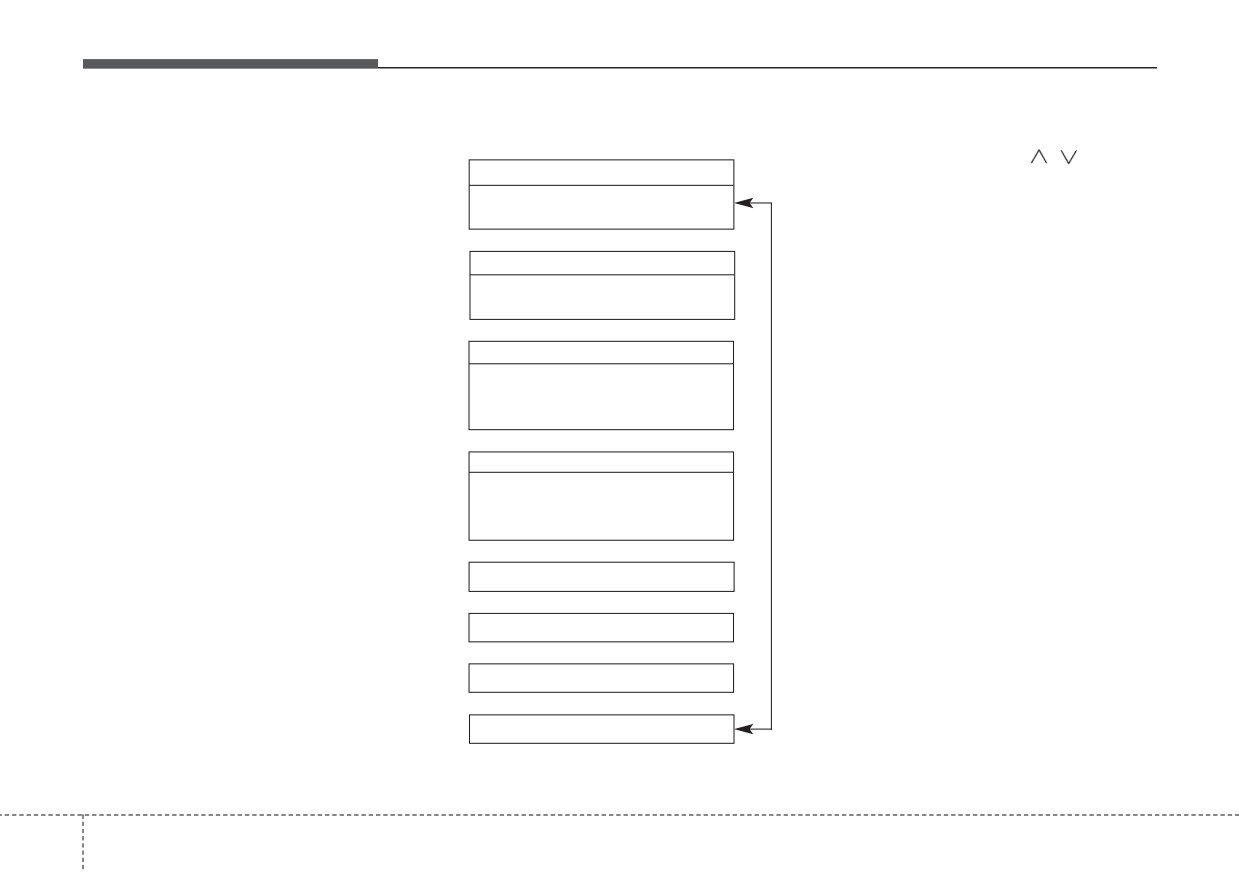
Trip modes
To change the trip mode, scroll the
MOVE scroll switch
(
/
) in
the
The trip computer is a microcomput-
Range 1)
trip computer mode.
er-controlled driver information sys-
• Electric
tem that displays information related
• Gasoline
to driving.
˙
Fuel Economy
✽ NOTICE
• Average Fuel Economy
• Instant Fuel Economy
Some driving information stored in
the trip computer
(for example
˙
Accumulated Info
Average Vehicle Speed) resets if the
battery is disconnected.
• Tripmeter
• Fuel Economy
• Timer
˙
Drive Info
• Tripmeter
• Fuel Economy
• Timer
˙
2)
Digital Speedometer
˙
Driving style
˙
Energy flow
¨
Engine Temperature
1) : for Plug-in hybrid
2) : for Type A cluster
4
90
Features of your vehicle
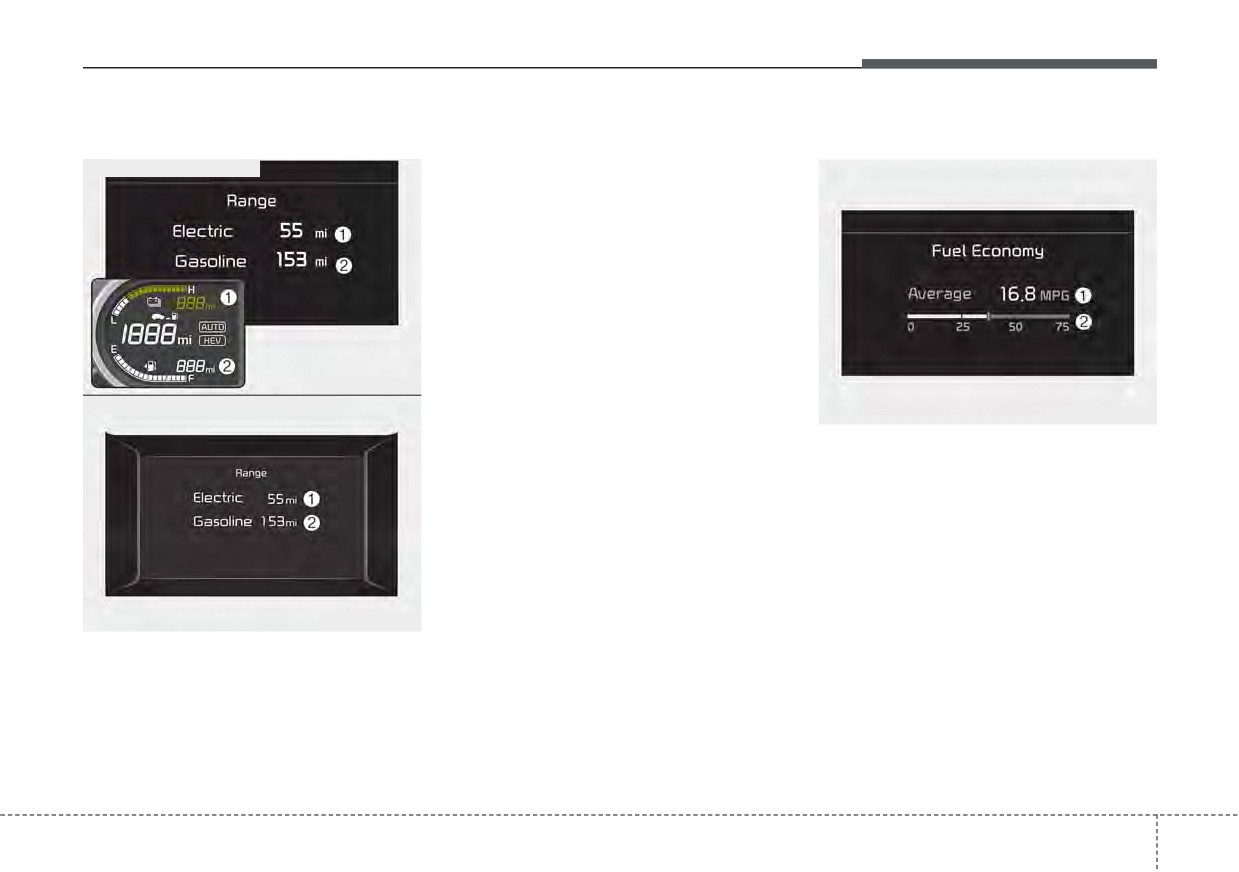
Range (Plug-in hybrid)
• If the estimated distance is below Fuel Economy
1 mi. (1 km), the trip computer will
■ Type A - Plug-in hybrid
display “---” as distance to empty.
- Distance range: 1 ~ 510 mi. or 1 ~
510 km
✽ NOTICE
•
If the vehicle is not on level ground
or the battery power has been
interrupted, the range function
may not operate correctly.
ODEP049192N
■ Type B - Plug-in hybrid
•
The range may differ from the
ODEP049600N
actual driving distance as it is an
estimate of the available driving
Average Fuel Economy (1)
distance.
• The average fuel economy is calcu-
•
The trip computer may not register
lated by the total driving distance
additional fuel if less than 1.6 gal-
and fuel consumption since the last
lons (6 liters) of fuel are added to
average fuel economy reset.
the vehicle.
- Fuel economy range : 0.0 ~ 99.9,
•
The range may vary significantly
100
~ 999 MPG, L/100km or
based on driving conditions, driv-
km/L
ing habits, and condition of the
ODEP049562N
vehicle.
• The average fuel economy can be
•
The range is the
estimated dis-
reset both manually and automati-
tance the vehicle
can be driven
cally.
with the remaining high-voltage
(hybrid) battery
(1, Electric) and
fuel in the fuel tank (2, Gasoline).
4
91
Features of your vehicle
Manual reset
Automatic reset
Instant Fuel Economy (2)
To clear the average fuel economy
To make the average fuel economy
•
This mode displays the instant fuel
manually, press the OK button
be reset automatically whenever
economy while driving.
(reset) on the steering wheel for
refueling, select the “Fuel Economy
- Fuel economy range : 0.0 ~ 75
more than 1 second when the aver-
Reset” mode in User Setting menu of
MPG or 0.0 ~ 30 L/100km, km/L
age fuel economy is displayed.
the LCD display (Refer to “LCD dis-
play”).
• OFF - You may set to default man-
ually by using the trip switch reset
button.
• After ignition
- The vehicle will
automatically set to default once 4
hours pass after the ignition switch
or ENGINE START/STOP button is
turned to the OFF position.
• After refueling
- After refueling
more than 1.6 gallons (6 liters) and
driving over 1 mph (1 km/h), the
vehicle will reset to default auto-
matically.
✽ NOTICE
The average vehicle speed is not dis-
played, when the vehicle drives
shorter than 0.2 miles(300 meters)
or less than 10 seconds after turning
ON the ignition switch or ENGINE
START/STOP button.
4
92
Features of your vehicle
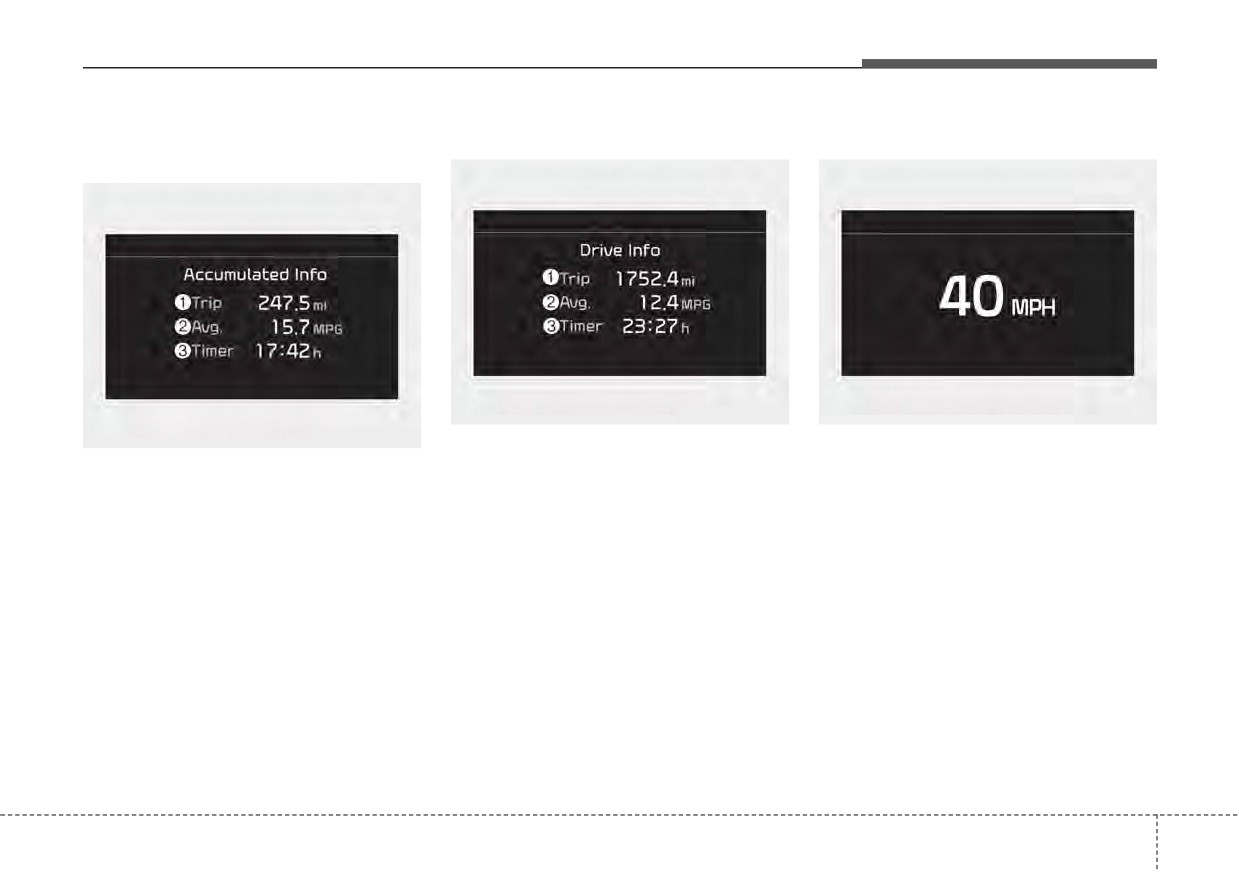
Accumulated driving information
One time driving information mode
Digital speedometer (if equipped)
mode
ODEP049602N
ODEP049578N
ODEP049601N
This display shows the trip distance
This mode displays
the
current
This display shows the accumulated
(1), the average fuel efficiency (2),
speed of the vehicle.
trip distance
(1), the average fuel
and the total driving time (3) informa-
efficiency
(2), and the total driving
tion once per one ignition cycle.
time (3).
- Fuel efficiency is calculated after
• Accumulated information is calcu-
the vehicle has run for more than
lated after the vehicle has run for
0.2 miles (300 meters).
more than 0.2 miles (300 meters).
- The Driving Information will be
• If you press “OK” button for more
reset
4 hours after ignition has
than 1 second after the Cumulative
been turned off. So, when the vehi-
Information is displayed, the infor-
cle ignition is turned on within 4
mation will be reset.
hours, the information will not be
reset.
• If the engine is running, even when
the vehicle is not in motion, the
- If the engine is running, even when
information will be accumulated.
the vehicle is not in motion, the infor-
mation will be accumulated.
4
93
Features of your vehicle
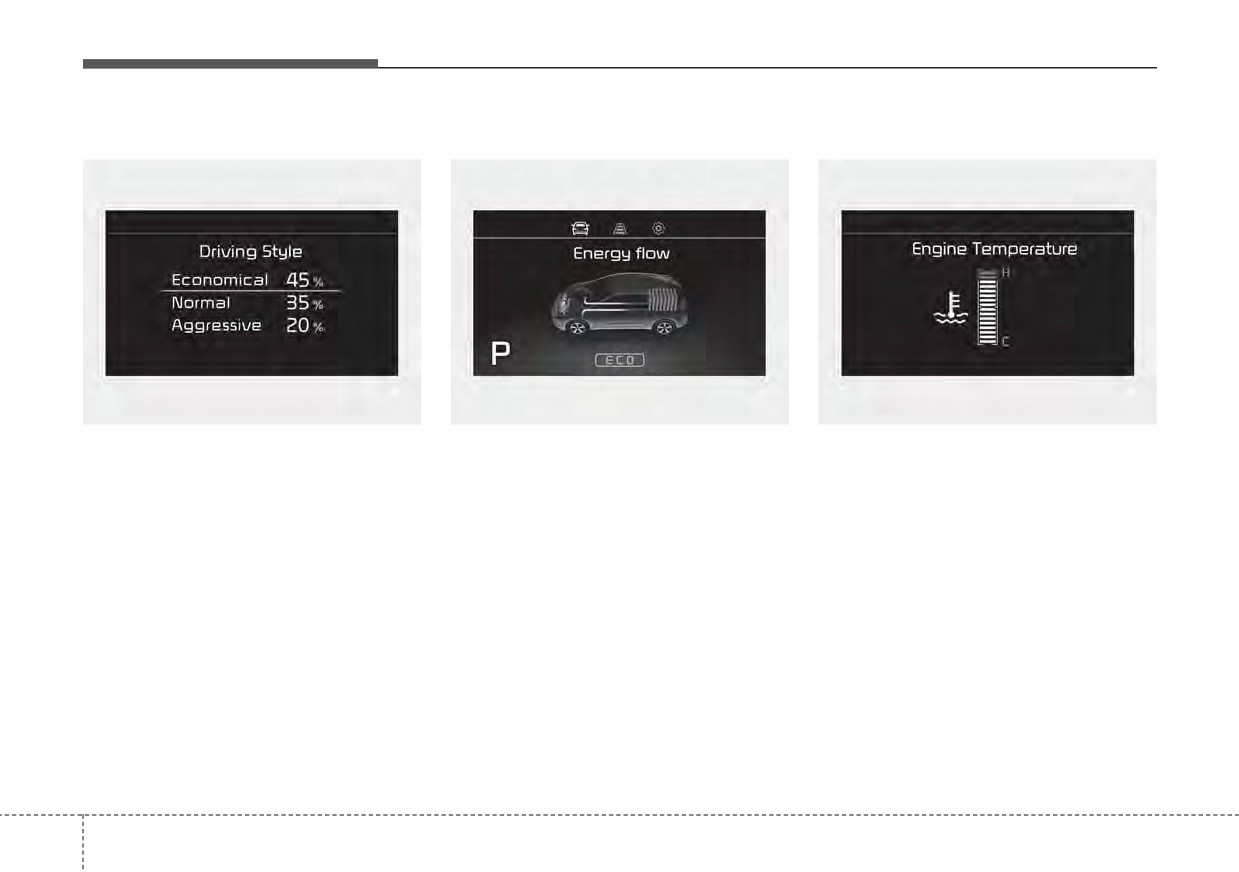
Driving Style
Energy Flow
Engine coolant temperature
ODEP049579L
ODEP047202N
ODEP049603N
The driving style is displayed when
The hybrid system informs the driv-
This gauge indicates the tempera-
you are driving in ECO mode.
ers its energy flow in various operat-
ture of the engine coolant when the
ing modes. While driving, the current
engine is running.
When you drive in SPORT mode,
energy flow is specified in 11 modes.
each driving category will be dis-
played with “--”.
✽ NOTICE
❈ For more details, refer to “Energy
When the gauge indicator gets out of
Flow” in Hybrid System Overview
the normal range, toward the “H
chapter.
(Hot)” position, it indicates over-
heating of the engine. It may dam-
age the engine.
Do not continue driving with the
overheated engine.
❈ For further information, refer to
“If the Engine Overheats” in the
chapter 6.
4
94
Features of your vehicle
Warning messages
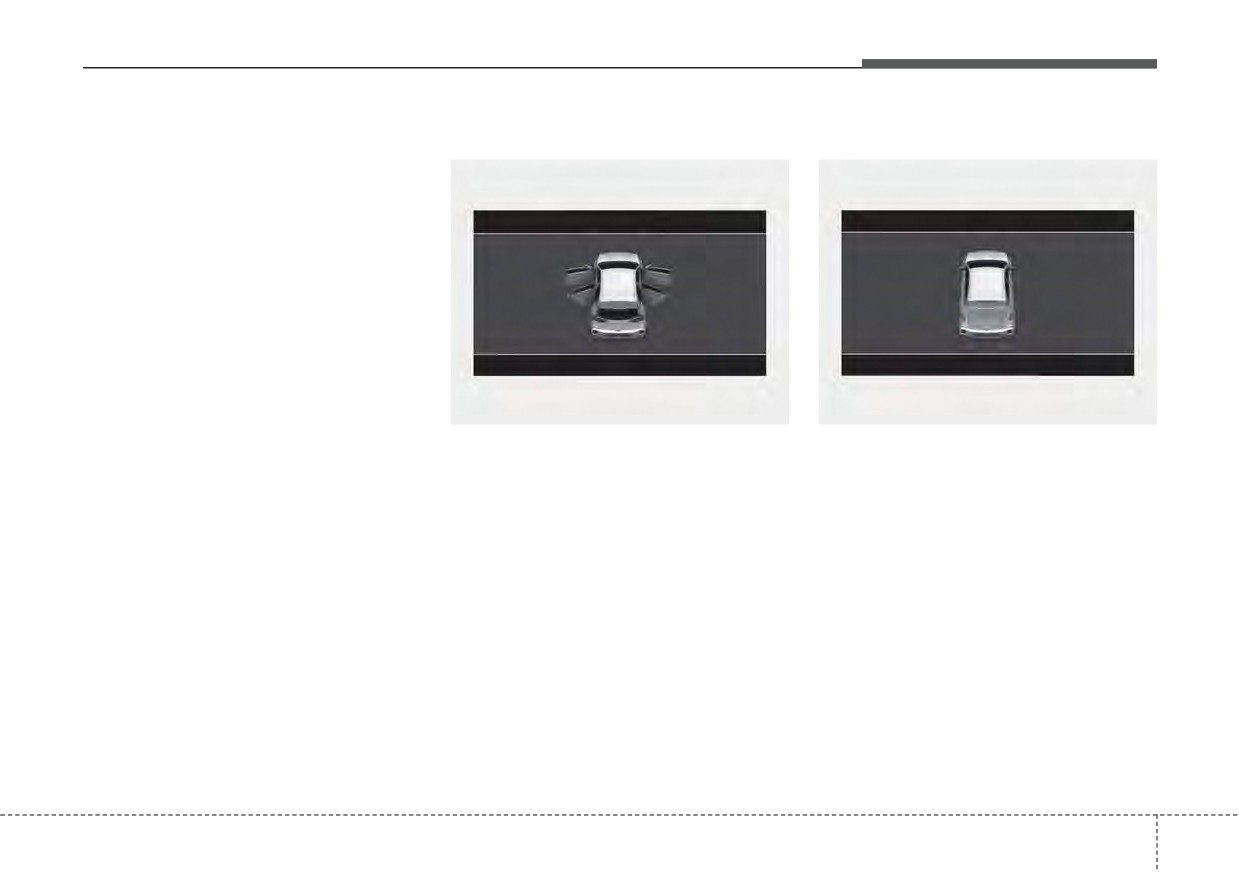
Door Open
Liftgate Open
Warning messages appear on the
LCD to warn the driver. It is located in
the center of the instrument cluster.
The warning message may appear
differently depending on the type of
instrument cluster and some may not
show the warning message at all.
The warning message is shown in
either symbol, symbol and text, or
text type only. You can choose the
preferred language by selecting the
User setting menu in LCD mode.
ODEP041628
ODEP041625
• It means that any door is open.
• It means that the liftgate is open.
4
95
Features of your vehicle
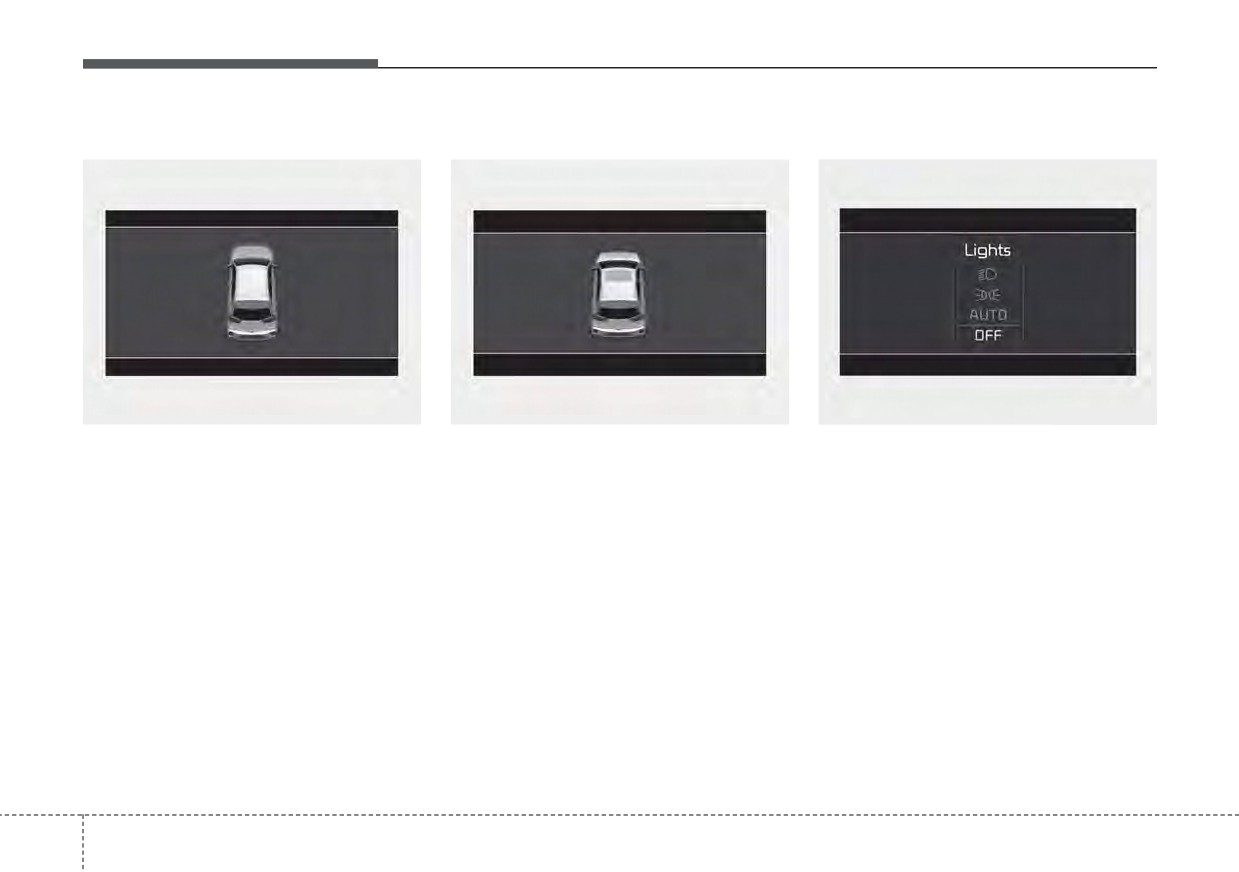
Hood Open
Sunroof Open (if equipped)
Lights mode
ODEP041626
ODEP041627
OYG049582L
• It means that hood is open.
This indicator displays which exterior
• This warning is displayed if you
turn off the engine when the sun-
light is selected using the lighting
control.
roof is open.
You can activate or deactivate
Wiper/Lights Display function from
the User Settings mode in the cluster
LCD display.
4
96
Features of your vehicle
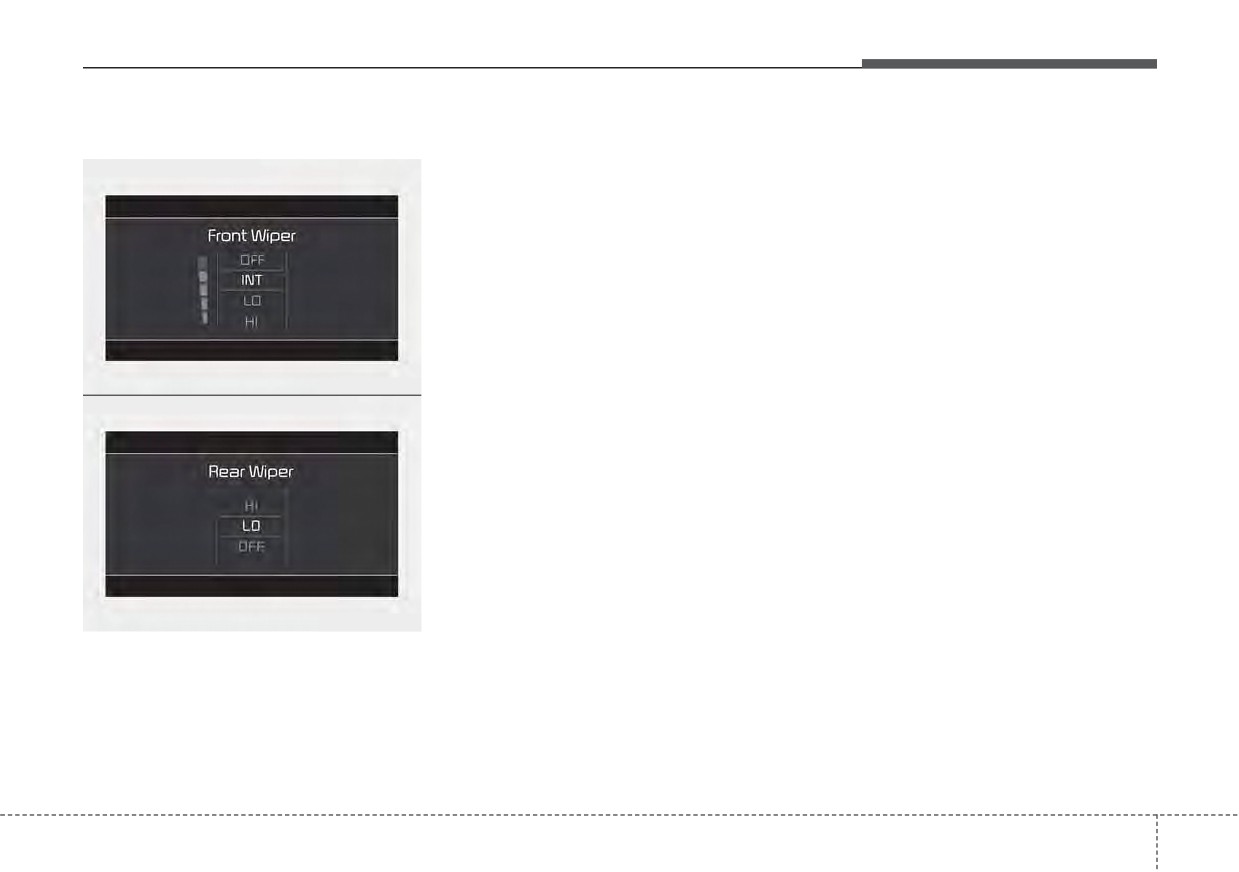
Wiper mode
Turn FUSE SWITCH on
Shift to P (for smart key system)
■ Front
• This warning message illuminates
• This warning message illuminates
if the fuse switch in the Inner fuse
if you try to turn off the engine with-
panel is OFF.
out the shift lever in P (Park) posi-
tion.
• It means that you should turn the
fuse switch on.
• At this time, the ENGINE
START/STOP button turns to the
❈ For more details, refer to “Fuses”
ACC position
(If you press the
in chapter 7.
ENGINE START/STOP button once
more, it will turn to the ON position).
Engine has Overheated
ODEP049604N
This warning message illuminates
Low key battery
■ Rear
when the engine coolant tempera-
(for smart key system)
ture is above
248°F (120°C). This
• This warning message illuminates
means that the engine is overheated
if the battery of the smart key is
and may be damaged.
discharged when the ENGINE
If your vehicle is overheated, refer to
START/STOP button changes to
“Overheating” in chapter 6.
the OFF position.
ODEP049605N
This indicator displays which wiper
speed is selected using the wiper
control.
You can activate or deactivate
Wiper/Lights Display function from
the User Settings mode in the cluster
LCD display.
4
97
Features of your vehicle
Press START button while turning
Check Steering Wheel Lock
Key not in vehicle (for smart key
wheel (for smart key system)
System (for smart key system)
system)
• This warning message illuminates
• This warning message illuminates
• This warning message illuminates
if the steering wheel does not
if the steering wheel does not lock
if the smart key is not in the vehicle
unlock normally when the ENGINE
normally when the ENGINE
when you press the ENGINE
START/STOP button is pressed.
START/STOP button changes to
START/STOP button.
the OFF position.
• It means that you should press the
• It means that you should always
ENGINE START/STOP button
have the smart key with you.
while turning the steering wheel
Press brake pedal to start engine
right and left.
(for smart key system)
Key not detected (for smart key
• This warning message illuminates
system)
Steering wheel not locked
if the ENGINE START/STOP button
• This warning message illuminates
(for smart key system)
changes to the ACC position twice
if the smart key is not detected
by pressing the button repeatedly
• This warning message illuminates
when you press the ENGINE
without depressing the brake pedal.
if the steering wheel does not lock
START/STOP button.
when the ENGINE START/STOP
• It means that you should depress
button changes to the OFF posi-
the brake pedal to start the engine.
tion.
4
98
Features of your vehicle
Press START button again
Check BRAKE SWITH fuse
Low washer fluid
(for smart key system)
(for smart key system)
• This warning message illuminates
•
This warning message illuminates
• This warning message illuminates
on the service reminder mode if
if you can not operate the ENGINE
if the brake switch fuse is discon-
the washer fluid level in the reser-
START/STOP button when there is
nected.
voir is nearly empty.
a problem with the ENGINE
• It means that you should replace
• It means that you should refill the
START/STOP button system.
the fuse with a new one. If that is
washer fluid.
•
It means that you could start the
not possible, you can start the
engine by pressing the ENGINE
engine by pressing the ENGINE
Low fuel
START/STOP button once more.
START/STOP button for 10 sec-
•
This warning message illuminates
•
If the warning illuminates each
onds in the ACC position.
if the fuel tank is nearly empty.
time you press the ENGINE
- When the low fuel level warning
START/STOP button, have your
Shift to P or N to start engine
light is illuminates.
vehicle inspected by an authorized
(for smart key system)
Kia dealer.
Add fuel as soon as possible.
• This warning message illuminates
if you try to start the engine with
Press START button with key (for
the shift lever not in the P (Park) or
smart key system)
N (Neutral) position.
• This warning message illuminates
if
you press the ENGINE
✽ NOTICE
START/STOP button while the
You can start the engine with the
warning message “Key not detect-
shift lever in the N (Neutral) posi-
ed” is illuminating.
tion. But, for your safety, we recom-
• At this time, the immobilizer indica-
mend that you start the engine with
tor light blinks.
the shift lever in the P (Park) posi-
tion.
4
99
Features of your vehicle
Device in wireless charger
Check Hybrid system
Check Hybrid system. Do not start
(if equipped)
engine
This warning message illuminates
If a smart phone is still left on the wire-
when there is a problem with the
This warning message illuminates
less charging pad unattended, even
hybrid control system.
when the hybrid battery power
when the ENGINE START/STOP but-
Refrain from driving when the warn-
(SOC) level is low. A warning chime
ton is turned to the ACC or OFF posi-
will sound until the problem is solved.
ing message is displayed.
tion. And the instrument panel's one
In this case, have your vehicle inspect-
In this case, have your vehicle inspect-
time driving information mode has fin-
ed by an authorized Kia dealer.
ed by an authorized Kia dealer.
ished, a warning message will lit up on
the instrument panel.
Stop vehicle and check power
Check Hybrid system. Turn
❈ For more details, refer to “Wireless
supply
engine off
smart phone charging system” in
This warning message illuminates
This warning message illuminates
this chapter.
when there is a problem with the
when a failure occurs in the power
hybrid system. The “
” indicator
supply system.
will blink and a warning chime will
In this case, park the vehicle in a
sound until the problem is solved.
safe location and tow your vehicle to
In this case, have your vehicle inspect-
the nearest authorized Kia dealer
and have the vehicle inspected.
ed by an authorized Kia dealer.
4
100
Features of your vehicle
Park with engine On to charge
Check brake system
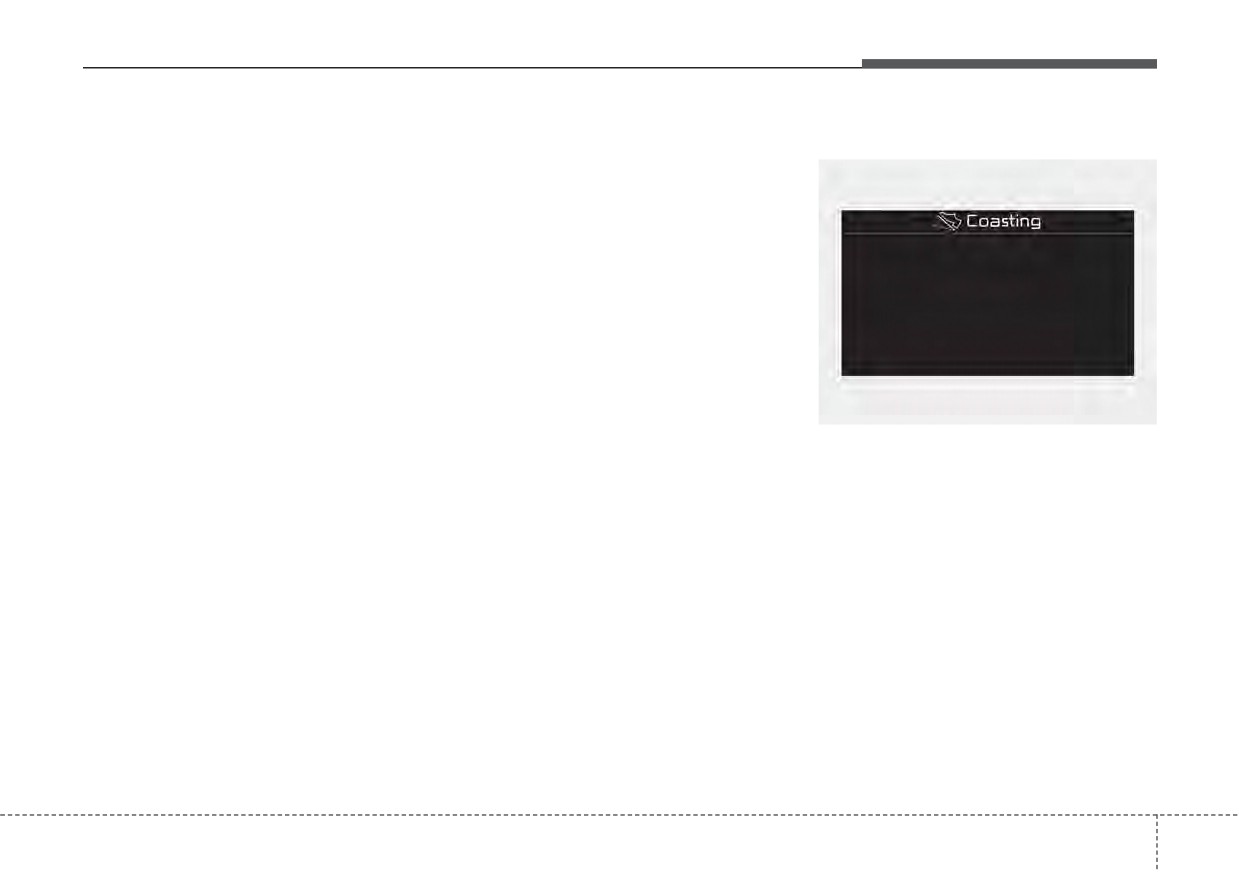
Coasting guide (if equipped)
battery
This warning message illuminates
This warning message illuminates
when the brake performance is low
when the hybrid battery power
or the regenerative brake does not
(SOC) level is low.
work properly due to a failure in the
brake system.
In this case, park the vehicle in a
safe location and wait until the hybrid
In this case, it may take longer for the
battery is charged.
brake pedal to operate and the brak-
ing distance may become longer.
Refuel to prevent Hybrid battery
damage
Stop vehicle and check brake
system
This warning message illuminates
ODEP049583L
when the fuel tank is nearly empty.
This warning message is displayed
when a failure occurs in the brake
A chime will sound and the coasting
You should refill the fuel tank to pre-
system.
guide indicator will blink four times to
vent hybrid battery damage.
inform the driver when to take the
In this case, park the vehicle in a
foot off the accelerator by anticipat-
safe location and tow your vehicle to
Refill inverter coolant
ing a decelerating event* based on
the nearest authorized Kia dealer
an analysis of driving routes and
This warning message illuminates
and have the vehicle inspected.
road conditions based on the naviga-
when the inverter coolant is nearly
tion. It
encourages the driver to
empty.
remove foot from the pedal and allow
You should refill the inverter coolant.
coasting down the road with EV
motor only. This helps prevent
unnecessary fuel consumption and
may increases fuel efficiency.
4
101
Features of your vehicle
❈ Example of a deceleration event is
• Operation conditions
Unplug vehicle to start
going down an extended hill, slow-
(Plug-in hybrid)
To activate the system, take the fol-
ing down approaching a toll booth,
lowing procedures. Enter your desti-
The message is displayed when you
and approaching reduced speed
nation information on the navigation
start the engine without unplugging
zones.
and select the driving route. Select
the charging cable. Unplug the
the ECO mode by driving the vehicle
charging cable, and then start the
in D (Drive). Then, satisfy the follow-
vehicle.
• User settings
ing.
The driver can activate or deactivate
- The driving speed should be
the Coasting Guide by placing the igni-
Remaining Time (Plug-in hybrid)
tion switch or ENGINE START/STOP
between 37 mph (60 km/h) and 99
The message is displayed to notify
mph (160km/h).
in the ON position and by selecting
the remaining time to fully charge the
“User Settings
Convenience
battery.
Coasting Guide Enable Coasting
❈ The operating speed may vary due
Guide”.
to difference between instrument
For the explanation of the system,
cluster and navigation effected by
press and hold the [OK] button.
tire inflation level.
4
102
Features of your vehicle
Shift to P to charge
Low battery. Maintaining Hybrid
Low system temperature.
(Plug-in hybrid)
mode (Plug-in hybrid)
Maintaining Hybrid mode/High
system temperature. Maintaining
The message is displayed when the
This message is displayed when
charging connector is plugged with
unable to convert to EV mode even
Hybrid mode (Plug-in hybrid)
the shift lever in R
(Reverse), N
when pressing the EV/HEV button
This message is displayed when the
(Neutral) or D (Drive). Move the shift
during HEV mode driving due to
temperature of the high-voltage
lever to P
(Park) and re-start the
insufficient high-voltage (hybrid) bat-
(hybrid) battery is too low or too high.
charging process.
tery level.
This warning message is to protect
the battery and the hybrid system.
Electric Mode/Automatic
Low system temperature.
Mode/Hybrid Mode
Switching to Hybrid mode/High
Wait until fuel door opens
(Plug-in hybrid)
system temperature. Switching to
(Plug-in hybrid)
Hybrid mode (Plug-in hybrid)
A corresponding message is dis-
This message is displayed when you
played when a mode is selected by
This message is displayed when the
attempt to open the fuel filler door
pressing the EV/HEV button.
temperature of the high-voltage
with the fuel tank pressurized. Wait
(hybrid) battery is too low or high.
until the fuel tank is depressurized.
This warning message is to protect
the battery and the hybrid system.
4
103
Features of your vehicle
Fuel door open (Plug-in hybrid)
Charging stopped. Check the
Charging Door Open
cable connection (Plug-in hybrid)
(Plug-in hybrid)
This message is displayed when the
fuel filler door opens after the fuel
This messages is displayed when
This message indicates that the
tank is depressurized. If this mes-
charging is stopped because the
charging door is open while in driv-
sage is displayed, you can refuel the
charging connector is not correctly
ing-ready state to encourage you to
fuel tank.
connected to the charging inlet. If this
inspect and close the door.(Driving
occur, separate the charging con-
with the charging door open may
nector and re-connect it and check
result in moisture inflow or damage.
Charging stopped. Check the AC
whether there is any problem (exter-
This message is used to prevent
charger (Plug-in hybrid)
nal damage, foreign substances,
such occurrences.)
This messages is displayed when
etc.) with the charging connector and
the charging failed by external charg-
charging inlet. If the same problem
er error.
occurs when charging the vehicle
The purpose of this message is to let
with a replaced charging cable or
you know the error has occurred in
genuine Kia portable charger, have
the charger itself, not in the vehicle.
your vehicle inspected by an author-
ized Kia dealer.
4
104
Features of your vehicle
Switching to Hybrid mode to
allow heating or air conditioning
(Plug-in hybrid)
• When the outdoor temperature is
lower than
8.6°F (-13°C), and you
turn the climate control On for
heating, the above message will be
displayed in the cluster. Then, the
vehicle will automatically switch to
HEV mode.
• When the outdoor temperature is
higher than 14°F (-10°C), or you
turn the climate control Off, the
vehicle will automatically return to
EV mode.
Switching to Hybrid mode for
self-diagnosis (Plug-in hybrid)
• This message is displayed for self-
diagnosis of the hybrid mode sys-
tem.
4
105
Features of your vehicle
WARNING AND INDICATOR LIGHTS
Warning lights
Air bag Warning Light
Seat Belt Warning Light
✽ NOTICE - Warning lights
This warning light illuminates:
This warning light informs the driver
Make sure that all warning lights
that the seat belt is not fastened.
are OFF after starting the engine. If
• Once you set the ignition switch or
any light is still ON, this indicates a
ENGINE START/STOP button to
❈ For more details, refer to the “Seat
situation that needs attention.
the ON position.
Belts” in chapter 3.
- It illuminates for approximately 6
Hybrid system warning
seconds and then goes off.
light
• When there is a malfunction with
the SRS.
This warning light illuminates:
In this case, have your vehicle
inspected by an authorized Kia
• When there is a malfunction with
the hybrid system.
dealer.
In this case, have the vehicle
inspected by an authorized Kia
dealer.
4
106
Features of your vehicle
Parking Brake & Brake
If the brake fluid level in the reservoir
Dual-diagonal braking system
Fluid Warning Light
is low:
Your vehicle is equipped with dual-
1. Drive carefully to the nearest safe
diagonal braking systems. This
location and stop your vehicle.
means you still have braking on two
This warning light illuminates:
wheels even if one of the dual sys-
2. With the engine stopped, check
•
Once you set the ignition switch or
tems should fail.
the brake fluid level immediately
ENGINE START/STOP button to
and add fluid as required
(For
With only one of the dual systems
the ON position.
more details, refer to “Brake Fluid”
working, greater pedal pressure is
- It illuminates for approximately 3
in chapter 7).
required to stop the vehicle.
seconds
Then check all brake components
Also, the vehicle will require
- It remains on if the parking brake
for fluid leaks. If any leaks in the
increased stopping distance with
is applied.
brake system are still found, the
only a portion of the brake system
•
When the parking brake is applied.
warning light remains on, or the
working.
•
When the brake fluid level in the
brakes do not operate properly, do
If the brakes fail while you are driv-
reservoir is low.
not drive the vehicle.
ing, shift to a lower gear for addition-
- If the warning light illuminates
In this case, have your vehicle
al engine braking and stop the vehi-
with the parking brake released, it
towed to an authorized Kia dealer
cle as soon as it is safe to do so.
indicates the brake fluid level in
and inspected.
Driving the vehicle with a warning
reservoir is low.
light ON is dangerous. If the Parking
Brake & Brake Fluid Warning Light
illuminate with the parking brake
released, it indicates that the brake
fluid level is low.
In this case, have your vehicle
inspected by an authorized Kia deal-
er.
4
107
Features of your vehicle
Anti-lock Brake System
Electronic
(ABS) Warning Light
Brake force
WARNING - Electronic
Distribution
Brake force Distribution
(EBD) System
(EBD) System Warning Light
This warning light illuminates:
Warning Light
When both ABS and Parking
• Once you set the ignition switch or
These two warning lights illuminate at
Brake & Brake Fluid Warning
ENGINE START/STOP button to
the same time while driving:
Lights are on, the brake system
the ON position.
will not work normally and you
• When the ABS and regular brake
- It illuminates for approximately 3
may experience an unexpected
system may not work normally.
seconds and then goes off.
and dangerous situation during
In this case, have your vehicle
• When there is a malfunction with
sudden braking
thereby
inspected by an authorized Kia
the ABS (The normal braking sys-
increasing the risk of a crash
dealer.
tem will still be operational without
and injury. In this case, avoid
the assistance of the anti-lock
high speed driving and abrupt
brake system).
braking. Have your vehicle
inspected by an authorized Kia
In this case, have your vehicle
dealer as soon as possible.
inspected by an authorized Kia
dealer.
4
108
Features of your vehicle
✽ NOTICE - Electronic Brake
Regenerative Brake
Electric Power Steering
force Distribution (EBD)
Warning Light
(EPS) Warning Light
System Warning Light
(red color)
When the ABS Warning Light is on
This warning light illuminates:
or both ABS and Parking Brake &
• Once you set the ignition switch or
Brake Fluid Warning Lights are on,
(yellow color)
ENGINE START/STOP button to
the speedometer, odometer, or trip-
the ON position.
meter may not work. Also, the EPS
This warning light illuminates :
- It remains on until the engine is
Warning Light may illuminate and
When the regenerative brake does
started.
the steering effort may increase or
not operate and the brake does not
decrease.
perform well. This causes the Brake
• When there is a malfunction with
In this case, have your vehicle inspect-
the EPS.
Warning light (red) and Regenerative
ed by an authorized Kia dealer as
Brake Warning Light (yellow) to illu-
In this case, have your vehicle
soon as possible.
minate simultaneously.
inspected by an authorized Kia
dealer.
In this case, drive safely and have
your vehicle inspected by an author-
ized Kia dealer.
4
109
Features of your vehicle
Malfunction Indicator
Charging System
Lamp (MIL)
CAUTION - Malfunction
Warning Light
Indicator Lamp (MIL)
Driving with the Malfunction
This warning light illuminates:
This warning light illuminates:
Indicator Lamp
(MIL) on may
•
Once you set the ignition switch or
• Once you set the ignition switch or
cause damage to the emission
ENGINE START/STOP button to
ENGINE START/STOP button to
control systems which could
the ON position.
the ON position.
affect drivability and/or fuel
- It remains on until the engine is
economy.
- It remains on until the engine is
started.
started.
•
When there is a malfunction with
• When there is a malfunction with
the emission control system.
CAUTION - Catalytic
either the alternator or electrical
In this case, have your vehicle
Converter Damage
charging system.
inspected
by
an
authorized
Kia
If the Malfunction Indicator
dealer.
Lamp (MIL) illuminates, poten-
If there is a malfunction with either
tial catalytic converter damage
the alternator or electrical charging
is possible which could result in
system:
loss of engine power.
1.Drive carefully to the nearest safe
In this case, have your vehicle
location and stop your vehicle.
inspected by an authorized Kia
2.Turn the engine off and check the
dealer as soon as possible.
alternator drive belt for looseness
or breakage.
If the belt is adjusted properly,
there may be a problem in the elec-
trical charging system.
In this case, have your vehicle
inspected by an authorized Kia
dealer as soon as possible.
4
110
Features of your vehicle
Engine Oil Pressure
✽ NOTICE
Low Fuel Level Warning
Warning Light
Light
When engine oil pressure decreases
due to insufficient engine oil, etc.,
This warning light illuminates:
the Engine Oil Pressure
warning
This warning light illuminates:
light will illuminate.
•
Once you set the ignition switch or
When the fuel tank is nearly empty.
ENGINE START/STOP button to
Add fuel as soon as possible.
the ON position.
- It remains on until the engine is
CAUTION - Low Fuel
started.
Level
•
When the engine oil pressure is low.
Driving with the Low Fuel Level
•
Drive carefully to the nearest safe
warning light on or with the fuel
location and stop your vehicle.
level below “E” can cause the
•
Turn the engine off and check the
engine to misfire and damage
engine oil level (For more details,
the catalytic converter
(if
refer to
“Engine Oil” section in
equipped).
chapter 7). If the level is low, add oil
as required.
•
If the warning light remains on after
adding oil or if oil is not available,
have the vehicle inspected by an
authorized Kia dealer. Continued
driving with the warning light on
may cause engine failure.
4
111
Features of your vehicle
Low Tire Pressure
This warning light remains on after
•
The TPMS cannot alert you to
Warning Light
blinking for approximately 70 seconds
severe and sudden tire damage
or repeats blinking on and off at the
caused by external factors.
intervals of approximately 4 seconds:
•
If you notice any vehicle instability,
This warning light illuminates:
• When there is a malfunction with
immediately take your foot off the
• Once you set the ignition switch or
the TPMS.
accelerator pedal, apply the brakes
ENGINE START/STOP button to
gradually with light force, and slow-
In this case, have your vehicle
the ON position.
inspected by an authorized Kia
ly move to a safe position off the
- It illuminates for approximately 3
road.
dealer as soon as possible.
seconds and then goes off.
❈For more details, refer to
“Tire
• When one or more of your tires are
Pressure Monitoring System
significantly underinflated.
(TPMS)” in chapter 6.
❈For more details, refer to
“Tire
Pressure Monitoring System
WARNING - Low tire
(TPMS)” in chapter 6.
pressure
• Significantly low tire pressure
makes the vehicle unstable
and can contribute to loss of
vehicle control and increased
braking distances.
• Continued driving on low pres-
sure tires may cause the tires
to overheat and fail.
4
112
Features of your vehicle
Master Warning light
- Lane Following Assist malfunction (if
Engine Coolant
(if equipped)
equipped), etc.
Temperature Warning
- Highway Driving Assist malfunction
Light
(if equipped)
•
This warning light informs the driv-
This warning light illuminates:
er the following situations.
• When the engine coolant tempera-
-
Forward Collision-Avoidance Assist
The Master Warning Light illuminates
ture is above 248°F (120°C). This
malfunction (if equipped)
when one or more of the above warn-
means that the engine is overheat-
ing situations occur. If the warning situ-
-
Forward Collision-Avoidance Assist
ed and may be damaged.
ation is resolved, the master warning
radar blocked (if equipped)
If your vehicle is overheated, refer
light will turn off.
-
Blind-Spot Collision Warning mal-
to
“If the engine overheats” in
function (if equipped)
chapter 6.
-
Blind-Spot Collision Warning radar
blocked (if equipped)
CAUTION - Engine
-
Lamp malfunction
Overheating
-
LED headlamp malfunction
(if
Do not continue driving with the
equipped)
engine overheated. Otherwise
-
High Beam Assist malfunction (if
the engine may be damaged.
equipped)
-
Tire Pressure Monitoring System
(TPMS) malfunction
-
Smart Cruise Control malfunction (if
equipped)
-
Smart Cruise Control radar blocked
(if equipped)
4
113
Features of your vehicle
Electronic Parking Brake
LED Headlamp Warning
Forward Safety Warning
(EPB) Warning Light
EPB
Light (if equipped)
Light (if equipped)
(if equipped)
This warning light illuminates:
This warning light illuminates:
This warning light illuminates:
• Once you set the ignition switch or
• Once you set the ignition switch or
• Once you set the ignition switch or
ENGINE START/STOP button to
ENGINE START/STOP button to
ENGINE START/STOP button to
the ON position.
the ON position.
the ON position.
- It illuminates for approximately 3
- The Forward Safety warning light
- It illuminates for approximately 3
seconds and then goes off.
illuminates for approximately
3
seconds and then goes off.
seconds and then turns off.
• When there is a malfunction with
• When there is a malfunction with
the LED headlamp.
• When there is a malfunction with
the EPB.
In this case, have your vehicle inspect-
Forward
Collision-Avoidance
In this case, have your vehicle
ed by an authorized Kia dealer.
Assist.
inspected by an authorized Kia
If this occurs, have your vehicle
dealer.
inspected by an authorized Kia
CAUTION - LED
dealer.
Headlamp Warning Light
✽ NOTICE - Electronic Parking
Continuous driving with the
❈ For more details, refer to “Forward
Brake (EPB) Warning Light
LED Headlamp Warning Light
Collision-Avoidance Assist (FCA)”
The Electronic Parking Brake
on can reduce LED headlamp
in chapter 5.
(EPB) Warning Light may illumi-
(low beam) life.
nate when the Electronic Stability
control (ESC) Indicator Light comes
on to indicate that the ESC is not
working properly
(This does not
indicate malfunction of the EPB).
4
114
Features of your vehicle
Icy Road Warning Light
Indicator Lights
Electronic Stability Control (ESC)
Indicator Light
Charging Cable
Connection Indicator
This indicator light illumi-
• This warning light is to warn the
(Plug-in hybrid)
nates:
driver the road may be icy.
This indicator illuminates in red when
• Once you set the ignition switch or
• When the temperature on the out-
the charging cable is connected.
ENGINE START/STOP button to
side temperature gauge is approx-
the ON position.
imately below 39°F (4°C), the Icy
- It illuminates for approximately 3
Road Warning Light and Outside
seconds and then goes off.
Temperature Gauge blinks and
• When there is a malfunction with
then illuminates. Also, the warning
the ESC system.
chime sounds 1 time.
In this case, have your vehicle
inspected by an authorized Kia
✽ NOTICE
dealer.
If the icy road warning light appears
while driving, you should drive
This indicator light blinks:
more attentively and safely, refrain-
While the ESC is operating.
ing from over-speeding, rapid accel-
eration, sudden braking or sharp
❈For more details, refer to
turning, etc.
“Electronic Stability Control (ESC)”
in chapter 5.
4
115
Features of your vehicle
Electronic Stability
Immobilizer Indicator
Immobilizer Indicator
Control (ESC) OFF
Light (Without Smart Key)
Light (With Smart Key)
Indicator Light
This indicator light illuminates:
This indicator light illuminates for up
This indicator light illuminates:
to 30 seconds:
• When the vehicle detects the
• Once you set the ignition switch or
immobilizer in your key properly
• When the vehicle detects the
ENGINE START/STOP button to
while the ignition switch is ON.
smart key in the vehicle properly
the ON position.
while the ENGINE START/STOP
- At this time, you can start the
- It illuminates for approximately 3
button is ACC or ON.
engine.
seconds and then goes off.
- At this time, you can start the
- The indicator light goes off after
• When you deactivate the ESC sys-
engine.
starting the engine.
tem by pressing the ESC OFF but-
- The indicator light goes off after
ton.
starting the engine.
This indicator light blinks:
❈For more details, refer to
• When there is a malfunction with
“Electronic Stability Control (ESC)”
This indicator light blinks for a few
the immobilizer system.
in chapter 5.
seconds:
In this case, have your vehicle
• When the smart key is not in the
inspected by an authorized Kia
vehicle.
dealer.
- At this time, you can not start the
engine.
4
116
Features of your vehicle
This indicator light illuminates for 2
Turn Signal Indicator
High Beam Indicator
seconds and goes off:
Light
Light
• When the vehicle cannot detect the
smart key which is in the vehicle
This indicator light blinks:
This indicator light illuminates:
while the ENGINE START/STOP
• When you turn the turn signal light
• When the headlights are on and in
button is ON.
on.
the high beam position
In this case, have your vehicle
• When the turn signal lever is pulled
inspected by an authorized Kia
into the Flash-to-Pass position.
dealer.
If any of the following occurs, there
may be a malfunction with the turn
signal system. In this case, have your
Front Fog Indicator
This indicator light blinks:
vehicle inspected by an authorized
Light (if equipped)
• When the battery of the smart key
Kia dealer.
is weak.
- The indicator light does not blink
This indicator light illuminates:
- At this time, you cannot start the
but illuminates.
engine. However, you can start
• When the front fog lights are on.
- The indicator light blinks more
the engine if you press the
rapidly.
ENGINE START/STOP button
- The indicator light does not illumi-
with the smart key.
(For more
nate at all.
details, refer to
“Starting the
hybrid system” in chapter 5.)
• When there is a malfunction with
the immobilizer system.
In this case, have your vehicle
inspected by an authorized Kia
dealer.
4
117
Features of your vehicle
Low Beam Indicator
High Beam Assist
EV Mode Indicator
Light (if equipped)
indicator (if equipped)
EV
This indicator light illuminates:
This warning light illuminates :
This indicator illuminates when the
• When the headlights are on.
• When the High-Beam is on with
vehicle is driven by the electric
the light switch in the AUTO light
motor.
position.
Light ON Indicator Light
• If your vehicle detects oncoming or
preceding vehicles, High Beam
Assist will switch the high beam to
This indicator light illuminates:
low beam automatically.
• When the tail lights or headlights
❈For more details, refer to
“High
are on.
Beam Assist (HBA)” in chapter 4.
4
118
Features of your vehicle
Ready Indicator
AUTO HOLD Indicator
Lane Safety Indicator
AUTO
Light (if equipped)
(if equipped)
HOLD
This indicator illuminates :
This indicator light illuminates:
This indicator light illuminates :
•
[White] When you activate the auto
•
[Green] When the function operat-
When the vehicle is ready to be driv-
en.
hold system by pressing the AUTO
ing conditions are satisfied.
HOLD button.
- ON : Normal driving is possible.
•
[White] The function operating con-
•
[Green] When you stop the vehicle
ditions are not satisfied.
- OFF : Normal driving is not possi-
completely by depressing the
ble, or a problem has occurred.
•
[Yellow] When there is a malfunc-
brake pedal with the auto hold sys-
tion with Lane Keeping Assist.
- Blinking : Emergency driving.
tem activated.
In this case, have your vehicle
•
[Yellow] When there is a malfunc-
inspected as soon as possible by
When the ready indicator goes OFF
tion with the auto hold system.
an authorized Kia dealer.
or blinks, there is a problem with the
In this case, have your vehicle
function. In this case, have your vehi-
❈For more details, refer to
“Lane
inspected by an authorized Kia
cle inspected by an authorized Kia
Keeping Assist (LKA)” in chapter 5.
dealer.
dealer.
❈For more details, refer to
“Auto
Hold” in chapter 5.
4
119
Features of your vehicle
SPORT Mode Indicator
Light
This indicator light illuminates:
• When the driver moves the shift
lever to S (Sport).
❈ For more information, refer to
"Dual Clutch Transmission" in
chapter 5.
ECO Mode Indicator
Light
This indicator light illuminates:
• When the driver moves the shift
lever to D (Drive).
❈ Formore information, refer to
"Dual Clutch Transmission" in
chapter 5.
4
120
Features of your vehicle
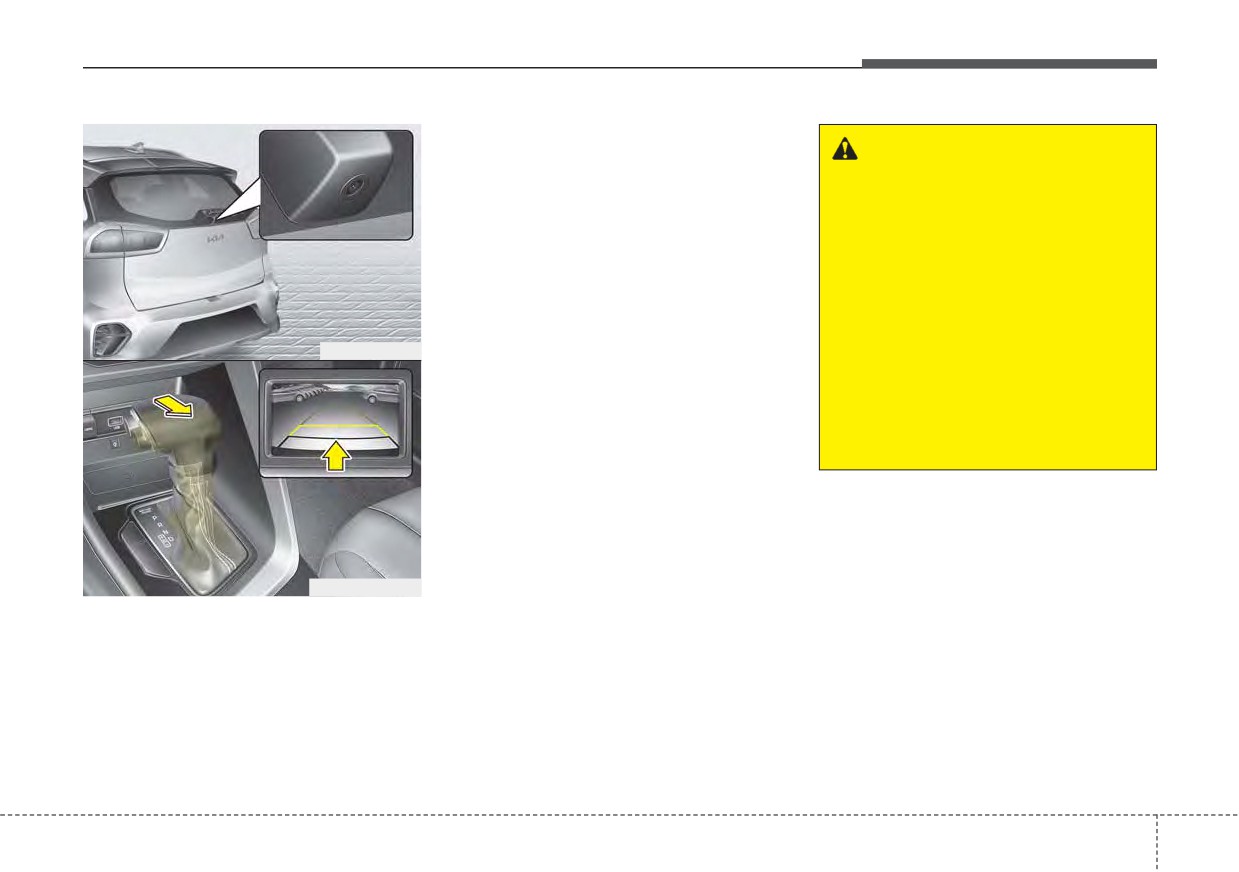
REAR VIEW MONITOR (RVM)
•
This function is a supplemental
function only. It is the responsibility
WARNING - Backing &
of the driver to always check the
using camera
inside/outside rearview mirrors and
Never rely solely on the rear view
the area behind the vehicle before
camera when backing up. You
and while backing up because
must always look over both
there is a dead zone that can't be
shoulders and continuously
seen by the camera.
check all three rear view mirrors.
•
If the camera lens is covered with
Due to the difficulty of ensuring
foreign material, the Rear View
that the area behind you remains
ODEP041403
Monitor may not operate normally.
clear, always back up slowly and
Always keep the camera lens
stop immediately if you even
clean.
suspect that a person, and espe-
cially a child, might be behind
However, do not use chemical sol-
you.
vents such as strong detergents
containing high alkaline or volatile
organic solvents
(gasoline, ace-
tone etc.). This may damage the
camera lens.
ODEP049404L
Rear View Monitor will activate with
the ignition switch ON and the shift
lever in the R (Reverse) position.
4
121