Lexus NX350 (2024 year). Manual in english - page 13
▶
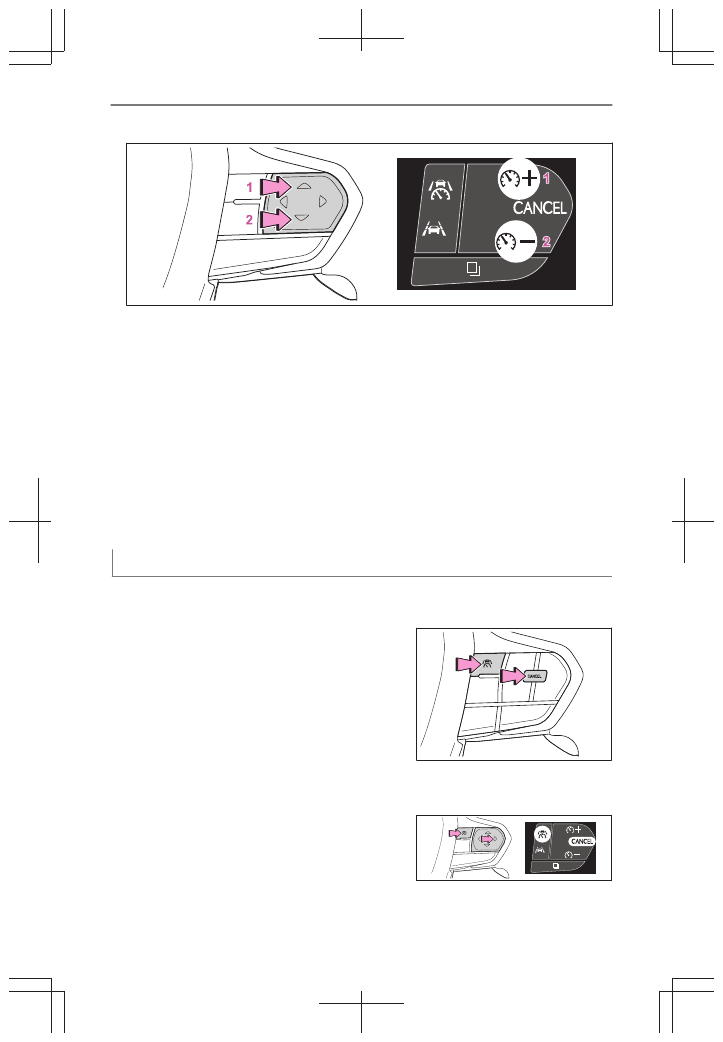
Vehicles with a head-up display
1
Increase set vehicle speed
2
Decrease set vehicle speed
The set vehicle speed will increase or decrease as follows:
Fine adjustment: By 1 mph (1.6 km/h) or 1 km/h (0.6 mph) each time the switch
is pressed
Large adjustment: Increases continuously while the switch is pressed and held
■
Increasing the set vehicle speed using the accelerator pedal
1
Depress the accelerator pedal to accelerate the vehicle to the desired vehicle
speed.
2
Press the [ + ] switch.
Canceling/resuming control
1
Press the cancel switch or driving assist
switch to cancel control.
Control will also be canceled if the brake pedal is
depressed.
2
Press the [RES] switch to resume control.
▶
Vehicles without a head-up
display
▶
Vehicles with a head-up dis-
play
6-2. Using the safe driving support functions
408