Lexus RC350 (2023 year). Manual in english - page 3
85
3-1. Key information
3
Be
fore
dri
ving
■
When required to leave the vehicle’s
key with a parking attendant
Set the luggage security system (
and lock the glove box (
cumstances demand.
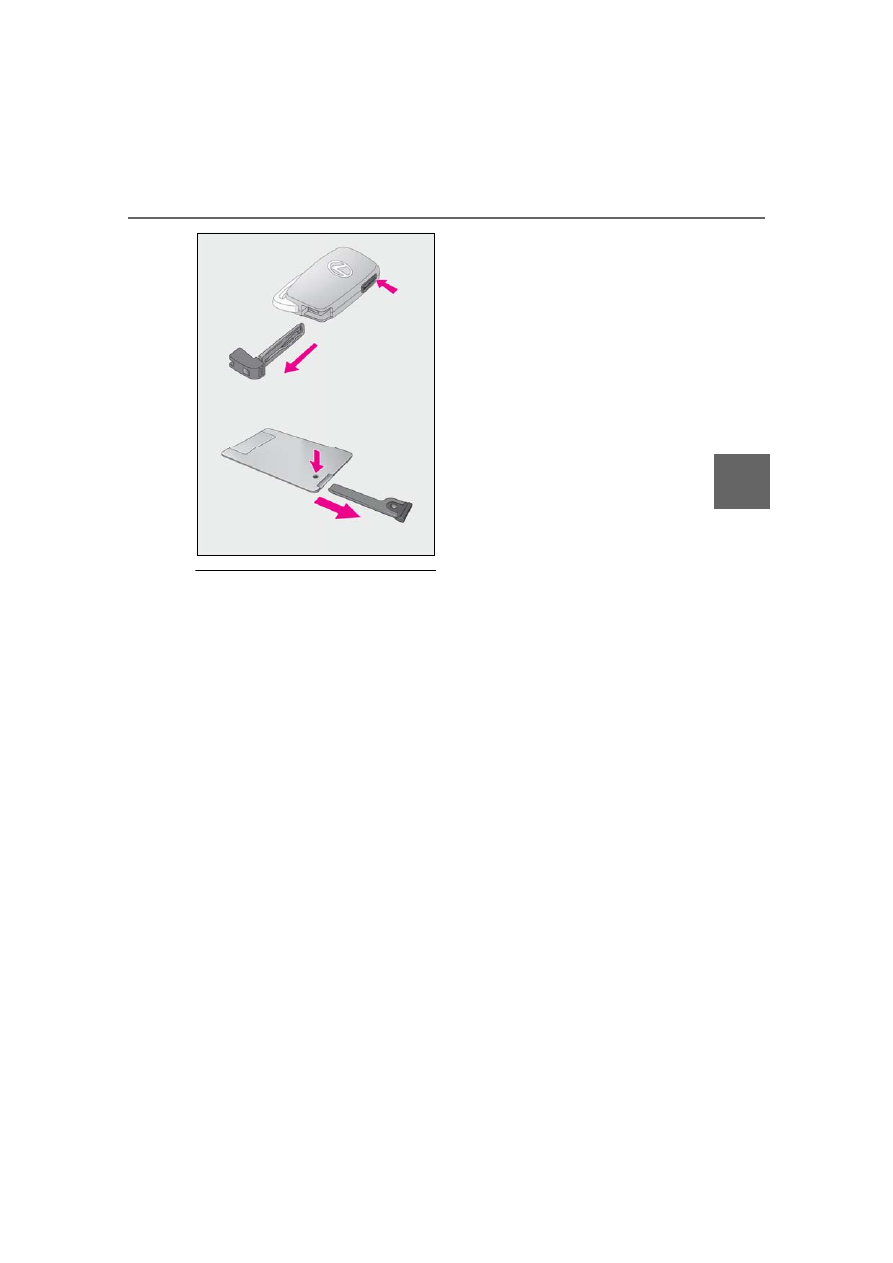
Remove the mechanical key for your own
use and provide the attendant with the elec-
tronic key only.
■
If you lose your mechanical keys
■
If a wrong key is used
The key cylinder rotates freely, isolated
from the internal mechanism.
86
3-2. Opening, closing and locking the doors and trunk
3-2.Opening, closing and locking the doors and trunk
■
Smart access system with
push-button start
Carry the electronic key to enable this
function.
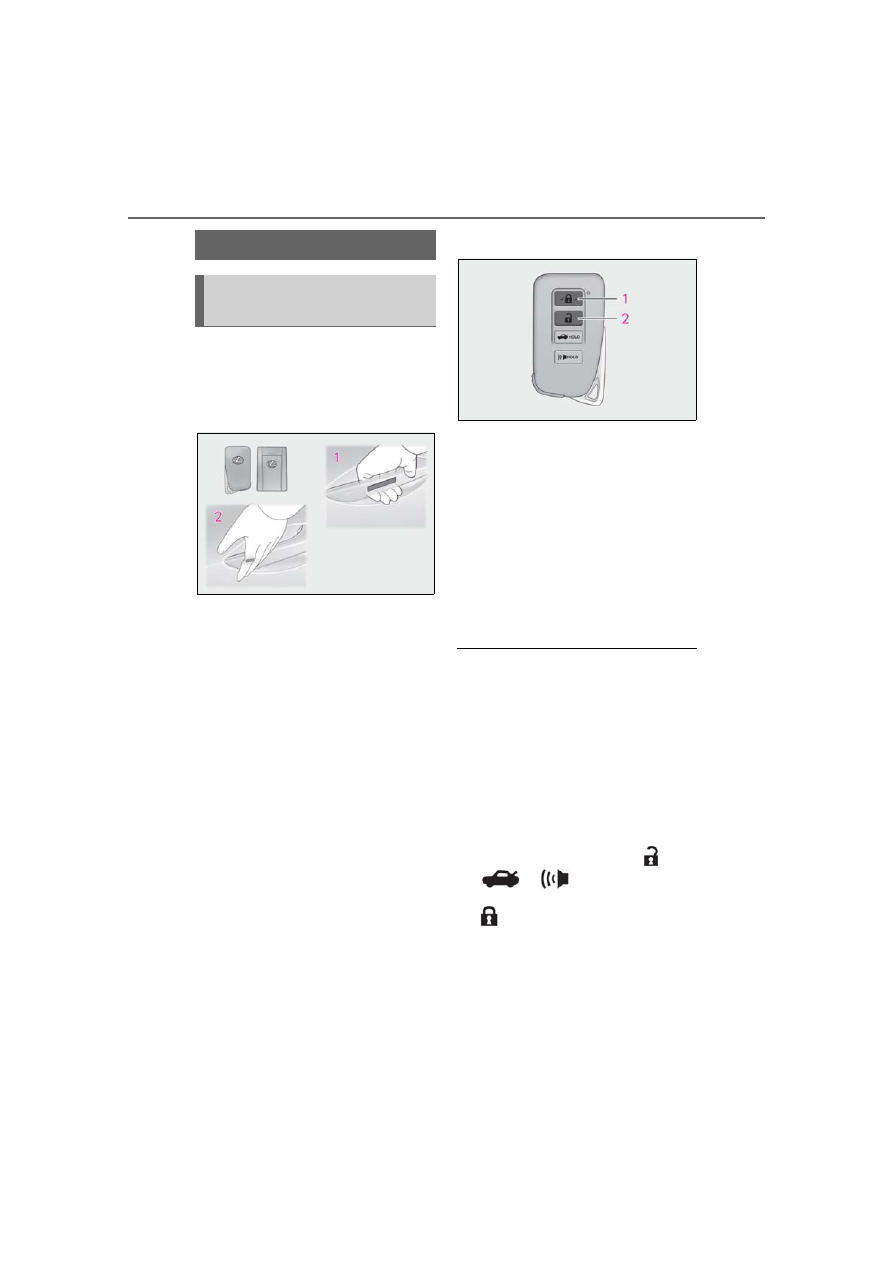
1
Grip the driver’s door handle to
unlock the door. Grip the passen-
ger’s door handle to unlock both
side doors.
*
Make sure to touch the sensor on the back
of the handle.
The doors cannot be unlocked for 3 sec-
onds after the doors are locked.
*
: The door unlock settings can be
changed.
2
Touch the lock sensor (indentation
on the side of the door handle) to
lock the doors.
Check that the door is securely locked.
■
Wireless remote control
1
Locks both side doors
Check that the door is securely locked.
2
Unlocks both side doors
Pressing the button unlocks the driver’s
door. Pressing the button again within 5
seconds unlocks the other door.
Press and hold to open the windows and
moon roof.
*
*
: This setting must be customized at your
Lexus dealer.
■
Side window open/close function linked
to door operation
When a door is opened, its window opens
slightly. When a door is closed, its window
closes completely.
■
Switching the door unlock function
It is possible to set which doors the entry
function unlocks using the wireless remote
control.
1
Turn the engine switch off.
2
When the indicator light on the key sur-
face is not on, press and hold
,
or
for approximately 5
seconds while pressing and holding
.
The setting changes each time an operation
is performed, as shown below. (When
changing the setting continuously, release
the buttons, wait for at least 5 seconds, and
repeat step
2
.)
Doors
Unlocking and locking the doors
from the outside