Lexus LS (2023 year). Manual in english - page 11
354
4-5. Using the driving support systems
●
The outside rear view mirrors are not
folded
●
The parking brake is not engaged
●
The dynamic radar cruise control are not
operating
●
ABS, VSC, TRC, PCS and PKSB are not
operating
●
The vehicle is not on a steep slope
●
The VSC and TRC are not turned off
If assistance cannot be started, check the
message displayed on the Center Display.
(
P.371)
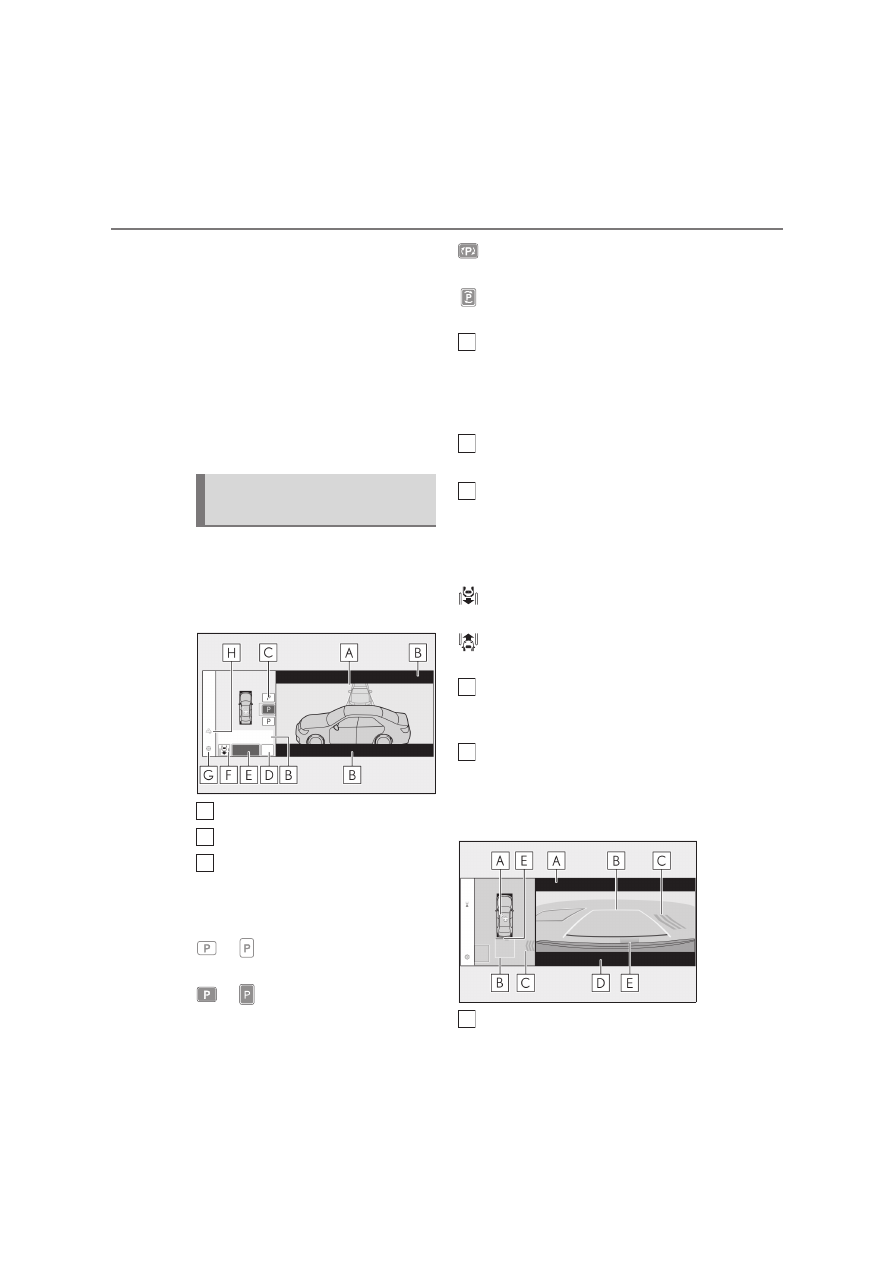
Guidance screens are displayed on the
Center Display.
Guidance screen (When assistance
starts)
Target parking space box (blue)
Advice display
Parking type change button
If multiple buttons are displayed, depend-
ing on the condition of the button its func-
tion differs as follows.
or
: Change the target to another
parking space.
or
: Select the current target park-
ing space.
: Select to change to the parallel park-
ing function
: Change the perpendicular parking
(forward/reverse) function
“MODE” button
Select to change between the memory
function and the perpendicular parking
(forward/reverse) function and parallel
parking function. (
P.366)
“Start” button
Select to start parking assistance.
Perpendicular parking direction
change button
Select to change between the parking (for-
ward) function and parking (reverse) func-
tion.
: Change the perpendicular parking
(forward) function
: Change the perpendicular parking
(reverse) function
Customize setting button
Select to display the Advanced Park set-
ting screen. (
P.370)
Registration button
Select to begin registering a parking
space.
Guidance screen (When reversing)
Operation icon
Advanced Park guidance
screens
A
B
C
D
E
F
G
H
A