Lexus ES (2023 year). Manual in english - page 10
150
3-3. Adjusting the seats
mately 3 seconds.
■
Recall procedure
1
Make sure that the doors are
locked before recalling the driving
position. Carry the electronic key
that has been registered to the driv-
ing position, and then unlock and
open the driver’s door using the
smart entry & start system or wire-
less remote control.
The driving position will move to the
recorded position (not including the steer-
ing wheel and head-up display). However,
the seat will move to a position slightly
behind the recorded position in order to
make entering the vehicle easier.
If the driving position is in a position that
has already been recorded, the seat and
outside rear view mirrors will not move.
2
Turn the power switch to ACCES-
SORY mode or ON mode, or fas-
ten a seat belt.
The seat, steering wheel and head-up dis-
play will move to the recorded position.
■
Recalling the driving position using the
memory recall function
●
Different driving positions can be regis-
tered for each electronic key. Therefore,
the driving position that is recalled may
be different depending on the key being
carried.
●
If a door other than the driver’s door is
unlocked with the smart entry & start sys-
tem, the driving position cannot be
recalled. In this case, press the driving
position button which has been set.
■
Customization
The unlock door settings of the memory
recall function can be changed.
(Customizable features:
P.461)
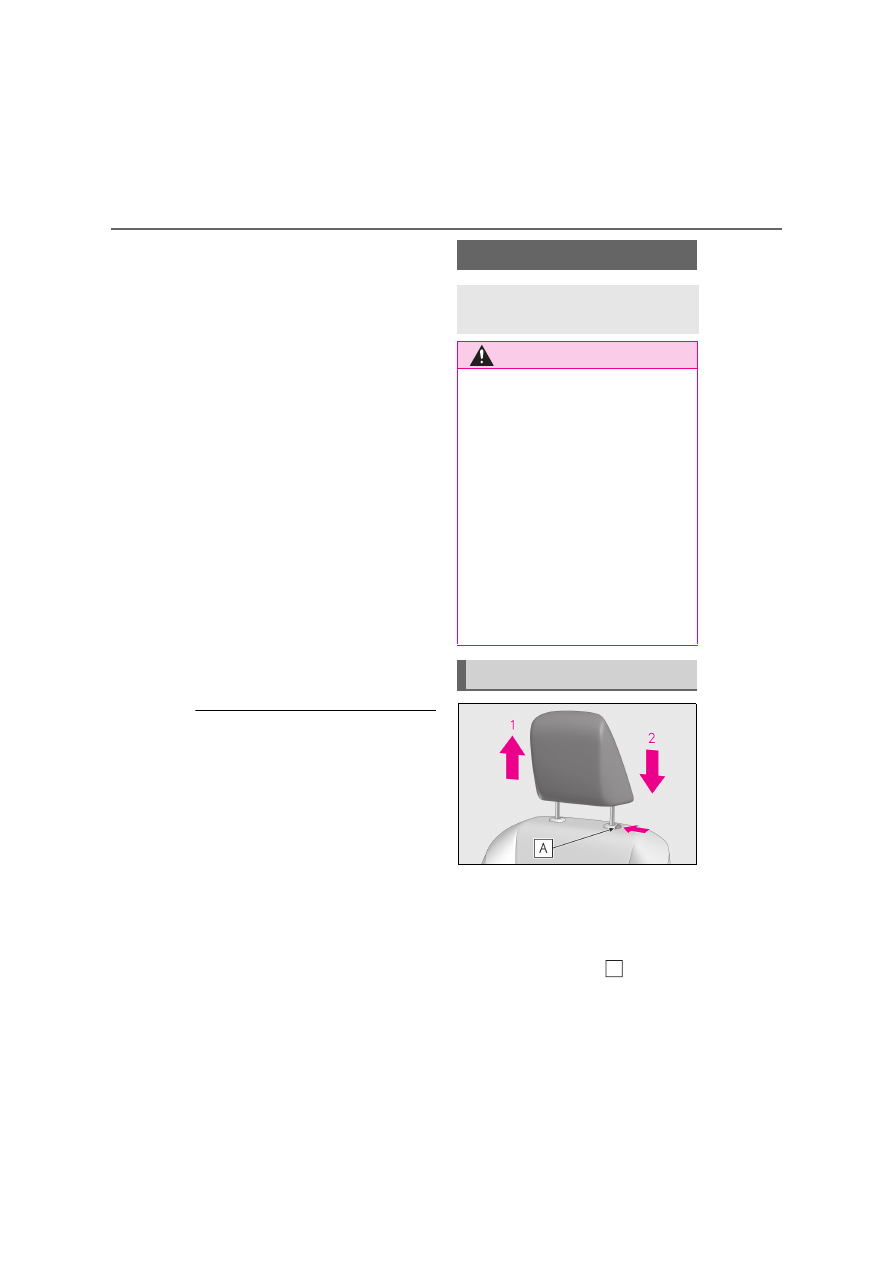
1
Up
Pull the head restraints up.
2
Down
Push the head restraint down while press-
ing the lock release button
.
Head restraints
Head restraints are provided for all
seats.
WARNING
■
Head restraint precautions
Observe the following precautions
regarding the head restraints. Failure to
do so may result in death or serious
injury.
●
Use the head restraints designed for
each respective seat.
●
Adjust the head restraints to the cor-
rect position at all times.
●
After adjusting the head restraints,
push down on them and make sure
they are locked in position.
●
Do not drive with the head restraints
removed.
Vertical adjustment
A