Honda Insight (2019 year). Manual - part 10
 

  Index      Honda     Honda Insight - service manual 2019 year in english


Search            copyright infringement  


Content   ..  8  9  10  11   ..


Honda Insight (2019 year). Manual - part 10


143

uu

Gauges and Driver Information Interface

u

Driver Information Interface

Continued

In

strum

e

nt Pa

nel

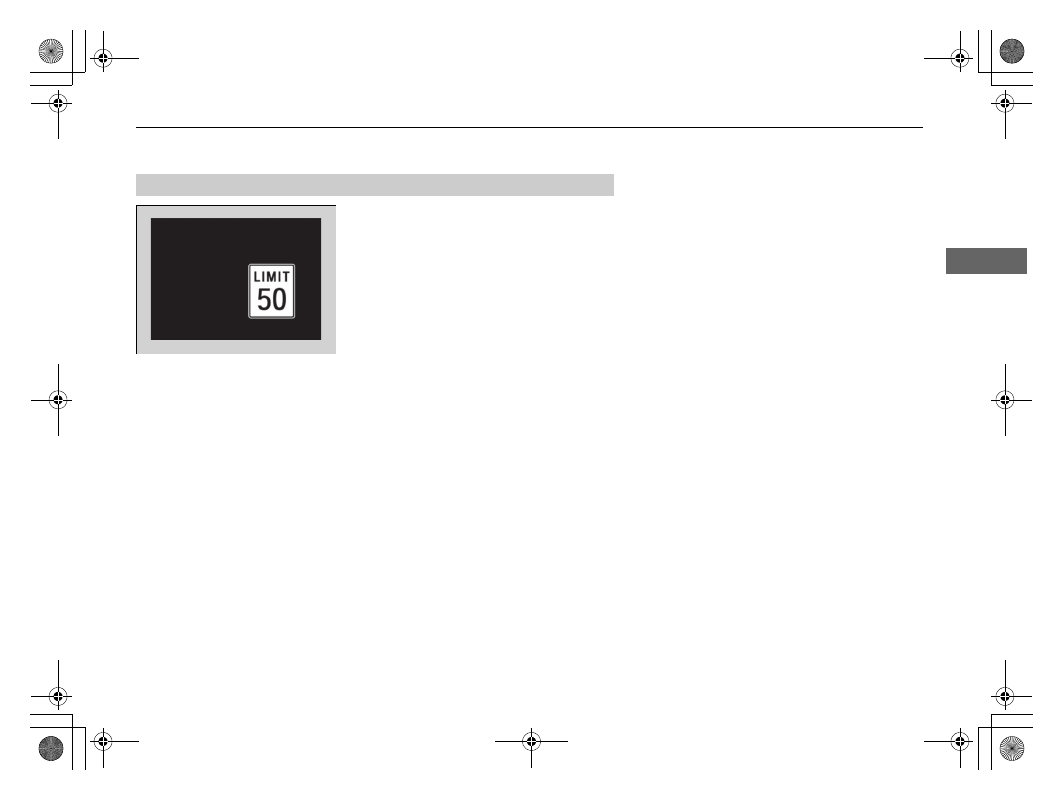
Shows the traffic sign recognition system.

Traffic Sign Recognition System P. 522

Traffic Sign Recognition System

uu

Gauges and Driver Information Interface

u

Driver Information Interface

144

In

strum

e

nt Pa

nel

The Driver Attention Monitor analyzes steering inputs to determine if the vehicle is 
being driven in a manner consistent with drowsy or inattentive driving. If it 
determines that the vehicle is being driven in such a manner, it will display the 
degree of the driver’s attention on the driver information interface.

When you select Driver Attention on the 
driver information interface, bars on it light up 
in white to indicate the degree of the driver’s 
attention.

Accessing contents in the main display 

P. 131

Driver Attention Monitor

1

Driver Attention Monitor

The Driver Attention Monitor cannot always detect if 
the driver is tired or inattentive.
Regardless of the system’s feedback, if you are 
feeling tired, stop in a safe location and rest for as 
long as needed. 

Driver Information 
Interface

Left Selector 
Wheel

 (home) Button

Level

145

uu

Gauges and Driver Information Interface

u

Driver Information Interface

Continued

In

strum

e

nt Pa

nel

If two bars light up, the Driver Attention 
Level Low
 message will appear.

If one bar lights up, the Driver Attention 
Level Low. Time For A Break
 message will 
appear, a beep will sound, and the steering 
wheel will vibrate.
If this message appears, stop in a safe location 
and rest for as long as needed.
The message will disappear when the left 
selector wheel is pressed or when the system 
has determined that the driver is driving 
normally.
If the driver does not take a break and the 
monitor continues to detect that the driver is 
very tired, the message will appear again after 
approximately 15 minutes, accompanied by a 
beep and steering wheel vibrations.
The message does not appear when the 
traveling time is 30 minutes or less.

uu

Gauges and Driver Information Interface

u

Driver Information Interface

146

In

strum

e

nt Pa

nel

The Driver Attention Monitor resets when:

• The power mode is set to VEHICLE OFF.
• The driver unfastens the seat belt and opens the door while the vehicle is stopped.

For the Driver Attention Monitor to function:

• The vehicle must be traveling above 25 mph (40 km/h).
• The electric power steering (EPS) system indicator must be off.

Depending on driving conditions or other factors, the Driver Attention 
Monitor may not function in the following circumstances:

• The steering assist function of the Lane Keeping Assist System (LKAS) is active.

Lane Keeping Assist System (LKAS) P. 509

• The condition of the road is poor, e.g. the surface is unpaved or bumpy.
• It is windy.
• The driver is frequently operating the vehicle in an assertive manner such as 

changing lanes or accelerating.

Customizing

You can change the Driver Attention Monitor settings. Select Tactile and Audible 
Alert

*1

/Tactile And Audible Alert

*2

Tactile Alert, or Off

*1

/OFF

*2

.

Customized Features P. 366

*1 : Models with color audio
*2 : Models with Display Audio

1

For the Driver Attention Monitor to function:

The bars on the driver information interface remain 
grayed out unless the Driver Attention Monitor is 
functioning.

Continued

147

uu

Gauges and Driver Information Interface

u

Driver Information Interface

In

strum

e

nt Pa

nel

Shows the distance between your vehicle and 
the vehicle detected ahead.
Informs you whether ACC with LSF and/or 
LKAS is activated or not. If ACC with LSF is 
activated, the set following interval is 
displayed. If LKAS is activated, the displayed 
lane marks change to indicate that LKAS is 
activated.

Adaptive Cruise Control (ACC) with Low 

Speed Follow (LSF) P. 492

Lane Keeping Assist System (LKAS) P. 509

Driving Support Information

1

Driving Support Information

In case ACC with LSF is not activated, when the 
distance between your vehicle and the vehicle ahead 
becomes to small, the section behind the vehicle icon 
turns amber and alerts you.

Amber gradation

Icon of vehicle ahead

Distance of vehicle ahead

When ACC and LKAS is in On

Set Vehicle Interval

ACC on: The section behind the 
vehicle icon turns green.
LKAS on: The lane outlines 
appear on the display.
LKAS starts: The lane lines 
change to solid ones. 
LKAS suspend: The lane lines 
change to dotted ones.

uu

Gauges and Driver Information Interface

u

Driver Information Interface

148

In

strum

e

nt Pa

nel

Indicates the state of RDM and CMBS

TM

, such as On, Off, or Failure, by color and 

letters. 

The following colors indicate the state of any of the above mentioned systems:
• Green: The system is on.
• Gray: The system is off.
• Amber: There is a problem with the system.

Safety Support

1

Safety Support

If a system is indicated by the color amber, have your 
vehicle checked by a dealer immediately.

To turn on or off each system, first rotate the left 
selector wheel to switch displays. From the next 
display you can select which system to turn on or off. 

RDM On and Off P. 519
CMBS

TM

 On and Off P. 486

You can also confirm the state of the each function 
by the color of the safety support indicator.

Safety Support Indicator (Amber) P. 99
Safety Support Indicator (Green/Gray) 

P. 101

Area Info for CMBS

TM

CMBS

TM

 Icon 

and State Info

RDM Icon and 
State Info

Area Info 
for RDM

149

uu

Gauges and Driver Information Interface

u

Driver Information Interface

Continued

In

strum

e

nt Pa

nel

Shows the average fuel economy for the last 
three driving cycles (1-3), and the current 
driving cycle (0) in mpg or l/100 km.

Each time you set the power mode to ON, the 
display is updated, and the oldest record is 
deleted.

Average Fuel Economy Records

uu

Gauges and Driver Information Interface

u

Driver Information Interface

150

In

strum

e

nt Pa

nel

Eco Drive Display

The vehicle icon on the display moves forward or backward while driving.
The more aggressive the acceleration is, the further the icon moves forward.
The more aggressive the deceleration is, the further the icon moves backward.
Keep the icon near the center of the circle for better fuel economy while driving.

Eco Drive Display/Drive Cycle Score/Lifetime Points

1

Eco Drive Display

Switch between the average fuel economy A and 
average fuel economy B by rolling the left selector 
wheel.

Aggressive 
Deceleration

Fuel-Efficient 
Driving

Aggressive 
Acceleration

Moderate 
Deceleration

Moderate 
Acceleration

Average Fuel 
Economy

Vehicle Icon

151

uu

Gauges and Driver Information Interface

u

Driver Information Interface

Continued

In

strum

e

nt Pa

nel

Drive Cycle Score/Lifetime Points

Appear for a few seconds when you set the power mode to VEHICLE OFF. Each has 
three stages. Depending on your driving style, the leaf icon(s) and the gauge 
increase or decrease to indicate that you have reached a different stage of fuel 
economy.

Resetting the Drive Cycle Score

1. Make sure the shift position is in 

(

P. Turn the power mode to ON.

2. If ECON mode is on, press the ECON button to turn it off.
3. Turn the power mode to VEHICLE OFF.
4. Turn the power mode to ON again.

u

Make sure to complete steps from 4 through 6 within 30 seconds.

5. Depress the brake pedal twice.

u

The color of the ambient meter will change from white to green.

u

When the Fuel Efficiency Backlight setting on the audio/information screen 
is off, the color stays white.

6. Press the ECON button twice.

u

The color of the ambient meter will turn to monochrome.

7. Turn the power mode to VEHICLE OFF.

Drive Cycle Score

Lifetime Points

Advancing 
to 2nd 
Stage

Advancing 
to 3rd 
Stage

Receding 
to 3rd 
Stage

Receding 
to 2nd 
Stage

uu

Gauges and Driver Information Interface

u

Driver Information Interface

152

In

strum

e

nt Pa

nel

Displays the power flow of the motor and engine, indicating the vehicle’s power 
source and whether the battery is being charged.

Power Flow Monitor

1

Power Flow Monitor

While the vehicle is stationary with the engine 
running, the following may appear on the driver 
information interface.

Engine ON

Engine OFF

Power Flow

Engine

Power is supplied 
by the motor and 
the engine.

Hybrid (HV)

Power is supplied 
by the motor.

Electric Vehicle (EV)

Power is being supplied to 
charge the High Voltage 
battery and supply power 
to the wheels.

Engine (Direct Drive)

The motor is 
charging the High 
Voltage battery.

Regeneration

Power is being 
supplied by only 
the engine.

The engine is running 
and the motor is 
charging the High 
Voltage battery.

Continued

153

uu

Gauges and Driver Information Interface

u

Driver Information Interface

In

strum

e

nt Pa

nel

Use the driver information interface to customize certain features.

How to customize

Select the Vehicle Settings screen by rolling the left selector wheel while the power 
mode is in ON, and the vehicle is at a complete stop. Push the left selector wheel.

Customized Features

*

1

Customized Features

*

To customize other features, roll the left selector 
wheel.

List of customizable options P. 156
Example of customization settings P. 161

Put the transmission into 

(

P before you attempt to 

change any customized setting.

Left selector wheel
Roll:
 Changes the 
customize menus and 
items.
Push: Enter the selected 
item.

Driver Information Interface: 
Goes to Vehicle Settings.

* Not available on all models

154

uu

Gauges and Driver Information Interface

u

Driver Information Interface

In

strum

e

nt Pa

nel

Customization flow

Roll the left selector wheel to select Vehicle Settings and push the left selector wheel.

Vehicle Settings

“Trip A” Reset Timing

Language Selection

Adjust Outside Temp. Display

Door Unlock Mode

Driver Assist System Setup

Meter Setup

Keyless Access Setup

“Trip B” Reset Timing

Forward Collision Warning Distance

ACC Forward Vehicle Detect Beep

Road Departure Mitigation Setting

Push

Traffic Sign Recognition System

Driver Attention Monitor

Roll

Keyless Access Beep

Push

Keyless Access Light Flash

Roll

Speed/Distance Units

Lane Keeping Assist Suspend Beep

Adjust Alarm Volume

Roll

Roll

Roll

Push

Push

Push

Roll

Roll

Reverse Alert Tone

Fuel Efficiency Backlight

TPMS Calibration

Roll

155

uu

Gauges and Driver Information Interface

u

Driver Information Interface

Continued

In

strum

e

nt Pa

nel

Exit

Door Setup

Default All

Lighting Setup

Key And Remote Unlock Mode

Auto Door Lock

Auto Door Unlock

Keyless Lock Answer Back
Security Relock Timer

Interior Light Dimming Time

Headlight Auto OFF Timer

Auto Headlight ON With Wiper ON

Roll

Push

Push

Roll

Roll

Roll

Roll

Push

Maintenance Reset

Roll

Roll

Roll

Auto Light Sensitivity

Auto Interior Illumination Sensitivity

156

uu

Gauges and Driver Information Interface

u

Driver Information Interface

In

strum

e

nt Pa

nel

List of customizable options

*1:Default Setting

Setup Group

Customizable Features

Description

Selectable Settings

TPMS 
Calibration

Cancels/Calibrates the tire pressure monitoring 
system (TPMS).

Calibrate/Cancel

Driver Assist 
System Setup

Forward Collision 
Warning Distance

Changes Collision Mitigation Braking System 
(CMBS

TM

) alert distance.

Long/Normal

*1

/Short

ACC Forward Vehicle 
Detect Beep

Causes the system to beep when the system detects 
a vehicle, or when the vehicle goes out of the ACC 
with LSF range.

ON/OFF

*1

Road Departure 
Mitigation Setting

Changes the setting for the road departure 
mitigation system.

Narrow/Normal

*1

/Wide/

Warning Only

Lane Keeping Assist 
Suspend Beep

Causes the system to beep when the Lane Keeping 
Assist System (LKAS) is suspended.

ON/OFF

*1

Traffic Sign Recognition 
System

Select On/Off to indicate small displaying traffic sign 
icon on the driver information interface.

Small Icons ON

*1

/Small Icons 

OFF

Driver Attention 
Monitor

Changes the setting for the driver attention 
monitor.

Tactile Alert/Tactile And 
Audible Alert

*1

/OFF

157

uu

Gauges and Driver Information Interface

u

Driver Information Interface

Continued

In

strum

e

nt Pa

nel

*1:Default Setting

Setup Group

Customizable Features

Description

Selectable Settings

Meter Setup

Language Selection

Changes the displayed language.

English

*1

/Français/Español

Adjust Outside Temp. 
Display

Adjusts the temperature reading by a few degrees.

-5°F ~ ±0°F

*1

 ~ +5°F

“Trip A” Reset Timing

Changes the setting of how to reset trip meter A, 
average fuel economy A, average speed A, and 
elapsed time A.

When Refueled/IGN Off/
Manually Reset

*1

“Trip B” Reset Timing

Changes the setting of how to reset trip meter B, 
average fuel economy B, average speed B, and 
elapsed time B.

When Refueled/IGN Off/
Manually Reset

*1

Adjust Alarm Volume

Changes the alarm volume, such as buzzers, 
warnings, turn signal sound, and so on.

High/Mid

*1

/Low

Reverse Alert Tone

Turns the reverse alert tone on and off.

ON

*1

/OFF

Fuel Efficiency Backlight

Turns the ambient meter feature on and off.

ON

*1

/OFF

Speed/Distance Units

Selects the trip computer units.

km/h∙km/mph∙miles

*1

158

uu

Gauges and Driver Information Interface

u

Driver Information Interface

In

strum

e

nt Pa

nel

*1: Default Setting

Setup Group

Customizable Features

Description

Selectable Settings

Keyless 
Access Setup

Door Unlock Mode

Changes which doors unlock when you grab the 
driver’s door handle.

Driver’s Door Only

*1

/All 

Doors

Keyless Access Light 
Flash

Causes some exterior lights to flash when you 
unlock/lock the doors.

ON

*1

/OFF

Keyless Access Beep

Causes the beeper to sound when you unlock/lock 
the doors.

ON

*1

/OFF

Lighting 
Setup

Interior Light Dimming 
Time

Changes the length of time the interior lights stay 
on after you close the doors.

60sec/30sec

*1

/15sec

Headlight Auto OFF 
Timer

Changes the length of time the exterior lights stay 
on after you close the driver’s door.

60sec/30sec/15sec

*1

/0sec

Auto Light Sensitivity

Changes the timing for the headlights to come on.

Max/High/Mid

*1

/Low/Min

Auto Interior 
Illumination Sensitivity

Changes the sensitivity of the brightness of the 
instrument panel when the headlight switch is in 
AUTO.

Max/High/Mid

*1

/Low/Min

Auto Headlight ON 
With Wiper ON

Used to automatically come on the headlights when 
the wipers are used several times within a certain 
number of intervals with the headlight switch is in 
AUTO.

ON

*1

/OFF


Content   ..  8  9  10  11   ..