Honda Fit (2019 year). Manual - part 18
Continued
271
uu
Audio System Basic Operation
u
Song By Voice
TM
(SBV)
Features
■
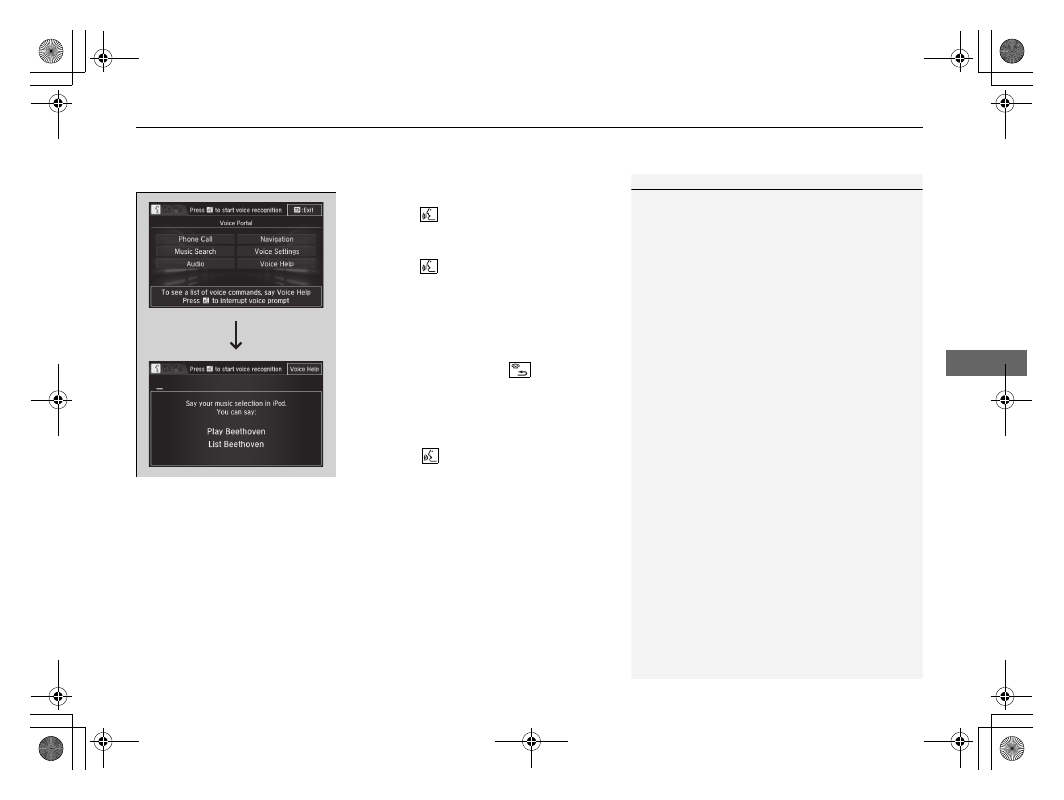
Searching for music using SBV
1. Set the Song by Voice setting to On.
2. Press the
(Talk) button and say “Music
Search” to activate the SBV feature for the
USB flash drive and iPod.
3. Press the
button and say a command.
u
Example 1: Say “(List) ‘Artist A’“ to view
a list of songs by that artist. Select the
desired song to start playing.
u
Example 2: Say “Play ‘Artist A’“ to start
playing songs by that artist.
4. To cancel SBV, press the
(hang-up/
back) button on the steering wheel. The
selected song continues playing.
Once you have canceled this mode, you need
to press the
button and say “Music
Search” again to re-activate this mode.
1
Song By Voice
TM
Commands List
NOTE:
Song By Voice
TM
commands are available for tracks
stored on the USB flash drive or iPod.
You can add phonetic modifications of difficult
words so that it is easier for SBV to recognize artists,
songs, albums, and composers in voice commands.