Honda Fit (2019 year). Manual - part 8
Continued
111
uu
Gauges and Displays
u
Multi-Information Display
*
In
strum
e
nt Pa
nel
Use the multi-information display to customize certain features.
■
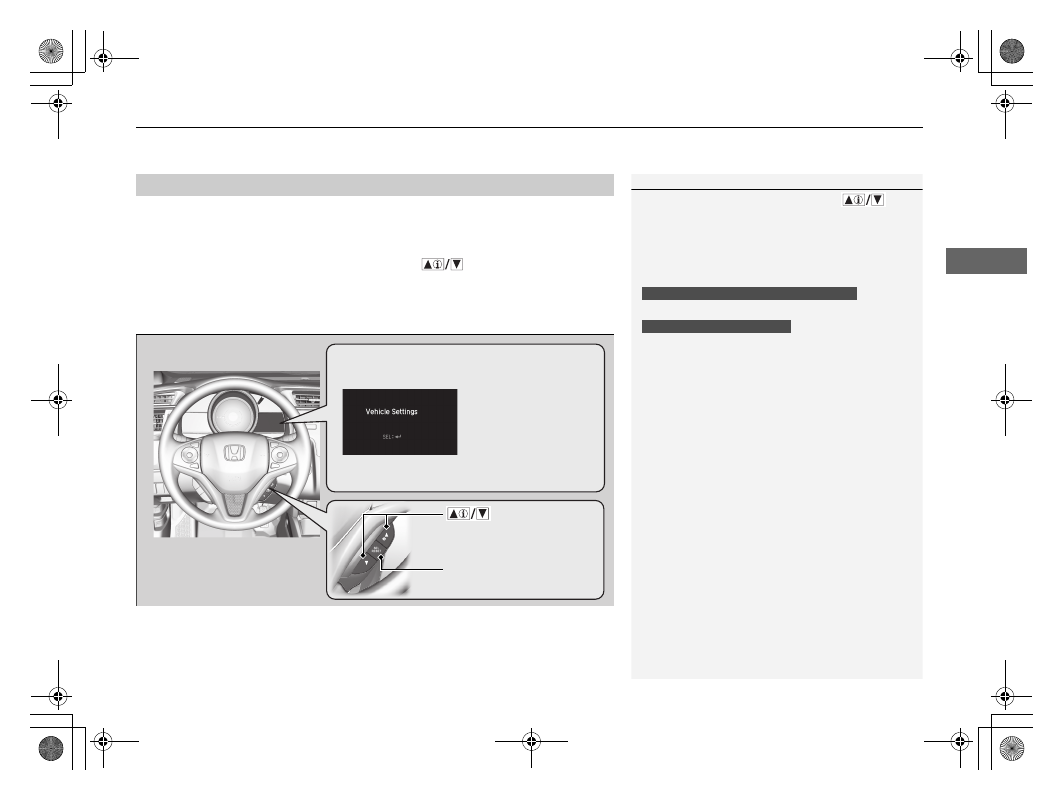
How to customize
Select the Vehicle Settings screen by pressing the
button while the ignition
switch is in ON
(
w
*1
, the vehicle is at a complete stop, and the shift lever is in
(
P
(continuously variable transmission), and the parking brake is set (manual
transmission). Press the SEL/RESET button to enter the customizing mode.
*1 : Models with the smart entry system have an ENGINE START/STOP button instead of an ignition switch.
■
Customized Features
1
To customize other features, press the
button.
2 List of customizable options P. 114
2 Example of customization settings P. 118
When you customize settings:
Shift to
(
P.
Set the parking brake.
Continuously variable transmission models
Manual transmission models
Button:
Changes the customize
menus and items.
Multi-Information
Display: Goes to
Vehicle Settings.
SEL/RESET button:
Enters the selected item.
* Not available on all models