Ford Crown Victoria (2010 year). Manual - part 18
 

  Index      Ford     Ford Crown Victoria - service manual 2010 year in english


Search            


Content   ..  16  17  18  19   ..


Ford Crown Victoria (2010 year). Manual - part 18


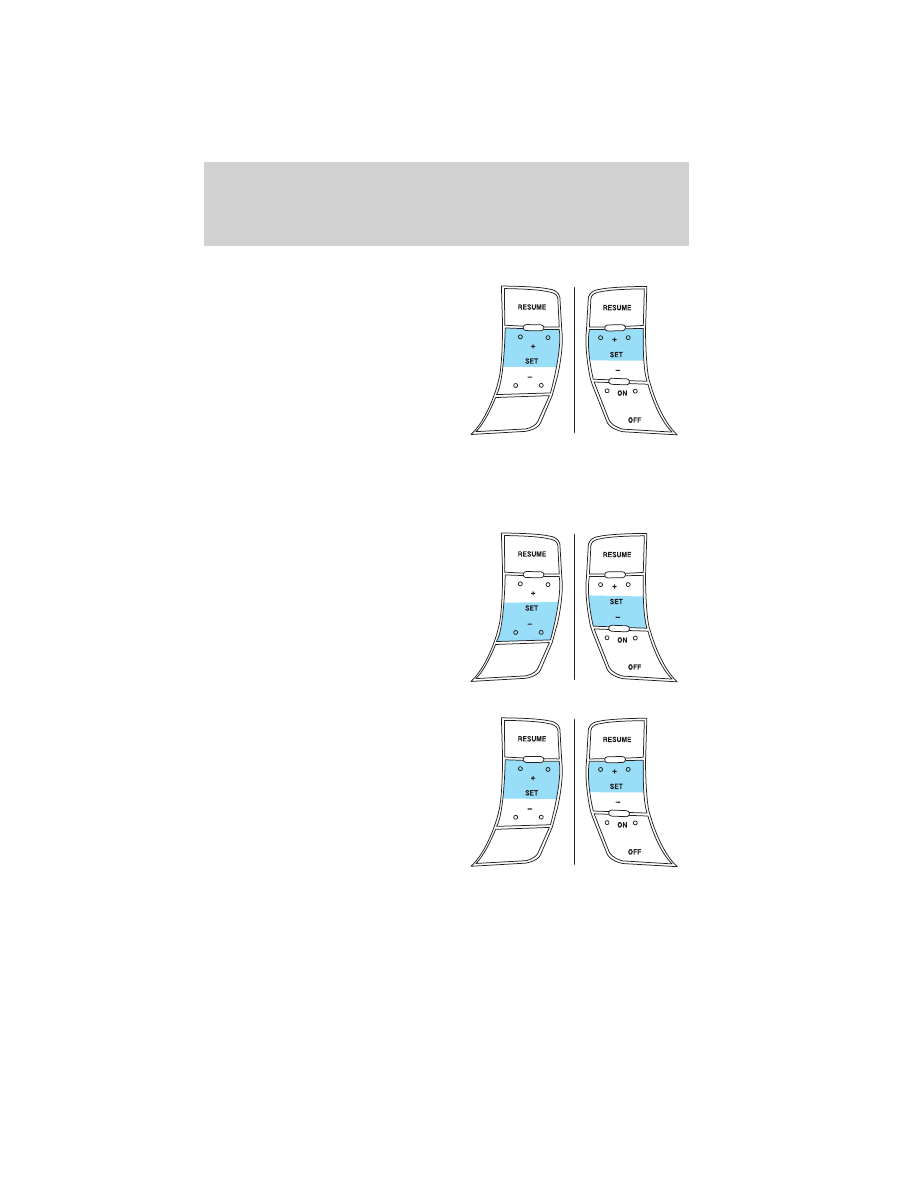
Increasing speed while using speed control

There are two ways to set a higher
speed:
• Press and hold the SET + control

until you get to the desired
speed, then release the control.
You can also use the SET +
control to operate the Tap-Up
function. Press and release this
control to increase the vehicle set
speed in small amounts by 1 mph
(1.6 km/h).

• Use the accelerator pedal to get to the desired speed. When the

vehicle reaches that speed press and release the SET + control.

Reducing speed while using speed control

There are two ways to reduce a set
speed:
• Press and hold the SET - control

until you get to the desired
speed, then release the control.
You can also use the SET -
control to operate the Tap-Down
function. Press and release this
control to decrease the vehicle
set speed in small amounts by
1 mph (1.6 km/h).

• Press the brake pedal until the

desired vehicle speed is reached,
press the SET + control.

Driver Controls

73

2010 Crown Victoria (cro)
Owners Guide, 2nd Printing
USA 
(fus)

Turning off speed control

There are two ways to turn off the speed control:
• Press the brake pedal. This will

not erase your vehicle’s
previously set speed.

• Press the speed control OFF

control.

Note: When you turn the speed
control or the ignition off, your
speed control set speed memory is
erased.

STEERING WHEEL CONTROLS (IF EQUIPPED)

Audio control features

In Radio mode:
• Press NEXT to select the next

preset station within the current
radio band.

In Tape mode:
• Press NEXT to listen to the next

selection on the tape.

In CD mode:
• Press NEXT to listen to the next

track on the disc.

In any mode:
• Press VOL + or - to adjust the

volume.

Driver Controls

74

2010 Crown Victoria (cro)
Owners Guide, 2nd Printing
USA 
(fus)

Climate control features
• Press TEMP + or - to adjust

temperature.

INTERIOR TRUNK CONTROL

The remote trunk release control is
located on the driver’s door trim
panel and can be operated at any
time.

You can render the switch
inoperable by locking the button
with your master key.

Driver Controls

75

2010 Crown Victoria (cro)
Owners Guide, 2nd Printing
USA 
(fus)

KEYS

The vehicle is equipped with a master key which will access the vehicle’s
doors, trunk, glove box, ignition and remote trunk release.

POWER DOOR LOCKS
• Press the

control to unlock all

doors.

• Press the

control to lock all

doors.

Smart locks (if equipped)

With the key in any ignition position, and either the driver’s or
passenger’s door open, the doors cannot be locked using the power door
lock switches.

The vehicle may still be locked with the key in the ignition, and
performing one of the following actions:
• Pressing the manual lock button on the door.
• Operating the remote entry transmitter (if equipped).
• Operating the keyless entry keypad (if equipped).
• Operating the driver’s door with a key.

Autolock (if equipped)

This feature automatically locks all vehicle doors when:
• all doors are closed,
• the engine is running,
• you shift into any gear, putting the vehicle in motion, and
• the vehicle’s speed is greater than 3 mph (5 km/h).
Autorelock

The autolock feature repeats when:
• a door is opened and closed while the engine is running,
• you shift into any gear, putting the vehicle in motion, and
• the vehicle’s speed is greater than 3 mph (5 km/h).

Locks and Security

76

2010 Crown Victoria (cro)
Owners Guide, 2nd Printing
USA 
(fus)


Content   ..  16  17  18  19   ..