Citroen C4 Picasso Dag (2009 year). Manual - part 22
 

  Index      Citroen     Citroen C4 Picasso Dag - service manual 2009 year in english


Search            


Content   ..  20  21  22 


Citroen C4 Picasso Dag (2009 year). Manual - part 22


303

04

1

2

3

3

1

2

2

2

2

1

1

2

2

2

1

2

2

2

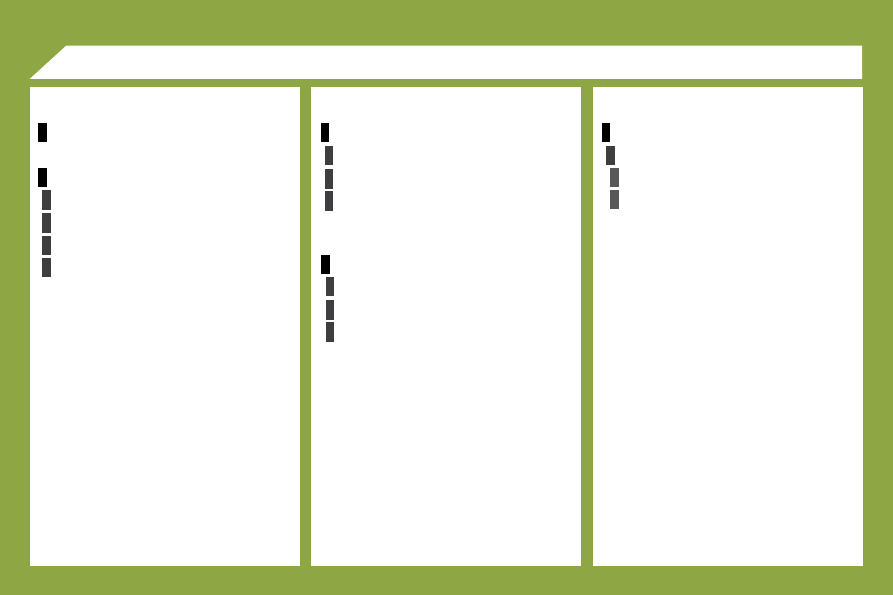
     SCREEN MENU MAP 

  SETTINGS 

  LANGUAGES 

  AUDIO  

  SUBTITLES  

  SETTINGS   

  USERS 

  USER 1  

  USER 2  

  USER 3   

  DEFAULT SETTINGS 

  ARE YOU SURE?  

 YES 

 NO   

  VIDEO SETTINGS 

  BRIGHTNESS  

  CONTRAST  

  COLOUR  

  BACK-LIGHTING   

304

05

  The table below groups together the answers to the most frequently asked questions concerning the video pack. 

 FREQUENTLY ASKED QUESTIONS 

 QUESTION 

 SOLUTION 

 The player does not start. 

   -   Check the vehicle's fuses.  

 The player does not react to pressing of the 
remote control buttons. 

   -   The remote control batteries are fl at. Replace them. 
  -   The remote control sensor is hampered by objects or is dirty. Remove all objects on the remote control 

receiver or clean the surface using a damp cloth. 

  -   The video pack has overheated. Let it cool for a few minutes.  

 Image or sound interference while playing a 
DVD. The image remains frozen during play. 

 The player cannot read the disc. The disc may be damaged or dirty. 

 The player does not play the disc inserted. 

   -   The format of the disc does not correspond to the specifi cations of the player. 
  -   If it is cold, condensation may have formed on the laser. Wait approximately 5 minutes to allow the humidity 

to evaporate.  

 When a DVD/VCD/SVCD is played, the 
image is of poor quality. 

   -   Remove the disc. 
  -   Using the SETUP button , adjust the brightness and insert the disc again.  

 No image is displayed on the monitor. 

   -   Press the SOURCE button until the image appears. 
  -   Press the SCREEN ON/OFF button.  

 There is no sound in the audio headphones. 

   -   Increase the volume using the VOLUME +/- buttons on the remote control or using the dial on the 

headphones. 

  -   Check that the correct channel is selected on the headphones. 
  -   Press the SOURCE button until the sound arrives. 
  -   Replace the headphone batteries.  

 The start-up screen does not appear 
following ejection of the disc. 

   -   Insert another disc. 
  -   Switch the system off and then on again.  


Content   ..  20  21  22