DB2 Server for VSE. Operations Guide / Handbooks (2004-2007) - page 4
IBM Confidential
ERROR_ACTION CHARACTER(1) NOT NULL, //action taken when a send queue
//is in error; default "I"- invalidate;
//or "S" - stop Q Capture.
HEARTBEAT_INTERVAL INTEGER NOT NULL, //interval in seconds between
//heartbeat msg sent when no
//transactions to publish; must be
//multiple of commit_interval; default 0
//- do not send;
MAX_MESSAGE_SIZE INTEGER NOT NULL , //max size of buffer in KB used
for
//sending msg over the send queue;
//default 64K
APPLY_SERVER VARCHAR(18), //dbname of Q Apply server where the
//target tables are defined
APPLY_ALIAS VARCHAR(8), //alias of the name defined in the
//previous column
APPLY_SCHEMA VARCHAR(128), //schema of the Q Apply which applies
//the changes on this receive queue
DESCRIPTION VARCHAR(254), //user maintained description attribute
primary key ( SENDQ )
) IN XXXXXX;
The following index is created on this table:
CREATE UNIQUE INDEX ASN.IX1PUBMAPCOL ON ASN.IBMQREP_SENDQUEUES
(PUBQMAPNAME ASC);
MESSAGE_FORMAT - The default value is ″C″ for compact message type. Q
Capture for VSE/VM only supports this type of message. The XML (″X″) encoding
format is not supported.
IBMQREP_SUBS control table
The IBMQREP_SUBS control table identifies tables for which changes are captured,
and onto which queue the transaction is published.
CREATE TABLE ASN.IBMQREP_SUBS (
SUBNAME VARCHAR(132) NOT NULL, //subscript name; for any instance,
//the subname has to be unique.
SOURCE_OWNER VARCHAR(128) NOT NULL, //qualifier of the source
//tables
SOURCE_NAME VARCHAR(128) NOT NULL, //source table names
TARGET_SERVER VARCHAR(18), //dbname of the Q Apply server
//where target tables are defined
TARGET_ALIAS VARCHAR(8), //alias of the dbname
TARGET_OWNER VARCHAR(128), //target table owner
TARGET_NAME VARCHAR(128), //target table name
TARGET_TYPE INTEGER, //target type; always 1 - user table
APPLY_SCHEMA VARCHAR(128), //schema of the Q Apply prg which applies
//changes that are captured by this Q
50
DB2 DataPropagator Q Capture Supplement
IBM Confidential
//Capture instance
SENDQ VARCHAR(48) NOT NULL , //queue name for writing the changes
//involving this table
SEARCH_CONDITION VARCHAR(2048), //not supported by Q Capture VSE/VM
SUB_ID INTEGER, //sub id generated by Q Capture and supplied
//to Q Apply in the schema msg
SUBTYPE CHARACTER(1) NOT NULL, //subscription type; default "U" -
//unidirectional. This is the only
//type supported by Q Capture
//VSE/VM.
ALL_CHANGED_ROWS CHARACTER(1) NOT NULL, //whether to send the row if any
//column in the row is changed;
//default "N" (send only when s
//subscripted column is changed
BEFORE_VALUES CHARACTER(1) NOT NULL, //whether to send before-value of the
//column; for UPDATE and DELETE
//only; default "N"
CHANGED_COLS_ONLY CHARACTER(1) NOT NULL, //send the after-value for only
//changed columns; for
//UPDATE only; default "Y"
HAS_LOADPHASE CHARACTER(1) NOT NULL, //whether or not the source table
//will be loaded at the target; default
//"I"- internal load; "E"- external
//load; and "N" for no load
STATE CHARACTER(1) NOT NULL , //initial state for the subscription;
//default "N" - new; "L" - loading; "A" - active
//and "I" - inactive.
STATE_TIME TIMESTAMP NOT NULL, //time stamp for last state change
STATE_INFO CHARACTER(8), //explanation on why the sub is in current state
STATE_TRANSITION VARCHAR(256) FOR BIT DATA, //internal column
SUBGROUP VARCHAR(30), //n/a to Q Capture VSE/VM
SOURCE_NODE SMALLINT NOT NULL , //n/a; always 0 for Q Capture VSE/VM
TARGET_NODE SMALLINT NOT NULL , //n/a; always 0 for Q Capture VSE/VM
GROUP_MEMBERS CHARACTER(254) FOR BIT DATA, //not used by Q Capture VSE/VM
OPTIONS_FLAG CHARACTER(4) NOT NULL , //reserved for future use
SUPPRESS_DELETES CHARACTER(1) NOT NULL, //do not send delete operation row;
default
"N"
DESCRIPTION VARCHAR(200), //description for the subscription
TOPIC VARCHAR(256), //n/a
primary key ( SUBNAME ) , FOREIGN KEY FKSENDQ ( SENDQ ) REFERENCES ASN.IBMQREP_SENDQUEUES
) IN XXXXXX;
IBMQREP_SRC_COLS control table
The IBMQREP_SRC_COLS control table lists the source table columns for which
changes are captured.
Appendix. Q Capture control tables
51
IBM Confidential
CREATE TABLE ASN.IBMQREP_SRC_COLS (
SUBNAME VARCHAR(132) NOT NULL , //subscription name
SRC_COLNAME VARCHAR(30) NOT NULL, //column name
IS_KEY SMALLINT NOT NULL, //whether this column is part of the
//key; default 0 - not key column;
//n - the key column number
primary key ( SUBNAME, SRC_COLNAME ) ,
FOREIGN KEY FKSUBS ( SUBNAME) REFERENCESASN.IBMQREP_SUBS)
IN XXXXXX;
IBMQREP_SIGNAL control table
The IBMQREP_SIGNAL control table is used for communication between the
user/subscriber and the Q Capture program.
CREATE TABLE ASN.IBMQREP_SIGNAL(
SIGNAL_TIME TIMESTAMP NOT NULL , //time the signal is inserted into the table
SIGNAL_TYPE VARCHAR(30) NOT NULL, //type of signal; "CMD" or "USER"
SIGNAL_SUBTYPE VARCHAR(30), //subtype for "CMD" signals;
SIGNAL_INPUT_IN VARCHAR(250),
SIGNAL_STATE CHARACTER(1) NOT NULL, //default "P" - pending; "R" - received by
Q
//Capture; "C" - completed; "F" - failed.
SIGNAL_LSN CHARACTER(10) FOR BIT DATA, //LSN of the log record of this insert
primary key ( SIGNAL_TIME ) ) DATA CAPTURE CHANGES IN XXXXXX;
v SIGNAL_SUBTYPE
Values:
-
’CAPSTART’: Start capturing for the subscription sname on queue_name
–
’CAPSTOP’: Stop capturing for subscription sname on queue_name
–
’QINERROR’: Error occurred on the send queue or the receive queue that is
associated with the send queue. Error action for the send queue specified will
be executed according to the SENDQUEUES table.
-
’LOADDONE’: Tell the Q Capture program that the replicated table is now
loaded.
-
’STOP’: Stop the Q Capture program.
–
’IGNORETRANS’: Ignore transaction that contains this signal
v SIGNAL_INPUT_IN - If the signal_type is ’USER’, then this column contains
user-defined input. If the signal_type is ’CMD’, then the meaning of this value
depends on the signal_subtype for this signal:
Values:
- Subscription name for CAPSTART, CAPSTOP, and LOADDONE
- Send queue name and message text for QINERROR where message text is the
ASN message number and tokens separated by space characters
- NULL for STOP and IGNORETRANS
52
DB2 DataPropagator Q Capture Supplement
IBM Confidential
IBMQREP_CAPTRACE control table
The IBMQREP_CAPTRACE control table contains information and error messages
generated by the Q Capture program.
CREATE TABLE ASN.IBMQREP_CAPTRACE(
OPERATION CHARACTER(8) NOT NULL , //values "INFO", "WARNING" or
//"ERROR"
TRACE_TIME TIMESTAMP NOT NULL , //time when msg was written
DESCRIPTION VARCHAR(1024) NOT NULL //asn msg id followed by the
//msg text
) IN XXXXXX;
IBMQREP_ADMINMSG control table
The IBMQREP_ADMINMSG control table contains administration messages from
the Q Apply program received by the Q Capture program.
CREATE TABLE ASN.IBMQREP_ADMINMSG(
MQMSGID CHARACTER(24) FOR BIT DATA NOT NULL , //MQ message id of the
//admin msg
MSG_TIME TIMESTAMP NOT NULL , //time the msg was inserted into the table
primary key ( MQMSGID ) ) IN XXXXXX;
Appendix. Q Capture control tables
53
IBM Confidential
Notices
IBM may not offer the products, services, or features discussed in this document in
all countries. Consult your local IBM representative for information on the
products and services currently available in your area. Any reference to an IBM
product, program, or service is not intended to state or imply that only that IBM
product, program, or service may be used. Any functionally equivalent product,
program, or service that does not infringe any IBM intellectual property right may
be used instead. However, it is the user’s responsibility to evaluate and verify the
operation of any non-IBM product, program, or service.
IBM may have patents or pending patent applications covering subject matter
described in this document. The furnishing of this document does not give you
any license to these patents. You can send license inquiries, in writing, to:
IBM Director of Licensing
IBM Corporation
North Castle Drive
Armonk, NY 10504-1785
U.S.A.
For license inquiries regarding double-byte (DBCS) information, contact the IBM
Intellectual Property Department in your country or send inquiries, in writing, to:
IBM World Trade Asia Corporation
Licensing
2-31 Roppongi 3-chome, Minato-ku
Tokyo 106-0032, Japan
The following paragraph does not apply to the United Kingdom or any other
country where such provisions are inconsistent with local law:
INTERNATIONAL BUSINESS MACHINES CORPORATION PROVIDES THIS
PUBLICATION “AS IS” WITHOUT WARRANTY OF ANY KIND, EITHER
EXPRESS OR IMPLIED, INCLUDING, BUT NOT LIMITED TO, THE IMPLIED
WARRANTIES OF NON-INFRINGEMENT, MERCHANTABILITY OR FITNESS
FOR A PARTICULAR PURPOSE. Some states do not allow disclaimer of express or
implied warranties in certain transactions, therefore, this statement may not apply
to you.
This information could include technical inaccuracies or typographical errors.
Changes are periodically made to the information herein; these changes will be
incorporated in new editions of the publication. IBM may make improvements
and/or changes in the product(s) and/or the program(s) described in this
publication at any time without notice.
Any references in this information to non-IBM Web sites are provided for
convenience only and do not in any manner serve as an endorsement of those Web
sites. The materials at those Web sites are not part of the materials for this IBM
product and use of those Web sites is at your own risk.
IBM may use or distribute any of the information you supply in any way it
believes appropriate without incurring any obligation to you.
55
IBM Confidential
Licensees of this program who wish to have information about it for the purpose
of enabling: (i) the exchange of information between independently created
programs and other programs (including this one) and (ii) the mutual use of the
information which has been exchanged, should contact:
IBM Canada Ltd.
Office of the Lab Director
8200 Warden Avenue
Markham, Ontario
L6G 1C7
CANADA
Such information may be available, subject to appropriate terms and conditions,
including in some cases, payment of a fee.
The licensed program described in this information and all licensed material
available for it are provided by IBM under terms of the IBM Customer Agreement,
IBM International Program License Agreement, or any equivalent agreement
between us.
Any performance data contained herein was determined in a controlled
environment. Therefore, the results obtained in other operating environments may
vary significantly. Some measurements may have been made on development-level
systems and there is no guarantee that these measurements will be the same on
generally available systems. Furthermore, some measurement may have been
estimated through extrapolation. Actual results may vary. Users of this document
should verify the applicable data for their specific environment.
Information concerning non-IBM products was obtained from the suppliers of
those products, their published announcements, or other publicly available sources.
IBM has not tested those products and cannot confirm the accuracy of
performance, compatibility, or any other claims related to non-IBM products.
Questions on the capabilities of non-IBM products should be addressed to the
suppliers of those products.
All statements regarding IBM’s future direction or intent are subject to change or
withdrawal without notice, and represent goals and objectives only.
This information may contain examples of data and reports used in daily business
operations. To illustrate them as completely as possible, the examples include the
names of individuals, companies, brands, and products. All of these names are
fictitious and any similarity to the names and addresses used by an actual business
enterprise is entirely coincidental.
COPYRIGHT LICENSE:
This information may contain sample application programs in source language,
which illustrates programming techniques on various operating platforms. You
may copy, modify, and distribute these sample programs in any form without
payment to IBM, for the purposes of developing, using, marketing, or distributing
application programs conforming to the application programming interface for the
operating platform for which the sample programs are written. These examples
have not been thoroughly tested under all conditions. IBM, therefore, cannot
guarantee or imply reliability, serviceability, or function of these programs.
56
DB2 DataPropagator Q Capture Supplement
IBM Confidential
Trademarks
The following terms are trademarks of International Business Machines
Corporation in the United States, or other countries/regions, or both:
ACF/VTAM
C/370
CICS
CICS/VSE
DATABASE 2
DataPropagator
DB2
DFSMS
Distributed Relational Database Architecture
DRDA
IBM
Language Environment
MVS
OS/2
QMF
RACF
SAA
SQL/DS
System/370
VM/ESA
VSE/ESA
VTAM
Java and all Java-based trademarks are trademarks of Sun Microsystems, Inc. in the
United States, other countries, or both.
Microsoft, Windows, Windows NT, and the Windows logo are trademarks of
Microsoft Corporation in the United States, other countries/regions, or both.
Intel, Intel Inside (logos), MMX and Pentium are trademarks of Intel Corporation
in the United States, other countries, or both.
UNIX is a registered trademark of The Open Group in the United States and other
countries.
Linux is a trademark of Linus Torvalds in the United States, other countries, or
both.
Other company, product and service names may be trademarks or service marks of
others.
Notices
57
ÉÂÔ
Program Directory for
DB2 Server for VSE
and
Guest Sharing for VSE, Client Edition
Version 7 Release 5, Modification Level 0
Program Number 5697-F42
for Use with
z/VSE
Document Date: September 2007
GI11-8337-00
Contents
Notices
viii
Trademarks and Service Marks
viii
1.0
Chapter 1. Before You Begin
1
1.1
Program Materials
1
1.1.1
Basic Machine-Readable Material
1
1.1.2
Optional Machine-Readable Material . .
1
1.2
Program Publications
2
1.2.1
Displayable Softcopy Publications
2
1.2.2
Basic Program Publications
2
1.2.3
Optional Program Publications
3
1.2.4
Program Source Materials
3
1.3
Program Support
3
1.3.1
Preventive Service Planning
3
1.3.2
Statement of Support Procedures
4
1.4
Program and Service Level Information
4
1.4.1
Program Level Information
4
1.4.2
Service Level Information
4
1.4.3
Cumulative Service Tape
4
1.5
Installation Requirements and Considerations
4
1.5.1
System Requirements
4
1.5.1.1
Operating System Requirements . .
5
1.5.1.2
Machine Requirements
5
1.5.1.3
Programming Requirements
5
1.5.1.3.1
Prerequisite Programs
5
1.5.2
DASD Storage Requirements
6
1.5.3
Processor Storage Requirements
7
1.6
Virtual Storage Requirements of Components
7
1.7
CICS Dynamic Storage Considerations
9
1.7.1
Use of SELECT
9
1.7.2
Use of Routines
9
1.7.3
CICS Temporary Storage Queues
10
1.8
Initial Considerations for Installing DB2 Server on a VSE System
10
1.8.1
Loading of DB2 Server for VSE Distribution Libraries
10
1.8.2
Machine-Readable Material
10
1.9
IBM Supplied Installation Aids
11
2.0
Chapter 2. Preparing to Install DB2 Server for VSE Client Edition 7.5
12
2.1
Preparation Step 1: Setup the VSE Environment
13
2.1.1
DB2 Server for VSE Client Edition Key Enablement
14
2.2
Preparation Step 2: Allocate DASD for the Distribution Library
15
2.3
Preparation Step 3: Restore the Distribution Library
15
2.4
Preparation Step 4: Prepare the CICS Environment
16
2.4.1
CICS Entries Required by DB2 Server for VSE Client Edition
18
2.4.2
Entries Required in DFHSIT
19
2.4.2.1
Entries in DFHTCT Required by ISQL
20
Copyright IBM Corp. 1981, 2007
iii
2.4.2.2
Entries in DFHTCT for CICS Local Terminal Printers
20
2.4.2.3
Entries in DFHFCT for DB2 Server for VSE Client Edition
20
2.4.3
CICS Journaling Support
21
2.4.4
CICS Restart Resynchronization Support
22
2.4.5
CICS Transaction Server (TS) considerations
23
2.5
Preparation Step 5: Define DB2 Server for VSE Client Edition Programs and Transactions to
CICS
23
2.6
Preparation Step 6: Setup the SQLGLOB and BIND files
24
2.6.1
Defining the Global Variable File (SQLGLOB)
24
2.6.2
Updating the SQLGLOB file with IBM-Supplied Global Defaults
25
2.6.3
Defining the Preprocessor Bind File (SQLBIND)
25
2.6.4
Defining the Preprocessor Bind Work File (BINDWKF)
26
2.6.5
Loading the ISQL bindfile ARISIQBD.A to a VSAM bindfile File
27
2.6.6
Loading the other bindfiles (A-member) to a VSAM bindfile
27
2.7
Preparation Step 7: Updating Labels for the new datasets
28
3.0
Chapter 3. Installing DB2 Server for VSE Client Edition
29
3.1
Installation Step 1: Setup the DBNAME Directory
30
3.2
Installation Step 2: Setup default userid and password
31
3.3
Installation Step 3: Link-Edit the DB2 Server for VSE Client Edition Online Support Components
32
3.3.1
Installation Step 3.1: Link-Edit the DB2 Server for VSE Client Batch
33
3.4
Installation Step 4: Start the Default Database Server
33
3.5
Installation Step 5: Install Optional Components
33
3.6
Installation Step 6: Reload CCSID-Related Phases Package
34
3.7
Installation Step 7: Selecting National Language Support
35
3.7.1
Install Language and ISQL Help Text
35
3.8
Installation Step 8: Grant SCHEDULE Authority
37
3.9
Installation Step 9: Create CCSID-Related Phases
38
3.10
Installation Step 10
38
3.11
Installation Step 11: Run ISQL to Verify Installation
40
3.11.1
Starting the CICS System
40
3.11.1.1
Starting the DB2 Server for VSE Client Edition Online Support
40
3.11.2
Starting ISQL
41
3.11.3
Verify the Installation
41
3.11.4
Stopping ISQL
43
3.12
Installation Step 12: Stop the DB2 VSE Client
43
3.12.1
Stopping the DB2 Server for VSE Online Support
43
3.12.2
Stopping the CICS System
43
4.0
Post-Installation Activities
44
4.1
Installation Step 13: System Customization Activities
44
4.1.1
VSE Guest Sharing
44
4.1.2
VSE Guest Machine Parameters
44
4.1.3
VSE Guest Sharing Installation Checklist
45
5.0
Chapter 4. Maintenance Activities
47
5.1
DBS Utility Maintenance
47
5.1.1
Reloading the DBS Utility Package (SQLDBA.ARIDSQL)
47
5.2
Online Resource Adapter Control Maintenance
47
iv DB2 for VSE Client Edition Program Directory
5.2.1
Installing Online Resource Adapter Control after DB2 Server for VSE Installation
48
5.2.2
Re-Link-Editing Online Resource Adapter Control
48
5.3
ISQL Maintenance
49
5.3.1
Installing ISQL after DB2 Server for VSE Client Edition Installation .
49
5.3.2
Reloading the ISQL Package (SQLDBA.ARIISQL)
49
5.3.3
Re-Link-Editing ISQL
50
5.3.4
Re-Link-Editing the ISQL ITRM Terminal Transaction
50
5.3.5
Re-Link-Editing the ISQL ITRM Terminal Extension Program
51
5.4
CCSID-Related Phases Maintenance
52
5.4.1
Reloading the CCSID-Related Phases Package (SQLDBA.ARIRSQR)
52
5.4.2
Recreating the CCSID-Related Phases
53
5.5
FIPS Flagger Maintenance
53
5.5.1
Reloading the FIPS Flagger Package (SQLDBA.ARIFCRD)
53
5.6
DB2 Server for VSE Client Edition Library Maintenance
53
5.6.1
Replacing DB2 Server for VSE Client Edition
54
5.6.2
Purging DB2 Server for VSE Client Edition Libraries
54
5.7
DB2 Server for VSE Client Edition Link Books
54
6.0
Appendix A. How to Use the Job Manager
57
6.1
Overview of Installation and Migration
57
6.2
Installation
57
6.3
Optional Steps
57
6.4
The Job Manager
57
6.4.1
How Parameter Substitution Works
58
6.4.2
How Job List Works
58
6.4.2.1
How to Run All Jobs Again
59
6.4.3
Starting the Job Manager
60
6.4.3.1
User Interface
60
6.4.4
Execution of Jobs Submitted by the Job Manager
62
6.4.5
How the Job Results are Evaluated
63
6.4.6
What Should You Keep in Mind
63
6.5
The Disclaimer
63
7.0
Appendix B. Techniques Used for Installation
64
7.1
Embedding DB2 Server for VSE, Client Edition Library Identification Statements
64
7.2
Using the READ MEMBER Statement
64
7.3
Suppressing Preprocessor Output
65
8.0
Appendix C. Procedures Provided by IBM
66
9.0
Appendix D. A-Type Source Members
67
10.0
Appendix E. Z-Type Source Members
70
11.0
Appendix F. Additional CICS and VSE Updates for the DB2 Server System
72
11.1
Additional Updates Required for the CICS Monitoring Facility
72
11.1.1
DFHJCT Entries - CICS/VSE only
72
11.1.2
DFHMCT Entries
73
11.1.2.1
DFHMCT Entries - CICS/VSE only
73
Contents v
11.1.2.2
DFHMCT Entries - CICS/TS only
74
11.1.3
DFHSIT Entries
75
11.1.3.1
DFHSIT Entries - CICS/VSE only
76
11.1.3.2
DFHSIT Entries - CICS/TS only
76
11.2
Additional Updates for DB2 Server Accounting
76
11.3
Additional Updates for CIRB Auto-Initiation
76
11.3.1
DFHTCT Entries Required for Card Reader Line Printer Support
77
11.3.2
DFHTCT Entries Required for Sequential DASD Support
77
11.4
Additional Updates Required for the Online Resource Adapter DRDA
78
12.0
Bibliography
81
12.1
Contacting IBM
83
12.1.1
Product information
83
Figures
1.
Basic Material: Program Tape
1
2.
Program Tape: File Content
1
3.
Basic Material: Unlicensed Publications
2
4.
Basic Material: Licensed Publications
2
5.
Optional Material: Unlicensed Publications
3
6.
PSP Upgrade and Subset ID
3
7.
Component IDs
4
8.
VSE Environments
6
9.
Virtual Storage Requirements of DB2 Server for VSE Components in the CICS Partition
7
10.
Recommended Virtual Storage Increase for User Partition
8
11.
Scanning the DB2 Server for VSE Client Edition 750 Distribution Library
11
12.
Sample Report from the Scan Job
11
13.
Preparation Steps
12
14.
Description of global parameters
13
15.
DASD Storage Requirements for DB2 Server for VSE Client Edition Library
15
16.
Job ARIS75AE (Using MSHP to Install DB2 Server for VSE)
16
17.
Starting the CICS System for Use with ISQL
17
18.
DFHFCT Sample entries
21
19.
DFHJCT Examples for CICS Journaling
22
20.
The parameters for ARIS75JD
24
21.
The parameters for ARIS758D
25
22.
The parameters for ARIS757D
26
23.
The parameters for ARIS759D
26
24.
The parameters for ARISIQBD
27
25.
The parameters for ARISIQBD
27
26.
The parameters for ARISSTDL
28
27.
Steps to Install DB2 Server for VSE Client Edition version 7 Release 5
29
28.
Description of global parameters
30
29.
Job ARISBDID (Setup DBNAME directory)
31
30.
The parameters for ARISBDID
31
vi
DB2 for VSE Client Edition Program Directory
31.
The parameters for ARISIVRR
32
32.
The parameters for ARIS75BD
32
33.
The parameters for ARIS75ED
34
34.
The parameters for ARIS75WD
34
35.
The parameters for ARIS75HZ
35
36.
The parameters for ARIS75JZ
36
37.
The parameters for ARIS380D
36
38.
The parameters for ARIS75FD
37
39.
The parameters for ARISCNVD
38
40.
The parameters for ARIS6C2D
39
41.
The parameters for ARIS6CD
39
42.
The parameters for ARIS6FTD
39
43.
The parameters for ARIS6PLD
39
44.
Verify Batch Operations for the client Installation
42
45.
DBNAME directory
46
46.
Reloading the DBS Utility Package
47
47.
Re-Link-Editing Online Resource Adapter Control
48
48.
Reloading the ISQL Package
49
49.
Re-Link-Editing ISQL
50
50.
Re-Link-Editing the ISQL ITRM Terminal Transaction
51
51.
Re-Link-Editing the ISQL ITRM Terminal Extension Program
51
52.
Reloading the CCSID-Related Phases Package
52
53.
Reloading the FIPS Flagger Package
53
54.
Purging DB2 Server for VSE Client Edition Libraries
54
55.
Link Books for the DB2 Server for VSE Client Edition Components
54
56.
The description of parameters in ARISIVRR
58
57.
The description of Global parameters in the ARISIVRR
58
58.
Description of each column in a job list
59
59.
Starting the Job Manager
60
60.
Sample user answers when running the Job Manager
61
61.
Console output from the Job Manager
62
62.
Example of JCL Required to Punch A-Type Members
69
63.
Example of JCL Required to Punch Z-Type Members
71
64.
DFHJCT Examples for CICS Monitoring Facility
73
65.
DFHMCT Example for CICS Monitoring Facility
74
66.
CICS/TS DFHMCT Example for CICS Monitoring Facility
75
67.
DFHTCT Examples for CRLP Support
77
68.
Auto-initiating CIRB using CRLP support
77
69.
DFHTCT Examples for Sequential DASD Support
78
70.
DFHDCT Example
79
Figures vii
Notices
References in this document to IBM products, programs, or services do not imply that IBM intends to
make these available in all countries in which IBM operates. Any reference to an IBM product, program,
or service is not intended to state or imply that only IBM's product, program, or service may be used. Any
functionally equivalent product, program, or service that does not infringe on any of IBM's intellectual prop-
erty rights may be used instead of the IBM product, program, or service. Evaluation and verification of
operation in conjunction with other products, except those expressly designated by IBM, is the user's
responsibility.
IBM may have patents or pending patent applications covering subject matter in this document. The fur-
nishing of this document does not give you any license to these patents. You can send license inquiries,
in writing, to the
International Business Machines Corporation
IBM Director of Licensing
North Castle Drive, Armonk, NY
10504-1785, USA
Trademarks and Service Marks
The following terms, denoted by an asterisk (*), used in this document, are trademarks or service marks of
IBM Corporation in the United States or other countries:
IBM
DB2 Server for VSE Client Edition
DATABASE 2
RETAIN
DB2 Server for VSE
CICS/VSE
DB2
DRDA
z/VSE
CICS
VSE/ESA
VTAM
DB2 Server for VSE & VM
VM/ESA
The following terms, denoted by a double asterisk (**), used in this document, are trademarks of other
companies as follows:
None
viii
Copyright IBM Corp. 1981, 2007
1.0
Chapter 1. Before You Begin
1.1
Program Materials
An IBM program is identified by a program number and a feature code. The program number for DB2 for
VSE Client Edition is 5697-F42.
The program announcement material describes the features supported by DB2 for VSE Client Edition.
Ask your IBM marketing representative for this information if you have not already received a copy.
The following sections identify:
¹
The basic and optional program materials available with this program
1.1.1
Basic Machine-Readable Material
The distribution medium for this program is a 3480 cartridge. The tape or cartridge contains all the pro-
grams and data needed for installation. Figure 1 describes the tape or cartridge.
Figure
2 describes the
file content of the program tape or cartridge.
Note: The program tape and cartridge contain “Restricted Materials of IBM.”
Figure 1. Basic Material: Program Tape
Phys-
Feature
ical
Medium
Number
Volume External Label Identification
VOLSER
3480 cart.
6762
1
DB2 Server for VSE Client Edition
N/A
1
DB2 VSE Help Text
N/A
* Not available in Japan
Figure 2. Program Tape: File Content
VOLSER
File
Name
N/A
1
DB2 for VSE Client Edition Copyright Records
N/A
2
DB2 for VSE Client Edition History Files
N/A
3
DB2 for VSE Client Edition Product
N/A
4
Tape Mark
N/A
5
Tape Mark
1.1.2
Optional Machine-Readable Material
There are no optional machine-readable materials for DB2 for VSE Client Edition.
Copyright IBM Corp. 1981, 2007
1

1.2
Program Publications
The following sections identify the basic and optional publications for DB2 Server for VSE Client Edition.
1.2.1
Displayable Softcopy Publications
Publications for DB2 Server for VSE Client Edition are offered in displayable softcopy form. A subset of
DB2 Server for VSE Client Edition publications are translated into French, German and Japanese. These
translated publications and all unlicensed manuals are included except for:
¹
DB2 Server for VSE & VM Overview
¹
DB2 Server for VSE & VM Licensed Program Specifications for VM Systems and for VSE Systems
¹
Memo to Users DB2 Server for VSE & VM
The displayable manuals are part of the basic machine-readable material. The files are shipped on
CD-ROM, where PDF and HTML versions of the library are provided.
(Note: The DB2 Server for VSE &
VM Master Index and Glossary publication will not be available in HTML version.)
These displayable manuals can be viewed using an HTML browser installed on your system. The PDF
versions can be viewed or printed, using the Adobe Acrobat Reader.
1.2.2
Basic Program Publications
Figure 3 identifies the basic program publications for DB2 Server for VSE Client Edition. In addition to the
displayable softcopy publications in 1.2.1, “Displayable Softcopy Publications,” one copy of the following
publications are included when you order the basic materials for DB2 Server for VSE Client Edition. For
additional copies, contact your IBM representative.
An asterisk(*) beside the Form Number indicates it contains “Restricted materials of IBM.”
Figure 3. Basic Material: Unlicensed Publications
Publication Title
Form Number
Memo to Users DB2 Server for VSE & VM
GI10-5010
DB2 Server for VSE & VM Overview
GC09-2806
DB2 Server for VSE & VM Licensed Program Specifications for VM Systems and for VSE
GC09-2982
Systems
Figure 4. Basic Material: Licensed Publications
Publication Title
Form Number
DB2 Server for VSE & VM Diagnosis Guide and Reference
LC09-2907(*)
2
DB2 for VSE Client Edition Program Directory

1.2.3
Optional Program Publications
Figure 5 on page 3 identifies the optional program publications for DB2 for VSE Client Edition. To order
one or more copies, contact your IBM representative.
An asterisk(*) beside the Form Number indicates it contains “Restricted materials of IBM.”
Figure 5. Optional Material: Unlicensed Publications
Publication Title
Form Number
DB2 Server for VSE & VM Messages and Codes
GC09-2985
DB2 Server for VSE & VM SQL Reference
SC09-2989
DB2 Server for VSE & VM System Administration
SC09-2981
DB2 Server for VSE & VM Database Administration
SC09-2888
DB2 Server for VSE & VM Operation
SC09-2986
DB2 Server for VSE & VM Interactive SQL Guide and Reference
SC09-2990
DB2 Server for VSE & VM Database Services Utility
SC09-2983
DB2 Server for VSE & VM Application Programming
SC09-2889
DB2 Server for VSE & VM Quick Reference
SC09-2988
DB2 Server for VSE & VM Performance Tuning Handbook
GC09-2987
DB2 Server for VSE & VM Master Index and Glossary
SC09-2890
1.2.4
Program Source Materials
There are no source materials available for DB2 for VSE Client Edition.
1.3
Program Support
This section describes the IBM support available for DB2 for VSE Client Edition.
1.3.1
Preventive Service Planning
Before installing DB2 for VSE Client Edition, check with your IBM Support Center or use either
Information/Access or SoftwareXcel Extended to see whether there is additional Preventive Service Plan-
ning (PSP) information that you should know. To obtain this information, specify the following UPGRADE
and SUBSET values:
Figure 6. PSP Upgrade and Subset ID
UPGRADE
SUBSET
RETAIN Release
DB2VSEVM750
DB2VSEC
5NN
Chapter 1. Before You Begin
3
1.3.2
Statement of Support Procedures
Report any difficulties you have using this program to your IBM Support Center. If an APAR is required,
the Support Center will provide the address to which any needed documentation can be sent.
Figure 7 on page 4 identifies the component IDs (COMPID) for DB2 for VSE Client Edition.
Figure 7. Component IDs
COMP ID
Component Name
CLC
5697-F42-07
DB2 Server for VSE Client Edition V750
5NN
1.4
Program and Service Level Information
This section identifies the program and any relevant service levels of DB2 for VSE Client Edition. The
program level refers to the APAR fixes incorporated into the program. The service level refers to the
PTFs integrated. Information about the cumulative service tape is also provided.
1.4.1
Program Level Information
This version of DB2 Server for VSE, Client Edition has incorporated all closed APARs from previous
versions/releases at the time of the product General Availability.
1.4.2
Service Level Information
Check the DB2VSEVM750 subset DB2VSEC PSP bucket for any additional PTFs that should be installed
or any additional install information.
Please order APARs and all its prerequisites and corequisites for VSE, LE/VSE, TCP/IP, CICS, and CICS
according to your VSE releas e. Warning: You should bring your LE/VSE and TCP/IP environment to the
most current service level to avoid any potential problems in DB2 for VSE Client Edition when connecting
to remote database server over TCP/IP.
1.4.3
Cumulative Service Tape
There is no cumulative service tape for DB2 for VSE Client Edition.
1.5
Installation Requirements and Considerations
The following sections identify the system requirements for installing and activating DB2 Server for VSE
Client Edition.
1.5.1
System Requirements
This section describes the environment of the system required to install and use DB2 for VSE Client
Edition.
4
DB2 for VSE Client Edition Program Directory
1.5.1.1
Operating System Requirements:
DB2 Server for VSE, Client Edition operates under the z/VSE operating system release 3.10 or higher. A
valid DB2 Server for VSE, C lient Edition product key must be installed.
For password encryption support LE for VSE 1.4.2 or later is required to be able to use this feature.
To use, EZASMI enabled Online Client feature, z/VSE 4.1 or higher is required.
1.5.1.2
Machine Requirements:
One tape drive supported by z/VSE is required for installation.
1.5.1.3
Programming Requirements:
1.5.1.3.1
Prerequisite Programs:
This section summarizes the program products required or recommended for the DB2 Server for VSE,
Client Edition functions and environments available with this release. Unless otherwise stated, the data-
base manager works with all subsequent versions, releases, and modification levels of the products listed
in this section as well as with equivalent non-IBM products.
When installing DB2 Server for VSE, Client Edition on a VSE system, you require an environment pro-
vided by z/VSE Version 3 Release
1 or later. DB2 Server for VSE, Client Edition requires VSE/VSAM, which comes included with VSE oper-
ating system.
This operating system also includes the following licensed program products that DB2 for VSE requires:
¹
VSE/POWER for Query/Report Writing support
¹
VSE/ICCF for an interactive development environment and
¹
CICS for online support.
The z/VSE Version 3 Release 1 system supplies the minimum requirements to support DB2 for VSE Client
Edition. However, the APARS described in "Service Level Information" must be applied.
Refer to the planning manual for your VSE system to determine whether DB2 for VSE Client Edition is
supported as an optional product.
If you have CICS Transactions that access local DB2 for VSE Server(s), you must use the restart resyn-
chronization capability of CICS. Section 2.6: Prepare the CICS Environment, describes the CICS table
updates needed to use restart resynchronization.
Users of Double-Byte Character Set (DBCS) data should consider the following:
¹
PL/I programs using DBCS require no additional preprocessing (the PL/I compiler supports DBCS).
¹
DBCS variables and constants are not supported in FORTRAN and Assembler programs. This does
not prevent you from using DBCS in dynamically defined SQL statements.
Chapter 1. Before You Begin
5
¹
In COBOL/VSE programs for VSE, SQL identifiers, SQL host variables, and SQL labels with DBCS
characters can be used in SQL statements. The COBOL Kanji Preprocessor is not required.
A complete description of the software and hardware requirements is listed in chapter 1 of the DB2 Server
for VSE System Administration manual, GC09-2981. Read this chapter before you begin your installation.
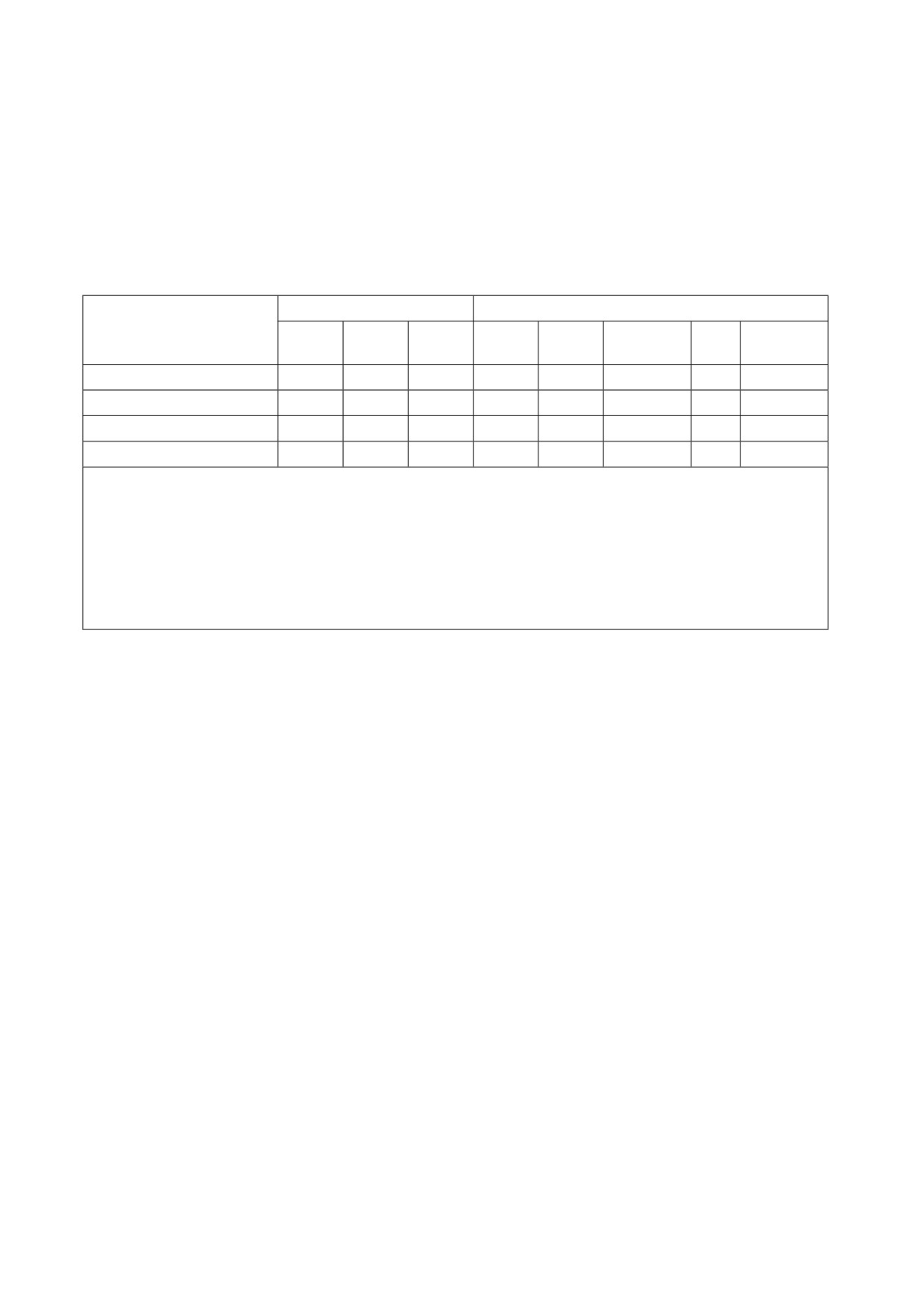
DB2/VSE Components1
Supported Languages
Batch
DB2/VSE Environments
RA
ORA
ISQL
PL/I
Cobol
Fortran
C
ASM
Batch
X
X
X
X
X
X
Online
X
X
X
X
X
X
Query/Report Writing
X
X
DRDA Requestor
X
X
X
X
X
X
X
Notes:
1
For this column:
¹
Batch RA refers to the Batch Resource Adapter of the DB2 Server for VSE, Client Edition
support for batch environment.
¹
ORA (online resource adapter) refers to the DB2 Server for VSE support for transaction proc-
essing (CICS*) environments.
¹
ISQL refers to the terminal user query and report-writing facilities.
Figure 8. VSE Environments
Prerequisite programs should be installed before you begin to do any of the steps described in this
manual.
1.5.2
DASD Storage Requirements
DASD storage requirements are described in Chapter 2.
Notes:
¹
National Language Versions of the DB2/VSE HELP TEXT and messages are included with the DB2
for VSE basic material.
¹
These allocations include approximately 25 percent free space to allow for maintenance.
¹
Maintain System History Program (MSHP) auxiliary history file are based on suggested values in the
z/VSE System Control Statements manual for your VSE operating system.
¹
FB-512 devices include 3370-2, 9332, 9335, and 9336 storage devices.
6
DB2 for VSE Client Edition Program Directory

1.5.3
Processor Storage Requirements
This section offers guidelines for estimating the processor resources needed for the database manager.
In general, with CICS for both preplanned and unplanned (dynamic SQL, ISQL) query transactions,
requires:
¹
Approximately 6 to 10 megabytes of storage for CICS, the DB2 Server for VSE batch programs and a
minimum of 6MB partition for the
batch support when using DB2 Server for VSE, Client Edition.
Following are suggestions on making detailed estimates of virtual storage requirements.
1.6
Virtual Storage Requirements of Components
Figure 9 provide data for calculating the virtual storage needed for a particular installation of the DB2
Client Edition.
Figure 9. Virtual Storage Requirements of DB2 Server for VSE Components in the CICS Partition
ONLINE RESOURCE ADAPTER:
Initialization, Termination,
666 280
(See Note 2)
and Transaction Display
Global Control Blocks
1200 + 8 192 x Number of links from the
CICS/VSE partition to the
Database partition (See Note 3)
Execution Time Code
215 000
Execution Time Control Blocks
3 x Maximum number of CICS/VSE transactions
that will access concurrently (See Note 3)
ISQL
613632 + Online resource manager requirements
+ 45000 for each ISQL user
+ 200000 for each additional message repository
Notes:
1. All numbers are in bytes.
2. The initialization/termination/transaction display code needs to be in the CICS partition only when the
CIRA, CIRB, CIRC, CIRT, or CIRD transactions are active. For certain abnormal conditions, the
system internally activates CIRT.
(For more information, see the manual.) This value is calculated by
adding the sizes of the following phases: ARIRCONT, ARI0OLRM, ARIMS001, and ARICMOD. If
CICS is not able to load the termination phase, the CICS/VSE system waits until storage becomes
available. Shutdown is thus delayed, and the wait can be long. Shutdown must complete its process
before online access to the database manager can be restarted. Therefore, it is important that the
CICS partition contain enough virtual storage to allow the initialization/termination/transaction display
code to run. (To avoid the problem of not being able to load the termination code at a critical time,
consider specifying RES=YES in the DFHPPT entry for ARIRCONT.)
Chapter 1. Before You Begin
7
3. The global control blocks are maintained until CIRT (termination) completes its processing. If the
virtual storage requirement for the control blocks is less than 32768 bytes, CICS provides the storage
from its own pool. Otherwise, the partition’s GETVIS area is used.
4. For execution time control blocks:
¹
This storage requirement does not include the virtual storage used by the application transaction.
¹
The maximum number of CICS transactions that concurrently access the database manager is not
the value NOLINKS (used by the CIRB transaction). The 3-kilobyte virtual storage area is required
for a transaction from the time of the first database manager access until the end of the trans-
action.
¹
During online link initialization, a message buffer of 8192 bytes is obtained. This message buffer
(mailbox) is used by the resource adapter to gather all the inputs generated by one SQL state-
ment. The inputs are sent as one contiguous message to the database partition. If the SQL state-
ment generates more input than 8192 bytes, the resource adapter attempts to get a larger
message buffer from the partition’s GETVIS area.
If the GETVIS fails due to insufficient storage, SQLCODE -932 and an indication (SQLERRD1) of
the amount of storage required are returned to the transaction. If this occurs, either the GETVIS
area must be made larger, or the transaction must be run when fewer transactions are active.
5. For online application programs, if the fetch/insert blocking option is in effect, add 8 kilobytes to the
CICS partition size for each currently open cursor that qualifies for blocking.
6. The numbers shown in the figure do not include a user-written accounting exit.
7. If DRDA is used, add 1 megabyte to the CICS partition size to allow for the additional code in the
online resource adapter.
Figure 10. Recommended Virtual Storage Increase for User Partition
Recommended Minimum Virtual Storage Increase for a VSE
DB2 Server for VSE Component
Partition (in Kilobytes)
Batch resource adapter
365 (Client Edition installed without DRDA)
2260 (Client Edition installed with DRDA support)
DBS utility
225 + batch resource adapter =
590 (base)
225 + batch resource adapter = 2485 (DRDA)
Any DB2 Server for VSE
250 + batch resource adapter =
615 (base)
preprocessor
250 + batch resource adapter = 2510 (DRDA)
(PL/I, Assembler, COBOL,
FORTRAN, or C)
User program
User application size + batch resource adapter
Notes:
1. The batch resource adapter uses a minimum of 2260 kilobytes of virtual storage in the batch (or
VSE/ICCF) application's partition as DRDA support is enabled for the Client Edition by default. This
8
DB2 for VSE Client Edition Program Directory
value must be added to the virtual storage requirements of the SQL application to arrive at the total
VSE or VSE/ICCF partition size.
2. For programs running in multiple user mode, if the fetch/insert blocking option is in effect, add 8 kilo-
bytes for each currently open cursor that qualifies for blocking.
3. If you have coded an accounting exit, a cancel exit or a TRANSPROC, add its size to the total virtual
storage requirements.
1.7
CICS Dynamic Storage Considerations
The amount of virtual storage in the CICS dynamic area varies for ISQL. An average of 35 to 45 kilobytes
for each user, plus 330 kilobytes, is recommended at the start. This supports most ISQL usage. The fol-
lowing variables can be considered to adjust the size of the dynamic area:
¹
Use of SELECT
¹
Use of routines
¹
Other CICS transactions.
1.7.1
Use of SELECT
The row length is the only variable that affects the amount of storage needed by a SELECT result: the
number of rows retrieved from a SELECT has no effect on this.
Before retrieving any rows from tables, ISQL gets a buffer to hold enough storage for two screens of rows.
If more than two screens are retrieved, this buffer is reused. (The number of rows depends on the size of
the terminal screen.)
The number of columns referenced in a SELECT command in ISQL is limited to 45. ISQL uses the length
of the retrieved columns not the number of column references to determine the buffer size. The storage
needed is the number of rows for two screens, multiplied by the length of one row. (Note that the length of
the row may be larger than the length of the screen.) If the storage required for the buffer exceeds 32
kilobytes, not all selected columns are displayed or the user receives an error message.
The SET VARCHAR and FORMAT VARCHAR ISQL commands change the size of the row and thus the
size of the buffer.
1.7.2
Use of Routines
CICS temporary storage can be either MAIN or AUXILIARY, as determined by the TSP parameter in your
SIT. If MAIN storage is used, the delta for ISQL users should be increased. The amount of storage
required is based on the number of lines in the routines and the number of concurrent routines being run.
The amount of storage for each line of a routine is 254 bytes.
If AUXILIARY storage is used, routines do not affect ISQL virtual storage requirements. Routines are read
into CICS temporary storage before the first command of the routine is run.
Other CICS Transactions
Chapter 1. Before You Begin
9
The numbers given here are delta numbers for ISQL. They do not include any storage for other CICS
transactions that your installation has.
1.7.3
CICS Temporary Storage Queues
CICS temporary storage queues can be defined as nonrecoverable. Recoverable temporary storage
queues are incompatible with ISQL operation.
1.8
Initial Considerations for Installing DB2 Server on a VSE System
1.8.1
Loading of DB2 Server for VSE Distribution Libraries
When you use the installation function provided by VSE/Interactive Interface (VSE/II), choose option 2:
"Install Programs--V1 Format". The job stream generated installs the library contained in the DB2 Server
for VSE, Client Edition installation tape in the VSE librar y PRD2.DB2750C.
If you are using the V2 format dialog, do not perform option 1: "Prepare for Installation" because the
distribution tape is nonstacked.
If you have received your DB2 Server for VSE Client Edition as part of your z/VSE order, see the z/VSE
Installation Manual 'Installing a Program from the z/VSE Extended Base Tape'
1.8.2
Machine-Readable Material
IBM distributes machine-readable DB2 for VSE Client Edition material on magnetic tape (reel or cartridge,
non-stack). The format of the tape for VSE is:
File 1
DB2 Server for VSE Client Edition Copyright Records
File 2
DB2 Server for VSE Client Edition History File
File 3
DB2 Server for VSE Client Edition Product
File 4
Tape Mark
File 5
Tape Mark.
This tape is intended for processing by the VSE Maintain System History Program (MSHP), or VSE/II. You
will need the following information to download DB2 Server for VSE:
¹
The tape label for DB2 Server for VSE is DB2/VSE.CE.7.5.0
¹
The library for the product is PRD2
¹
The sublibrary for the product is DB2750C.
Be sure you have a distribution tape in the correct format for your VSE system. To verify this tape, scan it
by running the sample JCL shown in Figure 11 on page 11. Figure 12 on page 11 shows a sample
report from a scan job.
10
DB2 for VSE Client Edition Program Directory

// JOB SCAN TAPE
* **********************************************************
* PLEASE MOUNT DB2 CLIENT EDITION R7.5.0 DISTRIBUTION TAPE ON A TAPE DRIVE
* AND ASSIGN SYS006 TO THAT TAPE DRIVE.
* THEN PRESS THE ENTER KEY WHEN READY ...
* **********************************************************
// PAUSE
PLEASE ASSIGN SYS006 NOW ...
// MTC REW,SYS006
// EXEC LIBR
RESTORE * TAPE=SYS006 SCAN=YES
/*
/&
Figure 11. Scanning the DB2 Server for VSE Client Edition 750 Distribution Library
RESTORE * TAPE=SYS006 SCAN=YES
L059I BACKUP FILE ID = 'DB2/VSE.CE.7.5.0'
L123I HISTORY FILE FOUND ON TAPE
L091I SUBLIBRARY PRD2.DB2750C FOUND ON INPUT TAPE
APPROXIMATE SPACE REQUIREMENT:
27856 LIBRARY BLOCKS
3375 :
1115 TRACKS =
92 CYLINDERS 11 TRACKS
3380 :
899 TRACKS =
59 CYLINDERS 14 TRACKS
3390 :
845 TRACKS =
56 CYLINDERS
5 TRACKS
9345 :
996 TRACKS =
66 CYLINDERS
6 TRACKS
FBA :
55732 BLOCKS
L113I RETURN CODE OF RESTORE IS 0
Figure 12. Sample Report from the Scan Job
1.9
IBM Supplied Installation Aids
To help you install DB2 Server for VSE Client Edition sample job control members are supplied as Z-type
source members on the installation tape.
Some of the job control members will require modifications before submitting them for execution. These
members and the required changes are discussed in the preparation, installation and migration chapters.
A REXX exec is supplied to aid in the modification and execution of these jobs. You can also punch these
members out of the installation library into VSE/ICCF or another editor, for changes and submission.
Chapter 1. Before You Begin
11

2.0
Chapter 2. Preparing to Install DB2 Server for VSE Client
Edition 7.5
To prepare to install DB2 Server for VSE Client Edition:
1. Read "Appendix A: How to Use the Job Manager"
2. Read "Planning for Installation" in the DB2 Server for VSE System Administration Manual
3. Ensure that the VSE operating system and all necessary programs are already installed and running
correctly. (See "Prerequisite Programs" in Chapter 1)
4. Review this document completely before installing DB2 Server for VSE Client Edition. For any optional
steps, understand why the step is optional.
5. Review the section on service considerations, check for any prerequisite program temporary fixes
(PTFs). Contact the IBM Support Center, or access with Information/Access or IBM Link, to see
whether there is any additional preventative service planning (PSP) information which you should be
aware of.
6. Complete all of the mandatory steps in this chapter, and any optional ones that apply to your installa-
tion. These steps are shown in Figure 13.
Step
Optional/ Manda-
Automated/ Manual
Description
tory
1
M
Manual
Set up the VSE Environment
2
M
Manual
Allocate DASD for the Distribution
Library
3
M
Manual
Restore the DB2 Server for VSE Client
Edition Distribution Library
4
O
Manual
Prepare the CICS Environment
5
O
Automated
Define CICS programs and Trans-
actions
6
O
Automated
Setup the SQLGLOB and BIND files
7
M
Automated
Updating Labels for the new datasets
Figure 13. Preparation Steps
Figure 14 on page 13 includes the global variables required in the Preparation Step.
12
Copyright IBM Corp. 1981, 2007

Parameter Name
Default value
Description
Used in member:
GLOBCAT
VSESP.USER.CATALOG
The default VSAM catalog
ARIS75CD, ARISSTDL
where SQLGLOB resides
BINDFILE
DB2.BIND.MASTER
This is the name of the
ARIS75CD, ARISSTDL,
dataset which will hold the
ARIS757D, ARISIQBD
global variables
BINDWFILE
DB2.BIND.WORKF
This is the name of the
ARIS75CD, ARISSTDL,
dataset which will hold the
ARIS759D
preprocessor bind pack-
ages.
MASTERFILE
DB2.SQLGLOB.MASTER
This is the name of the
ARIS75CD, ARISSTDL,
dataset which will hold the
ARIS758D, ARISGDEF
global variables
ATYPE
CYL
The type of allocation unit
ARIS75CD, ARIS757D,
for database IDCAMS
ARIS759D
DEFINE.
The default allocation unit is
Cylinders. Use BLK for FBA
devices, or CYL for (E) CKD
devices
Figure 14. Description of global parameters
2.1
Preparation Step 1: Setup the VSE Environment
This step is mandatory
Ensure that your VSE system is prepared as follows:
¹
Equip the system with a tape drive for the type of distribution tape ordered.
¹
Be sure that the system files are assigned correctly. During the installation process, input is read from
SYSIPT and source members from the DB2 Server for VSE Client Edition sublibrary. Output is written
to the printer file, SYSLST, and the SYS001 workfile.
¹
Ensure that the SYS001 workfile size is at least equal to 1 cylinder on an IBM 3390 DASD (960 blocks
on FBA devices).
See the DB2 Server for VSE System Administration manual for detailed information about capacity plan-
ning for storage requirements.
The partition sizes given below are the minimum required to successfully install a DB2 Server for VSE,
Client Edition. For a detailed discussion of how to calculate partition sizes based on real operating condi-
tions see the DB2 Server for VSE System Administration manual. Also, refer to the IBM z/VSE Planning
for information about partition configuration that could be used during the installation of optional program
product such as DB2 Server for VSE.
¹
Compiling and running application programs - 2.0 megabytes;
¹
To support DRDA batch requestor
2.0 megabytes ;
¹
CICS system to support ISQL - 8.0 megabytes;
Chapter 2. Preparing to Install DB2 Server for VSE Client Edition 7.5
13
- to support DRDA Requester, approximately 1 additional megabyte is required for the resident
online resource adapter
For certain installation steps, a target database server is expected to be running to enable the installation
process to update p ackages, conversion tables, help text information.
If the target database server is DB2 on VSE or VM running in Multiple user mode:
- Batch installation application programs can be started in any partition with enough storage. The
library search assignment must include the DB2 Server for VSE Client Edition V7.5 sublibraries for
installation programs executed in the partition.
- ISQL must be executed in the CICS partition.
- If the ISQL facility will be used in the CICS partition, the available CICS dynamic transaction
storage size must be at least 900 kilobytes to support ISQL. See "Installation Step 3: Link-Edit the
DB2 Server for VSE 7.5 Online Support Components".
VSE/REXX Version 6 Release 1 must be enabled.
2.1.1
DB2 Server for VSE Client Edition Key Enablement
Users on z/VSE Version 3 Release 1 and later, who want to run DB2 Server for VSE Client Edition, are
required to install a DB2 permanent product activation key, or a DB2 "90-day trial mode" product key.
z/VSE Version 3 Release 1 and later is shipped with a DB2 "90-day trial mode" product key. After the
90-day trial period is over, it is necessary to supply a DB2 permanent product key. This DB2 permanent
product key is supplied automatically from IBM whenever an order is placed for DB2 Server for VSE &
VM.
DB2 product enabling is driven by a phase which can be generated by the following EXEC IVALPKEY.
The statement to execute IVALPKEY is supplied by z/VSE Version 3 Release 1, and later, in the member
SKUSERBG in ICCF library 59.
// EXEC IVALPKEY,PARM='PRODUCT=DB2 KEY=0000-1111-2222-3333-4444 CUSTINFC
O=C111-111-1111'
The key that appears in this EXEC statement is the DB2 "90-day trial mode" product key. Please note that
the 90-day trial period starts when IVALPKEY is run (and not when DB2 Server for VSE Client Edition is
installed). Each time DB2 Server for VSE Client Edition is accessed, message ARI4027W is displayed
informing you of the number of days left within the 90-day trial period.
Once you have completed a license agreement for DB2 Server for VSE Client Edition, you will replace the
string shown in the sample EXEC statement with the DB2 Server for VSE, Client Edition permanent
product activation key.
IVALPKEY must be run whenever the z/VSE operating system is IPLed. Therefore, it is recommended that
you place the job to execute IVALPKEY on the POWER RDR queue so that it is released automatically at
each IPL of the z/VSE system during background processing.
If IVALPKEY is not run when the z/VSE operating system is IPLed, DB2 Server for VSE Client Edition
cannot be installed, migrated or started.
14
DB2 for VSE Client Edition Program Directory
2.2
Preparation Step 2: Allocate DASD for the Distribution Library
This step is mandatory
APPROXIMATE SPACE REQUIREMENT: 30,000 LIBRARY 1K BLOCKS.
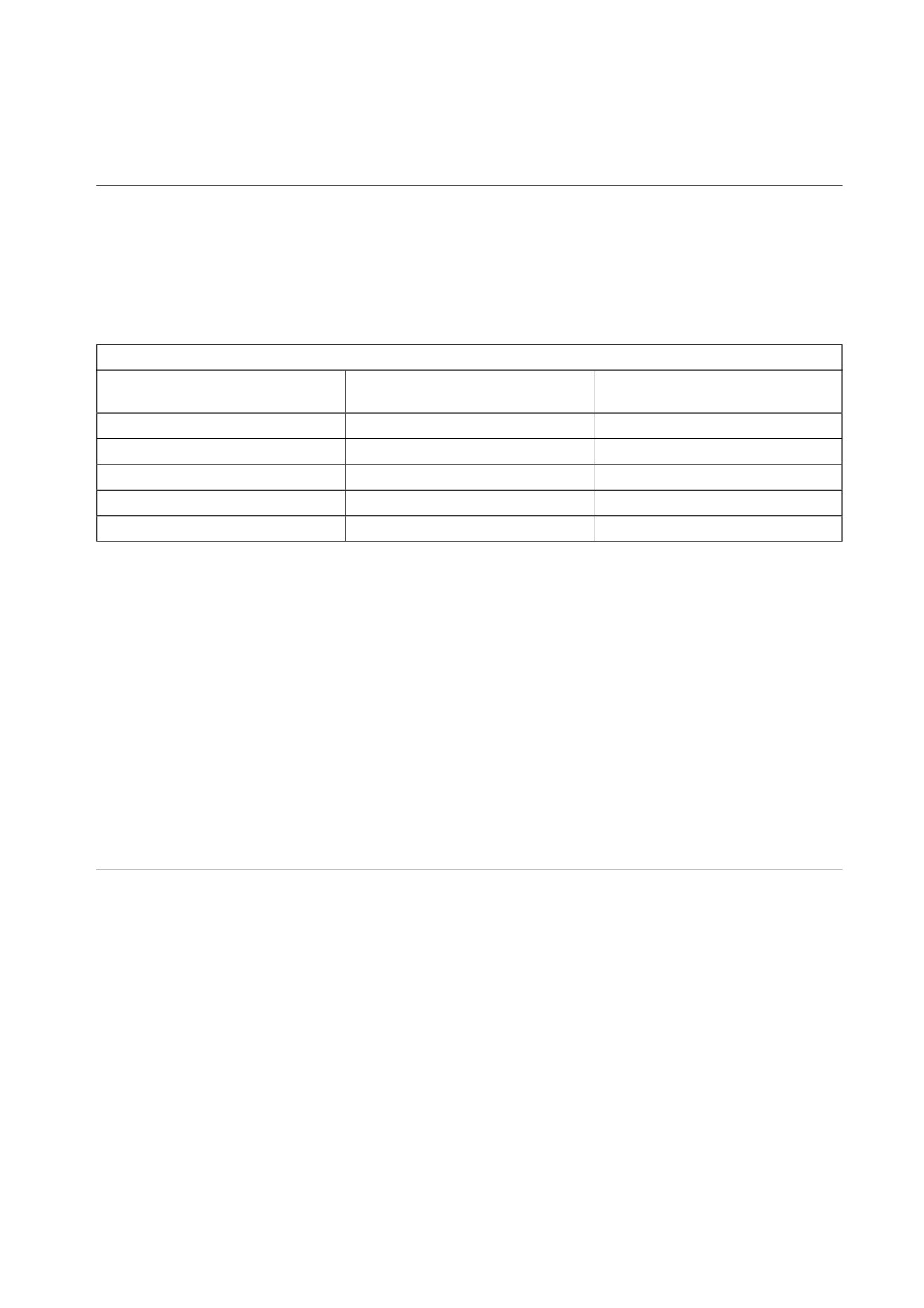
DASD Storage Requirements for DB2 Server for VSE Client Edition Library
APPROXIMATE SPACE REQUIREMENT: 30,000 LIBRARY BLOCKS
Approximate Library Space
MSHP History File Space
DASD Device Type
Required
Required
3375
120 cylinders
15 tracks
3380
74 cylinders
15 tracks
3390
70 cylinders
15 tracks
9345
84 cylinders
15 tracks
FB-512
60,000 blocks
900 blocks
Figure 15. DASD Storage Requirements for DB2 Server for VSE Client Edition Library
Notes:
1. These allocations include free space to allow for maintenance.
2. If you are installing versions of the DB2 Server for VSE HELP text or messages in languages other
than English, then you may consider an extra 400 library blocks for each supported language.
Note: The Help Text or messages provide help information only for DB2 Server for VSE and VM
commands/messages and codes. Hence, Help Text Support will not be available for remote
servers connected via DRDA.
3. The sizes for the Maintain System History Program (MSHP) auxiliary history files are based on sug-
gested values in the IBM z/VSE System Control Statements manual for your VSE operating system.
4. FB-512 devices include 3370-2, 9332, 9335, and 9336 storage devices.
2.3
Preparation Step 3: Restore the Distribution Library
This step is mandatory.
You can restore the DB2 Server for VSE Client Edition Distribution Library in two ways. We recommend
using the VSE/Interactive Interface, Product Installation Dialog in z/VSE. If you use this method, you need
to know that DB2 Server for VSE Client Edition is shipped on a NON-STACKED V2 FORMAT tape. For
directions on using this method, refer to the IBM z/VSE Installation for your VSE operating system.
If you have received your DB2 Server for VSE as part of your z/VSE order, see the z/VSE Installation
Manual 'Installing a Program from the z/VSE Extended Base Tape'
Alternatively, you may create the job control member shown in Figure 16 on page 16 to restore the Dis-
tribution Library. Mount the distribution tape and run your modified job.
Chapter 2. Preparing to Install DB2 Server for VSE Client Edition 7.5
15
// JOB ARIS75AE
INSTALL DB2 Server
// MTC REW,cuu
*-- REWIND TAPE
// ASSGN SYS002,cuu1
*-- AUXILIARY HISTORY FILE
// ASSGN SYS005,UA
*-- NO RESTORE TO XXXXXX
// ASSGN SYS006,cuu
*-- DISTRIBUTION TAPE
// OPTION CATAL
// EXEC MSHP
INSTALL PRODUCT FROMTAPE ID='DB2/VSE.CE.7.5.0' - *--ACTUAL TAPE ID (1)
PROD IN=PRD2.DB2750C
*-- IDENTIFICATION OF LIBRARIES
(2)
DEFINE HISTORY AUX EXTENT=xxx:yyy
/*
// MTC RUN,cuu
/&
Figure 16. Job ARIS75AE (Using MSHP to Install DB2 Server for VSE)
Notes for Figure 16:
¹
Before execution, modify the above statements as follows:
cuu
Replace with the address of the tape drive.
cuu1
Replace with the address of the disk drive on which the auxiliary history file resides.
xxx
Replace with the starting address of the auxiliary history file (in tracks or blocks).
yyy
Replace with the size of the auxiliary history file (in tracks or blocks).
¹
You receive various messages from MSHP. These messages are normal and can be ignored. If you
want more details about the MSHP control statements, refer to the DB2 Server for VSE Messages and
Codes.
¹
Later installation steps do not require the distribution tape.
(1)
DB2/VSE.CE.7.5.0' is the actual ID of the tape.
(2)
If necessary, replace PRD2.DB2750C with the library and sublibrary names you used in
Figure 16.
2.4
Preparation Step 4: Prepare the CICS Environment
If you will not be using DB2 Server for VSE Client Edition in an CICS interactive environment, or if you will
not be using ISQL, skip this step.
This step is optional for the installation process, but mandatory for the users who are migrating from a
previous release and are using ISQL.
To prepare the CICS system for DB2 Server for VSE Client Edition, update the CICS control tables and
modify the CICS startup job control. The modifications to the tables take effect the next time the CICS
system is stopped for maintenance and then restarted. The changes to the startup job control ensure that
the CICS system can find the DB2 Server for VSE 7.5 sublibrary, and that the CICS subpool is properly
defined. You may also define a printer for ISQL.
You need to update the CICS control tables and startup job control to include journaling and the restart
resynchronization facility, to ensure the coordinated rollback of a CICS activity when a DB2 Server for
16
DB2 for VSE Client Edition Program Directory
VSE activity is being rolled back. This is a requirement for CICS Database Switching support. Refer to the
DB2 Server for VSE System Administration manual for detailed information about this support.
Note: You have to allocate and format the journal files before restarting CICS.
Modifying the CICS Start-Up JCL
Figure 17 shows an example of CICS startup job control for the application server. Make sure that you
add the DB2 Server for VSE Client Edition sublibrary in your library concatenation chain for your startup
job.
// JOB CICS START
// OPTION LOG, ., SYSPARM='00'
( 7 ) // LIBDEF PHASE,SEARCH=(PRD2.DB2750C,...)
// UPSI 1
(1)
// DLBL SQLBIND,'DB2.BIND.MASTER',,VSAM=catalog,DISP=(OLD,KEEP) (5)
// DLBL SQLGLOB,'DB2.SQLGLOB.MASTER',,VSAM=catalog,DISP=(OLD,KEEP)
// DLBL ARITRAC,'TRACE.FILE1',
// EXTENT ,VOLXXX,1,0,nnn,120
(5)(6)
// ASSGN SYS007,cnn
// ASSGN SYS098,cuu
(2)
// EXEC DFHSIP,SIZE=nnnnK
*-- DETERMINATION OF THE CICS SUBPOOL SIZE FOR CICS/VSE (3)
// EXEC DFHSIP,SIZE=DFHSIP,PARM='DSALIMIT=6M...'
*-- FOR CICS T/S
(3)
| Optional CICS System
|
| Initialization Parameter |
(4)
| Override Statements
|
/*
/&
Figure 17. Starting the CICS System for Use with ISQL
Notes for Figure 17:
(1)
In a VSE/ICCF environment, place the UPSI statement after the EXEC statement (see
note 3 below). The UPSI setting shown in the example allows reconfiguration at initializa-
tion time and console responses from SYSIPT. You may need to use different UPSI set-
tings for your environment.
(2)
The logical unit SYS098 is used for ISQL report output. For multiple-copy support, assign
SYS098 to a VSE/POWER-intercepted printer (cuu). ISQL uses the 8-position resource
name "PRINT98" to control use of the printer.
The logical unit SYS098 is also used for the Online Resource Adapter FFDC Dump output.
Chapter 2. Preparing to Install DB2 Server for VSE Client Edition 7.5
17
(3)
For CICS/VSE, EXEC statement parameter SIZE=nnnnK controls the CICS subpool size,
which is the amount of dynamic storage remaining after the CICS system assigns storage
for management and resident program purposes, and is shared by all CICS transactions.
(nnnn) specified depends on the CICS configuration.
FOR CICS/TS, the dynamic subpool size is specified with the DSALIMIT startup param-
eter.
You need at least 3 megabytes of virtual storage below the 16MB line for the CICS/TS
partition to run DB2 in ICCF. Refer to the IBM z/VSE Planning manual for more inf
ormation on how to allocate storage for a CICS system.
(4)
DB2 Server for VSE Client Edition requires the CICS system to support journaling. Set bit
1 of the UPSI to 1 to force the CICS system to read the optional CICS system initialization
parameter override statements from SYSIPT. You can then include the journaling param-
eter in the override statements.
(5)
These are the job control statements for the BIND file, the SQLGLOB file, and the trace
output DASD SAM file to the CICS startup JCL. The file IDs specified for SQLBIND and
SQLGLOB must be identical to the name of the file that was specified in the respective
DEFINE command of IDCAMS and listed in the VSE/VSAM catalog. See "Preparation Step
8: Setup the SQLGLOB and BIND files" for more information on the IDCAMS DEFINE
CLUSTER jobs for the SQLGLOB and SQLBIND files. SQLBIND is an optional dataset, it
is only required for DRDA application requester functions.
It is recommended that SQLGLOB and SQLBIND DLBL statements be placed in Standard
Labels (see Figure 26 on page 28).
(6)
If the output of the application requester trace is directed to tape, a TLBL statement for the
trace output file must be included in the CICS start-up job instead. An example of a TLBL
statement for a trace output file is as follows:
// TLBL ARITRAC,'TRACE.FILE2'
(7)
For TCPIP connections to remote databases, // OPTION SYSPARM='xx', should be added
to the CICS startup JCL, where xx is to match the xx specified in the ID=xx parameter for
starting up a specific TCP/IP server. If // OPTION SYSPARM is not specified, the default is
00. Refer to DB2 Server for VSE System Administration for more information on the
SYSPARM parameter.
2.4.1
CICS Entries Required by DB2 Server for VSE Client Edition.
The following CICS resources must be updated to define the DB2 Server for VSE online support and ISQL
to the CICS system. DB2 Server for VSE programs and transactions in the CICS System Definition (CSD)
file:
DFHSIT
System Initialization Table
DFHJCT
Journal Control Table
DFHTCT
Terminal Control Tables or RDO definitions in the CSD (System Definition) file
DFHFCT
File Control Table (Required for CICS/VSE). Usage of the DFHFC is optional under
CICS/TS and the file definitions may be added
with RDO to the CSD (System Definition) file.
18
DB2 for VSE Client Edition Program Directory
The required entries are described later in this step.
This manual describes only the CICS resources required for DB2 Server for VSE Client Edition. For com-
plete descriptions of the CICS tables and parameters, refer to the CICS manuals.
To update the CICS tables, you must make the changes and recompile them. However, you have to wait
until the CICS system is stopped and restarted for the changes to take effect. You can change programs
and transactions with a batch job, or online using the Resource Definition Online (RDO) tool. For more
information on RDO and CEDA, see the CICS/VSE Resource Definition (Online). for CICS/VSE and CICS
Transaction Server for VSE/ESA Resource Definition Guide.
Beside the minimum entries required to use DB2 Server for VSE Client Edition online support and ISQL,
the CICS Journaling Support and the CICS Restart Resynchronization Support must be enabled. These
are discussed in "CICS Journaling Support" and in "CICS Restart Resynchronization Support" in this
chapter. In addition, you may make optional entries that allow you to use:
¹
CICS Monitoring Facility
¹
DB2 Server for VSE Accounting.
For a description of the entries required for each optional feature for CICS, refer to Appendix F, "Additional
CICS and VSE Updates for the DB2 Server System".
2.4.2
Entries Required in DFHSIT
The DFHSIT macro must always include:
AMXT=nn
Limit on the number of active tasks within the CICS system.
If you are adding DB2 Server for VSE Client Edition work to an existing CICS environment,
consider increasing the AMXT value. Each active ISQL user requires two active tasks
within the CICS system. (If the AMXT limit is reached, response time may be adversely
affected.)
DBP=YES|xx Dynamic transaction backout support.
Specifying DBP=YES requests use of the default dynamic transaction backout module. The
DBP parameter can be specified as DBP=xx, where "xx" is the 2-character suffix of the
module to be used.
EXEC=YES Command-level support.
EXITS=YES User exits will be used.
TST=NO|xx Identifies the auxiliary temporary storage program support.
Temporary storage queues defined to ISQL must be non-recoverable, because recoverable
storage queues are incompatible with ISQL. Temporary storage queues with names like
CISQXXXX and XXXXCISQ (where XXXX is the terminal ID) are reserved for use by
ISQL, and should not be used by other CICS applications.
For information about the optional DFHSIT entries to control access to ISQL, see the DB2 Server for VSE
System Administration manual.
Chapter 2. Preparing to Install DB2 Server for VSE Client Edition 7.5
19
The DB2 Server for VSE installation process assumes that the application name identified by the DFHSIT
APPLID parameter is DBDCCICS. If the application name is not DBDCCICS, take special action (see
"Installation Step 8: Grant SCHEDULE Authority").
2.4.2.1
Entries in DFHTCT Required by ISQL:
The DFHTCT TYPE=TERMINAL macro must include:
ALTSCRN=(lines,columns) Alternate screen size
This parameter is optional. Specify it if you want to use ISQL large-screen support for IBM
3270 terminals with screens larger than 24 rows by 80 columns.
DEFSCRN=(24,80) Default screen size
TRMSTAT=TRANSCEIVE Terminal status.
2.4.2.2
Entries in DFHTCT for CICS Local Terminal Printers:
The DFHTCT TYPE=TERMINAL macro should include the ALTPAGE and PGESIZE parameters.
If you specify FORMFEED=YES, the value you use for these two parameters should match the page size
of the CICS local terminal printer since the ISQL SET command will no longer have full control over the
page size.
If you specify FORMFEED=NO, assign the value (1,132) to the ALTPAGE and PGESIZE parameters. This
will allow the ISQL SET command to have full control over the page size.
To use the ISQL terminal printer support, define a DFHTCT entry for each terminal printer.
Terminal definitions can also be made in the CICS System definition facility.
2.4.2.3
Entries in DFHFCT for DB2 Server for VSE Client Edition: The entries in
sample ARIS75FC, a A-type member, should be placed in the File Control Table (DFHFCT). File Control
Table (FCT) for the CICS system in which online support is required, can use a COPY statement to
include the entries. If you change the suffix on the FCT INITIAL statement, code an FCT=xx override on
CICS Initialization JCL.
Optionally with CICS TS, entries may be defined with RDO and placed i the CICS System Definition
(CSD) file.
20
DB2 for VSE Client Edition Program Directory
***********************************************************
**********
DB2 FOR VSE AND VM 7.5
FCT ENTRIES
*********************************************************************
* * * * * * * * * * * * * * * * * * * * * * * * * * * * * * * * * * *
GLOBAL Variables
* * * * * * * * * * * * * * * * * * * * * * * * * * * * * * * * * * *
SQLGLOB DFHFCT TYPE=FILE,
X
ACCMETH=(VSAM),
X
FILE=SQLGLOB,
X
FILSTAT=(ENABLED,OPENED),
X
SERVREQ=(ADD,BROWSE,DELETE,UPDATE),
X
RSL=PUBLIC,
X
STRNO=2
* * * * * * * * * * * * * * * * * * * * * * * * * * * * * * * * * * *
Preprocessor BIND file
* * * * * * * * * * * * * * * * * * * * * * * * * * * * * * * * * * *
SQLBIND DFHFCT TYPE=FILE,
X
ACCMETH=(VSAM),
X
FILE=SQLBIND,
X
FILSTAT=(ENABLED,OPENED),
X
SERVREQ=BROWSE,
X
RSL=PUBLIC,
X
STRNO=2
Figure 18. DFHFCT Sample entries
For CICS, the file definitions can be made in the CICS System Definition facility.
2.4.3
CICS Journaling Support
If the CICS Journaling Support was not enabled when the CICS system was installed, you have to update
the following CICS tables to provide the Journaling Support required by DB2 Server for VSE.
DFHJCT
Journal Control Table
DFHSIT
System Initialization Table.
DFHJCT Entries:
A journal used for the CICS system log must be defined in DFHJCT by specifying JFILEID=SYSTEM in a
DFHJCT TYPE=ENTRY macro.
Figure 19 on page 22 shows an example of how to code DFHJCT for a CICS system log allocated to a
3380 DASD device.
Chapter 2. Preparing to Install DB2 Server for VSE Client Edition 7.5
21
DFHJCT TYPE=INITIAL,SUFFIX=jj
(1)
DFHJCT TYPE=ENTRY,
X
JFILEID=SYSTEM,
X
BUFSIZE=1024,
X
BUFSUV=1024,
(2)
X
JOUROPT=(CRUCIAL,INPUT),
X
JTYPE=DISK1,
X
OPEN=INITIAL,
X
DEVADDR=sysxxx,
(3)
DFHJCT TYPE=FINAL
END DFHJCTBA
Figure 19. DFHJCT Examples for CICS Journaling
Notes for Figure 19:
¹
CICS journal files must be formatted before use. See the CICS manuals for information on CICS
journal files.
(1)
The SUFFIX value jj must be supplied in the DFHSIT JCT=jj parameter.
(2)
BUFSUV parameter is not applicable in CICS/TS.
(3)
sysxxx is the logical unit address for the CICS system log journal (JFILEID=SYSTEM)
assigned to a 3390 DASD file.
DFHSIT Entries:
The DFHSIT macro must include the JCT parameter. Specify JCT=YES or JCT=(jj<,
>) where jj is the
SUFFIX parameter value specified in the DFHJCT TYPE=INITIAL macro defining the CICS system log
journal data set.
2.4.4
CICS Restart Resynchronization Support
If the CICS Restart Resynchronization Support was not enabled when the CICS system was installed, you
have to update the following CICS tables to enable the CICS Restart Resynchronization capability.
DFHJCT
Journal Control Table
DFHSIT
System Initialization Table.
DFHJCT Entries:
A journal used for the CICS system log must be defined in the DFHJCT by specifying JFILEID=SYSTEM
in a DFHJCT TYPE=ENTRY macro.
Figure 19 is an example of how you could code your DFHJCT for a CICS system log allocated to a 3390
DASD device.
Programs and Transactions: Use the CICS RDO tool to add the resources required for CICS Restart
Resynchronization.
CEDA ADD GROUP(DFHRMI) LIST(VSELIST)
Use the list that is coded in the value for GRPLIST in your DFHSIT or CICS startup.
22
DB2 for VSE Client Edition Program Directory
DFHSIT Entries:
The DFHSIT macro must include the JCT parameter. Specify JCT=YES or JCT=(jj<,
>) where jj is the
SUFFIX parameter value specified in the DFHJCT TYPE=INITIAL macro defining the CICS system log
journal data set.
2.4.5
CICS Transaction Server (TS) considerations
CICS internal security and therefore the CICS Sign-On table (DFHSNT) is not available in CICS TS.
Instead, any external security manager (ESM) may be used that conforms to the z/VSE RACROUTE inter-
face. Alternatively, the basic form of external security manager z/VSE 3.1 may be used. The BSM pro-
vides sign-on and transaction attach security only.
When using an ESM, refer to the relevant documentation supplied with the ESM on defining DB2 for VSE
user id(s), operator data and transaction security.
If the BSM is used, DB2 for VSE userids and DB2 for VSE transactions must be defined using the VSE
Interactive Interface. In addition, all DB2 for VSE transactions defined to the CSD file should also be
added to the VSE Transaction Secure Table (DFHSECTXS.A).
Since the CICS TS and CICS/VSE 2.3 System Definition (CSD) files are not compatible, all DB2 for VSE
entries should be added to the CICS TS System Definition (CSD) file using the DFHCSDUP utility as
provided with CICS TS.
For DB2 for VSE with CICS TS, the following System Initialization (DFHSIT) parameters are obsolete.
Refer to the Transaction Server for VSE/ESA Migration Guide below for a complete list of obsolete
DFHSIT parameters.
AMXT=
(Obsolete because of the new dispatching mechanism)
EXEC=
(Obsolete because a command-level environment is mandatory)
EXITS= (Obsolete because the user-exit interface is now always
initialized)
MONITOR= (replaced by new monitoring parameters)
For more information on installing DB2 for VSE V7.5 with CICS TS, refer to the following publications:
CICS Transaction Server for VSE/ESA Release Guide
GC33-164
CICS Transaction Server for VSE/ESA Migration Guide
GC33-164
CICS Transaction Server for VSE/ESA Resource Definition Guide SC33-165
2.5
Preparation Step 5: Define DB2 Server for VSE Client Edition
Programs and Transactions to CICS
Job name is ARIS75JD.
This step is mandatory if you will be using ISQL or online CICS transactions.
Job ARIS75JD is used to define resources to the CICS System Definition file, specifically Programs and
Transactions. File definitions for online DB2 for VSE support are not included.
Start Job Manager - see Figure 59 on page 60.
Chapter 2. Preparing to Install DB2 Server for VSE Client Edition 7.5
23

Parameter Name
Default value
Description
LIST
VSELIST
Name of the CICS definition List to
which the DB2 group has been added.
The List is referenced during CICS
startup.
GROUP
DB2750C
Name of the group that contains the
run time routines and is in the group
list used during CICS startup.
CICSFILE
CICS.CSD
The VSAM Fileid name for the CICS
System Definition (CSD) file.
CSDCAT
VSESP.USER.CATALOG
The VSAM catalog where CICSFILE
resides
TRANSEC
2
Not required with an ESM and is only
required when using the BSM.
ISQL
Y
Definitions will be made for ISQL.
Specify N to indicate that ISQL is not
used.
CICSTS
Y
Specify N to use the CICS/VSE system
definitions. The default Y, will make
CICS Transaction Server entries.
Figure 20. The parameters for ARIS75JD
Expected return code is 4.
2.6
Preparation Step 6: Setup the SQLGLOB and BIND files
This step is mandatory for new installations and optional for migration. The Online Resource
Adapter(ORA) and the Batch Resource Adapter(Batch RA) get the default configuration settings for con-
necting to a database server from the SQLGLOB file.
If you have used the default file-id(DB2.SQLGLOB.MASTER) to define your existing DB2 Server for
VSE's SQLGLOB file VSAM CLUSTER, then you should have used a different file-id when you were per-
forming the installation process. This will enable you to run both the
existing DB2 Server for VSE and this release of DB2 Server for VSE Client Edition.
The SQLGLOB file is used to contain DB2 Server for VSE Client Edition Global variables. Refer to the
DB2 Server for VSE System Administration Manual for more information.
When referencing the SQLGLOB file, after it has been defined, it is required to code the
DISP=(OLD,KEEP) parameter on the DLBL.
2.6.1
Defining the Global Variable File (SQLGLOB)
Job ARIS758D is required and defines, and initializes the Global Variable (SQLGLOB) file. Jobs
ARISGDEF, ARIS757D, and ARIS759D will be submitted to the VSE environment following the completion
of ARIS758D.
24
DB2 for VSE Client Edition Program Directory

Parameter Name
Default value
Description
VOLUME
XXXXXX
The volume in the VSAM catalog,
where the dataset will be defined
ATYPE1
TRACKS
The default allocation unit is Tracks.
Use BLK for FBA devices.
ALLOC1
15
This is the primary space allocation for
the VSAM dataset. The size of the
dataset is based on the number of
CICS users of DB2 for VSE. There will
be one record for each user who does
not use the system global defaults, and
will use his/her own. The default allo-
cation is sufficient for about 6000
users.
ALLOC2
5
This is the secondary space allocation
for the VSAM dataset. The allocation
unit is in tracks.
Figure 21. The parameters for ARIS758D
See global parameters.
The expected return code is 0. Return code 12 means that MASTERFILE already exists.
2.6.2
Updating the SQLGLOB file with IBM-Supplied Global Defaults
ARISGDEF updates the SQLGLOB file with the IBM-supplied global default values.
See global parameters.
Expected return code is 0.
2.6.3
Defining the Preprocessor Bind File (SQLBIND)
ARIS757D is only required if you will be using batch or online binding. This dataset is a repository for
preprocessor bind files(bind-records), that will be bound to application servers.
Chapter 2. Preparing to Install DB2 Server for VSE Client Edition 7.5
25

Parameter Name
Default value
Description
BINDCAT
VSESP.USER.CATALOG
The VSAM catalog where BINDFILE
resides
VOLUME
XXXXXX
The volume in the VSAM catalog,
where the BINDFILE will be defined
ALLOC1
10
This is the primary space allocation for
the VSAM dataset. The size of the
dataset is based on the number of bind
files contained in it, and on the size of
the packages.
The default allocation unit is cylinders
and is defined by the ATYPE param-
eter.
ALLOC2
5
This is the secondary space allocation
for the VSAM dataset. The size of the
dataset is based on the number of bind
files contained in it, and on the size of
the packages.
The default allocation unit is cylinders
and is defined by the ATYPE param-
eter.
Figure 22. The parameters for ARIS757D
Expected return code is 0. Return code 12 means that BINDFILE already exists.
2.6.4
Defining the Preprocessor Bind Work File (BINDWKF)
Job ARIS759D is required for batch and online binding. This dataset is a repository for preprocessor bind
files (bind-record) whi ch will be bound to an application server.
Parameter Name
Default value
Description
BINDWCAT
VSESP.USER.CATALOG
The VSAM catalog where BINDFILE
resides
VOLUME
XXXXXX
The volume in the VSAM catalog,
where the BINDFILE will be defined
ALLOC1
1
This is the primary space allocation for
the VSAM dataset. The size of the
dataset is based on the size of the
packages.
The default allocation unit is cylinders
and is defined by the ATYPE param-
eter.
ALLOC2
1
This is the secondary space allocation
for the VSAM dataset. The size of the
dataset is based on the size of the
packages.
The default allocation unit is cylinders
and is defined by the ATYPE param-
eter.
Figure 23. The parameters for ARIS759D
26
DB2 for VSE Client Edition Program Directory