Kia Niro Hybrid / Plug-in Hybrid (2022 year). Manual in english - page 14
Driving your vehicle
Warning message and func-
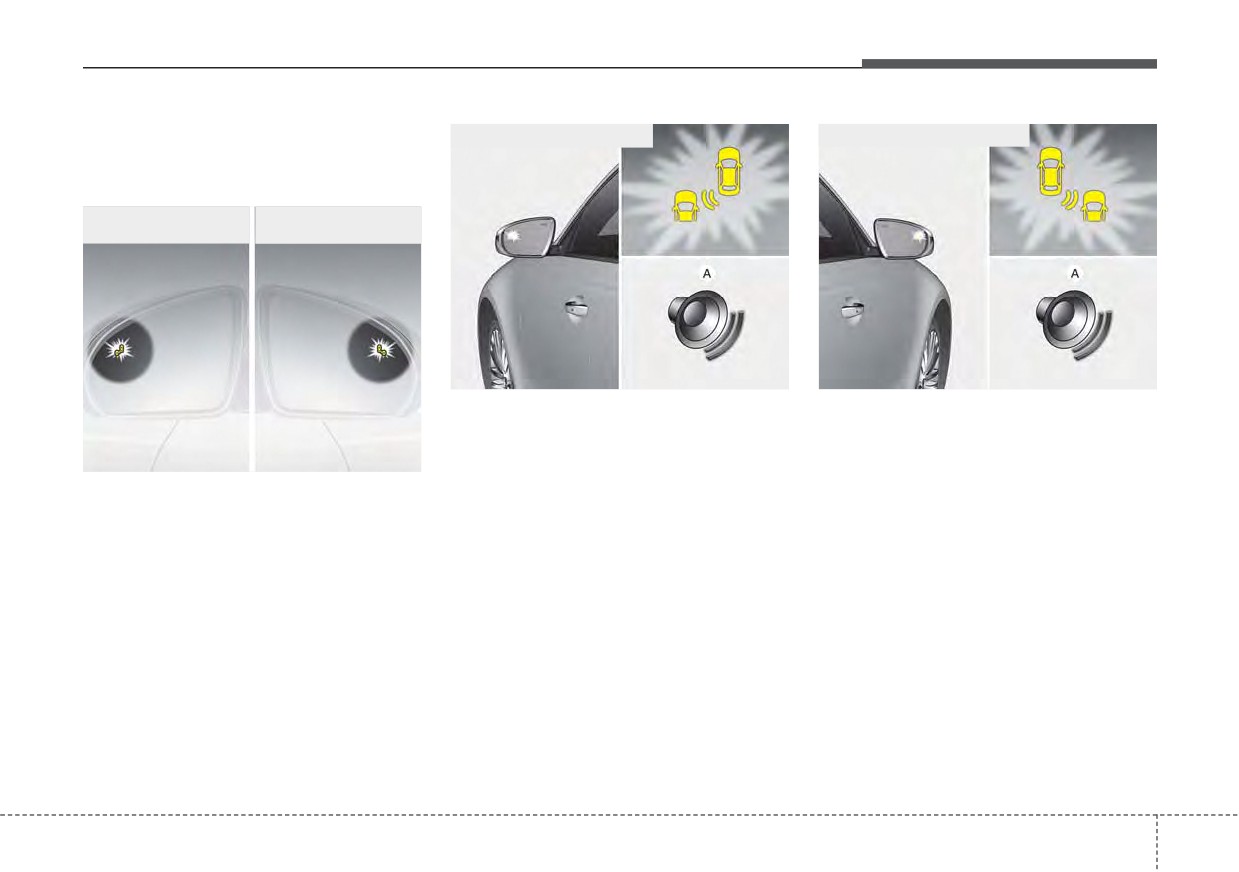
■ Second stage warning (left)
■ Second stage warning (right)
tion control
Blind-Spot Collision Warning
■ First stage warning
■ First stage warning
(left)
(right)
ORJ058128
ORJ058129
[A] : Warning sound
Second stage warning
OJF055213
A warning chime to warn the driver will activate when:
1. At the First stage warning (the warning light illuminate on the outside
First stage warning
review mirror and the head up display (if equipped) AND
If a vehicle is detected within the
2. The turn signal is applied (same side as where the vehicle is being detected).
boundary of the function, a warning
When this warning is activated, the warning light on the outside rearview mirror
light will illuminate on the outside
and the head up display (if equipped) will also blink. And a warning chime will
rearview mirror and the head up dis-
sound.
play (if equipped).
If you turn off the turn signal indicator, the second stage warning will be deacti-
Once the detected vehicle is no
longer within the blind spot area, the
vated.
warning will turn off according to the
Once the detected vehicle is no longer within the blind spot area, the warn-
driving conditions of the vehicle.
ing will turn off according to the driving conditions of the vehicle.
5 99
Driving your vehicle
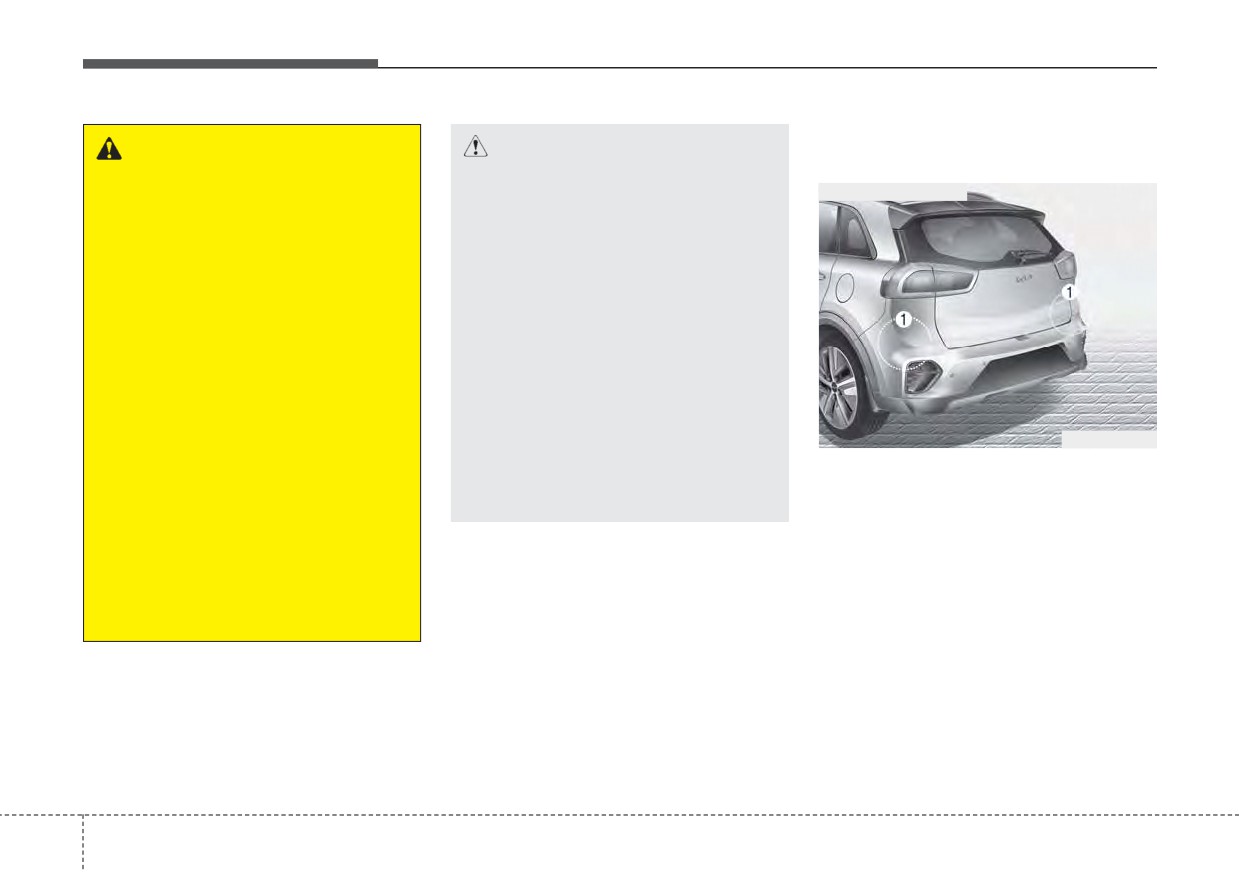
Detecting sensors (Rear corner
WARNING
CAUTION
radars)
•
The warning light on the out-
•
The driver should always use
■ Rear corner radars
side rearview mirror will illu-
extreme caution while operat-
minate whenever a vehicle is
ing the vehicle, whether or not
detected at the rear side by
the warning light on the out-
the function.
side rearview mirror illumi-
nates or there is a warning
To avoid accidents, do not
alarm.
focus only on the warning
light and neglect to check the
•
Playing the vehicle audio sys-
vehicle surroundings.
tem at high volume may offset
Blind-Spot Collision Warning
•
Drive safely even though the
warning sounds.
vehicle is equipped with
Blind-Spot Collision Warning.
•
The warning of the Blind-Spot
ODEP051158
Do not solely rely on the func-
Collision Warning may not
tion but check your surround-
sound while other function’s
The rear corner radars (1) are the
ings before changing lanes or
warning sounds.
sensors inside the rear bumper for
backing the vehicle up.
detecting the side/rear areas. Always
•
The function may not warn the
keep the rear bumper clean for prop-
driver in some situations so
er operation of the function.
always check your surround-
ings while driving.
5
100
Driving your vehicle
Warning message
(Continued)
CAUTION
Have the vehicle inspected by
•
Blind-Spot Collision Warning
an authorized Kia dealer.
may not work properly when
the bumper has been dam-
•
Do not apply foreign objects
aged, or if the rear bumper has
such as a bumper sticker or a
been replaced or repaired.
bumper guard near the radar
sensor or apply paint to the
•
The sensing range differs some-
sensor area. Doing so may
what according to the width of
adversely affect the perform-
the road. When the road is nar-
ance of the sensor.
row, the function may detect
other vehicles in the next lane.
•
Never install any accessories
or stickers on the front wind-
•
The function may turn off due to
OJF058433L
shield, nor tint the front wind-
strong electromagnetic waves.
shield.
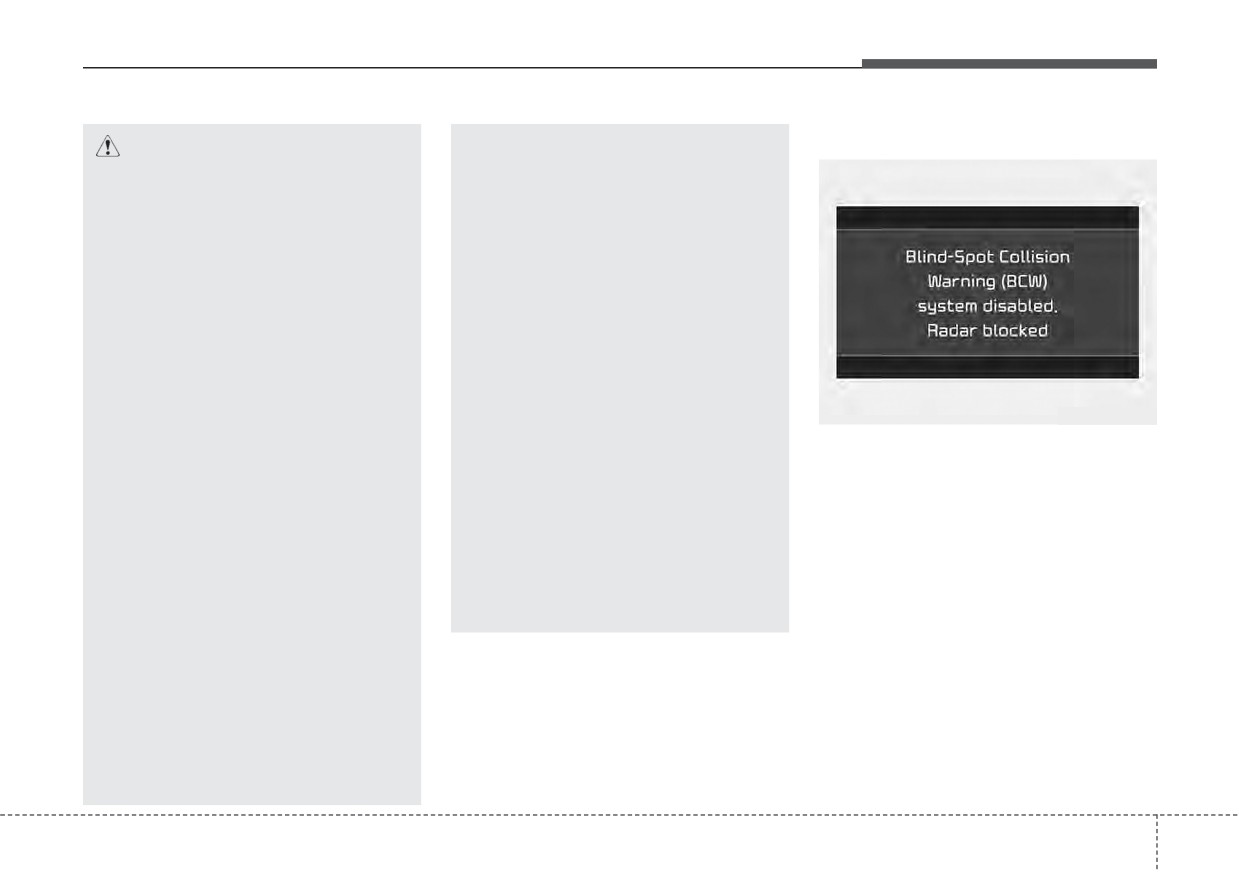
Blind-Spot Collision Warning (BCW)
•
Always keep the sensor or near
system disabled. Radar blocked
•
Pay extreme caution to keep
the sensor clean.
the camera sensor out of water.
• This warning message may appear
•
Never arbitrarily disassemble
when :
•
Never locate any reflective
the sensor component nor
objects (i.e. white paper, mir-
- One or both of the sensors on the
apply any impact on the sen-
ror) over the crash pad. Any
rear bumper is blocked by dirt or
sor component.
light reflection may cause a
snow or a foreign object.
•
Be careful not to apply unnec-
malfunction of the function.
- Driving in rural areas where the
essary force on the radar sen-
sensor does not detect another
sor or sensor cover. If the sen-
vehicle for an extended period of
sor is forcibly moved out of
time.
proper alignment, the function
may not operate correctly. In
- When there is inclement weather
this case, a warning message
such as heavy snow or rain.
may not be displayed.
(Continued)
5
101
Driving your vehicle
If any of these conditions occur, the
When Blind-Spot Collision Warning
light on the Blind-Spot Safety button
canceled warning message is dis-
and the function will turn off automat-
played in the cluster, check to make
ically.
sure that the rear bumper is free from
any dirt or snow in the areas where
the sensor is located. Remove any
Turn off Blind-Spot Collision Warning
dirt, snow, or foreign material that
(if equipped) when a trailer or carrier
could interfere with the radar sensors.
is installed.
After any dirt or debris is removed,
- Press the Blind-Spot Safety button
Blind-Spot Collision Warning should
(the indicator on the button extin-
operate normally after about 10 min-
guish) or “User Settings Driver
utes of driving the vehicle.
OJF058435L
Assistance Blind-Spot Safety
If the function still does not operate
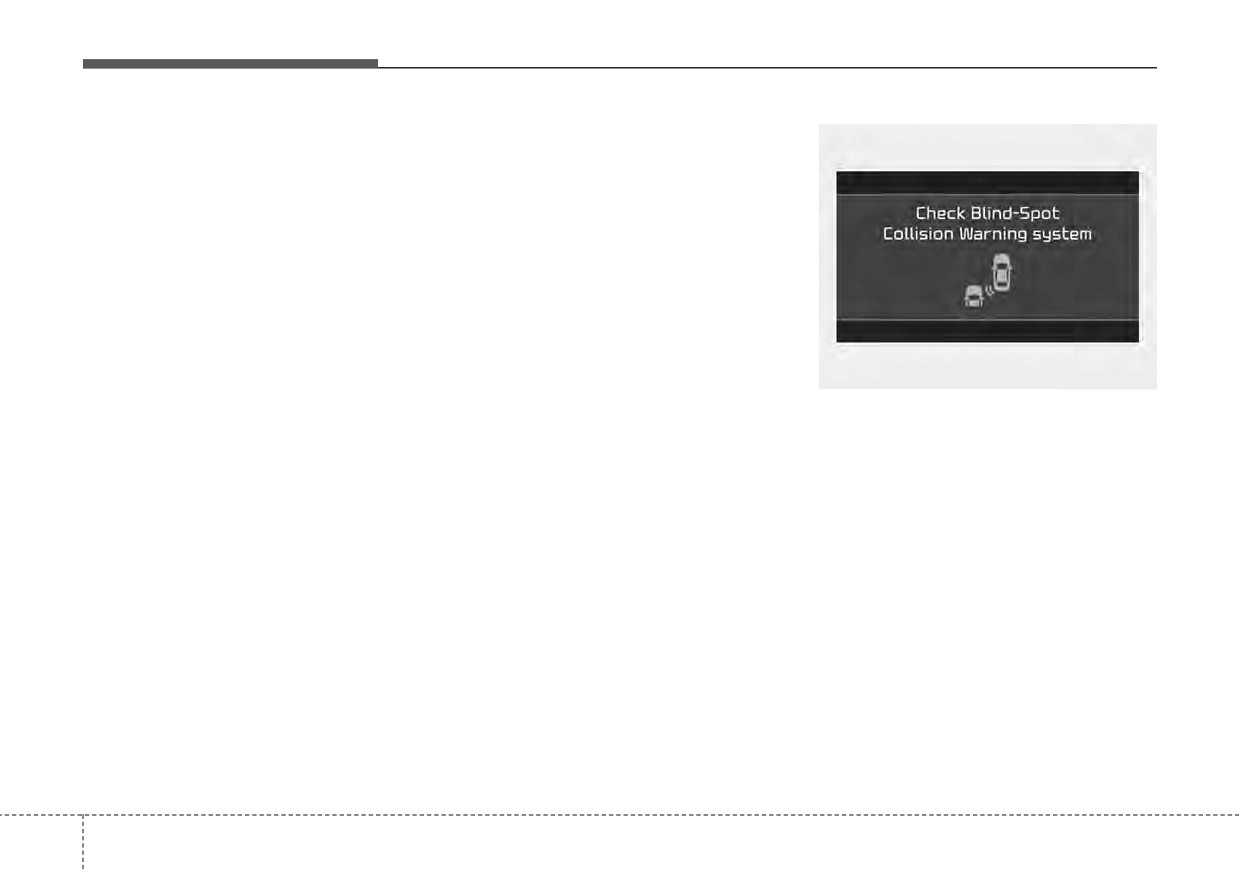
Check Blind-Spot Collision Warning
Off”.
normally, have your vehicle inspect-
system
- Deactivate Rear Cross-Traffic
ed by an authorized Kia dealer.
If there is a problem with Blind-Spot
Collision Warning by deselecting
Collision Warning, a warning message
“User Settings Driver Assistance
will appear and the light on the switch
Blind-Spot Safety Rear Cross-
will turn off. The function will turn off
Traffic Safety”.
automatically. We recommend that
If you use Blind-Spot Collision
you have your vehicle inspected by an
Warning, remove a trailer or carri-
authorized Kia dealer.
er.
5 102
Driving your vehicle
Limitations of Blind-Spot
•
The vehicle drives on a curved road.
•
While changing lanes.
Collision Warning
•
The vehicle drives through a tollgate.
•
If the vehicle has started at the
The driver must be cautious in the
same time as the vehicle next to
•
The road pavement (or the periph-
below situations, because the func-
you and has accelerated.
eral ground) abnormally contains
tion may not detect other vehicles or
metallic components (i.e. possibly
•
When the vehicle in the next lane
objects in certain circumstances.
due to subway construction).
moves two lanes away from you
•
When a trailer or carrier is installed.
OR when the vehicle two lanes
•
There is a fixed object near the
•
The vehicle drives in inclement
vehicle, such as a guardrail.
away moves to the next lane from
you.
weather such as heavy rain or
•
While going down or up a steep
snow.
•
A motorcycle or bicycle is near.
road where the height of the lane is
•
The sensor is polluted with rain,
different.
•
A flat trailer is near.
snow, mud, etc.
•
Driving on a narrow road where
•
If there are small objects in the
•
The rear bumper where the sensor
trees or grass or overgrown.
detecting area such as a shopping
is located is covered with a foreign
cart or a baby stroller.
•
Driving in rural areas where the
object such as a bumper sticker, a
sensor does not detect another
•
If there is a low height vehicle such
bumper guard, a bike rack, etc.
vehicle or structure for an extended
as a sports car.
•
The rear bumper is damaged, or
period of time.
•
The brake pedal is depressed.
the sensor is out of the original
•
Driving on a wet road.
•
ESC (Electronic Stability Control)
default position.
•
Driving on a road where the guardrail
is activated.
•
The vehicle height gets lower or
or wall is in double structure.
•
ESC (Electronic Stability Control)
higher due to heavy loading in a
•
A big vehicle is near such as a bus
malfunctions.
liftgate, abnormal tire pressure,
or truck.
•
The tire pressure is low or a tire is
etc.
•
When the other vehicle approach-
damaged.
•
When the temperature of the rear
es very close.
•
The brake is reworked.
bumper is high.
•
When the other vehicle passes at a
•
When the sensors are blocked by
very fast speed.
other vehicles, walls or parking-lot
pillars.
5
103
Driving your vehicle
•
The vehicle abruptly changes driv-
ing direction.
•
The vehicle makes sharp lane
changes.
•
The vehicle sharply stops.
•
Temperature is extremely low
around the vehicle.
•
The vehicle severely vibrates while
driving over a bumpy road,
uneven/bumpy road, or concrete
patch.
OJFHP058458
OJFHP058459
•
The vehicle drives on a slippery
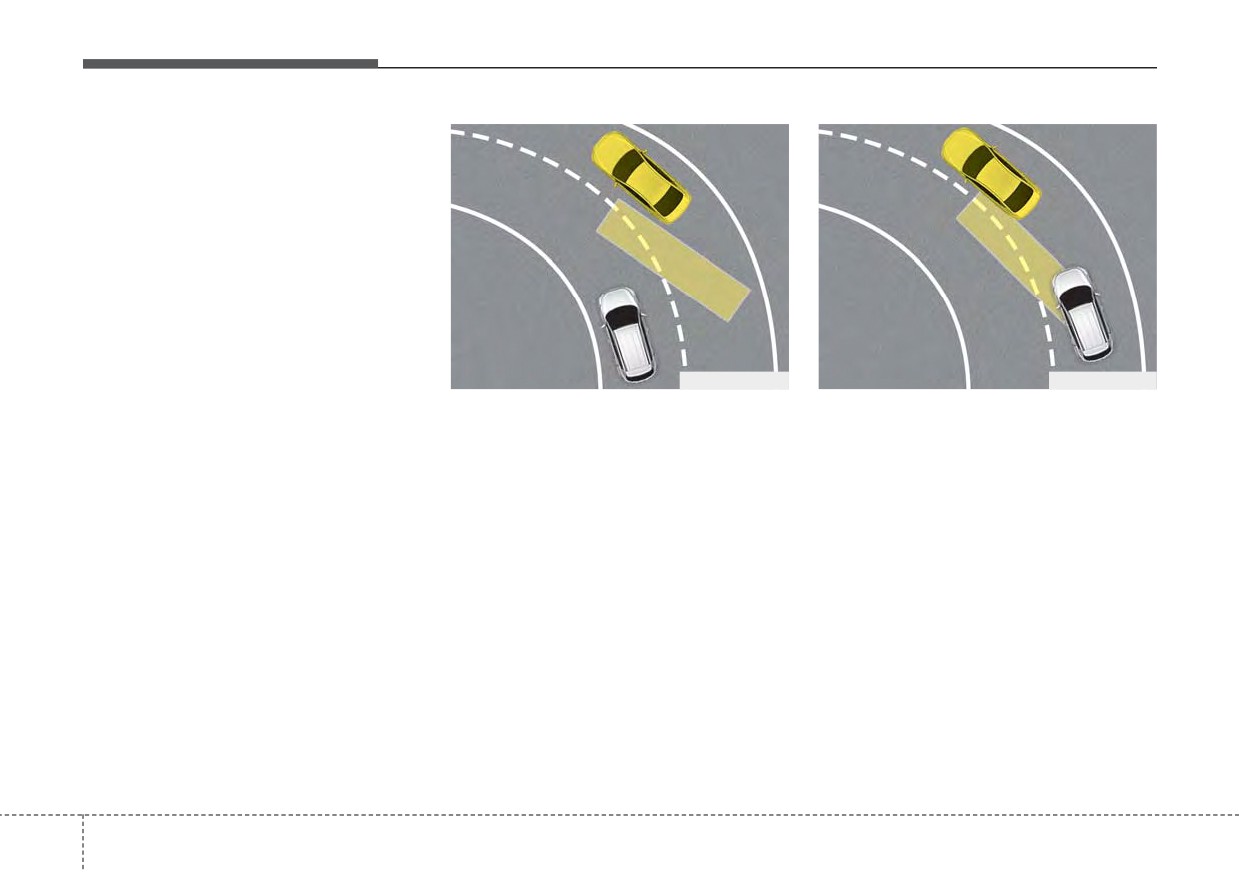
• Driving on a curved road
Blind-Spot Collision Warning may not
surface due to snow, water puddle,
operate properly when driving on a
Blind-Spot Collision Warning may not
or ice.
curved road. In certain instances the
operate properly when driving on a
•
Lane Departure Warning or Lane
function may recognize a vehicle in
curved road. In certain instances the
Keeping Assist do not operate nor-
the same lane.
function may not detect the vehicle in
mally.
the next lane.
Always pay attention to road and
For more information refer to “Lane
driving conditions, while driving.
Always pay attention to road and
Keeping Assist (LKA)” in this chap-
driving conditions, while driving.
ter.
5
104
Driving your vehicle
OJFHP058460
ODEP051159L
ODEP051160L
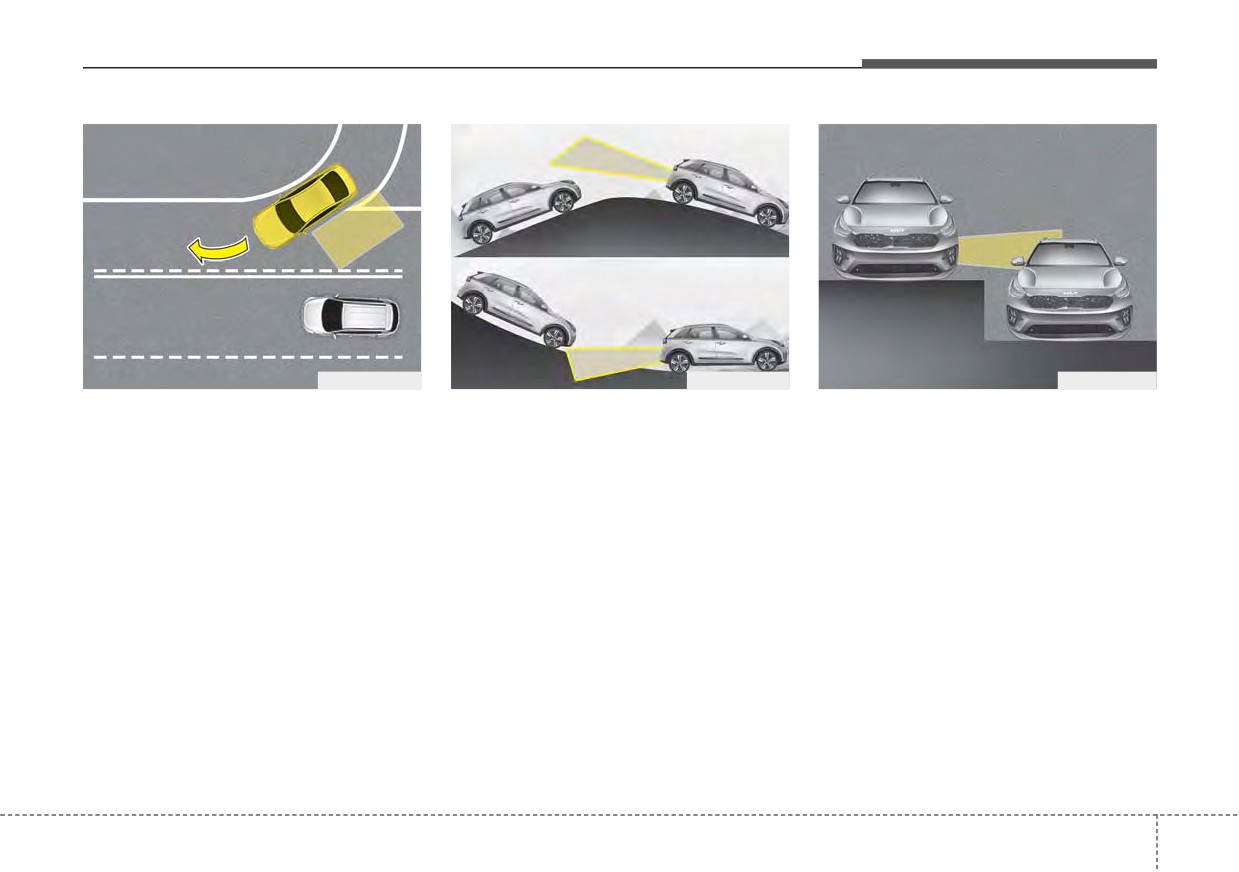
• Driving where the road is merg-
• Driving on a sloped road
• Driving where the heights of the
ing/dividing
lanes are different
Blind-Spot Collision Warning may not
Blind-Spot Collision Warning may not
operate properly when driving on a
Blind-Spot Collision Warning may not
operate properly when driving where
sloped road. In certain instances the
operate properly when driving where
the road is merging/dividing. In cer-
function may not detect the vehicle in
the heights of the lanes are different.
tain instances the function may not
the next lane.
In certain instances, the function
detect the vehicle in the next lane.
Also, in certain instances the func-
may not detect the vehicle on a road
Always pay attention to road and
tion may wrongly recognize the
with different lane heights
(under-
driving conditions, while driving.
ground or structures.
pass joining section, grade separat-
ed intersections, etc.).
Always pay attention to road and
driving conditions, while driving.
Always pay attention to road and
driving conditions, while driving.
5
105
Driving your vehicle
This device complies with Part 15
of the FCC rules.
Operation is subject to the following
two conditions:
1. This device may not cause harmful
interference, and
2. This device must accept any inter-
ference received, including inter-
ference that may cause undesired
operation.
ODEP051161L
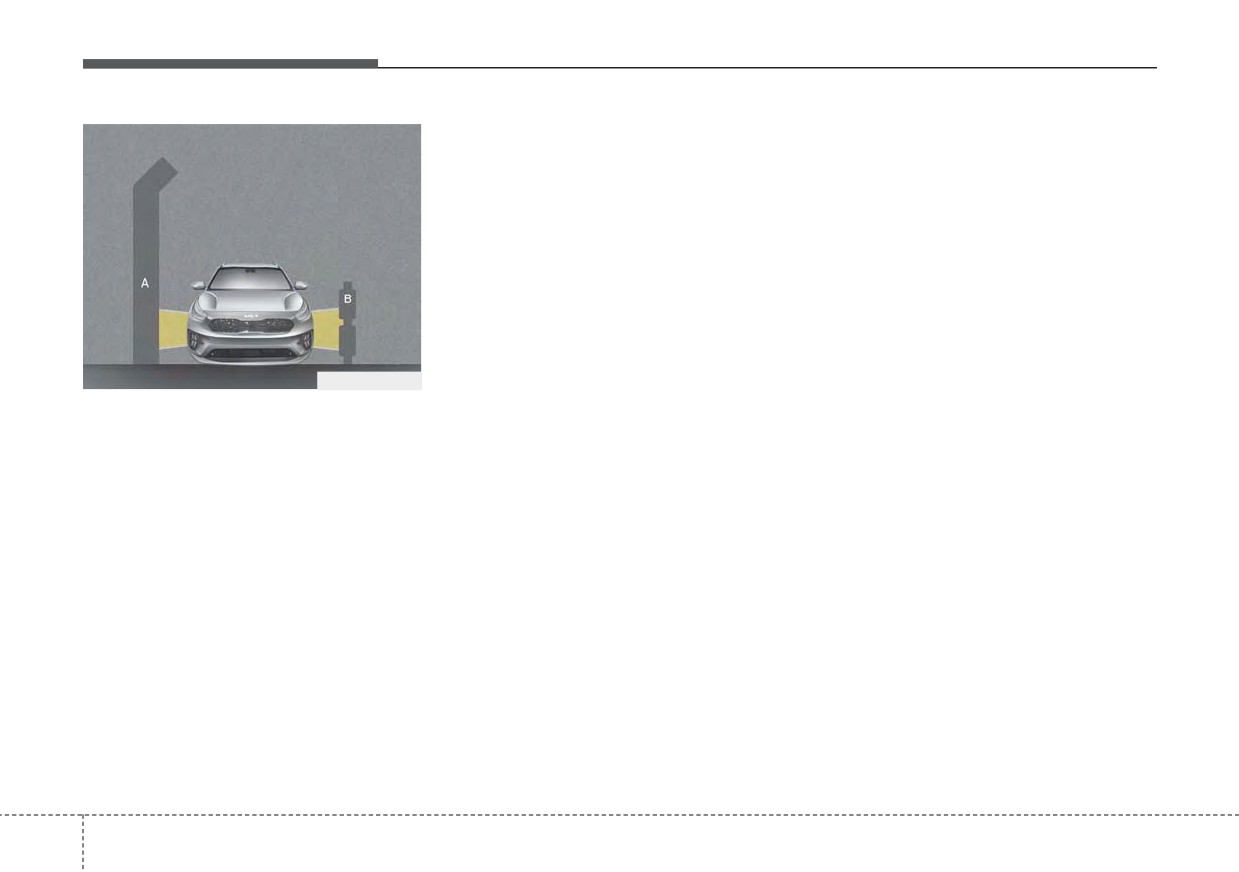
[A] : noise barrier, [B] : guardrail
• Driving where there is a structure
beside the road
Blind-Spot Collision Warning may not
operate properly when driving where
there is structure beside the road.
In certain instances, the function
may wrongly recognize the struc-
tures (noise barriers, guardrail, dou-
ble guardrail, median strip, bollard,
street light, road sign, tunnel wall,
etc.) beside the road.
Always pay attention to road and
driving conditions, while driving.
5
106
Driving your vehicle
DRIVER ATTENTION WARNING (DAW) (IF EQUIPPED)
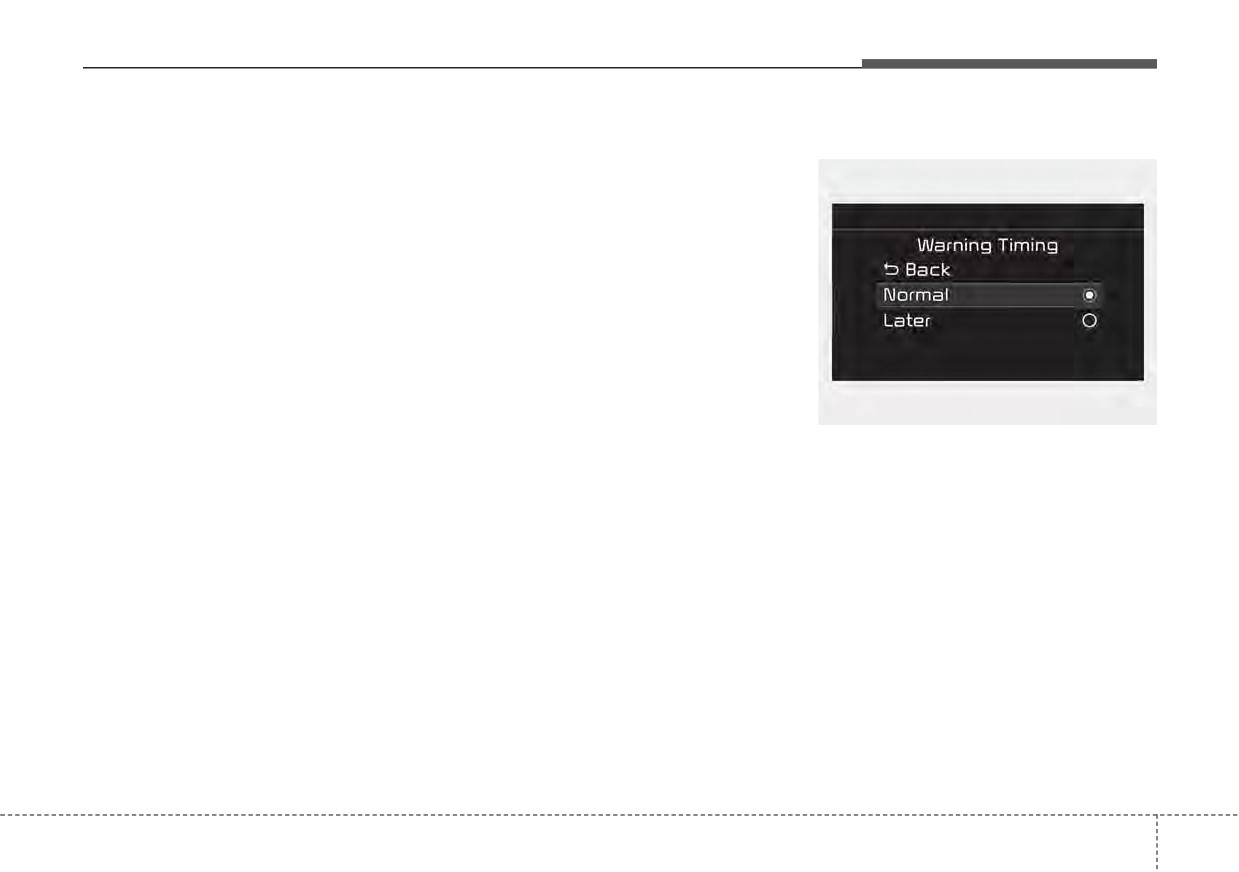
Basic function
Leading Vehicle Departure
Warning Timing
Alert function
Driver Attention Warning can help
determine the driver's attention level
Leading Vehicle Departure Alert
by analyzing driving pattern and driv-
function will inform the driver when
ing time while vehicle is being driven.
a detected vehicle in front departs
Driver Attention Warning will recom-
from a stop.
mend a break when the driver's
attention level falls below a certain
level.
Driver Attention Warning setting
• To turn ON Driver Attention
Warning, turn on the engine, and
then selecting
“User Settings
Driver Assistance
Driver
OYG059344L
Attention Warning Low Activity
•
The driver can select the initial
Warning” on the LCD display.
warning activation time select
“User
Settings
Driver
Assistance Warning Timing” on
the LCD display. The options for
the initial Inattentive Driving
Warning includes the following:
5
107
Driving your vehicle
-
Normal :
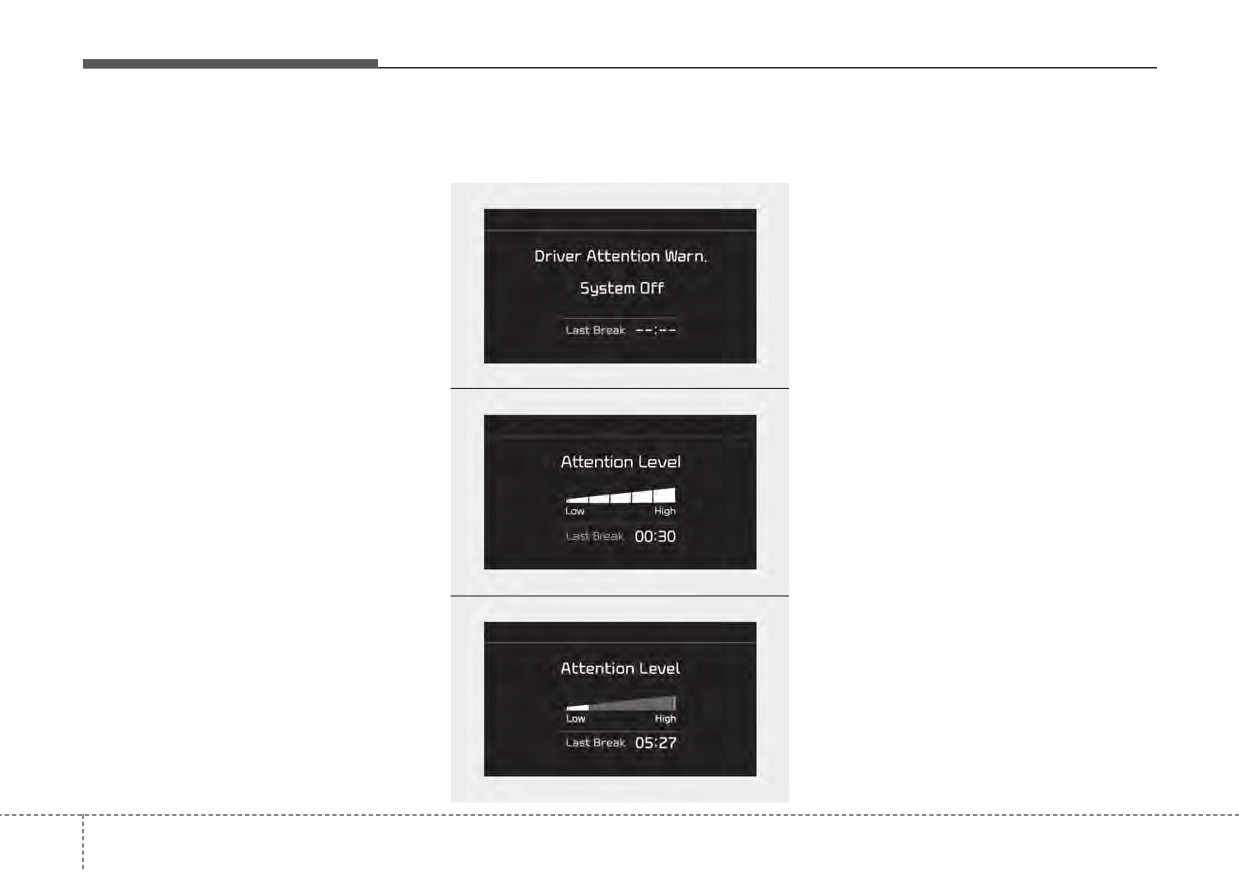
Display of the driver's attention
•
The driver can monitor their driving
level
conditions on the LCD display.
Driver Attention Warning helps
warn the driver of his/her fatigue
- Select ‘Driving Assist’ mode and
■ Function off
level or inattentive driving practices
then
“Driver Attention Warning”
faster than ‘Later’ mode.
(For more information, refer to
“LCD Display” in chapter 4.)
-
Later :
If your vehicle is equipped with
Driver Attention Warning helps
warn the driver of his/her fatigue
additional Infotainment System,
please scan the QR code in a sep-
level or inattentive driving practices
later than Normal mode.
arately supplied Car Infotainment
System Quick Reference Guide.
•
The set-up of Driver Attention
OJF058422L
•
The driver's attention level is dis-
Warning will be maintained, as
■ Attentive driving
played on the scale of 1 to 5. The
selected, when the engine is re-
lower the level is, the more inatten-
started.
tive the driver is.
•
The level decreases when the driv-
✽ NOTICE
er does not take a break for a cer-
Other driver assistance functions
tain period of time.
like Forward Collision-Avoidance
Assist, etc. can be changed when
warning time setting is changed.
OYG050347L
■ Inattentive driving
OJF058424L
5
108
Driving your vehicle
Take a break
Resetting the function
CAUTION
•
The last break time is set to 00:00
•
It may suggest a break accord-
and the driver's attention level is
ing to the driver’s driving pat-
set to 5 (very attentive) when the
tern or habits even if the driver
driver resets the Inattentive driving
doesn’t feel fatigued.
warning function.
•
The warning of Driver
•
Inattentive driving warning function
Attention Warning may not
resets in the following situations.
sound while other function’s
- The engine is turned OFF.
warning sounds such as the
- The driver unfastens the seat belt
seatbelt warning sound.
and then opens the driver’s door.
- The vehicle is stopped for more
OJF058426L
than 10 minutes.
•
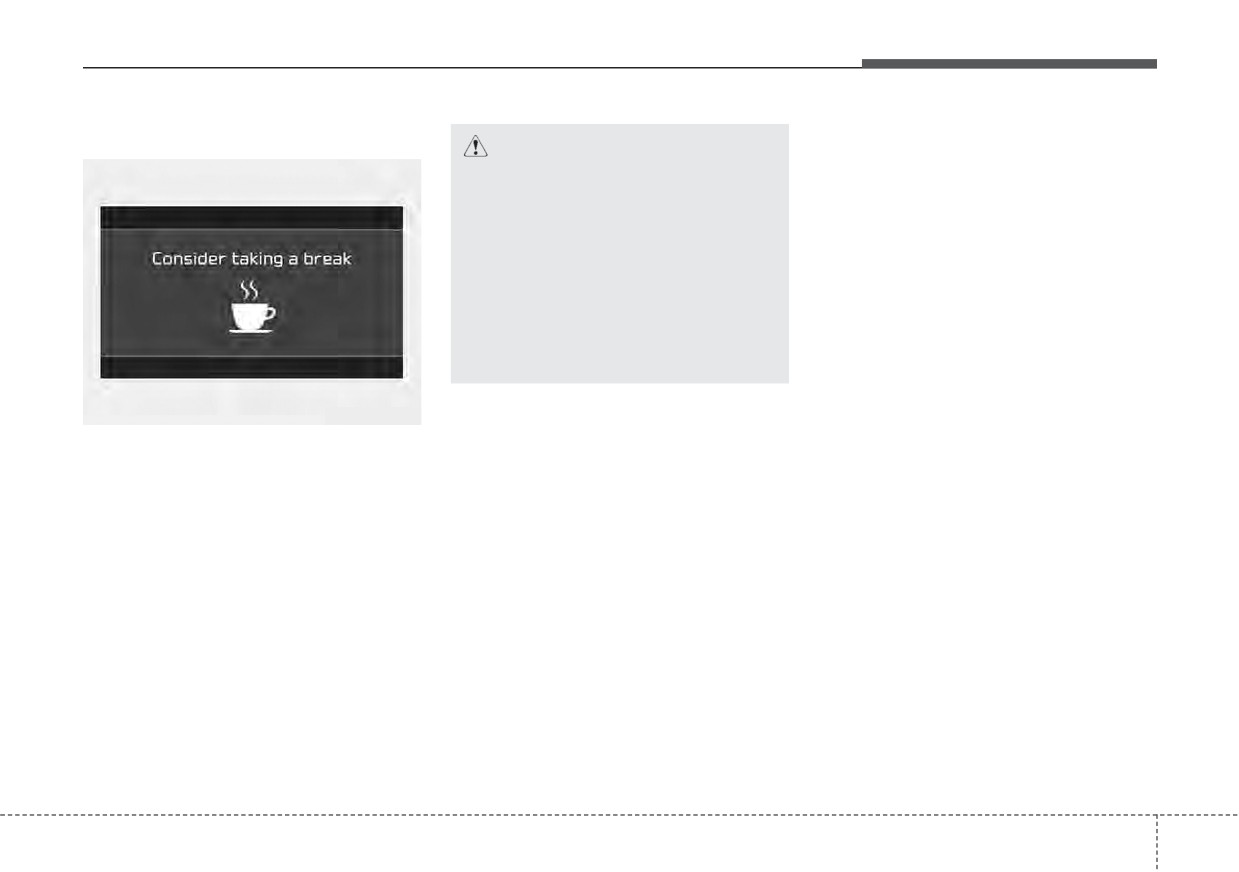
The "Consider taking a break"
message appears on the LCD dis-
play and a warning sounds in order
to suggest the driver to take a
break, when the driver's attention
level is below 1.
•
If the total driving time is less than
10 minutes, Driver Attention
Warning does not suggest the driv-
er take a break. And the function
does not repeat break suggestion
within
10 minutes after sending
warning message.
5
109
Driving your vehicle
Driver Attention Warning standby
Driver Attention Warning malfunc-
tion
WARNING
•
Driver Attention Warning is
not a substitute for safe driv-
ing practices, but a conven-
ience function only. It is the
driver's responsibility to
always drive cautiously and
safely.
•
A fatigued driver should take
a break, even if there is no
suggestion to do so by Driver
Attention Warning.
ODEP051412L
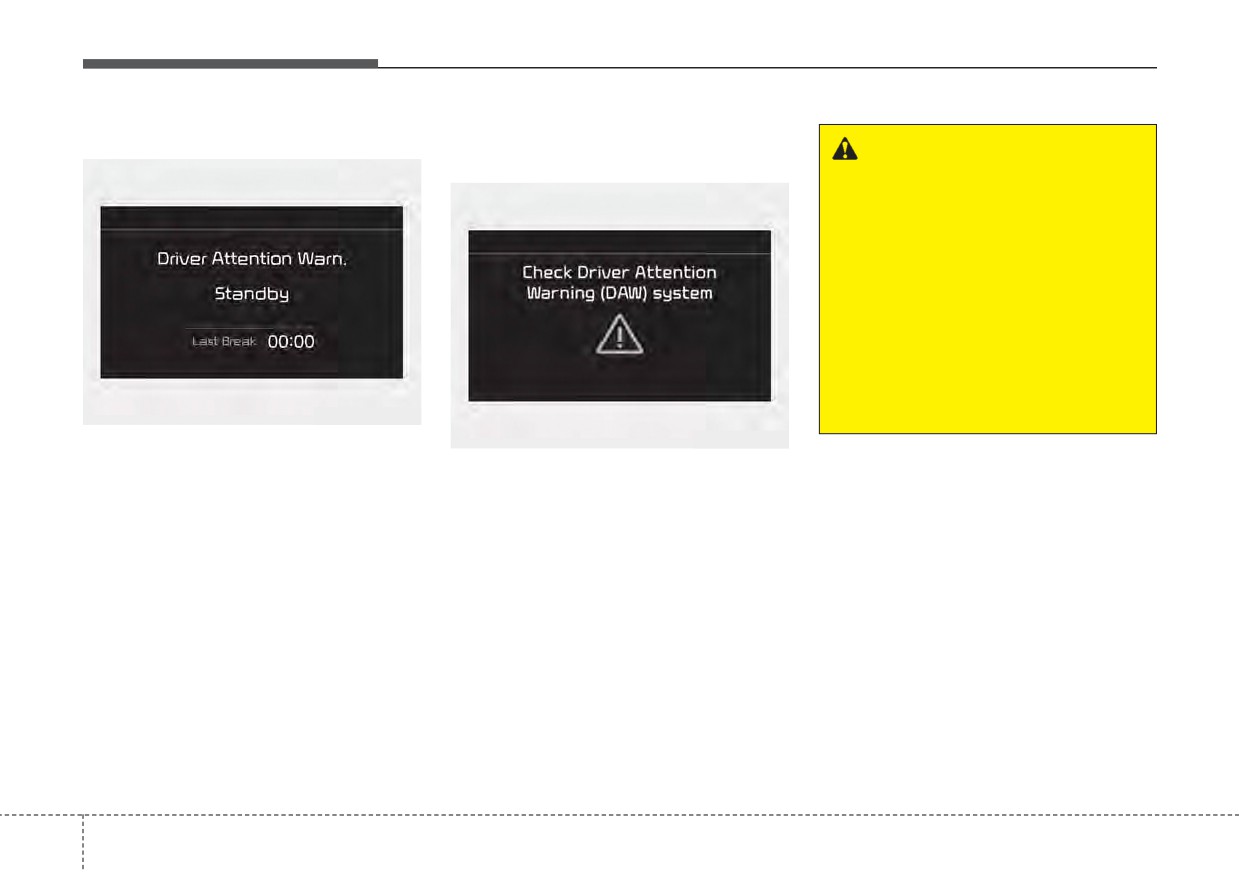
Driver Attention Warning enters the
OJF058429L
ready status and displays the
‘Standby’ screen in the following situ-
When the “Check Driver Attention
ations.
Warning
(DAW) system” warning
- Driving speed is over
110 mph
message appears, the function is not
working properly. If this occurs, have
(180 km/h).
the function checked by an author-
ized Kia dealer.
5
110
Driving your vehicle
✽ NOTICE
(Continued)
-
Pay extreme caution to keep the
CAUTION
Driver Attention Warning utilizes
front view camera out of water.
Driver Attention Warning may
the front view camera sensor on the
-
Do not arbitrarily disassemble the
not properly operate with limit-
front windshield for its operation.
camera assembly, nor apply any
ed alerting in the following situ-
To keep the front view camera
impact on the camera assembly.
ations:
sensor in the best condition, you
•
Playing the vehicle audio system
should observe the followings:
•
Driver Attention Warning will
at high volume may offset Driver
-
Do not disassemble camera tem-
not operate for about 15 sec-
Attention Warning warning
porarily for tinted window or
onds when restarting the
sounds.
attaching any types of coatings and
engine or initializing the front
For more information of front
accessories. If you disassemble a
view camera such as reboot-
view camera, refer to
“Lane
camera and assemble it again, take
ing, etc.
Keeping Assist (LKA)”.
your vehicle to an authorized Kia
•
The lane detection perform-
dealer and have the function
ance is limited.
(For more
checked.
information, refer to "Lane
-
Do not locate any reflective
Keeping Assist (LKA)" in this
objects (i.e. white paper, mirror)
chapter.)
over the dashboard. Any light
•
The vehicle is violently driven
reflection may cause a mal-func-
or is abruptly turned for obsta-
tion of Driver Attention Warning.
cle avoidance (e.g. construc-
(Continued)
tion area, other vehicles, fallen
objects, bumpy road).
•
Intentionally frequent lane
cut-in
(Continued)
5
111
Driving your vehicle
Leading Vehicle Departure
Driver Attention Warning setting
(Continued)
Alert
With the vehicle ON, Leading Vehicle
• The vehicle drives on a curvy
Departure Alert function turns on and
road.
This function reminds the driver the
leading vehicle’s driving departure
gets ready to be activated when the
• The vehicle drives on a bumpy
“User Settings Driver Assistance
after stopping.
road.
Driver Attention Warning Leading
• The vehicle drives through a
Vehicle Departure Alert” is selected on
windy area.
the cluster. The function stops opera-
tion when the setting is deactivated.
• The vehicle is controlled by
However, if the vehicle is turned off
the other driver assistance
then on again, the function maintains
functions such as Lane
the previous state.
Keeping Assist.
Operating conditions
If the driver does not take action for a
certain period of time after the vehi-
cle in front departs, the
“Leading
vehicle is driving away” message is
displayed on the cluster.
5
112
Driving your vehicle
✽ NOTICE
WARNING
CAUTION
Driver Attention Warning may not
•
Driver Attention Warning is a
•
Leading Vehicle Departure
warn or may not work properly
driver assistance device and
Alert utilizes the front view
when:
may not warn the driver even
camera on the front wind-
• A pedestrian or a bicycle is ahead
after the leading vehicle's
shield for its operation. To
• A car cut in ahead.
departure.
keep the front view camera in
• Meet a traffic jam during the
the best condition.
•
Even if you are warned of the
curve or right turn driving.
leading vehicle's departure,
For more information of front
• Busy road such as reducing lanes.
always check the traffic condi-
view camera, refer to “Lane
• Stopping at a shoulder, rest area
tions yourself before safely
Keeping Assist (LKA)”.
or a parking lot.
moving the vehicle.
•
Driver Attention Warning may
• If the vehicle head makes a sudden
not operate for
15 seconds
start or the U-turn.
after the engine is started or
• If the vehicle is stopped at the
the front view camera is initial-
speed bumps or a slope.
ized.
5
113
Driving your vehicle
CRUISE CONTROL (CC)
(Continued)
WARNING
•
Do not use Cruise Control
•
If Cruise Control is left on,
when it may not be safe to
(cruise indicator light is illu-
keep the vehicle at a constant
minated), Cruise Control can
speed, for instance, driving in
be switched on accidentally.
heavy or varying traffic, or on
Keep Cruise Control off when
slippery (rainy, icy or snow-
Cruise Control is not in use, to
covered) or winding roads or
avoid inadvertently setting a
over 6% up-hill or down-hill
speed.
roads.
•
Use Cruise Control only when
ODEP051018
•
Pay particular attention to the
traveling on open highways in
driving conditions whenever
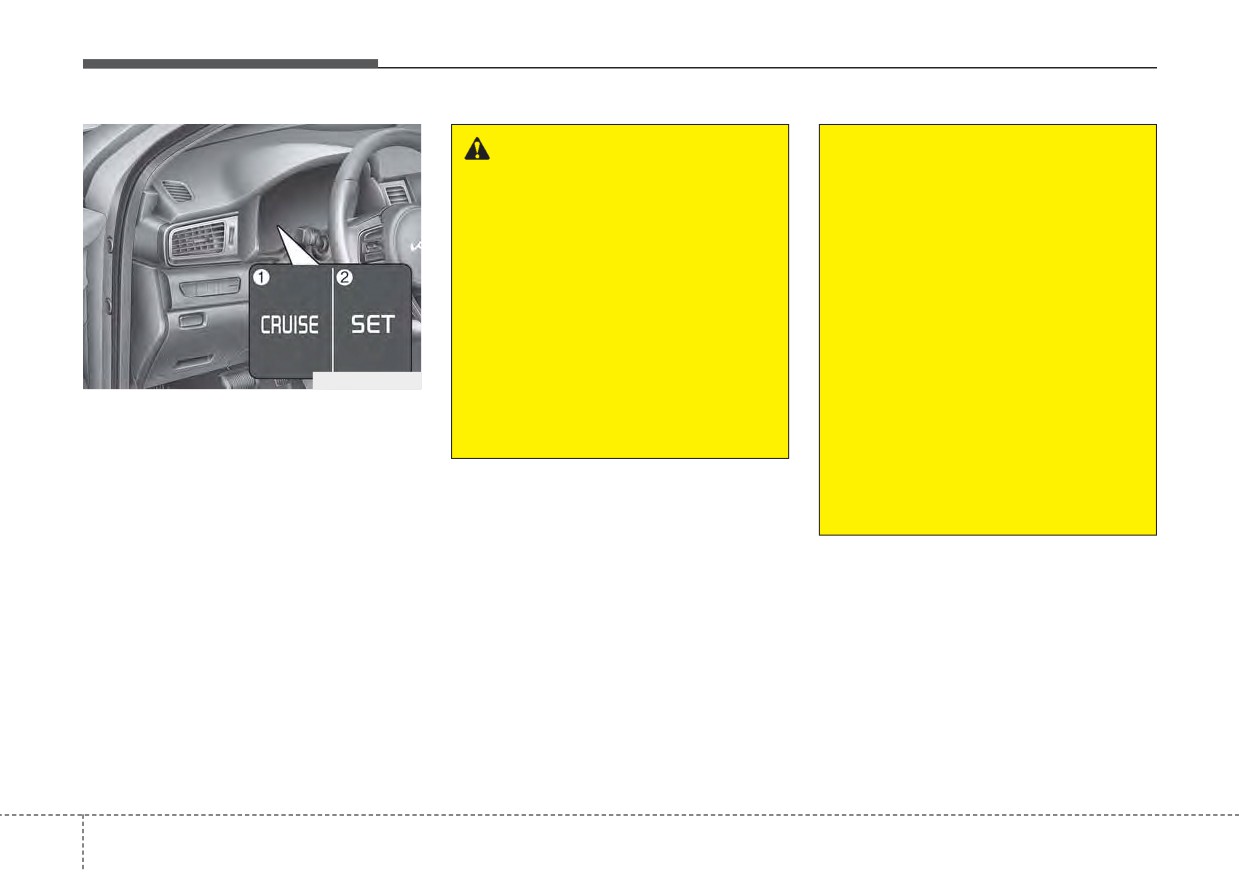
1. Cruise indicator (CRUISE)
good weather.
using Cruise Control.
2. Cruise set indicator
(Continued)
•
Be careful when driving
Cruise Control allows you to program
downhill
using
Cruise
the vehicle to maintain a constant
Control, which may increase
speed without pressing the accelera-
the vehicle speed.
tor pedal.
This function is designed to function
above approximately
20 mph (30
km/h ).
5
114
Driving your vehicle
✽ NOTICE
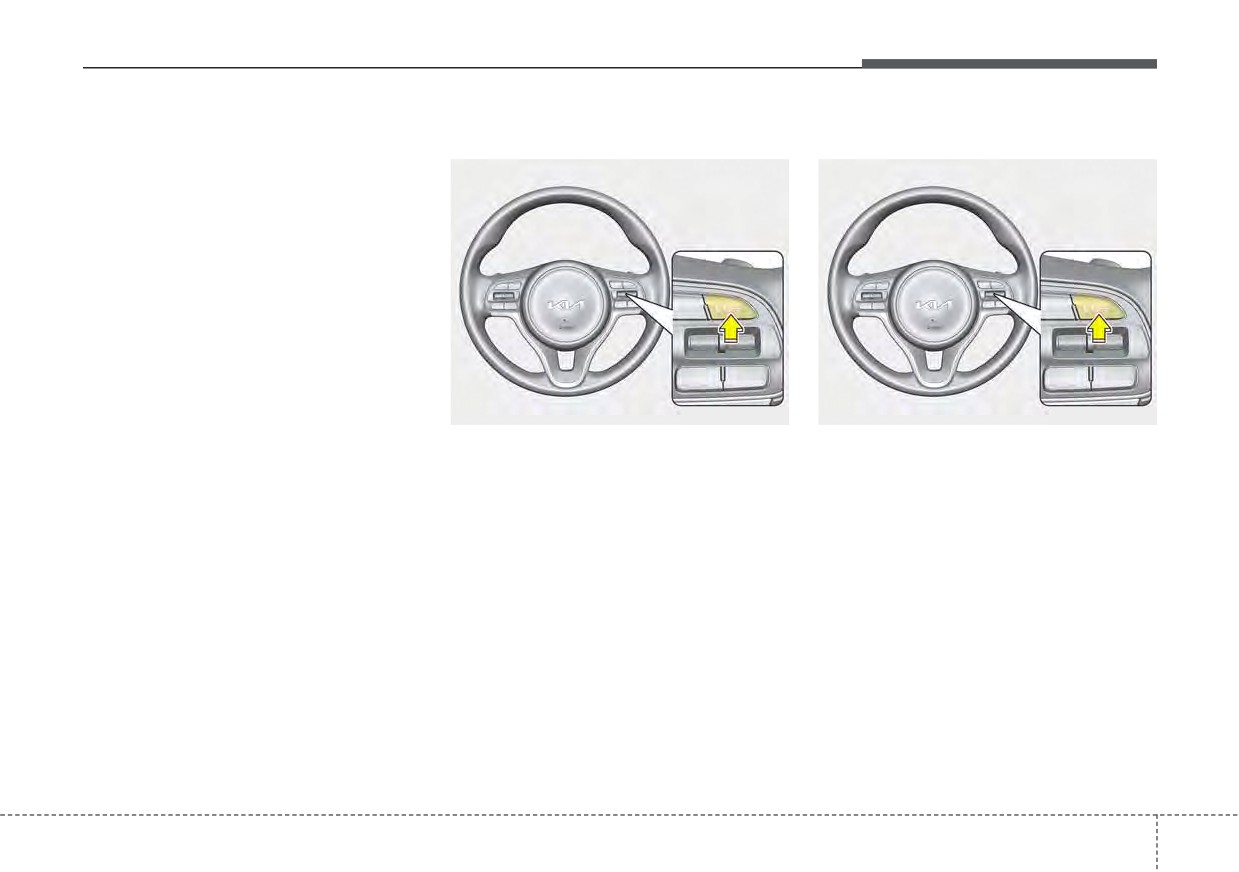
Driving Assist button
To set Cruise Control speed:
•
During normal Cruise Control
operation, when the SET- switch is
activated or reactivated after apply-
ing the brakes, Cruise Control will
energize after approximately 3 sec-
onds. This delay is normal.
•
To activate Cruise Control, depress
the brake pedal at least once after
placing the ignition switch or
ENGINE START/STOP button to
the ON position or starting the
engine. This is to check if the brake
ODEEV051023
ODEEV051023
switch which is important part to
cancel Cruise Control is in normal
CRUISE : Turns Cruise Control on or
1. Press the Driving Assist button on
condition.
off.
the steering wheel, to turn the
RES+ : Resumes or increases
function on. The cruise indicator
Cruise Control speed.
light will illuminate.
SET- : Sets or decreases Cruise
2. Accelerate to the desired speed,
Control speed.
which must be more than approxi-
CANCEL : Cancels Cruise Control
mately 20 mph (30 km/h).
operation.
5
115
Driving your vehicle
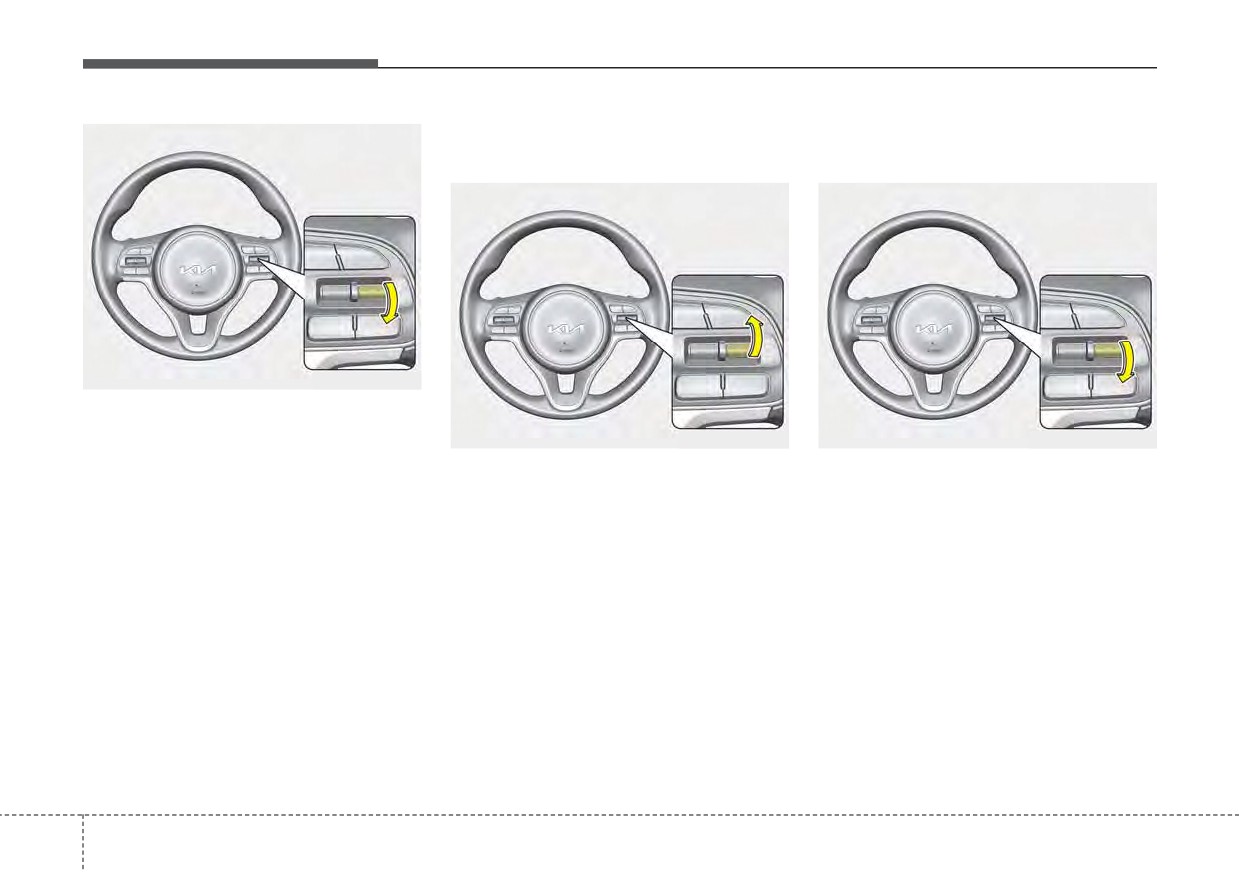
To increase Cruise Control set
To decrease Cruise Control
speed:
set speed:
ODEEV051024
3. Push the switch down (to SET-),
and release it at the desired
ODEEV051025
ODEEV051024
speed. The cruise set indicator
light will illuminate. Release the
Follow either of these procedures:
Follow either of these procedures:
accelerator pedal at the same
• Push the switch up (to RES+) and
• Push the switch down (to SET-)
time. The desired speed will auto-
hold it. Your vehicle will accelerate.
and hold it. Your vehicle will gradu-
matically be maintained.
Release the switch at the speed
ally slow down. Release the switch
On a steep grade, the vehicle may
you want.
at the speed you want to maintain.
slow down or speed up slightly while
• Push the switch up (to RES+) and
• Push the switch down (to SET-)
going downhill.
release it immediately. The cruising
and release it immediately. The
speed will increase by 1 mph (or 1
cruising speed will decrease by 1
km/h ) each time you move the
mph (or 1 km/h) each time you
switch up (to RES+) in this manner.
move the switch down (to SET-) in
this manner.
5
116
Driving your vehicle
To temporarily accelerate with
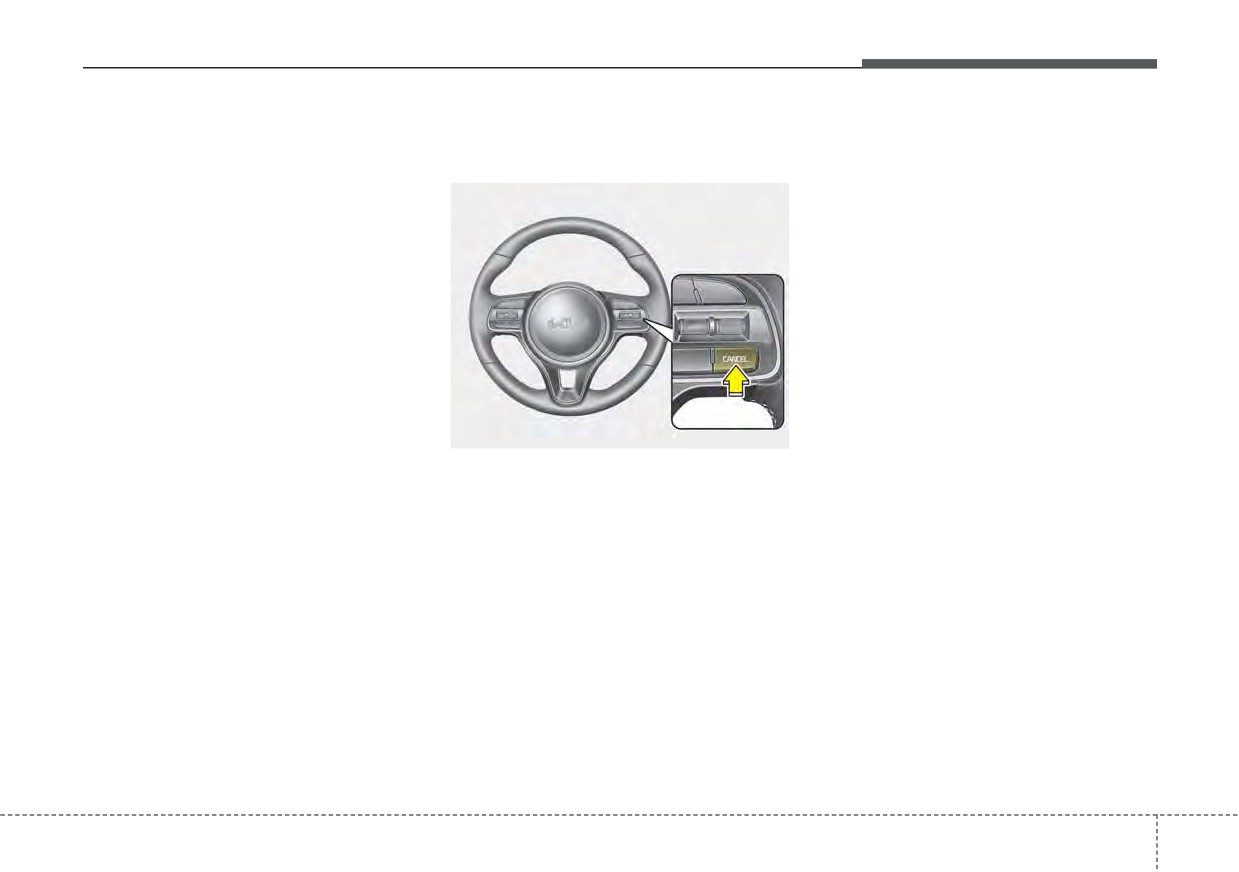
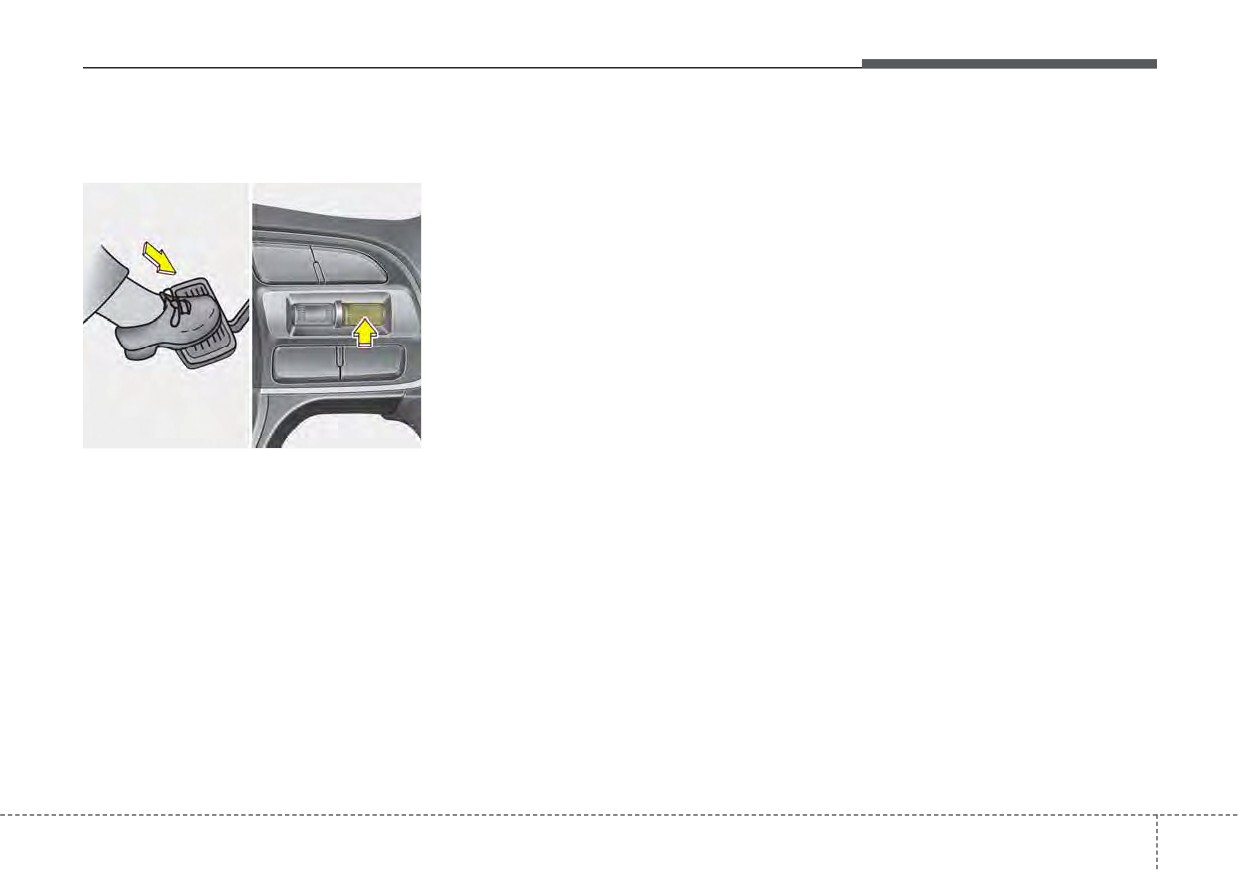
To cancel Cruise Control, do
Each of these actions will cancel
Cruise Control on:
one of the following:
Cruise Control operation (the cruise
set indicator light will go off), but it
If you want to speed up temporarily
will not turn the function off. If you
when Cruise Control is on, depress
wish to resume Cruise Control oper-
the accelerator pedal. Increased
ation, move up the switch (to RES+)
speed will not interfere with Cruise
located on your steering wheel. You
Control operation or change the set
will return to your previously preset
speed.
speed.
To return to the set speed, take your
foot off the accelerator pedal.
ODEP051417
• Depress the brake pedal.
• Shift into N (Neutral) if equipped
with an Dual clutch transmission.
• Press the CANCEL button located
on the steering wheel.
• Decrease the vehicle speed lower
than the memory speed by approx-
imately 12 mph (20 km/h).
• Decrease the vehicle speed to less
than approximately 15 mph (25 km/h).
5
117
Driving your vehicle
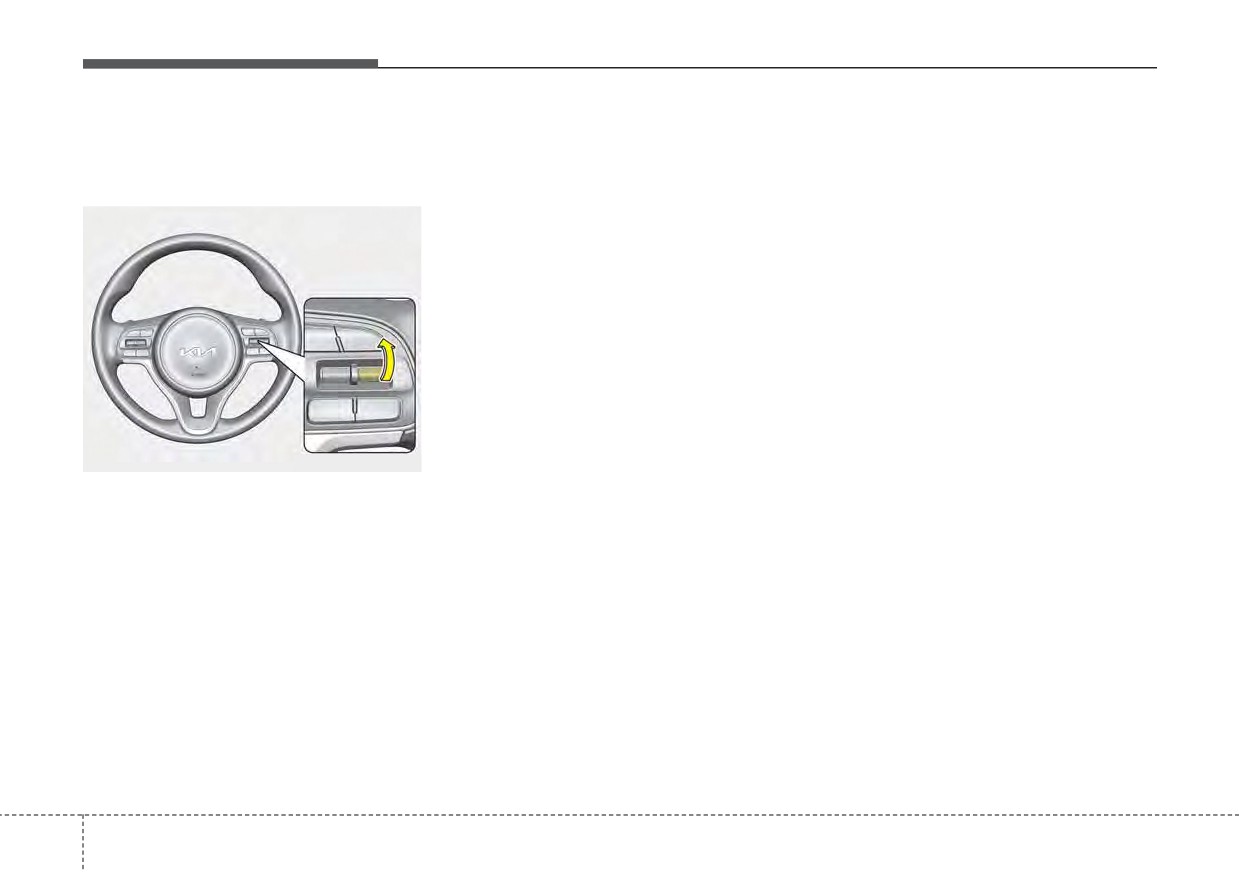
To resume cruising speed at
To turn Cruise Control off, do
more than approximately 20
one of the following:
mph (30 km/h).
• Press the Driving Assist button (the
cruise indicator light will be turn off).
• Press the Driving Assist button
twice. (The cruise indicator light will
be turn on.)
• Turn the ignition off.
Both of these actions cancel Cruise
Control operation. If you want to
resume Cruise Control operation,
repeat the steps provided in “To set
Cruise Control speed” on the previ-
ous page.
ODEEV051025
If any method other than the Driving
Assist button was used to cancel
cruising speed and the function is
still activated, the most recent set
speed will automatically resume
when the RES+ switch is pushed.
It will not resume, however, if the
vehicle speed has dropped below
approximately 20 mph (30 km/h).
5
118
Driving your vehicle
SMART CRUISE CONTROL (SCC) (IF EQUIPPED)
Driving Assist button
WARNING
CRUISE : Turns Smart Cruise
For your safety, please read the
Control on or off.
owner's manual before using
RES + : Sets or increases Smart
Smart Cruise Control.
Cruise Control speed.
SET - : Sets or decreases Smart
Cruise Control speed.
✽ NOTICE
: Sets vehicle distance
To activate Smart Cruise Control,
depress the brake pedal at least once
CANCEL : Cancels Smart
Cruise
after placing the ignition switch or
Control operation.
ODEP059080N
ENGINE START/STOP button to
the ON position or starting the
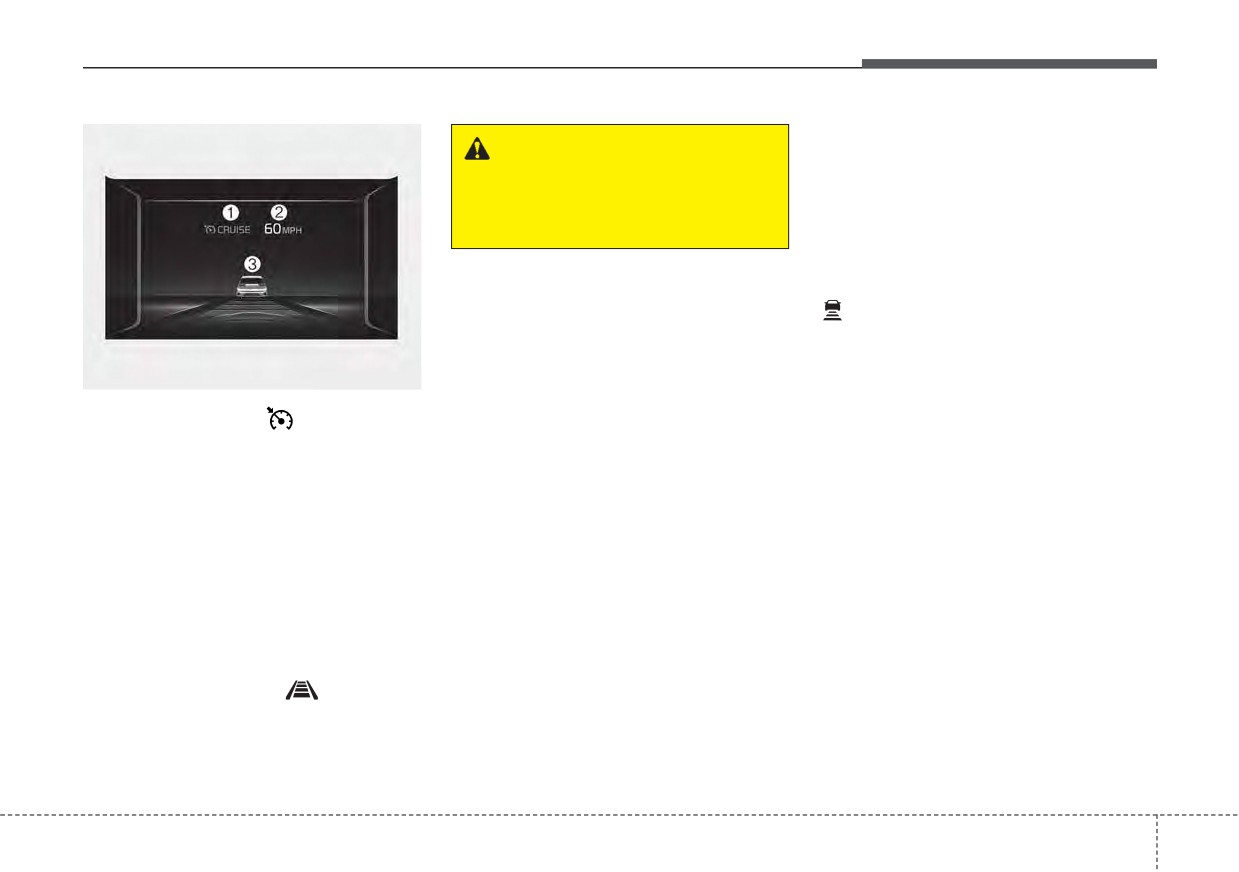
➀ Cruise indicator (
CRUISE)
engine. This is to check if the brake
➁ Set speed
switch which is important part to
➂ Vehicle distance
cancel Smart Cruise Control is in
normal condition.
Smart Cruise Control allows you to
program the vehicle to maintain con-
stant speed and distance detecting
the vehicle ahead without depressing
the accelerator or brake pedal.
To see Smart Cruise Control screen
on the LCD display on the cluster,
select Driving Assist (
). For more
informations, refer to “LCD Display
Modes” in chapter 4.
5
119
Driving your vehicle
Smart Cruise Control speed To
Vehicle speed may decrease on an
set Smart Cruise Control Speed :
upward slope and increase on a
downward slope.
The speed will be set to 0 ~ 20 mph
(0 ~30 km/h) when there is a vehicle
ahead and your vehicle speed is 0 ~
20 mph (0 ~30 km/h).
ODEEV051024
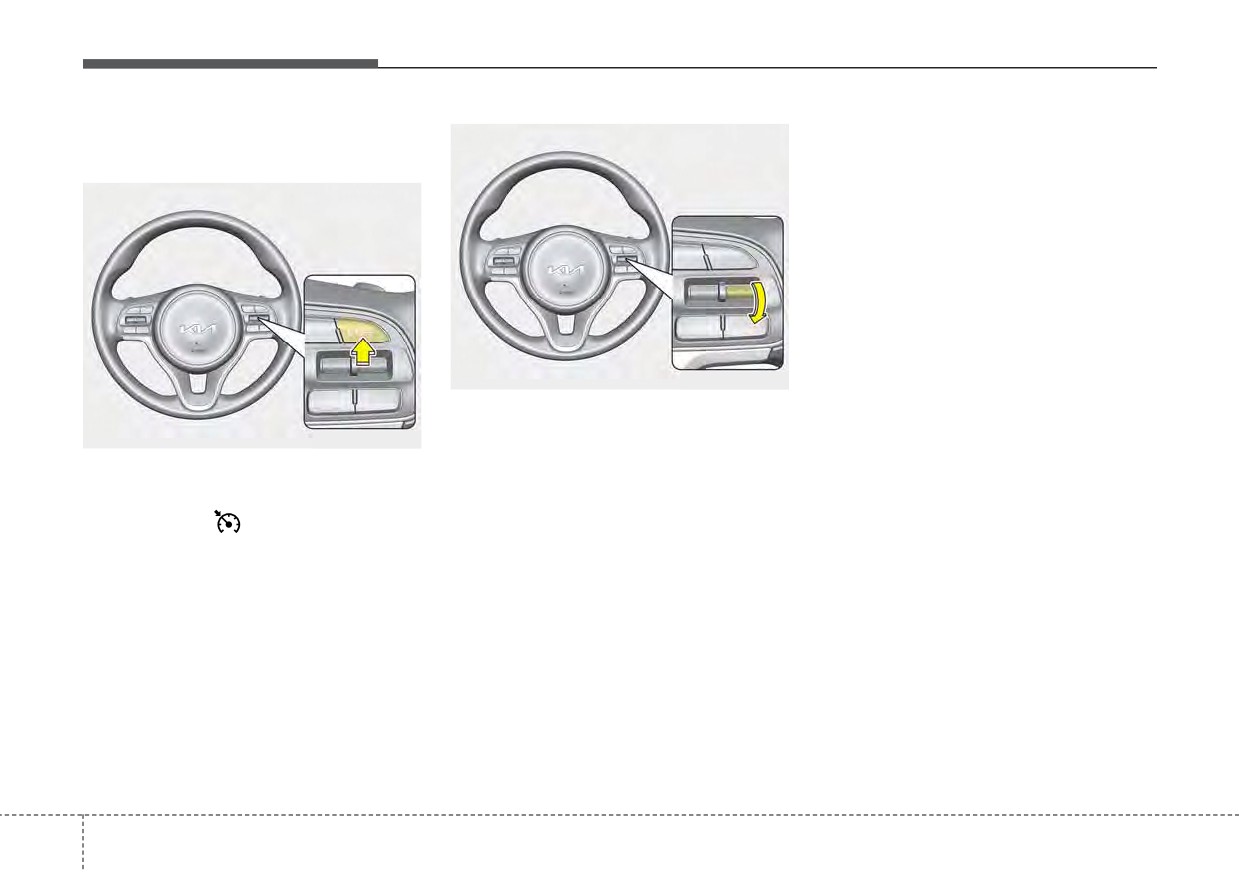
3. Push the switch down (to SET-),
and release it at the desired
ODEEV051023
speed. The set speed and vehicle
distance on the LCD screen will
1. Press the Driving Assist button, to
turn the function on. The Cruise
illuminate.
indicator
(
CRUISE) in the
4. Release the accelerator pedal.
instrument cluster will illuminate.
The desired speed will automati-
2. Accelerate to the desired speed.
cally be maintained.
Smart Cruise Control speed can
If there is a vehicle in front of you, the
be set as follows:
speed may decrease to maintain the
distance to the vehicle ahead.
• 5 mph (10 km/h) ~ 110 mph (180
km/h) : when there is no vehicle
On a steep grade, the vehicle may
in front
slow down or speed up slightly while
going uphill or downhill.
• 0 mph (0 km/h) ~ 110 mph (180
km/h) : when there is a vehicle in
front
5
120
Driving your vehicle
• The ESC
(Electronic Stability
To increase Smart Cruise Control
Control), TCS
(Traction Control
set speed:
System)or ABS is off.
The ESC
(Electronic Stability
Control), TCS
(Traction Control
System)or ABS is operating.
•
The sensor cover is extremely con-
taminated.
•
The engine performance is abnor-
mal.
OYG059346L
•
Forward
Collision-Avoidance
Assist is activated.
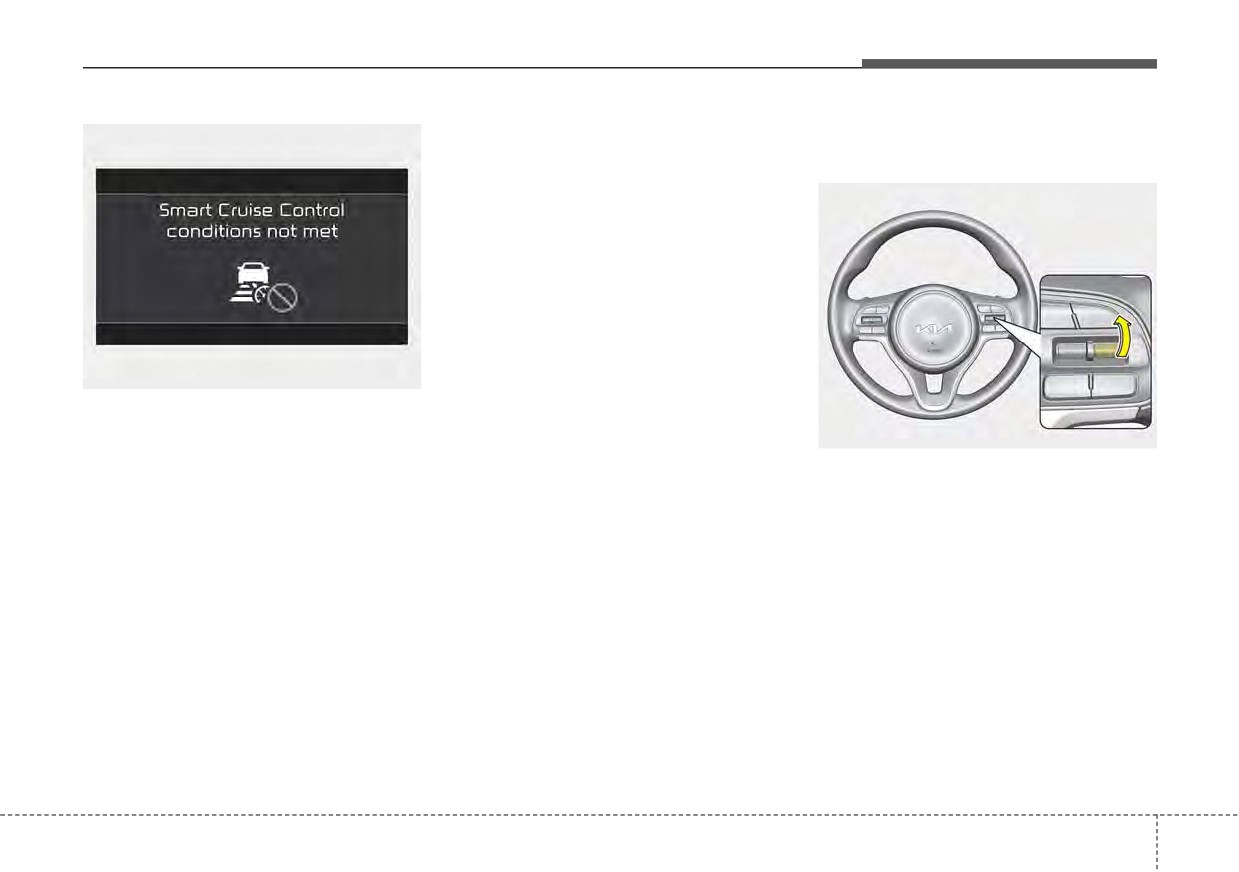
Smart Cruise Control Not
•
The engine RPM is in the red zone.
Operating Conditions
ODEEV051025
•
The front radar is abnormal.
• The driver’s door is opened.
Follow either of these procedures:
• The vehicle is shifted to N (Neutral)
• Push the switch up (to RES+), and
/ R (Reverse) / P (Parking).
hold it. Your vehicle set speed will
• The parking brake is applied.
increase by
5 mph (10 km/h).
• The vehicle speed is not within the
Release the switch at the speed
specified Smart Cruise Control
you want.
range.
• Push the switch up (to RES+), and
• The ESC
(Electronic Stability
release it immediately. The cruising
Control), TCS
(Traction Control
speed will increase by 1.0 mph (1.0
System)or ABS is operating.
km/h) each time you move the
switch up (to RES+) in this manner.
5
121
Driving your vehicle
• Although Smart Cruise Control will
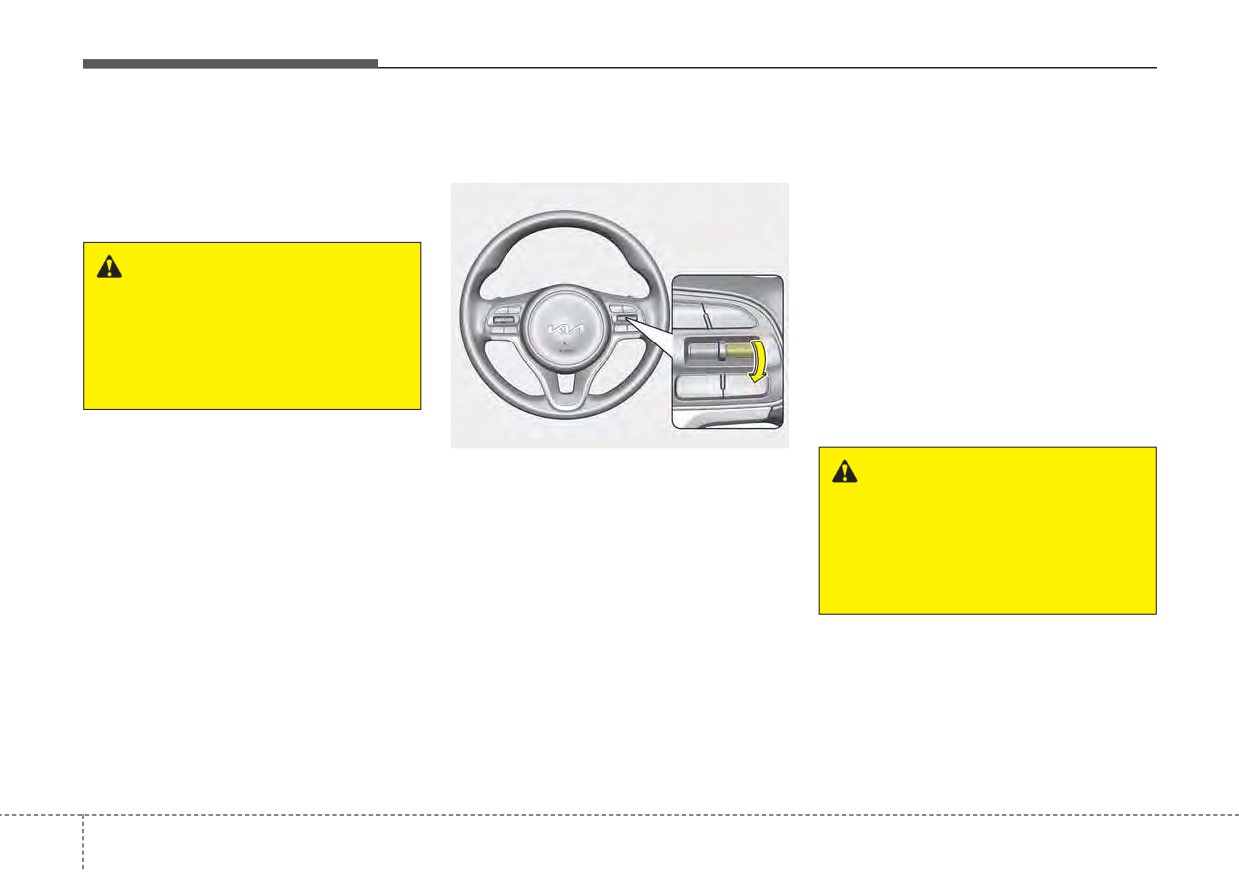
To decrease Smart Cruise Control
To temporarily accelerate with
operate to a maximum setting of up
set speed:
Smart Cruise Control on :
to
110 mph (180km/h), all local
If you want to speed up temporarily
speed limit laws must always be
when Cruise Control is on, depress
followed.
the accelerator pedal. Increased
speed will not interfere with Smart
WARNING
Cruise Control operation or change
the set speed.
Check driving conditions before
using the switch as driving
To return to the set speed, take your
speed increases rapidly when
foot off the accelerator.
you push
up
and
hold
the
If you move the switch down (to SET-)
switch.
at increased speed, the cruising
speed will be set again.
ODEEV051024
Follow either of these procedures:
WARNING
• Push the switch down (to SET-), and
Be careful when accelerating
hold it. Your vehicle set speed will
temporarily, because the speed
decrease by
5 mph (10 km/h).
is not controlled automatically
Release the switch at the speed
at this time even if there is a
you want.
vehicle in front of you.
• Push the switch down (to SET-),
and release it immediately. The
cruising speed will decrease by 1.0
mph (1.0 km/h) each time you
move the switch down (to SET-) in
this manner.
• You can set the speed to 20 mph
(30 km/h).
5
122
Driving your vehicle
Smart Cruise Control will be tem-
Canceled automatically
• When the parking brake is locked
porarily canceled when:
Smart Cruise Control will automati-
• Speed of the vehicle has been
cally cancel in the following situa-
decreased to less than 5 mph (10
tions:
km/h)
•
The driver's door is opened.
• Engine has some problems
•
The shift lever is shifted to N
Each of these actions will cancel
(Neutral), R (Reverse) or P (Paking).
Smart Cruise Control operation. (The
•
The EPB
(Electronic Parking
set speed of the cluster is displayed in
Brake) is applied.
gray shades and the distance indica-
•
The vehicle speed is over 120 mph
tor with the vehicle ahead is disap-
(190 km/h)
peared.)
•
The ESC, ABS or TCS is operating.
In a condition Smart Cruise Control
is cancelled automatically, Smart
ODEP051026
•
The ESC is turned off.
Cruise Control will not operate even
Canceled manually
•
The sensor or the cover is dirty or
though the RES+ or SET- switch is
blocked with foreign matter.
Smart Cruise Control is temporarily
moved.
•
The accelerator pedal is continu-
canceled when the brake pedal is
The EPB (Electronic Parking Brake)
depressed or the CANCEL button is
ously depressed for long time.
is applied when Smart Cruise
pressed. The speed and vehicle dis-
•
The engine speed is in dangerous
Control auto release condition
tance indicator on the cluster is dis-
range.
occurs while Smart Cruise Control is
appeared and the cruise indicator
in use.
•
Smart Cruise Control has malfunc-
(CRUISE) is illuminated continuous-
tioned.
ly.
•
When the braking control is operat-
ed for Forward Collision-Avoidance
Assist.
•
The vehicle stops and goes repeat-
edly for a long period of time.
5
123
Driving your vehicle
To restart Smart Cruise Control:
CAUTION
If Smart Cruise Control is can-
celled by other than the reasons
mentioned, have the function
checked by an authorized Kia
dealer.
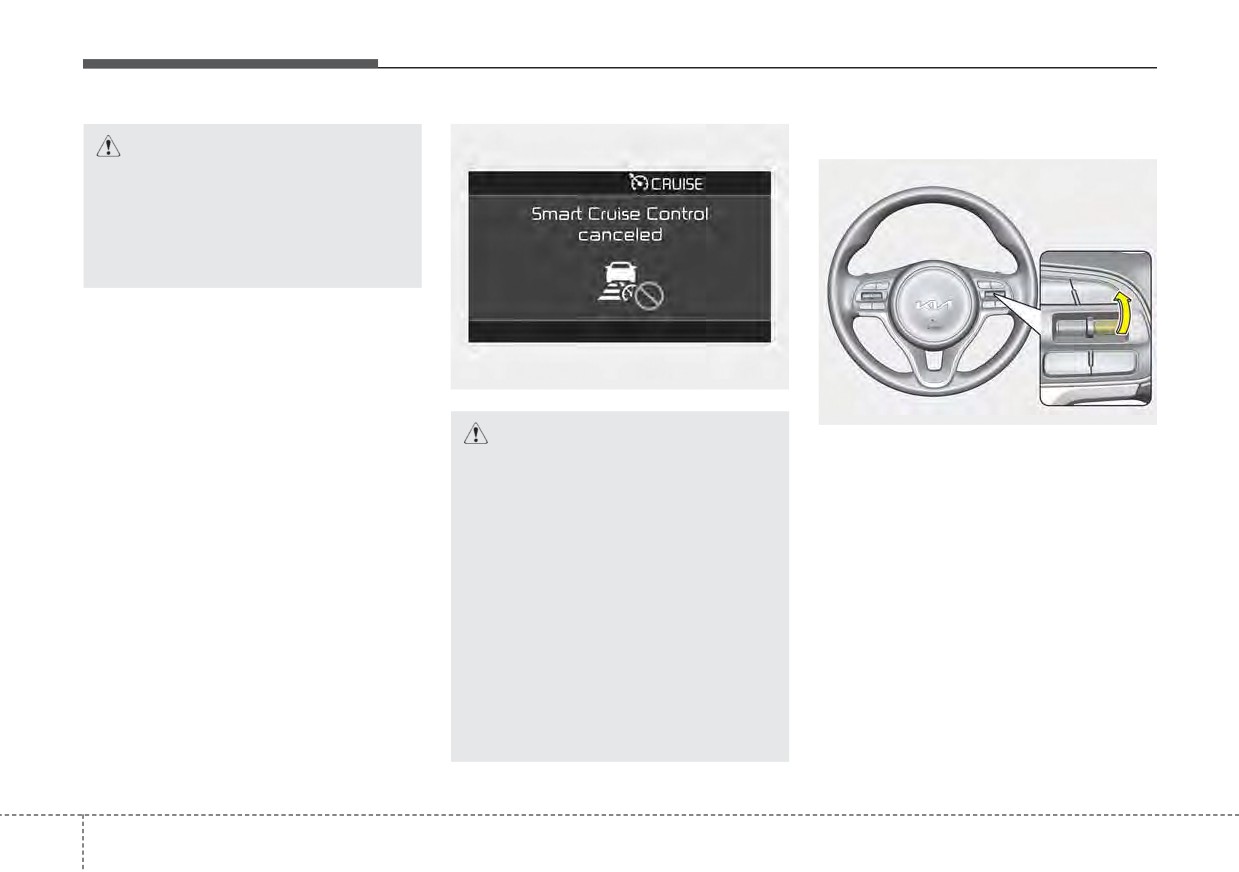
OJF058397L
ODEEV051025
CAUTION
If any method other than the Driving
Smart Cruise Control is auto-
Assist button was used to cancel
matically cancelled, the warning
cruising speed and the function is
chime will sound and a mes-
still activated, the cruising speed will
sage will appear for a few sec-
automatically resume when you
onds.
move the switch up (to RES+).
You must adjust the vehicle
If you move the switch up (to RES+),
speed by depressing the accel-
the speed will resume to the recently
erator or brake pedal according
set speed. However, if vehicle speed
to the road condition ahead and
drops below 5 mph (10 km/h), it will
driving condition.
resume when there is a vehicle in
Always check the road condi-
front of your vehicle.
tions. Do not rely on the warning
chime.
5 124
Driving your vehicle
✽ NOTICE
To turn Smart Cruise Control off:
WARNING
To reduce the risk of an accident,
always check the road conditions
Take the following precautions :
when reactivating Smart Cruise
•
If Smart Cruise Control is left
Control using the RES+ switch to
on,
(cruise indicator in the
ensure the road conditions
permit
instrument cluster illuminated)
safe use of Cruise Control.
Smart Cruise Control can be
activated unintentionally. Keep
Smart Cruise Control off (cruise
indicator turn off) when Smart
Cruise Control is not used.
•
Do not leave the vehicle when it
ODEEV051023
is stopped by Smart Cruise
Control. If it is necessary to
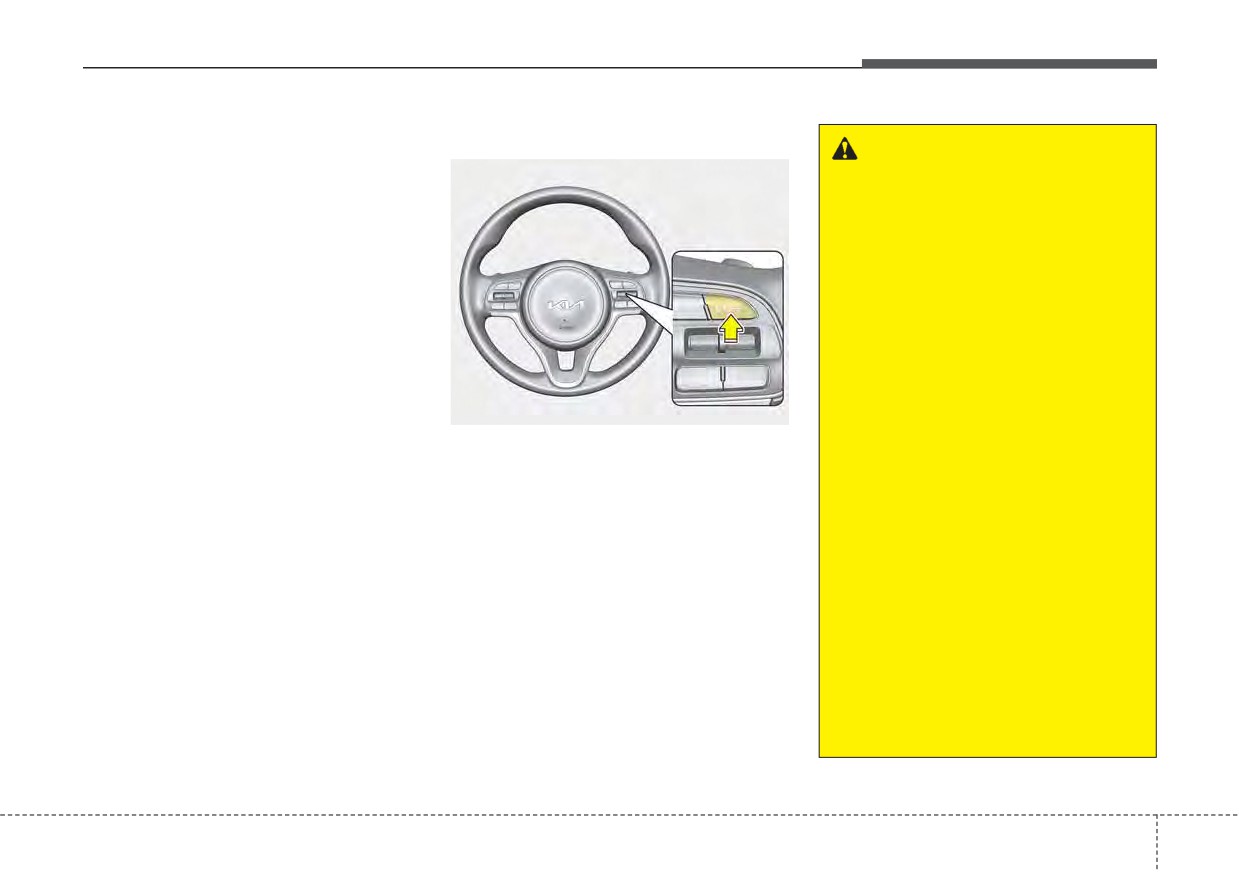
Press the Driving Assist button. (the
leave the vehicle, turn off Smart
CRUISE indicator in the instrument
Cruise Control and move the
cluster will go off).
gear shift to P
(Parking),
When Smart Cruise Control is not
engage the parking brake, and
needed, press the Driving Assist but-
turn off the engine while
ton and deactivate the function.
depressing the brake pedal.
•
Use Smart Cruise Control only
on roads with good traffic con-
ditions. Do not use Smart
Cruise Control in the following
situations because of the high
risk of an accident.
(Continued)
5
125
Driving your vehicle
(Continued)
(Continued)
(Continued)
- Highway interchange and
- When the vehicle sensing
•
Smart Cruise Control should
tollgate
ability decreases due to
not be used when the vehicle
vehicle modification that
is being towed.
- Road surrounded by multi-
causes a difference in the
ple steel constructions (sub-
•
Always set the vehicle speed
level of the vehicle's front
way construction, steel tun-
under the applicable speed
and rear
nel, etc)
limit.
- When driving with limited
- Parking lot
•
Unexpected situations may
view (possibly due to bad
lead to accidents. Pay contin-
- Lanes beside guard rail on a
weather, such as fog, snow,
uous attention to road condi-
road
rain or sandstorm)
tions and your surroundings
- Slippery road with rain, ice,
•
Pay particular attention to the
even when Smart Cruise
or snow covered
driving conditions whenever
Control is operating.
- Abrupt curved road
using Smart Cruise Control.
- Steep hills
•
Smart Cruise Control is not a
- Windy roads
substitute for safe driving. It is
the responsibility of the driver
- Off roads
to always check the speed
- Rods under construction
and distance of the vehicle
- Rumble strip
ahead.
- When driving near crash bar-
•
Be careful when driving
riers
downhill using Smart Cruise
(Continued)
Control.
(Continued)
5
126
Driving your vehicle
Set Smart Cruise Control
Smart Cruise Control Reaction
Vehicle distance
Reaction
•
Fast:
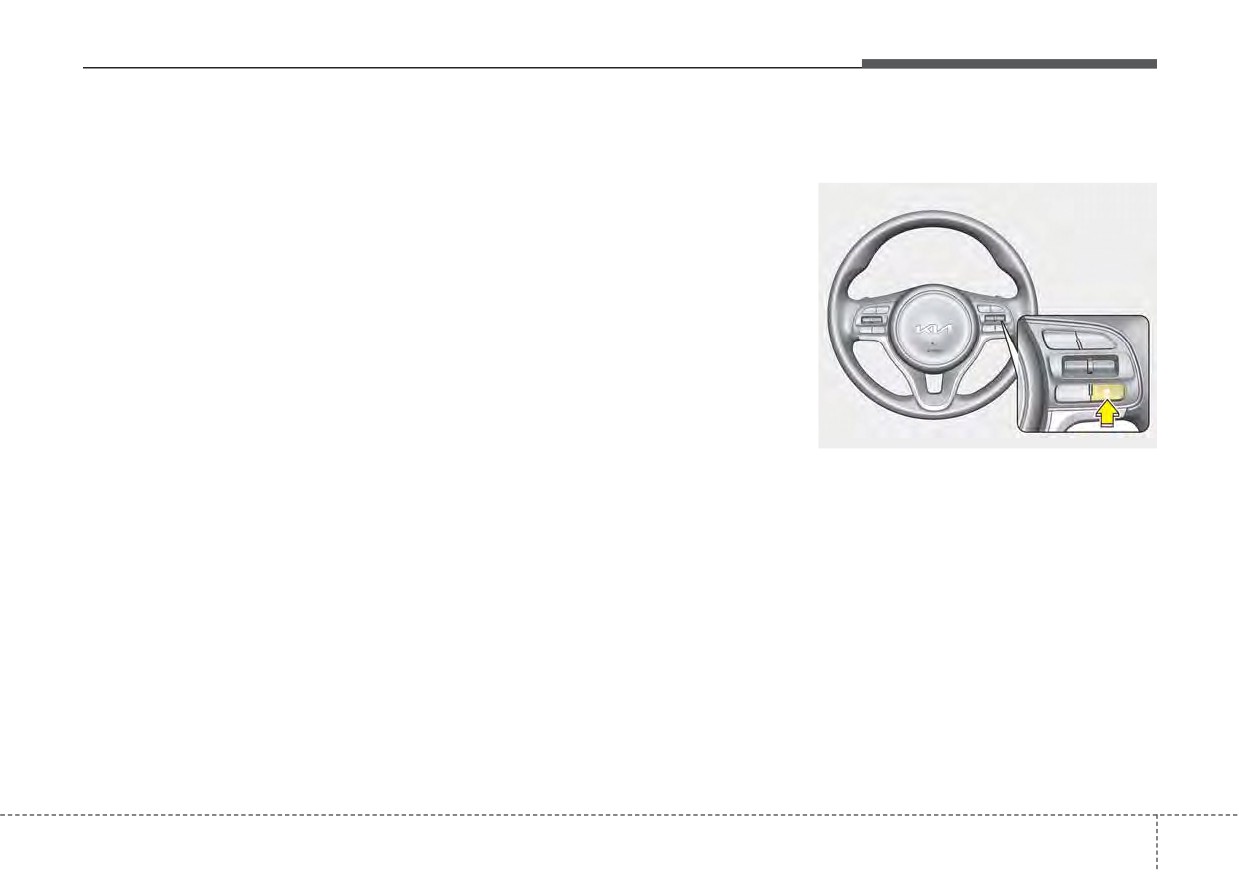
To set vehicle distance:
The sensitivity of vehicle speed
Vehicle speed following the front
when following the front vehicle to
vehicle to maintain the set distance
maintain the set distance can be
is faster than normal speed.
adjusted.
•
Normal:
The acceleration speed (reaction) for
Vehicle speed following the front
following the front vehicle is set in
vehicle to maintain the set distance
conjunction with the DRIVE MODE
is normal
button.
•
Slow:
Vehicle speed following the front
vehicle to maintain the set distance
is slower than normal speed.
ODEP051358L
This function allows you to program
the vehicle to maintain relative dis-
tance to the vehicle ahead without
depressing the accelerator pedal or
brake pedal.
The vehicle distance will automati-
cally activate when Smart Cruise
Control is on.
Select the appropriate distance
according to road conditions and
vehicle speed.
5
127
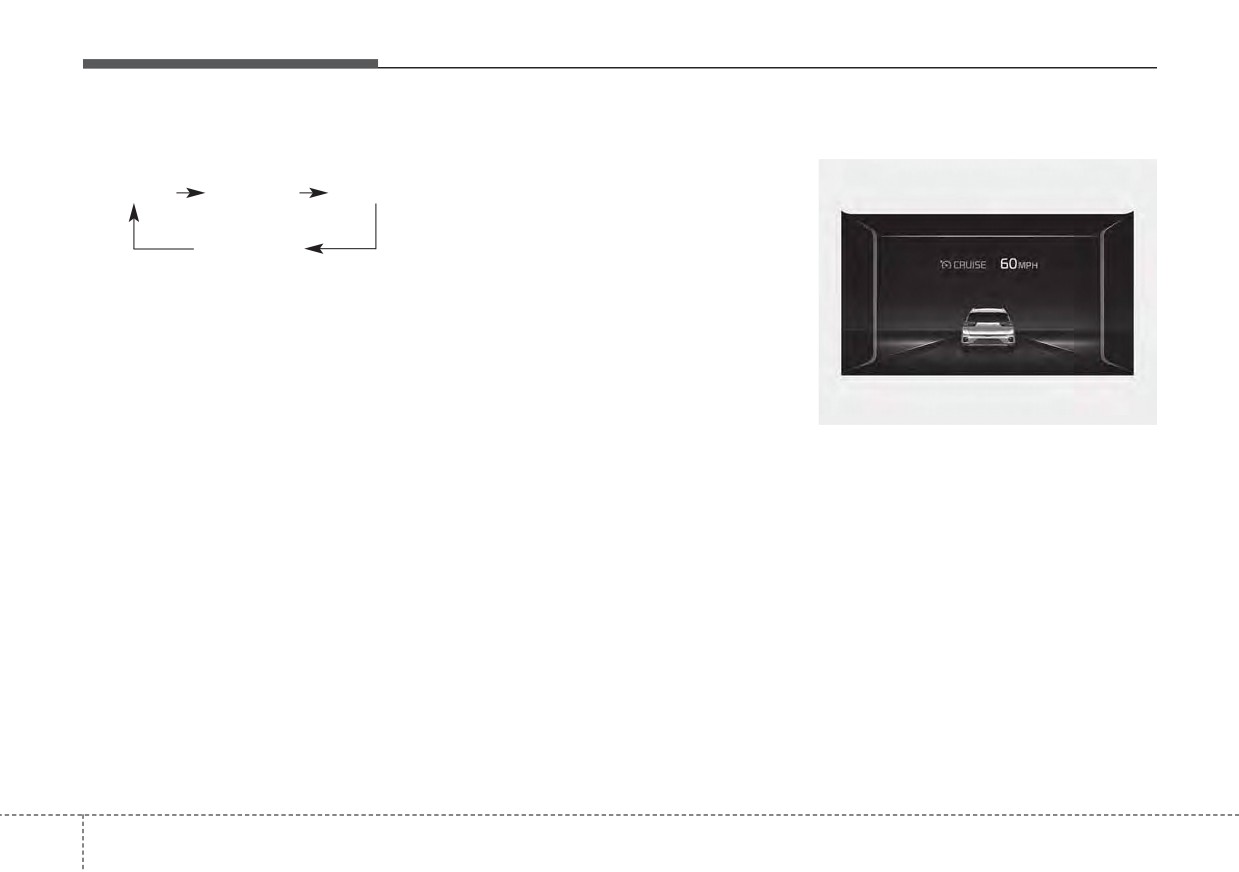
Driving your vehicle
Each time the button is pressed, the
✽ NOTICE
When the lane ahead is clear :
vehicle distance changes as follows:
The distance is set to the last set dis-
tance when the function is used for
Distance 4
Distance 3
Distance 2
the first time after starting the
engine.
Distance 1
For example, if you drive at 56 mph
(90 km/h), the distance maintain as
follows;
Distance 4 - approximately 172 feet
(52.5 m)
ODEP059093N
Distance 3 - approximately 130 feet
The vehicle speed will maintain the
(40 m)
set speed.
Distance 2 - approximately 106 feet
(32.5 m)
Distance 1 - approximately
82 feet
(25 m)
5 128
Driving your vehicle
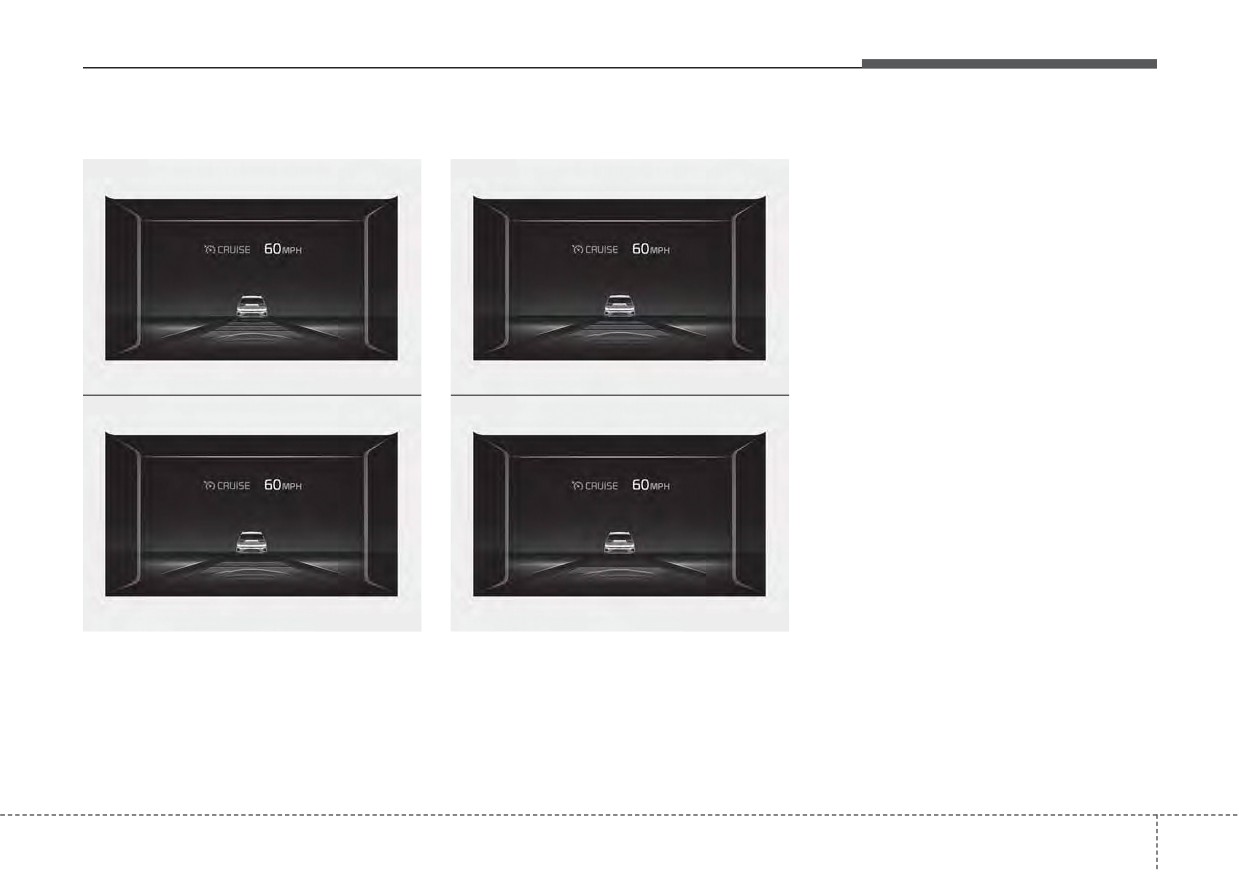
When there is a vehicle ahead of you in your lane :
•
The vehicle will maintain the set
speed, when the lane ahead is
• Level 4
• Level 3
clear.
•
The vehicle will slow down or
speed up to maintain the selected
distance, when there is a vehicle
ahead of you in the lane. (A vehicle
will appear in front of your vehicle
in the LCD display only when there
is an actual vehicle in front of you)
•
If the vehicle ahead speeds up,
ODEP059319N
ODEP059081N
your vehicle will travel at a steady
• Level 2
• Level 1
cruising speed after accelerating to
the selected speed.
•
If you turn on the driver’s side turn
signal when there is a vehicle
ahead, your vehicle may temporar-
ily accelerate to assist you in
changing lanes.
ODEP059082N
ODEP059083N
5
129
Driving your vehicle
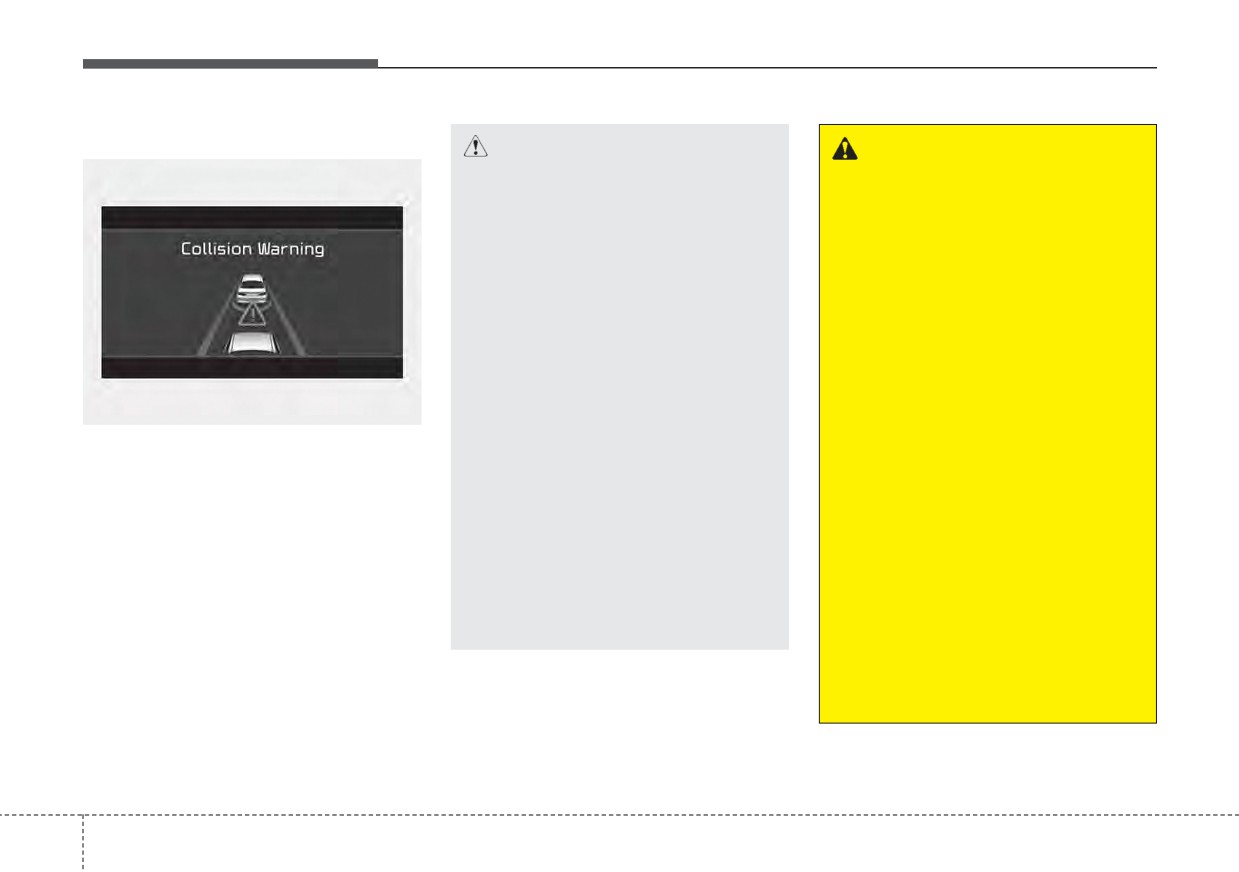
Collision Warning
CAUTION
WARNING
•
Even if the warning message
•
If the speed of the vehicle
does not appear and warning
ahead is similar to or faster
chime does not sound, always
than your vehicle, the function
pay attention to driving condi-
may not warn you as you do
tions to prevent dangerous
not maintain enough set dis-
situations from occurring.
tance. Always pay attention in
•
Playing the vehicle audio sys-
case of danger, even if there is
tem at high volume may cause
no warning sound.
the occupants to not hear the
•
If the speed of the vehicle
function warning sounds.
ahead is too slow, the func-
•
If the vehicle cannot keep the
tion may not warn you as you
OJF058389L
enough set distance, the
do not maintain enough set
If there is a high risk of collision due
warning will sound and blink
distance. Always pay atten-
to sudden braking of the front vehicle
on the cluster. If a warning
tion in case of danger, even if
or lack of safety distance with the
sounds, check the nearby traf-
there is no warning sound.
vehicle ahead during Smart Cruise
fic condition and if necessary,
•
If you set Smart Cruise
Control driving, so that if the driver's
control the speed by depress-
Control speed and depress
brake or steering wheel operation is
ing the brake. Always pay
the accelerator pedal, the
required, the Distance Step with the
attention in case of danger,
function may not warn you as
vehicle ahead will blink on the cluster
even if there are no warning
you do not maintain enough
and a Collision Warning will sound.
sound.
set distance. Always pay
In this case, immediately reduce the
attention in case of danger,
speed.
even if there is no warning
sound.
5 130