Volvo V60 Twin Engine (2018 year). Manual - part 1
INTRODUCTION
}}
13
Changing the language in the car's
screen
Changing the language in the car's display may
mean that some information does not correspond
to national or local laws and regulations. Don't
change to a language that's difficult to under-
stand, it may then be difficult to find your way
back in the structure on the screen.
The driver is always responsible that the vehi-
cle is driven safely in traffic and that applica-
ble laws and regulations are followed. It is
also important that the car is maintained and
handled in accordance with Volvo's recom-
mendations in the owner's information.
If there should be a difference between the
information in the screen and the printed
information then it is always the printed infor-
mation that applies.
Related information
•
Digital owner's manual in the car (p. 13)
•
Volvo Cars support site (p. 15)
•
Reading the owner's manual (p. 16)
Digital owner's manual in the car
The owner's manual can be read on the screen
in the car
3
. The content is searchable and it is
easy to navigate between different sections.
Open the digital owner's manual - press the MY
CAR button in the centre console, press OK/
MENU and select
Owner's manual
.
For basic navigation, see Operating the system.
See below for a more detailed description.
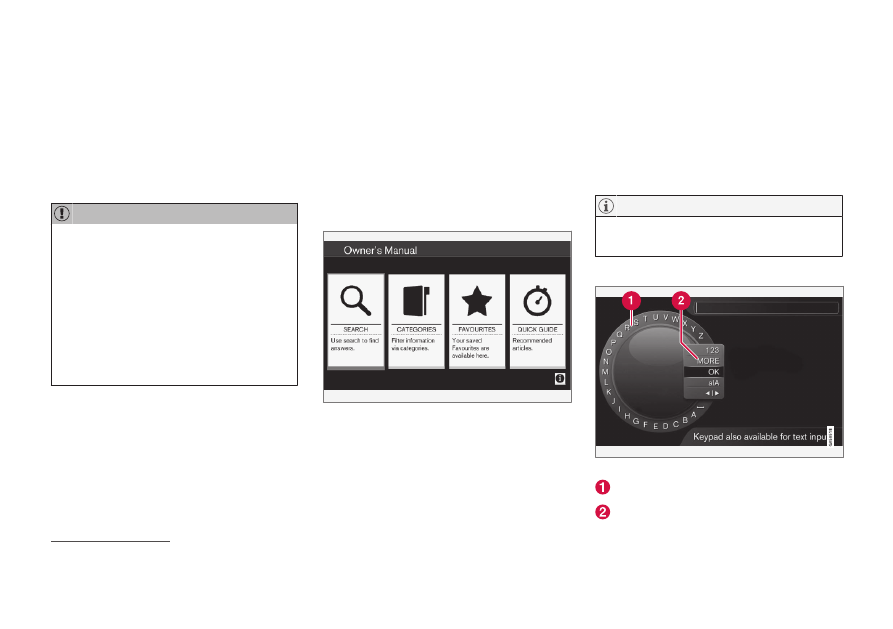
Owner's manual, start page.
There are four options for finding information in
the digital owner's manual:
•
Search
- Search function for finding an arti-
cle.
•
Categories
- All articles sorted into catego-
ries.
•
Favourites
- Quick access to favourite-
bookmarked articles.
•
Quick Guide
- A selection of articles for
common functions.
Select the information symbol in the lower right-
hand corner in order to obtain information about
the digital owner's manual.
The digital owner's manual is not available
while driving.
Search
Searching using the character wheel.
Character list.
Changing the input mode (see following
table).
3
Applies to certain car models.