Toyota Sienna (2019 year). Manual - part 20
 

  Index      Toyota     Toyota Sienna - service manual 2019 year in english


Search            copyright infringement  


Content   ..  18  19  20  21   ..


Toyota Sienna (2019 year). Manual - part 20


SIENNA_OM_OM08025U_(U)

305

4-5. Using the driving support systems

4

Drivin

g

?

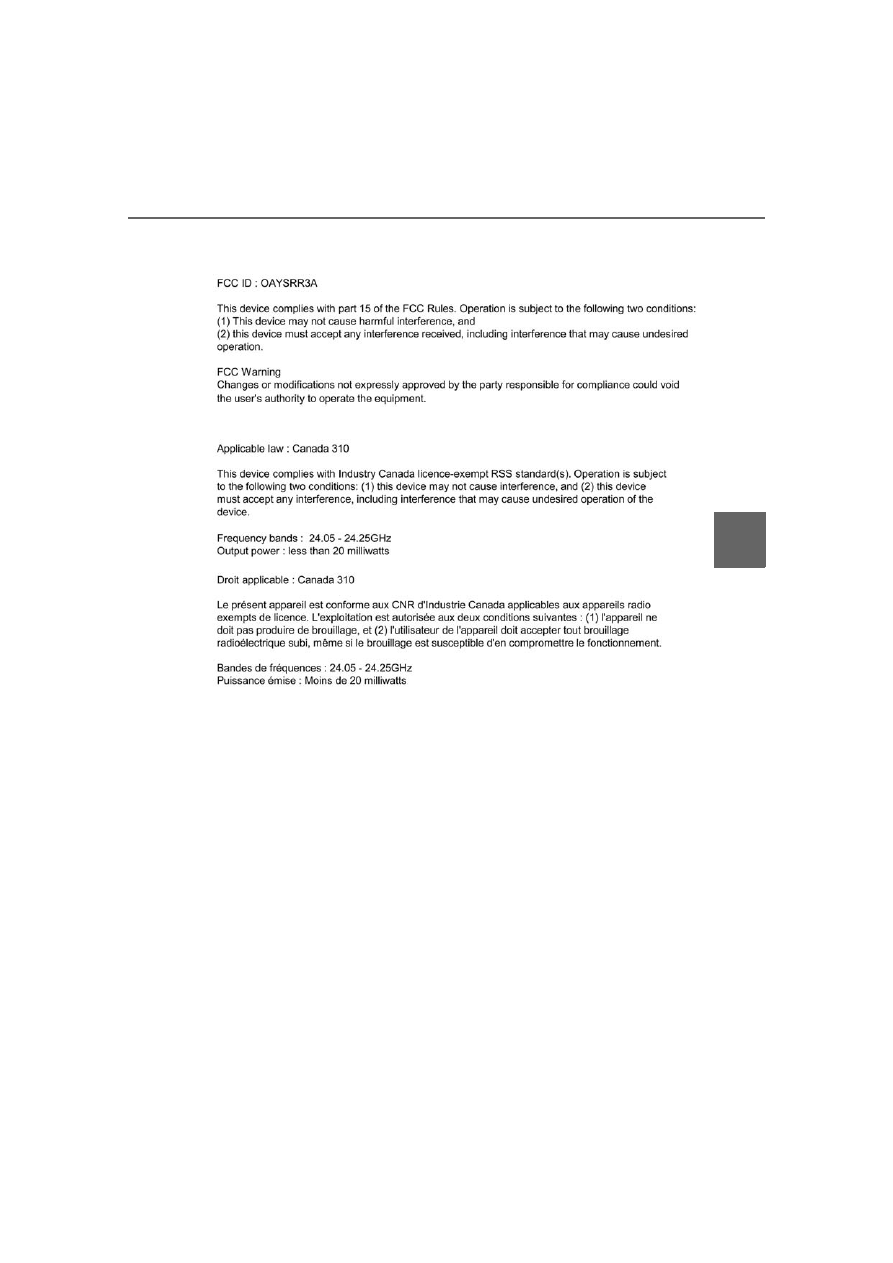
Certification for the Blind Spot Monitor system

For vehicles sold in the U.S.A.

For vehicles sold in Canada

306

SIENNA_OM_OM08025U_(U)

4-5. Using the driving support systems

WARNING

?

Handling the radar sensor
One Blind Spot Monitor sensor is installed inside the left and right side of
the vehicle rear bumper respectively. Observe the following to ensure the
Blind Spot Monitor can function correctly.

?

Do not subject the sensor or surrounding area on the bumper to a strong
impact. If the sensor moves even slightly off position, the system may mal-
function and vehicles that enter the detection area may not be detected. If
the sensor or surrounding area is subject to a strong impact, always have
the area inspected by your Toyota dealer.

?

Do not disassemble the sensor.

?

Do not attach accessories or stickers to the sensor or surrounding area on
the bumper.

?

Do not modify the sensor or surrounding area on the bumper.

?

Do not paint the rear bumper any color other than an official Toyota color.

?

Keep the sensor and its surrounding area
on the bumper clean at all times.
If a sensor or its surrounding area on the
rear bumper is dirty or covered with snow,
the  Blind  Spot  Monitor  may  not  operate
and a warning message (

P. 304) will be

displayed.  In  this  situation,  clear  off  the
dirt or snow and drive the vehicle with the
operation conditions of the BSM function
(

P.  308)  satisfied for  approximately  10

minutes. If the warning message does not
disappear, have the vehicle inspected by
your Toyota dealer.

SIENNA_OM_OM08025U_(U)

307

4-5. Using the driving support systems

4

Drivin

g

The BSM function uses radar sensors to detect vehicles that are trav-
eling in an adjacent lane in the area that is not reflected in the outside
rear view mirror (the blind spot), and advises the driver of the vehicles
existence via the outside rear view mirror indicator.

The areas that vehicles can be detected in are outlined below.
The  range  of  the  detection  area
extends to:

Approximately  11.5  ft.  (3.5  m)
from the side of the vehicle

The  first  1.6  ft.  (0.5  m)  from  the
side  of  the  vehicle  is  not  in  the
detection area

Approximately 9.8 ft. (3 m) from
the rear bumper
Approximately 3.3 ft. (1 m) for-
ward of the rear bumper

The BSM function

The BSM function detection areas

1

2

3

WARNING

?

Cautions regarding the use of the system
The driver is solely responsible for safe driving. Always drive safely, taking
care to observe your surroundings.
The BSM function is a supplementary function which alerts the driver that a
vehicle is present in the blind spot. Do not overly rely on the BSM function.
The function cannot judge if it is safe to change lanes, therefore over reli-
ance could cause an accident resulting in death or serious injury. 
According  to  conditions,  the  system  may  not  function  correctly. Therefore
the driver’s own visual confirmation of safety is necessary.

308

SIENNA_OM_OM08025U_(U)

4-5. Using the driving support systems

?

The BSM function is operational when

?

The BSM function is turned on

?

Vehicle speed is greater than approximately 10 mph (16 km/h).

?

The BSM function will detect a vehicle when

?

A vehicle in an adjacent lane overtakes your vehicle.

?

Another vehicle enters the detection area when it changes lanes.

?

You overtake a vehicle in adjacent lane slowly

?

Conditions under which the BSM function will not detect a vehicle
The  BSM  function  is  not  designed  to  detect  the  following  types  of  vehicles
and/or objects:

?

Small motorcycles, bicycles, pedestrians etc.

*

?

Vehicles traveling in the opposite direction

?

Guardrails, walls, signs, parked vehicles and similar stationary objects

*

?

Following vehicles that are in the same lane

*

?

Vehicles driving 2 lanes across from your vehicle

*

?

Vehicles which are being overtaken rapidly by your vehicle

*

: Depending on conditions, detection of a vehicle and/or object may occur.

SIENNA_OM_OM08025U_(U)

309

4-5. Using the driving support systems

4

Drivin

g

?

Conditions under which the BSM function may not function correctly

?

The BSM function may not detect vehicles correctly in the following condi-
tions:
• When the sensor is misaligned due to a strong impact to the sensor or its

surrounding area

• When mud, snow, ice, a sticker, etc. is covering the sensor or surround-

ing area on the rear bumper

• When driving on a road surface that is wet with standing water during bad

weather, such as heavy rain, snow, or fog

• When  multiple  vehicles  approach  with  only  a  small  gap  between  each

vehicle

• When there is a significant difference in speed between your vehicle and

the vehicle that enters the detection area

• When a vehicle is in the detection area from a stop and remains in the

detection area as your vehicle accelerates

• When towing a trailer
• When the vehicle that enters the detection area is traveling at about the

same speed as your vehicle

• When driving up or down consecutive steep inclines, such as hills, a dip

in the road etc.

• When driving on roads with sharp bends, consecutive curves, or uneven

surfaces

• When vehicle lanes are wide, and the vehicle in the next lane is too far

away from your vehicle

• When there is a significant difference in height between your vehicle and

the vehicle that enters the detection area

• Directly after the BSM function is turned on
• When items such as a bicycle carrier are installed on the rear of the vehi-

cle

310

SIENNA_OM_OM08025U_(U)

4-5. Using the driving support systems

?

Instances  of  the  BSM  function  unnecessarily  detecting  a  vehicle  and/or
object may increase under the following conditions:
• When there is only a short distance between your vehicle and a guardrail,

wall etc.

• When there is only a short distance between your vehicle and a following

vehicle

• When driving up and down consecutive steep inclines, such as hills, dips

in the road, etc.

• When driving on roads with sharp bends, consecutive curves, or uneven

surfaces

• When vehicle lanes are narrow and a vehicle driving 2 lanes across from

your vehicle enters the detection area

• When items such as a bicycle carrier are installed on the rear of the vehi-

cle

• When the sensor is misaligned due to a strong impact to the sensor or its

surrounding area

The  RCTA  functions  when  your  vehicle  is  in  reverse.  It  can  detect
other vehicles approaching from the right or left rear of the vehicle. It
uses radar sensors to alert the driver of the other vehicle’s existence
through flashing the outside rear view mirror indicators and sounding
a buzzer.

The RCTA function

Approaching vehicles

Detection areas

1

2

SIENNA_OM_OM08025U_(U)

311

4-5. Using the driving support systems

4

Drivin

g

The areas that vehicles can be detected in are outlined below.

To give the driver a more consistent time to react, the buzzer can alert
for faster vehicles from farther away.
Example:

WARNING

?

Cautions regarding the use of the system
The driver is solely responsible for safe driving. Always drive safely, taking
care to observe your surroundings.
The  RCTA  function  is  only  an  assist  and  is  not  a  replacement  for  careful
driving.  Driver  must  be  careful  when  backing  up,  even  when  using  RCTA
function. The driver’s own visual confirmation of behind you and your vehi-
cle is necessary and be sure there are no pedestrians, other vehicles etc.
before backing up. Failure to do so could cause death or serious injury. 
According  to  conditions,  the  system  may  not  function  correctly. Therefore
the driver’s own visual confirmation of safety is necessary.

The RCTA function detection areas

Approaching vehicle

Speed

Approximate 
alert distance

Fast

18 mph (28 km/h)

65 ft. (20 m)

Slow

5 mph (8 km/h)

18 ft (5.5 m)

1

312

SIENNA_OM_OM08025U_(U)

4-5. Using the driving support systems

?

The RCTA function is operational when

?

The RCTA function is turned on.

?

The shift lever is in R.

?

Vehicle speed is less than approximately 5 mph (8 km/h).

?

Approaching vehicle speed is between approximately 5 mph (8 km/h) and
18 mph (28 km/h).

?

Conditions under which the RCTA function will not detect a vehicle
The RCTA function is not designed to detect the following types of vehicles
and/or objects.

?

Vehicles approaching from directly behind

?

Vehicles backing up in the parking space next to your vehicle

?

Guardrails, walls, signs, parked vehicles and similar stationary objects

*

?

Small motorcycles, bicycles, pedestrians etc.

*

?

Vehicles moving away from your vehicle

?

Vehicles approaching from the parking spaces next to your vehicle

*

?

Vehicles which suddenly accelerate or decelerate near your vehicle

*

: Depending on conditions, detection of a vehicle and/or object may occur.

?

Vehicles that the sensors cannot detect
due to obstructions

SIENNA_OM_OM08025U_(U)

313

4-5. Using the driving support systems

4

Drivin

g

?

Conditions under which the RCTA function may not function correctly

?

The RCTA function may not detect vehicles correctly in the following condi-
tions:
• When the sensor is misaligned due to a strong impact to the sensor or its

surrounding area

• When mud, snow, ice, a sticker, etc. is covering the sensor or surround-

ing area on the rear bumper

• When driving on a road surface that is wet with standing water during bad

weather, such as heavy rain, snow, or fog

• When multiple vehicles are approaching with only a small gap between

each vehicle

• When a vehicle is approaching at high speed

• When parking on a steep incline, such as hills, a dip in the road etc.
• Directly after the RCTA function is turned on
• Immediately after the engine is started with the RCTA function on
• When towing a trailer

• When  backing  up  on  a  slope  with  a

sharp change in grade

• When backing out of a shallow angle

parking spot

• When  a  vehicle  turns  into  the  detec-

tion area

314

SIENNA_OM_OM08025U_(U)

4-5. Using the driving support systems

?

Instances  of  the  RCTA  function  unnecessarily  detecting  a  vehicle  and/or
object may increase in the following situations:
• When a vehicle passes by the side of your vehicle

?

When “Rear Cross Traffic Alert Unavailable” is shown on the multi-infor-
mation display
Water, snow, mud, etc., may be built up in the vicinity of the sensor area of
bumper. (

P. 306) Removing the water, snow, mud, etc., from the vicinity of

the sensor area bumper should return it to normal.
Also,  the  sensor  may  not  function  normally  when  used  in  extremely  hot  or
cold weather.

?

Setting up BSM function/RCTA function
You  can  change  the  BSM  function/RCTA  function  settings.  (Customizable
features: 

P. 540)

• Vehicles  that  the  sensors  cannot

detect due to obstructions

• When  the  parking  space  faces  a

street  and  vehicles  are  being  driven
on the street

• When a vehicle passes by the side of

your vehicle

• When  the  distance  between  your

vehicle and  metal  objects, such as a
guardrail,  wall,  sign,  or  parked  vehi-
cle,  which  may  reflect  electrical
waves toward the rear of the vehicle,
is short

315

SIENNA_OM_OM08025U_(U)

4-5. Using the driving support systems

4

Drivin

g

Intuitive parking assist

Front corner sensors 
(if equipped)
Rear corner sensors
Rear center sensors

Turns  the  intuitive  parking  assist
on/off

When on, the indicator light comes
on and the buzzer sounds to inform
the driver that the system is opera-
tional.

: If equipped

The distance from your vehicle to nearby obstacles when paral-
lel  parking  or  maneuvering  into  a  garage  is  measured  by  the
sensors  and  communicated  via  the  multi-information  display,
the audio/visual system screen and a buzzer. Always check the
surrounding area when using this system.

Types of sensors

1

2
3

Intuitive parking assist switch

316

SIENNA_OM_OM08025U_(U)

4-5. Using the driving support systems

When  the  sensors  detect  an  obstacle,  the  following  displays  inform
the driver of the position and distance to the obstacle.

?

Multi-information display

Front  corner  sensor  opera-
tion
Rear corner sensor operation
Rear center sensor operation
Select  to  mute  the  buzzer
sounds.

?

Audio/visual system screen
Insert display

When the rear view monitor sys-
tem is displayed.
A  simplified  image  is  displayed
on the right upper corner of the
audio/visual 

system 

screen

when an obstacle is detected.

Display

1

2
3
4

SIENNA_OM_OM08025U_(U)

317

4-5. Using the driving support systems

4

Drivin

g

?

Muting the buzzer sound

?

To mute the buzzer sound
The buzzer can be temporarily muted by pressing 

 of the meter control

switches while an obstacle detection display is shown on the multi-informa-
tion display.

?

To cancel the mute
Mute will be automatically canceled in the following situations.
• When the shift position is changed
• When the vehicle speed has reached or exceeded approximately 6 mph

(10 km/h) with the shift lever in D

• When the intuitive parking assist is turned off once and turned on again
• Vehicles without a smart key system: When the engine switch is turned

off once and turned to “ON” position again
Vehicles with a smart key system: When the engine switch is turned off
once and turned to IGNITION ON mode again

• When a sensor is malfunctioning

318

SIENNA_OM_OM08025U_(U)

4-5. Using the driving support systems

?

Distance display
Sensors that detect an obstacle will illuminate continuously or blink.

Sensor detection display, obstacle distance

Multi-

informa-

tion 

display

Insert display

Approximate distance to obstacle

Toyota 

parking 

assist 

monitor

Pan-

oramic 

view 

monitor

Front and rear 

corner sensors

Rear center 

sensors

(continu-

ous)

(blinking 

slowly)

(blinking 

slowly)

5.9 ft. (180 cm)
to 
2.8 ft. (85 cm)

(continu-

ous)

(blinking) (blinking)

2.0  ft.  (60  cm)
to 
1.2 ft. (37.5 cm)

2.8  ft.  (85  cm)
to 
1.5 ft. (45 cm)

(continu-

ous)

(blinking 

rapidly)

(blinking 

rapidly)

1.2 ft. (37.5 cm)
to 
0.8 ft. (25 cm)

1.5  ft.  (45  cm)
to 
1.1 ft. (35 cm)

(blinking) (continu-

ous)

(continu-

ous)

Less than 
0.8 ft. (25 cm)

Less than 
1.1 ft. (35 cm)

Far

Near

SIENNA_OM_OM08025U_(U)

319

4-5. Using the driving support systems

4

Drivin

g

?

Buzzer operation and distance to an obstacle
A buzzer sounds when the sensors are operating.

?

The buzzer sounds faster as the vehicle approaches an obstacle. 
When  the  vehicle  comes  within  the  following  distance  of  the
obstacle, the buzzer sounds continuously.

• Front and rear corner sensors: Approximately 0.8 ft. (25 cm)
• Rear center sensors: Approximately 1.1 ft. (35 cm)

?

When  2  or  more  obstacles  are  detected  simultaneously,  the
buzzer system responds to the nearest obstacle. If one or both
come  within  the  above  distances,  the  beep  will  repeat  a  long
tone, followed by fast beeps.

Approximately 2.0 ft. (60 cm)
Approximately 5.9 ft. (180 cm)

The  diagram  shows  the  detection
range of the sensors. Note that the
sensors  cannot  detect  obstacles
that  are  extremely  close  to  the
vehicle.
The  range  of  the  sensors  may
change depending on the shape of
the object etc.

*

: if equipped

Detection range of the sensors

*

1
2
3

320

SIENNA_OM_OM08025U_(U)

4-5. Using the driving support systems

?

The intuitive parking assist can be operated when

?

The engine switch is in the “ON” position (vehicles without a smart key sys-
tem) or IGNITION ON mode (vehicles with a smart key system).

?

Front corner sensors:
• The shift lever is not in P.
• The vehicle speed is approximately 6 mph (10 km/h) or less.

?

Rear corner and rear center sensors:
The shift lever is in R.

?

Intuitive parking assist display
When  an  obstacle  is  detected  while  the  rear  view  monitor  system  or  pan-
oramic view monitor (if equipped) is in use, the warning indicator will appear
in the upper part of the screen even if the display setting has been set to off.

?

Sensor detection information

?

The sensor’s detection areas are limited to the areas around the vehicle’s
bumper.

?

Depending on the shape of the obstacle and other factors, the detection dis-
tance may shorten, or detection may be impossible.

?

Obstacles may not be detected if they are too close to the sensor.

?

There will be a short delay between obstacle detection and display. Even at
slow speeds, there is a possibility that the obstacle will come within the sen-
sor’s detection.

?

Thin  posts  or  objects  lower  than  the  sensor  may  not  be  detected  when
approached, even if they have been detected once.

?

It might be difficult to hear beeps due to the volume of audio/visual system
or air flow noise of the air conditioning system. 

?

Certification (Canada only)
This ISM device complies with Canadian ICES-001.
Cet appareil ISM est conforme a la norme NMB-001 du Canada.

WARNING

?

When using the Intuitive parking assist-sensor
Observe the following precautions. 
Failure to do so may result in the vehicle being unable to be driven safely
and possibly cause an accident.

?

Do not use the sensor at speeds in excess of 6 mph (10 km/h).

?

The sensors’ detection areas and reaction times are limited. When moving
forward or reversing, check the areas surrounding the vehicle (especially
the  sides  of  the  vehicle)  for  safety,  and  drive  slowly,  using  the  brake  to
control the vehicle’s speed.

?

Do not install accessories within the sensors’ detection areas.


Content   ..  18  19  20  21   ..