Renault Talisman (2016 year). Manual - part 10
2.44
BLIND SPOT WARNING
(2/4)
2
3
Activation/deactivation
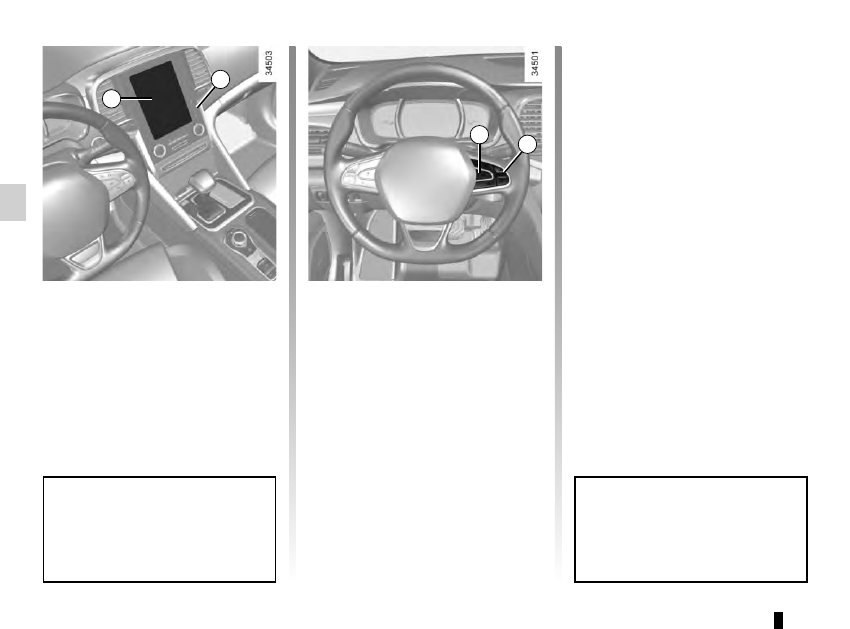
Vehicles fitted with a navigation
system
On the multifunction screen 2, select
the “vehicle” menu, “Driving assis-
tance”, and “Blind spot alert”, and then
choose “ON” or “OFF”.
You can access menu “Driving as-
sistance” directly from button 3
.
Vehicles not fitted with a navigation
system
– With the vehicle at a standstill, press
and hold the switch 4 OK to access
the settings menu;
– repeatedly press the control 5 up or
down until you reach the “Driving as-
sistance” menu. Press the switch 4
OK;
– repeatedly press control 5 up or
down until you reach the “Blind spot
alert” menu, then press the switch 4
OK.
– Press the switch 4 OK again to acti-
vate or deactivate the function.
When the engine is started, the
system remembers its position
when the ignition was last switched
off.
4
5