Renault Megane Hatchback (2015 year). Manual - part 7
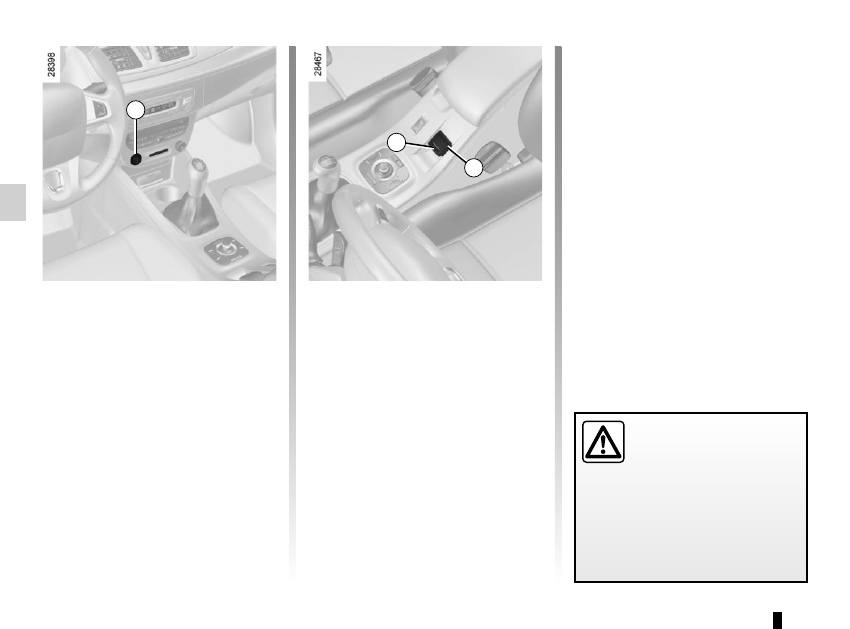
2.12
Before leaving the vehicle,
check that the electronic
parking brake is fully ap-
plied. Indicator light 2 on
switch 3 and indicator light
}
on the instrument panel light up to
show that the parking brake is ap-
plied but go out when the doors are
locked.
Note:
To indicate that the electronic parking
brake is released, a beep sounds and
the message “Apply parking brake” ap-
pears on the instrument panel:
– with the engine running: when the
driver’s door is opened;
– with the engine switched off (eg.
when the engine stalls): when a front
door is opened.
In this case, pull and release switch 3 to
apply the electronic parking brake.
Automatic releasing of the
electronic parking brake
The brake will be released as soon as
the vehicle moves, by accelerating with
a gear selected and the engine running.
Automatic operation
The electronic parking brake en-
sures vehicle immobilisation when the
engine is stopped and engine Start/
Stop button 1 is pressed.
In all other instances, e.g. engine stal-
ling, the electronic parking brake is not
applied automatically. Manual mode
must be used.
For certain country-specific model ver-
sions, the automatic brake application
function is not activated. Refer to the in-
formation on “Manual operation”.
ELECTRONIC PARKING BRAKE
(1/3)
To confirm that the electronic parking
brake is applied, the message “Parking
brake on” and warning light
}
on the instrument panel and warning
light 2 on the switch 3 light up.
After the engine is switched off, indi-
cator light 2 goes out several minutes
after the electronic parking brake has
been applied and indicator light
}
goes out when the vehicle is locked.
1
2
3