Peugeot Expert VU (2016 year). Manual - part 35
 

  Index      Peugeot     Peugeot Expert VU - service manual 2016 year in english


Search            copyright infringement  


Content   ..  33  34  35  36   ..


Peugeot Expert VU (2016 year). Manual - part 35


98

Audio and Telematics

Transversal-Peugeot_en_Chap02_RCC-2-2-0_ed01-2016

First steps

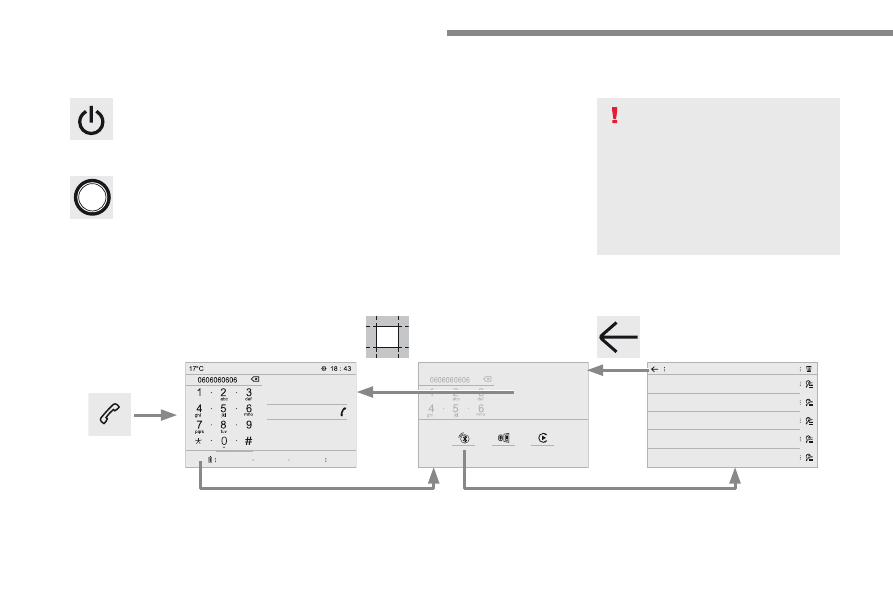
With the engine running, a press 
mutes the sound.
With the ignition off, a press turns the 
system on.

Volume.

Use the buttons either side of or below the 
touch screen for access to the menus, then 
press the virtual buttons in the touch screen. All 
of the touch areas of the screen are white.
Press in the grey zone to go back a level or 
confirm.
Press the back arrow to go back a level or 
confirm.

The touch screen is of the "capacitive" 
type.
To clean the screen, use a soft, non-
abrasive cloth (spectacles cloth) with 
no additional product.
Do not use sharp objects on the 
screen.
Do not touch the screen with wet 
hands.

99

.

Audio and Telematics

Transversal-Peugeot_en_Chap02_RCC-2-2-0_ed01-2016

Select the audio source (depending on 
version):
-  FM / DAB* / AM* stations.
-  Telephone connected by Bluetooth* and 

using Bluetooth* audio streaming.

-  CD player.
-  USB memory stick.
-  Media player connected to the auxiliary 

socket (Jack, cable not supplied).

* Depending on equipment.

Certain information is displayed permanently in 
the upper band of the touch screen:
-  Reminder of the air conditioning 

information, and direct access to the 
corresponding menu.

-  Reminder of the Radio Media and 

Telephone menu information.

-  Access to the Settings of the touch screen 

and digital instrument panel.

In very hot conditions, the volume may 
be limited to protect the system. It may 
go into standby (screen and sound off) 
for at least 5 minutes
The return to normal takes place when 
the temperature in the passenger 
compartment has dropped.

In the "Settings" menu you can create 
a profile for just one person or a group 
of people with common points, with the 
possibility of entering a multitude of 
settings (radio presets, audio settings, 
ambiences, ...); these settings are 
taken into account automatically.

100

Audio and Telematics

Transversal-Peugeot_en_Chap02_RCC-2-2-0_ed01-2016

Steering mounted controls - Type 1

Radio

:

Short press: display the list of radio 
stations.
Long press: update the list.
Media

:

Short press: display the list of folders.
Long press: display the sorting 
options.

Decrease volume.

Radio

:

Select the previous / next preset 
radio station.
Select the previous / next item in a 
menu or a list.
Media

:

Select of the previous / next track
Select the previous / next item in a 
menu or a list.

Mute / Restore sound by 
simultaneously pressing the increase 
and decrease volume buttons.

Change audio source (Radio; USB; 
AUX (if a device is connected); CD; 
Streaming)

Confirm a selection.

Increase volume.

101

.

Audio and Telematics

Transversal-Peugeot_en_Chap02_RCC-2-2-0_ed01-2016

Media

 (short press): change the 

multimedia source.
Telephone

 (short press): call.

Call in progress

 (short press): 

access to telephone menu.
Telephone

 (long press): reject an 

incoming call, end call, access to 
telephone menu.

Decrease volume.

Voice commands

:

Short press, smartphone voice 
commands via the system.

Mute/ Restore the sound.
Or
Mute by pressing the volume 
increase and decrease buttons 
simultaneously.
Restore the sound by pressing one of 
the two volume buttons.

Radio

 (rotate): previous / next preset.

Media

 (rotate): previous / next track, 

move in a list.
Short press

: confirm a selection; 

other than selection, access to 
presets.

Radio

: display the list of stations.

Media

: display the list of tracks.

Radio

 (press and hold): update the 

list of stations received.

Increase volume.

Steering mounted controls - Type 2

102

21,5

18,5

Audio and Telematics

Transversal-Peugeot_en_Chap02_RCC-2-2-0_ed01-2016

Menus

Radio Media

Applications

Select an audio source or radio station.

Access configurable equipment.

Air conditioning

Manage the different temperature and air flow 
settings.

Navigation

Configure the guidance and select your 
destination via MirrorLink

TM

 or CarPlay

®

.

According to version.

103

.

Audio and Telematics

Transversal-Peugeot_en_Chap02_RCC-2-2-0_ed01-2016

Settings

Driving

Telephone

Configure a personal profile and/or configure 
the sound (balance, ambience, ...) and the 
display (language, units, date, time, ...).

Activate, deactivate or configure certain vehicle 
functions.

Connect a telephone by Bluetooth

®

.

Operate certain applications on a smartphone 
connected via MirrorLink

TM

 or CarPlay

®

.

104

1

2

2

3

3

4

4

5

5

Audio and Telematics

Transversal-Peugeot_en_Chap02_RCC-2-2-0_ed01-2016

Level 1

Level 2

Applications

According to version / according to equipment.

105

.

2

3

4

4

5

5

Audio and Telematics

Transversal-Peugeot_en_Chap02_RCC-2-2-0_ed01-2016

Level 1

Level 2

Comments

Applications

Scented air 

freshener

Select the fragrance.

OFF

Deactivate the scented air freshener.

Low

Adjust the intensity of diffusion of the fragrance.

Medium

High

Confirm the selection and the settings.

Applications

Temperature 
conditioning

State

Activate/deactivate the temperature conditioning.

Settings

Configure the pre-conditioning

Save the parameters.

Confirm the settings.

Applications

i-Cockpit Amplify

Relax

Select an ambience combining each of the 
equipment pre-sets and/or save it in a user profile.

Boost

Profile management

i-Cockpit Amplify

Relax

Select an ambience combining each of the 
equipment pre-sets and/or save it in a user profile.

Boost

Profile management

106

1

7

8

6

Audio and Telematics

Transversal-Peugeot_en_Chap02_RCC-2-2-0_ed01-2016

Level 1

Level 2

Level 3

107

.

1

6

7

8

Audio and Telematics

Transversal-Peugeot_en_Chap02_RCC-2-2-0_ed01-2016

Level 1

Level 2

Level 3

Comments

Applications

Trip computer

Instant

System providing information about the current 
journey (range, consumption…).

Trip 1

Trip 2

Go to the Applications page.

Applications

Photos

Photo gallery

Photos

Go to the photo gallery.

Go back a level.

Applications

OPTIONS

Bluetooth connection

Search

Start the search for a device to be connected.

Delete

Delete one or more devices.

108

9

13

12

11

10

14

4

4

5

5

Audio and Telematics

Transversal-Peugeot_en_Chap02_RCC-2-2-0_ed01-2016

Level 1

Level 2

Level 3

According to equipment

109

.

13

12

10

11

9

14

4

4

5

5

Audio and Telematics

Transversal-Peugeot_en_Chap02_RCC-2-2-0_ed01-2016

Level 1

Level 2

Level 3

Comments

Applications

i-Cockpit Amplify

Relax

Boost

OR

i-Cockpit Amplify

Relax

Boost

Settings

Fragrance

Select a fragrance.

Lighting

Adjust the intensity of the ambience lighting.

Ambience

Adjust the sound ambience.

Driver massage

Select and configure the driver massage.

Passenger Massage

Select and configure the passenger massage.

Dynamic

Set the driving mode.

Save settings

Save the settings.

Reset the mode

Reset the ambience parameters.

Confirm the selections and settings.

Deactivate

Deactivate the "i-Cockpit Amplify function.

Profile management

Profile 1

Configure the profiles.

Profile 2

Profile 3

Common profile

Save the settings.

Confirm the selections and settings.

111

.

Audio and Telematics

Transversal-Peugeot_en_Chap02_RCC-2-2-0_ed01-2016

Insert a USB memory stick in the USB port.

The system can read folders and image files in 
the formats: .tiff; .gif; .jpg/jpeg; .bmp; .png.

Viewing photos

Press Applications to display the 
primary page.

Press "Photos".

Select a folder.

Press this button to display the 
details of the photo.

Press the back arrow to go back a 
level.

Select an image to view.

To protect the system, do not use a 
USB hub.

112

2

1

3

4

5

Audio and Telematics

Transversal-Peugeot_en_Chap02_RCC-2-2-0_ed01-2016

Radio Media

According to version

Level 1

Level 2

113

.

1

2

3

4

5

Audio and Telematics

Transversal-Peugeot_en_Chap02_RCC-2-2-0_ed01-2016

Level 1

Level 2

Comments

Radio Media

SOURCES

Radio

Select change of source.

Bluetooth

CD

AUX

USB

iPod

Radio Media

Frequency

FM / DAB / AM

Display the current radio station.

Radio Media

List


Update the list according to the stations received.

Preset

Make a short press to preset the station.

Radio Media

Preset

Select a preset station or preset a station.

Radio Media

OPTIONS

AM band / DAB band / FM band

Press the Band button to change waveband.

Audio settings

Configure the audio settings.

News

Activate or deactivate the options.

TA

RDS

FM-DAB Follow-up

Radio Media

87.5 MHz

Enter a frequency of the FM and AM bands on the 
virtual keypad.


Content   ..  33  34  35  36   ..