Peugeot 308 (2017 year). Manual - part 12
 

  Index      Peugeot     Peugeot 308 - service manual 2017 year in english


Search            


Content   ..  10  11  12  13   ..


Peugeot 308 (2017 year). Manual - part 12


175

6

Driving

308_en_Chap06_conduite_ed01-2016

Switching on / Pause

F  turn the thumbwheel 1 to the "LIMIT" 

position: the speed limiter mode is selected 
but is not switched on (Pause).

F  Switch the speed limiter back on by 

pressing button 4, if the speed displayed 
is suitable (by default, the last speed 
programmed).

F  You can temporarily stop the speed limiter 

by pressing button 4 again: the display 
confirms that it has been stopped (Pause).

You do not have to switch the speed limiter on 
in order to set the speed.
Once the function is selected, you can modify 
the speed setting by:

using buttons 2 and 3, increasing or 
decreasing the speed displayed:
F by successive short presses, to modify 

by + or - 1 mph (1 km/h),

F by a maintained press, to modify in steps 

of + or - 5 mph (5 km/h).

pressing button 5:
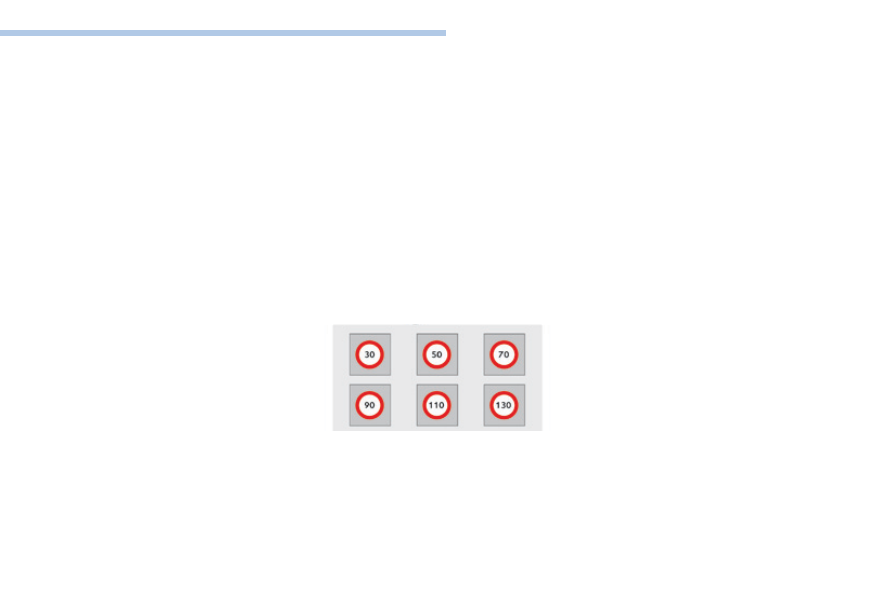
F the six speeds memorised are displayed 

in the touch screen,

F press the button corresponding to the 

speed limit chosen.

  the value is displayed in the instrument 

panel.

  the selection screen closes after a few 

moments.

Adjusting the speed limiter setting

176

Driving

308_en_Chap06_conduite_ed01-2016

On sharp acceleration, as when 
descending a steep hill, the speed 
limiter will not be able to prevent 
the vehicle from exceeding the 
programmed speed.
the limiter is temporarily deactivated 
and the displayed programmed speed 
flashes.
An audible signal accompanies the 
flashing of the programmed speed 
when exceeding the speed is not due to 
an action by the driver.
the use of mats not approved by 
PeugeOt may interfere with the 
operation of the speed limiter.
to avoid any risk of jamming of the 
pedals:

ensure that the mat is secured 
correctly,

do not fit one mat on top of another.

Flashing of the dashes indicates a fault with the 
speed limiter.
Have it checked by a PeugeOt dealer or a 
qualified workshop.

Operating fault

Temporarily exceeding the 
programmed speed

Switching off

F Press 

firmly on the accelerator pedal, 

going beyond the point of resistance, to 
exceed the programmed speed limit.

the speed limiter is deactivated temporarily 
and the displayed programmed speed flashes.
An audible signal accompanies the flashing 
of the programmed speed when exceeding 
the speed is not due to an action by the driver 
(steep hill...).
As soon as the vehicle's speed returns to the 
programmed value, the limiter operates again: 
the display of the programmed speed becomes 
steady again.

F  turn the wheel 1 to the "0" position.
 

the display of speed limiter information 
disappears.

177

6

Driving

308_en_Chap06_conduite_ed01-2016

Steering mounted controls

6.  Cruise control pause / resume indication.
7.  Cruise control mode selection indication.
8.  Programmed speed setting.

Cruise control "CRuISe"

System which automatically maintains the speed of the vehicle at the value programmed by the driver, without any action on the accelerator pedal.

the cruise control system cannot, in any circumstances, 
replace the need to observe speed limits, nor can it 
replace the need for vigilance on the part of the driver.
You are advised to keep your feet near the pedals at 
all times.

the cruise control is switched on manually: it 
requires a minimum vehicle speed of 25 mph 
(40 km/h).

1.  Select cruise control mode.
2.  Set the current speed as the speed 

setting / Decrease the speed setting.

3.  Set the current speed as the speed 

setting / Increase the speed setting.

4.  Pause / resume cruise control.
5.  Display the list of memorised speeds.

Displays in the instrument panel

Switching off the ignition cancels any 
programmed speed value.

the cruise control is paused manually or 
by pressing the brake or clutch pedal or 
on triggering of the eSC system for safety 
reasons.
It is possible to exceed the programmed speed 
temporarily by pressing the accelerator pedal.
to return to the programmed speed, simply 
release the accelerator pedal until the 
programmed cruise speed is reached again.

With a manual gearbox, third or fourth gear 
(depending on engine) or higher must be 
engaged.

With an automatic gearbox, second gear or 
higher must be engaged.

For more information on Memorising 
speeds
, refer to the corresponding 
section.

178

Driving

308_en_Chap06_conduite_ed01-2016

Switching on / Pause

If the cruise control is switched on, you can then 
modify the cruise speed in one of the following ways:

using buttons 2 or 3:
F by successive short presses, to modify 

the speed by + or - 1 mph (km/h),

F by a long press, to modify the speed in 

steps of + or - 5 mph (km/h),

Exceeding the programmed 
speed

F  turn wheel 1 to the "CRUISE" position: the 

cruise control mode is selected but is not 
switched on (Pause).

F  Press button 2 or 3: your vehicle's current 

speed becomes the cruise speed.

the cruise control is activated (ON).

Modification of the cruise 
speed setting

pressing button 5:
F the six memorised speeds are displayed 

in the the touch screen,

F choose a value: it is displayed in the 

instrument panel.

  the selection screen closes after a few 

moments.

  the modification is then accepted.

If the programmed speed is exceeded, the 
displayed speed flashes.
Once the vehicle returns to the programmed 
speed, the display becomes steady again.

Switching off

F  turn wheel 1 to the "0" position.
 

the display of information related to the 
cruise control disappears.

Once switched on, you can pause the cruise 
control at any time by pressing button 4: the 
screen confirms the pause.

179

6

Driving

308_en_Chap06_conduite_ed01-2016

When the cruise control is switched on, 
be careful if you maintain the pressure 
on one of the programmed speed 
changing buttons: this may result in a 
very rapid change in the speed of your 
vehicle.
Do not use the cruise control on 
slippery roads or in heavy traffic.
On a steep descent, the cruise control 
will not be able to prevent the vehicle 
from exceeding the programmed speed.
On steep climbs or when towing, the 
programmed speed may not be reached 
or maintained.
the use of mats not approved by 
PeugeOt may interfere with the 
operation of the cruise control.
to avoid any risk of jamming of the 
pedals:

ensure that the mat is secured 
correctly,

never fit one mat on top of another.

Flashing of the dashes indicates a fault with the 
cruise control.
Have it checked by a PeugeOt dealer or a 
qualified workshop.

Operating fault

180

Driving

308_en_Chap06_conduite_ed01-2016

Dynamic cruise control "CRuISe"

this systems allows the vehicle's speed to be 
maintained at a value set by the driver.
In addition it allows (when circumstances 
permit) an inter-vehicle time that you have 
selected to be maintained between your vehicle 
and the one in front.

Principles of operation

using a radar with a range of about 100 metres, 
located at the front of the vehicle, this system 
detects a vehicle running in front of your 
vehicle.
It automatically adapts the speed of your 
vehicle to that of the vehicle in front.
If the vehicle in front is running more slowly, 
the system progressively reduces the speed of 
your vehicle using just engine braking (as if the 
driver had pressed the "-" button).
If your vehicle is too close to, or approaching 
too quickly the vehicle in front, the dynamic 
cruise control is automatically deactivated. 
the driver is then alerted by an audible signal, 
accompanied by a message.
If the vehicle in front accelerates or changes 
lane, the dynamic cruise control progressively 
accelerates your vehicle to return to the 
programmed speed.
If the driver operates a direction indicator to 
overtake a slower vehicle, the dynamic cruise 
control allows your vehicle to temporarily 
approach the vehicle in front to assist the 
overtaking manoeuvre, though never exceeding 
the programmed speed.

Switching between the types of cruise control

If you want to use the "standard" cruise control, 
it is possible to deactivate the dynamic cruise 
control in the touch screen.
the cruise control selection thumbwheel must 
be in the "CRuISe" position, otherwise the 
choice will not be taken into account.

For more information on the Cruise 
control
, refer to the corresponding 
section.

the state of the system is memorised on 
switching off the ignition.

F  Press the button 

to change from 
dynamic cruise 
control to "standard" 
cruise control and 
vice-versa.

the dynamic cruise control operates 
by day and at night, in fog or moderate 
rainfall.

the system does not act on the braking 
system, but works only with engine 
braking.
the regulation range is limited: there will 
no longer be any adjustment of speed if 
the difference between the programmed 
speed setting and the speed of the 
vehicle in front becomes too great.

the selection of this system deactivates 
the display of inter-vehicle time.

If the difference between the 
programmed speed setting and the 
speed of the vehicle in front is too 
great, the speed cannot be adjusted: 
the cruise control is automatically 
deactivated.

181

6

Driving

308_en_Chap06_conduite_ed01-2016

the dynamic cruise control is switched on 
manually, it requires that the speed of the 
vehicle be between 25 mph (40 km/h) and 
90 mph (150 km/h).

General points

the dynamic cruise control can be paused 
manually with the control, or automatically:

by pressing the brake or clutch pedal,

in the event of operation of the eSC, for 
safety reasons,

in the event of an action on the electric 
parking brake control,

when an inter-vehicle time threshold is 
reached (calculated according to the 
relative speeds of your vehicle and the 
vehicle in front and the inter-vehicle time 
setting chosen),

when the distance between your vehicle 
and the one in front becomes too small,

when the speed of the vehicle in front is 
too low,

when the speed of your vehicle becomes 
too low.

the dynamic cruise control cannot in any 
circumstances replace the observation 
of speed limits, nor the need for the 
vigilance on the part of the driver.
It is recommended that you always keep 
your feet close to the pedals.

the inter-vehicle time setting is 
memorised when switching off the 
ignition.

With a manual gearbox, third or fourth gear 
(depending on engine) or higher must be 
engaged.

With an automatic gearbox, second gear or 
higher must be engaged.

If the cruise speed setting is above 90 mph 
(150 km/h), the dynamic cruise control switches 
to normal cruise control mode (without 
automatic adjustment of the safety inter-vehicle 
distance).

1.  Select cruise control mode.
2.  Set the current speed as the cruise speed 

setting / Reduce the cruise speed setting.

3.  Set the current speed as the cruise speed 

setting / Increase the cruise speed setting.

4.  Pause / resume cruise control.
5.  Display the list of memorised speeds and 

adjust the inter-vehicle time.

Steering mounted controls

For more information on Memorising 
speeds
, refer to the corresponding 
section.

182

Driving

308_en_Chap06_conduite_ed01-2016

the dynamic cruise control must be selected in 
the "Driving assistance" menu.
F  turn the wheel 1 to the "CRUISE" position: 

cruise control mode is selected, but not 
started (Pause).

F  Press one of the buttons 2 or 3: the current 

speed of your vehicle becomes the cruise 
speed setting.

the cruise control is activated (ON).
By default, the inter-vehicle time is set at 
2 seconds.
Otherwise, the last setting made will be used 
when switching on the system.

Switching on

6.  Indication of cruise control pause / resume.
7.  Indication of selection of cruise control mode, 

or


vehicle speed adjustment phase.

8.  Programmed speed setting.

Displays in the instrument panel

Modification of the cruise 
speed

Buttons 2 and 3

If the cruise control is on, you can modify the 
speed:
F  by successive short presses, to modify in 

steps of + or - 1 mph (km/h),

F  by a maintained press, to modify in steps 

of + or - 5 mph (km/h).

As a precaution, it is recommended that you 
select a cruise speed setting close to the 
current speed of your vehicle.

183

6

Driving

308_en_Chap06_conduite_ed01-2016

Modification of the cruise control speed and/or the  
inter-vehicle time

Press button 5, the six memorised speeds and 
the inter-vehicle time setting are displayed in 
the touch screen.
F  Choose a speed setting: it is displayed in 

the instrument panel,

F  press or the "+" or "-" button to choose 

a new inter-vehicle time setting between 
2.5 seconds and 1 second.

In the event of the presence of a 
vehicle detected by the radar, if the 
speed selected is much higher than 
the speed of that vehicle, the system 
is not activated and the alert message 
"Activation not possible, conditions 
unsuitable" is displayed until driving 
conditions are safe to allow activation of 
the system.

Exceeding the programmed 
speed

It is possible to exceed the programmed speed 
temporarily by depressing the accelerator 
pedal.
Simply release the accelerator pedal to return 
to the programmed speed.
If the programmed setting is unintentionally 
exceeded, descending a steep hill for example, 
the speed setting in the instrument panel 
flashes as a warning.

Button 5 (MEM)

this setting remains memorised, whatever the 
state of the system.
the selection screen closes after a few 
moments. the modifications are then accepted.

184

Driving

308_en_Chap06_conduite_ed01-2016

the following table describes the alerts and the messages displayed for the different driving situations.
the display of these alerts is not sequential.

Driving situations and associated alerts

Symbol

Display in the 
instrument panel

Associated message

Comments

No vehicle detected: 
the system operates as a standard cruise control.

Detection of a vehicle, at the limit of the range of the radar: 
the system operates as a standard cruise control.

"SPeeD ADJuSteD"

Detection of a vehicle that is too close or running at a speed lower than your 
vehicle's cruise speed setting.
the system uses engine braking to slow your vehicle (within a limit of 20 mph 
(30 km/h)) and then hold it at the speed of the vehicle in front so as to observe the 
programmed inter-vehicle time.
When automatically slowing down behind a vehicle, your true speed may be higher 
than the "adjusted speed" displayed.

"SPeeD ADJuSteD"

When the adjusted speed reaches the limit of regulation (speed setting less than 
20 mph (30 km/h)), the adjusted speed flashes together with the speed setting to 
signal that automatic deactivation of the system is imminent.

"Cruise control 
paused".

If the system exceeds the limit of speed adjustment possible by the system and in 
the absence of any reaction by the driver (operation of the direction indicator, change 
of lane, reduction of the speed of the vehicle), the system is automatically paused.
the display of the deactivation message is accompanied by an audible signal.

185

6

Driving

308_en_Chap06_conduite_ed01-2016

When the dynamic cruise control is 
automatically paused, it can only be 
reactivated when safe conditions are 
restored. the message "Activation 
not possible, conditions unsuitable" 
is displayed while reactivation is not 
possible.
When the conditions allow, it is 
recommended that the function be 
reactivated by pressing button 2 (Set+) 
or 3 (Set-), which will make the current 
speed of your vehicle the new cruise 
speed setting, rather than by pressing 
button 4 (on/pause) which reactivates 
the cruise control using the old cruise 
speed setting, which may be very 
different from the current speed of your 
vehicle.

the speed regulation range is limited to a 
maximum difference of 20 mph (30 km/h) 
between the speed setting and the speed of the 
vehicle in front.
Above this, the system goes into pause if the 
safe distance becomes too low.
the dynamic cruise control uses only engine 
braking to slow the vehicle. Consequently the 
vehicle loses speed slowly, as when releasing 
the accelerator pedal.
the system is paused automatically:

if the vehicle in front slows down too much 
or too suddenly, and the driver does not 
brake,

if a vehicle comes between your vehicle 
and the vehicle in front,

if the system does not slow the vehicle 
enough to continue to maintain a safe 
distance, for example when descending a 
steep hill.

Limits of operation

As the radar's field of view is quite narrow, it is 
possible that the system may not detect:

the cruise control does not take 
account of:

stationary vehicles,

vehicles driving in the opposite 
direction.

vehicles of reduced width, such as 
motorcycles,

vehicles not running in the middle of the 
lane,

vehicles entering a corner,

vehicles changing lane at the last moment.

186

Driving

308_en_Chap06_conduite_ed01-2016

In the event of a fault with the dynamic cruise 
control, you are alerted by an audible signal 
and display of the message message "Driving 
aid functions fault".
Have the system checked by a PeugeOt 
dealer or a qualified workshop.

When the cruise control is working, take 
care if making a maintained press on 
one of the cruise control programmed 
speed modification buttons: this can 
lead to a very quick change in the 
speed of your vehicle.
Do not use the dynamic cruise control 
on slippery surfaces or in heavy traffic.
When descending a steep hill, the 
cruise control may not be able to 
prevent the vehicle from exceeding the 
programmed speed.
When ascending a steep hill or when 
towing, it might not be possible to attain 
or maintain the programmed speed.

Operating fault

the operation of the radar, located in 
the front bumper, may be disturbed in 
certain weather conditions, for example: 
with accumulations of snow, ice, 
mud, ...
Clean the front bumper, removing the 
snow, mud, ...

the use of mats not approved by 
PeugeOt may interfere with the 
operation of the dynamic cruise control.
to avoid any risk of jamming the pedals:

ensure that mats are secured 
correctly,

never fit one mat on top of another.

187

6

Driving

308_en_Chap06_conduite_ed01-2016

Display of inter-vehicle time

using a radar located at the front of the vehicle, 
this system helps the driver maintain a safe 
distance between their vehicle and the one in 
front, by displaying the current inter-vehicle 
time in the instrument panel.
this is the time interval, expressed in seconds, 
that separates two vehicles in line.
the recommended safe value is about 
2 seconds.
Refer to the legislation or highway code in force 
in your country.

Activation / deactivation*

F  Press this button, the indicator 

lamp comes on.

the measurement is displayed for 
information only: the system takes no 
action on the vehicle.
this system does not in any 
circumstances replace the need for 
vigilance on the part of the driver, who 
must remain in control of the vehicle at 
all times.
the system is not designed for urban 
use nor for more dynamic driving 
(bends, acceleration, harsh braking…) 
but rather when driving at a steady 
speed.

the system is active in a speed range 
between 42 and 93 mph (70 and 
150 km/h).
Stationary vehicles and certain other 
road users (such as bicycles for 
example) are not detected.
the system displays inter-vehicle time 
values of between 3 seconds and 0.5 of 
a second.
Below 0.5 of a second, the value 
displayed is maintained at this level, 
even if the true inter-vehicle time is less.

the state of the system is memorised when the 
ignition is switched off.

Activation of the system is done in the "Driving 
assistance
" menu, with the engine running.

* Depending on version.

Conditions for display

the dynamic cruise control must not 
be selected (the dynamic cruise control 
information is displayed instead of that for the 
inter-vehicle time).

188

Driving

308_en_Chap06_conduite_ed01-2016

Once the speed conditions are met, a symbol is displayed in the instrument panel.

Displays

Symbol

Associated message

Comments

No vehicle detected by the radar.

A vehicle is detected but the inter-vehicle time is more than 3 seconds. No value is 
displayed.

A vehicle is detected. the inter-vehicle time is 3 seconds or less. the minimum value 
displayed is 0.5 seconds, even if the true inter-vehicle time is lower.

"SYSteM INACtIVe: Speed 
unsuitable"

If the speed of your vehicle is outside the operating range.
Where the speed is not suitable, a message is displayed while the speed is outside limits 
(below 42 mph (70 km/h) or above 93 mph (150 km/h), approximately). However, when 
decelerating, the system is deactivated below 27 mph (45 km/h).

"SYSteM INACtIVe: Visibility 
reduced"

the system switches to standby automatically if the sensor does not detect the vehicle in 
front correctly (very difficult weather conditions, sensor out of adjustment, ...).

189

6

Driving

308_en_Chap06_conduite_ed01-2016

the vehicle being followed may not be detected 
in certain conditions such as, for example:

when turning,

when changing lane,

when the vehicle in front is out of the range 
of the sensor (maximum range: around 
100 m).

Operating limits

In the event of a fault with the system, 
this warning lamp is displayed 
accompanied by a message.

Operating fault

Have the system checked by a PeugeOt 
dealer or a qualified workshop.

At the first use of the system after 
repair, a message may be displayed 
indicating that the system is initialising. 
the system is not available while this is 
in progress. As soon as the message 
disappears the system is operational 
again. If the message does not 
disappear, contact a PeugeOt dealer 
or a qualified workshop.

the operation of the radar, located in 
the front bumper, may be disturbed in 
certain weather conditions, for example: 
with accumulations of snow, ice, 
mud, ...
Clean the front bumper, removing the 
snow, mud, ...

190

Driving

308_en_Chap06_conduite_ed01-2016

emergency collision alert system and emergency collision braking system

Emergency collision alert

the emergency collision alert system can be 
activated or deactivated by the driver.
From the secondary page of the "Driving 
assistance
" menu:
F  Select the "Vehicle settings" menu.
F  Check the "Collision risk alert and auto 

braking" line and confirm.

this system has been designed to 
improve driving safety.
the driver must constantly monitor 
the traffic conditions, to assess the 
distance and relative speed of other 
vehicles.
the collision risk alert system does not 
replace the need for vigilance on the 
part of the driver.

this system operates from 20 mph 
(30 km/h), only when other vehicles are 
running in the same direction as your 
vehicle; the system does not detect 
stationary objects. A radar is fitted at 
the front of the vehicle.

System providing a warning to the driver that 
their vehicle is at risk of collision with the 
vehicle in front.


Content   ..  10  11  12  13   ..