Nissan Murano Hybrid (2016 year). Manual - part 11
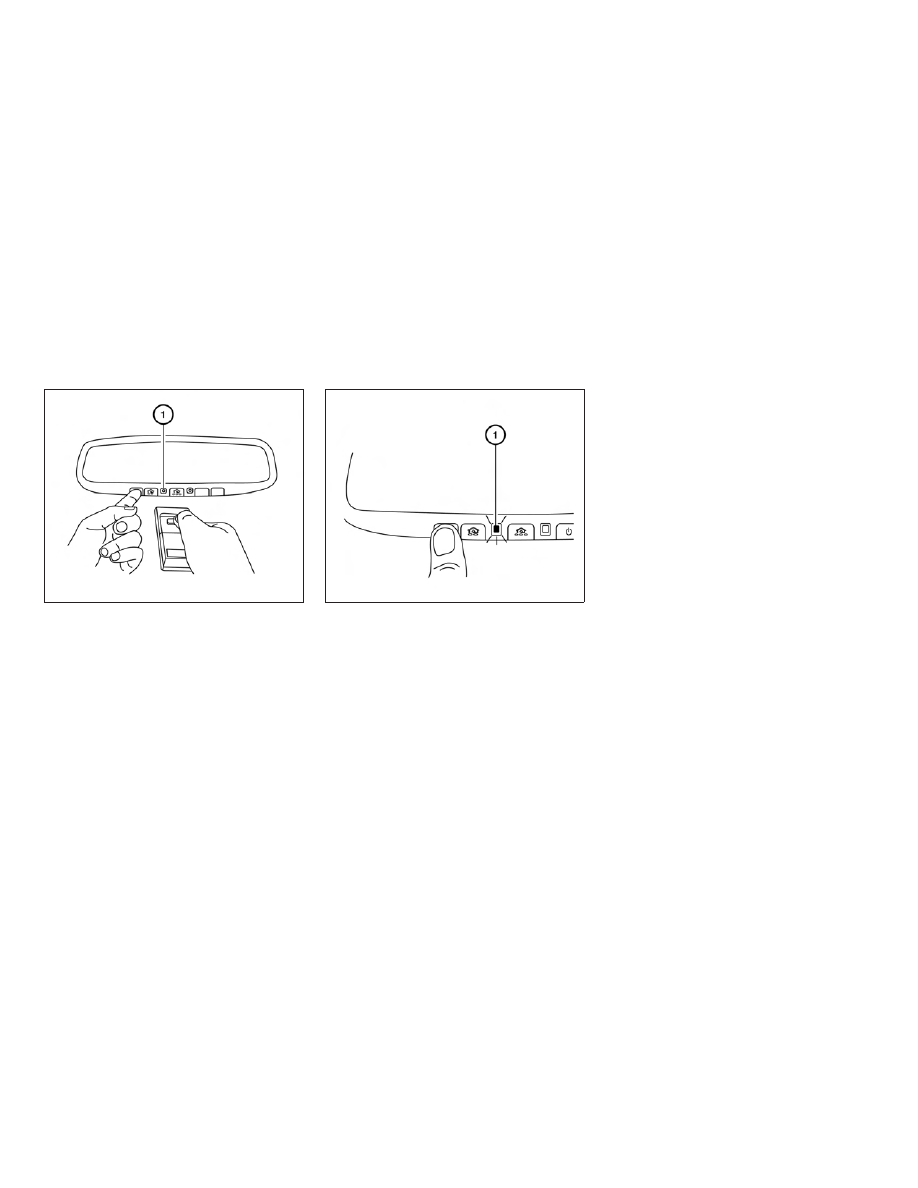
1. Position the end of your hand-held transmit-
ter 1–3 in (2–8 cm) away from the
HomeLink®
surface,
keeping
the
HomeLink® indicator light
䊊
1
in view.
2. Using both hands, simultaneously press and
hold the desired HomeLink® button and
hand-held transmitter button. DO NOT re-
lease until the HomeLink® indicator light
䊊
1
flashes slowly and then rapidly. When the
indicator light flashes rapidly, both buttons
may be released. (The rapid flashing indi-
cates successful programming.)
NOTE:
Some devices may require you to replace
Step 2 with the cycling procedure noted in
“Programming HomeLink® for Canadian
customers and gate openers” in this section.
3. Press
and
hold
the
programmed
HomeLink® button and observe the indica-
tor light.
● If
the
indicator
light
䊊
1
is
solid/continuous, programming is
complete and your device should acti-
vate when the HomeLink® button is
pressed and released.
● If the indicator light
䊊
1
blinks rapidly for
2 seconds and then turns to a
solid/continuous
light,
continue
with Steps 4-6 for a rolling code device.
A second person may make the following
steps easier. Use a ladder or other device.
Do not stand on your vehicle to perform
the next steps.
4. At the receiver located on the garage door
opener motor in the garage, locate the
“learn” or “smart” button (the name and color
of the button may vary by manufacturer but it
is usually located near where the hanging
antenna wire is attached to the unit). If there
is difficulty locating the button, reference the
garage door opener’s manual.
5. Press and release the “learn” or “smart” but-
ton.
LIC2365
LIC2366
2-64
Instruments and controls