Content .. 1098 1099 1100 1101 ..
Nissan Qashqai (2007-2010). Manual - part 1100
WARNING FUNCTION SYMPTOMS
DLK-479
< SYMPTOM DIAGNOSIS >
[WITH I-KEY & SUPER LOCK]
C
D
E
F
G
H
I
J
L
M
A
B
DLK
N
O
P
WARNING LAMP
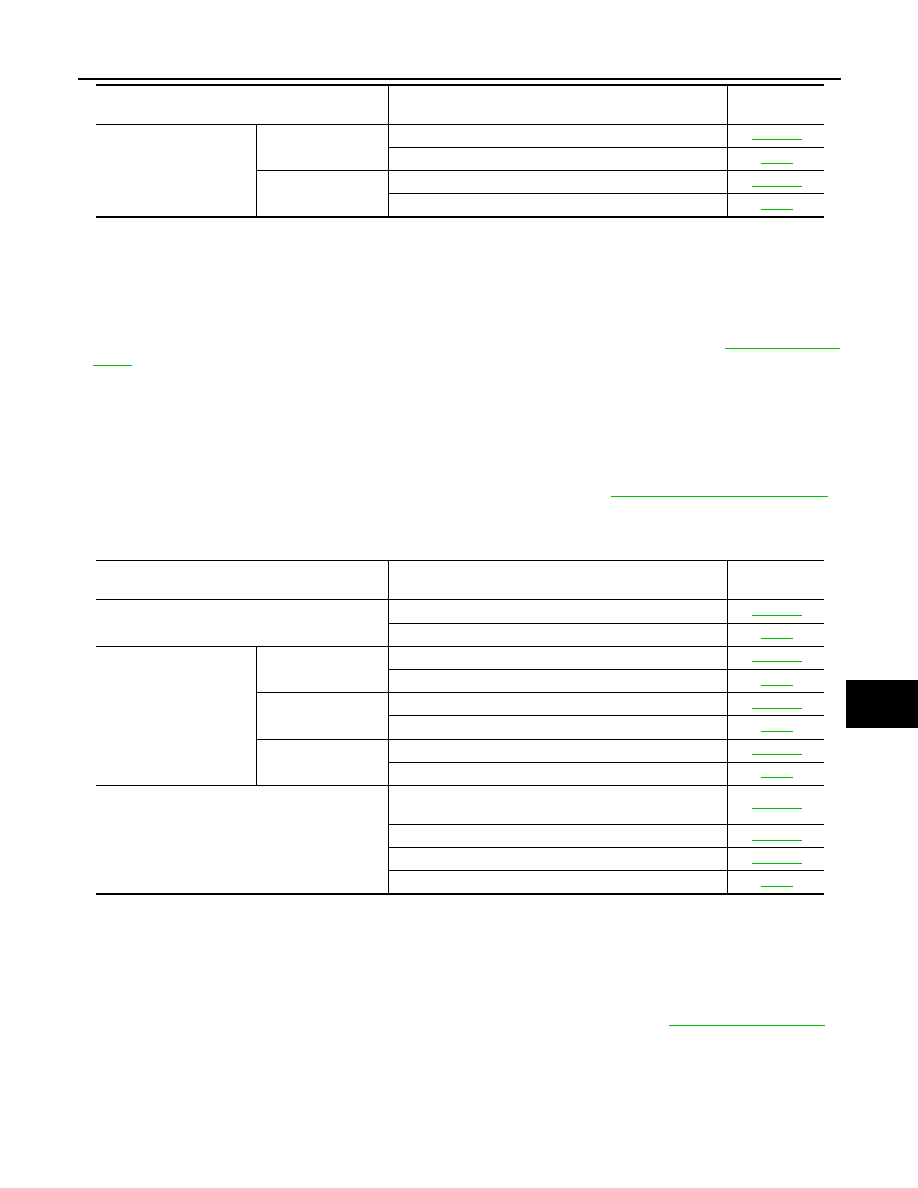
WARNING LAMP : Symptom Table
INFOID:0000000001109318
WARNING LAMP OPERATION MALFUNCTION
NOTE:
• Before performing the diagnosis in the following table, check “WORK FLOW”. Refer to
• Check that vehicle is under the condition shown in “Conditions of vehicle” before starting diagnosis, and
check each symptom.
• If the following symptoms are detected, check systems shown in the “Diagnosis/service procedure” column
in this order.
Conditions of Vehicle (Operating Conditions)
• Warning chime functions operating condition is extremely complicated, during operating confirmations,
reconfirm the list above twice in order to ensure proper operation. Refer to
.
• Door lock function is normal.
Symptom Table
BACK DOOR
BACK DOOR : Symptom Table
INFOID:0000000001109319
BACK DOOR OPEN WARNING OPERATION MALFUNCTION
NOTE:
• Before performing the diagnosis in the following table, check “Work Flow”. Refer to
• Check that vehicle is under the condition shown in “Conditions of vehicle” before starting diagnosis, and
check each symptom.
• If the following symptoms are detected, check systems shown in the “Diagnosis/service procedure” column
in this order.
Conditions of Vehicle (Operating Conditions)
• Door lock function and back door opener function is normal.
Door lock operation warn-
ing chime does not oper-
ate properly.
Request switch oper-
ation
1.
Check Intelligent Key warning buzzer.
2.
Check Intermittent Incident.
Intelligent Key button
operation
1.
Check Intelligent Key warning buzzer.
2.
Check Intermittent Incident.
Symptom
Diagnosis/service procedure
Reference
page
Symptom
Diagnosis/service procedure
Reference
page
OFF position warning does not operate properly.
1.
Check LOCK warning lamp. (RED blinking)
2.
Check Intermittent Incident.
Take away warning does
not operate properly.
Any door open to all
door close.
1.
Check LOCK warning lamp. (RED blinking)
2.
Check Intermittent Incident.
Door is open
1.
Check LOCK warning lamp. (RED blinking)
2.
Check Intermittent Incident.
Take away through
window
1.
Check LOCK warning lamp. (RED blinking)
2.
Check Intermittent Incident.
Intelligent Key low battery warning dose not oper-
ate properly.
1.
Check “LOW BAT OF KEY FOB WARN” setting in
“WARK SUPPORT”.
2.
Check Intelligent Key battery.
3.
Check KEY warning lamp. (GREEN blinking)
4.
Check Intermittent Incident.