Lexus ES250 (2024 year). Manual in english - page 3
85
2-1. Instrument cluster
2
Vehi
cle
status
inform
ati
on a
nd i
ndic
ators
message or the operating state of a rel-
evant system.
PCS (Pre-Collision System)
(
Intuitive parking assist (if equipped)
(
PKSB (Parking Support Brake) (if
equipped) (
Brake Override System (
Drive-Start Control (DSC)
(
Details of content displayed on the head-
up display may differ from that displayed
on the multi-information display. For
details, refer to the explanation of each sys-
tem.
■
/
icons
These icons are linked to the multi-
information display
: Master warning icon
Displayed when a warning message is dis-
played on the multi-information display.
(
: Information icon
Displayed when a suggestion pop-up dis-
play (
P.81) or advice pop-up display is
displayed on the multi-information display.
■
Warning message
Some warning messages are displayed
when necessary, according to certain
conditions.
Details of content displayed on the head-
up display may differ from that displayed
on the multi-information display.
■
Audio system operation status
Displayed when an audio remote con-
trol switch on the steering wheel is
operated.
■
Hands-free system status
Displayed when the hands-free system
is operated.
■
When a pop-up display is displayed
When a pop-up display is displayed, a cur-
rent display may no longer be displayed. In
this case, the display will return after the
pop-up display disappears.
■
Tachometer
Displays the engine speed in revolu-
tions per minute.
■
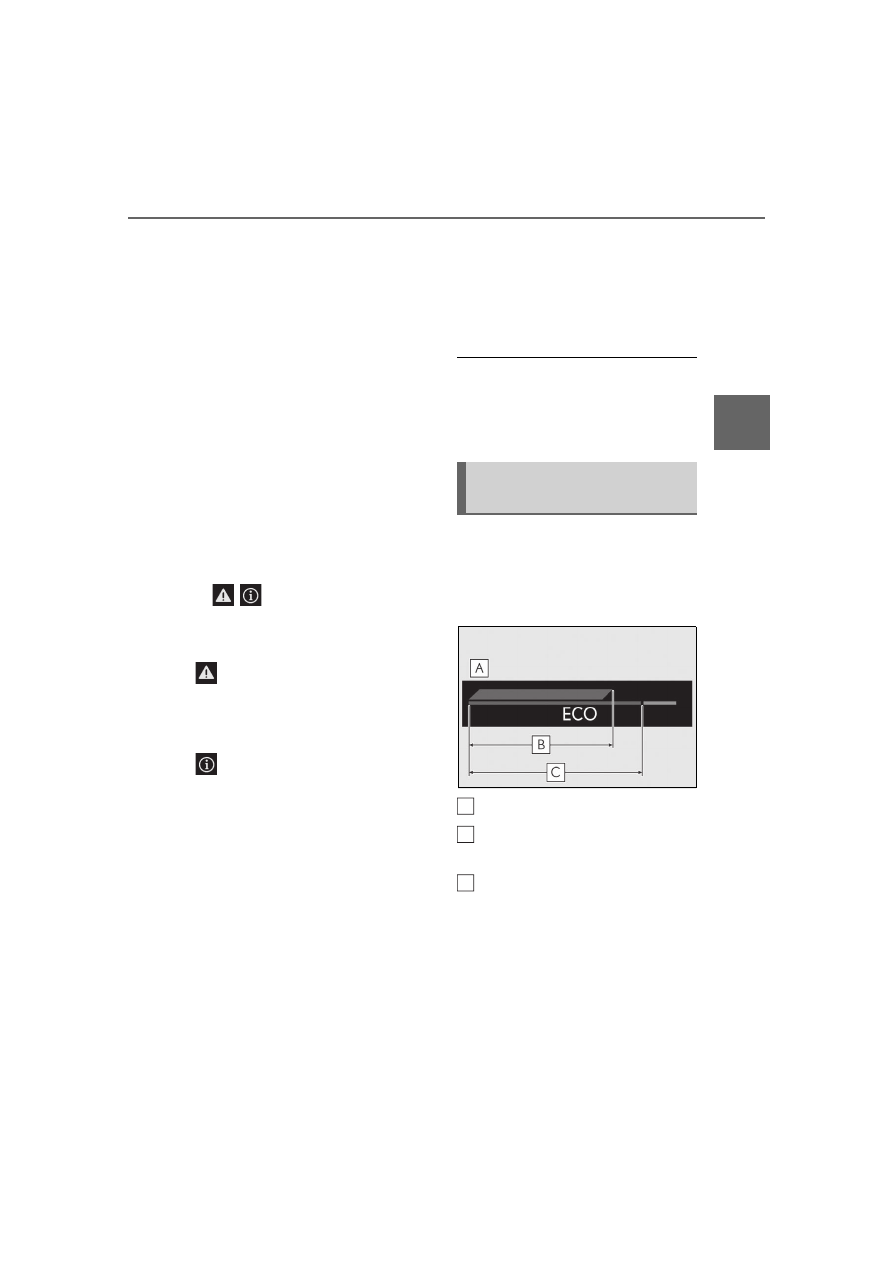
Eco Driving Indicator
Eco Driving Indicator Zone Display
Eco driving ratio based on acceler-
ation
Zone of Eco driving
Displayed content is the same as that dis-
played on the multi-information display
(Eco Driving Indicator). For details, refer to
P.79.
Tachometer/Eco Driving Indica-
tor display area
A
B
C
86
2-1. Instrument cluster
Center Display
■
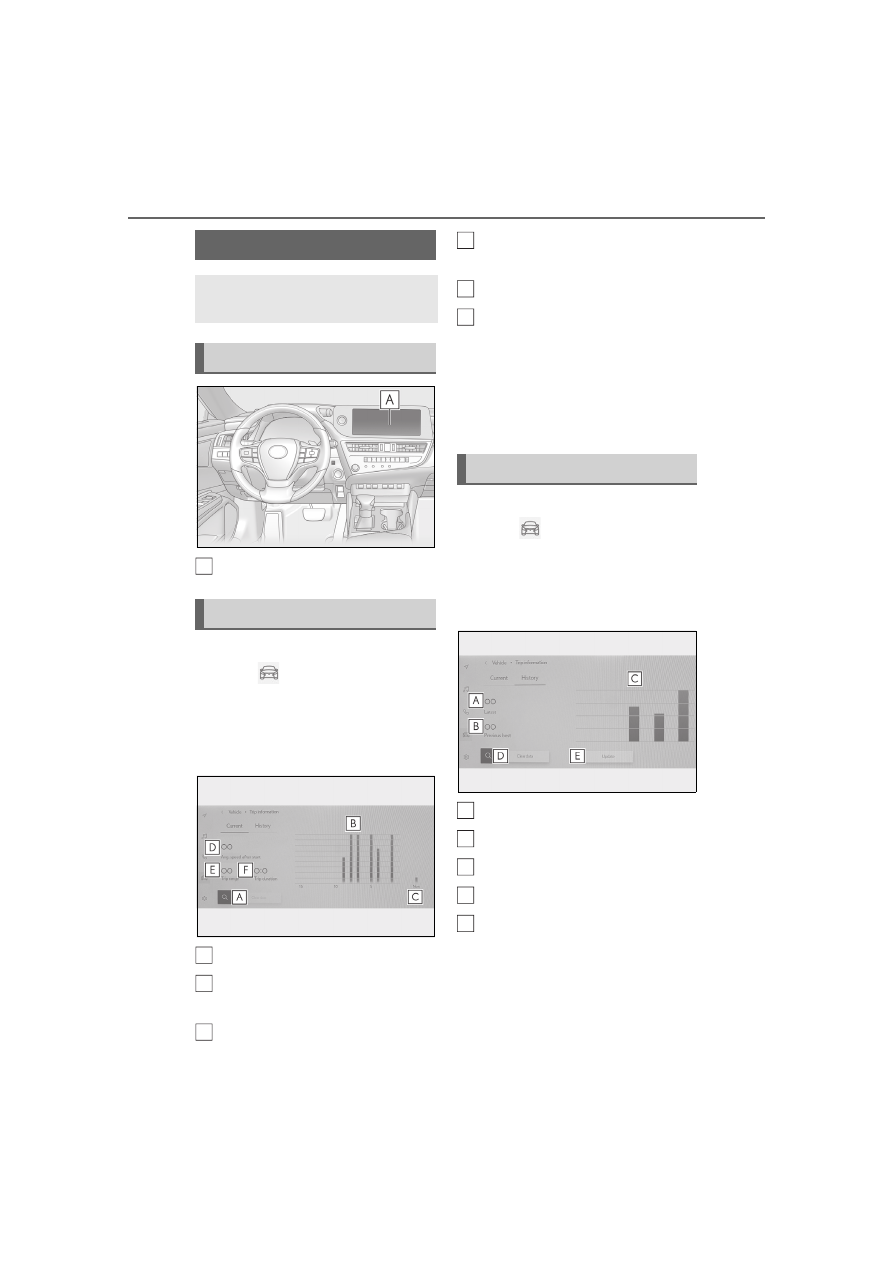
Display procedure
1
Select
on the main menu.
2
Select “Trip information”.
3
Select “Current”.
■
Display
Resetting the history data
Fuel consumption in the past 15
minutes
Current fuel consumption
Average vehicle speed since the
engine was started.
Trip range
Elapsed time since the engine was
started.
Use the displayed average fuel consump-
tion as a reference.
The image is an example only, and may
vary slightly from actual conditions.
■
Display procedure
1
Select
on the main menu.
2
Select “Trip information”.
3
Select “History”.
■
Display
Latest fuel consumption
Best recorded fuel consumption
Previous fuel consumption record
Resetting the history data
Updating the latest fuel consump-
tion data
Use the displayed average fuel consump-
tion as a reference.
The image is an example only, and may
vary slightly from actual conditions.
Fuel consumption screen
Fuel consumption information can
be displayed on the Center Display.
System components
Current screen
A
A
B
C
History screen
D
E
F
A
B
C
D
E