Lexus RX350 (2023 year). Manual in english - page 10
311
4-5. Using the driving support systems
4
Driving
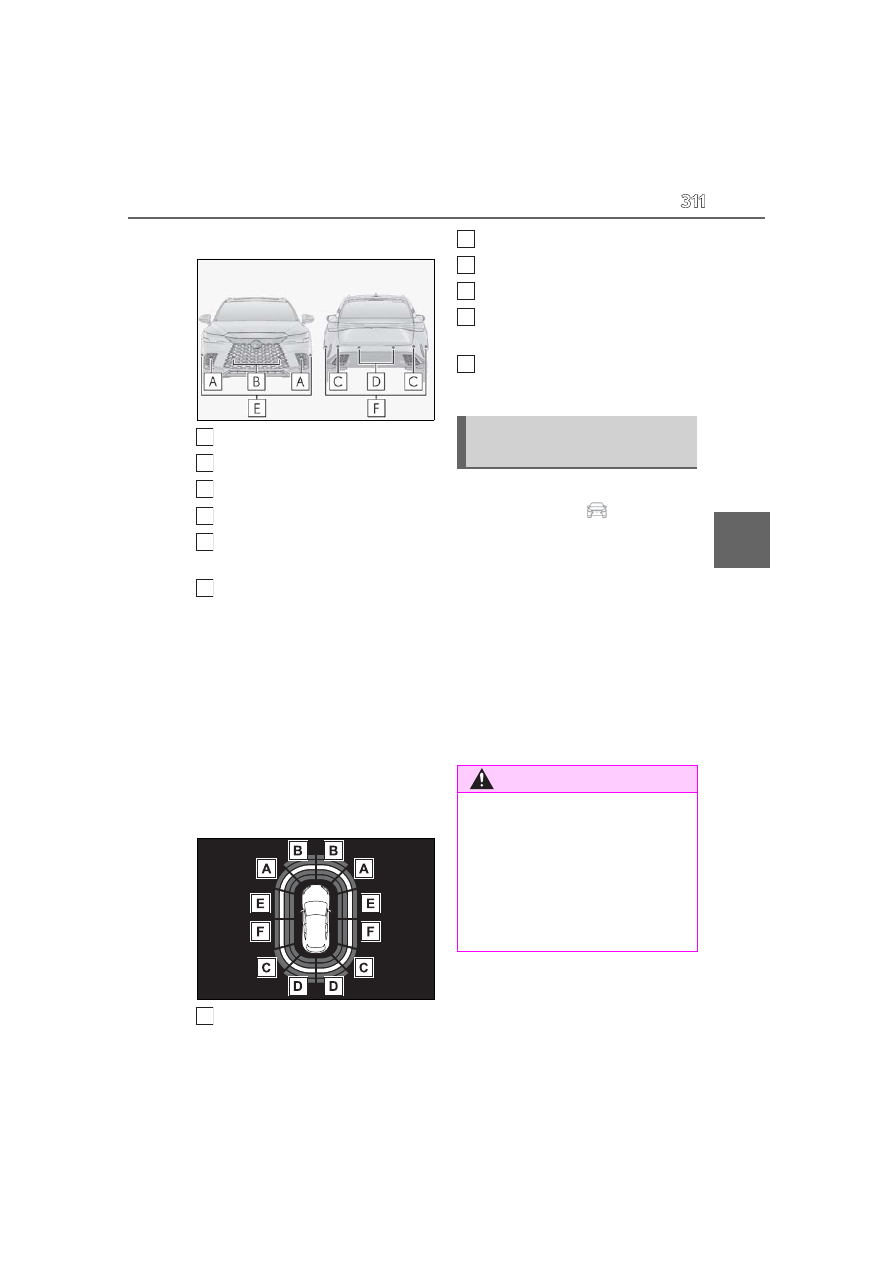
F SPORT models
Front corner sensors
Front center sensors
Rear corner sensors
Rear center sensors
Front side sensors (vehicles with
Advanced Park)
Rear side sensors (vehicles with
Advanced Park)
■
Display
When the sensors detect an object,
such as a wall, a graphic is shown on
the center display depending on the
position and distance to the object.
For details regarding the center dis-
play, refer to the “MULTIMEDIA
OWNER’S MANUAL”.
Display example:
Front corner sensor detection
Front center sensor detection
Rear corner sensor detection
Rear center sensor detection
Front side sensor detection (vehi-
cles with Advanced Park)
Rear side sensor detection (vehi-
cles with Advanced Park)
The intuitive parking assist can be
enabled/disabled on
of the center
display. (
When the intuitive parking assist function is
disabled, the intuitive parking assist OFF
indicator (
P.76) illuminates.
When turned off, the intuitive parking
assist will be disabled and will not be
enabled until the setting is changed to
on again in center display.
If disabled using this method, the sys-
tem will not be re-enabled by turning
the engine switch off and then to ON.
A
B
C
D
E
F
A
Turning intuitive parking assist
on/off
WARNING
■
Cautions regarding the use of the sys-
tem
There is a limit to the degree of recogni-
tion accuracy and control performance
that this system can provide, do not
overly rely on this system. The driver is
always responsible for paying attention
to the vehicle’ surroundings and driving
safely.
B
C
D
E
F