Lexus RX350 (2023 year). Manual in english - page 3

87
2-1. Instrument cluster
2
Vehi
cle
status
inform
ati
on a
nd i
ndic
ators
NOTICE
■
While setting up the display
To prevent battery discharge, ensure that
the engine is running while setting up the
display features.
88
2-1. Instrument cluster
*
: If equipped
The content displayed will differ according to the driving conditions and display
mode of the head-up display. Depending on the situation, pop-up displays will also
be displayed.
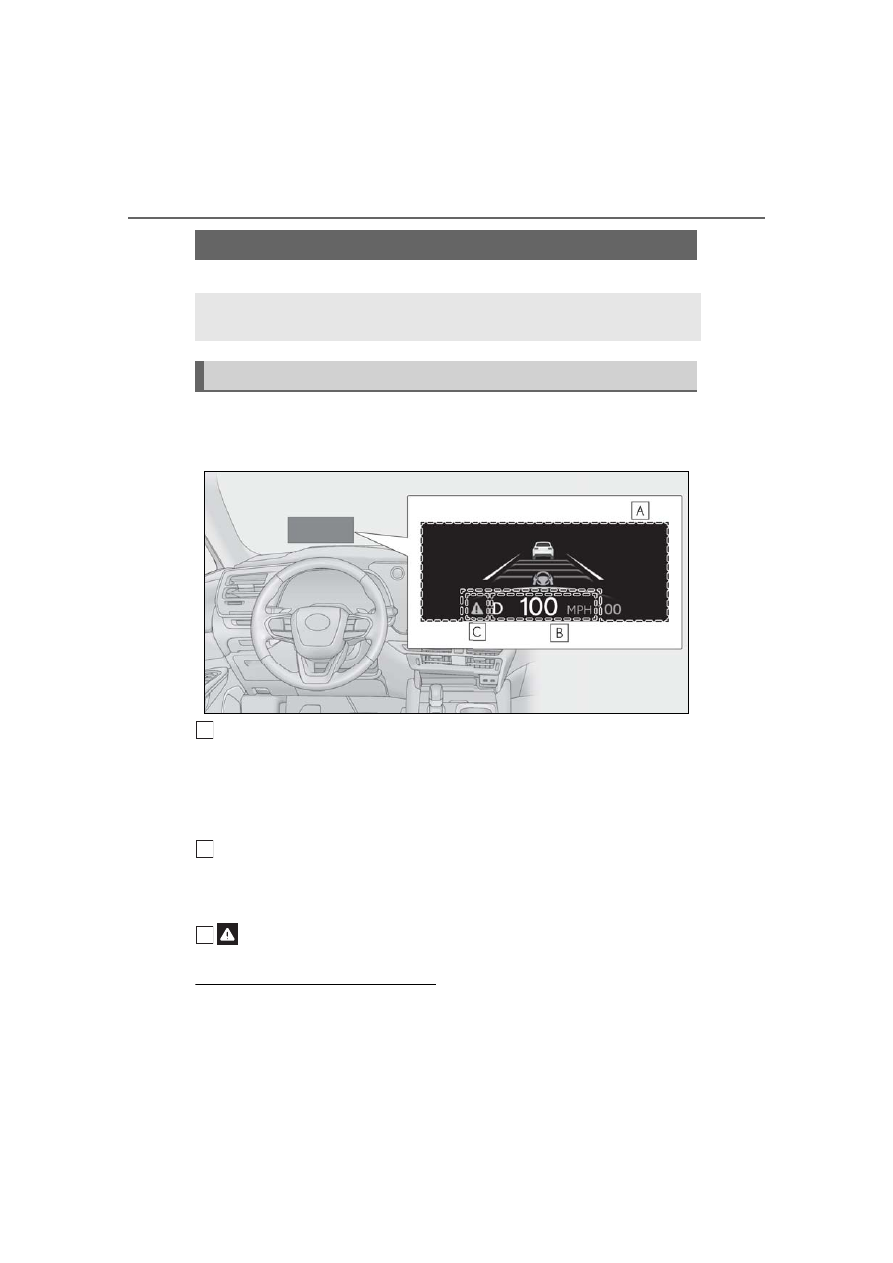
Main display area
Displays the following items:
• Driving support system information display
• Tachometer/Eco Driving Indicator
• Compass (if equipped)
• Speed limit of the current road (linked to the navigation system) (U.S.A. only)
Driving information display area
Displays the following items:
• Speedometer
• Shift position/shift range/gear position
: Master warning icon
Displayed when a warning message is displayed.
■
Head-up display will operate when
The engine switch is in ON.
■
Head-up display
The head-up display may seem dark or hard
to see when viewed through sunglasses,
especially polarized sunglasses. Adjust the
Head-up display
*
The head-up display projects a variety of driving-related information and the
operating state of the driving support systems on the windshield.
System components
A
B
C