Lexus RC300 (2023 year). Manual in english - page 6
182
4-5. Using the driving support systems
●
If a sign not appropriate for the currently
traveled lane, but the sign exists directly
after a freeway branches, or in an adja-
cent lane just before merging.
●
Stickers are attached to the rear of the
preceding vehicle.
●
A sign resembling a system compatible
sign is recognized.
●
Side road speed signs may be detected
and displayed (if positioned in sight of the
front camera) while the vehicle is travel-
ing on the main road.
●
Roundabout exit road speed signs may
be detected and displayed (if positioned
in sight of the front camera) while travel-
ing on a roundabout.
●
The front of the vehicle is raised or low-
ered due to the carried load.
●
The surrounding brightness is not suffi-
cient or changes suddenly.
●
When a sign intended for trucks, etc. is
recognized.
●
The navigation system map data is out-
dated.
●
The navigation system is not operating.
●
The speed information displayed on the
meter and on the navigation system may
be different due to the navigation system
using map data.
■
Speed limit sign display
If the engine switch was last turned off while
a speed limit sign was displayed on the
multi-information display, the same sign dis-
plays again when the engine switch is
turned to IGNITION ON mode.
■
If “RSA Malfunction Visit Your Dealer”
is shown
The system may be malfunctioning. Have
the vehicle inspected by your Lexus dealer.
■
Customization
Some functions can be customized. (Cus-
tomizable features:
Vehicle-to-vehicle distance switch
Multi-information display
Set speed
Indicators
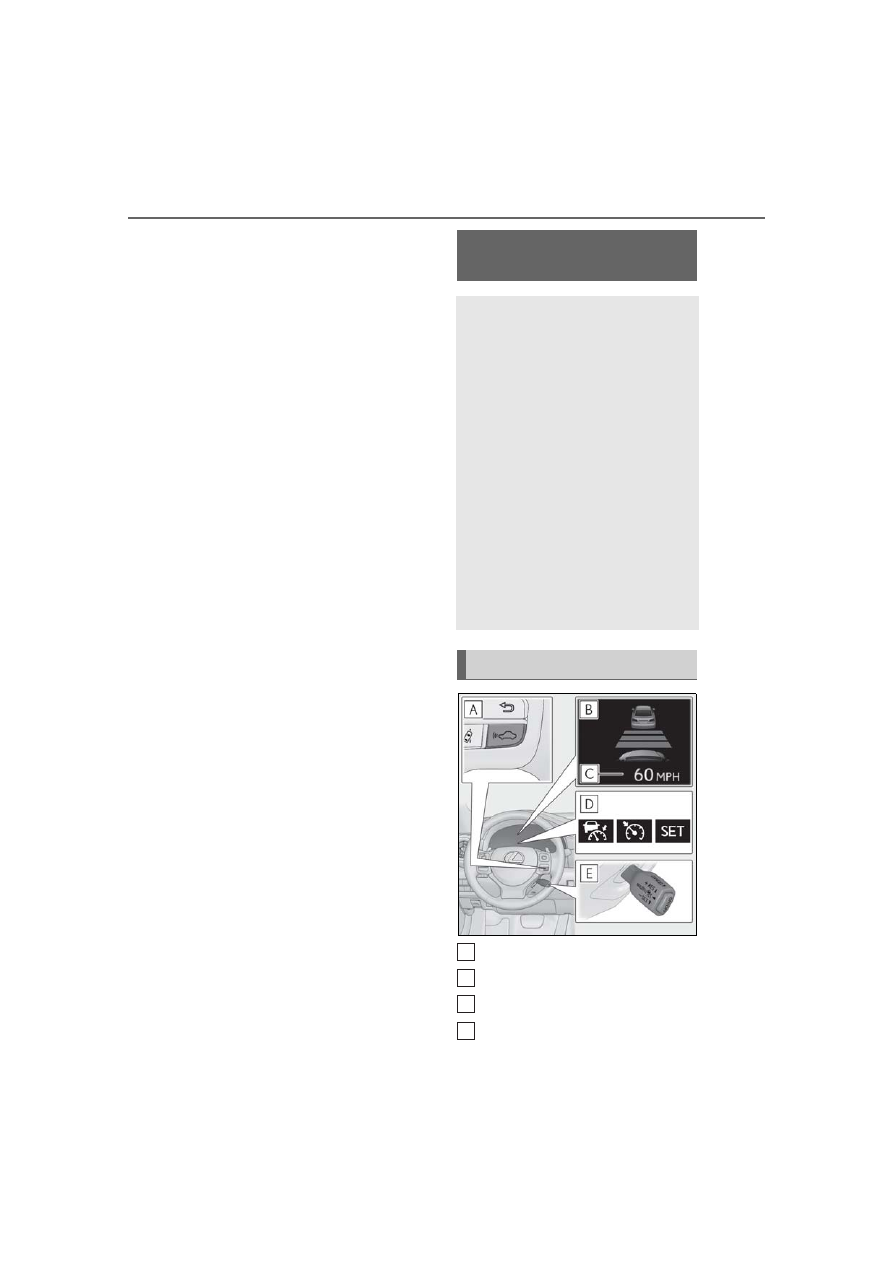
Dynamic radar cruise con-
trol with full-speed range
In vehicle-to-vehicle distance con-
trol mode, the vehicle automati-
cally accelerates, decelerates and
stops to match the speed changes
of the preceding vehicle even if the
accelerator pedal is not depressed.
In constant speed control mode,
the vehicle runs at a fixed speed.
Use the dynamic radar cruise con-
trol with full-speed range on free-
ways and highways.
Vehicle-to-vehicle distance con-
trol mode (
Constant speed control mode
(
System Components
A
B
C
D