Lexus RC300 (2023 year). Manual in english - page 3
86
3-2. Opening, closing and locking the doors and trunk
3-2.Opening, closing and locking the doors and trunk
■
Smart access system with
push-button start
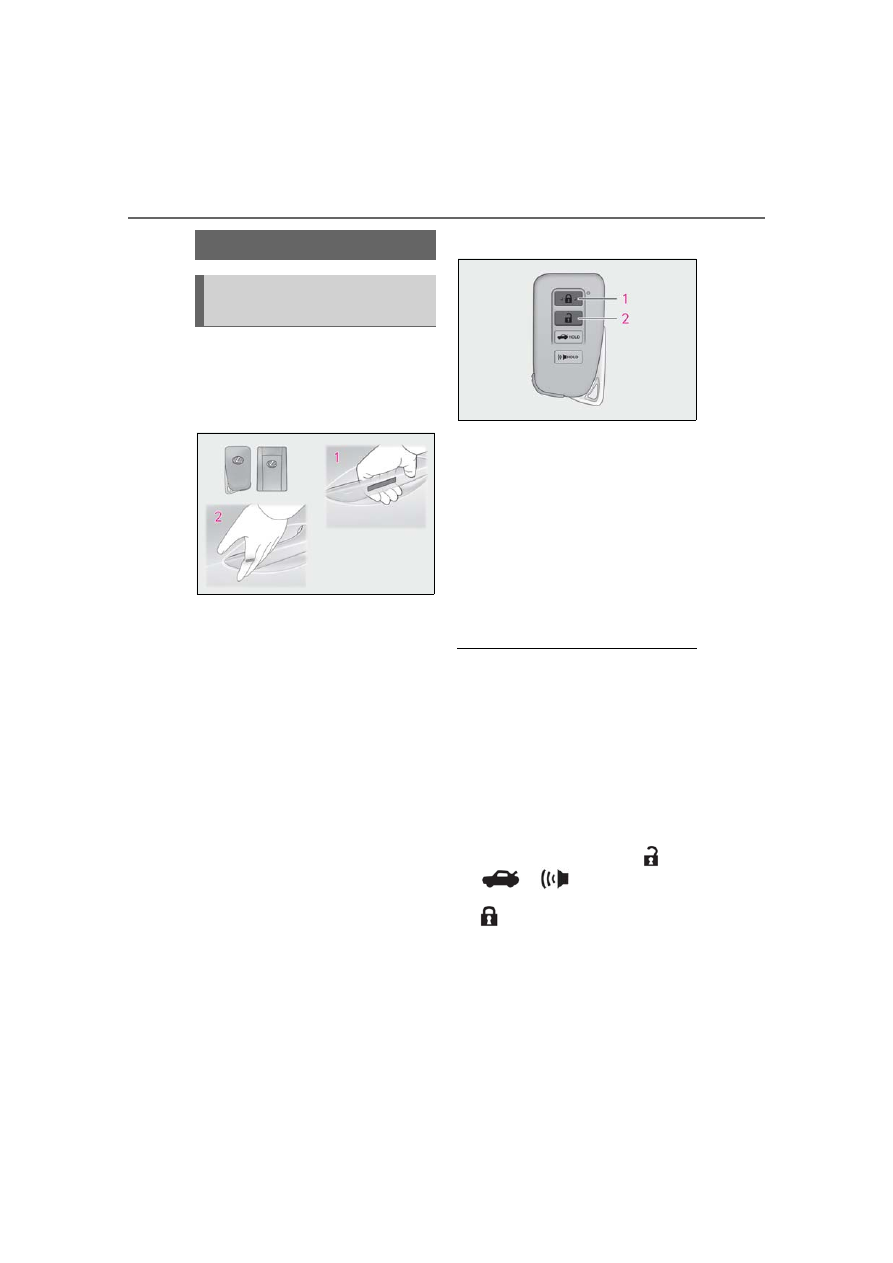
Carry the electronic key to enable this
function.
1
Grip the driver’s door handle to
unlock the door. Grip the passen-
ger’s door handle to unlock both
side doors.
*
Make sure to touch the sensor on the back
of the handle.
The doors cannot be unlocked for 3 sec-
onds after the doors are locked.
*
: The door unlock settings can be
changed.
2
Touch the lock sensor (indentation
on the side of the door handle) to
lock the doors.
Check that the door is securely locked.
■
Wireless remote control
1
Locks both side doors
Check that the door is securely locked.
2
Unlocks both side doors
Pressing the button unlocks the driver’s
door. Pressing the button again within 5
seconds unlocks the other door.
Press and hold to open the windows and
moon roof.
*
*
: This setting must be customized at your
Lexus dealer.
■
Side window open/close function linked
to door operation
When a door is opened, its window opens
slightly. When a door is closed, its window
closes completely.
■
Switching the door unlock function
It is possible to set which doors the entry
function unlocks using the wireless remote
control.
1
Turn the engine switch off.
2
When the indicator light on the key sur-
face is not on, press and hold
,
or
for approximately 5
seconds while pressing and holding
.
The setting changes each time an operation
is performed, as shown below. (When
changing the setting continuously, release
the buttons, wait for at least 5 seconds, and
repeat step
2
.)
Doors
Unlocking and locking the doors
from the outside
87
3-2. Opening, closing and locking the doors and trunk
3
Be
fore
dri
ving
To prevent unintended triggering of the
alarm, unlock the doors using the wireless
remote control and open and close a door
once after the settings have been changed.
(If a door is not opened within 60 seconds
after
is pressed, the doors will be
locked again and the alarm will automati-
cally be set.)
In a case that the alarm is triggered, imme-
diately stop the alarm. (
■
Impact detection door lock release sys-
tem
In the event that the vehicle is subject to a
strong impact, both side doors are
unlocked. Depending on the force of the
impact or the type of accident, however, the
system may not operate.
■
Operation signals
A buzzer sounds and the emergency flash-
ers flash to indicate that the doors have
been locked/unlocked. (Locked: once;
Unlocked: twice)
A buzzer sounds to indicate that the win-
dows and moon roof are operating.
■
Welcome light illumination control
The side marker, parking, tail and license
plate lights automatically turn on at night
when the doors are unlocked using the
entry function or wireless remote control if
the light switch is in the
position.
■
Security feature
If a door is not opened within approximately
60 seconds after the vehicle is unlocked,
the security feature automatically locks the
vehicle again.
■
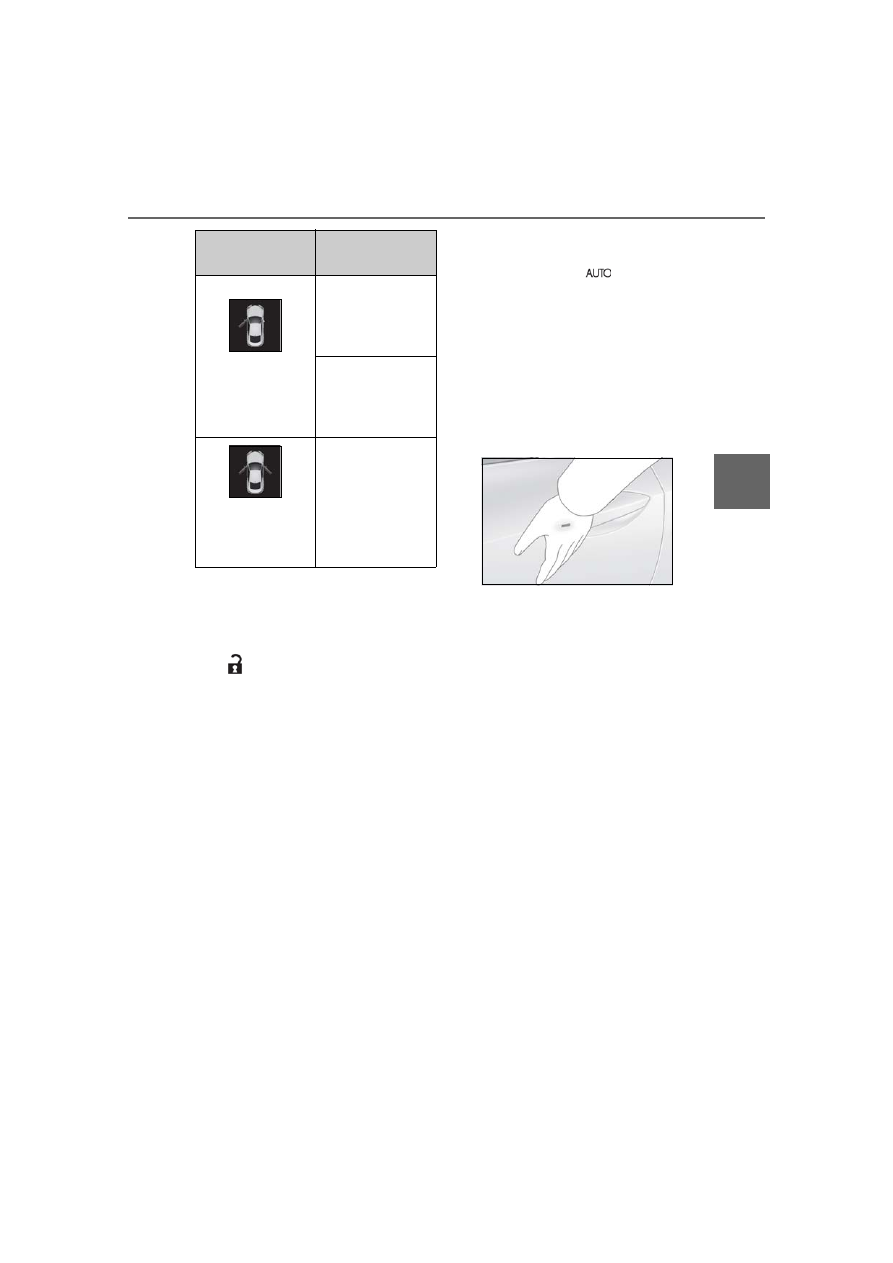
When the door cannot be locked by the
lock sensor on the surface of the door
handle
Use your palm to touch the lock sensor.
■
Open door warning buzzer
If an attempt to lock the doors is made when
a door is not fully closed, a buzzer sounds
continuously for 5 seconds. Fully close the
door to stop the buzzer, and lock the vehi-
cle once more.
■
Setting the alarm
Locking the doors will set the alarm system.
(
■
Conditions affecting the operation of
the smart access system with push-but-
ton start or wireless remote control
■
If the smart access system with
push-button start or the wireless remote
control does not operate properly
Use the mechanical key and/or inside lock
buttons to lock and unlock the doors.
(
Replace the key battery with a new one if it
is depleted. (
■
Customization
Some functions can be customized.
(
Multi-information
display/Beep
Unlocking function
Exterior: Beeps 3
times
Interior: Pings once
Holding the driver’s
door handle unlocks
only the driver’s
door.
Holding the passen-
ger’s door handle
unlocks both side
doors.
Exterior: Beeps
twice
Interior: Pings once
Holding either door
handle unlocks both
side doors.