LEXUS LS 500 (2019 year). Manual - part 8
124
3-3. Adjusting the seats
LS500_OM_(U)_1809
3
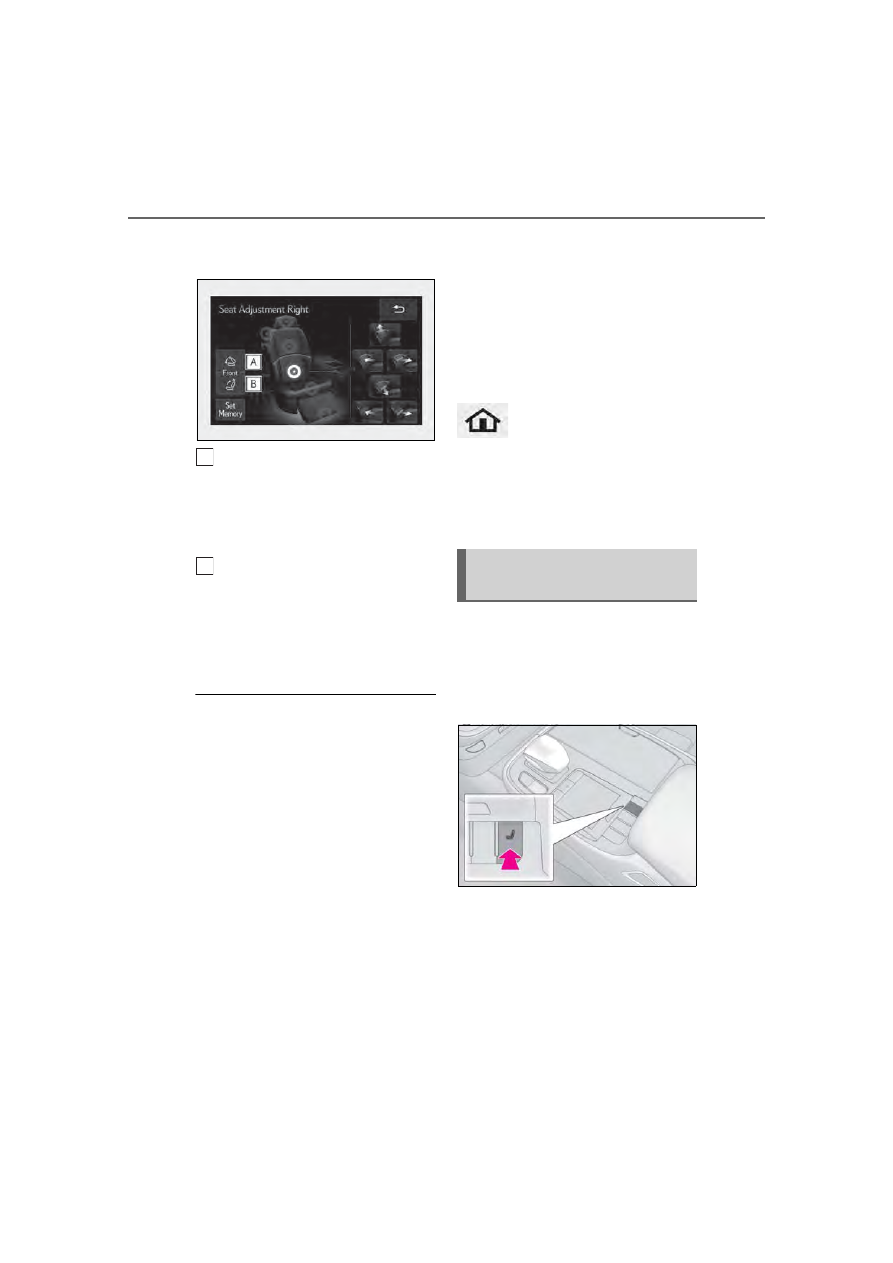
Touch the button for the desired
operation.
Touch and hold to move the front
passenger’s seat forward and fold
the seatback forward.
On vehicles with a foldable head restraint,
the head restraint will also fold forward.
Touch and hold to move the front
passenger’s seat backward and the
seatback to the upright position.
On vehicles with a foldable head restraint,
the head restraint will also move to the
upright position.
■
Operating the front passenger’s seat
from the rear seat
●
In the following situations, the front pas-
senger’s seat cannot be operated using
the Rear Multi Operation Panel:
• The engine switch is in ACCESSORY
mode or off.
• The rear seat belt is not fastened and
weight is not detected on the rear seat.
Once weight is detected on the seat, the
seat will be judged as occupied until a rear
door is opened then closed or the engine
switch is turned off and the doors are
locked.
• The weight of an occupant or heavy
object, etc. is detected on the front pas-
senger’s seat.
Once weight is detected on the seat, the
seat will be judged as occupied until the
front passenger’s door is opened then
closed or the engine switch is turned off.
• The front passenger’s seat belt is fas-
tened.
• The front passenger’s door is open. (The
front seat will not move forward.)
●
If the rear armrest is stowed while the
seat position is being adjusted, the opera-
tion will stop.
■
Canceling an operation
To cancel an operation, press and hold the
button of the Rear Multi Opera-
tion Panel or press it 3 times in quick suc-
cession.
■
When the front passenger’s seat is
folded forward
Pneumatic chambers built into the
front seat apply pressure to the occu-
pant’s body at different modes and
intensities.
1
Press the seat switch.
2
Using the Remote Touch pad,
select “Driver Seat Refresh” or
“Passenger Seat Refresh”.
3
Select the desired mode.
“Centripetal”
Applies pressure sequentially from the
front of the seat cushion to top of the seat-
A
B
Front seat refresh system (if
equipped)