Jaguar XJ (2008 year). Service manual - part 81
 

  Index      Jaguar     Jaguar XJ - service and repair manual 2008 year


Search            


Content   ..  79  80  81  82   ..


Jaguar XJ (2008 year). Service manual - part 81


325

Telephone Operation - Touch-Screen

R

Searching by Name

It is possible to list names stored in the 
vehicle phone book, whilst the vehicle is 
in motion.

!

WARNING:

Jaguar recommends that the driver 
does not use this feature whilst the 
vehicle is in motion. Give full attention 
to driving - safe driving is your first 
responsibility.

Location number

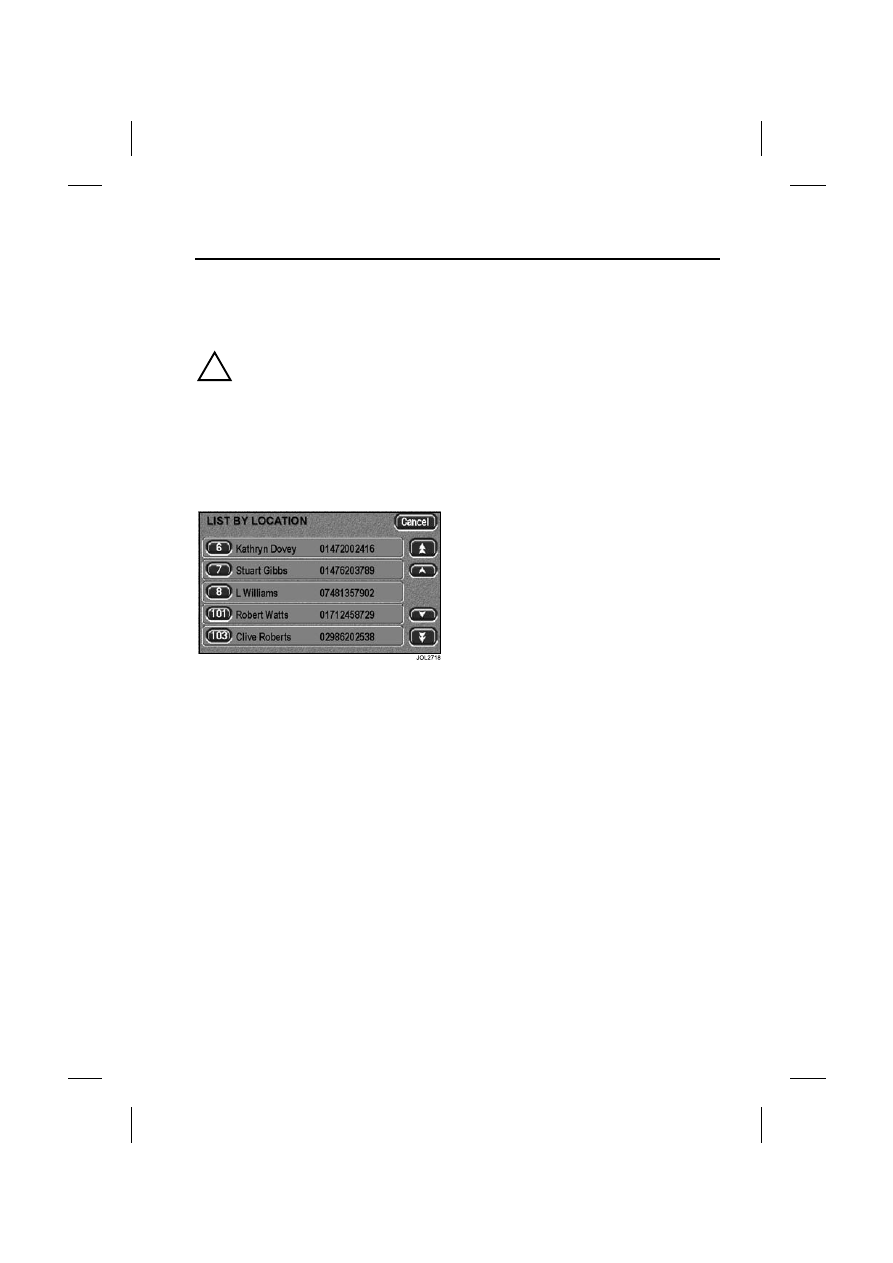
The Location Number screen enables 
the user to search the phone memory by 
location.

Upon pressing the location number 
touch-control, a location number is 
requested. A list of locations is then 
displayed as above (dependent upon 
those stored in the memory). The desired 
location may then be dialled by touching 
the location number.

When the vehicle is in motion, the scroll 
touch-controls at the right-hand side of 
the touch-screen will be inhibited for 
safety.

Note: 

The location number of phone book 
entries stored on your mobile phone may 
vary from those stored in the vehicle 
phone book.

Telephone Operation - Touch-Screen

326

L

Name entry

On the phone menu, select Name. The 
screen above will be displayed. Touch the 
required alphabetical group to narrow 
your search, then scroll through the list.

List by name

With the memory list displayed above, 
scroll through the list of names using the 
arrowed buttons. Touch the desired list 
number to make the call.

Use 

 to terminate the call.

ADDITIONAL INFORMATION

Continuity of calls

Whilst in a call in hands-free mode, the 
call remains connected if the vehicle 
ignition is turned OFF (position 0). When 
the call ends, another call cannot be 
made or received through the vehicle 
system unless the ignition switch is 
turned to position I or II.

DTMF tones

Whilst in a call you can transmit a DTMF 
(Dual Tone Multi-Frequency) tone, to 
remotely control equipment such as an 
answering machine. Key in the 
appropriate numbers on the audio panel 
keypad. The numbers entered will be 
displayed on the audio panel.

Scratch pad

During a call, the audio panel keypad may 
be used to store a number to be dialled 
once the current call is terminated. The 
number entered will be displayed on the 
audio panel: once the current call is 
terminated, the number can be dialled by 
pressing 

 on the steering wheel, or 


on the audio panel.

Note: DTMF tones may be heard when 
entering a number.

Changing a phone number

When making a call, you can change the 
phone number shown on the audio 
display using the CANCEL button (audio 
panel) or C (touch-screen).

A momentary press erases any single 
digit, a long press erases the complete 
number.

327

Telephone Operation - Touch-Screen

R

PIN feature

The PIN feature is not supported by the 
Bluetooth telephone system.

Therefore, please ensure that your mobile 
phone is not locked by a PIN whilst it is 
connected to the Bluetooth telephone 
system.

Phone Book

328

L

Phone Book

PHONE BOOK TRANSFERS

Any phone numbers stored in your mobile 
phone book can be copied to the 
vehicle’s phone system. 

In most cases, this will happen 
automatically when you pair the phone 
with the vehicle. Refer to 
www.jaguar.com to check compatibility.

However, with some mobile phones, you 
may need to manually transfer the phone 
book.
• Make sure the vehicle ignition is ON 

and the vehicle and phone are paired.

• Press the 

 button on the audio 

panel or touch-screen surround.

• Switch OFF the ignition and wait for 

your phone to disconnect from the 
vehicle, to allow the vehicle Bluetooth 
system to complete the download 
process.

Updating the phone book

Once the phone book has been copied to 
the vehicle, it will be updated 
automatically if your phone supports 
automatic phone book download.

Certain phones allow single or multiple 
phone book entries to be transferred to 
the vehicle (refer to the manual of your 
specific mobile phone for more 
information). These entries will be added 
to the end of the vehicle phone book.

Note: The location number of phone book 
entries stored on your mobile phone may 
change once they are transferred to the 
vehicle phone book: location numbers are 
not preserved when phone books are 
copied via Bluetooth.

If you wish to pair a new phone with the 
vehicle and replace the current vehicle 
phone book, follow the relevant pairing 
procedure on page 316.


Content   ..  79  80  81  82   ..