Hyundai Elantra GT (2018 year). Manual - part 9
Automatic
Lane Keeping Assist
LCD Display Messages
Emergency Braking
System (LKAS)
Shift to to P or N to start engine
(AEB) Warning light
Indicator Light
(for smart key system)
(if equipped)
(if equipped)
This warning message is displayed if
This warning light illuminates :
This indicator light illuminates:
you try to start the engine with the
• When the AEB system is turned
•
[Green] When you activate the lane
shift lever not in the P (Park) or N
off.
departure warning system by
(Neutral) position.
3
pressing the LKAS button and all
• When the radar sensor or cover is
of the system operating conditions
blocked with dirt or snow. Check
i
Information
are satisfied.
the sensor and cover and clean
You can start the engine with the shift
them by using a soft cloth.
•
[White] When system operating
lever in the N (Neutral) position. But,
conditions are not satisfied or
• When there is a malfunction with
for your safety, we recommend that
when the sensor does not detect
AEB. In this case, have your vehicle
you start the engine with the shift
the lane line.
inspected by an authorized dealer of
lever in the P (Park) position.
HYUNDAI.
•
[Yellow] When there is a malfunc-
tion with the lane keeping assist
system.
For more information, refer to
In this case, have your vehicle
"Automatic (Autonomous) Emergency
inspected by an authorized HYUNDAI
Braking (AEB)" in chapter 5.
dealer.
For more information, refer to "Lane
Keeping Assist System (LKAS)" in
chapter 5.
3-63
Convenient features of your vehicle
Shift to P
Press brake pedal to start engine
Key not in vehicle
(for smart key system)
(for smart key system and auto-
(for smart key system)
This message is displayed if you try
matic transmission/dual clutch
This warning message is displayed if
to turn off the engine without the shift
transmission)
the smart key is not in the vehicle
lever in P (Park) position.
This warning message is displayed if
when you press the Engine Start/Stop
At this time, the Engine Start/Stop
the Engine Start/Stop button changes
button.
button turns to the ACC position (If
to the ACC position twice by pressing
When attempting to start the vehicle,
you press the Engine Start/Stop but-
the button repeatedly without depress-
always have the smart key with you.
ton once more, it will turn to the ON
ing the brake pedal.
position).
You can start the vehicle by depressing
Key not detected
the brake pedal.
(for smart key system)
Low key battery
This warning message is displayed if
(for smart key system)
Press clutch pedal to start
the smart key is not detected when you
This warning message is displayed if
engine (for smart key system
press the Engine Start/Stop button.
the battery of the smart key is dis-
and manual transmission)
charged while changing the Engine
This warning message is displayed if
Press START button again
Start/Stop button to the OFF position.
the Engine Start/Stop button
(for smart key system)
changes to the ACC position twice
This message is displayed if you were
by pressing the button repeatedly
unable to start the vehicle when the
without depressing the clutch pedal.
Engine Start/Stop button was
You can start the engine by depress-
pressed.
ing the clutch pedal to.
If this occurs, attempt to start the
engine by pressing the Engine Start/
Stop button again.
If the warning message appears each
time you press the Engine Start/Stop
button, have your vehicle inspected by
an authorized HYUNDAI dealer.
3-64
Press START button with key
Door, Hood, Liftgate Open
Sunroof Open (if equipped)
(for smart key system)
This warning message is displayed if
you press the Engine Start/Stop but-
ton while the warning message "Key
not detected" is displayed.
At this time, the immobilizer indicator
light blinks.
3
Check BRAKE SWITCH fuse
(for smart key system)
This warning message is displayed if
OPD046115
OPD046116
the brake switch fuse is disconnected.
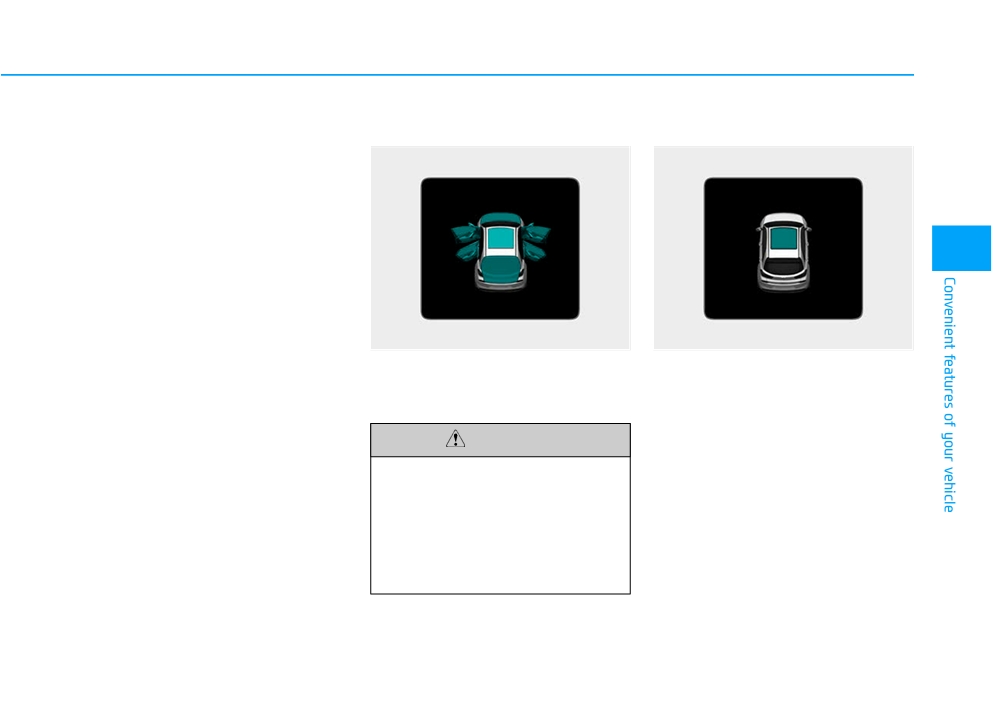
This warning is displayed indicating
This warning is displayed if you turn
You need to replace the fuse with a
which door, or hood, or liftgate is
off the engine when the sunroof is
new one before starting the engine.
open.
open.
If that is not possible, you can start the
Close the sunroof securely when
engine by pressing the Engine
leaving your vehicle.
Start/Stop button for 10 seconds in the
CAUTION
ACC position.
Before driving the vehicle, you
should confirm that the door/
hood/liftgate is fully closed.
Also, check there is no door
/hood/liftgate open warning light
or message displayed on the
instrument cluster.
3-65
Convenient features of your vehicle
Low Pressure
Turn on FUSE SWITCH
Lights Mode
OPD067005L
OPDE046119
OPD047120L
This warning message is displayed if
This warning message is displayed if
This indicator displays which exterior
the tire pressure is low. The corre-
the fuse switch located on the fuse
light is selected using the lighting
sponding tire on the vehicle will be
box under the steering wheel is OFF.
control.
illuminated.
You should turn the fuse switch on.
For more details, refer to "Tire
For more details, refer to "Fuses"
Pressure Monitoring System
in chapter 7.
(TPMS)" in chapter 6.
3-66
Wiper
Heated Steering Wheel turned
Engine has overheated
off (if equipped)
This warning message is displayed
■ Front
■ Rear
This message is displayed if you turn
when the engine coolant tempera-
off the heated steering wheel.
ture is above
248°F (120°C). This
means that the engine is overheated
For more details, refer to "Heated
and may be damaged.
Steering Wheel" in this chapter.
If your vehicle is overheated, refer
3
to "Overheating" in chapter 6.
Low washer fluid (if equipped)
This warning message is displayed
Check headlight (if equipped)
if the washer fluid level in the reser-
voir is nearly empty.
This warning message is displayed if
OPD047125L/OPD047126L
the headlights are not operating
Have the washer fluid reservoir refilled.
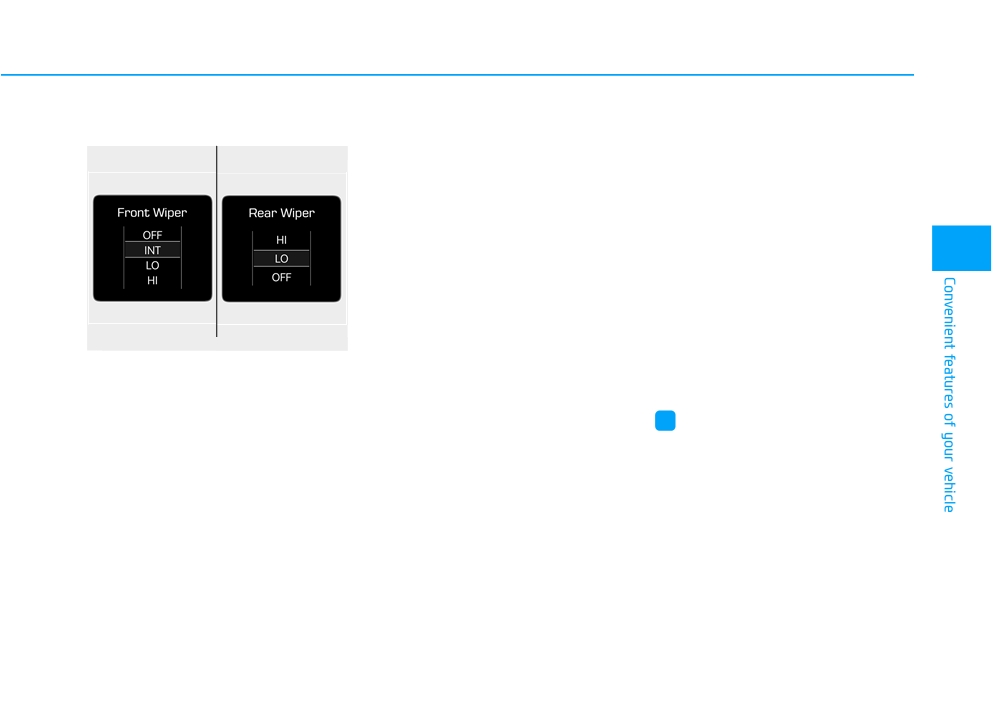
This indicator displays which wiper
properly. A headlight bulb may need
speed is selected using the wiper
to be replaced.
Low fuel
control.
This warning message is displayed if
i
Information
the fuel tank is almost out of fuel.
Make sure to replace the burned out
When this message is displayed, the
bulb with a new one of the same wattage
low fuel level warning light in the
rating.
cluster will come on.
It is recommended to look for the
nearest fueling station and refuel as
soon as possible.
Add fuel as soon as possible.
3-67
Convenient features of your vehicle
Check headlamp LED
Check AEB system (if equipped)
Check BSD System (if equipped)
(if equipped)
This warning message is displayed if
This warning message is displayed if
This warning message is displayed if
there is a malfunction with the
there is a problem with the Blind Spot
there is a problem with the LED head-
Automatic Emergency Braking (AEB)
Detection (BSD) system. Have the
lamp. Have the vehicle inspected by
system. Have the vehicle inspected by
vehicle inspected by an authorized
an authorized HYUNDAI dealer.
an authorized HYUNDAI dealer.
HYUNDAI dealer.
For more information, refer to "Blind
For more details, refer to "Automatic
Check headlamp FAN
Spot Detection (BSD) System" in
(Autonomous) Emergency Braking
(if equipped)
chapter 5.
(AEB) system" in chapter 5.
This warning message is displayed if
there is a problem with headlamp
Check LKAS (if equipped)
Check Driver Attention Alert
fan. Have the vehicle inspected by an
system (if equipped)
This warning message is displayed if
authorized HYUNDAI dealer.
there is a problem with the Lane
This warning message is displayed if
Keeping Assist System (LKAS). Have
there is a problem with the Driver
Check Smart High Beam
the vehicle inspected by an author-
Attention Alert System. Have the vehi-
System (if equipped)
ized HYUNDAI dealer.
cle inspected by an authorized
This warning message is displayed if
HYUNDAI dealer.
there is a problem with the Smart
For more information, refer to
High Beam System. Have the vehicle
"Lane Keeping Assist System
For more information, refer to
inspected by an authorized HYUNDAI
(LKAS)" in chapter 5.
"Driver Attention Alert (DAA)" in
dealer.
chapter 5.
For more information, refer to
"Smart High Beam System" in
chapter 3.
3-68
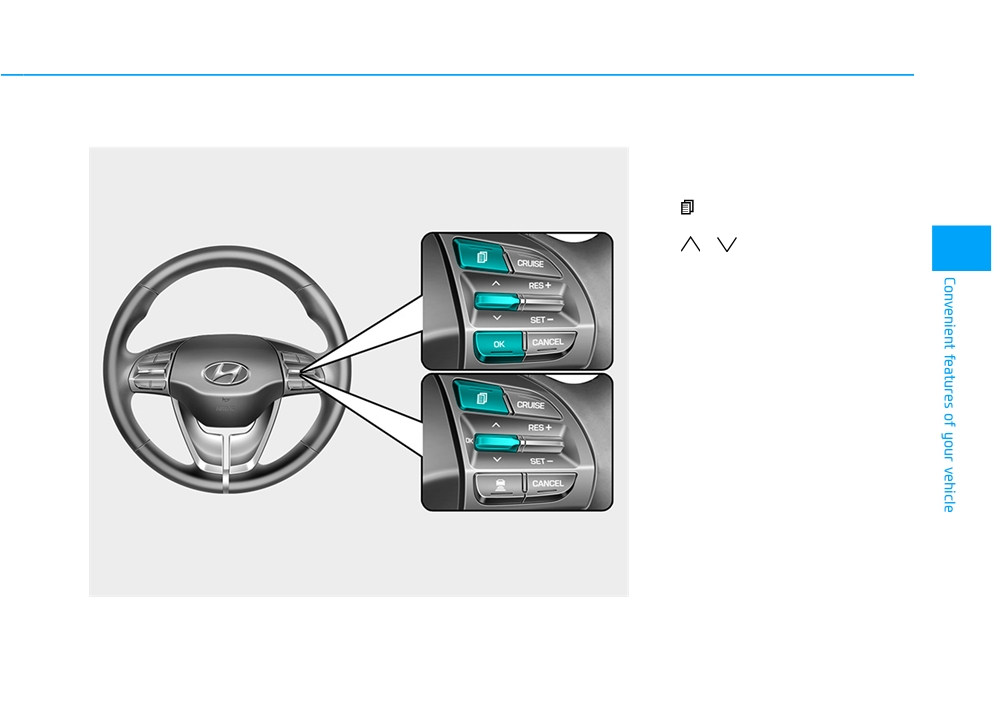
LCD DISPLAY
LCD Display Control
The LCD display modes can be
changed by using the control buttons.
(1)
: MODE button for changing
modes
■ Type A
(2)
,
: MOVE switch for
3
changing items
(3) OK : SELECT/RESET button for
setting or resetting the select-
ed item
■ Type B
OPD047404N
3-69
Convenient features of your vehicle
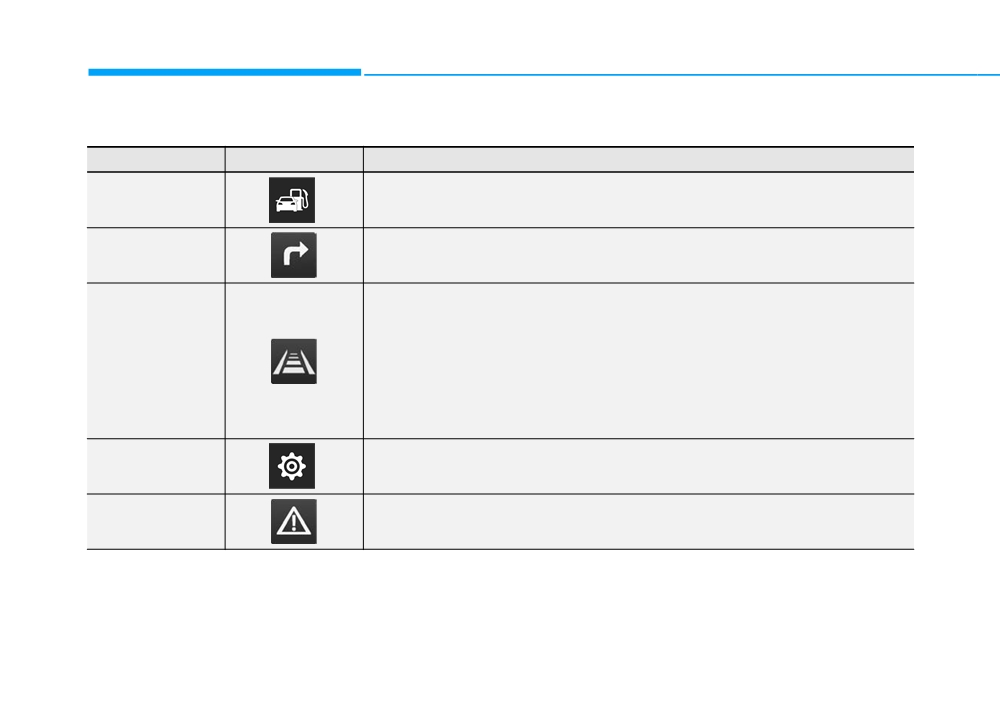
LCD Display Modes
Modes
Symbol
Explanation
This mode displays driving information such as the tripmeter, fuel economy, etc.
Trip Computer
For more information, refer to "Trip Computer" in this chapter.
Turn By Turn (TBT)
This mode displays the state of the navigation.
(if equipped)
This mode displays the state of :
- Lane Keeping Assist System (LKAS)
- Advanced Smart Cruise Control
- Driver Attention Alert (DAA)
Assist
- Tire Pressure
For more information, refer to "Advanced Smart Cruise Control (ASCC)", "Lane
Keeping Assist System (LKAS)", "Driver Attention Alert (DAA)" in chapter 5 and
"Tire Pressure Monitoring System (TPMS)" in chapter 6.
User Settings
In this mode, you can change settings of the doors, lamps, etc.
Warning
This mode displays warning messages related to the Blind Spot Detection system, etc.
The information provided may differ depending on which functions are applicable to your vehicle.
3-70
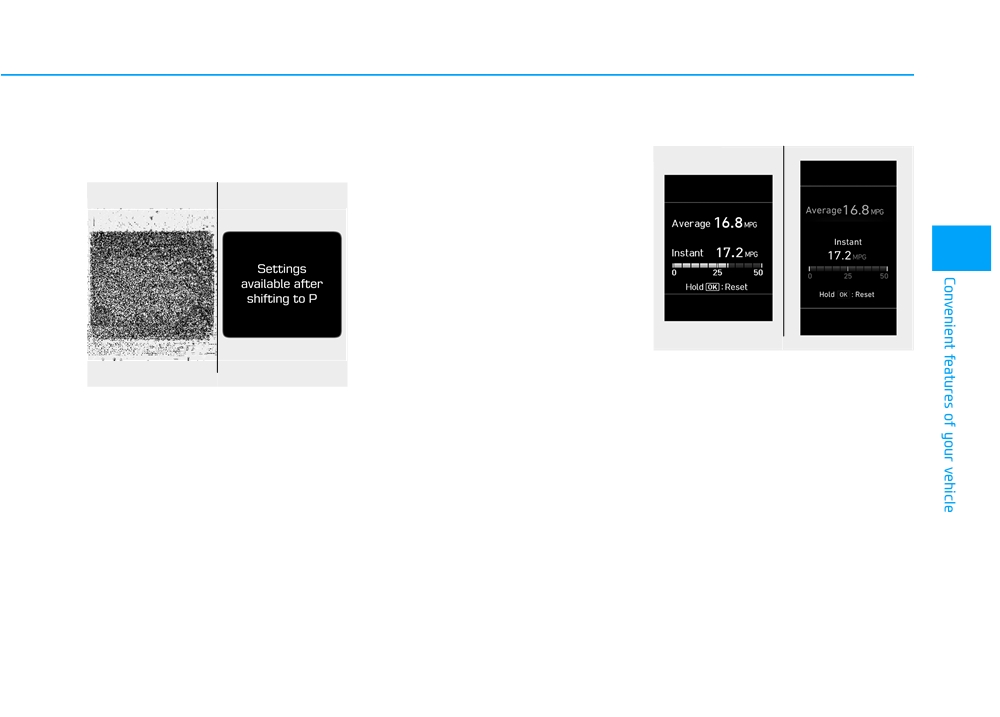
Settings available after engag-
Quick guide help
Trip computer mode
ing parking brake / Settings
This mode provides quick guides for
■ Type A
■ Type B
available after shifting to P
the systems in the User Settings
mode.
■ Manual transmission
■ Automatic transmission/
dual clutch transmission
Select an item, press and hold the OK
button.
For more information about each
3
system, refer to this Owner's
Manual.
OPD047464N/OPD047465N
The trip computer mode displays
OPD047150L/OPD047151L
information related to vehicle driving
parameters including fuel economy,
This warning message appears if
tripmeter information and vehicle
you try to adjust the User Settings
speed.
while driving.
For more information, refer to
- Manual transmission
"Trip Computer" in this chapter.
For your safety, change the User
Settings after parking the vehicle,
applying the parking brake and
moving the shift lever to neutral.
- Automatic transmission /
dual clutch transmission
For your safety, change the User
Settings after parking the vehicle,
applying the parking brake and
moving the shift lever to P (Park).
3-71
Convenient features of your vehicle
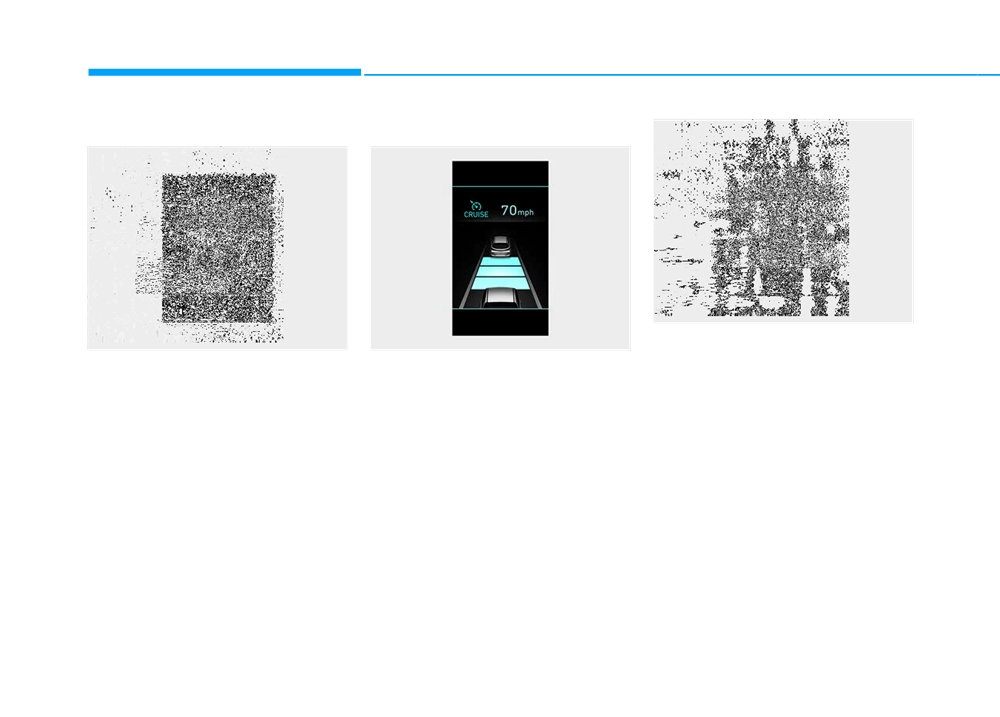
Turn By Turn (TBT) mode
Assist mode
OPD047148L
Tire Pressure
OPDE046147R
OPDE046128R
This mode displays information relat-
This mode displays the state of the
SCC/LKAS/DAA
ed to Tire Pressure.
navigation.
This mode displays the state of the
Smart Cruise Control (SCC), Lane
For more information, refer to
"Tire Pressure Monitoring System
Keeping Assist System (LKAS) and
Driver Attention Alert (DAA).
(TPMS)" in chapter 6.
For more information, refer to
each system in chapter 5.
3-72

Warning mode
User settings mode
1. Driving Assist
If one of followings occurs, warning
In this mode, you can change the
• Lane Keeping Assist System
messages will be displayed on the
settings of the instrument cluster,
To adjust the sensitivity of the Lane
LCD display for several seconds.
doors, lamps, etc.
Keeping Assist System.
- Lower washer fluid (if equipped)
1. Driving Assist
- Lane Departure Warning/
- Exterior lamp malfunction
2. Door
Standard LKA/Active LKA
(if equipped)
3. Lights
For more information, refer to the
3
- Blind Spot Detection (BSD) mal-
4. Sound
"Lane Keeping Assist System" in
function (if equipped)
chapter 5.
5. Convenience
- Autonomous Emergency Braking
6. Service Interval
(AEB) malfunction
• Driver Attention Alert
7. Other
- Smart cruise control malfunction
To adjust the sensitivity of the Driver
8. Reset
- Tire Pressure Monitoring System
Attention Alert (DAA).
(TPMS) malfunction
The information provided may differ
- Off/Normal/Early
depending on which functions are
For more information, refer to the
applicable to your vehicle.
"Driver Attention Alert (DAA)" in
chapter 5.
• Smart Cruise Control Response
To adjust the sensitivity of the Smart
Cruise Control system.
- Slow/Normal/Fast
For more information, refer to the
"Advanced Smart Cruise Control"
in chapter 5.
3-73
Convenient features of your vehicle
• Autonomous Emergency Braking
2. Door
- On Shift to P: All doors will be auto-
matically unlocked if the automatic
To activate or deactivate the Automatic
• Auto Lock
transmission/dual clutch transmis-
Emergency Braking (AEB).
- Disable: The auto door lock opera-
sion shift lever is shifted to the P
For more information, refer to
tion will be canceled.
(Park) position.
"Automatic (Autonomous) Emergency
- Enable on Speed: All doors will be
Braking (AEB)" in chapter 5.
automatically locked when the vehicle
• Two Press Unlock
speed exceeds 9.3 mph (15 km/h).
• Forward Collision Warning
- Enable on Shift: All doors will be
- Off: The two press unlock function
will be deactivated. Therefore, all
- Late/Normal/Early
automatically locked if the automat-
doors will unlock if the door unlock
ic transmission shift lever is shifted
To adjust the initial warning alert
button is pressed.
from the P (Park) position to the R
time for Automatic Emergency
(Reverse), N (Neutral), or D (Drive)
- On: Only the driver's door will
Braking system.
position.
unlock if the door unlock button is
For more information, refer to
pressed. When the door unlock
"Automatic (Autonomous) Emergency
button is pressed again within 4
• Auto Unlock
Braking (AEB)" in chapter 5.
seconds, the remaining doors will
- Disable: The auto door unlock oper-
unlock.
ation will be canceled.
• Rear Cross Traffic Alert
To activate or deactivate the Rear
- On Key Out: All doors will be auto-
• Horn Feedback
matically unlocked when the igni-
Cross Traffic Alert system.
To activate or deactivate the horn
tion key is removed from the key
For more information, refer to
feedback.
ignition switch
(if equipped with
"Blind Spot Detection" in chapter 5.
remote key).
If the horn feedback is activated,
after locking the door by pressing the
- Vehicle Off: All doors will be auto-
matically unlocked when the
lock button on the remote key, and
pressing it again within 4 seconds,
Engine Start/Stop button is set to
the OFF position (if equipped with
the horn feedback sound will operate
once to indicate that all doors are
smart key).
locked (if equipped with remote key).
3-74

3. Lights
5. Convenience
6. Service
• One Touch Turn Signal
• Wireless Charging System
• Service Interval
- Off: The one touch turn signal func-
To activate or deactivate the wireless
To activate or deactivate the service
tion will be deactivated.
charging system in the front seat.
interval function.
- 3, 5, 7 Flashes: The turn signal indi-
For more information, refer to
cator will blink 3, 5, or 7 times when
• Adjust Interval
"Wireless Charging System" in
the turn signal lever is moved slightly.
this chapter.
If the service interval menu is acti-
3
vated, you may adjust the time and
For more information, refer to
• Wiper/Lights Display
distance.
"Light" in this chapter.
To activate or deactivate the Wiper/
Light mode.
i
Information
• Head Lamp Delay
To activate or deactivate the head-
When activated, the LCD display
To use the service interval menu, con-
light delay function.
shows the selected Wiper/Light
sult an authorized HYUNDAI dealer.
mode whenever you change the
For more information, refer to
mode.
"Light" in this chapter
If the service interval is activated and
the time and distance is adjusted,
• Auto Rear Wiper (reverse)
messages are displayed in the fol-
4. Sound
To activate or deactivate the rear
lowing situations each time the vehi-
• Blind Spot Detection Sound
wiper while the vehicle is in reverse
cle is turned on.
with the front wiper ON.
To activate or deactivate the Blind
- Service in
Spot Detection sound.
• Gear Position Pop-up
: Displayed to inform the driver the
For more information, refer to
remaining mileage and days to
To activate or deactivate the gear
"Blind Spot Detection" in chapter 5.
service.
position pop-up.
- Service required
When activated, the gear position
• Welcome Sound
will be displayed on the LCD display.
: Displayed when the mileage and
To activate or deactivate the wel-
(if equipped with automatic transmis-
days to service has been reached
come sound function.
sion/dual clutch transmission)
or passed.
3-75
Convenient features of your vehicle
7. Other
• Language
i
Information
To select language.
• Fuel Economy Auto Reset
If any of the following conditions
- Off: The average fuel economy will
occur, the mileage and number of days
to service may be incorrect.
not reset automatically whenever
8. Reset
refueling.
You can reset the menus in the User
- The battery cable is disconnected.
- After Ignition: When the engine has
Settings Mode. All menus in the User
- The fuse switch is turned off.
been OFF for 4 hours or longer the
Settings Mode are reset to factory
- The battery is discharged.
average fuel economy will reset
settings, except language and serv-
automatically.
ice interval.
- After Refueling: The average fuel
economy will reset automatically
after adding 1.6 gallons (6 liters) of
fuel or more and after driving speed
exceeds 1 mph (1 km/h).
For more information, refer to
"Trip Computer" in this chapter.
• Fuel Economy Unit
To select the fuel economy unit.
(US gallon, UK gallon)
• Temperature Unit
To select the temperature unit.
(°C,°F)
• Tire Pressure Unit
To select the tire pressure unit.
(psi, kPa, bar)
3-76
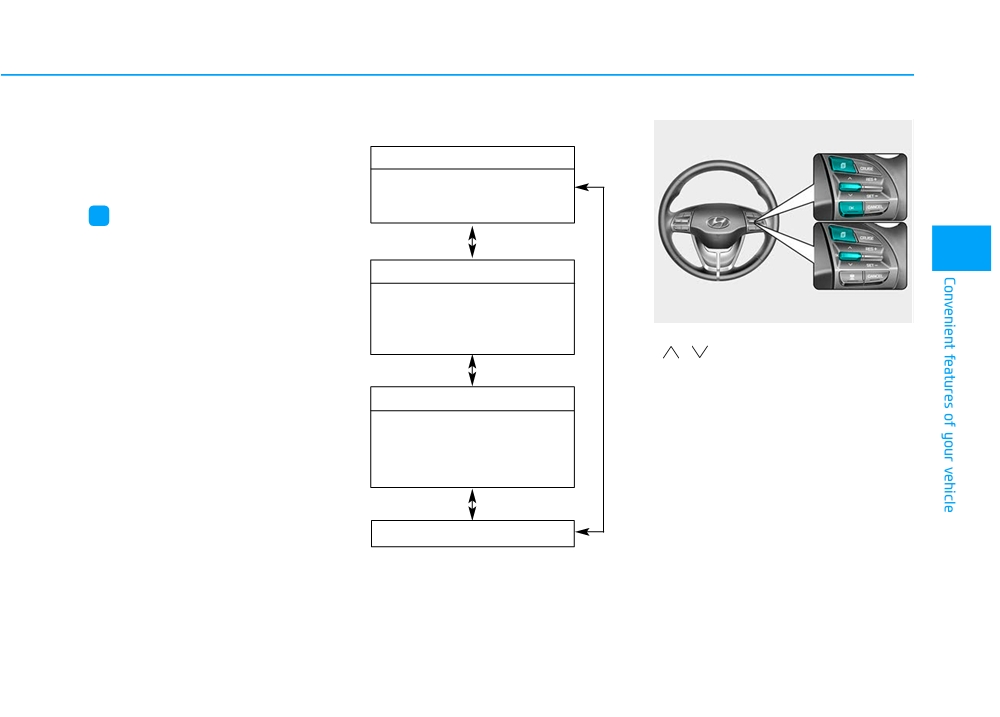
TRIP COMPUTER
The trip computer is a microcomput-
Trip modes
er-controlled driver information sys-
tem that displays information related
Fuel Economy
■ Type A
to driving.
• Average Fuel Economy
• Instant Fuel Economy
i
Information
■ Type B
Some driving information stored in the
3
trip computer (for example Average
Vehicle Speed) resets if the battery is
Drive Info
disconnected.
• Tripmeter
• Fuel Economy
OPD047404N
• Timer
To change the trip mode, toggle the
"
,
" switch on the steering
wheel.
Accumulated Info
• Tripmeter
• Fuel Economy
• Timer
Digital Speedometer
3-77
Convenient features of your vehicle
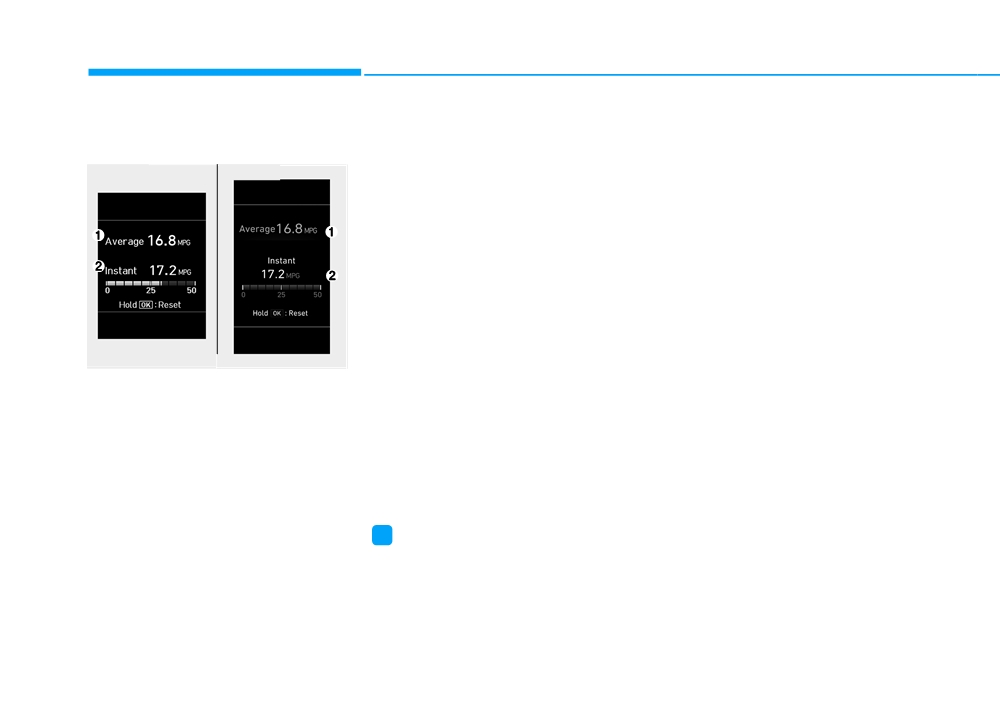
Average fuel economy/
Manual reset
Instant Fuel Economy (2)
Instant fuel economy
To clear the average fuel economy
•
This mode displays the instanta-
manually, press the OK button on the
neous fuel economy while driving.
■ Type A
■ Type B
steering wheel for more than 1 sec-
ond when the average fuel economy
is displayed.
Automatic reset
To automatically reset the average
fuel economy, select between "After
Ignition" or "After Refueling" in the
User Settings mode on the LCD dis-
play.
- After Ignition: When the engine has
OPD047464N/OPD047465N
been OFF for 4 hours or longer the
Average Fuel Economy (1)
average fuel economy will reset
automatically.
• The average fuel economy is calcu-
lated by the total driving distance
- After Refueling: The average fuel
and fuel consumption since the last
economy will reset automatically
average fuel economy reset.
after adding 1.6 gallons (6 liters) of
fuel or more and after driving speed
• The average fuel economy can be
reset both manually and automati-
exceeds 1 mph (1 km/h).
cally.
i
Information
The vehicle must be driven for a min-
imum of 0.19 miles (300 meters) since
the last ignition key cycle before the
average fuel economy will be recalcu-
lated.
3-78
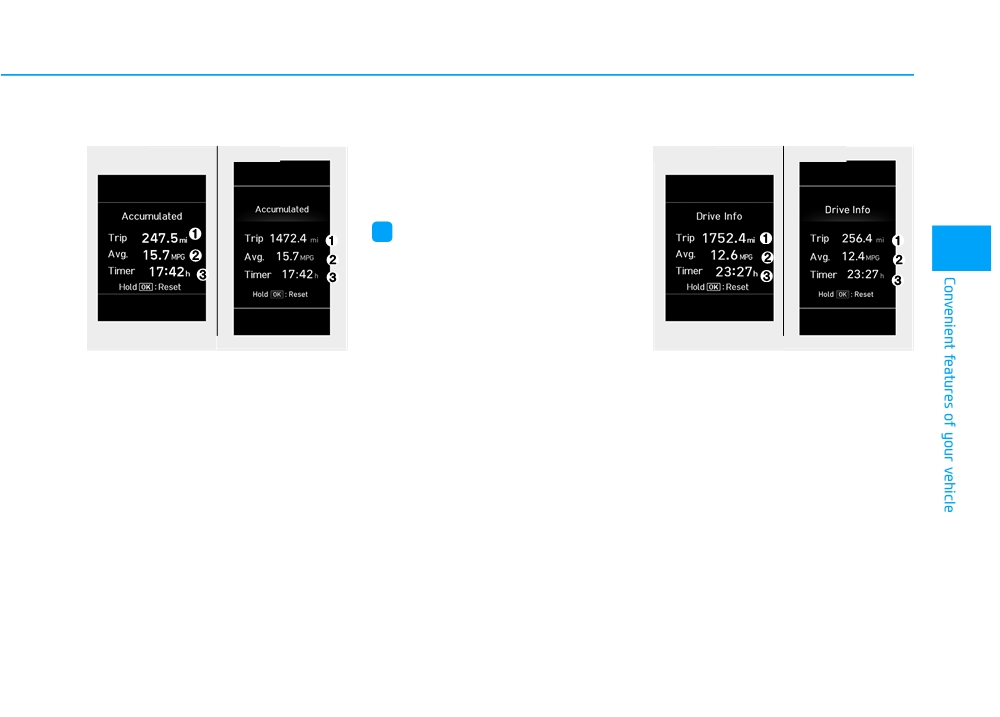
Accumulated Info display
The accumulated driving information
Drive Info display
will continue to be counted while the
■ Type A
■ Type B
■ Type A
■ Type B
engine is still running (for example,
when the vehicle is in traffic or
stopped at a stop light).
i
Information
3
The vehicle must be driven for a min-
imum of 0.19 miles (300 meters) since
the last ignition key cycle before the
average fuel economy will be recalcu-
lated.
OPD047466N/OPD047467N
OPD047468N/OPD047469N
This display shows the accumulated
This display shows the trip distance
trip distance
(1), the average fuel
(1), the average fuel economy (2),
economy (2), and the total driving
and the total driving time (3).
time (3).
The information is combined for each
The information is accumulated start-
ignition cycle. However, when the
ing from the last reset.
engine has been OFF for 4 hours or
longer the Drive Info screen will reset.
To manually reset the information,
press and hold the OK button when
To manually reset the information,
viewing the Accumulated driving info.
press and hold the OK button when
The trip distance, the average fuel
viewing the Drive Info. The trip dis-
economy, and total driving time will
tance, the average fuel economy, and
reset simultaneously.
total driving time will reset simultane-
ously.
3-79