Honda Civic Coupe (2019 year). Manual - part 26
uu
Bluetooth® HandsFreeLink®
u
HFL Menus
400
Features
■
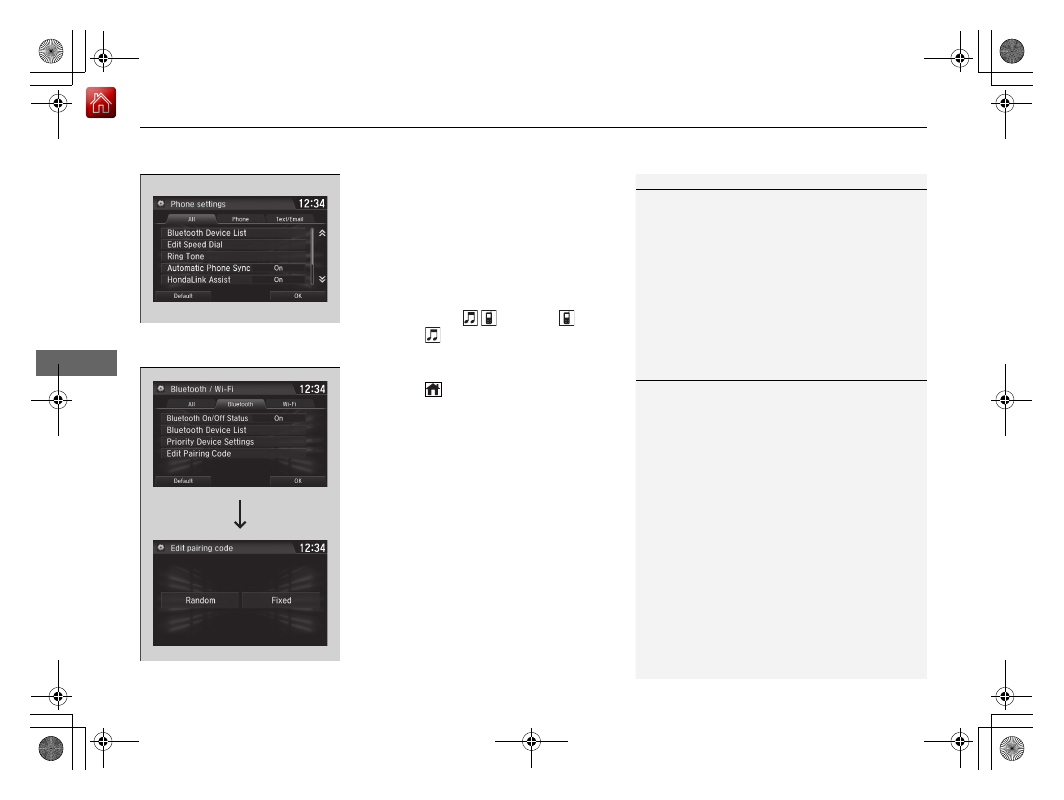
To change the currently paired phone
1. Go to the phone settings screen.
2 Phone settings screen P. 394
2. Select Bluetooth Device List.
3. Select a phone to connect.
u
HFL disconnects the connected phone
and starts searching for another paired
phone.
4. Select Connect
, Connect ,
or
Connect
.
■
To change the pairing code setting
1. Press the
button.
2. Select Settings.
3. Select Bluetooth/Wi-Fi.
4. Select the Bluetooth tab.
5. Select Edit Pairing Code.
6. Select Random or Fixed.
1
To change the currently paired phone
If no other phones are found or paired when trying to
switch to another phone, HFL will inform you that the
original phone is connected again.
To pair other phones, select Add Bluetooth Device
from the Bluetooth device list screen.
To change the Bluetooth® connection priority device
setting, select Priority Device Settings from the
Bluetooth Device List screen.
1
To change the pairing code setting
The default pairing code is 0000 until you change the
setting.
To create your own, select Fixed, and delete the
current code, then enter a new one.
For a randomly generated pairing code each time you
pair a phone, select Random.