Harley Davidson Sportster Models 2009. Service Repair Manual - page 71
A.16
PACKARD MICRO-64 CONNECTORS
PACKARD MICRO-64 CONNECTOR REPAIR
TOOL NAME
PART NUMBER
PACKARD MICRO-64 TERMINAL
REMOVER
HD-45928
PACKARD MICRO-64 TERMINAL
CRIMPER
HD-45929
General
Packard Micro-64 connectors are frequently found on
speedometers, tachometers and the ECM of Touring Models.
For pin 73 of these ECMs, see
.
Separating Pin and Socket Housings
Bend back the external latches slightly and separate the pin
and socket housings.
Mating Pin and Socket Housings
Orient the wire lead colors and push the pin and socket hous-
ings of the connector together until the latches click.
Removing Terminal
1.
See
. Locate the head of the secondary lock
(1) on one side of the connector housing.
2.
Insert the blade of a small screwdriver between the center
ear of the lock and the connector housing and gently pry
out lock. When partially removed, pull lock from connector
housing.
3.
Locate pin hole (2) between terminals on mating end of
connector.
4.
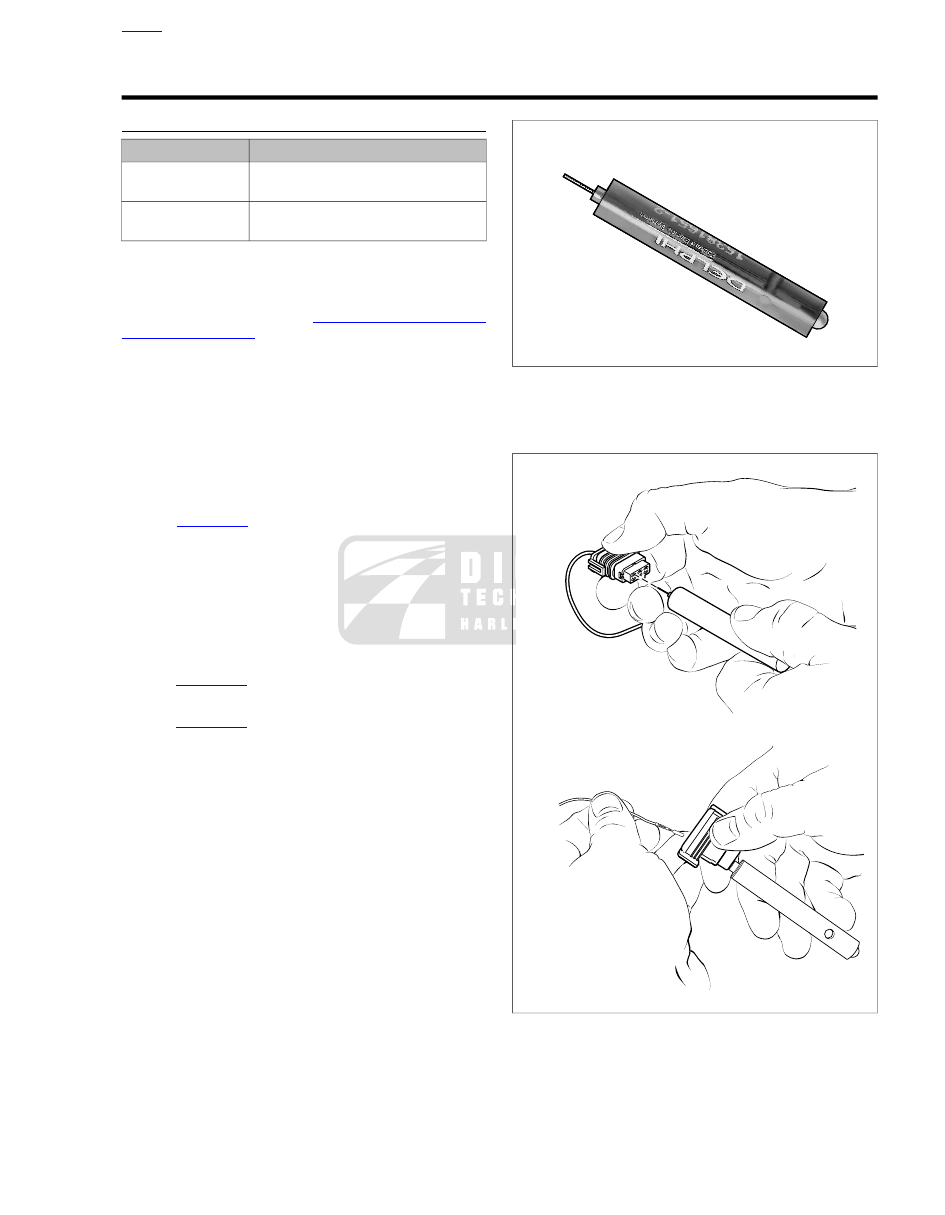
. Obtain the PACKARD MICRO-64 TER-
MINAL REMOVER (Part No. HD-45928).
5.
. Push the adjacent terminals all the way
into the connector housing and then insert tool into hole
until it bottoms.
6.
Leaving the tool installed, gently tug on wires to pull either
one or both terminals from wire end of connector. Remove
tool.
sm00046
Figure A-47. Packard Micro 64 Terminal Remover
(HD-45928)
sm00048
Figure A-48. Packard Micro 64 Connector: Insert Tool and
Remove Terminal
2009 Sportster Service: Appendix A Connector Repair A-31