Harley Davidson 2019 Boom GTS. Manual - page 5
9.
The system prompts for an emergency phone number if
one is not already stored in the system. Enter a phone
number to call in the event of an emergency (such as 911
in the US).
10.
Select:
Save. Located in lower right corner of the screen.
11. The system begins downloading the phone book from the
device. The Phone Book icon is displayed in the status bar
during the download process. During this process, the
phone may prompt for permission to share the phone book.
Listening to Music
NOTE
Some Bluetooth devices cannot be controlled through the radio.
1.
See Figure 78.
Navigate:
Home > Audio.
2.
Select:
Source Field.
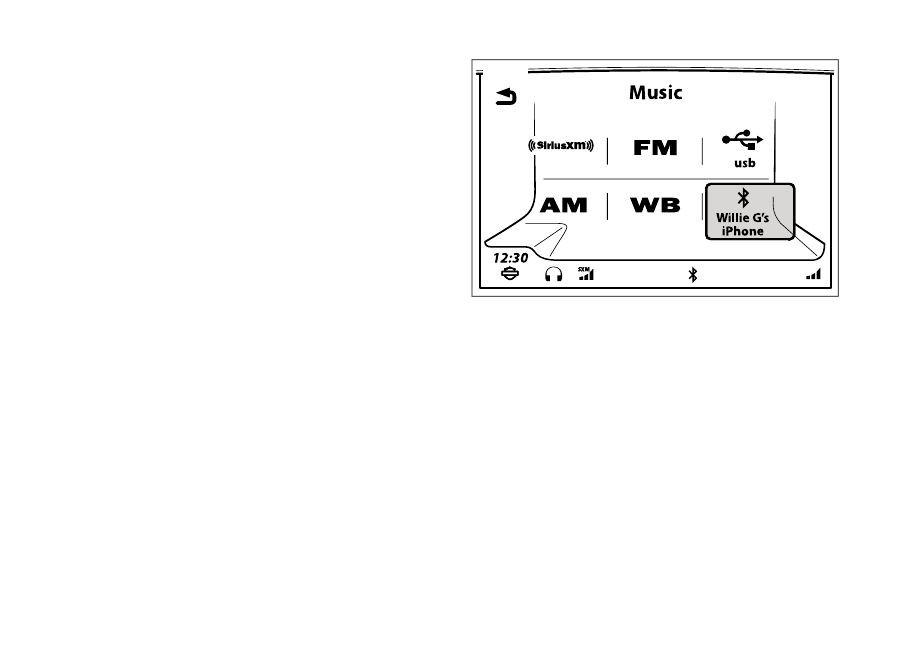
3.
A connected device is displayed with Bluetooth symbol.
4.
Select device.
5.
See Figure 79. When connected, selected song from
device begins playing.
1267447
Figure 78. Select Bluetooth Phone
108 Audio
Information accurate as of January 28th, 2019. Go to https://serviceinfo.harley-davidson.com to check for the latest version.