Ford E-250 (2006 year). Manual - part 4
 

  Index      Ford     Ford E-250 - service manual 2006 year in english


Search            


Content   ..  1  2  3  4  5  ..


Ford E-250 (2006 year). Manual - part 4


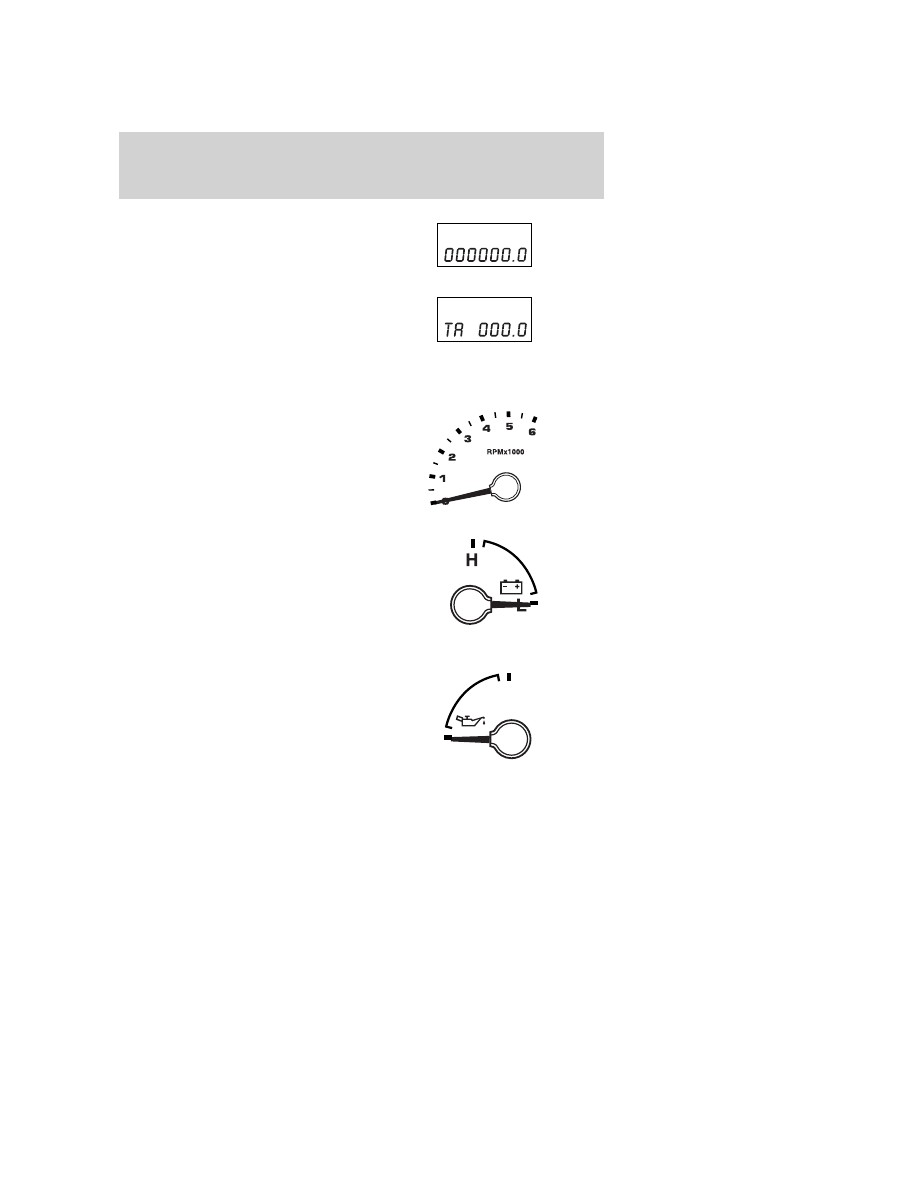
Odometer: Registers the total miles
(kilometers) of the vehicle.

Trip odometer: Registers the miles
(kilometers) of individual journeys.
Press the SELECT/RESET control
once to switch from the odometer to
the trip odometer. Press the control
again to select Trip A and Trip B features. To reset the trip, press and
hold the control again until the trip reading is 0.0 miles.

Tachometer: Indicates the engine
speed in revolutions per minute.
Driving with your tachometer
pointer continuously at the top of
the scale may damage the engine.

Battery voltage gauge: Indicates
the battery voltage when the
ignition is in the ON position. If the
pointer moves and stays outside the
normal operating range, have the
vehicle’s electrical system checked
by your authorized dealer as soon as
possible.

Engine oil pressure gauge:
Indicates engine oil pressure. The
needle should stay in the normal
operating range (between “L” and
“H”). If the needle falls below the
normal range, stop the vehicle, turn
off the engine and check the engine
oil level. Add oil if needed. If the oil level is correct, have your vehicle
checked by your authorized dealer.

H

L

Instrument Cluster

17

Fuel gauge: Indicates
approximately how much fuel is left
in the fuel tank (when the ignition
is in the ON position). The fuel
gauge may vary slightly when the
vehicle is in motion or on a grade.

The FUEL icon and arrow indicates
which side of the vehicle the fuel filler door is located.

Refer to Filling the tank in the Maintenance and Specifications
chapter for more information.

Instrument Cluster

18

AUDIO SYSTEMS

AM/FM stereo (if equipped)

1. Seek: Press

/

to find the

next listenable station down/up the
frequency band.

2. Tune: Press

/

to manually

adjust the radio frequency down/up.

3. AM/FM: Press to choose a
frequency band in radio mode.

4. Memory preset buttons: To set
a station: Select frequency band
AM/FM1/FM2; tune to a station,
press and hold a preset button until sound returns.

AM/FM

1

2

3

4

Entertainment Systems

19

5. Power/volume: Press to turn
ON/OFF; turn to increase or
decrease volume levels.

6. Tone: Press TONE until the
desired level — Bass, Treble, Fade
appears on the display. Turn the
volume control to raise/lower the
levels, or to move the audio sound
from the right to left or the front to
back (if equipped).

7. CLK (Clock): To set the hour,
press and hold CLK until CLOCK
SET appears in the display. Press
SEEK to decrease

or

increase

the hours.

To set the minute, press and hold CLK until CLOCK SET appears in the
display. Press TUNE to decrease

or increase

the minutes.

Satellite Compatible AM/FM Stereo In-Dash Single CD/MP3 Radio
(if equipped)

VOL

PUSH

ON

TONE

CLK

Entertainment Systems

20


Content   ..  1  2  3  4  5  ..