Ford Contour (1999 year). Manual - part 11
 

  Index      Ford     Ford Contour - service manual 1999 year in english


Search            


Content   ..  9  10  11  12   ..


Ford Contour (1999 year). Manual - part 11


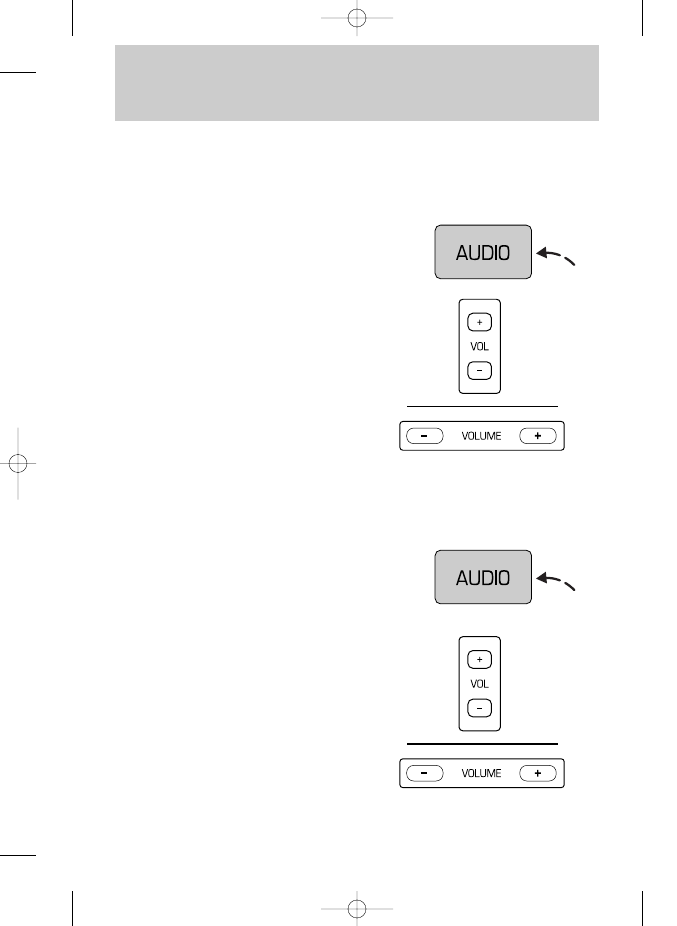
• Press (+) or (–) on the volume
control to increase or decrease
treble output.

Speaker balance adjust

Speaker sound distribution can be
adjusted between the right and left
speakers.

Controls and features

42

Treble adjust

The treble adjust control allows
you to increase or decrease the
audio system’s treble output.

• Push the AUDIO control
repeatedly until the display reads
TREB.

• Push the AUDIO control
repeatedly until the display reads
BAL.

• Press the (+) side of the volume
control to shift sound to the right
speakers.

• Press the (–) side of the volume
control to shift sound to the left
speakers.

13CCfen  3/25/99  1:51 PM  Page 42

Controls and features

43

Speaker fade adjust

Speaker sound distribution can be
adjusted between the front and
rear speakers.

• Push the AUDIO control
repeatedly until the display reads
FADE.

• Press the (+) side of the volume
control to shift sound to the front
speakers.

• Press the (–) side of the volume
control to shift sound to the rear
speakers.

Clock

Viewing the clock

Press the CLOCK control to display
the time on the audio system
display. 

Time is displayed:

• until an audio function control is
pressed.

• approximately ten seconds after
each audio system change.

• when the audio system is off and
the ignition is ON.

To remove the clock display, press
the control again.

CLOCK

13CCfen  3/25/99  1:51 PM  Page 43

Setting the clock

Press and hold CLOCK, then press
SEEK 

to increase the hours or

to increase minutes.

The clock will display 12-hour time
with no AM/PM indications.

On the single CD audio system, the
clock can be set with the radio
power on or off.

Controls and features

44

Tape play select

Insert a tape to begin tape play.

Push only slightly when inserting a
cassette tape (with the open edge
to the right). A cassette deck
loading mechanism pulls the tape
in the rest of the way.

CD play select

Insert a disc to begin CD play.

Press the PLAY/STOP control to
begin CD play if a disc is loaded in
the CD player. The first track of the
disc will begin playing if the disc
has just been loaded. After that,
CD play will begin where it was
stopped last.

Rewind/fast forward

The rewind and fast forward
controls work in tape and CD
modes (if equipped).

SEEK

13CCfen  3/25/99  1:51 PM  Page 44

Controls and features

45

Rewind/fast forward in CD
mode

• Press the control for less than
three seconds for slow rewind.

• Press the control for more than
three seconds for fast rewind.

• Press the control for less than
three seconds for slow forward
action.

• Press the control for more than
three seconds for fast forward
action.

Tape direction select

Press both 

and 

to play

the alternate side of a tape.

Rewind/fast forward function in
tape mode

• Press 

to rewind the tape.

Play will continue once the
beginning of the tape is reached or
rewind is stopped.

• Press 

to fast forward the

tape. Once the end of the tape is
reached, tape direction reverses
and the opposite side of the tape
plays.

Tape eject

Press the control to stop and eject
a tape.

13CCfen  3/25/99  1:51 PM  Page 45


Content   ..  9  10  11  12   ..