Citroen C-Elysee (2017 year). Manual - part 6
 

  Index      Citroen     Citroen C-Elysee - service manual 2017 year in english


Search            


Content   ..  4  5  6  7   ..


Citroen C-Elysee (2017 year). Manual - part 6


79

5

Driving

C-elysee_en_Chap05_conduite_ed01-2016

Never select position N while the 
vehicle is moving.
Never select positions P or R unless the 
vehicle is completely stationary.

Automatic operation

Reverse

When selecting reverse R with the ignition on, 
the rear parking sensors are activated.
For more information, refer to the "Rear parking 
sensors" section.

Creep function (moving without 

using the accelerator)

This function provides great flexibility in 
manoeuvring the vehicle at low speed (when 
parking, in traffic jams, …).
With the engine at idle, parking brake released 
and position DM or R selected, 

the vehicle 

moves

 as soon as you take your foot off 

the brake pedal (even without pressing the 
accelerator)..

F  Select position D for 

automatic changing 

of the six gears.

The gearbox then operates in auto-adaptive 
mode, without any intervention on the part 
of the driver. It continuously selects the 
most suitable gear according to the style of 
driving, the profile of the road and the load in 
the vehicle.
For maximum acceleration without touching 
the selector, press the accelerator pedal down 
fully (kick down). The gearbox changes down 
automatically or maintains the gear selected 
until the maximum engine speed is reached.
On braking, the gearbox changes down 
automatically to provide efficient engine 
braking.
As a safety measure, if you release the 
accelerator sharply, the gearbox will not 
change up.

These two special programmes complete 
the automatic operation, for use in particular 
circumstances.

Sport and snow programmes

"S" sport programme

F  Press the "S

" button, once the engine has 

started.

The gearbox automatically allows a more 
dynamic driving style.

T

 snow programme

F  Press the "T

" button, once the engine has 

started.

The gearbox adapts itself to driving on slippery 
roads.
This programme helps moving off and improves 
traction when grip is poor.

At any time, press the button selected 
again to leave the programme engaged 
and return to auto-adaptative mode.

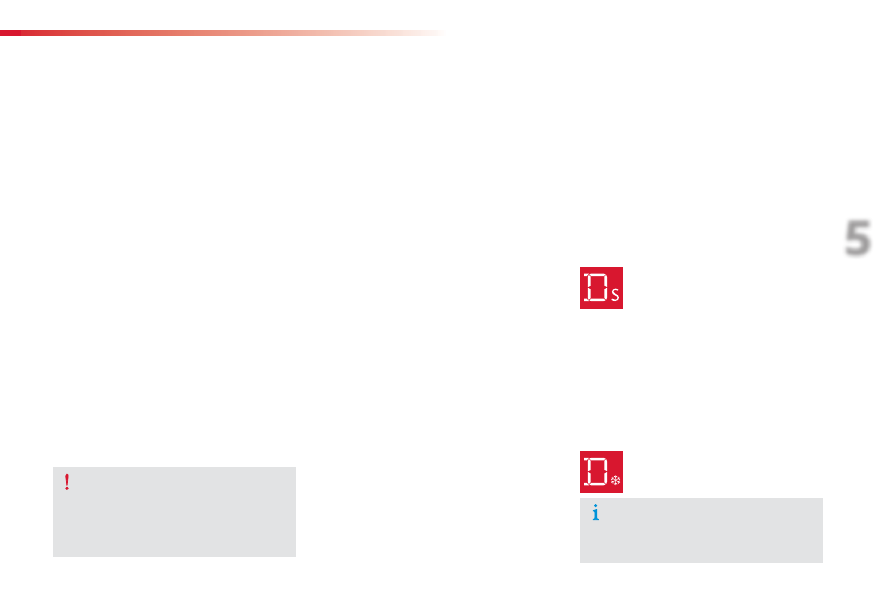
S

 appears in the instrument panel.

T

 appears in the instrument panel.

80

Driving

C-elysee_en_Chap05_conduite_ed01-2016

There is a risk of damage to the 

gearbox:

-  if you press the accelerator and 

brake pedals at the same time,

-  if you force the movement of the 

selector from the P position to 
another position when the battery is 

discharged.

If the selector is not in position P
when the driver's door is opened or 
approximately 45 seconds after the 
ignition is switched off, a warning 
message appears in the screen.
F  Return the selector to position P

the message disappears.

When driving on flooded roads or when 
crossing a ford, proceed at walking 
pace.

To reduce fuel consumption when at 
a prolonged standstill with the engine 
running (traffic jam...), put the selector 
in the N

 position and apply the parking 

brake.

Manual operation

Invalid value during manual 

operation

Stopping the vehicle

Before switching off the engine, you can 
engage position P or N to place the gearbox in 
neutral.
In both cases, apply the parking brake to 
immobilise the vehicle.

Operating fault

F  Select position M for 

sequential changing 

of the six gears.

F

  Move the selector towards the + sign to 

change up a gear.

F

  Move the selector towards the - sign to 

change down a gear.

It is only possible to change from one gear to 
another if the vehicle speed and engine speed 
permit; otherwise, the gearbox will operate 
temporarily in automatic mode.

D

 disappears and the gears 

engaged appear in succession in the 
instrument panel.

If the engine speed is too low or too high, the 
gear selected flashes for a few seconds, then 
the actual gear engaged is displayed.
It is possible to change from position D 
(automatic) to position M (manual) at any time.
When the vehicle is stationary or moving 
very slowly, the gearbox engages first gear 
automatically.

With the ignition on, illumination of 

this warning lamp, accompanied 

by an audible signal and a message in the 

multifunction screen, indicates a gearbox fault.

In this case, the gearbox switches to back-up 

mode and is locked in 3rd gear. You may feel 

a substantial knock when changing from P 
to R

 and from N to R. This will not cause any 

damage to the gearbox.

Do not exceed 60 mph (100 km/h), local speed 

restrictions permitting.

Contact a CITROËN dealer or a qualified 

workshop as soon as possible.

This symbol is displayed if a gear 
is not engaged correctly (selector 
between two positions).

The sport and snow programmes are 
not available when operating manually.

81

5

Driving

C-elysee_en_Chap05_conduite_ed01-2016

Gear efficiency indicator

System which reduces fuel consumption by advising the driver to change up.

On vehicle fitted with a manual 
gearbox, the arrow is accompanied by 
the gear recommended.

With an electronic or automatic 
gearbox, the system is only active in 
manual mode.

The system adapts its gear change 
recommendation according to the 
driving conditions (slope, load, ...) and 
the demands of the driver (power, 
acceleration, braking, ...).
The system never suggests:
-  engaging first gear,
-  engaging reverse gear,
-  engaging a lower gear.

Operation

Depending on the driving situation and your 
vehicle's equipment, the system may advise 
you to skip one (or more) gear(s). You can 
follow this instruction without engaging the 
intermediate gears.
The gear engagement recommendations must 
not be considered compulsory. In fact, the 
configuration of the road, the amount of traffic 
and safety remain determining factors when 
choosing the best gear. Therefore, the driver 
remains responsible for deciding whether or not 
to follow the advice given by the system.
This function cannot be deactivated.

Example:
-  You are in third gear.
-  You press the accelerator pedal.
-  The system may suggest that you engage 

a higher gear.

The information appears in the instrument 
panel in the form of an arrow.

82

Driving

C-elysee_en_Chap05_conduite_ed01-2016

Stop & Start

Operation

Going into engine STOP mode

The 

"ECO" warning lamp comes 

on in the instrument panel and the 
engine goes into standby:

with a 5-speed electronic gearbox, with 
the vehicle stationary, when you press 
the brake pedal or put the gear selector in 
position N

.

A time counter calculates the sum of the 
periods in STOP mode during a journey. It rests 
itself to zero every time the ignition is switched 
on with the key.

The Stop & Start system puts the engine 
temporarily into standby - STOP mode - during 
stops in the traffic (red lights, traffic jams, or 
other...). The engine restarts automatically - 
START mode - as soon as you want to move 
off. The restart takes place instantly, quickly 
and silently.
Perfect for urban use, the Stop & Start system 
reduces fuel consumption and exhaust 
emissions as well as the noise level when 
stationary.

Never refuel with the engine in 
STOP mode; you must switch off the 
ignition with the key.

For your comfort, during parking 
manoeuvres, STOP mode is not 
available for a few seconds after 
coming out of reverse gear.
STOP mode does not affect the 
functionality of the vehicle, such as for 
example, braking, power steering...

83

5

Driving

C-elysee_en_Chap05_conduite_ed01-2016

Going into engine START mode

Special cases: START invoked 

automatically

The 

"ECO" warning lamp goes 

off and the engine starts with an 

electronic gearbox:

-  gear selector in position A or M, when you 

release the brake pedal,

-  or gear selector in position N and the brake 

pedal released, when you move the gear 
selector to position A or M,

-  or when you engage reverse gear.

For reasons of safety and for your comfort, 
START mode is invoked automatically when:
-  you open the driver's door,
-  you unfasten the driver's seat belt,
-  the speed of the vehicle exceeds 2 mph 

(3 km/h) with an electronic gearbox,

-  some special conditions (battery charge, 

engine temperature, braking assistance, 
ambient temperature...) where the engine is 
needed for control of a system.

The 

"ECO" warning lamp flashes for 

a few seconds, then goes off.

This operation is perfectly normal.

Special cases: STOP mode not 

available

STOP mode is not invoked when:
-  the driver's door is open,
-  the driver's seat belt is not fastened,
-  the engine is needed to maintain a 

comfortable temperature in the passenger 
compartment,

-  demisting is active,
-  some special conditions (battery charge, 

engine temperature, braking assistance, 
ambient temperature...) where the engine is 
needed to assure control of a system.

The 

"ECO" warning lamp flashes for 

a few seconds then goes off.

This operation is perfectly normal.

84

Driving

C-elysee_en_Chap05_conduite_ed01-2016

In the event of a fault with the system, the 
indicator lamp in the 

"ECO OFF" button 

flashes for a few moments, then comes on 
continuously.
Have it checked by a CITROËN dealer or a 
qualified workshop.
In the event of a fault in STOP mode, the 
vehicle may stall. All of the warning lamps 
in the instrument panel come on. It is then 
necessary to switch off the ignition and start 
the engine again using the key.

Operating fault

The Stop & Start system requires  
a 12 V battery with a special 
specification and technology.
All work on this type of battery must be 
carried out only by a CITROËN dealer 
or a qualified workshop.
For more information on the 12 V 
battery, refer to the corresponding 
section.

Press this button to deactivate the system.
Deactivation is confirmed by illumination of the 
indicator lamp in the button and the display of 
a message.
Pressing this button again reactivates the 
system.
The indicator lamp in the button goes off, 
accompanied by the display of a message.

Deactivation / Manual 

reactivation

In certain cases, such as the need to maintain 

a comfortable temperature in the passenger 

compartment, it may be useful to deactivate the 

Stop & Start system.

The system can be deactivated at any time, 

once the ignition is on.

If the engine is in STOP mode, it then restarts.

The Stop & Start system is reactivated 

automatically every time the ignition is  

switched on.

Opening the bonnet

Before doing anything under the 

bonnet, deactivate the Stop & Start 

system to avoid the risk of injury 

related to an automatic change to 

START mode.

Driving on flooded roads

Before driving through a flooded road, 
it is strongly recommended that you 
deactivate the Stop & Start system.
For more advice on driving, particularly 
on flooded roads, refer to the 
corresponding section.

85

5

Driving

C-elysee_en_Chap05_conduite_ed01-2016

Speed limiter

System which prevents the vehicle from 
exceeding the speed programmed by the driver.
When the programmed speed limit is reached, 
pressing the accelerator pedal in the normal 
manner no longer has any effect.

The speed limiter is 

switched on manually: 

it requires a programmed speed of at least 
20 mph (30 km/h).

The speed limiter is 

switched off by manual 

operation of the control.

The programmed speed can be exceeded 
temporarily by pressing the accelerator firmly.
To return to the programmed speed, simply 
slow down to a speed below the programmed 
speed.

The speed limiter cannot, in any 

circumstances, replace the need to 

respect speed limits, nor can it replace the 

need for vigilance on the part of the driver.

The controls of this system are grouped 
together on stalk A.
1.

  Speed limiter mode selection thumb wheel.

2.

  Value decrease button.

3.

  Value increase button.

4.

  Speed limiter on / off button.

Steering mounted controls

The programmed information is grouped 
together in the instrument panel screen.
5.

   Speed limiter on / off indication.

6.

   Speed limiter mode selection indication.

7.

   Programmed speed value.

Displays in the instrument panel

The programmed speed remains in the memory 
when the ignition is switched off.

86

Driving

C-elysee_en_Chap05_conduite_ed01-2016

F

  Turn thumb wheel 1 to the 

"LIMIT"

 position: the speed limiter 

mode is selected but is not switched on 
(PAUSE).

You do not have to switch the speed limiter 
on in order to set the speed.

Programming

Leaving limiter mode

F

  Turn thumb wheel 1 to the "0" position: 

the speed limiter mode is deselected. The 
display returns to the distance recorder.

On a steep descent or in the event of 
sharp acceleration, the speed limiter 
will not be able to prevent the vehicle 
from exceeding the programmed speed.
To avoid any risk of jamming of the 
pedals:
-  ensure that the mat is secured 

correctly,

-  do not fit one mat on top of another.

In the event of a speed limiter fault, the speed 
is cleared and the dashes then flash.
Have it checked by a CITROËN dealer or a 
qualified workshop.

Operating fault

F

  Set the speed value by pressing button 2 or 3 (e.g.: 55 mph 

(90 km/h)).

You can then change the programmed speed using buttons 2 and 3:
-  by + or - 1 mph (km/h) = short press,
-  by + or - 5 mph (km/h) = long press,
-  in steps of + or - 5 mph (km/h) = maintained press.

Exceeding the programmed speed

Pressing the accelerator pedal to exceed the programmed speed will 
not have any effect unless you press the pedal 

firmly past the point of 

resistance.

The speed limiter is deactivated temporarily and the programmed speed, 
which is still displayed, flashes, accompanied by an audible signal.
Returning to the programmed speed, by means of intentional or 
unintentional deceleration of the vehicle, automatically cancels the 
flashing of the programmed speed and the audible signal stops.

F

  Switch the speed limiter back on by pressing button 4 again.

F

  Switch the speed limiter on by pressing button 4.

F

  Switch the speed limiter off by pressing button 4: the display 

confirms that it has been switched off (PAUSE).

87

5

Driving

C-elysee_en_Chap05_conduite_ed01-2016

Cruise control

System which automatically maintains the 
speed of the vehicle at the value programmed 
by the driver, without any action on the 
accelerator pedal.

The cruise control is 

switched on manually: it 

requires a minimum vehicle speed of 25 mph 
(40 km/h), as well as the engagement of:
-  fourth gear on a manual gearbox,
-  second gear on a or automatic or electronic 

gearbox, in sequential mode,

-  position A on an electronic gearbox or 

position D

 on an automatic gearbox.

The cruise control is 

switched off manually 

or by pressing the brake or clutch pedal or on 
triggering of the trajectory control systems for 
safety reasons.
It is possible to exceed the programmed speed 
temporarily by pressing the accelerator pedal.
To return to the programmed speed, simply 
release the accelerator pedal.
Switching off the ignition cancels any 
programmed speed value.

The controls of this system are grouped 
together on stalk A.
1.

  Cruise control mode selection thumb 

wheel.

2.

  Value decrease button.

3.

  Value increase button.

4.

  Cruise control off/resume button.

Steering mounted controls

The cruise control cannot, in any 

circumstances, replace the need to 

respect speed limits, nor can it replace the 

need for vigilance on the part of the driver.

The programmed information is grouped 
together in the instrument panel screen.
5.

   Cruise control off/resume indication.

6.

   Cruise control mode selection indication.

7.

   Programmed speed value.

Displays in the instrument 

panel

88

Driving

C-elysee_en_Chap05_conduite_ed01-2016

F

  Turn thumb wheel 1 to the 

"CRUISE" position: the cruise control 

mode is selected but is not switched on 
(PAUSE).

Programming

You can then change the programmed speed using buttons 2 and 3:
-  by + or - 1 mph (km/h) = short press,
-  by + or - 5 mph (km/h) = long press,
-  in steps of + or - 5 mph (km/h) = maintained press.

When the cruise control is switched on, 
be careful if you maintain the pressure 
on one of the programmed speed 
changing buttons: this may result in a 
very rapid change in the speed of your 
vehicle.
Do not use the cruise control on 
slippery roads or in heavy traffic.
On a steep descent, the cruise control 
will not be able to prevent the vehicle 
from exceeding the programmed speed.
To avoid any risk of jamming of the 
pedals:
-  ensure that the mat is secured 

correctly,

-  never fit one mat on top of another.

In the event of a cruise control malfunction, 
the speed is cleared resulting in flashing of the 
dashes. Have it checked by a CITROËN dealer 
or a qualified workshop.

Operating fault

Leaving cruise control mode

F

  Turn thumb wheel 1 to the "0" position: the cruise control mode is 

deselected. The display returns to the distance recorder.

Exceeding the programmed speed

Intentional or unintentional exceeding of the programmed speed 
results in flashing of this speed in the screen.
Return to the programmed speed, by means of intentional or 
unintentional deceleration of the vehicle, automatically cancels the 
flashing of the speed.

F

  Set the programmed speed by 

accelerating to the required speed, 
then press button 2 or 3

 (e.g.: 70 mph 

(110 km/h)).

F

  Switch off the cruise control by pressing button 4: the screen 

confirms that it has been switched off (PAUSE).

F

  Switch the cruise control back on by pressing button 4 again.

89

5

Driving

C-elysee_en_Chap05_conduite_ed01-2016

This system indicates the proximity of an 
obstacle (person, vehicle, tree, gate, etc.) 
which comes within the field of detection of 
sensors located in the bumper.
Certain types of obstacle (stake, roadworks 
cone, etc.) detected initially will no longer be 
detected at the end of the manoeuvre due to 
the presence of blind spots.

Rear parking sensors

This function cannot, in any 
circumstances, take the place of the need 
for vigilance on the part of the driver.

The system is switched on by engaging reverse 
gear. This is accompanied by an audible signal.
The system is switched off when you come out 
of reverse gear.

Audible assistance

The proximity information is given by an 
intermittent audible signal, the frequency of which 
increases as the vehicle approaches the obstacle.
The sound emitted by the speaker (right or left) 
indicates the side on which the obstacle is located.
When the distance between the vehicle and 
the obstacle becomes less than approximately 
thirty centimetres, the audible signal becomes 
continuous.

Visual assistance

This supplements the audible signal by 
displaying bars in the screen which move 
progressively nearer to the vehicle.
When the obstacle is very close, the "Danger" 
symbol is displayed in the screen.

90

Driving

C-elysee_en_Chap05_conduite_ed01-2016

In bad weather or in winter, ensure 
that the sensors are not covered with 
mud, ice or snow. When reverse gear is 
engaged, an audible signal (long beep) 
indicates that the sensors may be dirty.
Certain sound sources (motorcycle, 
lorry, pneumatic drill, etc.) may trigger 
the audible signals of the parking 
sensor system.

In the event of a malfunction of 
the system, when reverse gear 
is engaged this warning lamp 

is displayed in the instrument panel and/or a 
message appears in the screen, accompanied 
by an audible signal (short beep).
Contact a CITROËN dealer or a qualified 
workshop.

Operating fault

The function will be deactivated 
automatically if a trailer is being towed 
or a bicycle carrier is fitted (vehicle 
fitted with a towbar or bicycle carrier 
recommended by CITROËN).

Deactivation / Activation of the 

rear parking sensors

The function is deactivated or 
activated via the vehicle configuration 
menu.
The status of the function is stored 
when the ignition is switched off.

For more information on access to the parking 
sensors menu, refer to the "Personalisation - 
Configuration" part of the "Monitoring" section.

91

6

Visibility

C-elysee_en_Chap06_visibilite_ed01-2016

Lighting control

System for selection and control of the various front and rear lights providing the vehicle's lighting.

Main lighting

The various front and rear lamps of the vehicle 
are designed to adapt the driver's visibility 
progressively in relation to the climatic and light 
conditions:
-  sidelamps, to be seen,
-  dipped beam headlamps to see without 

dazzling other drivers,

-  main beam headlamps to see clearly when 

the road is clear.

Additional lighting

Other lamps are installed to fulfil the 
requirements of particular conditions of 
visibility:
-  a rear foglamp,
-  front foglamps.

In some weather conditions (e.g. low 
temperature or humidity), the presence 
of misting on the internal surface of the 
glass of the headlamps and rear lamps 
is normal; it disappears after the lamps 
have been on for a few minutes.

92

Visibility

C-elysee_en_Chap06_visibilite_ed01-2016

Selection ring for main lighting 

mode

Turn the ring to align the desired symbol with 
the marking.

Lighting off (ignition off) / Daytime 
running lamps (engine running).
Sidelamps only.

Dipped or main beam headlamps.

Dipping the headlamps

Pull the stalk to switch the lighting between 
dipped / main beam headlamps.

In the lighting off and sidelamps modes, the 
driver can switch on the main beam headlamps 
temporarily ("headlamp flash") by maintaining a 
pull on the stalk.

Display

Illumination of the corresponding indicator lamp 
in the instrument panel confirms the lighting 
switched on.

93

6

Visibility

C-elysee_en_Chap06_visibilite_ed01-2016

Foglamps selection ring

The foglamps operate with dipped and main beam headlamps.

Front foglamps and rear 

foglamp

When the dipped beam headlamps are 
switched off manually, the foglamps and 
sidelamps remain on.
F

  Turn the ring rearwards to switch off 

the foglamps, the sidelamps will then 
switch off.

Rotate and release the ring:
F

  forwards a first time to switch on the front 

foglamps,

F

  forwards a second time to switch on the 

rear foglamp,

F

  rearwards a first time to switch off the rear 

foglamp,

F

  rearwards a second time to switch of the 

front fog lamps.

Rear foglamp only

F

  To switch it on, turn the ring forwards.

F

  To switch it off, turn the ring rearwards.

94

Visibility

C-elysee_en_Chap06_visibilite_ed01-2016

In good or rainy weather, both day 
and night, the front foglamps and the 
rear foglamp are prohibited. In these 
situations, the power of their beams 
may dazzle other drivers. They should 
only be used in fog or snow.
In these weather conditions, it is your 
responsibility to switch on the foglamps 
and dipped beam headlamps manually 
as the sunshine sensor may detect 
sufficient light.
Do not forget to switch off the front 
foglamps and the rear foglamp when 
they are no longer necessary.

Switching on the lamps 

after the ignition is 

switched off

To reactivate the lighting control, rotate 
the ring to the "0" position - lamps off, 
then to the desired position.
On opening the driver's door a 
temporary audible signal warns the 
driver that the lighting is on.
The lamps, with the exception of the 
sidelamps, switch off automatically after 
a maximum duration of thirty minutes to 
prevent discharging of the battery.

Switching off the lamps 

when the ignition is 

switched off

On switching off the ignition, all of the 
lamps turn off immediately, except for 
dipped beam if guide-me-home lighting 
is activated.


Content   ..  4  5  6  7   ..