Citroen Berlingo Dag (2011 year). Manual - part 13
9.25
09
4
3
2
1
6
5
CONFIGURATION
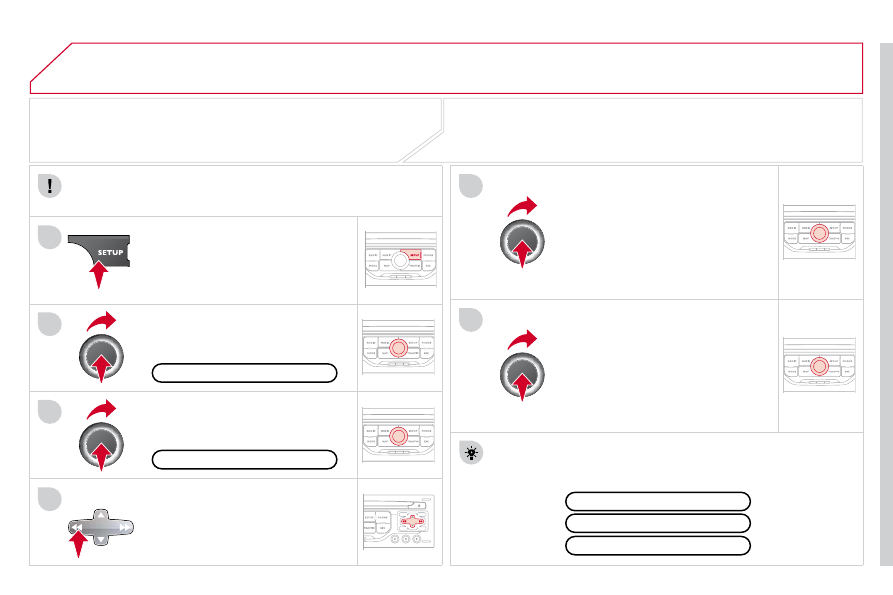
SETTING THE DATE AND TIME
The SETUP function gives access to the following options: System
language, Date & Time, Display (Brightness, Colour, Map colour), Vehicle,
Units, System.
Adjust the settings one by one using
the direction arrows and confi rm by
means of the dial.
Select the "Date format" function and
press the dial to confi rm.
Select the "Set date & time" function
and press the dial to confi rm.
Confi rm the format required using the dial.
Pressing the SETUP button for more than 2 seconds gives
access to:
These settings must be entered again if the battery has been
disconnected.
Press the SETUP button.
Confi rm the format required using
the dial.
Select the "Time format" function and
press the dial to confi rm.
Set date & time
Select the "Date & Time" function
and press the dial to confi rm.
Demo mode
GPS coverage
Description of the unit
Date & Time