Diesel engine 12V 4000 G73, 16V 4000 G73. Manual - part 34
 

  Index      Engines     Diesel engine 12V 4000 G73, 16V 4000 G73. Application group 3B - service manual


Search            


Content   ..  32  33  34  35   ..


Diesel engine 12V 4000 G73, 16V 4000 G73. Manual - part 34


7.19 Fan Drive

7.19.1 Fan drive – Drive belt check / adjustment

Preconditions

☑ Engine is stopped and starting disabled.

Special tools, Material, Spare parts

Designation / Use

Part No.

Qty.

Optibell 2 belt tension tester

Y4345711

1

Preparatory steps

1.

Remove protective cover.

2.

Check belt condition visually (→ Page 133).

Result:

For drive belt replacement, (→ Page 139).

Checking Vee belt tension

1.

Switch on belt tension tester.

2.

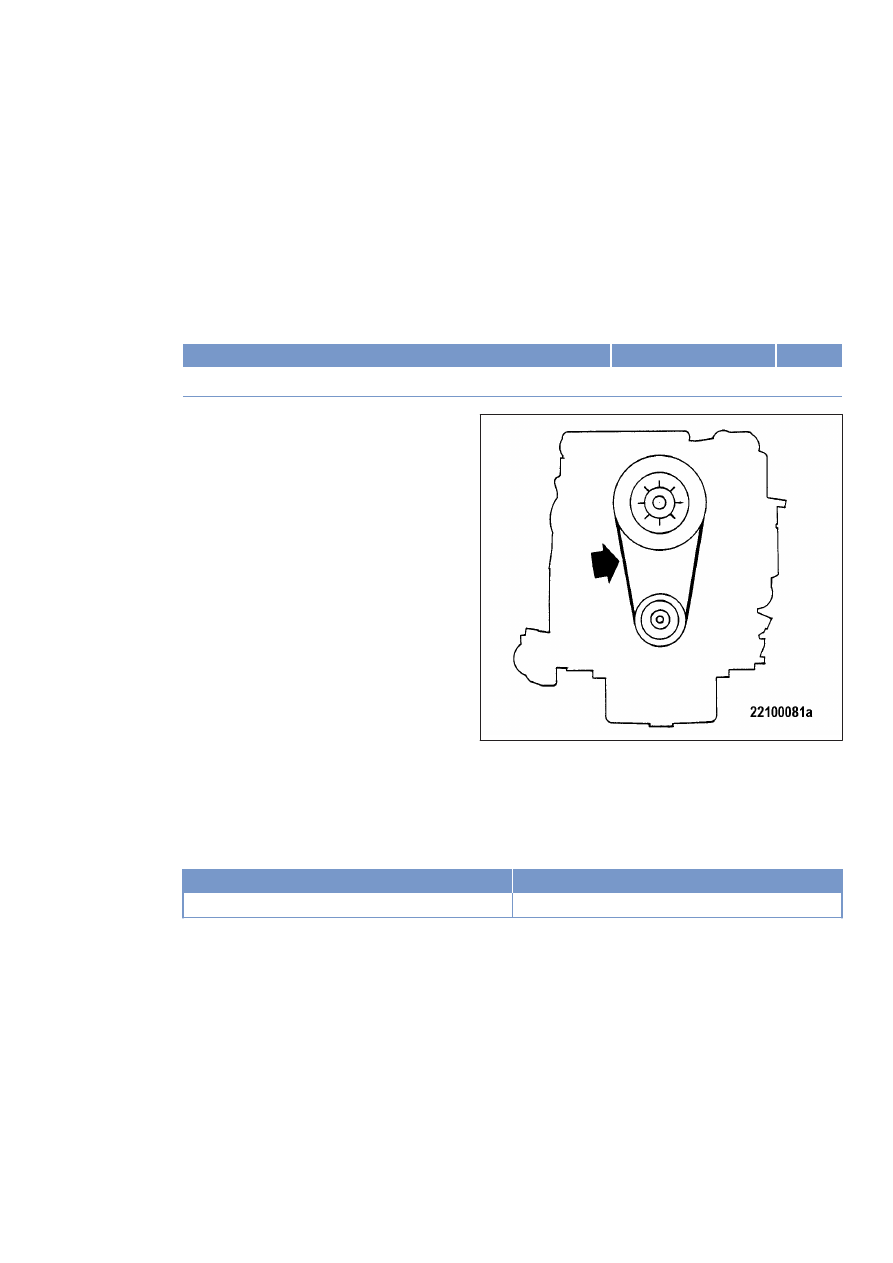
Hold measuring tip of belt tension tester over belt drive. Tap drive belt (arrow) with a suitable tool.

3.

Hold belt tension tester over belt drive until the measured value is indicated.

Initial operation with fan

Belt tension adjustment

58 Hz ± 5 Hz

 51 Hz ±  5 Hz

Adjusting drive belt tension

1.

Release screws (2) until fan coupling can

be moved.

2.

Tighten stud (1) until the required frequency

is achieved.

3.

Tighten screws (2) to 100 Nm ± 10 Nm.

TIM-ID: 0000015308 - 003

7.19.2 Fan drive – Drive belt replacement

Preconditions

☑ Engine is stopped and starting disabled.

Special tools, Material, Spare parts

Designation / Use

Part No.

Qty.

Drive belt

(→ Spare Parts Catalog)

Preparatory steps

1.

Remove protective cover.

2.

Remove fan.

Replacing drive belt

1.

Release screws (2).

2.

Slacken off stud (1) until drive belt can be

removed.

3.

Clean belt pulleys.

4.

Fit new drive belt on belt pulleys, ensuring

that it is not under tension.

5.

Adjust belt tension (→ Page 137).

7.20 Wiring (General) for Engine/Gearbox/Unit

7.20.1 Engine wiring – Check

Preconditions

☑ Engine is stopped and starting disabled.

Special tools, Material, Spare parts

Designation / Use

Part No.

Qty.

Isopropyl alcohol

X00058037

1

Engine wiring – Check

1.

Check securing screws of cable clamps on engine and tighten loose threaded connections.

2.

Ensure that cables are fixed in their clamps and cannot swing freely.

3.

Check that cable ties are firm, tighten loose cable ties.

4.

Replace faulty cable ties.

5.

Visually inspect the following electrical line components for damage:

• connector housings;

• contacts;

• sockets;

• cables and terminals;

• plug-in contacts.

6.

(→ Contact Service) if cable conductors are damaged.

Note:

Close male connectors that are not plugged in with the protective cap supplied.

7.

Clean dirty connector housings, sockets and contacts with isopropyl alcohol.

8.

Ensure that all sensor connectors are securely engaged.

TIM-ID: 0000000029 - 017


Content   ..  32  33  34  35   ..