Curtiss JN4 Jenny. Microsoft Flight Simulator

Preface
FOR SIMULATION USE ONLY - DESIGNED FOR SINGLE-PILOT OPERATIONS
This guide is designed to help provide a straightforward set of instructions to aid in operating
the Curtiss JN-4 Jenny. It has been produced using multiple real-world JN-4 Operator
manuals from various dates, with modifications to various procedures to make them more
manageable in-game.
PHOTOSENTIVE SEIZURE WARNING
A very small percentage of people may experience a seizure when exposed to certain visual
images, including flashing lights or patterns that may appear in video games. Even people
who have no history of seizures or epilepsy may have an undiagnosed condition that can
cause these “photosensitive epileptic seizures” while playing video games.
Immediately stop playing and consult a doctor if you experience any symptoms.
These seizures may have a variety of symptoms, including light-headedness, altered vision,
eye or face twitching, jerking, or shaking of arms or legs, disorientation, confusion, or
momentary loss of awareness. Seizures may also cause loss of consciousness or
convulsions that can lead to injury from falling down or striking nearby objects.
Parents should watch for or ask their children about the above symptoms. Children and
teenagers are more likely than adults to experience these seizures.
You may reduce risk of photosensitive epileptic seizures by taking the following precautions:
•
Play in a well-lit room.
•
Do not play if you are drowsy or fatigued.
If you or any of your relatives have a history of seizures or epilepsy, consult a doctor before
playing video games.
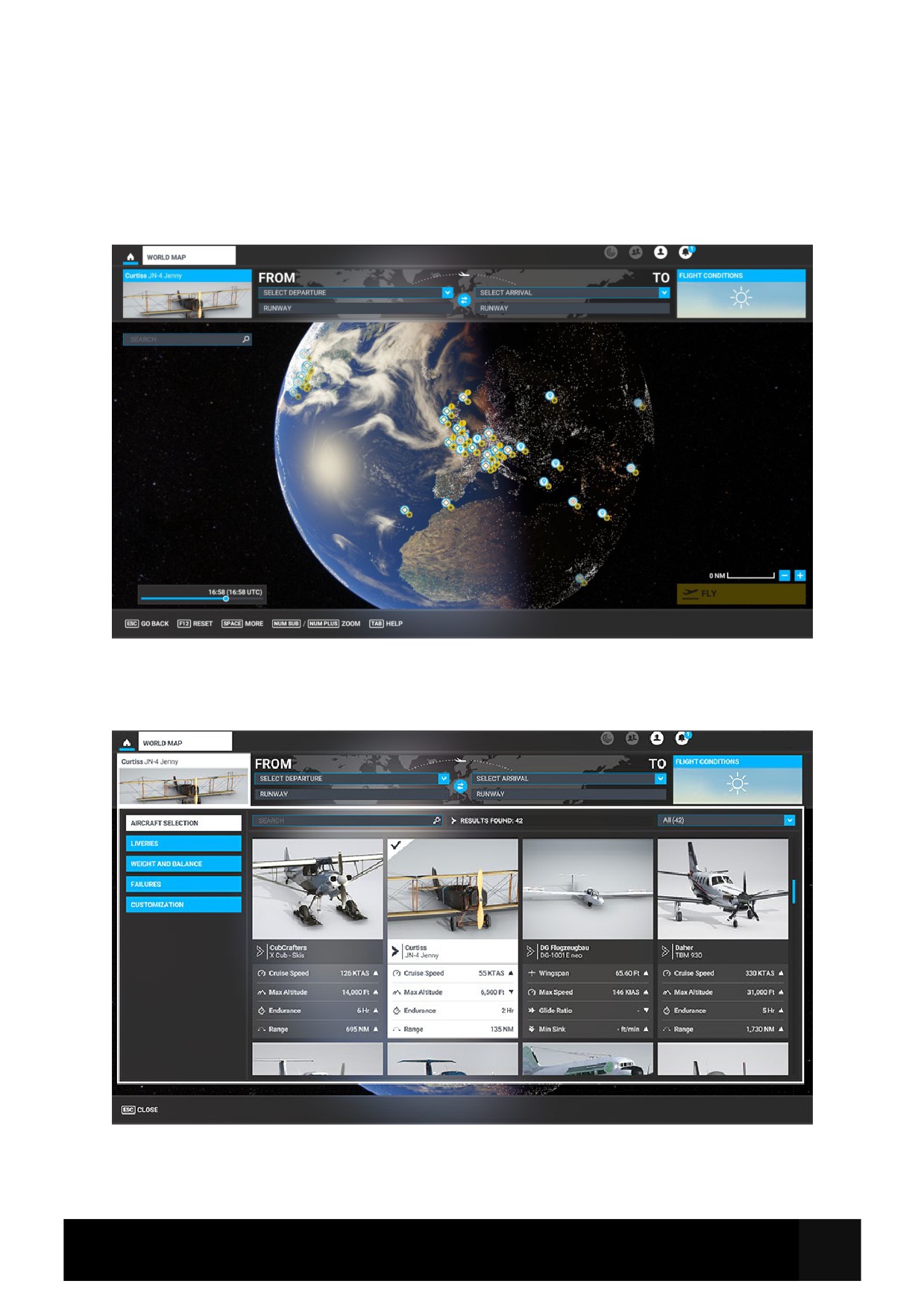
Aircraft Selection and Liveries
To fly the Curtiss JN-4 Jenny, you need to select it from the Aircraft Selection menu.
Click on World Map from the Main Menu and click the Aircraft selection icon in the top left.
Scroll until you see the Jenny JN-4 or type in the search bar “Jenny” or “JN-4” and the aircraft will
show.
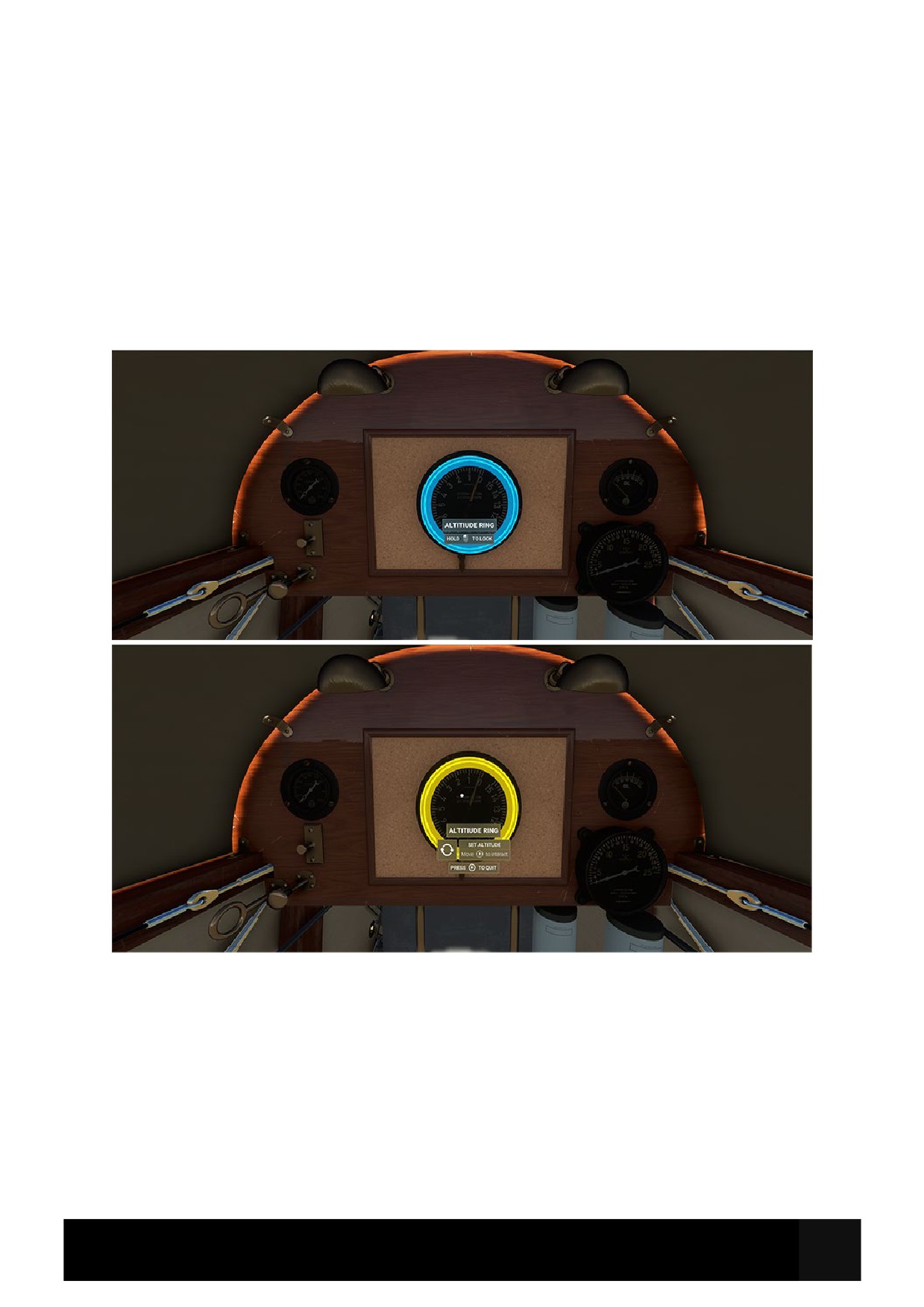
Cockpit Interaction
Some knobs within the cockpit have interaction where you can push, pull, or scroll them for
certain functions.
On the PC, left click the knob and push the mouse for “push” interaction and pull the mouse for
“pull” interaction whilst holding the mouse button down. Some functions also may have middle-
mouse button “scroll” or right-mouse click “set” functions.
On the Xbox, press A to interact with the knob and use A to “push”, X to “pull” Right Stick to
“scroll” and B to finish the interaction.
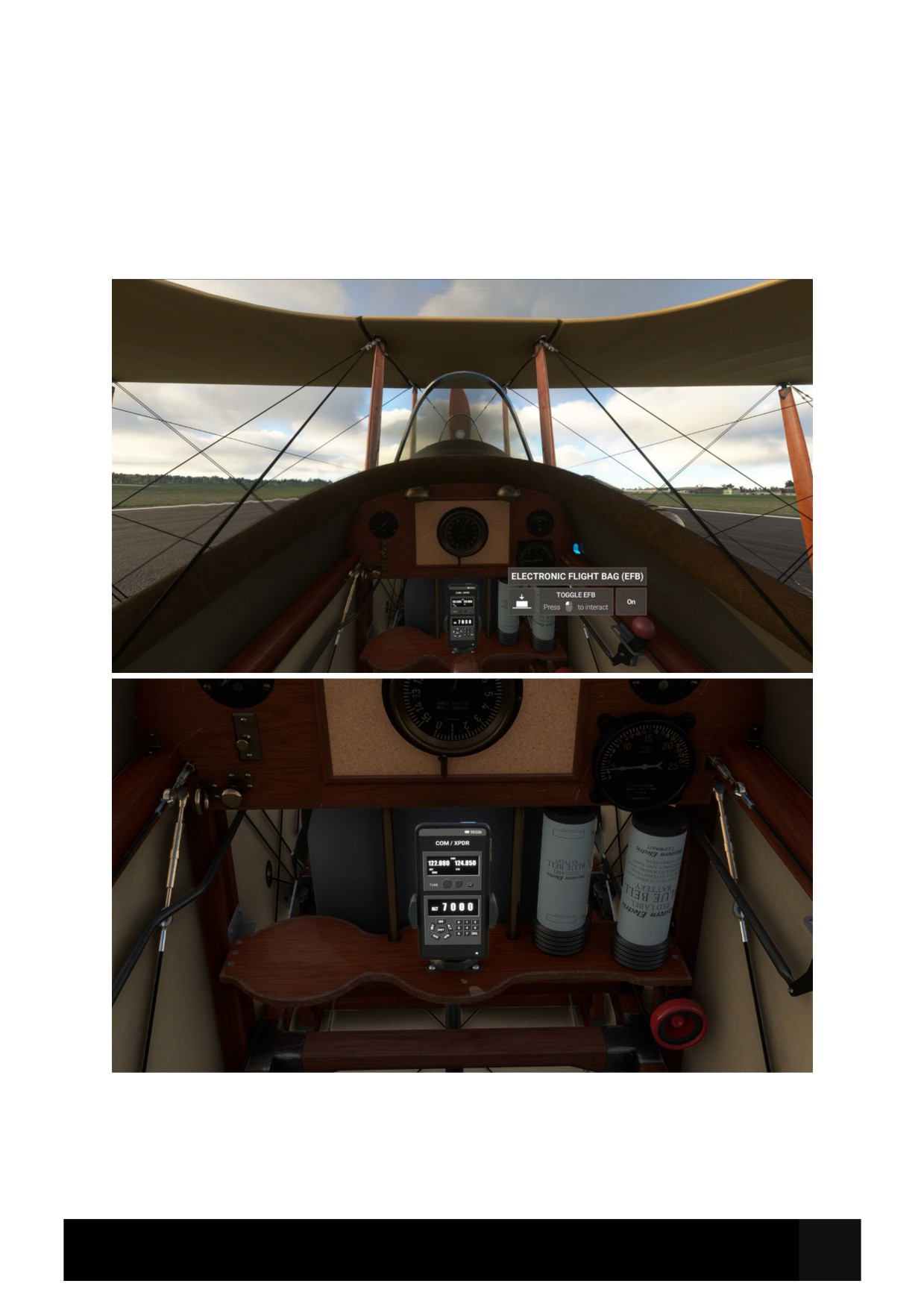
Electronic Flight Bag (EFB)
There is an Electronic Flight Bag (EFB) phone located behind the stick next to the batteries which
allows for radio interaction within the aircraft. There is also a Compass page which shows
direction and Indicated Air Speed (IAS).
To Show/Hide the EFB, click on the bracket on the right side of the cockpit, indicated below. This
allows you to hide the EFB during flight if you should wish to do so. The radios will still work with
the EFB hidden.
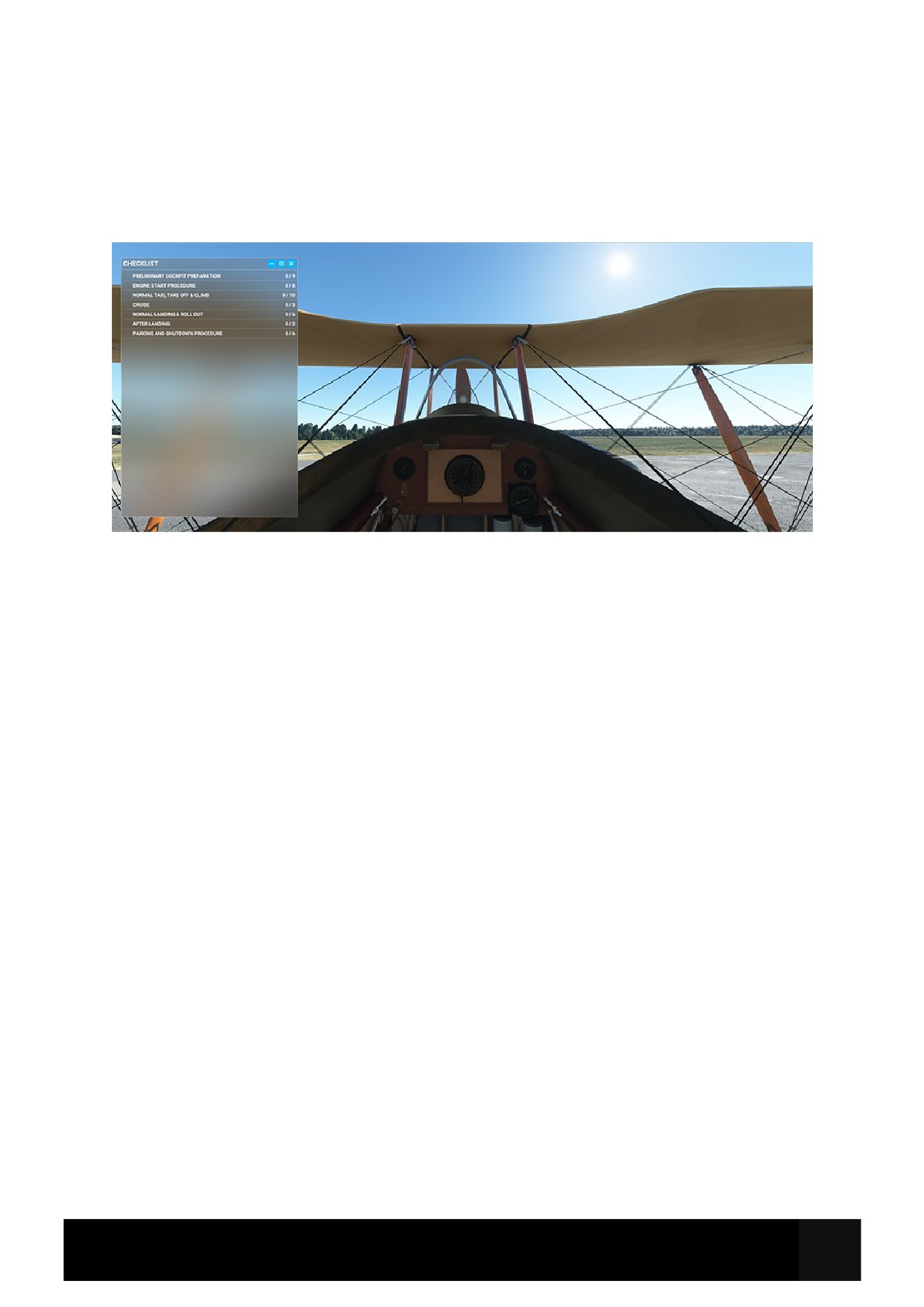
Checklists
Whilst this guide offers comprehensive details along with the Quick Reference Card (QRC), there
are handy procedure checklists built within the simulator which can be found from the top-of-
screen drop down menu and selecting the Checklist option.
Clicking the blue eye icon to the right of the checklist item will switch your view to the correct
panel where the button/switch/dial/gauge is located. You can use the TICK ITEM option to tick off
the item from the checklist as handy reference.
Important Notes and Substitutions
The aircraft was typically manoeuvred into position at the end of the runway, or storage point by
hand. However, we have added the ability to steer the aircraft on the ground using rudder
controls for gameplay purposes.
Warning! The aircraft does not have any toe-brakes implemented, which is true to life. To slow
the aircraft down upon touchdown, with reduction of speed pull the stick fully aft to ensure the
tail skid is on the ground and using friction to slow down.
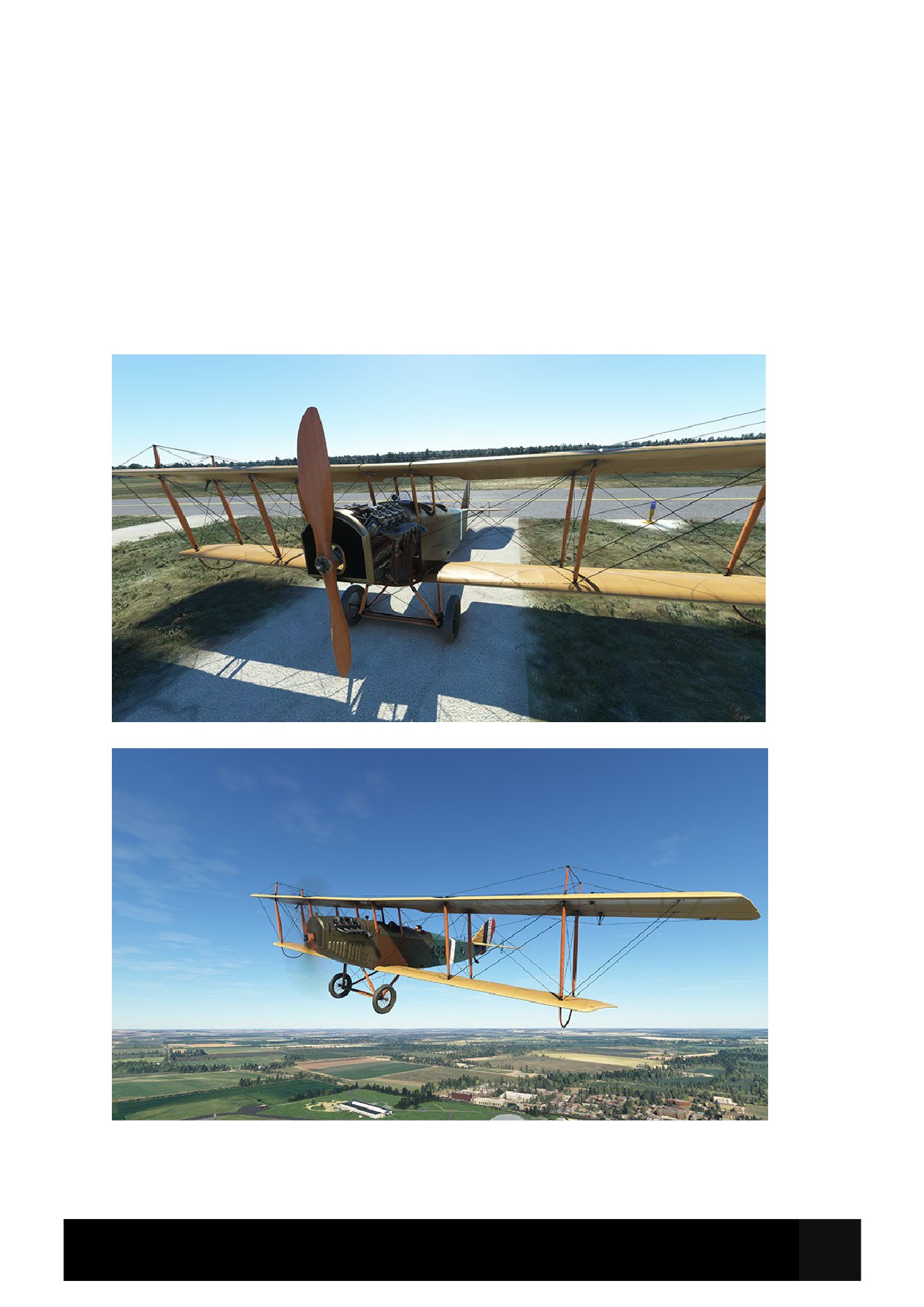
Curtiss JN-4D Jenny Specifications
Cruise Speed: 55 MPH
Max Altitude: 6000 Ft
Max Weight: 1,920 Lb
Range: 135 Miles
Fuel Capacity: 20 Gal
Length: 27.5 Ft
Wingspan: 44 Ft
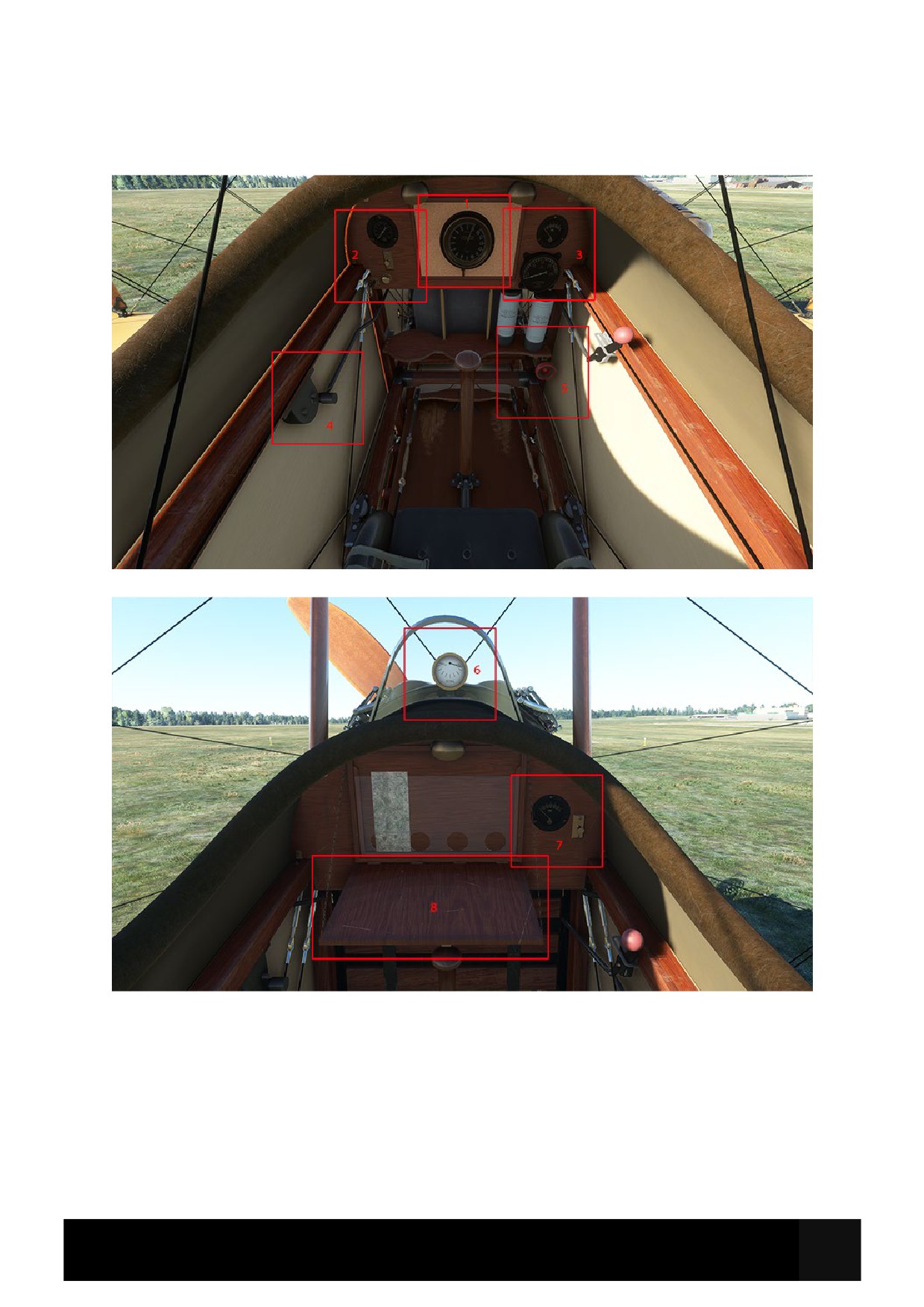
Cockpit Layout
1. Altitude Ring
5. Fuel Cut Off Valve
2. Engine, Fuel and Lights
6. Fuel Gauge
3. Instruments
7. Instrument and Lights
4. Magnetos
8. Map Table
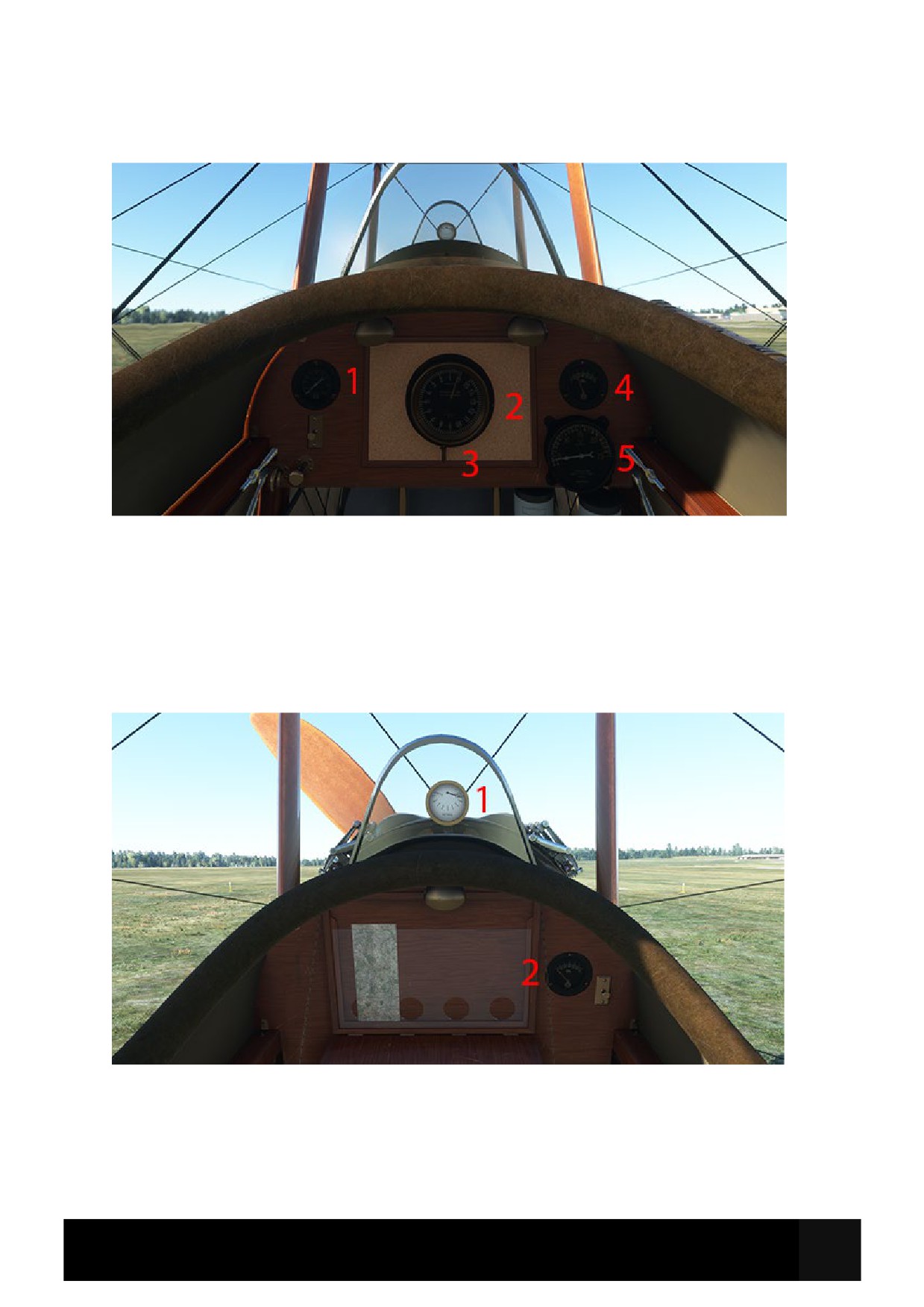
Rear Cockpit Instruments (Pilot)
1. Coolant Temperature
2. Altitude Ring
3. Altitude Ring Lock
4. Oil Pressure
5. RPM
Front Cockpit Instruments (Co-Pilot)
1. Fuel Gauge
2. Oil Pressure
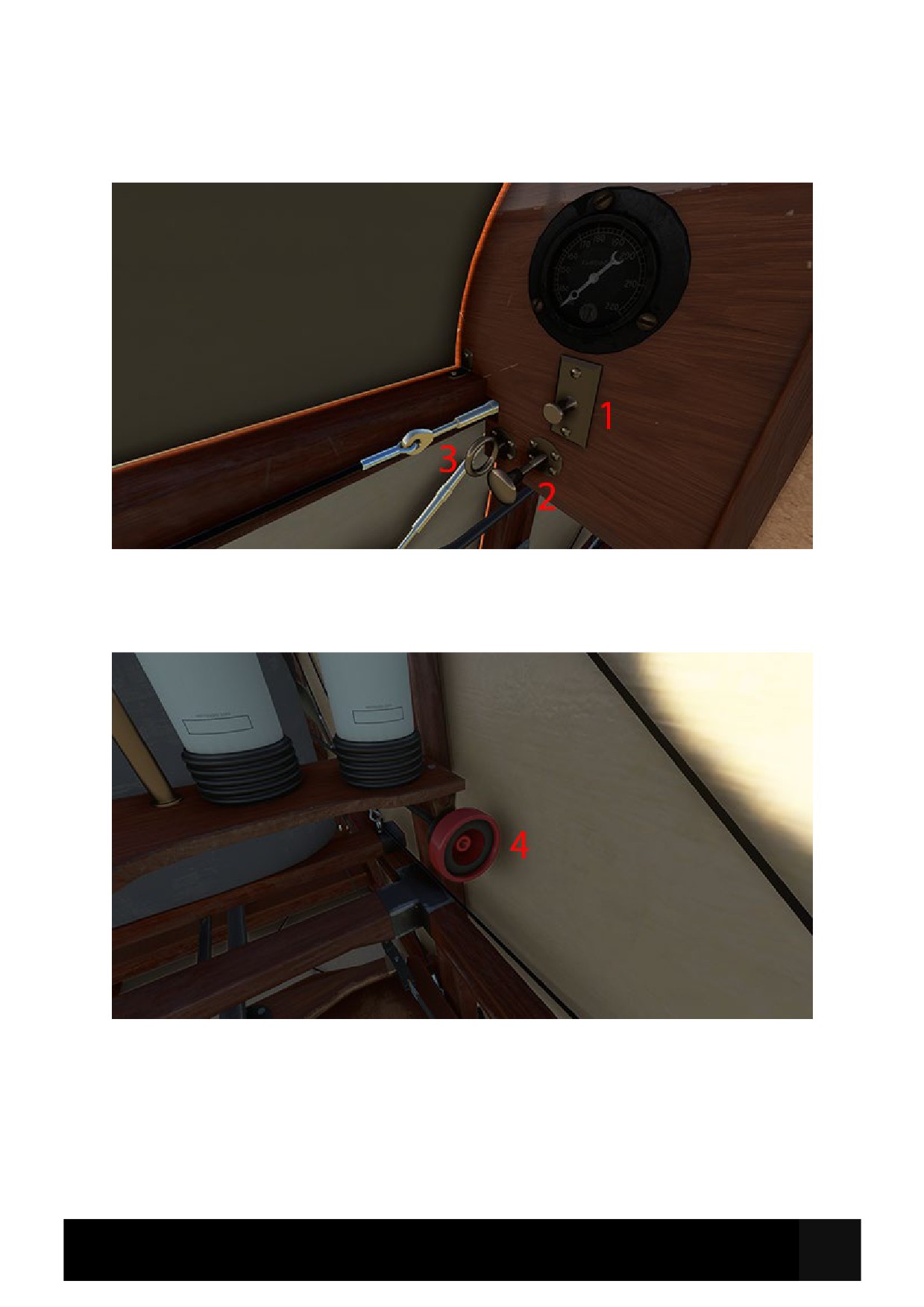
Rear Cockpit Levers and Switches (Fuel and Lights)
1. Light Switch (for front and rear)
2. Choke/Mixture Lever
3. Fuel Cut Off Ring
4. Fuel Shut Off Valve
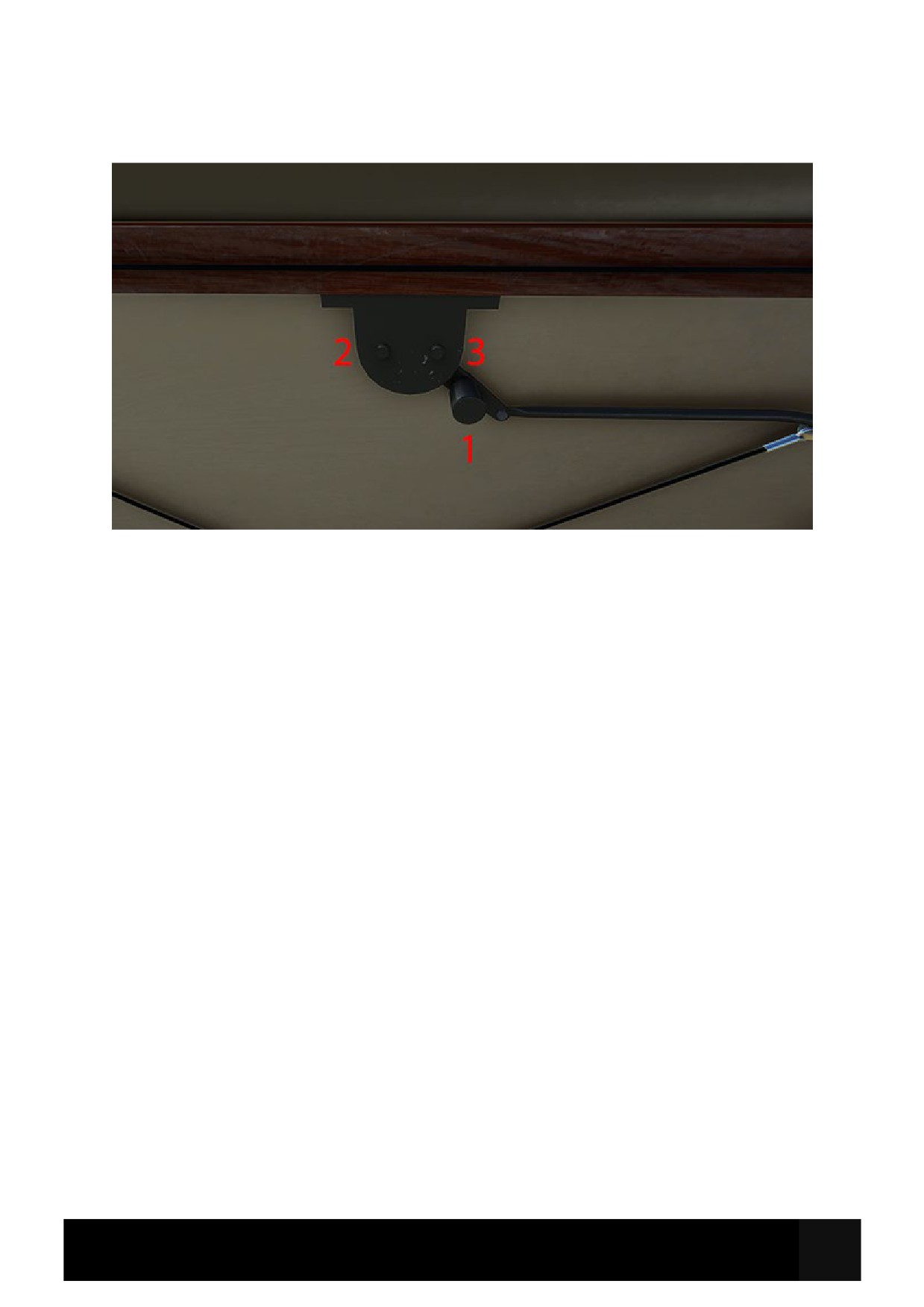
Rear Cockpit Levers and Switches (Magnetos)
1. Magneto Lever
2. Left Magneto Switch
3. Right Magneto Switch

Pre-Flight Inspection
Stick
Hold Slightly Back
Throttle
Moderate Increase Until Full for Takeoff
Fuel Shut Off Valve
Closed
Fuel Cut Off Ring
Out
Cruise
Magneto Lever
Aft
Magneto Breakers
Out
RPM
1100
Mixture/Choke
Fully In
Cruise Altitude
500-1000ft
Propeller
Still
Engine Gauges
Check within limits
Cowlings
Off
Engine Visual Inspection
Complete
Normal Landing & Roll Out
Before Starting Engine
Curved Approach to the Runway
Carry Out
Maintain RPM
1000 to 1100
Cowlings
On
Monitor Speed vs Descent Rate
Visually
Flight Controls
Free and Correct Movement
Throttle
Idle at Threshold
Control Stick
Slightly Aft on touchdown
Starting Engine
Rollout
Monitor Visual Speed
On Speed Reduction
Stick Fully Aft
Fuel Shut Off Valve
Open
Fuel Cut Off Ring
In
After Landing & Shutdown
Magneto Lever
Forward
Magneto Breakers
In
Fuel Cut Off Ring
Out
Mixture/Choke
Fully Out
Fuel Shut Off Valve
Closed
Throttle
Open ½ inch
Magneto Lever
Aft
Propeller Area
Clear
Magneto Breakers
Out
Propeller
Click to Throw Prop
Propeller
Still
Panel Light
As Required
Panel Light
Off
Normal Taxi, Take Off & Climb
Flight Controls
Free and Correct Movement
WARNING
No Brakes Equipped
Throttle
Advance
Taxi
Slowly
Steering
With Rudder
Jenny JN-4D Quick Reference Card